Fourth Insight - The power of Multi-Layouts
The Wheels of Ticketing - Desk Stories
The power of Multi-Layouts
 In the previous insights, we have established that layouts are the foundation for a ticketing system, and fields are the building blocks for the same system.
Fundamentals of layouts
Fields play a crucial role in helping customers and agents collect valuable end-user information to understand their concerns better. Organizations must prioritise collecting accurate data in the right format to ensure efficiency. It's essential to avoid overwhelming end users with unnecessary or confusing fields; clarity is key. Additionally, the layout of these fields should be thoughtfully classified based on the data collected from end users to provide a more intuitive and user-friendly experience.
Understanding multi-layouts
Multi-layout best practices
For a ticketing help desk system to support multiple layouts effectively, consider the following:
- Modular design: Streamline your ticket submission process into multiple services according to your business. Each service can be created as a layout. If there are common details between services, build this interface with reusable fields.
- Role-based preset: To simplify onboarding, pre-configure layouts connected to agent roles according to the solutions they provide to customers.
- Customisation engine: To ensure accurate information and help agents with all required information, include widgets using extensions and proper recommendations using tooltips.
- Responsive data integration: To avoid ticket creation latency, ensure only the required fields are added to the layout. Using layout rules, you can also make the design responsive based on the input.
- Performance optimisation: Validate the data given in the layout fields using validation rules to minimise the agent's load time on incorrect data.
- Accessibility: Design layouts with keyboard navigation, screen reader support, and high-contrast options to accommodate all users.
A story for better understanding
Streamlining Support with Multiple Layouts
This narrative illustrates how multi-layouts improve efficiency, adaptability, and the overall experience for agents managing customer support tickets.
At Help Point Innovations, a rapidly growing SaaS company, the customer support team faced challenges managing an overwhelming influx of tickets. While their help desk system was operational, it lacked flexibility and only provided a uniform ticket view, frustrating agents. Simple inquiries were often lost amid more complex technical problems, causing agents to spend unnecessary time navigating multiple tabs to locate information. This led to declining morale and increasing response times.
Enter Chandler, the new support operations manager, tasked with turning things around. He collaborated with the operations team to implement a new ticketing help desk system that supported multiple layouts tailored to different agent needs.
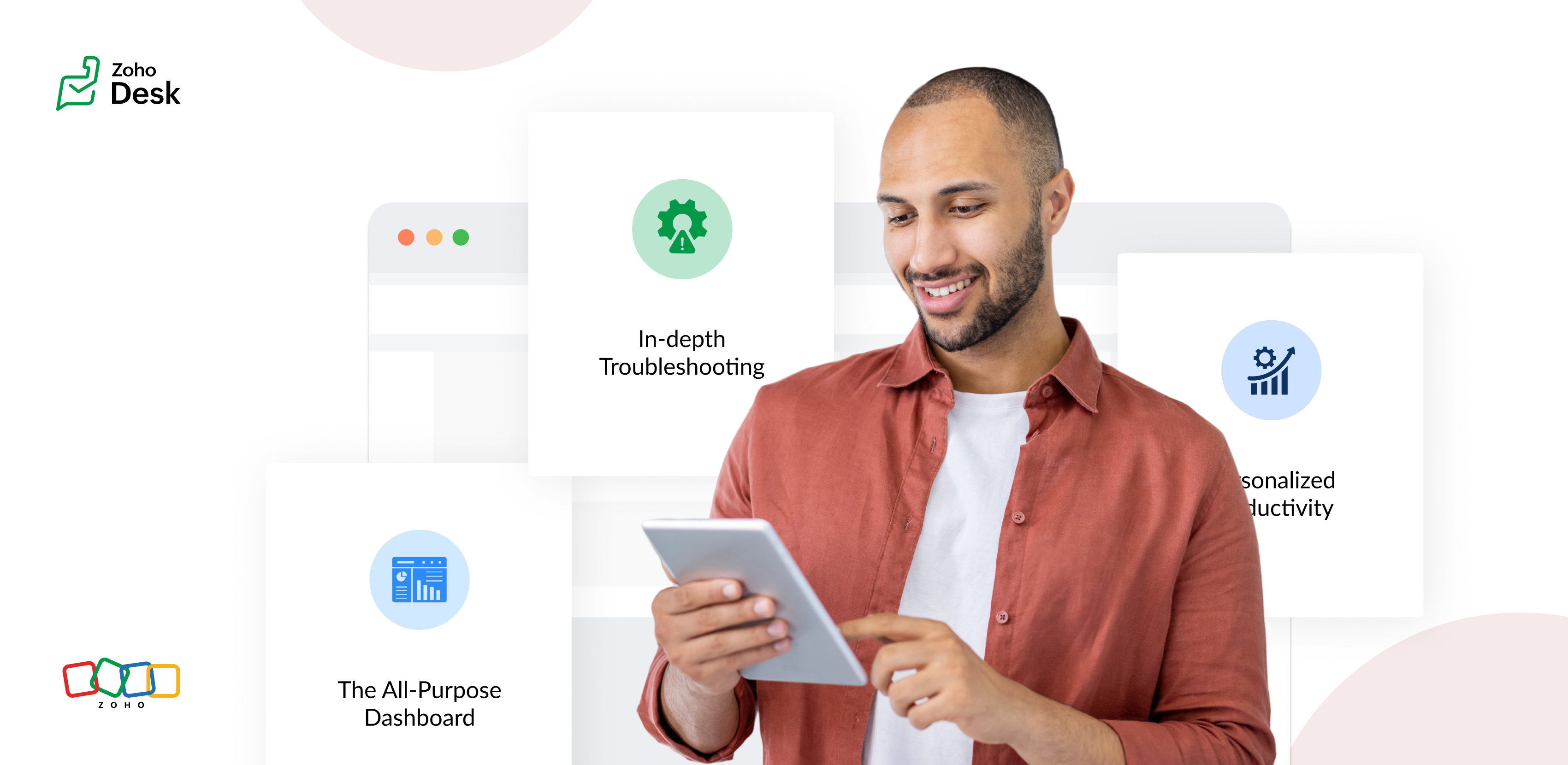
The Standard Layout – The All-Purpose Form
On his first day, Chandler shadowed Mike, a level 1 support agent handling general inquiries. Mike used the standard layout, a clean, streamlined form designed for quick ticket triage:
- Ticket list pane: A sortable list of open tickets with columns for ticket ID, customer name, priority, and subject. Filters let Mike focus on "New" or "High Priority" tickets.
- Ticket details pane: Clicking a ticket displayed the customer's message, purchase history, and a chat-like thread for internal notes and replies.
- Quick actions bar: Buttons for everyday actions like "Assign to Self," "Reply with Template," or "Escalate" were front and center.
Mike valued how the Standard Layout let him process simple tickets, like password resets or billing questions, in under a minute. For example, when a customer asked about a subscription refund, Mike pulled up the ticket, checked the purchase history in the details pane, and sent a pre-approved refund response using a template without leaving the screen.
The standard layout empowered level 1 agents to efficiently handle high-volume, straightforward tickets, reducing average response time by 30%.
The Tech Layout – In-depth Troubleshooting
- Expanded ticket details: The layout prioritized technical data, showing error logs, system diagnostics, and API call history alongside the ticket thread.
- Integrated tools pane: A sidebar linked to debugging tools, a knowledge base, and a code snippet library for quick reference.
- Collaboration panel: A dedicated space for real-time collaboration with developers via internal chat, with options to attach screenshots or screen recordings.
When a customer reported an API timeout issue, Lila used the technical layout to view the error log, cross-reference it with the knowledge base, and ping the dev team in the collaboration panel. She identified a rate-limiting issue, shared a workaround with the customer, and flagged the ticket for a permanent fix within 15 minutes.
The technical layout reduced resolution time for complex tickets by 40%, as agents had critical tools and data at their fingertips.
The Custom Layout – Personalized Productivity
Finally, Chandler met Riya, a senior agent who handled level 1 and 2 tickets. Riya had created a Custom layout to suit her unique workflow:
- Hybrid ticket view: Riya combined elements of the standard and technical layouts, with a compact ticket list and a detailed technical pane for quick switches between complex and straightforward tickets.
- Pinned widgets: She added widgets for her most-used tools, like a live chat monitor and a shortcut to her favorite response templates.
- Colour-coded priority: Riya customized the ticket list to highlight VIP customers in red and urgent tickets in yellow.
When a VIP client reported a critical issue, Riya's custom layout let her spot the ticket instantly, access diagnostic data, and respond with a personalized message in record time. Thanks to her tailored setup, she could easily pivot to handling a batch of routine tickets without missing a beat.
Custom layouts boosted agent satisfaction and productivity, as veterans like Riya could work in a way that matched their expertise and preferences.
The Transformation
Wrapping up
The key to success? Flexibility. By offering multiple layouts, standard for speed, technical for depth, and custom for personalization, he help desk system met the diverse needs of the support team and turned disorder into a well-oiled machine.
Please stay tuned for more Desk Module stories.
Cheers,
Kavya Rao
The Zoho Desk Team

Topic Participants
Kavya Rao Addepalli
Recent Topics
How to search (web API) for a Calls record by phone number?
Using v8 /Calls/search web api I'm unable to to complete a search request no matter how I use the api: When I try using "criteria=" I get: response: <Response [400]> response_json: { "code": "INVALID_QUERY", "details": { "reason": "the field is not available[Free Webinar] Product Release Updates - Creator Tech Connect
Hello Everyone! We welcome you all to the upcoming free webinar on the Creator Tech Connect Series. The Creator Tech Connect series is a free monthly webinar that runs for around 45 minutes. It comprises technical sessions in which we delve deep intoZoho GenAI API Error Not a valid response from zia.
Zoho GenAI API Error Not a valid response from zia.Help me to retreive my Document
Please help me to retrieve my documents from any date between 1st February, 2025 to 20th,March 2025 .it got mistakenly deleted on the 21 of March 2025 due to phone screen malfunction I earnestly await your positive response .thank youhow to change the page signers see after signing a document in zoho sign
Hello, How can I please change the page a signer sees after signing a document in Zoho Sign? I cannot seem to find it. As it is now, it shows a default landing page "return to Zoho Sign Home". Thanks!Look Up Field Type not available for events and tasks?
Look Up Field Type not available for events and tasks?I cannot check out to Zoho People.
When I tried to check out today, there's prompt that inhibits me to check out: To add entry in Attendance, log time for any of your jobsDigest Juin - Un résumé de ce qui s'est passé le mois dernier sur Community
Bonjour à toutes et à tous, Ce mois-ci encore, tout s’est enchaîné à toute vitesse ! On vous fait un petit récap de ce qui a marqué ces dernières semaines. Zoho RPA est une solution robuste d’automatisation des processus, conçue pour s’intégrer aux systèmesDifferent Transaction Series for Different Types of Sales
Is there any way I can create multiple transaction series for different type of Sales? Say B2B-001 and B2C -001 for respective type of Sales.?Unable to charge GST on shipping/packing & Forwarding charges in INDIA
Currently, tax rates only apply to items. It does not apply tax to any shipping or packing & forwarding charges that may be on the order as well. However, these charges are taxable under GST in India. Please add the ability to apply tax to these charges.Customer Advance Zoho Book API
All I could find was Customer Payment API, it does not have facility to add customer advances, where those are not linked to any invoice as such. How to do it?Even though the received amount+tax is equal to or lesser than the invoice value, zoho doesnt allow to record
Even though the received amount+tax is equal to or lesser than the invoice value, Zoho mentioned the error- you've recorded more payment than the actual invoice balance. please check again. screenshot also attached. You've recorded more payment thanMultiple deductions in invoice
I issue invoices to a customer that include multiple deductions that I would like to track in different expense accounts. But that is not possible in Zoho Books as there is only one Deduction field and even that I don't have control over to assign it#BiginnersTips | How to bulk update closing dates for multiple deals in Bigin
Hello Biginners! Keeping your CRM data accurate is crucial for any business- big or small. One key aspect is ensuring that closing dates for deals are always up to date. Why? Because if a deal is closed but not updated, your dashboards and reports would采购里出现付款通知 的错误
采购里面出现付款通知错误,怎么调整,我找不到路径,好像是ZOHO 自动生成的,请问怎么调整{"code":1002,"message":"Statement of Accounts does not exist."}
Hello Zoho team, I faced an issue while trying to POST a sales order from sap to zoho books, using the below data packet: { "customer_id": "4322967000027451968", "line_items": [ { "item_id": "2154170000010847685", "rate": "752.00",Add Custom Fields only in Customer module and not on supplier module!? Is not there a way to do that!?
I am trying to create custom fields on clients module but it also gets created on suppliers module; which of course does not make sense at all as a lot of custom fields are client or supplier specific but never both. I am missing something? This seemsLogging website service fees
Hello, I do a lot of freelance work on sites like Upwork and Wyzant and others and those companies take a small cut from what I pay or what I earn and I am wondering what is the correct way to log this in my books. For example if I charge $55 per hourHow do i clear a liability account without making a payment?
I have a liability account with a provision for an expected bill from previous years. However the bill never arrived and the provision/liability account with Cr balance has been carried forward for many years now. How do i know clear the provision made2 Transactions for single Expense
I have make 2 payments and have 1 Invoice containing both the items. My Bank Feeds show 2 Transactions, How can i associate them with Single Expense? I tried adding them to Advance Payment, but advance payment I can only apply to Bills It seems. Why cantEverything AI in Zoho Recruit – Webinar Recording Available!
AI is transforming the way recruiters find, engage, and hire top talent. In our latest webinar, we explored how Zoho Recruit’s AI-powered features can help streamline hiring, automate workflows, and improve decision-making. Missed the session? No worriesIntroducing the FTP task in Deluge
Hello everyone, We're excited to announce the launch of the FTP task, a powerful addition to Deluge that enables you to effortlessly transfer files between various Zoho apps and your own servers. Unlike the invokeUrl task, which supports various HTTPCustom widgets on Zoho one dashboard
Is it possible to create custom widgets on the Zoho One dashboard? I see there is a widget name My Open Tickets to display open tickets in my view, but I would also like to have a widget to display unassigned tickets. A widget to display unfinished projectsData privacy concerns
Does Zoho team have access to my data in the database e.g. Balance Sheet, Bank account transactions, Profit & Loss statement etc.Ability to Remove/Change Zoho Creator Admins via Zoho One Interface
Dear Zoho One Team, Greetings, We would like to request a feature enhancement in Zoho One. Currently, it is not possible to remove or downgrade a user with the Admin role in Zoho Creator from the Zoho One admin interface. Unlike other Zoho apps whereZoho Sheets
Are they ever going to set up the feature "where I left off" just as you can do in Microsoft Excel online ? For me that is the only feature missing from Zoho sheets other than that I think they are terrific and use them every day. I only occasionallyCanvas Detail View Related List Sorting
Hello, I am having an issue finding a way to sort a related list within a canvas detail view. I have sorted the related list on the page layout associated with the canvas view, but that does not transfer to the canvas view. What am I missing?Mass Update in Zoho CRM
Hello, I want to update my past update records by using deluge on some conditions. anyone can please tell me how can I do it.Action requested: Retain your sales journey configuration in Path Finder
Dear Customers, We hope you're well! As you might know, we're completely overhauling our journey management suite, CommandCenter, and are in the last leg of it. As a means of getting ready to go live, we will be announcing a series of requests and updatessearch layout in new version
Hello where is the menu for customizing search fields (module search layout) in the new zoho version (2016) ?? thanks nonoZoho Marketplace Analytcis
Hi Team, Our Zoho Marketplace Dashboard is not showing any data. What do you think we could do?if i have zoho one can i upgrade some of my staff from crm to crm plus within my organisation?
if i have zoho one can i upgrade some of my staff from crm to crm plus within my organisation? Or because I have many licenses of ZOHO ONE , IF I upgrade some staff to ZOGO CRUM PLUS. they will not be on the same organisatThe problem with Commerce ownership changing
Hi, I am changing the ownership of the company and trying to delete the previous user-owner. I changed the owner of the company from user Tatiana to user Eugene. Eugene is the owner of the organization. It's OK. I am now trying to remove the user Tatiana.Secondary Emails
I am having issues deleting a secondary email address from a couple of our users and need help. When in Directory, manage email addresses, I click the trash icon by the email address and confirm I am trying to delete the email. I click continue and IZoho Books | Product updates | June 2025
Hello Users, We’ve rolled out new features and enhancements in Zoho Books, from the option to record advances for purchase orders to dynamic lookup fields, all designed to help you stay on top of your finances with ease. Introducing Change ComparatorsWidget Upload to CRM Fails with “Page Not Found” – Even with Correct Index Path
I'm building a simple widget to export Contact data to CSV in Zoho CRM, triggered via a custom button. The widget uploads cleanly, appears in the widget list, and is successfully assigned to a Contact detail view via a custom button. But when clicked,How can we manage the tags in ticket
Allowing agents to use Tags indiscriminately can cause havoc. We could not find tag management where 1. The admin can create Tags beforehand for use by Agents 2. Permission can be allocated which roles/profiles can use existing tags or add new tags 3.Feed Notifications filter?
I'd like to have filter settings for Feed Notifications just like we have for Personal Email. If someone dumps a bunch of files into a project, we get a notification for every file!Custom fields and filters for Timesheet
HI Zoho Projects team. IT would be great and useful if we can add custom fields to the Timesheet design And is needed more options for filtering the timesheet dashboard, like "Milestones" and task list asociated to the record. Thank youHow do I rename the dropdown that contains a form and a report?
I want to rename this, but I can't find howNext Page