Fourth Insight - The power of Multi-Layouts
The Wheels of Ticketing - Desk Stories
The power of Multi-Layouts
 In the previous insights, we have established that layouts are the foundation for a ticketing system, and fields are the building blocks for the same system.
Fundamentals of layouts
Fields play a crucial role in helping customers and agents collect valuable end-user information to understand their concerns better. Organizations must prioritise collecting accurate data in the right format to ensure efficiency. It's essential to avoid overwhelming end users with unnecessary or confusing fields; clarity is key. Additionally, the layout of these fields should be thoughtfully classified based on the data collected from end users to provide a more intuitive and user-friendly experience.
Understanding multi-layouts
Multi-layout best practices
For a ticketing help desk system to support multiple layouts effectively, consider the following:
- Modular design: Streamline your ticket submission process into multiple services according to your business. Each service can be created as a layout. If there are common details between services, build this interface with reusable fields.
- Role-based preset: To simplify onboarding, pre-configure layouts connected to agent roles according to the solutions they provide to customers.
- Customisation engine: To ensure accurate information and help agents with all required information, include widgets using extensions and proper recommendations using tooltips.
- Responsive data integration: To avoid ticket creation latency, ensure only the required fields are added to the layout. Using layout rules, you can also make the design responsive based on the input.
- Performance optimisation: Validate the data given in the layout fields using validation rules to minimise the agent's load time on incorrect data.
- Accessibility: Design layouts with keyboard navigation, screen reader support, and high-contrast options to accommodate all users.
A story for better understanding
Streamlining Support with Multiple Layouts
This narrative illustrates how multi-layouts improve efficiency, adaptability, and the overall experience for agents managing customer support tickets.
At Help Point Innovations, a rapidly growing SaaS company, the customer support team faced challenges managing an overwhelming influx of tickets. While their help desk system was operational, it lacked flexibility and only provided a uniform ticket view, frustrating agents. Simple inquiries were often lost amid more complex technical problems, causing agents to spend unnecessary time navigating multiple tabs to locate information. This led to declining morale and increasing response times.
Enter Chandler, the new support operations manager, tasked with turning things around. He collaborated with the operations team to implement a new ticketing help desk system that supported multiple layouts tailored to different agent needs.
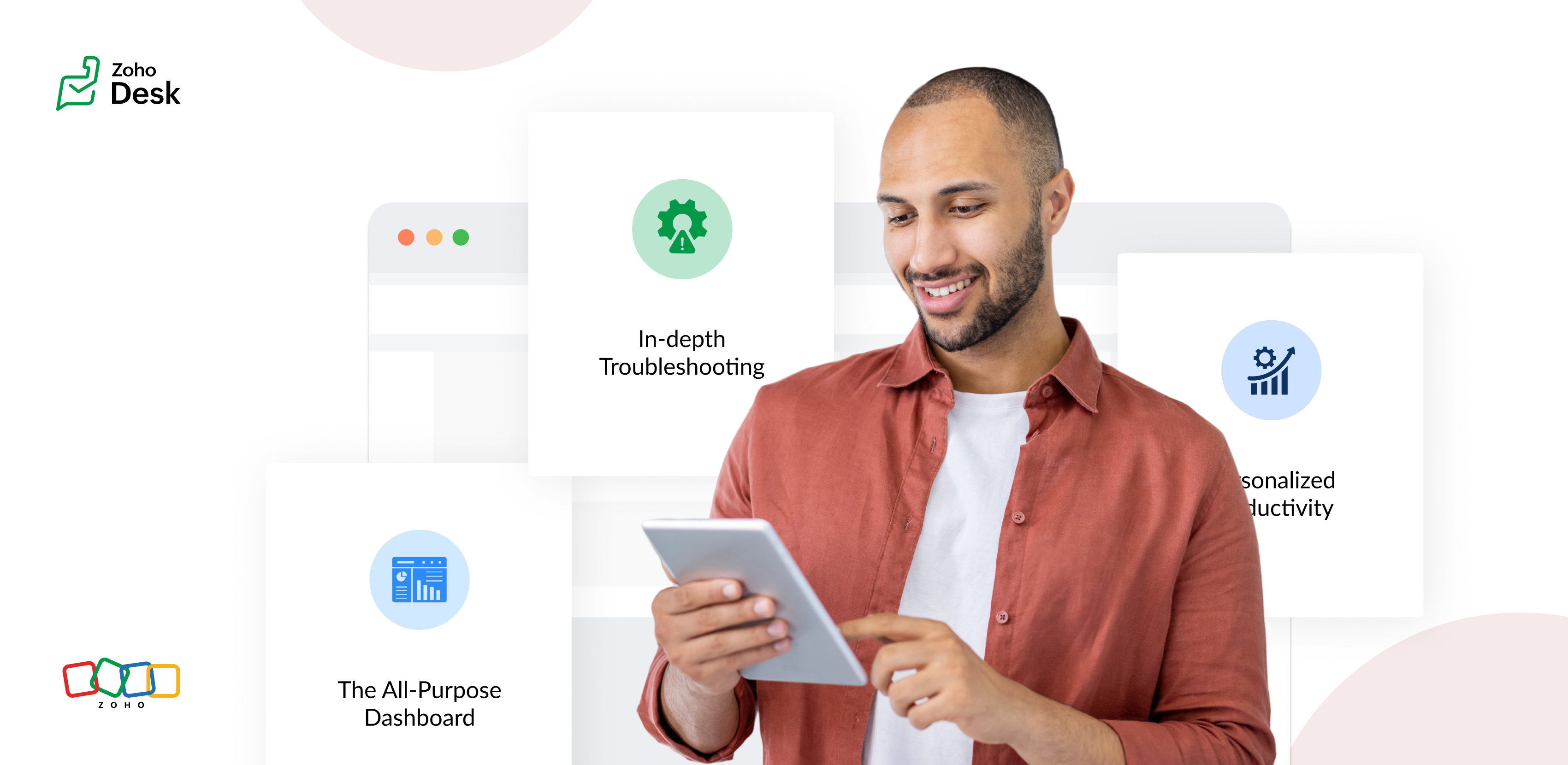
The Standard Layout – The All-Purpose Form
On his first day, Chandler shadowed Mike, a level 1 support agent handling general inquiries. Mike used the standard layout, a clean, streamlined form designed for quick ticket triage:
- Ticket list pane: A sortable list of open tickets with columns for ticket ID, customer name, priority, and subject. Filters let Mike focus on "New" or "High Priority" tickets.
- Ticket details pane: Clicking a ticket displayed the customer's message, purchase history, and a chat-like thread for internal notes and replies.
- Quick actions bar: Buttons for everyday actions like "Assign to Self," "Reply with Template," or "Escalate" were front and center.
Mike valued how the Standard Layout let him process simple tickets, like password resets or billing questions, in under a minute. For example, when a customer asked about a subscription refund, Mike pulled up the ticket, checked the purchase history in the details pane, and sent a pre-approved refund response using a template without leaving the screen.
The standard layout empowered level 1 agents to efficiently handle high-volume, straightforward tickets, reducing average response time by 30%.
The Tech Layout – In-depth Troubleshooting
- Expanded ticket details: The layout prioritized technical data, showing error logs, system diagnostics, and API call history alongside the ticket thread.
- Integrated tools pane: A sidebar linked to debugging tools, a knowledge base, and a code snippet library for quick reference.
- Collaboration panel: A dedicated space for real-time collaboration with developers via internal chat, with options to attach screenshots or screen recordings.
When a customer reported an API timeout issue, Lila used the technical layout to view the error log, cross-reference it with the knowledge base, and ping the dev team in the collaboration panel. She identified a rate-limiting issue, shared a workaround with the customer, and flagged the ticket for a permanent fix within 15 minutes.
The technical layout reduced resolution time for complex tickets by 40%, as agents had critical tools and data at their fingertips.
The Custom Layout – Personalized Productivity
Finally, Chandler met Riya, a senior agent who handled level 1 and 2 tickets. Riya had created a Custom layout to suit her unique workflow:
- Hybrid ticket view: Riya combined elements of the standard and technical layouts, with a compact ticket list and a detailed technical pane for quick switches between complex and straightforward tickets.
- Pinned widgets: She added widgets for her most-used tools, like a live chat monitor and a shortcut to her favorite response templates.
- Colour-coded priority: Riya customized the ticket list to highlight VIP customers in red and urgent tickets in yellow.
When a VIP client reported a critical issue, Riya's custom layout let her spot the ticket instantly, access diagnostic data, and respond with a personalized message in record time. Thanks to her tailored setup, she could easily pivot to handling a batch of routine tickets without missing a beat.
Custom layouts boosted agent satisfaction and productivity, as veterans like Riya could work in a way that matched their expertise and preferences.
The Transformation
Wrapping up
The key to success? Flexibility. By offering multiple layouts, standard for speed, technical for depth, and custom for personalization, he help desk system met the diverse needs of the support team and turned disorder into a well-oiled machine.
Please stay tuned for more Desk Module stories.
Cheers,
Kavya Rao
The Zoho Desk Team

Topic Participants
Kavya Rao Addepalli
Recent Topics
Tracking on Zoho Booking
Hi We want to use Zoho Booking for our appointment management. We're using Calendly as of now that lets us track sources of the appointments made including UTM parameters. Is there a way for us to do same with Zoho Bookings?Pre-created Popular Zoho Flows returns with 404 Error
Your popular Zoho Flows are returning with a 404 page error. This applies to all work flows in your Gallery Space. See video here for further clarification. When will this be fixed? https://drive.google.com/drive/folders/1kDl4ni5EQeLHWeaoIDdtRqoUbW8FNLfO?usp=sharingCRM Feature Request
When enabling Translation in Zoho CRM I would like to see the ability to remove the language "English (US)". I have encountered a user experience issue with a client recently. The client uses English (UK) but they are based in Spain, so they have activatedImport your Google Docs Spreadsheets into Zoho Sheet
You can now import your Google spreadsheet into Zoho Sheet. This will be useful if you want to switch to Zoho Sheet or if you want to simply try out Zoho Sheet. If you don't have an account with Zoho, you can still try this by signing in with your Google account. Here is a video on how to do this. Note: Existing charts won't appear in spreadsheets you import from Google Docs as the Export functionality of Google Docs doesn't give out the charts. Check out the announcement in our blog: https://blogs.zoho.com/general/import-google-docs-into-zoho-productivity-suiteSupport Mixed Visibility Settings in Knowledge Base Categories
Hello Zoho Desk Team, We hope you're all doing well. We’d like to submit a feature request regarding visibility settings in the Knowledge Base module. 🎯 Current Limitation As of today, when a category is set to a specific visibility level (e.g., Public),Will a campaign send duplicates is same email is on two separate lists
Hi I have two lists to which I want to send campaign. One list is ALL leads and other is list of opportunities and current students. There is overlap between the two lists My question is if I send one campaign to all, will zoho automatically know only to send the email once to the duplicate email?Time Based Report / Dashboard
We measure our support agent's KPI based on their response time and resolution time from the time the ticket is assigned to them The time based dashboard should provide this information however there is a problem with us referring to this dashboard WeZoho Learn API Access?
We love using Zoho Learn to manage our internal trainings and knowledge base. What we'd really love is to be able to query Learn via API so that in Zoho Projects, Zoho Creator, or Zoho Desk, we can recommend relevant Learn articles and manuals to teamcreating buttons in zoho site
the connection between zoho site and zoho learn will be awesome and amazing feature so the user instead of registering himself twice just one time register on zoho site will be enough and creating accout on zoho learn instead of registering on zoho learnTwo Problems with the Description Field
Our ticket workflow is often like this. Client calls or emails (to a personal email address) reporting a problem. We create a ticket and enter a description. Problems: 1. By my way of thinking when we enter a description, that is an internal comment (unless we mark it public). Yet it seems there is no way to mark it internal, and Desk just starts inserting it into communications. 2. Additionally, in the conversation view it makes it appear it was emailed by the customer and inserts their name onLookup Field limitations
Good day all, Is anyone else frustrated with the lookup field limitation? I have an enterprise license, but I only get 10 lookups. Additionally, the custom module has been available for a while and is still in diapers. If you want good reporting, youDynamically Sync zoho.adminuserid with Current App Admin
Hello Zoho Team, We hope you're doing well. We’d like to request an important enhancement to the Deluge sendmail task functionality. As per the current behavior, in most Zoho services (excluding Zoho Cliq, Zoho Connect, Zoho Mail, and Zoho Sheet), the"Improper Statement" Error on Deluge Loops (while/for) when Processing a Date Range
Hello, Zoho Community, I'm facing a very specific issue with a Deluge script and would appreciate any insights from the community. The Goal: I have a form (ausencia_visitadoras) where a user inputs a start date and an end date for a period of absence.Automating Daily Lottery Result Publishing with Zoho Creator or Flow – Any Best Practices?
Hello Zoho Community, I run a results-based informational website in Brazil called CaminhoDaSorte.com, where we publish daily Jogo do Bicho results. Right now, we're doing this process manually every day — but we’re looking to automate the backend usingissues with manually shipping sales orders - advise needed please
we are new to zoho inventory. we are going to roll the program out to our company within a couple of weeks and during the implementation process we have come into a roadblock with manually packaging and shipping sales orders. its important to note importantI do not see the “Lead Forms” option under Integrations
Hi, I’m using Zoho Social on a Premium plan. I’ve connected LinkedIn Company Page and have a valid LinkedIn Ad Account with Lead Gen Forms. However, I do not see the “Lead Forms” option under Integrations, so I can’t enable LinkedIn Lead Generation. PleaseSTOCK function showing #N/A! even thought the Stock symbol is valid
Zoho Team, I use STOCK function on Zoho Sheet to fetch the recent Last Closing Price. Some stock symbols are valid but when the STOCK function is applied, it shows #N/A! Attaching an image for reference.What’s the Correct Integration Flow Between Zoho Inventory, ShipStation, and Multi-Channel Sales Platforms?
Hi Zoho Community, I’m currently implementing Zoho One to manage all of my business processes, and I’d appreciate some guidance on the correct integration flow for the tools I’m using. Here’s my current setup: Zoho Inventory is my central system for managingBeyond Email: #4 Note taking done right with Notes
With her favorite links now saved in Bookmarks, Sarah is feeling even more at home in Zoho Mail. As her day fills up with meetings and project discussions, she often finds herself scribbling quick ideas and reminders—only to lose track of them later.When will Sales Order and Invoice Synchronisation with Zoho CRM be Available?
When will Sales Orders and Invoices, created in Zoho Books or Inventory be made available in Zoho CRM? John Legg Owner: The Debug StoreGenerate Unique Customer ID for Each for All Contacts
Generate Unique Customer ID for Each for All ContactsBookings to Books automation using Flow
I'm using Zoho Flow to automate a process between Bookings and Books. When someone uses Bookings to schedule time with me I use Flow to automatically add the person as a customer in books, then create a Quote in Books for the type of consultation theyDifferent Canvas for Different account type
I would like to have a separate canvas for Customers and Resellers that auto-applies when I enter an ACCOUNT. Is this do-able?IMAP sync issues in Zoho CRM
We are using the Zoho CRM for a while, and we sync (via IMAP) our Google Apps email system. The sync works properly when looking at emails per account, contact or deal, etc. However, it does not function well in the "Messages" and "SalesSigns" features.Reporting tags for custom modules
Hi, it could be very useful. At field level and at sub table level. Thanks, EduardoCan't pass Dates and use date filtered Charts in Pages?
I don't mess with pages very much, but I'm trying to build a dashboard. I have a search element and several charts that need to be filtered. I also have a stateless form for a start/end date picker I am trying to use to filter data for the charts. HereZOHO FSM Trial - Assets
Hi I am currently using Zoho CRM and looking at adding FSM. I am trialing FSM at the moment, to potentially move away from my current programme (SimPro) but have a query on the Asset system within FSM It looks like you can only create 1 asset "type";Sending Email with Attachment (PDF, Excel file)
Hi, I'm new to Zoho CRM and I'm setting up a flow to send an Email with Attachment when user reaching a certain stage of a Deal. In detail, I've created a Blueprint which requires user to attach a PDF file when reaching a certain point of the stage andBased on the Assign To time task want to trigger also reminder for the task still move form fresh lead
If the leads is assigned To 1 am to 10.55 am task want to create 11am Then reminder want to go the person at 4pm If lead status not moved from fresh lead. From next on wards Reminder want to go 11 Am and 4pm Every day still the person moved to fresh leadEmails Not Sending
This has happened before. I contacted Zoho and it seemed to work, but now my emails are not sending or taking a long time to send and half the time attachments don't attach. It just keeps saying Sending... and I have to keep clicking it to make it send.[Free Webinar] Learning Table Series - AI-Enhanced Logistics Management in Zoho Creator
Hello Everyone! We’re excited to invite you to another edition of Learning Table Series, where we showcase how Zoho Creator empowers industries with innovative and automated solutions. About Learning Table Series Learning Table Series is a free, 45-60WhatsApp pricing changes: Pay per message starting July 1, 2025
Starting July 1, 2025, WhatsApp is shifting from conversation-based pricing to per-message billing. That means every business-initiated message you send will count. Not just the first one in a 24-hour window. Pricing updates on the WhatsApp Business PlatformCreate a button that converts Sales Order into a Custom Module
I am looking for a way of creating a button on Sales Orders that would automatically create a record in a custom module I have created called Contracts. The custom destination module "Contracts" has the following fields that I would need to populate [Contracts Name] populate with SalesOrderID [Account Name] populate with related Account Name [Contract Start Date] populate with the date that the record was created Could someone help or point me in the right direction? ThanksRemove all of the junk data that comes with the trial
How would I go about removing all of the junk data that comes with the trial of zoho crm?Video Interview Feature
Please add a text option as well while sending invitations to candidates for video interviews, candidates are missing out on the email. They are more convenient in text and it really helps Hope you would understand, thanksSingapore DBS Bank
Is there any schedule corresponding to DBS of Singapore?Including Contact and Account Information in Zoho Projects.
In Zoho Projects I have created a custom layout which already includes a 'Client Information' section. The 'Client Information' section already includes integrated fields (integrated with CRM) for various account and contact details. Here's what I wantUnable to Download CRM Contact Data: WorkDrive Integration Issues
## Problem Description We need to let users download contact information from CRM as CSV files to their local computers. Since we couldn't implement a direct download option, we're trying to use WorkDrive as a workaround - but we're encountering issuesApp Spotlight : PagerDuty for Zoho Cliq
App Spotlight brings you hand-picked apps to enhance the power of your Zoho apps and tools. Visit the Zoho Marketplace to explore all of our apps, integrations, and extensions. In today's fast-paced world, seizing every moment is essential for operationalCampaigns going to spam folder, how to build so that it goes to inbox
Hello, New to campaigns, now have it functioning correctly. In my test group of 10 email addresses 100% of the emails went to spam/junk folder and/or were blocked/captured by spam filters. What is the process to building a message or format that doesNext Page