Fourth Insight - The power of Multi-Layouts
The Wheels of Ticketing - Desk Stories
The power of Multi-Layouts
 In the previous insights, we have established that layouts are the foundation for a ticketing system, and fields are the building blocks for the same system.
Fundamentals of layouts
Fields play a crucial role in helping customers and agents collect valuable end-user information to understand their concerns better. Organizations must prioritise collecting accurate data in the right format to ensure efficiency. It's essential to avoid overwhelming end users with unnecessary or confusing fields; clarity is key. Additionally, the layout of these fields should be thoughtfully classified based on the data collected from end users to provide a more intuitive and user-friendly experience.
Understanding multi-layouts
Multi-layout best practices
For a ticketing help desk system to support multiple layouts effectively, consider the following:
- Modular design: Streamline your ticket submission process into multiple services according to your business. Each service can be created as a layout. If there are common details between services, build this interface with reusable fields.
- Role-based preset: To simplify onboarding, pre-configure layouts connected to agent roles according to the solutions they provide to customers.
- Customisation engine: To ensure accurate information and help agents with all required information, include widgets using extensions and proper recommendations using tooltips.
- Responsive data integration: To avoid ticket creation latency, ensure only the required fields are added to the layout. Using layout rules, you can also make the design responsive based on the input.
- Performance optimisation: Validate the data given in the layout fields using validation rules to minimise the agent's load time on incorrect data.
- Accessibility: Design layouts with keyboard navigation, screen reader support, and high-contrast options to accommodate all users.
A story for better understanding
Streamlining Support with Multiple Layouts
This narrative illustrates how multi-layouts improve efficiency, adaptability, and the overall experience for agents managing customer support tickets.
At Help Point Innovations, a rapidly growing SaaS company, the customer support team faced challenges managing an overwhelming influx of tickets. While their help desk system was operational, it lacked flexibility and only provided a uniform ticket view, frustrating agents. Simple inquiries were often lost amid more complex technical problems, causing agents to spend unnecessary time navigating multiple tabs to locate information. This led to declining morale and increasing response times.
Enter Chandler, the new support operations manager, tasked with turning things around. He collaborated with the operations team to implement a new ticketing help desk system that supported multiple layouts tailored to different agent needs.
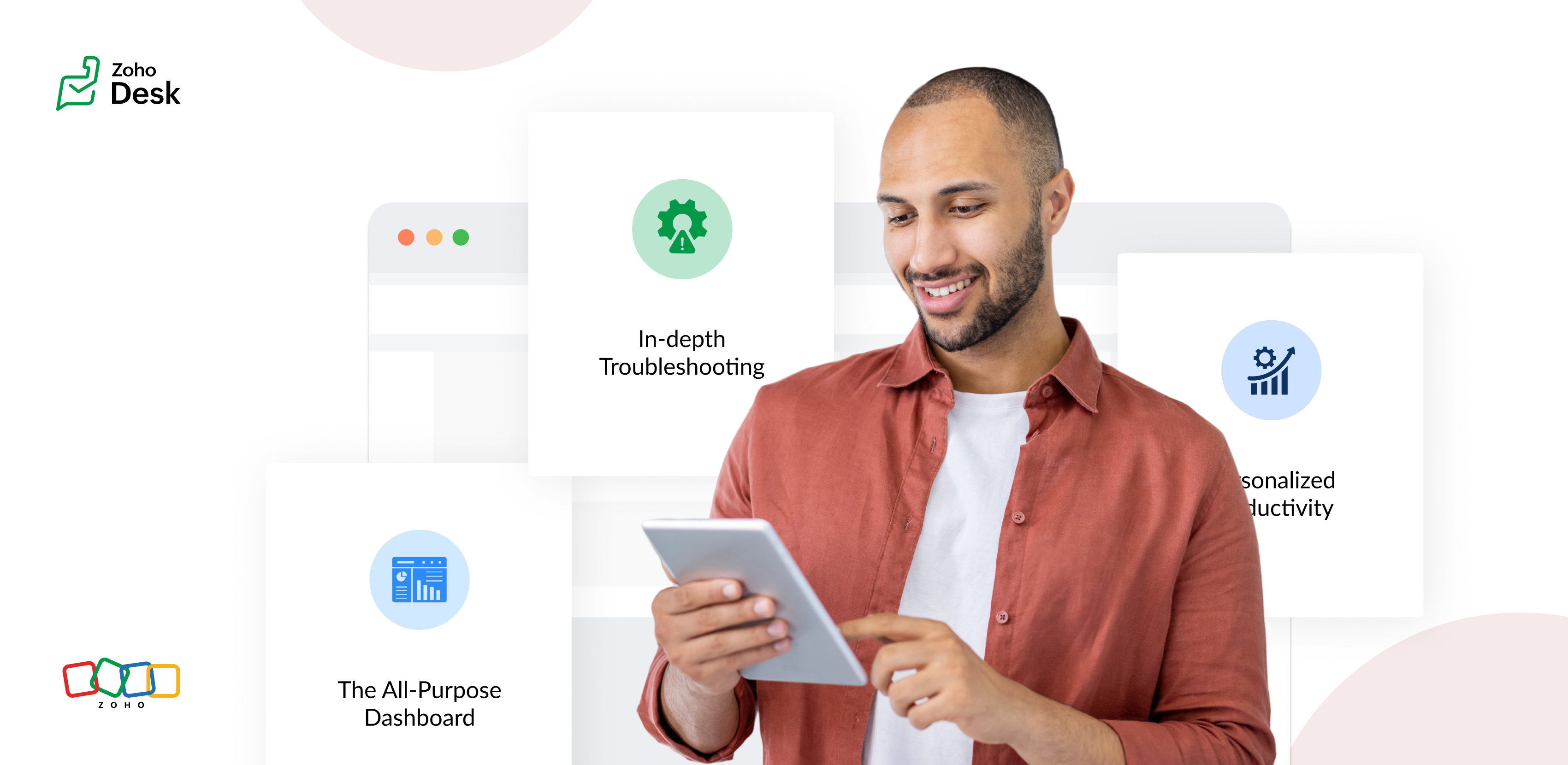
The Standard Layout – The All-Purpose Form
On his first day, Chandler shadowed Mike, a level 1 support agent handling general inquiries. Mike used the standard layout, a clean, streamlined form designed for quick ticket triage:
- Ticket list pane: A sortable list of open tickets with columns for ticket ID, customer name, priority, and subject. Filters let Mike focus on "New" or "High Priority" tickets.
- Ticket details pane: Clicking a ticket displayed the customer's message, purchase history, and a chat-like thread for internal notes and replies.
- Quick actions bar: Buttons for everyday actions like "Assign to Self," "Reply with Template," or "Escalate" were front and center.
Mike valued how the Standard Layout let him process simple tickets, like password resets or billing questions, in under a minute. For example, when a customer asked about a subscription refund, Mike pulled up the ticket, checked the purchase history in the details pane, and sent a pre-approved refund response using a template without leaving the screen.
The standard layout empowered level 1 agents to efficiently handle high-volume, straightforward tickets, reducing average response time by 30%.
The Tech Layout – In-depth Troubleshooting
- Expanded ticket details: The layout prioritized technical data, showing error logs, system diagnostics, and API call history alongside the ticket thread.
- Integrated tools pane: A sidebar linked to debugging tools, a knowledge base, and a code snippet library for quick reference.
- Collaboration panel: A dedicated space for real-time collaboration with developers via internal chat, with options to attach screenshots or screen recordings.
When a customer reported an API timeout issue, Lila used the technical layout to view the error log, cross-reference it with the knowledge base, and ping the dev team in the collaboration panel. She identified a rate-limiting issue, shared a workaround with the customer, and flagged the ticket for a permanent fix within 15 minutes.
The technical layout reduced resolution time for complex tickets by 40%, as agents had critical tools and data at their fingertips.
The Custom Layout – Personalized Productivity
Finally, Chandler met Riya, a senior agent who handled level 1 and 2 tickets. Riya had created a Custom layout to suit her unique workflow:
- Hybrid ticket view: Riya combined elements of the standard and technical layouts, with a compact ticket list and a detailed technical pane for quick switches between complex and straightforward tickets.
- Pinned widgets: She added widgets for her most-used tools, like a live chat monitor and a shortcut to her favorite response templates.
- Colour-coded priority: Riya customized the ticket list to highlight VIP customers in red and urgent tickets in yellow.
When a VIP client reported a critical issue, Riya's custom layout let her spot the ticket instantly, access diagnostic data, and respond with a personalized message in record time. Thanks to her tailored setup, she could easily pivot to handling a batch of routine tickets without missing a beat.
Custom layouts boosted agent satisfaction and productivity, as veterans like Riya could work in a way that matched their expertise and preferences.
The Transformation
Wrapping up
The key to success? Flexibility. By offering multiple layouts, standard for speed, technical for depth, and custom for personalization, he help desk system met the diverse needs of the support team and turned disorder into a well-oiled machine.
Please stay tuned for more Desk Module stories.
Cheers,
Kavya Rao
The Zoho Desk Team

Topic Participants
Kavya Rao Addepalli
Recent Topics
Truesync for Linux
Is Truesync available on linux ?Web access blocked
Hello, My account (chris@thewebprojects.com) has been blocked due to security reasons. Please see attached. Can you kindly please help me. Thank you in advancedHow to determine ZohoCreator organization ID
I am trying to setup an API to interface with my ZohoCreator app by following the self-client credential flow here https://www.zoho.com/accounts/protocol/oauth/self-client/client-credentials-flow.html However, it requires me to input my organization ID.Autofill Zoho form with Zoho campaign data
Hello, I send campaigns and we have set a button called "Demo" in that campaign. This button leads to a form. Since we have the data in Zoho Campaign, would it be possible that some fields of the form (first+last name, email, company) are automatically filled when our readers click on this button? If yes, how could I do that? Thanks Aurélie LeyendeckerNeed to be Amount Adjusted with same Group Comany
Dear Sir/ Madam, Good Day, Example wise i write my quire Below A B C & D E F Bothe are Same Group Companies We Paid 50000 AED to ABC Company but we received Invoice 48000 AED worth of material Balance 2000 AED invoice i received from D E F. I Need toTransfer between 2 accounts in forein currency
Hello, While abroad, I have exchanged some money in a money exchange service from a foreign currency (MYR) to another foreign currency (USD) without passing through my base currency (CHF). How do I record this transaction in Zoho Books? When I try toZoho Books Webhook in Custom Module doesn't work
I have a custom module "Purchase Request" in Zoho Books in which we're trying to convert status of the PRs to Draft and Pending Approval. We've explored different applications and custom functions but found that the status is not "writable". However,Issue with Missing Scope for Creating Service Report via Zoho FSM API
Hello @Latha Velu , I am currently working on creating a connection to create a Service Report in Zoho FSM using the API. However, while configuring the required scopes, I noticed that the scope ZohoFSM.modules.ServiceReports.CREATE whichImap Support?
Does Zoho Books support IMAP? I have enabled outlook integration from settings in Zoho Books Yet the emails I send from Zoho Books for example if I email a purchase order or an invoice I dont see them in it in my sent box in outlook Is there a problemADDING FUEL SURCHARGE & HST
Hello I need to invoice the customer showing both Fuel Surcharge & ON HST separately. The FSC should be 20% of the subtotal. The HST should be applied to sum of Subtotal + FSC So it should be like: SUBTOTAL: 100.00 FSC (20%): 20.00 HST (13%): $15.60 HowZoho Project API search?
Good day, i would like to search our entire portal for a task using the API. We have over 20k tasks so I dont to search for all tasks and then do a for each as it would take way to long and also would need to go over the limit of 200 records per query.Handling Deposits to Vendors and how to book this
Our scenario: 1. We rent equipment from a renting company for a project (Vendor "Eurorent") 2. We receive an order confirmation with a request to pay a deposit of € 1500. (this is not a Bill) 3. We pay a deposit of € 1500 for the equipment. 4. After usingTip of the Week #61– 5 easy ways to declutter your inbox!
Managing a shared inbox is easier than you think. With the right tools and a smart approach, your team can stay on top of every conversation, collaborate more effectively, and deliver timely responses without any unnecessary back-and-forth. Here are 5Vertical Solution Zoho One
Hello, is it possible to create a vertical solution for Zoho One? Just like it is possible for Zoho CRM?Multiple workspaces with in Bigin CRM
As a freelancer working as a sales representative for two companies, each with its own email address, I would like to know if it’s possible to have two separate workspaces in Bigin. This way, I could manage each company and its contacts independently,Allowing subqueries in FROM clause
When building a Query table in Zoho Reports, I encountered an error when attempting to put a subquery in the "FROM" clause of my statement. Why isn't this currently supported? Is there a plan to implement this functionality in the future?CRM for Everyone - More Actions Option to Create Record
Please consider the option create a new record for the module from the More Actions menu. I know there is an "Add New" icon further down the menu to create a record for any module, but this just seems more intuitive and could reduce the need for the "AddZoho books partners: Transferwise, Resolut
Can anyone tell me if Transferwise and/or Resolut (payment systems) are in integrated? I know PayPal and Google are, but in Europe we like Transferwise and Resolut is an up and coming multi-currency app. Xero and Transferwise are fully compatible. ThanksGetting oauth errors on bigin
Hi Support, I'm getting oauth errors on bigin even though it works fine with CRM. I created a self client which will add contacts. I gave every permission you could and it still didn't work. What should I do. I might just switch to the standard CRM sinceAssessment Field in Custom View
Zoho recruit finally added the ability to filter Job Applications by Assessment Answers This is a very valuable addition to the Recruit But this is currently missing from the custom view This should be added to the custom view as wellName Change and Delete Email ID and Alias
Hello please i require urgent assistance, 1.) I would also like to change the name that appears when people receive my emails. I have an info@spacetraiders.com but when people receive my email its say Ronma Adedeji instead of either Info or Space Traiders..Feature Requests and enhancements: Subform
By The Grace of G-D. Hi, It would make it much easier to use if we could have some more features in subforms: More Columns/Fields Set the size of a column Show the subform in Full Page Width Sorting By Column Please consider The above suggestions. TUnapplied AP Credits not showing up on AP Detail Aging
I am new to using Zoho Books. I was reconciling some accounts and found differences from the GL balance and AP Aging and it came down to unapplied vendor credits. Is there an option to include that on the report, so I can pull a matching AP Aging to theAdd Entry and Subform Record from Deluge Scripts
Hi all, I would like to know how do I add a new entry and also subform records from a deluge scripts. I can use the insert into to add a new entry to a form, but how do i insert a collection into the subform of the entry? I am using a deluge scriptFinding draft ticket replies
Is there a way to see all tickets which have draft replies?How to apply a tag to a ticket based on the to email address?
I need to assign a tag to a ticket if the ticket was sent to a specific email address. For example, we have the email accounting[at]company.com forwarding into Zoho Desk. We would like all emails that were sent to this address to be tagged with an AccountingEngineering Change Order Process using Tickets?
Hi Zoho Community, I'm working with my company to create an Engineering Change Order/Request (ECO/ECR) process where engineers can internally create tickets for changes in a product that must be reviewed, approved and implemented by people or teams inHow can I move a ticket from Department A to Department B?
Hi there, how do I move ticket from Department A to Department B? I went in the ticket and tried to scroll down the menu under the "department" but it won't let me, I am a support admin. Did I do anything wrong? or am I doing it in the wrong place?Validation Rules Trigger on Untouched Fields
In Zoho Desk, validation rules trigger for ALL fields during an update—even fields that weren't modified in the current edit. This behavior is fundamentally different from Zoho CRM and other Zoho products, where validation rules only apply to fields actuallyHow to work with getFieldNames formdata functions ,Any Examples
I don't find any example showing usage of getFieldNames. Where do i find .is there any Help documents availableZoho Notifications - Received two notifications for one message and none for the other
We had a client reply to a ticket twice in one minute. The ticket owner received two emails for the second message but none for the first (which was crucial content and unfortunately was therefore missed). I'm assuming this created a race condition -What is the difference between "Reply" and "Public Comment" in a ticket?
Hey, my company is thinking about switching to Zoho Desk but we do not understand the difference between the "Reply" and the "Public Comment" feature. When should we use which? And why? What is the difference between them? Thank you for your help! KindestTasks View for Opportunity/Jobs does not indicate "Related To" account
How can ZoHo be setup so that when a task is created for an Opportunity, the subject automatically lists the underlying account? Right now, it's impossible to link the Account to the task when the task is created from the Job. Therefore, the open task view is inadequate. And it's a lot of maintenance to have to manually add the account to the subject...defeating the purpose of "Automated" workflow.can i show alert when i finish running the function?
how i can show alert inside the custom function or popup notification. when i use alert inside the custom function it show this error Error at line number: 2 'ALERT' task can be used only in on load, on validate and on change actions CRM calendar not syncing with Zoho Calendar
The sync is not happening: This is my Zoho Calendar CalDAV synced with Outlook This is my Zoho CRM Calendar (sadly empty ...) I have enabled CalDAV Access. In Zoho Calendar, I have set up APP Calendar sync like this: What else can I check? ThankPipeline in Custom Modules
I love the way the Sales Pipeline looks and functions with reports. I would like to add the save pipeline features and visualization to a custom module, however, I only see that these pipelines are only available for the Deals module. Is there a way to add pipelines to custom modules?Cannot associate event with other objects when creating?
I am attempting to associate an Event with one or more other objects when creating it via the API. According to the API docs, the "Related_To" property is a jsonobject even though the description says "Provide the details about the entities the eventHow to disable subform records dynamically
Hi Everyone I have a requirement to dynamically disable or hide subform fields based on certain criteria. However, the code I tried didn't work as expected. It either disabled or hid all the fields in all subform records or none at all. What I actuallyClient Script Operate Timeout
Hi Zoho, I have set a client script that use for ( i =1; length < i , i++) to fetch all of the product in order I have an order have 30+ products, seems this script will be stopped when it is checking rough 10 + products because of timeout (may be). MayWhy and When to Manually Regenerate Reports?
What is the protocol for needing to regenerate reports? It is very confusing when data in reports pulls correctly sometimes, but are inaccurate other times. Why is report regenerating necessary at all - can the report function not read the live data as inputted into the forms? We have built lots of reports and it is very tedious and time consuming to have to regenerate the report before each use of that data to make sure it is accurate. Is there a way to know when a report should or shouldn'tNext Page