Fourth Insight - The power of Multi-Layouts
The Wheels of Ticketing - Desk Stories
The power of Multi-Layouts
 In the previous insights, we have established that layouts are the foundation for a ticketing system, and fields are the building blocks for the same system.
Fundamentals of layouts
Fields play a crucial role in helping customers and agents collect valuable end-user information to understand their concerns better. Organizations must prioritise collecting accurate data in the right format to ensure efficiency. It's essential to avoid overwhelming end users with unnecessary or confusing fields; clarity is key. Additionally, the layout of these fields should be thoughtfully classified based on the data collected from end users to provide a more intuitive and user-friendly experience.
Understanding multi-layouts
Multi-layout best practices
For a ticketing help desk system to support multiple layouts effectively, consider the following:
- Modular design: Streamline your ticket submission process into multiple services according to your business. Each service can be created as a layout. If there are common details between services, build this interface with reusable fields.
- Role-based preset: To simplify onboarding, pre-configure layouts connected to agent roles according to the solutions they provide to customers.
- Customisation engine: To ensure accurate information and help agents with all required information, include widgets using extensions and proper recommendations using tooltips.
- Responsive data integration: To avoid ticket creation latency, ensure only the required fields are added to the layout. Using layout rules, you can also make the design responsive based on the input.
- Performance optimisation: Validate the data given in the layout fields using validation rules to minimise the agent's load time on incorrect data.
- Accessibility: Design layouts with keyboard navigation, screen reader support, and high-contrast options to accommodate all users.
A story for better understanding
Streamlining Support with Multiple Layouts
This narrative illustrates how multi-layouts improve efficiency, adaptability, and the overall experience for agents managing customer support tickets.
At Help Point Innovations, a rapidly growing SaaS company, the customer support team faced challenges managing an overwhelming influx of tickets. While their help desk system was operational, it lacked flexibility and only provided a uniform ticket view, frustrating agents. Simple inquiries were often lost amid more complex technical problems, causing agents to spend unnecessary time navigating multiple tabs to locate information. This led to declining morale and increasing response times.
Enter Chandler, the new support operations manager, tasked with turning things around. He collaborated with the operations team to implement a new ticketing help desk system that supported multiple layouts tailored to different agent needs.
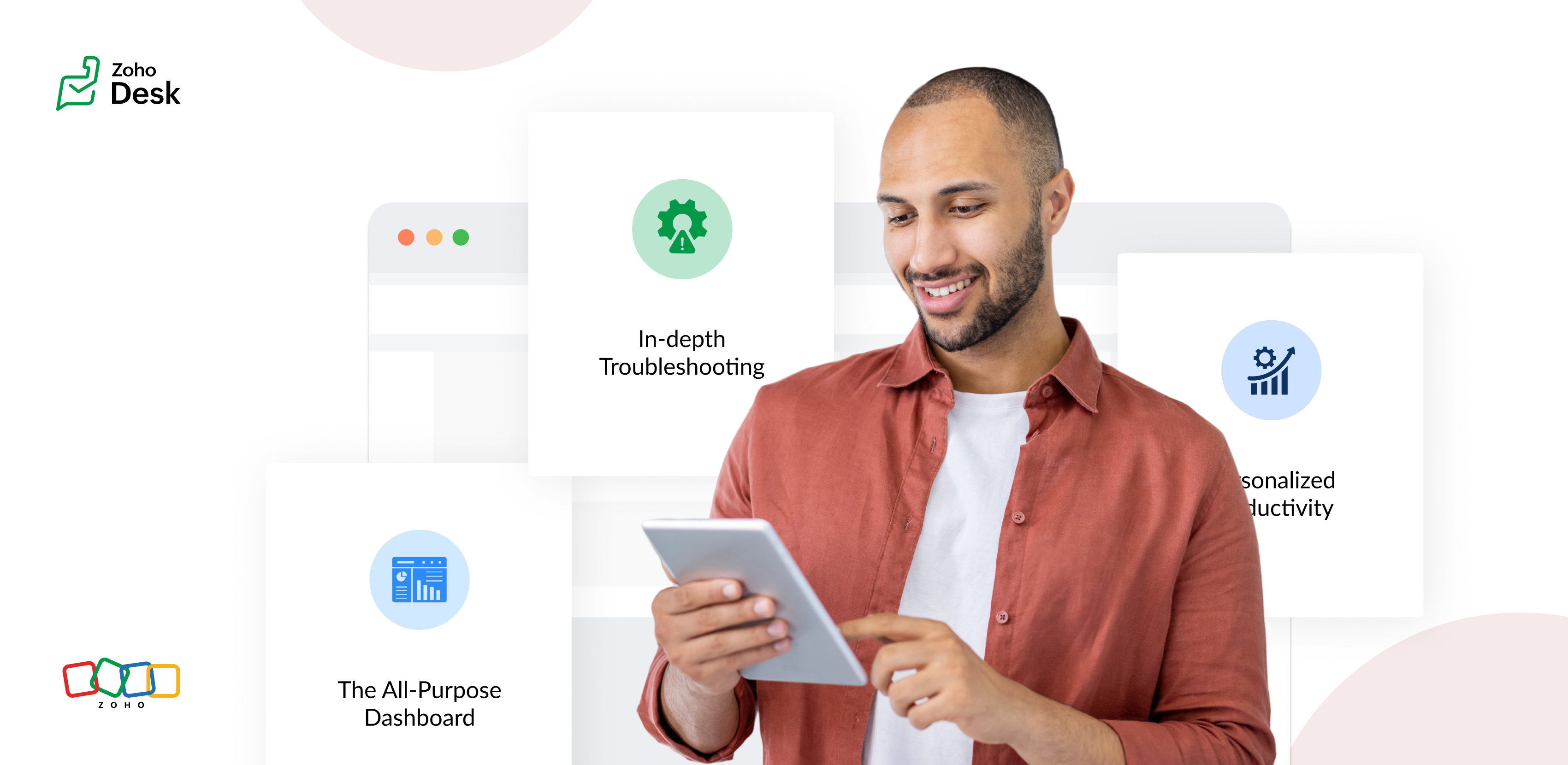
The Standard Layout – The All-Purpose Form
On his first day, Chandler shadowed Mike, a level 1 support agent handling general inquiries. Mike used the standard layout, a clean, streamlined form designed for quick ticket triage:
- Ticket list pane: A sortable list of open tickets with columns for ticket ID, customer name, priority, and subject. Filters let Mike focus on "New" or "High Priority" tickets.
- Ticket details pane: Clicking a ticket displayed the customer's message, purchase history, and a chat-like thread for internal notes and replies.
- Quick actions bar: Buttons for everyday actions like "Assign to Self," "Reply with Template," or "Escalate" were front and center.
Mike valued how the Standard Layout let him process simple tickets, like password resets or billing questions, in under a minute. For example, when a customer asked about a subscription refund, Mike pulled up the ticket, checked the purchase history in the details pane, and sent a pre-approved refund response using a template without leaving the screen.
The standard layout empowered level 1 agents to efficiently handle high-volume, straightforward tickets, reducing average response time by 30%.
The Tech Layout – In-depth Troubleshooting
- Expanded ticket details: The layout prioritized technical data, showing error logs, system diagnostics, and API call history alongside the ticket thread.
- Integrated tools pane: A sidebar linked to debugging tools, a knowledge base, and a code snippet library for quick reference.
- Collaboration panel: A dedicated space for real-time collaboration with developers via internal chat, with options to attach screenshots or screen recordings.
When a customer reported an API timeout issue, Lila used the technical layout to view the error log, cross-reference it with the knowledge base, and ping the dev team in the collaboration panel. She identified a rate-limiting issue, shared a workaround with the customer, and flagged the ticket for a permanent fix within 15 minutes.
The technical layout reduced resolution time for complex tickets by 40%, as agents had critical tools and data at their fingertips.
The Custom Layout – Personalized Productivity
Finally, Chandler met Riya, a senior agent who handled level 1 and 2 tickets. Riya had created a Custom layout to suit her unique workflow:
- Hybrid ticket view: Riya combined elements of the standard and technical layouts, with a compact ticket list and a detailed technical pane for quick switches between complex and straightforward tickets.
- Pinned widgets: She added widgets for her most-used tools, like a live chat monitor and a shortcut to her favorite response templates.
- Colour-coded priority: Riya customized the ticket list to highlight VIP customers in red and urgent tickets in yellow.
When a VIP client reported a critical issue, Riya's custom layout let her spot the ticket instantly, access diagnostic data, and respond with a personalized message in record time. Thanks to her tailored setup, she could easily pivot to handling a batch of routine tickets without missing a beat.
Custom layouts boosted agent satisfaction and productivity, as veterans like Riya could work in a way that matched their expertise and preferences.
The Transformation
Wrapping up
The key to success? Flexibility. By offering multiple layouts, standard for speed, technical for depth, and custom for personalization, he help desk system met the diverse needs of the support team and turned disorder into a well-oiled machine.
Please stay tuned for more Desk Module stories.
Cheers,
Kavya Rao
The Zoho Desk Team

Topic Participants
Kavya Rao Addepalli
Recent Topics
"Disbursing product components in phases, monitoring them, and displaying only the final product."
i have a product composed of multiple components, and these components will be delivered to the customer in batches. However, the final invoice should only show the finished product. How can I issue (or release) the components and track their deliveFollowed Subtasks doesn't show up in the Subtasks Section
I have a task assigned to me now in the same task, there's a subtask and I am added as the follower on that task Even though I am a follower I still don't see that in the subtasks section The view permission for the profile is Related It's supposed toTip #39- Strengthen account security with Multi-factor Authentication (MFA) – ‘Insider Insights’
Securing your organization's data begins with verifying that only the correct individuals have access to it. One of the simplest yet most effective ways to accomplish this is to enable Multi-factor Authentication (MFA) within Zoho Assist. MFA introducesAutomate timeout chat tracking with Workflows in SalesIQ
With our feature-packed Nova release, Workflows has become one of the most powerful tools in Zoho SalesIQ. They let you automate follow-up actions when key events occur, such as when a chat ends, a visitor leaves a bad/good rating, or a lead is updated.Mass edit / Mass update products
Hi, Is there any way to mass update or bulk edit product fields in Zoho Inventory?Automatic Verification of IMAP Integration Status
Our sales staff have their O365 email integrated with CRM, over time this integration requires re-authentication via the UI. I can manually check the integration status by accessing Settings -> Channels -> Email -> Email Sharing -> "Configuration Type"Tip of the Week #68– Share and access files faster with Zoho WorkDrive extension.
Have you ever wasted time searching for the right file to attach to your emails—or worried whether the right people could access it? Without proper sharing settings, files might end up inaccessible to teammates or, worse, visible to people who shouldn’tCV-Library: The Newest Source Booster in Zoho Recruit!
We’ve expanded your sourcing toolkit — CV-Library, one of the UK’s largest and most trusted online job boards, is now available as a Source Booster in Zoho Recruit. This gives recruiters instant access to millions of UK-based candidate profiles, all withoutZoho AI Translate Task as Rest API
I cant find any docs on how to use Zoho AI Translate Task from a rest api call https://www.zoho.com/deluge/help/ai-tasks/translate.html I am working on a custom Widget and I dont think I can execute zoho deluge ai translate task from a custom widget.Is there the possibility to book less than 250 customer portal users?
If you use the Creator, which is included in Zoho ONe, you can create a customer portal and give access to a maximum of 3 external people / customers, right? On the Creator website I saw that you can add 250 users for 100€/month. However, we don't needDisplay Parts custom fields in the Work Order
Hello, I see that is it possible to add custom fields in the Parts module. Would it be possible to also add those custom fields in the Work Order Module under Parts? This would be very useful for customer who want to showcase more information about parts.Unable to edit Saved Estimates
We are facing issue with editing the price or discount for a saved estimate for nearly 1 week.Translation Blueprint & Picklists with Custom Values
Hello everyone, I downloaded the translation file and I'm not finding the blueprint transitions. Does this means that the transitions cannot be translated? Also, the picklist values to be translated in the document are not the same that are actually used the in module. For exemple, for my lead module, the picklist values for Lead Status are : Not-contacted, contacted, junk and lost lead. In the translation document (English to French), this is what I see: PicklistValues.Leads.Lead_Status.ContactHow to create a custom sales signal?
I want to create a custom sales signal for a custom module. is it possible to create one? If anyone know please let me knowOnly show products in offers based on lead source
We work with several lead sources, each with their own products and different pricing. For example, one product might have two or three different prices. Sometimes, when creating a quote, the wrong product is accidentally selected. Is there a way to onlyNarrative 7 - The importance of data sharing
Behind the scenes of a successful ticketing system - BTS Series Narrative 7 - The importance of data sharing Definition Data sharing requires a commitment to preserving the integrity and dependability of shared data throughout its entire lifecycle. ThisTrueSync regularly filling up my local disk
Seems that WorkDrive's TrueSync randomly starts filling up my local hard drive space. None of the folders have been set as "Make Offline" but still it seems to randomly start making file offline. The settings of the app is so minimal and is of no realCheck out in Meetings
Why there is no check out in Meetings of Zoho CRM, very difficult to trackIssue with Zoho Projet
Zoho Project on all the cellphones of my customer is crashing. He has mixed brands (Samsung and Pixel). Everything is fine on website and mobile website. Could not reproduce the issue in workshop using Samsung/Pixel/iPhone Uninstallation of Zoho ProjectSecurePass email English language issue -- please hire someone to correct the English language issues sprinkled throughout your interface
I wrote previously about some incorrect English in your SecurePass offering. After about six months it was corrected. I have never revoked permission before today and just discovered another language mistake that was not corrected. When you revoke a SecurePassPublished Components
@zoho team, Checking if we can add a password for the public links as we have non-licensed usersPlease Enable Snippets for Agents Adding Comments
Snippets and templates are currently enabled for agents when they use the reply functionality. There is currently no way to add a template or snippets when an agent comments. This is really weird. Our agents don't use the reply functionality, only theTip of the Week - Extracting Data from JSON Columns
Let's say you are importing a CSV or Excel file into Zoho Analytics. What if the file contains a few columns in JSON format? This is where Zoho DataPrep, embedded right within Zoho Analytics, comes in handy. This week's tip explains how to extract dataDeluge UI Updates
Are there any updates planned for the Deluge UI in Zoho Desk? It feels quite dated and lack-lustre after you've spent some time in the CRM Deluge UI.Zia Agents - Follow Ups
It would be nice to have Zia Agents do follow ups. A lot of times agents are trying to schedule things with users and they say "can we set your printer up tomorrow?" and the user never says anything. A way to have a personalized reminder to the user automaticallyHide Agents name in Ticket Responses in "My Area"
We were able to hide the agents name in the emails, however, the customer is able to see which agent has responded to a ticket in the thread of emails by going into their Help Center thread. Is there any way we can hide that information?Option to Automatically Update Extensions
Hello Zoho Desk Team, We recently received an email notifying us about an extension update that must be done manually. We’d like to request a feature that allows extensions to be updated automatically without requiring manual intervention. This wouldEmbed Report with Auto Height
Hello Developers, When we embed report within Page, we are getting one awesome feature to adjust the report height. "Auto" and "Custom' height. This "Auto" option works well when we have no records. But I want to embed report based on some conditionsZoho Payroll: Product Updates - August 2025
This month’s updates to Zoho Payroll bring enhanced efficiency and smarter features, simplifying payroll management for users in India, UAE, KSA, and US. Read on to explore how these updates can streamline your workflow. Filter Pay Runs by Type (India,Numerical Rating for Interviewer Assessments
Introducing Numerical Rating, a powerful new addition to interviewer assessments that brings precision and flexibility to candidate evaluations. ✅ What is Numerical Rating? Numerical Rating lets interviewers assign a score for each question in the assessment,User Tips: Adding Multiple Products (Package) to a Quote v2.0 (with Client Script)
This solution is an improvement on the original idea which used deluge. My solution was posted in the comments are: https://help.zoho.com/portal/en/community/topic/adding-multiple-products-package-to-a-quote The updated version uses client script insteadAre downloadable product available in Zoho Commerce
Hi all. We're considering switching to Zoho Commerce for our shop, but we sell software and remote services. Is there a features for downloadable products? I can't find any information about this. Thank you very much AliceCustom image for each contact using merge tag
Hi, I'm wondering if it's possible to set up an email campaign to display a different image for each contact using a custom field for the image url. I tried inserting custom html: <img src='$[UD:APP_IMAGE_URL||]$'/> but the editor seemed to reject this and did not actually add anything to the email template. Has anyone got any ideas? cheers, JeremyComment Reactions like a Thumbs Up
Can we please have the ability to emoji react on comments or at the very least, thumbs a comment up? Literally every other project management system out there can support this and it is very much needed to just acknowledge a comment instead of completelyZoho Mail Search Engine Sucks
Hello There! I really like all the features of Zoho Mail and I believe is way better than Gmail except for the Search Function. I believe Zoho Mail has a very poor search function, if you misspelled a word in the search box, Zoho Mail won't display anyAllow Subtasks and Task Lists to have their own Layout
I'd like to have the ability for subtasks and task lists to have their own layout. A subtask for us doesn't require all the fields that a parent task has. The subtask seems cluttered with all the extra fields. Within a project Task List had different purposes. I'd like the task layout to be different for some task lists.How to update Customers in Zoho Books through Zoho Flow?
Updating customers in Zoho Flow using a "update customer" action is deleting contact persons in Zoho Books.Conect chat of salesiq with zoho cliq
Is there any way to answer from zoho cliq the chat of salesiq initiated by customers?How to transfer credit between customers?
Hi All, We have a slightly odd situation. It happens that we have two separate customers that are related to each other personally. One customer has an amount of credit, and would like to use that credit to pay the *other* customers invoice. How wouldZoho Books Reports: Basic report with total items sold and Cost of goods sold
How can books show a report with Item Name || Qty Sold || Total Revenue || Total Cost of Goods Sold || Margin I need to factor in also invoices that have been credited where customers returned good. This seems like such a basic report, I'm sure I'm missingNext Page