GitLab Extension for Zoho Desk: Connecting support and development for faster resolutions
Hello everyone!
We’re excited to introduce the GitLab Extension for Zoho Desk, an integration that bridges the gap between support and development teams. This allows tickets to be converted into actionable GitLab issues for faster resolutions, better collaboration, and visibility.
Support and development often work in parallel but disconnected systems can cause delays, missed updates, and duplicate efforts. For example, a customer reports a bug by saying “The checkout button doesn’t respond on the payment page.” The support agent logs this ticket in Zoho Desk and converts it into a GitLab issue for the development team.
As developers investigate and push code fixes, the status updates in GitLab (such as changing to In Progress or Closed automatically) will appear as comments in Zoho Desk to keep the support team in the loop. By the time the issue is resolved, the support agent already knows it’s close to being fixed and can immediately inform the customer without switching tools or sending manual updates.
The integration bridges communication gap to a great extent:
- Support teams can stay updated on the progress of the issue.
- Developers can receive a detailed context of the issue directly from support tickets.
- Customers can get faster, more informed updates without waiting or guesswork.

The integration provides:
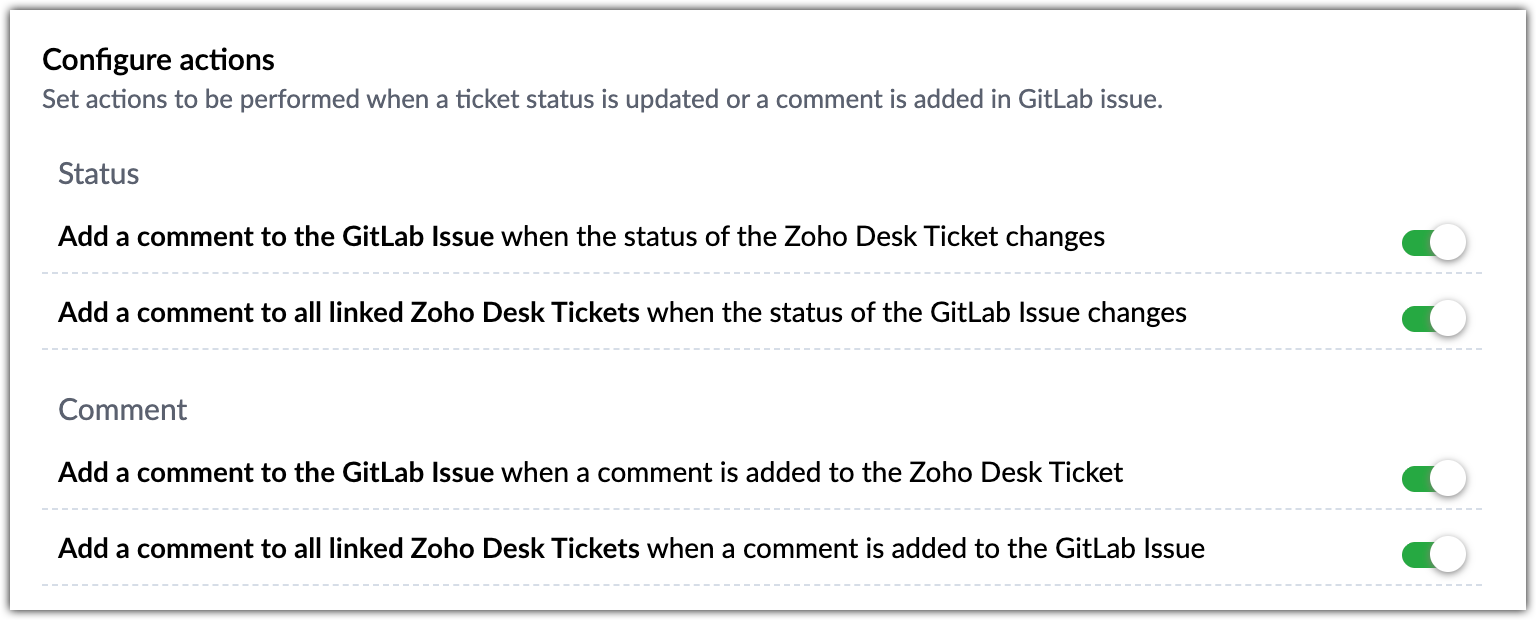
- Two-way sync between Zoho Desk and GitLab: Ticket status and comments automatically update in both systems, based on issue progress.
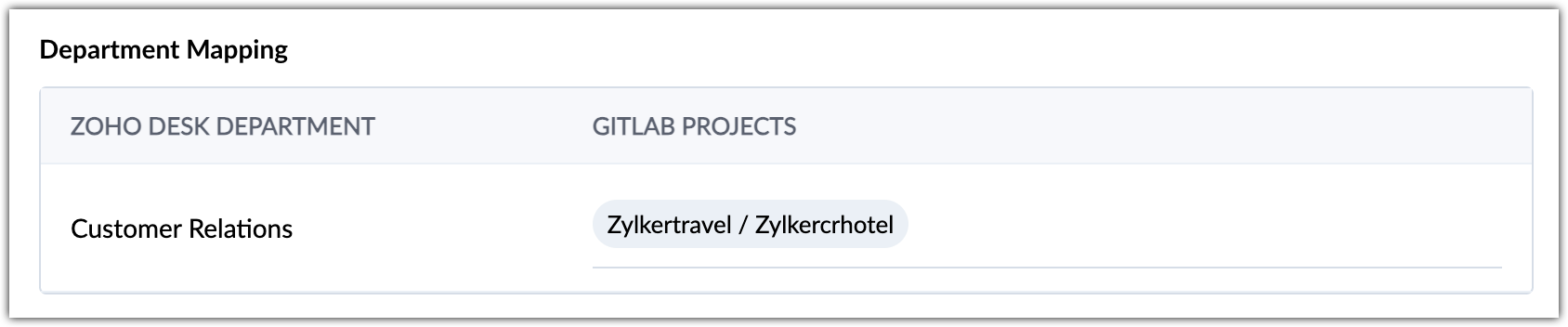
- Flexible mapping: Connect specific GitLab projects with Zoho Desk departments for organized issue tracking.
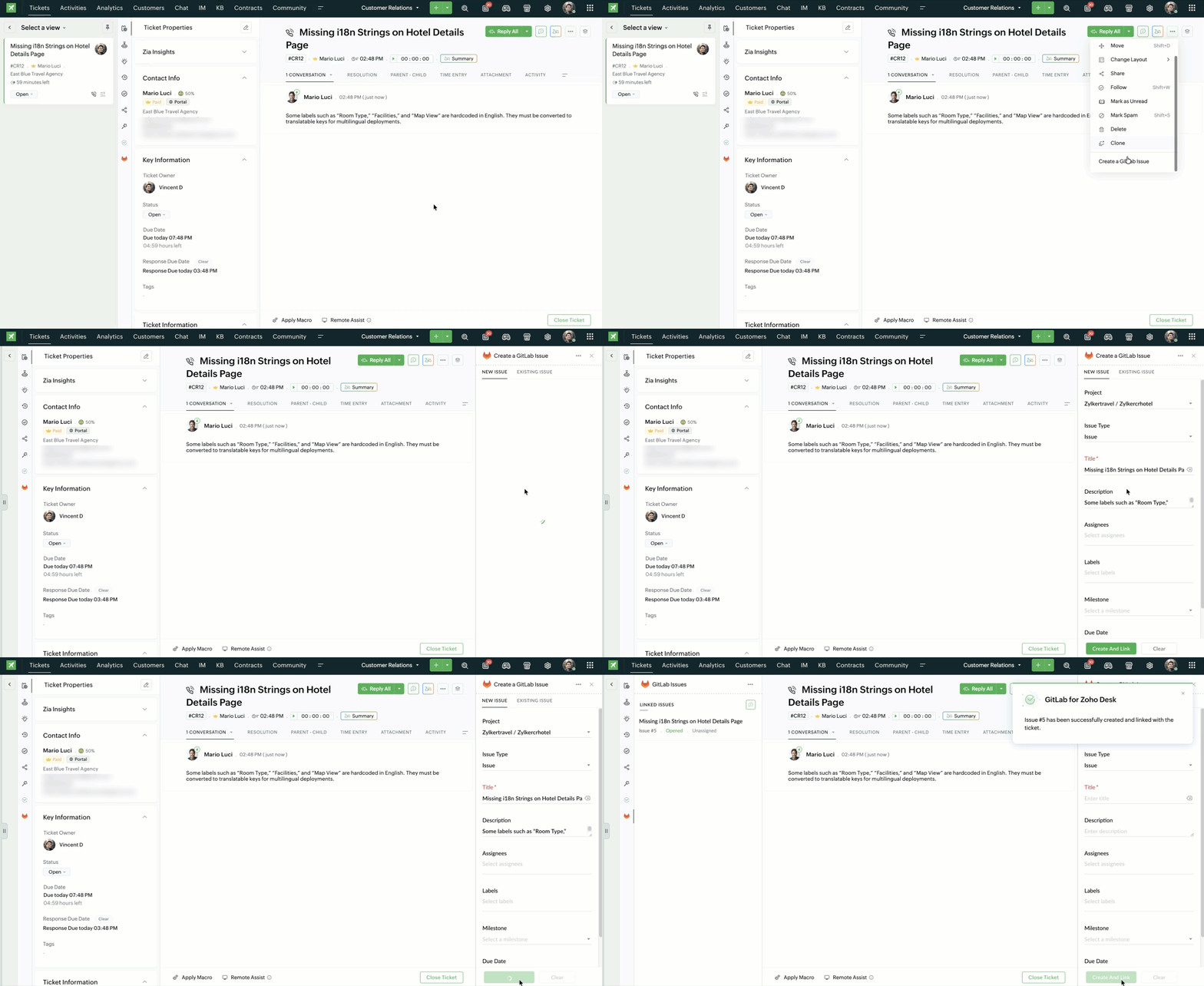
- Direct issue creation from tickets: Agents can create or link GitLab issues right from Zoho Desk.
GitLab Extension for Zoho Desk is now available for all paid editions and across data centers. For setup steps and configuration details, please refer to the help document.
PM: @Selva Muthu
Regards,
Velantina V
User Ed | Zoho Desk