Kaizen 228 - Process Large-Scale Migrated Data Using Catalyst Solutions

Howdy, tech wizards!
This week’s Kaizen explores how Catalyst Solutions in the Zoho CRM Developer Hub help import large volumes of data into Zoho CRM while improving data quality and simplifying the migration process.
Why Catalyst Solutions?
Catalyst Solutions provide a library of independent, ready-to-use backend solutions called CodeLibs. The CRM Bulk Data Processor CodeLib helps handle complex data operations on large datasets. Following are the key benefits:
- Highly Scalable: Processes large datasets efficiently, supporting up to 200,000 records per API call.
- Automation Made Simple: Automate complex tasks like segmentation, data cleansing and lead scoring with minimal effort.
- Effortless Integration: Comes with pre-configured Catalyst resources such as serverless functions and data stores that integrate directly with Zoho CRM.
Business Scenario
Zylker, a manufacturing company, migrated over 3 lakh Lead records into Zoho CRM from spreadsheets.
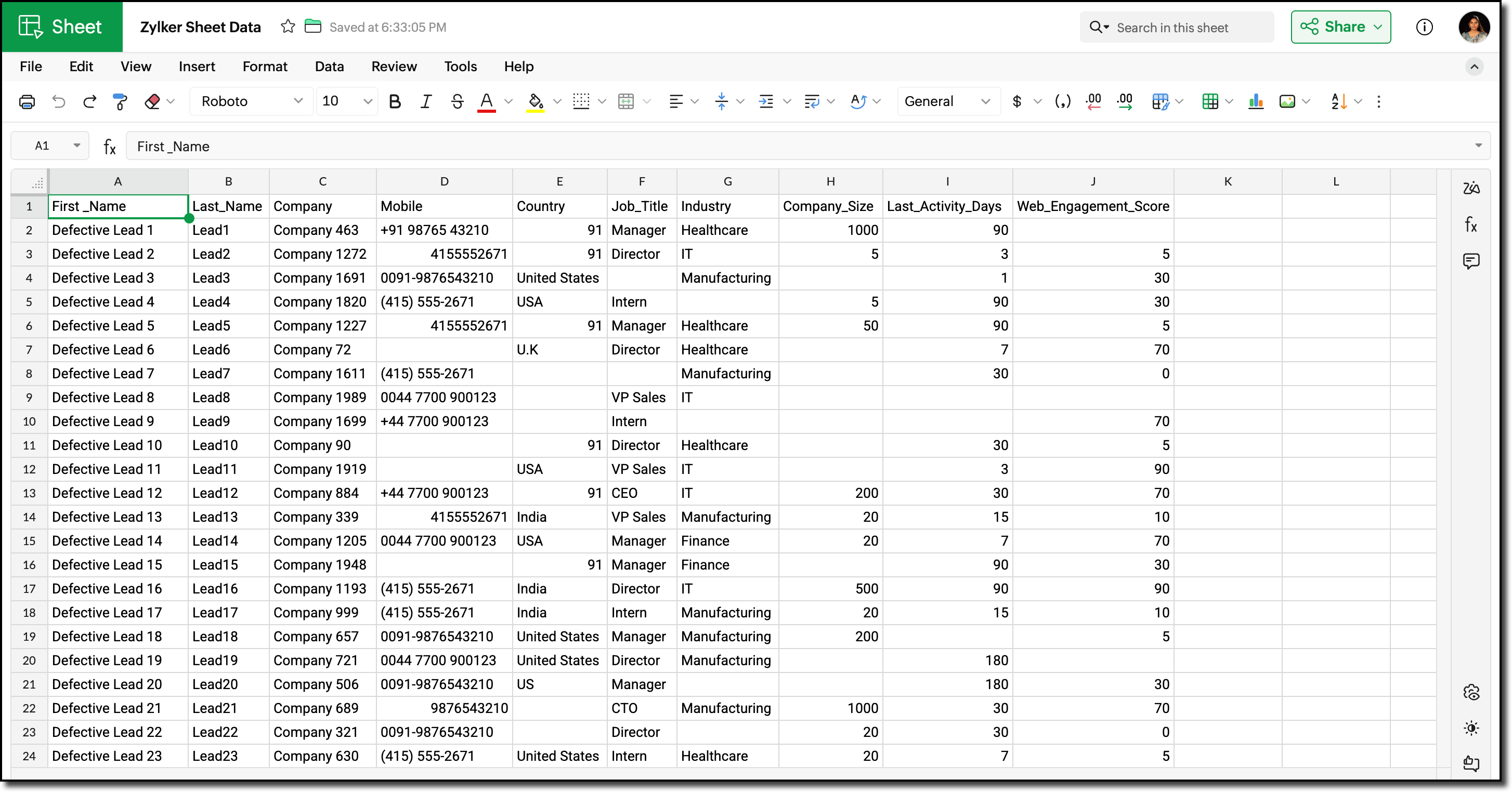
Post-migration, the Lead data showed the following inconsistencies and challenges:
- Phone number field did not include country codes, or contained incorrect country codes. This inconsistency made it difficult for sales teams to contact Leads reliably.
- Identifying potential Leads for follow-up required manual effort and marketing team has to run generic campaigns without lead segmentation.
Using workflows before record creation to fix phone numbers for this volume would result in 3 lakh individual workflow executions, which can slow imports and cause partial failures.
Solution Overview
Zylker can use the CRM Bulk Data Processor available in Catalyst Solutions to address these challenges at scale.
The solution works as follows:
- Lead records are fetched in bulk from Zoho CRM using the Bulk Read API.
- The fetched data is temporarily stored to evaluate the priority and quality of each record. Based on this evaluation, the records are also segmented accordingly.
- The Country field value is used to identify and append the correct country code to the phone number.
- The processed records are updated back into Zoho CRM using Bulk Write API.
All operations are executed using pre-configured Catalyst resources provided by the CodeLib. You can explore the Bulk Data Flow in Catalyst help page to understand how each resource participates in the processing pipeline.
Prerequisites
Before you begin, ensure the following:
1. Log into your Zoho CRM and navigate to Setup > Customization > Modules and Fields > Leads.
Create the following custom Single Line fields to map existing record data in Zoho CRM.
- Last Activity Days
- Web Engagement Score
Refer to the Working with Custom Fields help page for detailed guide.
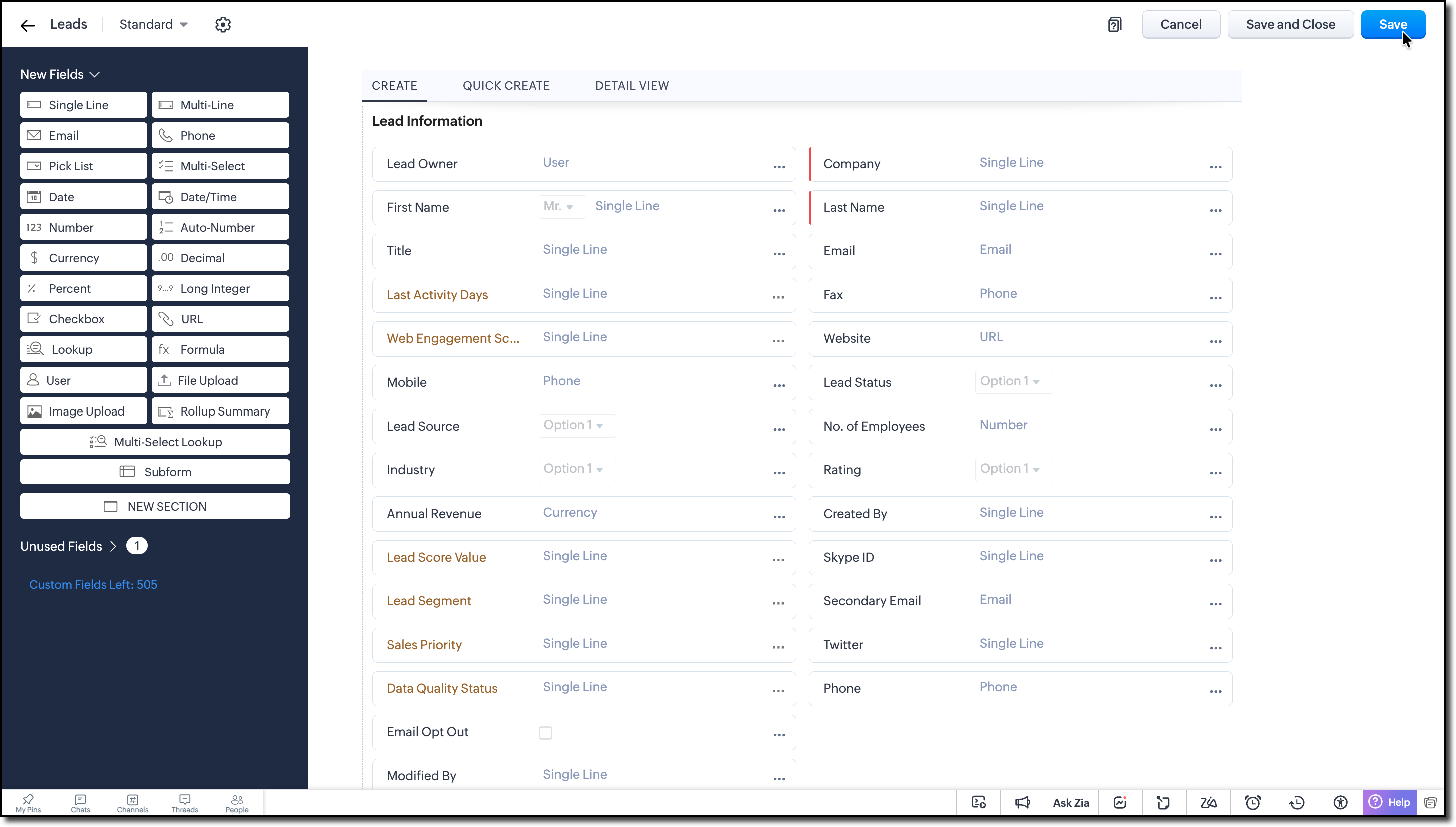
2. Create the following custom Single Line fields to store the calculated values during bulk processing:
- Lead Score Value
- Lead Segment
- Sales Priority
- Data Quality Status
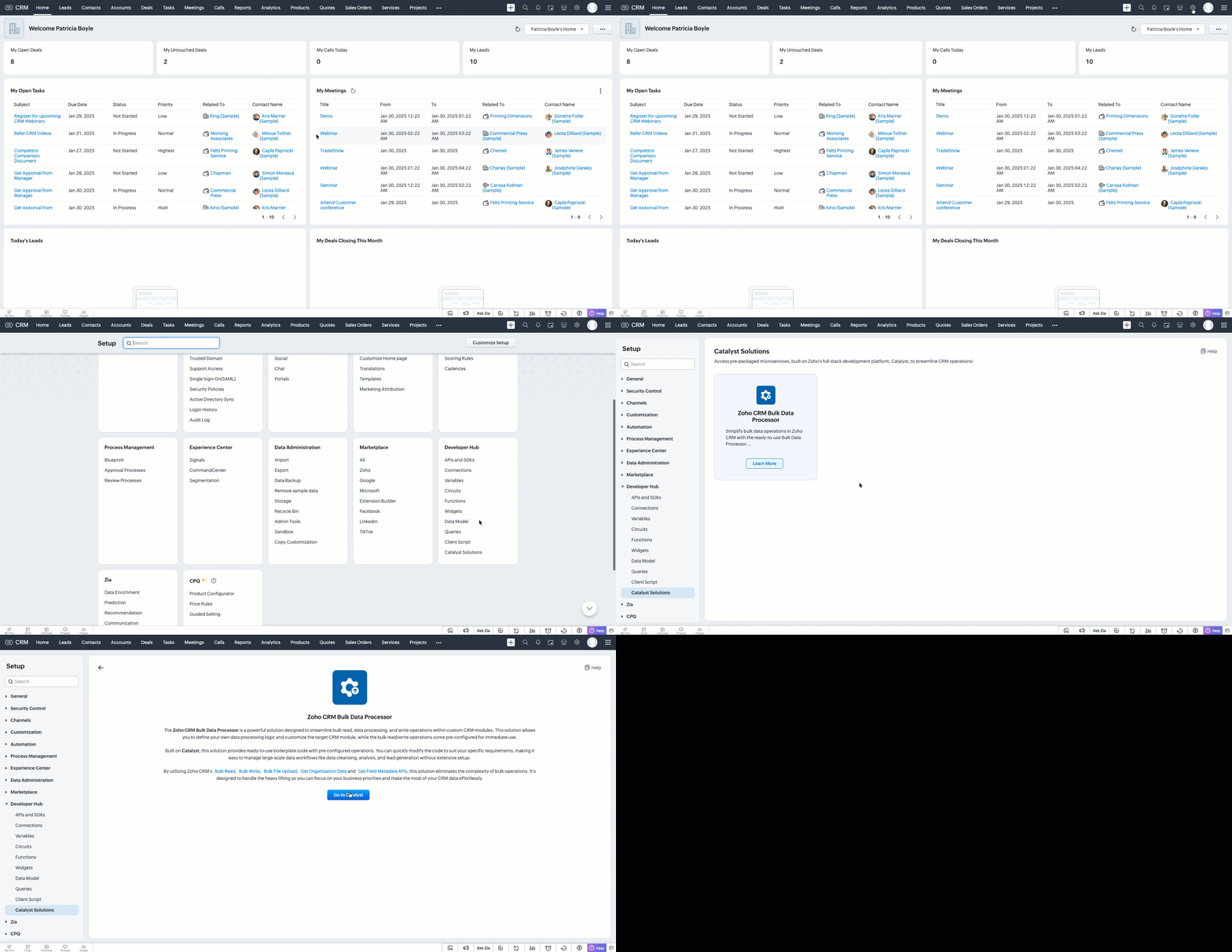
3. Go to Setup > Developer Hub > Catalyst Solutions > Zoho CRM Bulk Data Processor.
4. Click Go to Catalyst and create a Catalyst account if required.
5. Refer to the Catalyst CLI Installation Guide and install it on your local system.
6. Create a new folder on your local system, which will act as a local project directory. Use the following command:
mkdir -p <folder_name> |
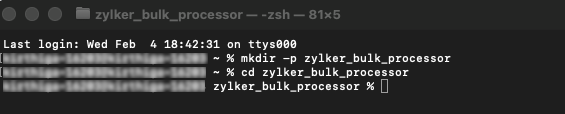
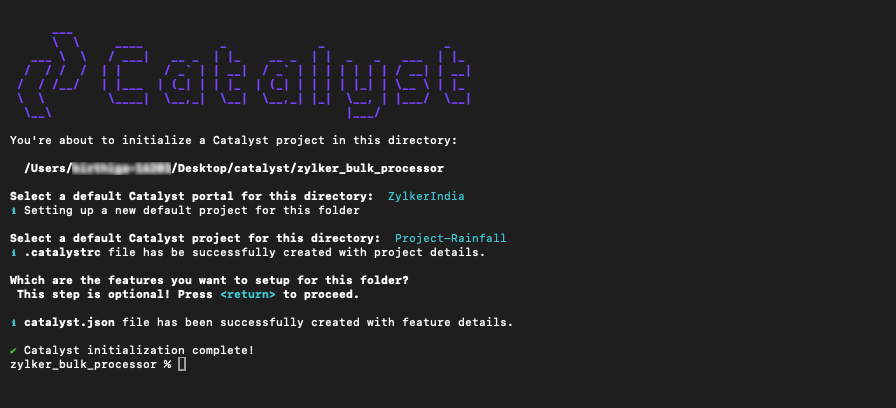
7. Navigate to the project folder in your terminal and execute the following command:
catalyst init |
8. Follow the prompts to select and initialize your desired project from the Catalyst console.
When prompted to choose a feature, press Enter and proceed without choosing any feature.
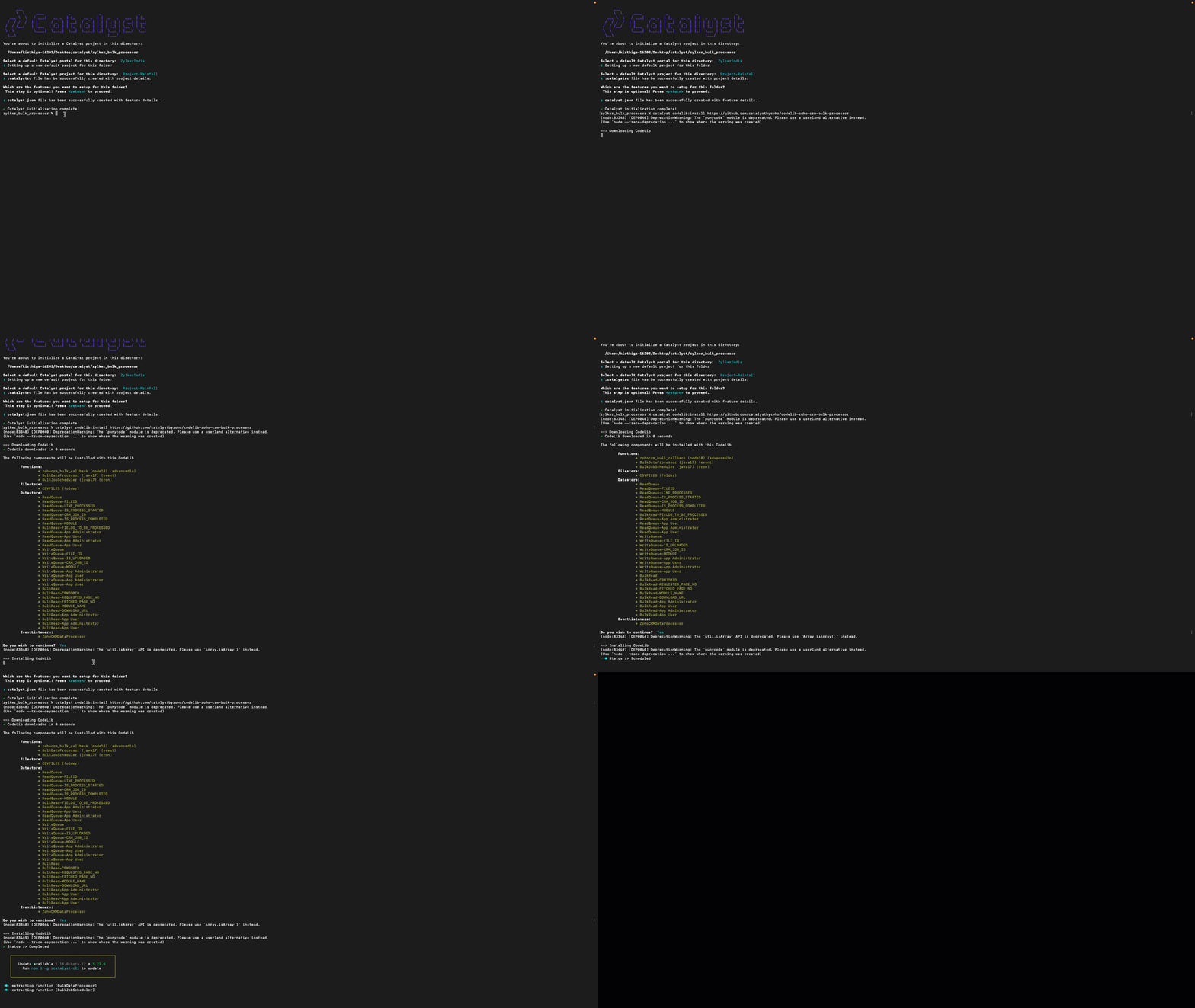
9. Run the following command to install the CRM Bulk Data Processor CodeLib.
catalyst codelib:install https://github.com/catalystbyzoho/codelib-zoho-crm-bulk-processor |
Step 1: Create a Cron Job
1. Open the Catalyst Console and navigate to the same project in which you have installed the CRM Bulk Data Processor CodeLib.
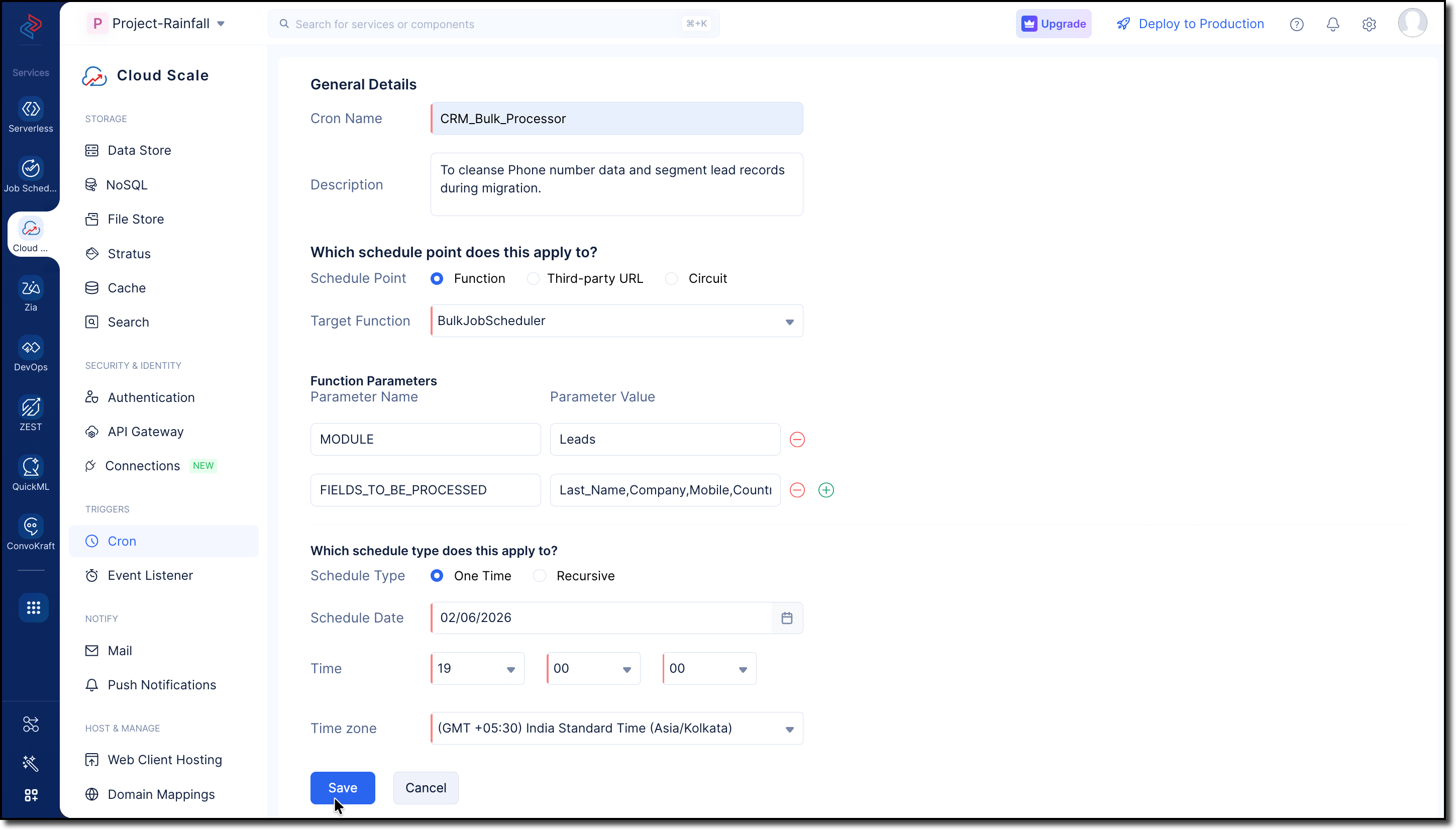
2. Go to Cloud Scale > Triggers > Cron and click Create Cron.
3. Fill in the following details:
- Provide a Name and Description for the cron job.
- Select Function and choose BulkJobScheduler from the dropdown in the Target Function field.
- Enter the following parameters and values:
MODULES -> Leads
FIELDS_TO_BE_PROCESSED -> Last_Name, Company, Mobile, Country, Designation, No_of_Employees, Web_Engagement_Score, Lead_Score_Value, Lead_Segment, Sales_Priority, Data_Quality_Status
Use GET Modules Metadata API and GET Fields Metadata API to get the API names of the required module and fields.
- Choose the Schedule Type as One Time for our use case.
Refer to the Implementing Cron Jobs Help Guide for more details.
Step 2: Configure Zoho CRM API Credentials
1. Create a self-client application in Zoho's API Console.
2. Generate a Grant Token with the following scopes:
- ZohoFiles.files.ALL
- ZohoCRM.bulk.ALL
- ZohoCRM.modules.ALL
- ZohoCRM.settings.ALL
- ZohoCRM.org.ALL

3. Follow the OAuth Help Section for a step-by-step guide to generate Access and Refresh tokens for your Zoho CRM organization.
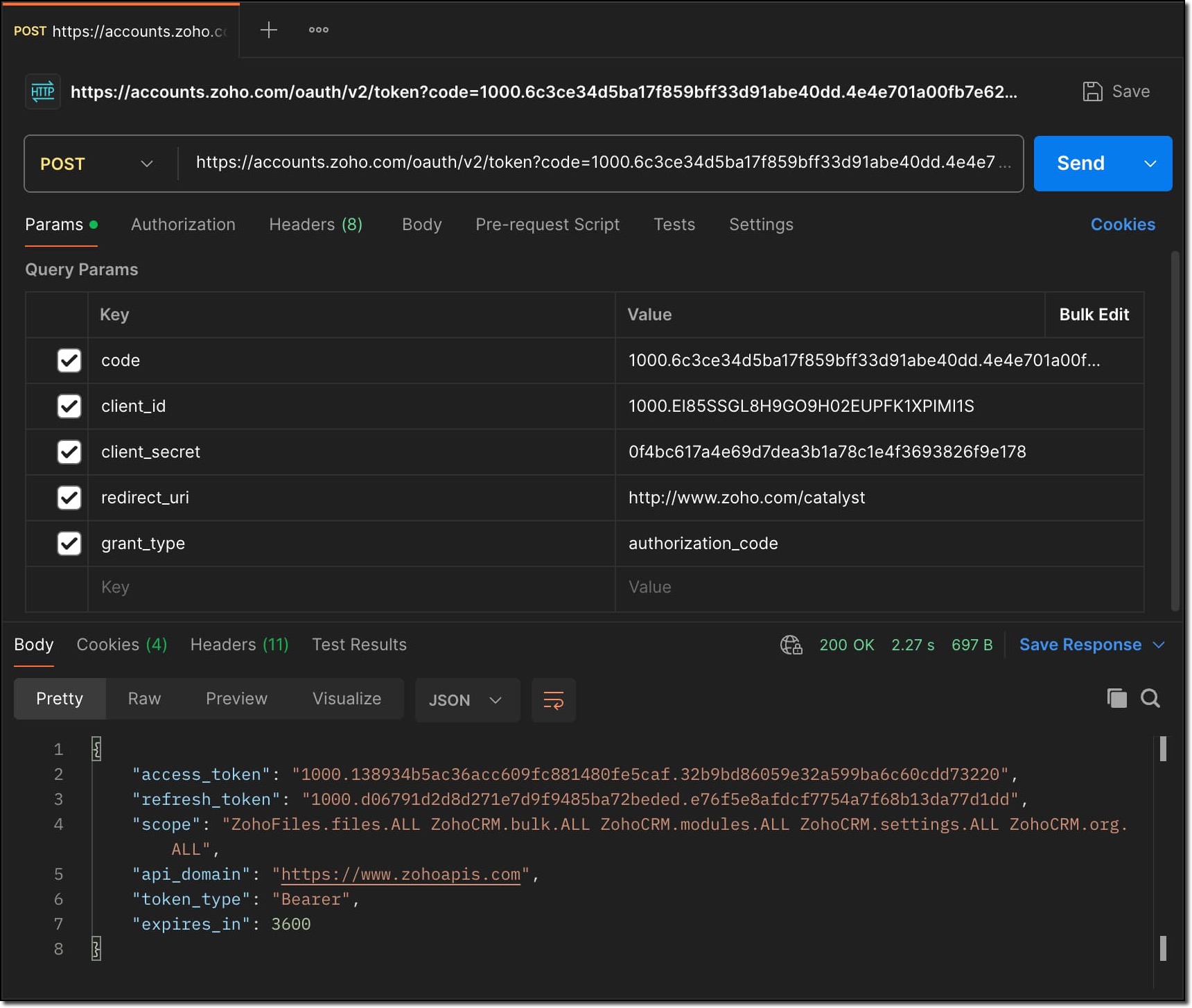
Store all the API credentials securely for later use.
4. To allow Catalyst to access Zoho CRM data, configure the stored API credentials as environment variables in the catalyst-config.json file within the BulkDataProcessor function.
For detailed guidance, refer to the Configure Function Components help guide in CRM Bulk Data Processor.

These environment variables are used by Catalyst Connectors to create access tokens for establishing secure connection between Zoho CRM and Catalyst.
Step 3: Add Business Logic
1. Go to com.processor.record.ZCRMRecordsProcessorImpl.java file of the BulkDataProcessor in the functions directory.
2. Override the ZCRMRecordsProcessor method with the business logic.
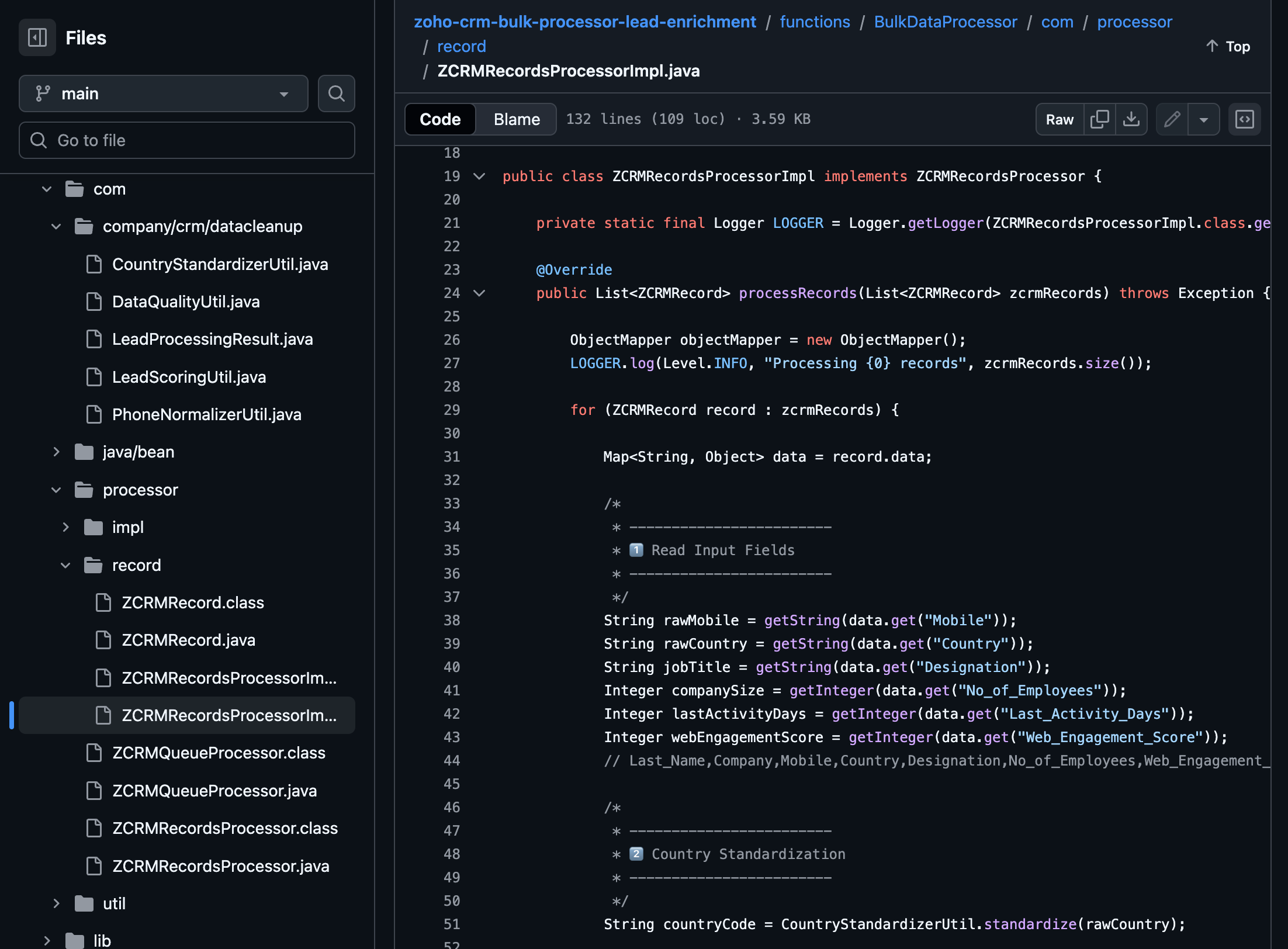
The complete code sample for this use case is available on GitHub for reference.
Following is the major custom logic used here:
Use the GET Fields Metadata API to fetch the API names of the fields required throughout the custom logic.
Phone Number Normalization:
This can be implemented in two stages, Country standardization and Phone Number formatting.
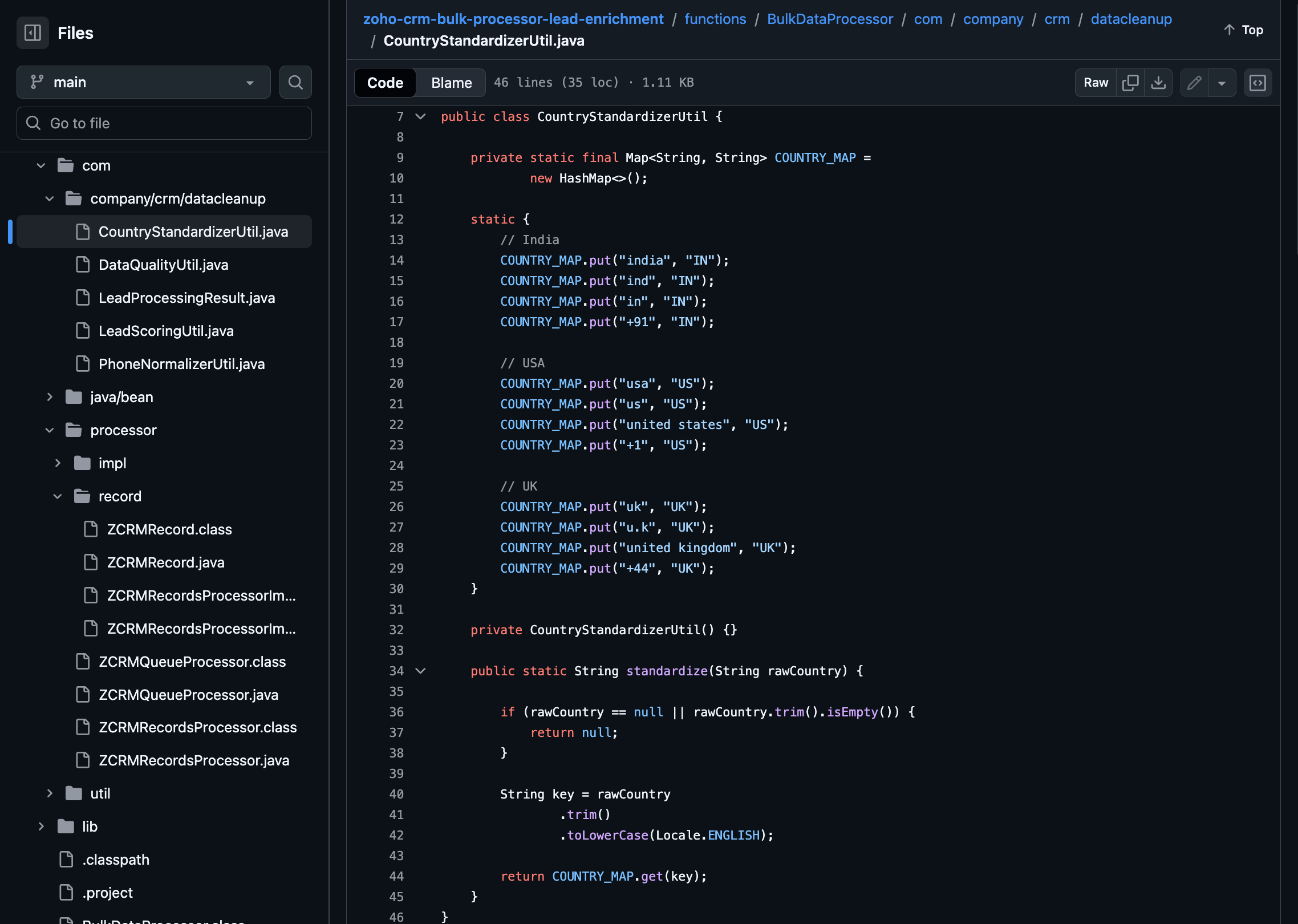
For country standardization, CountryStandardizerUtil maps different variations of the Country field in records to a single standardized country identifier. These variations may include,
- Country Names (India, Unites States, United Kingdom)
- Abbreviations (Ind, IN, USA, US, UK)
- Calling Codes (+91, +1, +44)
With this, we can ensure different interpretations of the same country are interpreted consistently during the process.
Once the country is standardized, Phone Numbers are formatted to E.164 format in the PhoneNormalizerUtil.
It removes all non-numeric characters and converts the Phone input to E.164 format with the respective country codes.
public class PhoneNormalizerUtil { private static final Pattern NON_DIGIT = Pattern.compile("[^0-9]"); public static Optional<String> normalizeToE164(String rawPhone, String countryCode) { if (rawPhone == null || rawPhone.trim().isEmpty()) { return Optional.empty(); } String digits = NON_DIGIT.matcher(rawPhone).replaceAll(""); if (rawPhone.startsWith("+") && digits.length() >= 10) { return Optional.of("+" + digits); } switch (countryCode) { case "IN": return normalizeIndia(digits); case "US": return normalizeUS(digits); case "UK": return normalizeUK(digits); default: return Optional.empty(); } } private static Optional<String> normalizeIndia(String digits) { if (digits.length() == 10) { return Optional.of("+91" + digits); } if (digits.startsWith("91") && digits.length() == 12) { return Optional.of("+" + digits); } return Optional.empty(); } private static Optional<String> normalizeUS(String digits) { if (digits.length() == 10) { return Optional.of("+1" + digits); } if (digits.startsWith("1") && digits.length() == 11) { return Optional.of("+" + digits); } return Optional.empty(); } private static Optional<String> normalizeUK(String digits) { if (digits.startsWith("44") && digits.length() == 12) { return Optional.of("+" + digits); } if (digits.length() == 10) { return Optional.of("+44" + digits); } return Optional.empty(); } } |
Lead Priority and Segmentation
The lead priority is calculated using the Title, No of employees, Last Activity Days and Web Engagement Score fields in the record.
Each field value contributes a predefined number of points:
- If the job title indicates a senior role such as CEO, CTO, Director, or VP, 25 points are added.
- If the company size is 200 employees or more, 20 points are added.
- If the Lead has been active within the last 7 days, 15 points are added.
- If the web engagement score is 70 or higher, 10 points are added.
The sum of all applicable factors is returned as an integer and based on this score the lead's priority and segmentation is assigned as follows:
- High (Hot): score ≥ 70
- Medium (Warm): score ≥ 40
- Low (Cold): score < 40
public static int calculateLeadScore( String jobTitle, Integer companySize, Integer lastActivityDays, Integer webEngagementScore) { int score = 0; // Decision Maker if (jobTitle != null) { String title = jobTitle.toLowerCase(); if (title.contains("ceo") || title.contains("cto") || title.contains("director") || title.contains("vp")) { score += 25; } } // Company Size if (companySize != null && companySize >= 200) { score += 20; } // Recency if (lastActivityDays != null && lastActivityDays <= 7) { score += 15; } // Engagement if (webEngagementScore != null && webEngagementScore >= 70) { score += 10; } return score; } public static String deriveSegment(int score) { if (score >= 70) return "Hot"; if (score >= 40) return "Warm"; return "Cold"; } public static String derivePriority(String segment) { switch (segment) { case "Hot": return "High"; case "Warm": return "Medium"; default: return "Low"; } } |
Lead Quality:
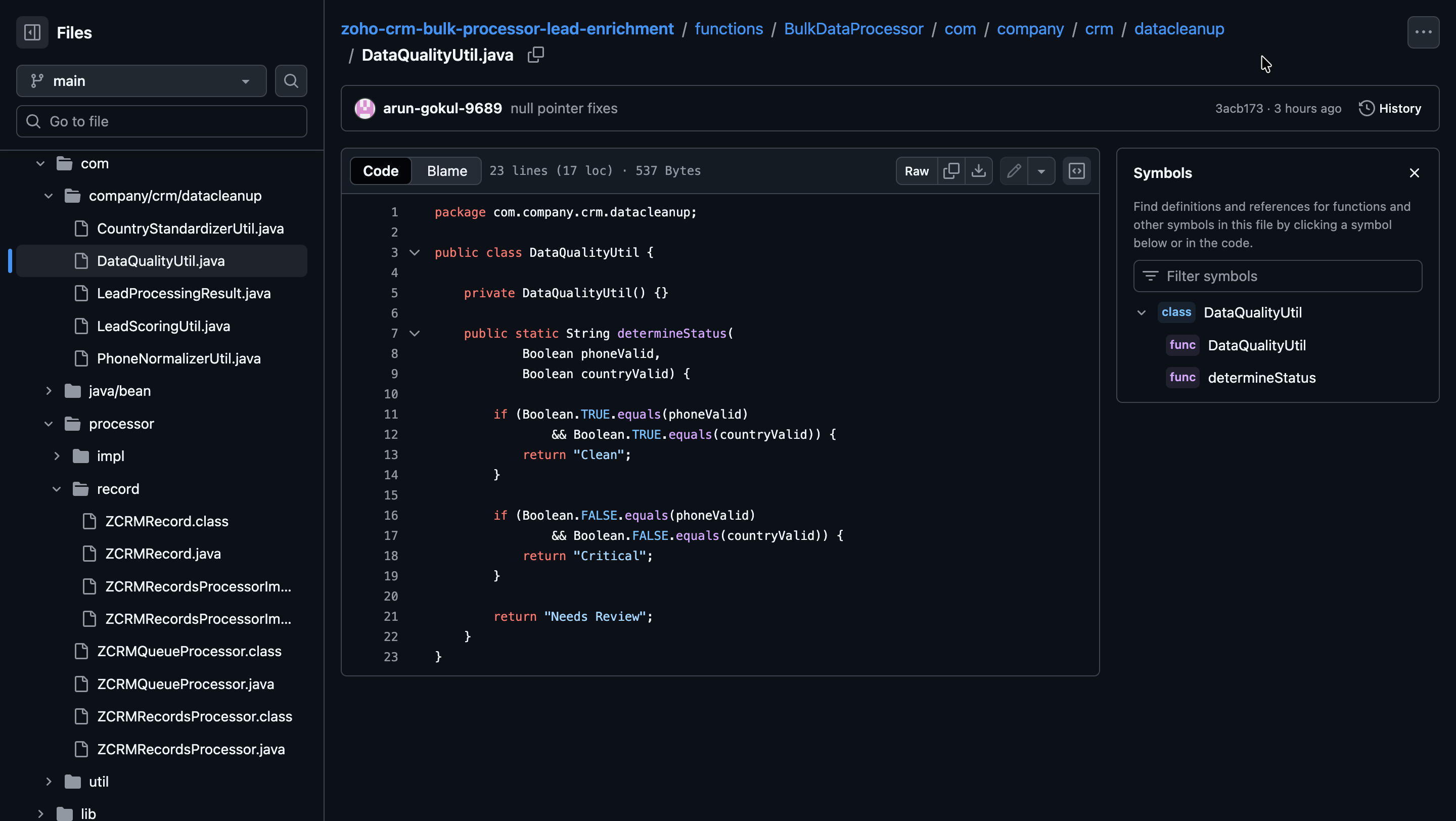
Lead quality is evaluated based on the validity of the Mobile and Country fields in the records.
- Clean: Both field values are valid.
- Critical: Both field values are invalid.
- Needs Review: Only one of the field values is invalid.
Write Back to Records:
The processed data is written back to Zoho CRM as follows:
- Mobile: Formatted phone numbers.
- Lead Score: Total score calculated from all applicable fields.
- Lead Segment: Segment derived from the lead score.
- Sales Priority: Priority assigned based on the lead segment.
- Data Quality Status: Overall quality of the Lead record.
if (normalizedMobile.isPresent()) { data.put("Mobile", normalizedMobile.get()); } data.put("Lead_Score", leadScore); data.put("Lead_Segment", leadSegment); data.put("Sales_Priority", salesPriority); data.put("Data_Quality_Status", dataQualityStatus); } |
Step 4: Deploy to Development
Run the following command to deploy your local customizations to the Development Environment of Catalyst.
catalyst deploy |

You can find the complete code sample on GitHub for reference.
Try it Out!
With the changes deployed to the Development environment, let us now test the solution.
We hope this Kaizen helps you import large volumes of data into Zoho CRM while improving data quality and lead intelligence using the CRM Bulk Data Processor.
Have questions or suggestions? Drop them in the comments or write to us at support@zohocrm.com.
We will circle back to you next Friday with another interesting topic.
On to Better Building!
--------------------------------------------------------------------------------------------------------------------------

Previous Kaizen: Client Script Support for List Page (Canvas) | Kaizen Collection: Directory
--------------------------------------------------------------------------------------------------------------------------