Recent enhancements to Bigin's workflows and Associated Products
Greetings,
I hope all of you are doing well! We're happy to announce a few recent enhancements we've made to Bigin. Let's go over each one in detail.
Enhancement to workflows
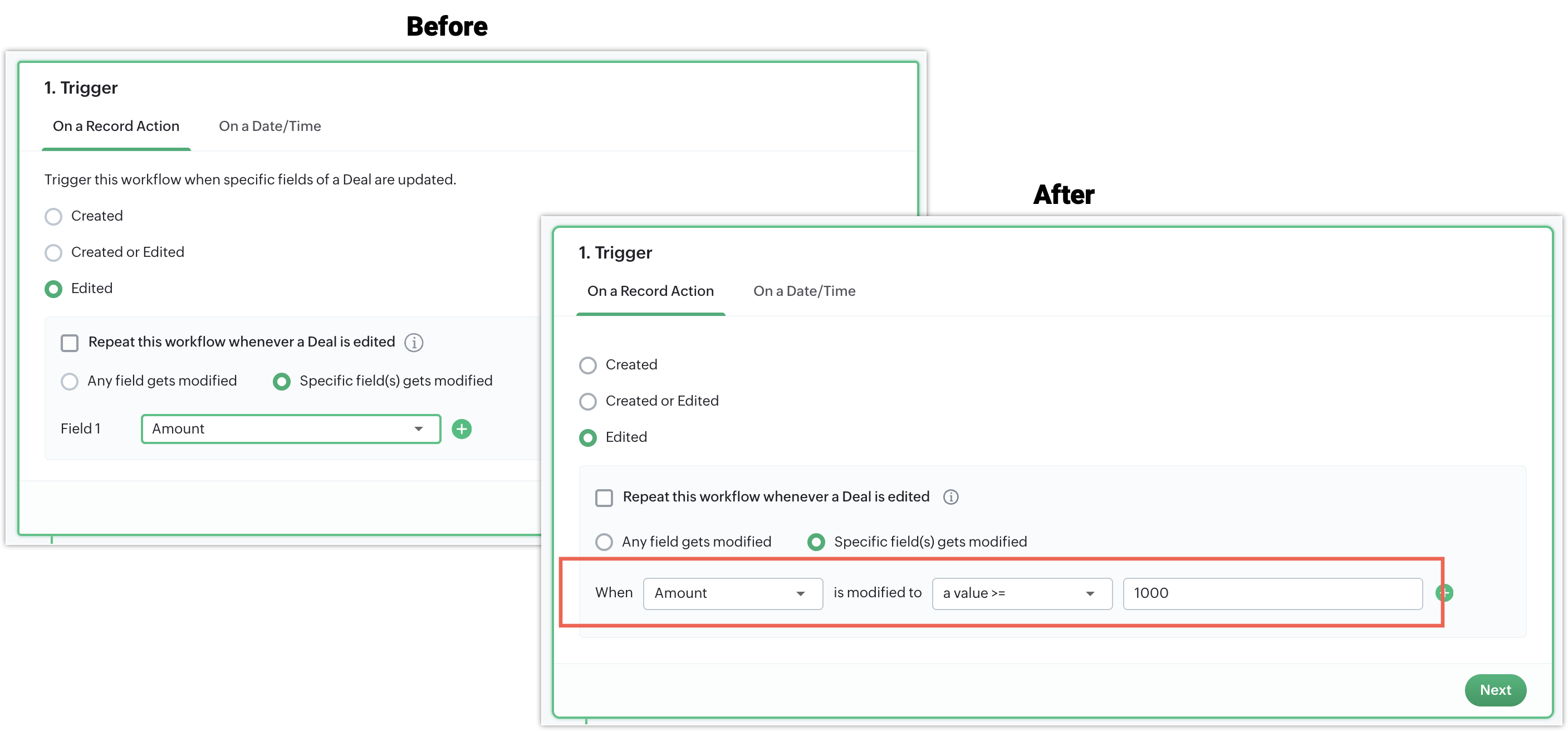
Trigger workflows when specific fields are modified to specific values
Previously, you could only specify which fields—when edited—should trigger a workflow, but now you can also define more specific criteria for those fields.
This way, you can now trigger workflows when a field in a record changes to a specific state—for example, a task's priority is marked as high, or a deal's stage is updated to won.
Description field in task actions
Previously, while creating a task via automation, there was no option to add a description. With this enhancement, we've introduced a description field to the Create Task action, which also supports merge fields. Use the hashtag (#) symbol to insert dynamic field values.

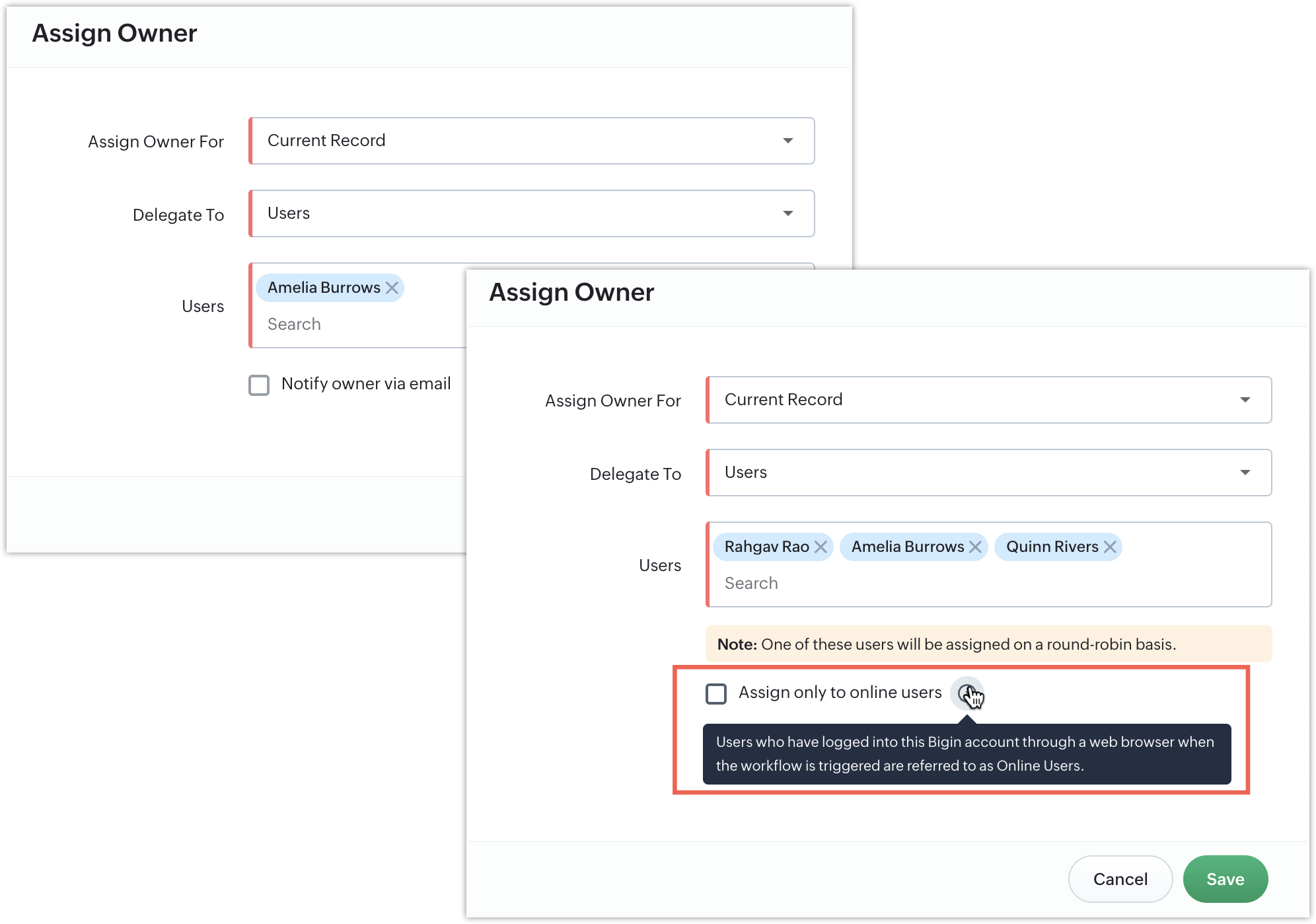
Assign owners based on login status
Previously, owners were assigned to records using the round-robin method, regardless of user availability. With this enhancement, you can now ensure tasks are assigned more efficiently by assigning them only to users who are online at that time.
Add tags to scheduled actions
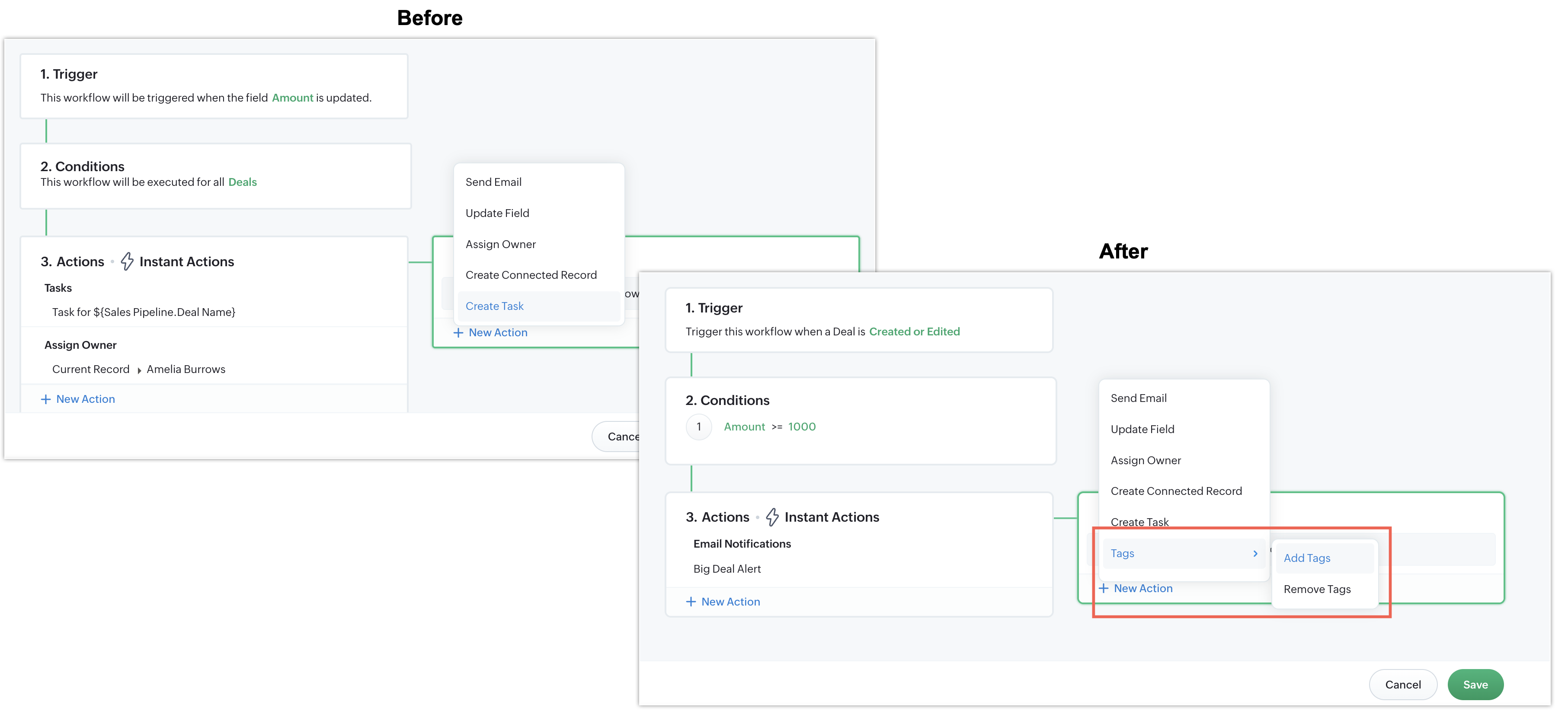
Previously, tags could only be added to instant actions, but with this update, you can now add tags to scheduled actions as well.
Lookup fields in email actions
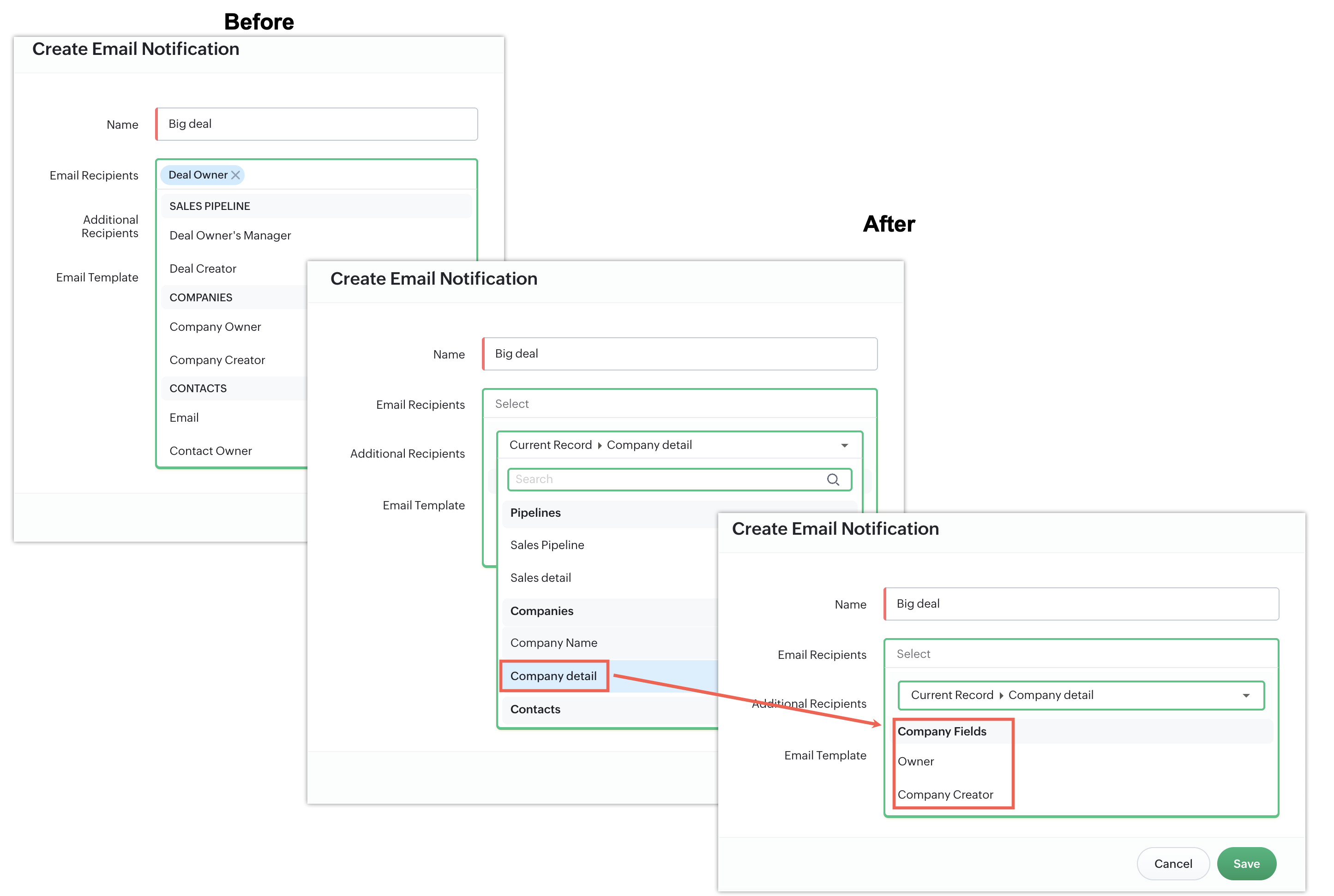
Previously, when adding an email recipient to email actions in workflows, you couldn't include lookup fields as recipients. With this update, you can now add lookup fields associated with the module as recipients.
To learn more about workflows, please refer to this help document.
Enhancements to the Associated Products section
Customizable discount field
You can now configure the Discount field in Associated Products to suit your business needs better. Previously, we only supported only percentage discounts. With this enhancement, you can choose between:
Percentage discounts
Fixed amount discounts
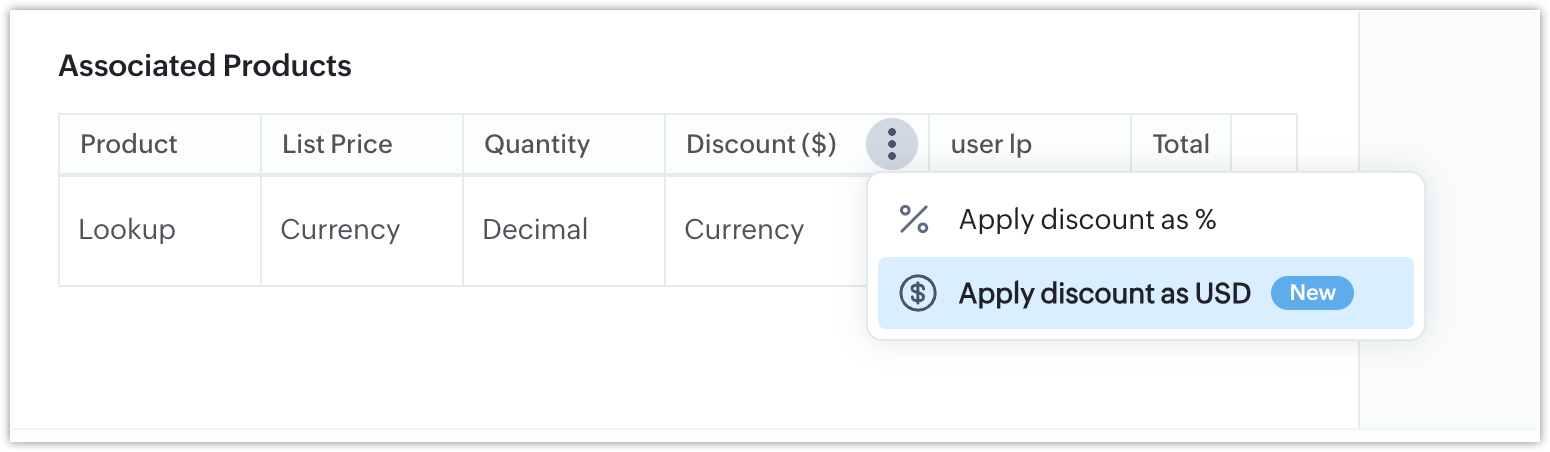
This update enables businesses with varied pricing and discounting strategies to tailor their discount calculations accordingly.
Configuration
Navigate to Settings > Fields > Pipeline Fields.
In the Associated Products section, locate the Discount field.
Click on More Options (⋯) and select your preferred discount type.
By default, the system will continue to apply percentage-based discounts unless changed.
Note:
If an existing customer switches from percentage to a direct price value, all existing data will be automatically converted to the equivalent price based on the previously applied percentage.
User lookup field in Associated Products

- Easily track which team member is responsible for each product in a deal.
- Achieve better accountability and internal coordination.
- Create a User Lookup field in the Products module.
- Navigate to Settings > Fields > Pipeline Fields.
- Add the newly created User Lookup field to the Associated Products section.
