When moments in customer support get "spooky"
It’s Halloween again!
Halloween is celebrated with spooky symbols and meanings based on history and traditions, with each region adding its own special touch. While we were kids, we would dress up in costumes along with friends, attend parties, and enjoy the thrills of the season. Growing older, our perspectives and the way we celebrate might may have changed. Now, we might find ourselves watching children enjoy their spooky fun or simply relaxing.
Halloween is celebrated with spooky symbols and meanings based on history and traditions, with each region adding its own special touch. While we were kids, we would dress up in costumes along with friends, attend parties, and enjoy the thrills of the season. Growing older, our perspectives and the way we celebrate might may have changed. Now, we might find ourselves watching children enjoy their spooky fun or simply relaxing.
But for those working in customer support, Halloween can reveal different kinds of “spooky” moments. Some moments at work can feel just as haunting as the Halloween characters that test patience, empathy, and presence of mind. This Halloween, let’s talk about how we can turn moments of horror in customer support into delightful experiences.
The “spooks” of customer support
Overflowing tickets
When you sign in to your Zoho Desk account, you might immediately have more tickets than you can handle. Too many tickets can make you miss your first-response time, drop your metrics, and soon you’re buried under an endless stream of unresolved tickets.
Falling resolution rates
As the workload piles up, your average resolution time can slip. Despite your best efforts, the gap between customer expectations and your responses continues to widen.
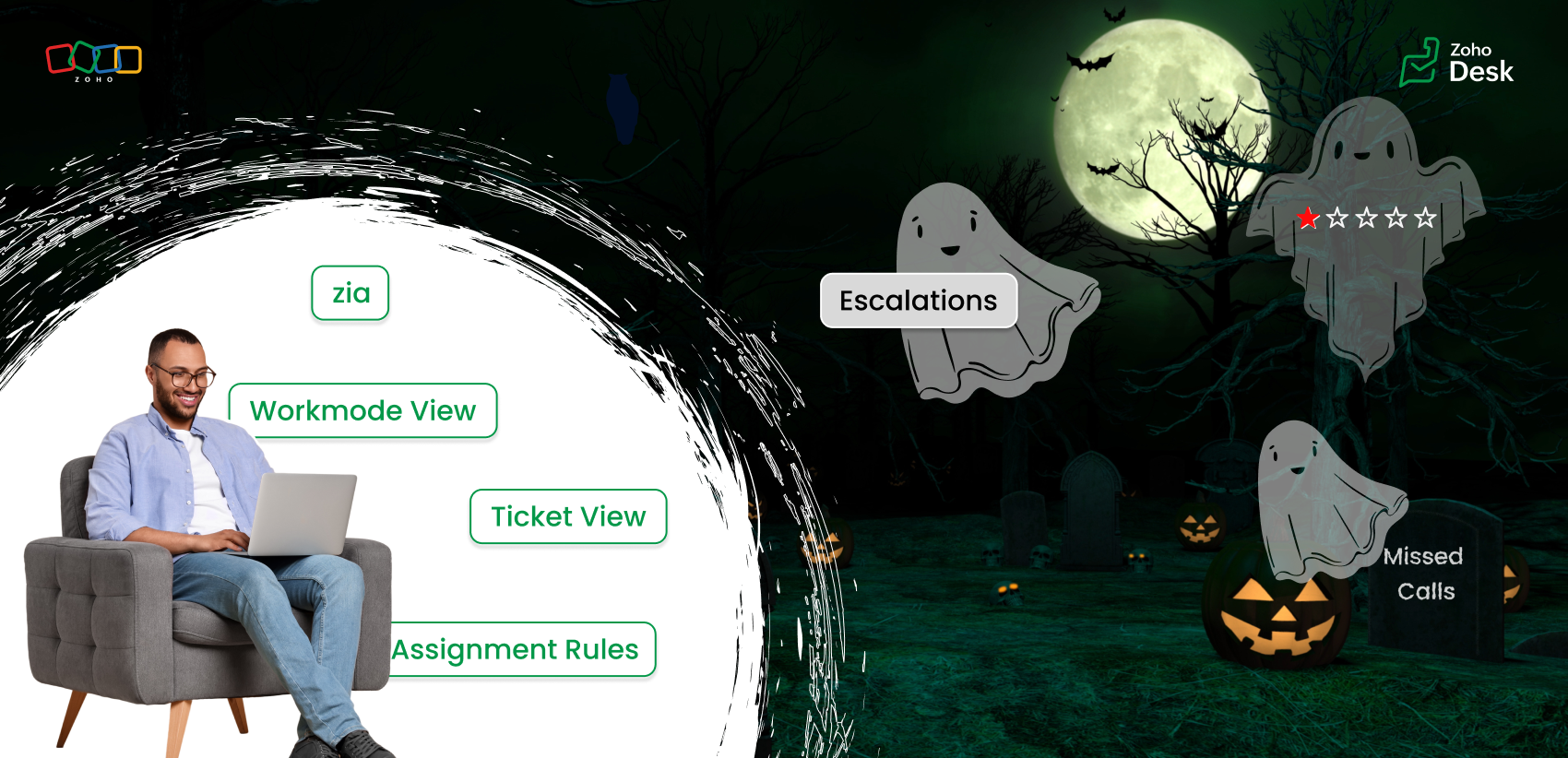
Tone gone wrong
With an overwhelming number of tickets, we might rush to reply quickly, which can make the emails sound curt or emotionless. We end up sounding rude or robotic without intending to. The lack of warmth can turn a neutral interaction into a negative experience.
Disappointing feedback
After all this, you work hard to respond to your customers and close all the tickets, aiming to solve their problems, yet the customer leaves a negative rating or an unhappy emoji. These negative rating can affect our CSAT scores leading to a more chilling experience than a Halloween scare.
Endless escalations
You’ve given your best, but tickets keep escalating one after another. Encountering one frustration after another while juggling deadlines is enough to make any support agent feel haunted by unfinished work.
Self-service pages
Imagine the customer's frustration when they're trying to find an answer, but the outdated knowledge base goes unpublished because it is outdated. What could have been resolved turns into a frustrated ticket.
Let's see how we can turn those spooky moments into spectacular ones.
Every “horror moment” in support can be transformed into an opportunity for excellence with the right tools, automation, and teamwork.
Organize your tickets
The prediction tools in Zoho Desk help you identify the high-priority tickets and learn from ticket history in less time. Zia can also detect anomalies and notify your team of tickets that require attention. The summary tools help you understand tickets and conversations quickly.
Use the default views and create custom views to categorize your tickets based on their assigned priority levels and due dates. Use various views under Workmodes to resolve tickets based on status, priority, and SLAs. The ticket notifications also help you view details where your name is tagged (@ mentions), unread, and flagged messages. These will help you resolve tickets quicker, leading to happy customers.
Assignment rules
Assignment rules help you distribute tickets evenly among agents so that one or two agents do not feel overwhelmed. Sharing the workload with fellow agents helps your team respond faster and serve customers more efficiently. The agent collision feature alerts you if two agents are working on the same ticket, thus avoiding duplicate efforts.
Workflow rules
Automate notifications for customer tickets or complaints. A simple response and acknowledgment can reassure customers that their issue is abeing ddressed to offer resolution.
Define service level agreements (SLAs)
Establish clear response and resolution times based on your business hours and ticket priorities. SLAs help you address the most urgent cases while maintaining service quality and consistency.
Update your availability status
Under profile, set your status for each support channel in Zoho Desk. When you’re online, you’ll be notified of new chats or emails to ensure nothing goes unnoticed.
Keep knowledge base (KB) articles updated
Set expiration dates for your help articles so you’re notified when it’s time to review or update them. Updating your knowledge base with the current information helps customers find the right answers faster, reducing ticket load.
Use Zia
Zia can help you sense the tone of the customers' emails. If you miss noticing the customer's emotions, Zia Insights and Zia Reply Assistance are at your service with emoticons and quick references to respond effectively. Zia insights give you an analysis of the customer's tone as well as the topics they discussed. You can also view the customer's CSAT ratings under their contact info.
Every one of these small steps can turn potential “frights” into smooth, positive experiences, both for you and your customers. The spooky moment in customer support can fade away with Zoho Desk's automation tools, AI-powered sentiment analysis, and unified knowledge base. This Halloween, while we celebrate with costumes and candy, let’s also celebrate the courage, creativity, and care of every customer support professional who turns the fright of a long queue into customer delights.
Wish you a happy Halloween! 🎃
Wishes from the Zoho Desk team
Topic Participants
Lydia | Zoho Desk
Ram Freedman
Sticky Posts
Register for Zoho Desk Beta Community
With the start of the year, we have decided to take a small step in making the life of our customers a little easier. We now have easy access to all our upcoming features and a faster way to request for beta access. We open betas for some of our featuresShare your Zoho Desk story with us!
Tell us how you use Zoho Desk for your business and inspire others with your story. Be it a simple workflow rule that helps you navigate complex processes or a macro that saves your team a lot of time; share it here and help the community learn and grow with shared knowledge.Tip #1: Learn to pick the right channels
Mail, live chat, telephony, social media, web forms—there are so many support channels out there. Trying to pick the right channels to offer your customers can get pretty confusing. Emails are most useful when the customer wants to put things on record. However, escalated or complicated issues should not be resolved over email because it's slow and impersonal. When you need immediate responses, live chat is more suitable. It's also quick and convenient, so it's the go-to channel for small issues.Welcome to Zoho Desk Community - Say hello here!
Hello everyone! Though we have been here for a while, it’s time to formally establish the Zoho Desk Community; we’re really happy to have you all here! This can be the place where you take a moment to introduce yourself to the rest of the community. We’d love to hear all about you, what you do, what company or industry you work for, how you use Zoho Desk and anything else that you will like to share! Here’s a little about me. I am Chinmayee. I have been associated with Zoho since 2014. I joined hereWebinar 1: Blueprint for Customer Service
With the launch of a host of new features in Zoho Desk, we thought it’ll be great to have a few webinars to help our customers make the most of them. We’re starting off with our most talked about feature, Blueprint in Zoho Desk. You can register for the Blueprint webinar here: The webinar will be delivered by our in-house product experts. This is a good opportunity to ask questions to our experts and understand how Blueprint can help you automate your service processes. We look forward to seeing
Recent Topics
Zoho Sheet for Desktop
Does Zoho plans to develop a Desktop version of Sheet that installs on the computer like was done with Writer?Can I convert MSG to HTML on Mac?
Yes, you can convert MSG files to HTML on a Mac using software Aryson MSG file Converter. This tool allows you to convert Outlook MSG emails into multiple formats, including HTML, PDF, EML, PST, and more. It preserves all email content, attachments, metadata,Duplicate Leads Notification Help!
Hello! I have several web forms that have a duplicate lead notification that are being sent to the creator of the web form. I understand how to change the form entry notification, but I am specifically looking to change the recipient of the "Duplicate Lead" notification. Any help you can offer is greatly appreciated! TIA, ~ JennAdding Calendar Display to Home Page
I would like to display my calendar in a module on the Zoho CRM Home Page. I can't figure out a way to do this. Is it possible to display the CRM Calendar on the Home Page?Schedule a Call by Date and Time when a specific lead status is selected
Hi Wanting to create a workflow where a call can be scheduled by date & time when a specific lead status is selected. Can only currently set the date by Due Date - Trigger Date - Plus 'x' day(s) ThanksIncoming email replies not automatically associating with Deals/Opportunities - Is this possible in Zoho CRM?
Hello Zoho Community, I'm running a travel agency (B2B and B2C) and we've been struggling with what seems like a basic functionality that we cannot get to work properly. Our use case: We send emails to suppliers (hotels, transportation companies) andDuplicate Leads Concerns with Round Robin and Lead Approval Process
It is great to have the Duplicate Lead Approval Process, there are a few issues with the process that I would greatly appreciate taken consideration in enhancing. It appears that A Lead comes in Lead owner assigned by the Round Robin Check for Duplicate,Private email threads
When sending a Private email or receiving a response once the email thread has been marked as 'Private'- is there a way to trigger the system to "restart the clock"? I am finding that when someone responds to a 'Private' thread that it is opening theSLA Notification
Team members have been receiving this notification and feel as though it is as random. Explanation on this notification is appreciated! Also, is there a way to disable this notification?Map: Output None
Hi, Checking if you help me inspect this block The code below triggers during Successful form Submission from another Form. // rec_a = formA[ID!=0]; rec_b = formB[ID!=0]; ListA = List(); //subformA for each recA in rec_a.ItemSubform { for each recB inUse arbitrary images in deluge
I am sending emails from my deluge code and I would like to be able to include a few images in the email template. While I know that I could put the on a website somewhere and link to them in the HTML, that is not what I want due to email client securityHow to add "All Open AND Overdue" back to the Home Page Task Component?
Hi everyone, I’m looking for a way to restore the Tasks component dropdown list on the Zoho CRM Home Page. Since the recent update to the Task area in my Home Page Classic View, the dropdown options (e.g., My Next 7 Days + Overdue) are too restrictiveSync Attachments in Comments from Zoho Desk to Zoho Projects
Hello Zoho Desk Team, We hope you're doing well. We are actively using the Zoho Desk–Zoho Projects integration, especially for reporting and managing bugs/issues between support and development teams. Current Limitation: After creating a bugs/issues viaAdd a way to connect Log360 Cloud logs with Zoho analytics
Hi, Several month ago Log360 Cloud was added to zoho one - and this is great. But as far as I see there is no prebuilt way to connect Zoho analytics to the logs we have in Log360 Cloud. Please add a prebuilt connection like we have for so many other zohoAuto sync Photo storage
Hello I am new to Zoho Workdrive and was wondering if the is a way of automatically syncing photos on my Android phone to my workdrive as want to move away from Google? ThanksFuncionalidades y configuration ZohoDesk
Creo que no estoy sacando el provecho adecuado a la application quisiera solicitar una capacitación al respectoHow to call Functions and perform Write Operations using Page Scripts?
Hi everyone, How to call a function from a Zoho Creator application within a Page Script, also how to perform write operations (adding or updating records) using page scripts?Connecting Airwallex in Zoho Books
I have a question. I’m trying to connect our Airwallex account to Zoho Books, but the integration does not seem to work. Could you please guide me on how to properly connect Airwallex? I need to see the expenses also, since it only shows the profits nowQuestions Regarding Helpdesk & SalesIQ Customization and Email Setup
Hello, I hope you’re doing well. I have a few questions regarding Helpdesk and SalesIQ: Can the emails sent to customers via helpdesk tickets be fully customized — including signature, subject line, and other elements? Also, is it possible to send theseButton Duplication when emails forwarded or replied
When I create a new email template in campaigns and send it out it looks fine to all the users, however if that email is then on forwarded or replied to then all buttons within the email duplicate. See below The one on the left is the original one.Workdrive backup and default storage selection
Hi community, I have been informed by Zoho that workdrive will be the default storage mechanism for crm and projects. These 2 Apps seem to have different design on how they interact with workdrive for storage. 1. Crm: seems to have files saves at theAsk the Experts 27: Onboarding and managing support reps
Hello everyone, We are back with our Ask the Experts (ATE) series for 2026. This year, we bring experts to help you address customer support challenges using Zoho Desk. For our first ATE, we are getting into the human side of customer support. "EveryIntroducing Rollup summary in Zoho CRM
------------------------------------------Moderated on 5th July'23---------------------------------------------- Rollup summary is now available for all organizations in all the DCs. Hello All, We hope you're well! We're here with an exciting update thatEnhancements for Currencies in Zoho CRM: Automatic exchange rate updates, options to update record exchange rates, and more
The multi-currency feature helps you track currencies region-wise. This can apply to Sales, CTC, or any other currency-related data. You can record amounts in a customer’s local currency, while the CRM automatically converts them to your home currencyMarketer's Space: Why your open rates suddenly drop to zero?
Hey everyone—welcome back to another post in Marketer's Space! If you regularly track the performance of your campaigns, open rates are probably one of the first numbers you check after sending an email. So it can be quite alarming when a campaign suddenlyBulk upload images and specifications to products
Hi, Many users have asked this over the years and I am also asking the same. Is there any way in which we can bulk upload product (variant) images and product specifications. The current way to upload/select image for every variant is too cumbersome.I'd like to Import Contacts for an SMS Campaign, but they don't have email addresses.
I've got a contact list of about 4000 contacts. Some only have mobile phone and not email. Can I still import the contacts?How to sync overtime from zoho people to zoho payroll
Hi everyone, I’m currently setting up Zoho People with Zoho Payroll. While configuring the sync, I noticed I can only fetch Employee Profiles, LOP (Loss of Pay), and enable the Employee Portal. I can’t seem to find a way to automatically pull OvertimeBulk Associate Tasks/Task Lists to Milestones (Similar to Issues)
Hello Zoho Projects Team, We hope you are doing well. We would like to request an enhancement regarding Milestone management for Tasks in Zoho Projects. Current Behavior: In the Issues module, it is possible to select multiple issues and easily associateIs Zoho Sites still actively being developed?
Hello, Is Zoho Sites still actively being developed as part of the Zoho ecosystem? I noticed that the What's New page (https://www.zoho.com/sites/whats-new.html) does not show any updates since Q1 2025. We were considering migrating our website from SquarespaceAdding new data to the sheet with most recent data being added to top row.
I am using a form that I built from within sheets. When the form is submitted, is it possible to have the data entered in (for example) row 2 (since row 1 is the heading) instead of being added into the next available row which should be hundreds ofneed a packing list feature
In our business, goods listed on an invoice are packed in separate boxes and shipped off. for e.g. an invoice may have 10 items. each item could then be packed in different boxes depending on qty of each item. this packing list is as important as the invoice for purposes of shipping documents. Request you to add this feature asap.Editing Item Group to add Image
I did not have the image of the product when the Item Group was created. Now I have the product image, and would like to associate/add to the Item Group. However the Item Group Edit functionality does not show/allow adding/changing image. Please helZoho CRM Queries Now Support Databases and Cloud Data Sources
Hello everyone! We're thrilled to announce a major enhancement to the Queries feature in Zoho CRM! Queries now support a broader range of external data sources, allowing you to fetch live data and combine it with CRM records, all using a unified queryRe: Application Architecture in Zoho Creator — A Platform-Specific Deep Dive
A recent community post on application architecture made some excellent points about planning architecture early in Zoho Creator projects. The core message is right — Creator applications have a habit of growing organically into maintenance nightmares,Introducing a smarter, faster, and more flexible charting experience
Hello Zoho Sheet users, We're delighted to share the latest news about a major update to charts in Zoho Sheet! The new version supports dynamic data ranges, granular styling options, faster loading, and other interesting enhancements that allow you toZoho Bookings - Feature Request - Services Which Include A Resource and Consultant
Hi Bookings Team, My feature request is to have the ability to add Consultants and Resources to Services. Use case: Your business provides first aid training and there are certain equpment you require to provide the half day training. There are only specificAssign Meeting in records
It would be nice to be able to "call and assing" meetings from a record, for example from a Deal. Right now - calendar is synced with CRM - meetings show in calendar - you can go in each meeting and assign it to a record It would be nice to be able toSincronizar eventos de Bigin en Zoho Calendar (Zoho Mail)
Hola Me gustaría poder sincronizar mi Calendario de Zoho (Mail) con los eventos de Bigin. No veo la opción disponible.Sales Receipts in UK Free tier
Is Sales Receipts available in UK Books, specifically at the Free tier? None of the options from the help pages are available to me.Next Page