In today's fast-paced world, mobility is essential for staying competitive. When it comes to collecting data, you need a tool that helps you gather and analyze essential information on the go. That's where Zoho Forms' mobile app comes in. With native applications for both
Android and
iOS, you can create and edit forms, collect data offline, scan codes and cards, and more—all from your mobile device. In this article, we'll share some tips and tricks for unlocking the full potential of Zoho Forms' mobile app. Let's dive in!
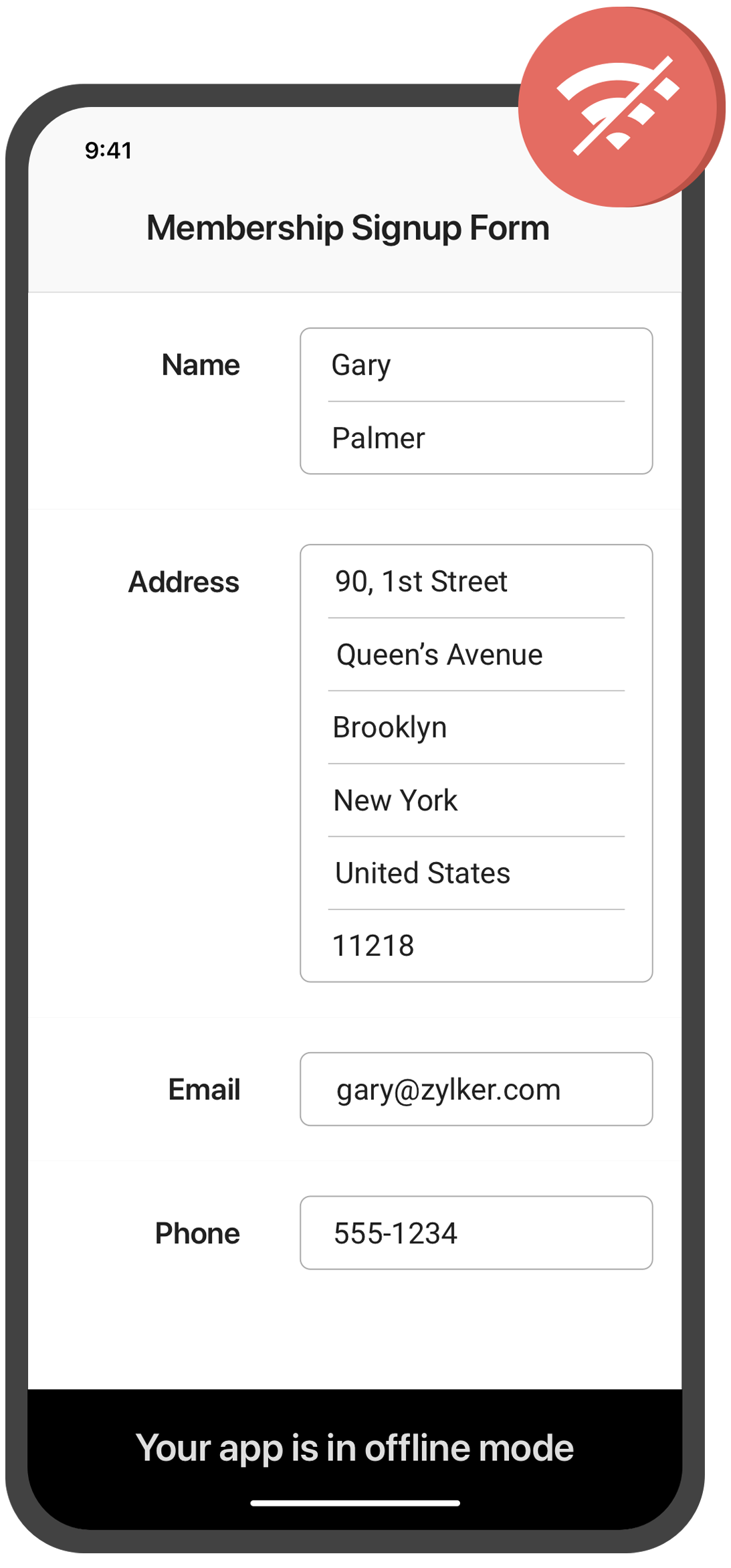
Collect data offline
Need to collect data in remote locations with no internet connection? With the Zoho Forms mobile app, you can fill out forms and collect data even when you're offline. This feature is especially useful for field workers, surveyors, and other professionals who work in areas with poor or no connectivity. Once you're back online, your data will automatically sync with your account.
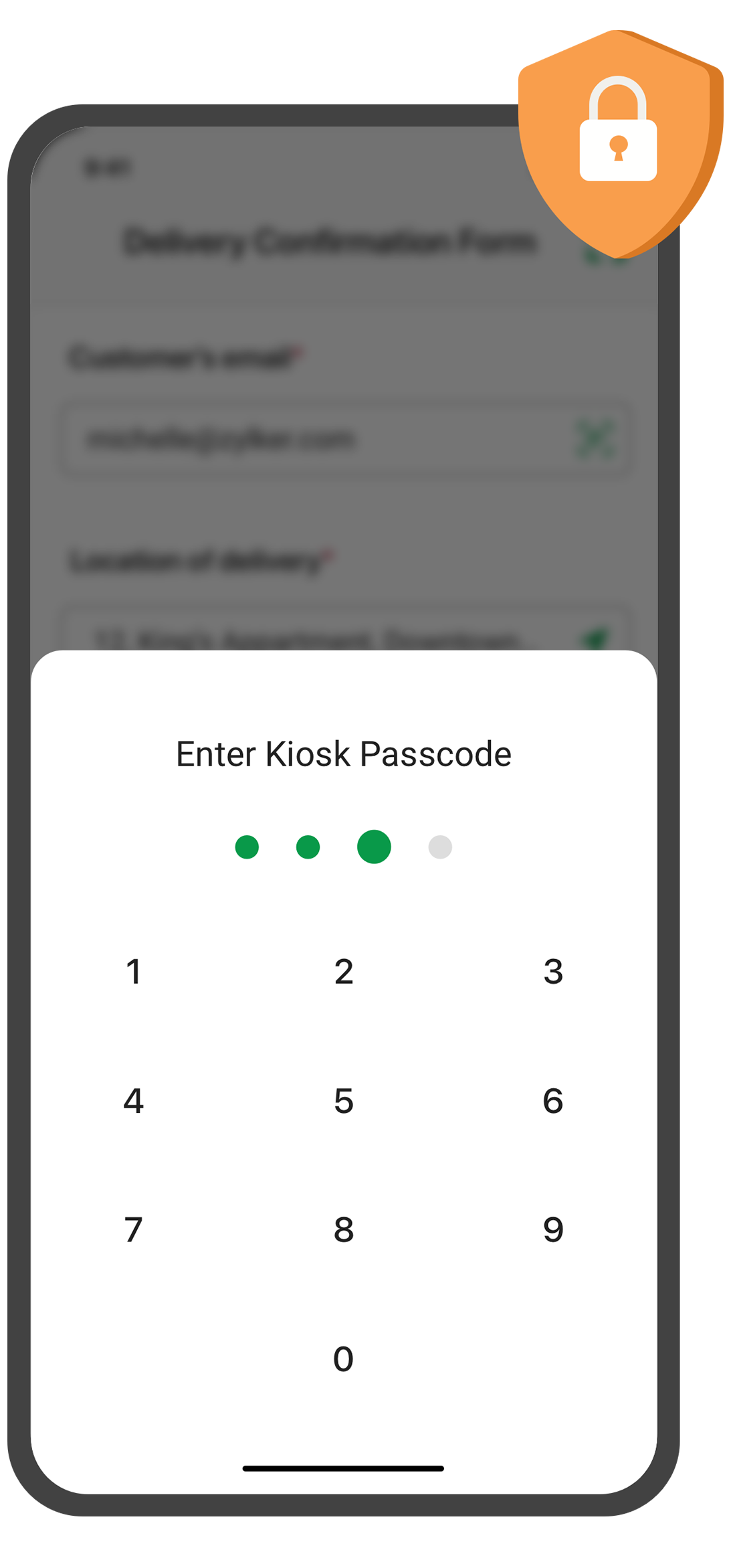
Create self-service kiosk
Looking for an easy way to collect data at events and trade shows, or in your store? With the Zoho Forms mobile app, you can turn your mobile device into a self-service kiosk with password protection. Effortlessly collect leads, contacts, and feedback!
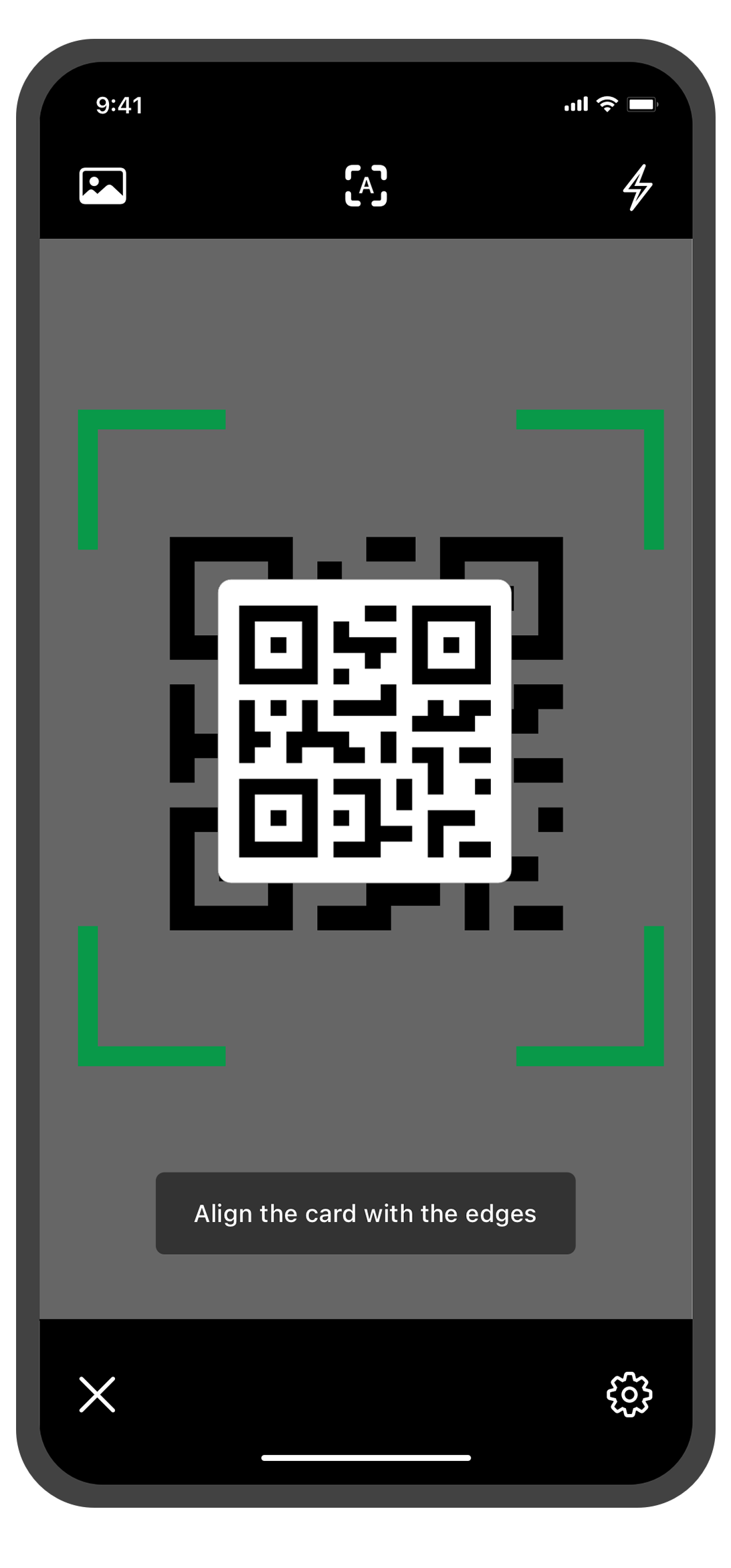
Scan QR codes and barcodes
Need to enter data quickly and accurately? The Zoho Forms mobile app lets you use your device's camera to scan QR codes and barcodes. No more manual data entry errors or wasted time! This feature is especially useful for inventory management, event registration. You can customize the form fields to more accurately reflect the data you want to collect from the codes.
Annotate images
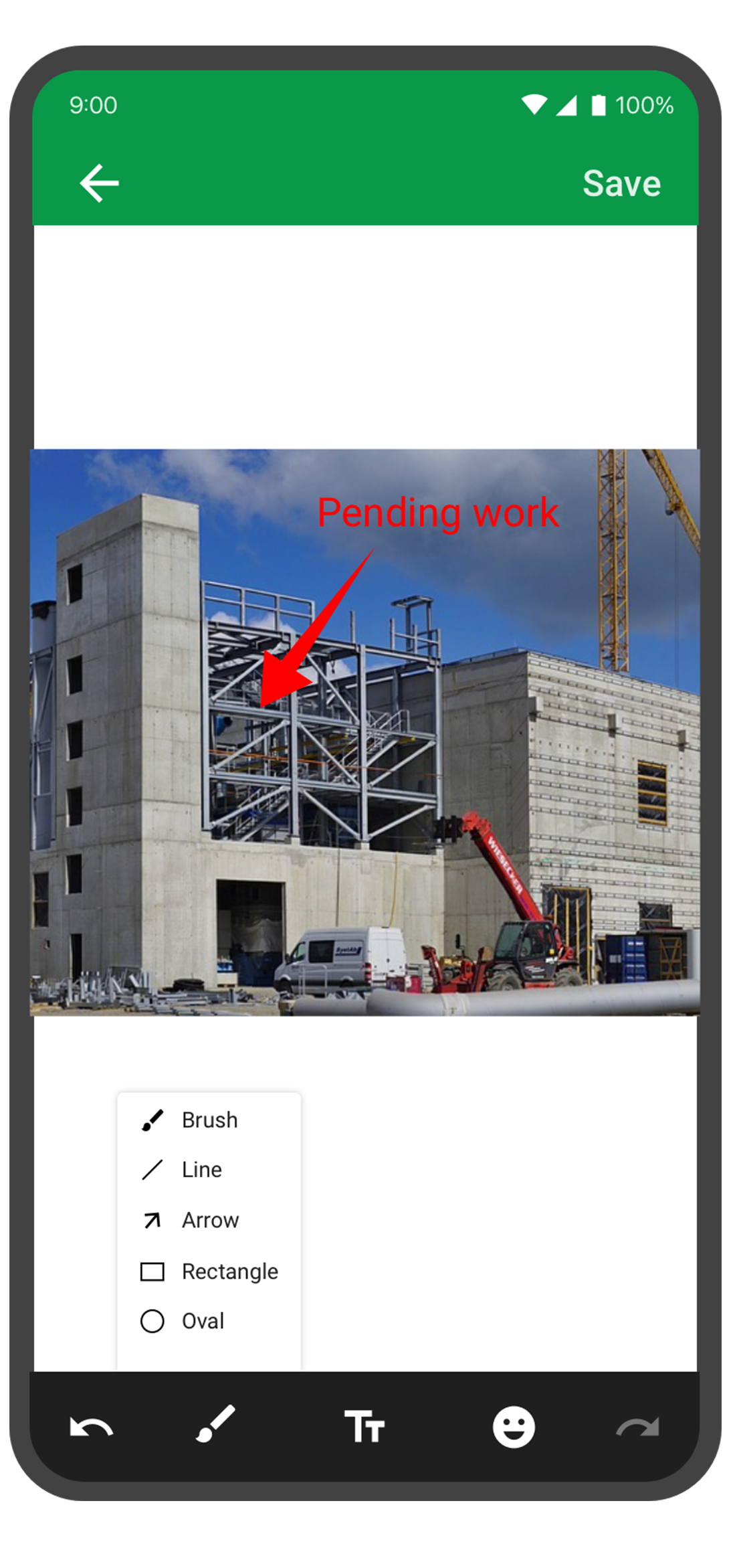
With the Forms mobile app, your team can capture and annotate images to make data collection more accurate and efficient. This feature is especially useful for field engineers, architects, and designers who need to capture and share information about a project. You can annotate images and mark areas of interest with text, arrows, shapes, and freehand drawings. Once the images are uploaded, you can view them under Form Submissions.
With this feature, you no longer have to worry about losing your progress if you need to pause or abandon filling in form. Should you experience an unexpected interruption, like a phone call or an app malfunction, the Zoho Forms app saves your progress as a draft entry. This way, you can easily pick up right where you left off at a later time without having to start from scratch. This feature can save you time and effort, and make the form-filling process more seamless and less stressful.
The Zoho Forms mobile app is a powerful tool that helps you collect data anytime, anyplace. With these tips and tricks, you can take full advantage of Forms' features and streamline your data collection process.
Try them out, and let me know how it goes! You can also send your thoughts and feedback to
support@zohoforms.com.
Until next fortnight,
Niveditha
Recent Topics
Zoho Flow + QuickBooks Estimates – Line items not created from CRM subform
Hi everyone, I’m trying to create QuickBooks Estimates from Zoho CRM Quotes using Zoho Flow. I’m aware that Zoho Flow’s native “Create Estimate” action does not support multiple line items, so I followed the community guidance for Invoices using a custom
Integration with...
Dear Zoho Commerce team, Please could you consider the integration within Zoho Commerce / Inventory and Qapla'? (https://www.qapla.it/en/) This app is better than Aftership in many ways: - Aftership integration require PRO plan and price start from more
Zoho Sign - Zoho CRM extension upgrade
Hi everyone, We've updated Zoho Sign extension for Zoho CRM with significant internal changes. Impact on existing Zoho Sign extension users Users using the extension without customization If you are using the integration without implementing Zoho Sign's
Consultant-Only Booking Page
Zoho Bookings does not allow for Meeting Type OR Workspace-Wide booking pages to be turned off. This is detrimental to organizations that have territory-based or assigned accounts, because if prospects can go to these booking pages and either select the
Start Workflow from Deluge Script
I have developed a customized process from our CRM that leverages a deluge script to create a statement of work document. Once the document has been created via the merge and store function, I would like the ability to start a workdrive review & approve
Request for Auto PO - Min–Max based Automated Purchase Feature
Dear Zoho POS Team, I’m writing to request a feature enhancement that would significantly streamline inventory management for businesses using Zoho POS — particularly supermarkets, FMCG retail, and multi-store operations like ours. Feature Requested:
Masters in UK – Experiences, Universities, and Career Outcomes
This forum discussion is for students who are planning or considering a Masters in UK and want to gain practical insights beyond official university websites. The UK attracts international students due to its globally recognized universities, diverse
Export your notes from Notebook!
Dear users, The long awaited feature is now live. Yes, you can now export your notes from Notebook app in bulk. But the feature has just started with web app alone for now. You can try the export feature as mentioned below: Go to our web app, https://notebook.zoho.com Go to 'Settings' > 'Export' Now, select the format: You can select either ZNote or HTML Once done, you can use the same to import or can have this a local backup of your notes. Note: Export for other platforms are in development and
Prepopulating Fields
Hello, I have a form (Assets) with 2 lookup fields: Client (from Clients) Site (from Client Sites) I modified the code (highlighted in red below), so the Site dropdown shows the list of sites related to the Client. must have Client_Site ( type = picklist
Unable to sort as Descending order
Trying to change the sort order for a lookup field (checkboxes) from Ascending to Descending and keep getting an error in Deluge that the order must be Ascending Did anyone ran into this? Thanks Eyal
Export Invoices to XML file
Namaste! ZOHO suite of Apps is awesome and we as Partner, would like to use and implement the app´s from the Financial suite like ZOHO Invoice, but, in Portugal, we can only use certified Invoice Software and for this reason, we need to develop/customize on top of ZOHO Invoice to create an XML file with specific information and after this, go to the government and certified the software. As soon as we have for example, ZOHO CRM integrated with ZOHO Invoice up and running, our business opportunities
Can I change the format of the buttons in the email templates?
Hi all! We have been working hard trying to brand our email templates, and have some way to go yet. One of the things we can't seem to edit is the green ${Cases.CUSTOMER_PORTAL_BUTTON} button and the font of the View Ticket text. Is there any way of doing
issue with deluge script
i used chat gpt to build this script and I am getting 2 errors which I cannot figure out how to fix: void monthly_sales_order_generation() { try { // ---------------- CONFIG ------------------- analytics_url_1 = "https://analytics.zoho.com/api/<workspaceID>/report/<reportID1>/data";
Introducing LinkedIn Apply Connect for Zoho Recruit
Attract up to 3x more qualified candidates and hire more efficiently with LinkedIn Apply Connect. Let candidates fill-in job applications without any redirections, gain deeper insights with applicant highlights within Zoho Recruit, and keep candidates
Recruit paid support?
Hi all, Could anyone who has paid support package advise if it provides value for money with regards to support response times? Exploring the idea as unfortunately when we have faced issues with Recruit it has been a 7+ day timescale from reporting to
Introducing Dedicated Modules for Plans, Addons, and Coupons in Zoho Billing
We’ve enhanced the way you manage Plans, Addons, and Coupons in Zoho Billing. Previously, all three grouped together under Subscription Items. Now, each one has its own dedicated module, giving you a cleaner and more intuitive experience. This update
Ticket Status email
Good day, This was discussed in the past, but it would be helpful if we could have the system assign a custom response to a status. We have various statuses for tickets, e.g. "closed due to no response", or "Pending Status", it would be helpful for the
Customer ticket creation via Microsoft Teams
Hi all, I'm looking to see if someone could point me in the right direction. I'd love to make it so my customers/ end users can make tickets, see responses and respond within microsoft teams. As Admin and an Agent i've installed the zoho assist app within
Holidays
Hi; For defining Holidays, you need to add logic to handle the year as well as the month & day. We need to be able to enter Holidays for the next year. I need to add a holiday for January 2, 2017, but I can't until January 1st, which is a Sunday and we
Can I use a Standalone CRM Function as the Callback URL For Async Export Data API?
I am creating an export job using this API https://www.zoho.com/analytics/api/v2/bulk-api/export-data-async/create-export/view-id.html There is a "callbackUrl" key in the CONFIG object. I tried copying the URL for a standalone function in CRM which can
Future Orders - Due Date
Hi In my role, I can receive tickets where the work required is requested months in advance. Using a Future Orders option, which I believe was setup under the On Hold status type, hides the Due Date, in all views/ticket etc. Whilst I understand the reasoning
Introducing Withdrawal Reasons for Offers
We’re excited to introduce a new enhancement to the Offer module that brings more clarity and accountability to every withdrawn offer. The Withdrawal Reason update ensures that each withdrawal — manual or automatic — is backed by a clear explanation,
Zoho Creator customer portal users
Hi, I'm in a Zoho One subscription with our company. I'm running a project now that involves creating a Zoho Creater application and using the Zoho Creator Customer Portal. At most we need 25 customer portal users. In our Zoho One plan we only get 3
GPS tracking only or Check out facility
Dear Team, Zoho CRM is quite robust CRM but till date i was waiting for the feature of having GPS tracking of Sales employees which is a common demand by all customers for thier field sales executives. We cover them by saying that CRM provides Checkin
HTML Tags added to Reports with Notes
Recently Zoho added the ability to markup text within notes. That way, users can change font size, colors, etc. It's a great change. However, since the change, reports that include a column for "Note Content" are printing HTML tags within the report.
In App Auto Refresh/Update Features
Hi, I am trying to use Zoho Creator for Restaurant management. While using the android apps, I reliased the apps would not auto refresh if there is new entries i.e new kitchen order ticket (KOT) from other users. The apps does received notification but would not auto refresh, users required to refresh the apps manually in order to see the new KOT in the apps. I am wondering why this features is not implemented? Or is this feature being considered to be implemented in the future? With the
Appraisals on Employee Information Profile
Is it possible to show completed appraisals on each employee's "Employee Information" page? I would presume at the bottom - similar to the "Related Lists" concept in Zoho CRM. Obviously view access would be limited to employee and appropriate other roles
AI Interview Insights: Turn Recorded Interviews into Quick Transcripts & Summaries
Evaluating interviews shouldn’t require replaying long recordings or taking manual notes. With AI Interview Insights, you can now review complete transcripts and AI-generated summaries of your One-way (Recorded) interviews right inside Zoho Recruit. This
Kaizen #220: Actions API - Webhooks APIs - Part 2
Hello all!! Welcome back to the follow-up Kaizen post of Kaizen #219: Actions API - Webhooks APIs - Part 1. In the previous week, we covered how to configure a basic Webhook and how to include Headers, Body, and URL Parameters using both the POST Webhook
Standard Payment Term is not pulled from account to quotation
Hey Team There seems to be something off. I do have "Net 30" as my default payment term in Zoho Books for my customers. If, from the customer overview or quote section, I create a new Quotation, the payment terms field stays blank and doesn't get the
Canva Integration
Hello! As many marketing departments are streamlining their teams, many have begun utilizing Canva for all design mockups and approvals prior to its integration into Marketing automation software. While Zoho Social has this integration already accomplished,
Manage your invoices from Bigin's mobile app (iOS)
Hello everyone! We're happy to announce that users can now integrate Zoho Books with the latest version of Bigin's iOS app. Zoho Books can be integrated with Bigin only via the web application. Users can view the Zoho Books tab in the detail pages of
HubSpot CRM to Zoho Creator Integration
I'm trying to create an integration between HubSpot CRM and Zoho Creator with HubSpot being the push source (if a contact is created or updated in HubSpot, it pushes the information to Zoho Creator). I have two questions: 1- Is it best to use Zoho Flow
Systematic SPF alignment issues with Zoho subdomains
Analysis Period: August 19 - September 1, 2025 PROBLEM SUMMARY Multiple Zoho services are causing systematic SPF authentication failures in DMARC reports from major email providers (Google, Microsoft, Zoho). While emails are successfully delivered due
Accessibility controls and multilingual captcha authorization for Help Center users
Hello everyone, As part of our ongoing effort to improve user experience, we are excited about the accessibility controls and predefined accessibility personas added in the Help Center, similar to what is already available in Zoho Desk. Help Center users
Gain control over record sharing with portal users through our new enhancement: criteria-based data exposure
Dear Customers, We hope you're well! Portals is a self-service avenue through which your clients can access and manage their direct and related data in Zoho CRM. This empowers them to be more independent and enables them to experience a sense of transparency
Zoho Sign + Zoho CRM : la solution pour simplifier vos accords de vente
La conclusion d’un contrat de vente nécessite de nombreuses étapes : préparation de documents, validations successives et collecte des signatures. Les équipes commerciales passent souvent par plusieurs cycles de collaboration et de révision, tout en assurant
Zoho Desk Limitations
Good day, all, I would like to know whether others share my frustration with some of Zoho's limitations. Don't get me wrong, I like Desk (and I also have a subscription for Analytics), I have been with them for close to 10 years, and unfortunately, I
Item/service subtotal
Just discovered & really pleased that we can drag to re-order the line items in Sales orders & Invoices, a very nice feature which doesn't seem to be documented? It would be nice to be able to insert a subtotal as a line item to complete this great feature
Converting Sales Order to Purchase Order
Hi All, Firstly, this code works to convert a sales order(SO) to a purchase order (PO) via a button, however I am running into an issue when I convert the SO where the values from the line items are not pulled across from the SO to the PO. The ones in
Next Page