Track online, in-office, and client location meetings separately with the new meeting venue option
Hello everyone!
Previously, meetings could be created by entering a name, specifying a location, marking them as online with a checkbox, and setting the date and time. While this offered flexibility, it didn’t provide a consistent way to classify meetings based on where they take place.
Online: For when the meeting is conducted online via any of the integrated providers (for example, Zoho Meeting or Zoom)
Client location: For when the meeting is conducted at a location preferred by you and your client (the client's office, a common place, etc.)
In-office: For when the meeting is held at your office location
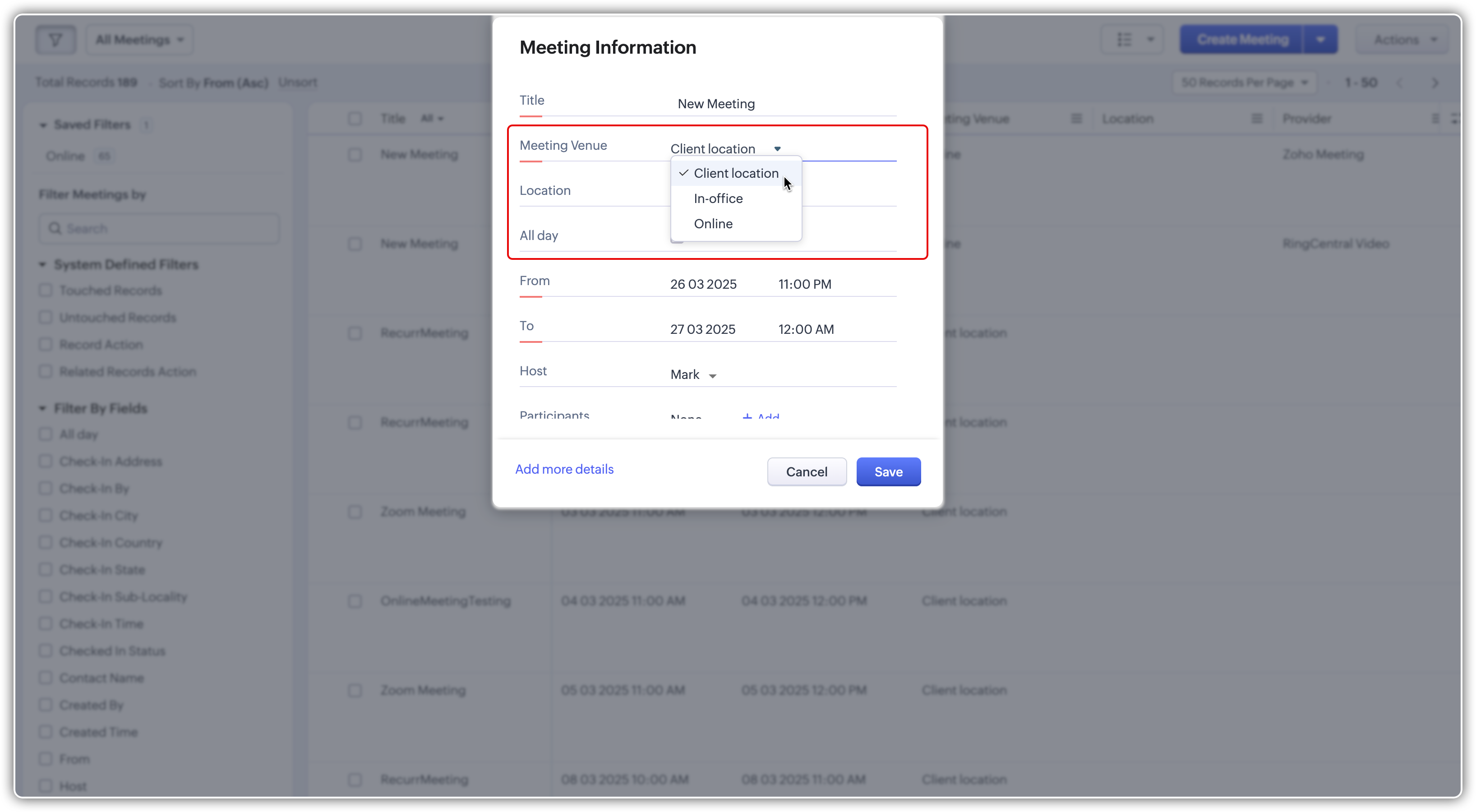
The new meeting venue field is a picklist with three options—online, client location, and in-office—that users can choose from while creating a meeting.

If the meeting venue is set to client location or in-office, you can:
Mention the location of the meeting.
Check the box if it's an all-day meeting.
Specify if the meeting should repeat.
Based on your business processes, you can remove any of the three available options for meeting venue. For instance, if your organization doesn't conduct online meetings, you can simply remove it from the options. The provider field will also be removed from the meeting layout automatically.
Similarly, if you don't require the options for in-person meetings, you can remove client location or in-office options, and the location field will also be removed.
You can add the options back from the list of unused fields at any time.

However, please note that you cannot add additional options for the meeting venue field.
The preferences tab
For the convenience of setting up the online meeting providers, we've introduced the Preferences tab in the modules and fields section of the Meetings module. Admins will be able to enable and disable meeting providers for their organizations here, without needing to navigate to the Marketplace. Once a provider is added, users need to authorize their accounts before they can host meetings with the new provider.


Notes:
In automation areas, such as blueprints and workflows, the meeting creation action will be client location by default.
If you have created a Calendar booking for offline meetings, they'll be client location meetings, and online meetings will remain online.
Resources: Help Documentation
Thanks!
