Remember all the ways we've posted?

Remember all the ways we've posted?

The world celebrates World Postal Day in 2025 with the theme “#PostForPeople: Local Service. Global Reach". The story of the “post” is a story of human connection itself, evolving from simple handwritten notes carried over long distances to instant digital messages that span continents in seconds. The earliest forms of postal service happened through couriers on horseback or carrier pigeons. Over time, letters became the most cherished medium. A handwritten note or a postcard delivered by a postman carried not just information but emotions that left deep, lasting impressions.
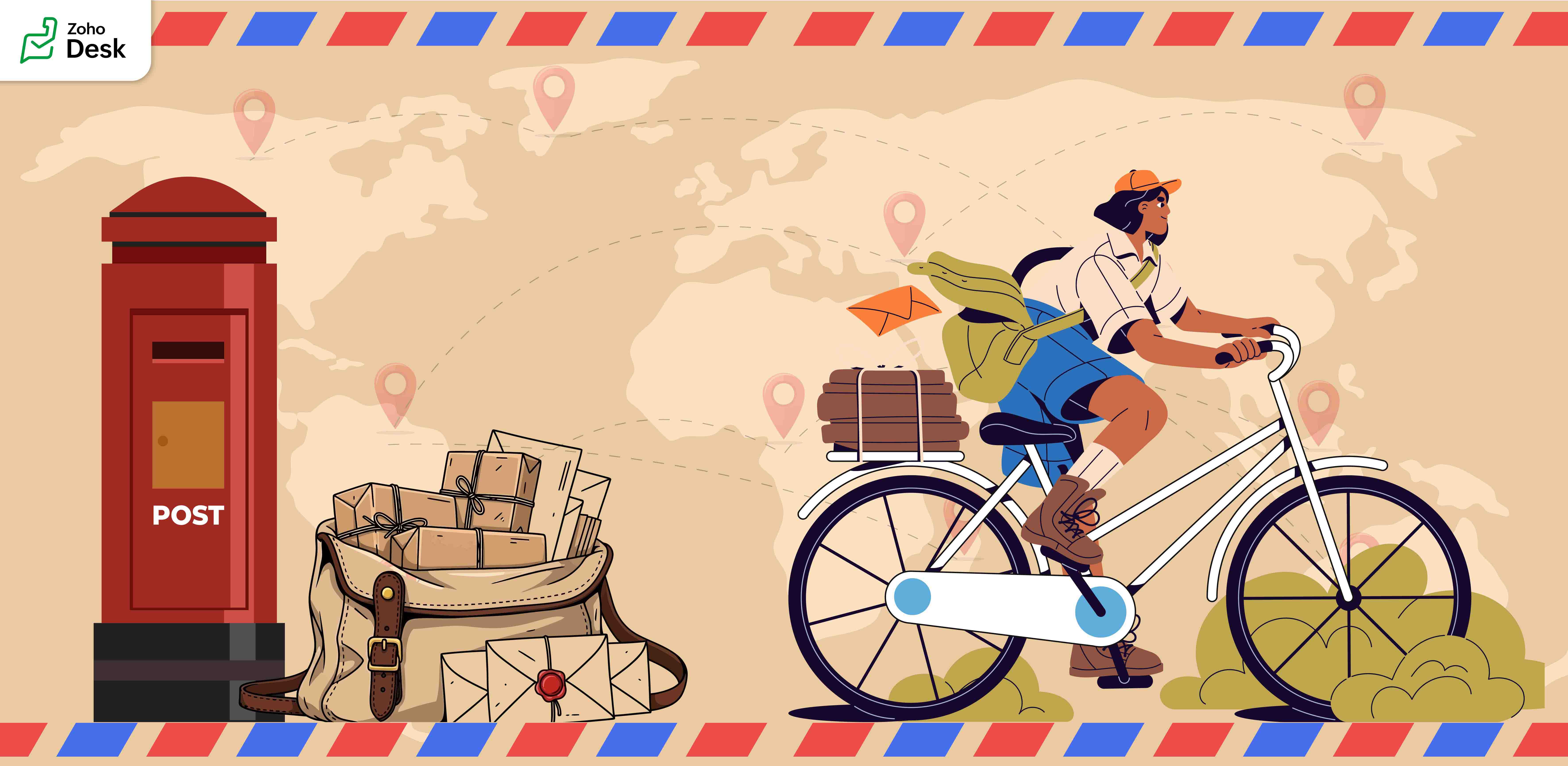
Before telephones arrived, people relied on letters to share stories and maintain relationships. Waiting days to receive a reply made conversations slow, thoughtful, and beautifully meaningful. As technology advanced, telegrams shortened the waiting period, and soon telephones brought voices closer. Then, emails transformed communication by offering a fast, reliable way to connect with friends or business partners.
Today, the very idea of a “post” has taken on new meanings. We no longer only “post” letters. We post on Facebook, LinkedIn, community forums, and personal messaging apps. A post means sharing knowledge, raising awareness, asking for help, and staying connected with people worldwide.

Parallels with Zoho Desk's journey

This journey from handwritten notes to digital posts mirrors the story of Zoho Desk. From a humble beginning in the rural town of Tenkasi, Zoho Desk is built to serve the world. What started locally is now a global platform that helps businesses connect with their customers in meaningful ways. In every support conversation, every ticket resolved, and every interaction logged, we see the same purpose that powers the postal system, the purpose to connect, communicate, and create impact.
Just as letters made deep and lasting impressions on the recipients, every interaction through Zoho Desk has the power to leave a mark. A ticket update, an email reply, a phone call, or a follow-up task; each carries meaning and builds trust. These are not just transactions; they are conversations that shape relationships. Like the handwritten letters of the past, they show care, understanding, and intent.
Our Community Forum inside Zoho Desk is a digital equivalent of a town square or a community postbox. It is the place to brainstorm ideas, ask questions, discuss solutions, and make connections. Every post in this forum is meant to help each other and share experiences. Like letters, postcards, and telegrams, Zoho Desk plays a role in shaping human connections.
Here are some features that embody the spirit of posting and connecting:
  1. Comments added to tickets are like little messages that help teams collaborate seamlessly.
  2. Ticket tags function like stamps on envelopes, making it easy to identify and retrieve related issues.
  3. Much like a letter that could bring joy to a friend, every email response, chat message, and resolved ticket has the potential to reassure, guide, and strengthen connections with customers.
On this World Postal Day, we celebrate the journey of postal services as well as reflect on how posting has evolved into something much bigger, a way of creating and sustaining relationships, both personal and professional. At Zoho Desk, we carry this spirit by enabling our customers to “post” effectively, meaningfully, and with care.
"Thank you for being part of the Zoho Desk family. Every conversation you create, every ticket resolved, and every post you share contributes to a larger story of connection and trust. Just as letters leave lasting imprints in the hearts of loved ones, we hope Zoho Desk helps you create meaningful connections with your customers, connections that endure, inspire, and grow."
Like this post from our Zoho Desk to yours, we look forward to posts from you.
Happy Posting!
Regards,
Lydia | Zoho Desk 

    • Sticky Posts

    • Register for Zoho Desk Beta Community

      With the start of the year, we have decided to take a small step in making the life of our customers a little easier. We now have easy access to all our upcoming features and a faster way to request for beta access. We open betas for some of our features
    • Share your Zoho Desk story with us!

      Tell us how you use Zoho Desk for your business and inspire others with your story. Be it a simple workflow rule that helps you navigate complex processes or a macro that saves your team a lot of time; share it here and help the community learn and grow with shared knowledge. 
    • Tip #1: Learn to pick the right channels

      Mail, live chat, telephony, social media, web forms—there are so many support channels out there. Trying to pick the right channels to offer your customers can get pretty confusing. Emails are most useful when the customer wants to put things on record. However, escalated or complicated issues should not be resolved over email because it's slow and impersonal.  When you need immediate responses, live chat is more suitable. It's also quick and convenient, so it's the go-to channel for small issues. 
    • Welcome to Zoho Desk Community - Say hello here!

      Hello everyone! Though we have been here for a while, it’s time to formally establish the Zoho Desk Community; we’re really happy to have you all here! This can be the place where you take a moment to introduce yourself to the rest of the community. We’d love to hear all about you, what you do, what company or industry you work for, how you use Zoho Desk and anything else that you will like to share! Here’s a little about me. I am Chinmayee. I have been associated with Zoho since 2014. I joined here
    • Webinar 1: Blueprint for Customer Service

      With the launch of a host of new features in Zoho Desk, we thought it’ll be great to have a few webinars to help our customers make the most of them. We’re starting off with our most talked about feature, Blueprint in Zoho Desk. You can register for the Blueprint webinar here: The webinar will be delivered by our in-house product experts. This is a good opportunity to ask questions to our experts and understand how Blueprint can help you automate your service processes. We look forward to seeing
    • Recent Topics

    • Issues Logging into ZOHO

      Hello, one of my coworkers is having issues logging into ZOHO, she has requested a code when entering and the email is correct but she has not received the code. can you help us with this?
    • Google Fonts Integration in Pagesense Popup Editor

      Hello Zoho Pagesense Team, We hope you're doing well. We’d like to submit a feature request to enhance Zoho Pagesense’s popup editor with Google Fonts support. Current Limitation: Currently, Pagesense offers a limited set of default fonts. Google Fonts
    • Add Popup Rejection Metrics to Reports

      Hello Zoho PageSense Team, We would like to request improved reporting for popup interactions. Current Limitation: PageSense currently provides conversion data, but there is no clear visibility into: Popup rejections Popup closes (✕ button clicks) Dismissals
    • Ability to Reset / Reinitialize Popup Cookies

      Hello Zoho PageSense Team, We would like to request the ability to manually reset popup cookies. Current Limitation: At the moment, it is not possible to initiate a new popup cookie from the our side. Visitors who rejected or closed a popup will not see
    • Control Popup Cookie Expiration Duration

      Hello Zoho PageSense Team, We would like to request an enhancement related to popup cookie management. Current Limitation: Currently, PageSense popup cookies remain active for 365 days, and this duration cannot be modified by us. If a visitor closes or
    • Clone / Export Popup Design Across PageSense Projects

      Hello Zoho PageSense Team, We hope you’re doing well. We would like to request an enhancement that allows popup designs to be reused across different PageSense projects. Problem Statement: Currently, Zoho PageSense allows popups to be duplicated only
    • Are there settings for hyperlinks?

      Clicking a hyperlinked cell in Sheet creates this little pop-up with the actual hyperlink inside. Is it possible to have a 1-click link where if you click the cell it opens the link directly with no pop-up?
    • Automatically include all ticket attachments in the ticket resolution email

      Hello Zoho Community, We are implementing Zoho Desk in a real customer-facing production environment and have run into a limitation that is becoming a blocking requirement for our clients. The problem When a ticket is closed or resolved, Zoho Desk sends
    • Finding text within a ticket: Expand All or Search this Ticket

      The auto-collapse feature within a ticket is nice for screen scrolling, however it makes it difficult to find text within the ticket if the email is collapsed. In fact you cannot find text if it is collapsed. I would like to propose a feature that allows
    • Books & Desk. Client mapping

      Hi, I’ve been using Zoho Books for several years and am now looking to improve my customer service. I'm experimenting with Zoho Desk and want to sync and map my client data from Zoho Books. However, it seems that mapping requires both contacts to have
    • Zoho Creator to Zoho CRM Images

      Right now, I am trying to setup a Notes form within Zoho Creator. This Notes will note the Note section under Accounts > Selected Account. Right now, I use Zoho Flow to push the notes and it works just fine, with text only. Images do not get sent (there
    • String handling

      If I cut a currency string from a quote and try and paste it into the Deal "Amount", it will fail unless I manually delete any commas. Dollar signs are no problem, but comma's seem to fail. Please correct this Input Validation error.
    • What's new in Zoho Sheet: Simplify data entry and collaboration

      Hello, Zoho Sheet community! Last year, our team was focused on research and development so we could deliver updates that enhance your spreadsheet experience. This year, we’re excited to deliver those enhancements—but we'll be rolling them out incrementally
    • WebDAV / FTP / SFTP protocols for syncing

      I believe the Zoho for Desktop app is built using a proprietary protocol. For the growing number of people using services such as odrive to sync multiple accounts from various providers (Google, Dropbox, Box, OneDrive, etc.) it would be really helpful
    • Consolidated report for multi-organisation

      I'm hoping to see this feature to be available but couldn't locate in anywhere in the trial version. Is this supported? The main aim to go to ERP is to have visibility of the multi-organisation in once place. I'm hopeful for this.
    • Feature Request - Allow Customers To Pick Meeting Duration

      Hi Bookings Team, It would be great if there was an option to allow customers to pick a duration based on a max and minimum amount of time defined by me and in increments defined by me. For example, I have some slots which are available for customers
    • Error Logs / Failure logs for Client Scripts Functions

      Hi Team, While we are implementing client scripts for the automation, it is working fine in few accounts but not working for others. So, it would be great if we can have error Logs for client scripts also just like custom functions. Is there any way that
    • Welcome to the Zoho ERP Community Forum

      Hello everyone, We are thrilled to launch Zoho ERP (India edition), a software to manage your business operations from end to end. We’ve created this community forum as a space for you to ask questions, comment answers, provide feedback, and share your
    • Support for Custom Fonts in Zoho Recruit Career Site and Candidate Portal

      Dear Zoho Recruit Team, I hope you're doing well. We would like to request the ability to use custom fonts in the Zoho Recruit Career Site and Candidate Portal. Currently only the default fonts (Roboto, Lato, and Montserrat) are available. While these
    • YouTube Live streaming? how to? Zoom has this feature, built-in. Can't find it on zoho meetings.

      YouTube Live streaming? how to? Zoom has this feature, built-in. Can't find it on zoho meetings.
    • Feature Request - A Way To Search Item Groups

      Hi Inventory Team, I can't find any way to filter or search by fields of Item Groups. It would be great to see that functionality added. I have a use case where a single product might come from 5 or more suppliers and each supplier's item is an Item in
    • Feature Reqeust - Include MPN In Selectable FIelds

      I have noticed that the MPN is not available to show in the list view of Items. Please consider adding it as EAN, UPC and ISBN are all available, so it doesn't make much sense to exclude this similar option. Thanks for considering my feedback.
    • Feature Request - Option To Hide Default System Fields on Items

      Hi Zoho Inventory Team, As far as I know it is not possible to hid some of the defult system fields on Items, such as UPC, MPN, EAN, ISBN. A good use case is that in many cases ISBN is not relevant and it would be an improved user experience if we could
    • Making an email campaign into a Template

      I used a Zoho Campaign Template to create an email. Now I want to use this email and make it a new template, but this seems to be not possible. Am I missing something?
    • Campaigns does not work!

      I am running into so many problems trying to use Zoho Campaigns, that I am seriously considering dropping the app from my (shrinking) list of Zoho applications I actually use. Apart from having to fight the software trying to create a design and email,
    • Feature Request - Make Available "Alias Name" Field In Item List View

      Hi Zoho Inventory Team, I have noticed that the "Alias Name" field does not appear on the list of selectable columns in the Customise Columns feature in the Items module. This would be very useful to see for businesses who are using the Alias Name field
    • Marketing Automation

      L.S. Marketing Automation is and has always been part of the Zoho One bundle - according to the information provided on the Zoho Website. Why when I open Marketing Automation do I get the following message?: "Your trial has expired. We hope you enjoyed
    • Cliq iOS can't see shared screen

      Hello, I had this morning a video call with a colleague. She is using Cliq Desktop MacOS and wanted to share her screen with me. I'm on iPad. I noticed, while she shared her screen, I could only see her video, but not the shared screen... Does Cliq iOS is able to display shared screen, or is it somewhere else to be found ? Regards
    • Bigin, more powerful than ever on iOS 26, iPadOS 26, macOS Tahoe, and watchOS 26.

      Hot on the heels of Apple’s latest OS updates, we’ve rolled out several enhancements and features designed to help you get the most from your Apple devices. Enjoy a refined user experience with smoother navigation and a more content-focused Liquid Glass
    • project name field issue- n8n

      Hey guys, I have a question. I want to create a new product using the workflow. The problem is with the product name field; I don't know how to fill it in. The workflow starts with retrieving information from the leads table, retrieving links to scrape
    • Claude + MCP Server + Zoho CRM Integration – AI-Powered Sales Automation

      Hello Zoho Community 👋 I’m excited to share a recent integration we’ve worked on at OfficehubTech: ✅ Claude + MCP Server + Zoho CRM This integration connects Zoho CRM with Claude AI through our custom MCP Server, enabling intelligent AI-driven responses
    • Automatic Matching from Bank Statements / Feeds

      Is it possible to have transactions from a feed or bank statement automatically match when certain criteria are met? My use case, which is pretty broadly applicable, is e-commerce transactions for merchant services accounts (clearing accounts). In these
    • How to filter Packages in zoho inventory api

      Hi Team, I want to perform some tasks in a schedular on the packages which are in "Shipped" state. I tried to use filter_by in my api call but in return I get response as {"code":-1,"message":"Given filter is not configured"} My Api request is as follows
    • CRM

      Is anyone else experiencing this issue? Our company is not moving out of using Gmail's web app. It just has more features and is a better email program than Zoho Mail. Gmail has an extension (Zoho CRM for Gmail) that we're using but we've found some serious
    • ZOHO add-in issue

      I cannot connect ZOHO from my Outlook. I am getting this error.
    • Automate pushing Zoho CRM backups into Zoho WorkDrive

      Through our Zoho One subscription we have both Zoho CRM and Zoho WorkDrive. We have regular backups setup in Zoho CRM. Once the backup is created, we are notified. Since we want to keep these backups for more than 7 days, we manually download them. They
    • Syncing with Google calendar, Tasks and Events

      Is it possible to sync Zoho CRM calendar, task and events with Google Calendar's tasks and events. With the increasing adoption by many major tool suppliers to sync seamlessly with Google's offerings (for instance I use the excellent Any.do task planning
    • IMAP mail after specify date

      Hi My customer's mail server is on premise and mail storage is very huge. So It never finish sync. and finally stop sync. Cloud CRM have a option like zoho mail sync mail after some date.
    • How can i view "Child" Accounts?

      It can be very useful in our field of business to know the parent-child account relationship. However, there seems to be a shortcoming in the parent account view: no child account list. How can we view the child accounts per each account?
    • Ability to assign Invoice Ownership through Deluge in FSM

      Hi, As part of our process, when a service appointment is completed, we automated the creation of the invoice based on a specific business logic using Deluge. When we do that, the "Owner" of the invoice in Zoho FSM is defaulted to the SuperAdmin. This
    • Next Page