Send and update status in the Tickets module
Hello everyone,
We're excited to introduce the Send and Update Status option in the Tickets module, available alongside Schedule Reply and Send and Close.
Overview of existing options
- Schedule reply: This option enables customer support teams to schedule ticket replies and ensure that responses are delivered during recipients' work hours or specified days, regardless of their time zone.
- Send and close: With this option, agents can draft a response, send it, and instantly close the ticket.
New option: Send and update status
Imagine a customer support team in the electronics industry receiving a ticket about a defective smartphone. The issue requires input from the technical support team. With the Send and Update Status option, the support agent can send a preliminary response to the customer and simultaneously update the ticket status to "Escalated to Technical Support." This ensures clear communication with the customer and facilitates efficient collaboration between the support and technical teams teams.
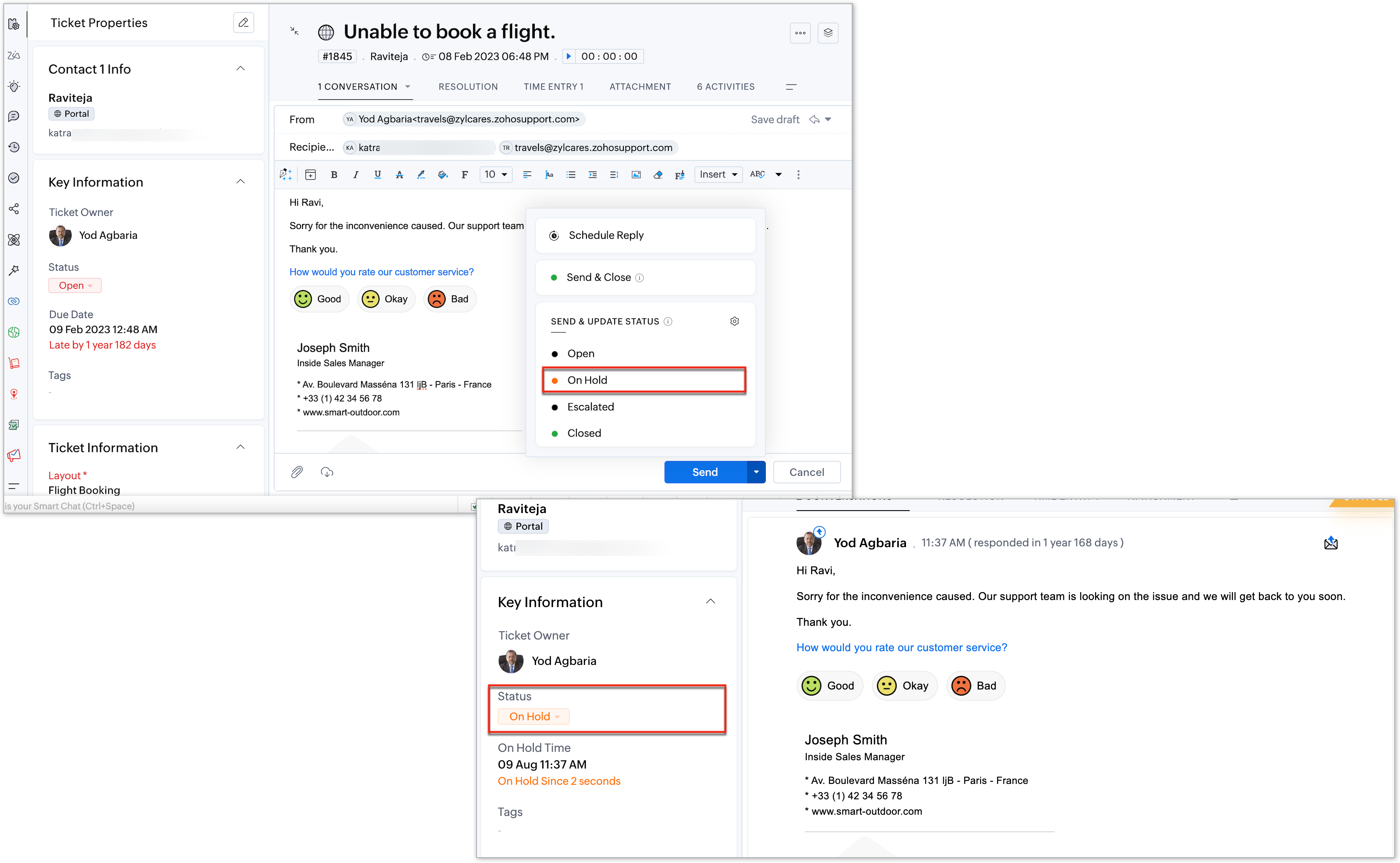
For more details on how to use this feature, refer to the help document: Send and Update Ticket Status.
This feature is now available for all users across data centers. Try it out and share any questions or feedback in the comments section.
Thanks and have a great day!
Regards,
Varsha P.
Zoho Desk | User Education