This will be long, Please bear with me - Next Gen Layout - Search
In general, I think that Zoho are going in the right direction with the Next Gen UI. The latest update brings some nice improvements and all-in-all from a user's perspective I think the improvements are generally very good.
However, there are some areas of the UI which have been sorely neglected or are simply baffling. The following may come off a blunt and it is a bit of a read, so please bear with me. I'll focus on 2 main areas - The navigation sidebar, and search.
NAVIGATION SIDEBAR:
However, there are some areas of the UI which have been sorely neglected or are simply baffling. The following may come off a blunt and it is a bit of a read, so please bear with me. I'll focus on 2 main areas - The navigation sidebar, and search.
NAVIGATION SIDEBAR:
1. Completely unnecessary settings access.
I really can't understand why module and system settings are exposed in the navigation sidebar. For some users such as system devs or admins, this may be a welcome feature. Personally, I'm rarely focused on settings for a single module, I'm usually focused on many areas of the backend.
For users, this should absolutely be a very big NO. There is absolutely no reason a normal user should have those settings exposed and so freely accessible. by all means, have the feature, but it should be an opt-in setting, not a default setting.
2. Meaningful quick access actions missing
I really can't understand why module and system settings are exposed in the navigation sidebar. For some users such as system devs or admins, this may be a welcome feature. Personally, I'm rarely focused on settings for a single module, I'm usually focused on many areas of the backend.
For users, this should absolutely be a very big NO. There is absolutely no reason a normal user should have those settings exposed and so freely accessible. by all means, have the feature, but it should be an opt-in setting, not a default setting.
2. Meaningful quick access actions missing
Why oh why do we have a UI where users get quick access to create a client script, but have no 'Create Record' action?
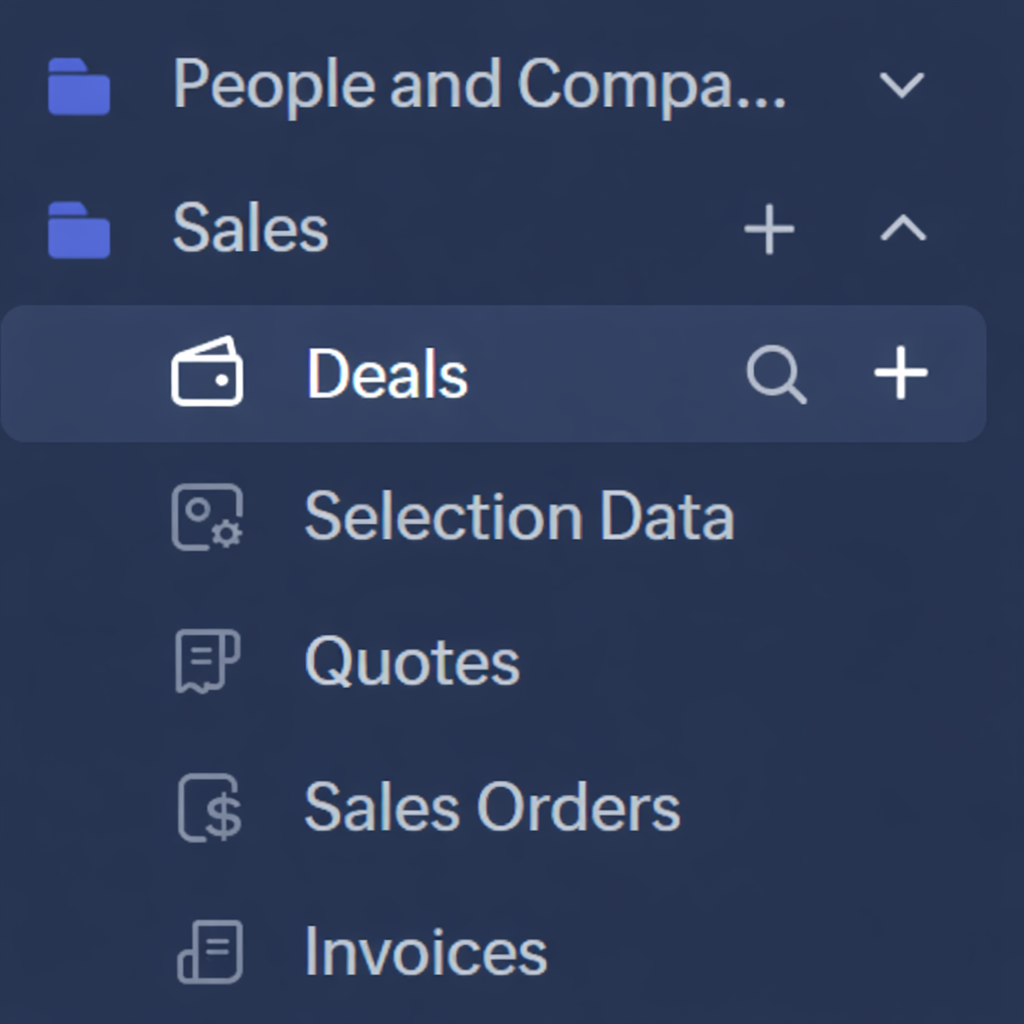
It would be far more logical to have a '+' next to the module name for creating a new record (The search Icon I'll get to in the next section).
user: "I want to create a new Deal"
action: Hover over "Deal" in sidebar --> Click '+' --> New Deal
3. Quick Access to add module to folder
user: "I want to create a new Deal"
action: Hover over "Deal" in sidebar --> Click '+' --> New Deal
3. Quick Access to add module to folder
The '+' on the Folder level of the sidebar is, I feel, completely unnecessary. Icons, Actions, Features, whatever term you want to use, should always be frequently used actions.
Frequently Used > One-and-done
Frequently Used > One-and-done
Setting up your folders is something that is done once and rarely updated. There is no need to have quick access to adding modules to a folder when no new module has been added to the folder for months, or even years. Setting up your folders is what I would consider a "one-and-done" type of task. if that's buried down a level or 2 in a menu, it doesn't matter because you so very rarely use the function.
Putting "one-and-done" actions in your UI but hiding features used every day is not efficient or helping anyone with productivity.
Putting "one-and-done" actions in your UI but hiding features used every day is not efficient or helping anyone with productivity.
4. Alternate to #2 Above
As an alternate to having a '+' next to each module, you could also use the '+' at the folder level to create a record for any module under the folder, a bit like this...

This is a far more logical use of the folder level + icon to me instead of the rarely used 'Add Module'
SEARCH:
As an alternate to having a '+' next to each module, you could also use the '+' at the folder level to create a record for any module under the folder, a bit like this...
This is a far more logical use of the folder level + icon to me instead of the rarely used 'Add Module'
SEARCH:
Search in Zoho CRM has been neglected for far too long. And it's not that it's not effective, in my opinion, Zoho search's problem is that it's TOO EFFECTIVE most of the time.
If I'm searching for a record, I simply get too many search results. I don't WANT to search all modules all the time. If I'm searching for a Deal, I don't want to make multiple clicks. I want it to be as effortless and intuitive as possible.
1. Exclude/Include all modules from "All modules"
There are back-end modules and records that I never or very rarely need to search. One improvement is to make the default search to be "Frequent Modules" and allow users to set-up which modules fall into the Frequent category, or, let ZIA figure it out from usage patterns.
If I'm searching for a record, I simply get too many search results. I don't WANT to search all modules all the time. If I'm searching for a Deal, I don't want to make multiple clicks. I want it to be as effortless and intuitive as possible.
1. Exclude/Include all modules from "All modules"
There are back-end modules and records that I never or very rarely need to search. One improvement is to make the default search to be "Frequent Modules" and allow users to set-up which modules fall into the Frequent category, or, let ZIA figure it out from usage patterns.
'Frequent Modules' should be the default search which should drastically cut down on irrelevant results
2. Why are we hiding the search type from the search bar?
Why can't we have the search type/filter in the header along with the search bar? You see it as soon as you click in the search field anyway. Why not show that all the time?
3. Set default search area
Users should be able to set the default module search for themselves. As an extension of 'Frequent Modules', if a particular user primarily only searches Accounts, then let them set that as the default instead of 'All Modules'. Or let them set multiple modules as their default.
Asking the user to have to constantly select the same setting over and over again is inefficient and causes unnecessary friction.
4. Search quick access in navigation bar.
Asking the user to have to constantly select the same setting over and over again is inefficient and causes unnecessary friction.
4. Search quick access in navigation bar.
Another logical use of the navigation bar is to add a search icon. After all, the navigation bar is for, well, navigating the system.
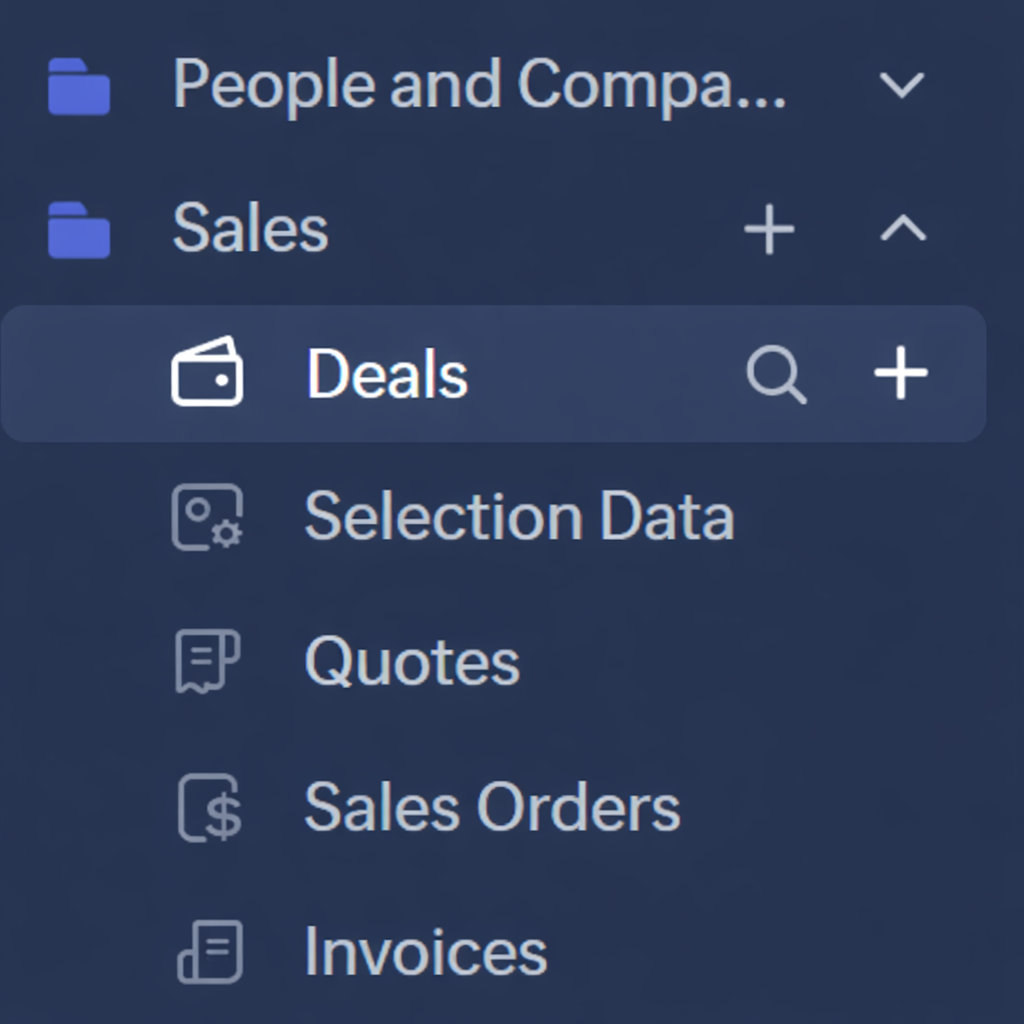
If you had a search icon next to the module, then you could have the search window pre-filtered to that module you clicked the search icon for.
Need to search within deals? Click the search icon next to deals.
Having a search bar pop up would be bad UI, but have that pop up the main search window with 'Deals' pre-selected would be much more intuitive
5. Search Module should be pre-selected to be the module you're currently within
If you're in a list of deals, there's a high chance that you're doing something related to deals. So why not pre-select the search module to be the module you're currently in? Again, make this a per-user setting in a new 'Search Settings'. Yes, I know there's the filters which can be used for search, but if you're just wanting to do a quick search within deals, the filters are clunky.
6. Have Module Categories that match the folders in the Navigation Bar
Having the folders in the left navigation bar is great. Why not make these more of a global grouping, starting with search. So in my case, I've got a folder for "People and Companies" and "Sales" which include certain modules.... It would be great if these were selection you can make from the Module dropdown in the search.
So users could search for "Sales" records, and the only modules included in the search results would be those included in the "Sales" navigation folder.
Anyway that's all from me. I'm interested to hear your thoughts.
Need to search within deals? Click the search icon next to deals.
Having a search bar pop up would be bad UI, but have that pop up the main search window with 'Deals' pre-selected would be much more intuitive
5. Search Module should be pre-selected to be the module you're currently within
If you're in a list of deals, there's a high chance that you're doing something related to deals. So why not pre-select the search module to be the module you're currently in? Again, make this a per-user setting in a new 'Search Settings'. Yes, I know there's the filters which can be used for search, but if you're just wanting to do a quick search within deals, the filters are clunky.
6. Have Module Categories that match the folders in the Navigation Bar
Having the folders in the left navigation bar is great. Why not make these more of a global grouping, starting with search. So in my case, I've got a folder for "People and Companies" and "Sales" which include certain modules.... It would be great if these were selection you can make from the Module dropdown in the search.
So users could search for "Sales" records, and the only modules included in the search results would be those included in the "Sales" navigation folder.
Anyway that's all from me. I'm interested to hear your thoughts.