What's New in Zoho Billing | August 2026
August has brought new ways to create flexible payment experiences, manage subscriptions, simplify administration, and automate advance invoicing in Zoho Billing.
Here’s a look at the latest updates.
Share a Hosted Page Link for Multiple Items
You can now bulk select items to generate a single hosted payment page link. Configure each item's preference and mark it as mandatory if required. Your customers can choose to include the items; if marked Optional, adjust quantities, or have it removed and see the total update instantly before checkout.
Once your page is ready, share it using a URL, QR code, or share it as an embedded iframe, or HTML button.

To do this, go to Product Catalog > Items > select the Items > Share Hosted Payment page and Generate Now. You can configure its preferences and generate in your preferred share option.
Assign a Super Admin for Your Organization
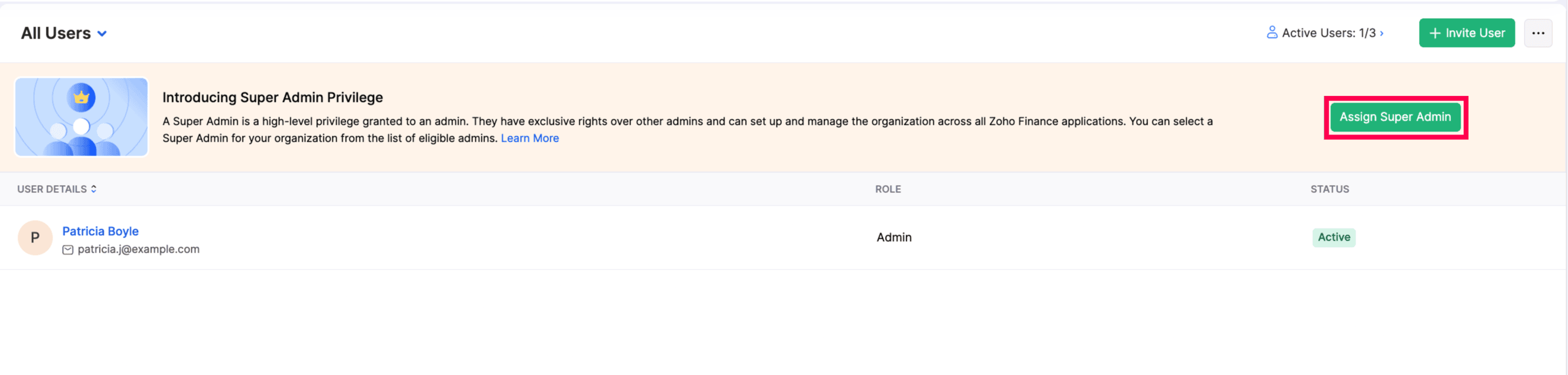
You can now assign a Super Admin role to any user in your organization. A Super Admin has exclusive administrative rights across all your associated Zoho Finance applications, helping ensure there’s a clear point of ownership for your organization. Learn More

To assign a user the Super Admin role, go to Settings > Users & Roles > Users > click a user, click More icon, and select Mark as Super Admin. Alternatively, if you are assigning it for the first time, use the banner to assign a user as the Super Admin.
Transfer Subscription Ownership Between Customers
You can now transfer an active subscription from one customer to another without cancelling and create a new subscription. You can transfer only an active subscription and both the customers must use the same currency. The subscription’s history and schedules remain the same after the transfer.
This can be useful when a subscription needs to move because of an employee transition or an acquisition of company, while keeping the subscription active.Learn More

To do this, go to Sales > Subscriptions > select a subscription and click the More icon > Change Subscription Owner.

This feature is currently available in early access. Please reach out team at support@zohobilling.com, to have it enabled for your organization.
Apply Renewal Pricing to Advance Invoices (Early Access)
The Renewal Pricing configured for your organization will now be automatically applied when advance invoices are generated. This ensures that advance invoices reflect the renewal price based on your configured pricing you've configured, whether you choose to retain existing prices, use the latest prices, or apply a markup or markdown. This eliminates the need to adjust invoice prices manually and helps ensure customers are consistently billed at the intended renewal price.
This option is enabled by default for organizations that enabled Advance Invoice after August 28, 2026. If you enabled Advance Invoice on or before August 28, 2026, contact our support team at support@zohobilling.com to have this option enabled for your organization.
Try these updates and share your thoughts in the comments. You can also visit the What's New timeline for bite-sized information about previous feature updates and enhancements.
If you need any assistance, feel free to reach out to us at support@zohobilling.com.
Best regards,
The Zoho Billing Team
The Zoho Billing Team