Windows Desktop App - request to add minimization/startup options
Support Team,
Can you submit the following request to your development team? Here is what would be optimal in my opinion from UX perspective:
1) In the "Application Menu", add a menu item to Exit the app, as well as an alt-key shortcut for these menus (i.e. alt-A for Application, alt-V for View, alt-E for Edit etc...)
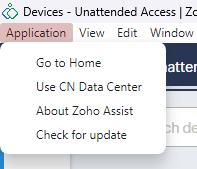
2) In the Window menu, add an option to Minimize To Tray, instead of just minimizing to taskbar
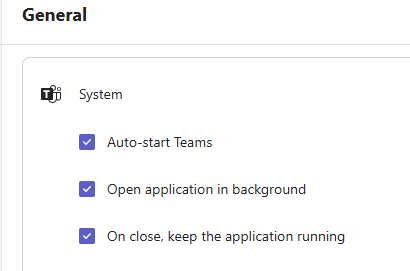
3) When the user clicks the upper-right "X", minimize to the system tray instead of exiting the app.
4) Same behavior as above if the user presses alt-F4. Minimize to system tray instead of exiting.
5) Add options to the app to allow it to run at system startup, and also an option to allow it to start minimized in the system tray.
6) If the user wants to actually exit the app, they can do so through the system tray icon or, as requested, through the "Application" menu.
As most users would likely keep the desktop app running at all times, especially if they are in the support field, the above would be intuitive and appreciated. I suspect most users would like to quickly navigate between Zoho Assist as their daily workflow along with their other apps, without exiting and relaunching.
What I am requesting will be similar to how MS Teams options are offered.
Thanks for your consideration.
Sriram