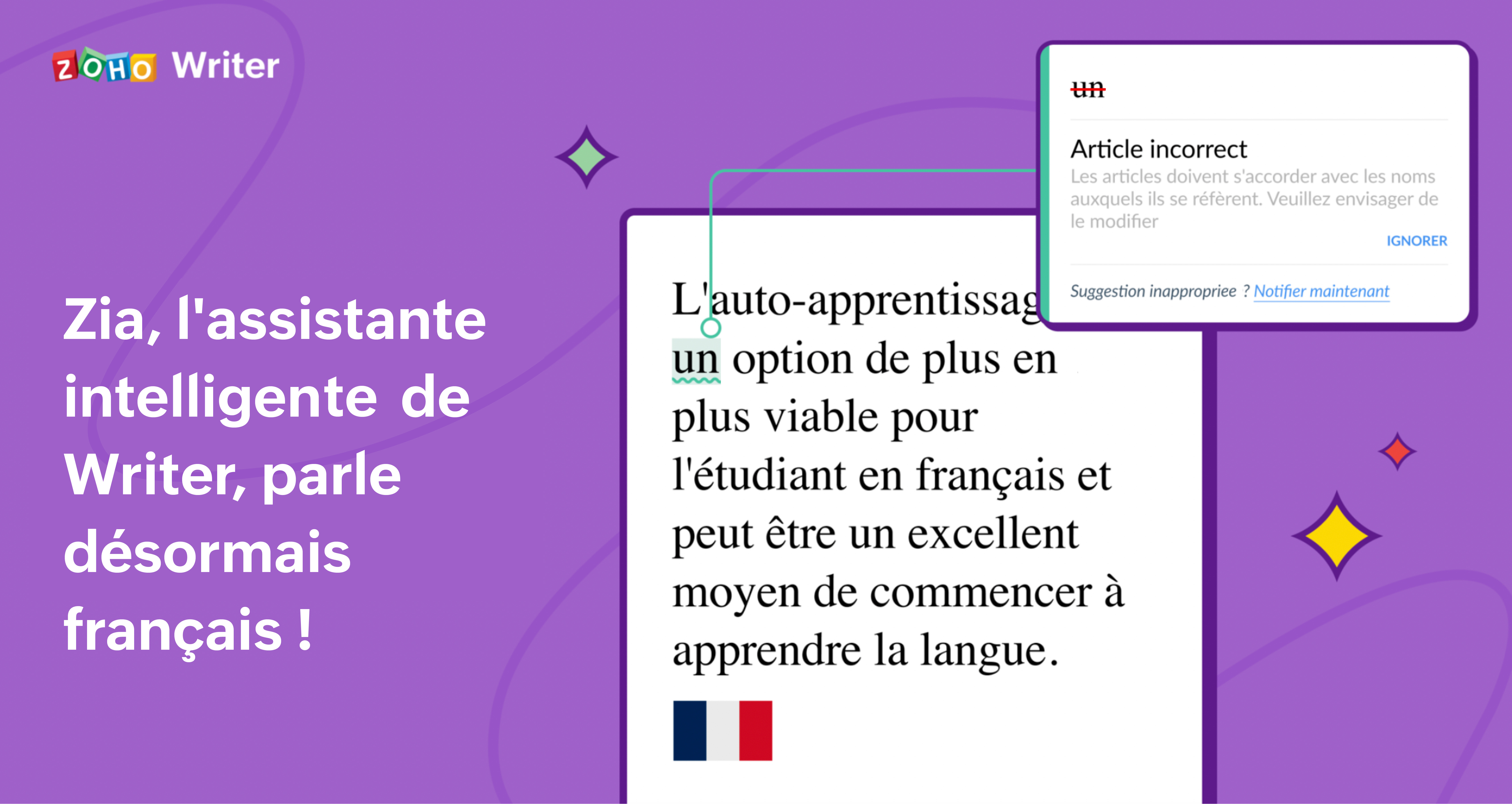
Zia, l'assistante IA de Zoho Writer, maîtrise maintenant le français !

Zia, l'assistante IA de Zoho Writer, maîtrise maintenant le français !


Nous ne cachons pas notre plaisir de révéler la version française de Zia, l'assistante d'écriture par IA.
 
Zia eu son petit succès depuis qu'elle a été ajoutée à Writer. En fait, la popularité de Zia fut telle que nous avons reçu constamment des demandes pour la version multilingue. Imaginez comme c'est avec joie que nous avons reçu et honoré ces demandes ! Après l'espagnol, c'est à présent au tour du français d'être enseigné à Zia.
 
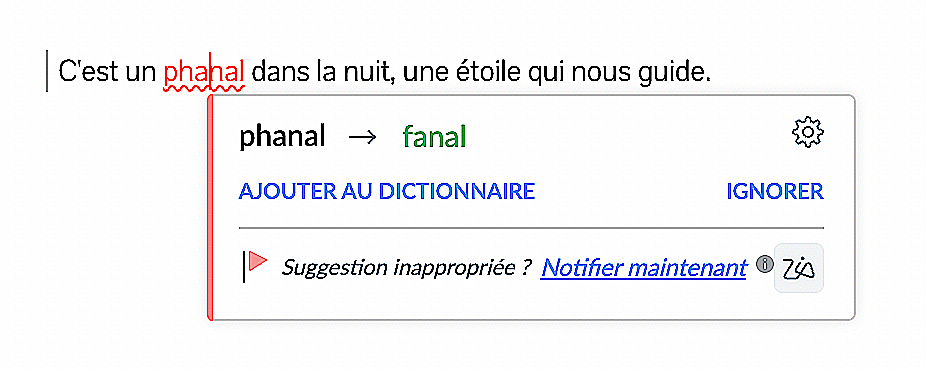
Après près de deux ans, nous pouvons reconnaître les progrès et succès de Zia dans les différents français du monde. A l'instar de l'espagnol et de l'anglais, elle repère les erreurs grammaticales et suggère des corrections et contribue également à diminuer les fautes de frappe comme de style. Vous pouvez à présent vous appuyer sur Zia pour écrire en français clair et concis.
Comment Zia peut vous aider ?

Zia affine la qualité de vos écrits grâce à ses facultés de :
  • Correction d'erreurs grammaticales
  • Suggestions après fautes de frappe
  • Amélioration du style et de la qualité d'écriture
  • Lisibilité meilleure de vos textes

1. Correction d'erreurs grammaticales

Avec l'aide d'un algorythme propulsé par IA, Zia comprend les phrases et leur contexte, identifie les fautes grammaticales et évidemment suggère des corrections.
  • Fautes d'article : utilisation incorrecte des articles et suggestion du plus adéquat.
  • Faute d'accord adjectif-pronom : phrases où le pronom ne correspond pas en genre et/ou en nombre. 
  • Faute d'accord adjectif-nom : lorsque l'adjectif et le nom ne correspondent pas en genre et/ou en nombre.
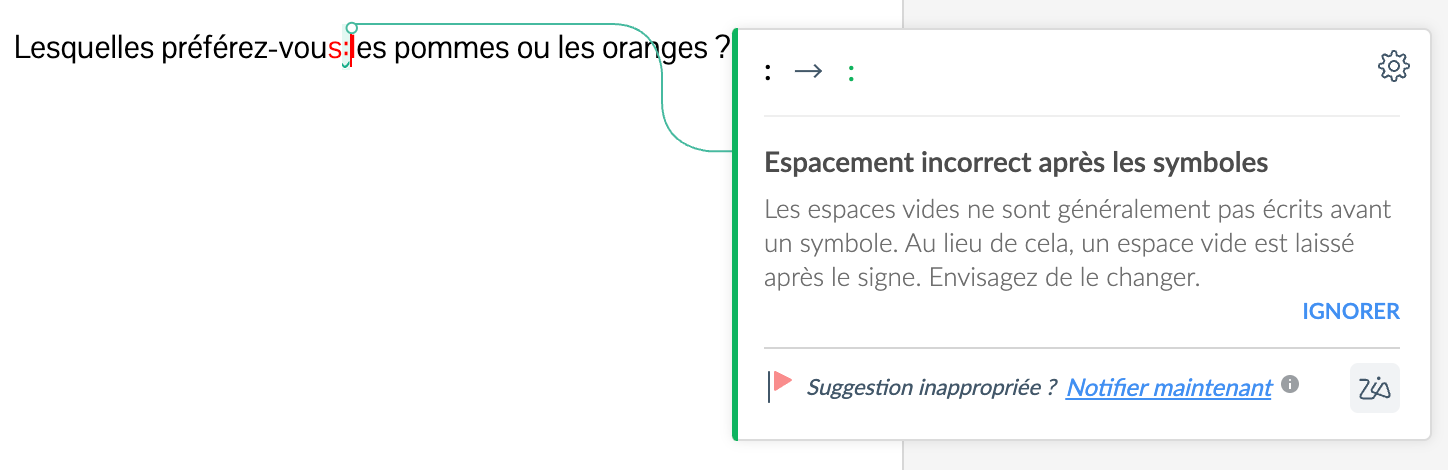
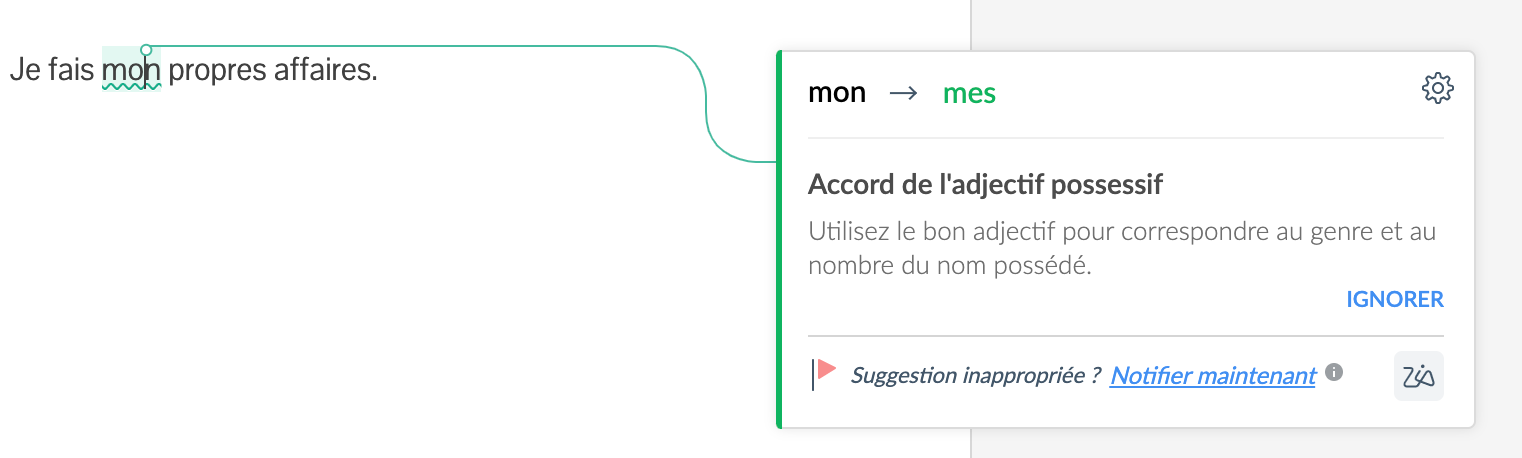
  • Faute d'accord adjectif possessif-nom : lorsque le possessif ne correspond pas au nom en genre et/ou en nombre.
  • Faute d'accord adjectif démonstratif-nom : lorsque le démonstratif ne correspond pas au nom en genre et/ou en nombre.
  • Double négatif : Identifies double negatives to ensure that your sentences convey the intended message.
  • Faute numéraire : format de nombre incorrect.
2. Fautes de frappe

Zia identifie et propose de corriger les erreurs typographiques. Elle vous alertera des erreurs telles que :
  • Les espaces manquants autour de la ponctuation 
  • La répétition de mots ou d'espaces 
  • Les fautes de majuscules/minuscules 


3. Amélioration du style et de la qualité d'écriture

Zia vous fait des suggestions pour améliorer la qualité de votre contenu en évitant les expressions trop convenues voire clichés, les nominalisations, la verbosité, les choix de mots inappropriés, entre autres, pour affiner instantanément vos écrits.

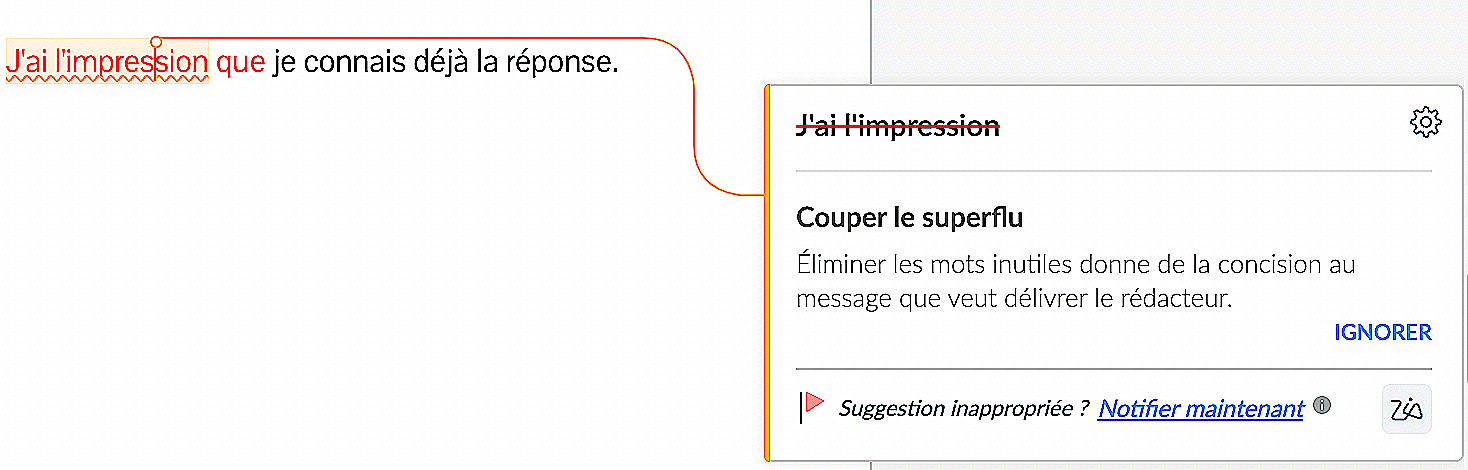
Souligne les mots et phrases superflus

Attire votre attention sur la surabondance dans votre contenu et vous aide à rédiger un texte plus direct et plus affirmé.

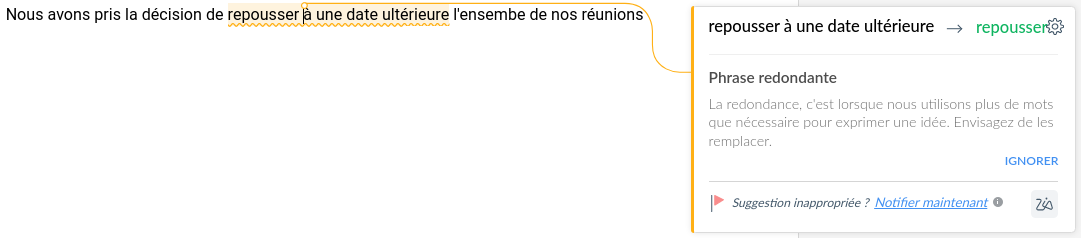
Souligne les phrases redondantes

Il vous aide à identifier et à supprimer les redondances pour rendre votre contenu plus clair.

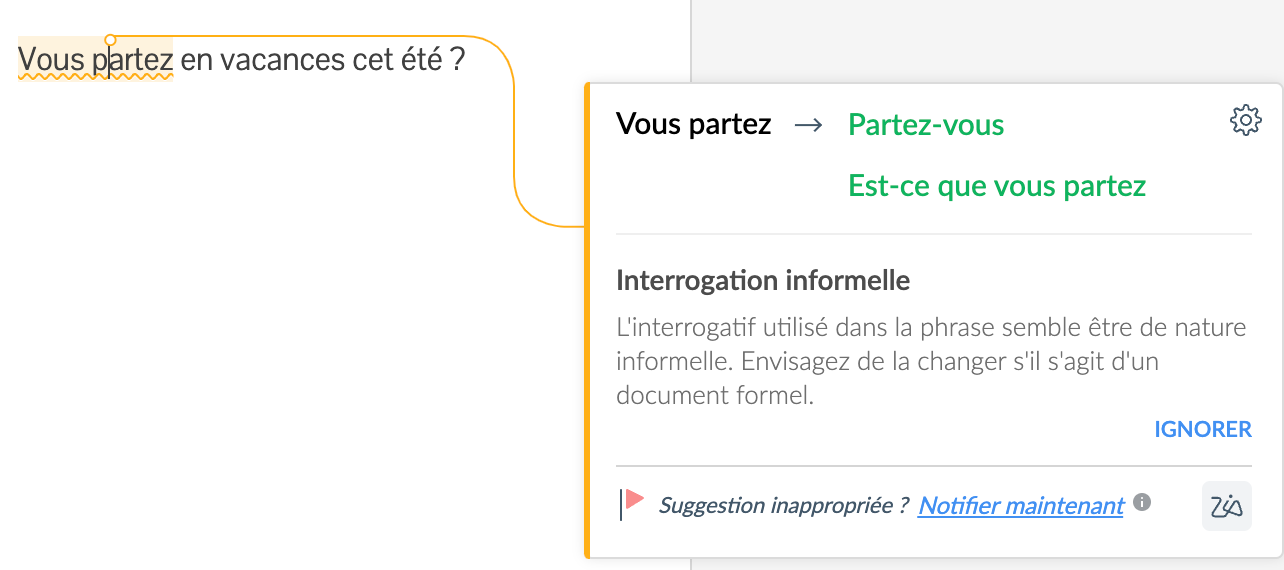
Repère le style familier

Suggère des tournures pour passer à un style soutenu. 

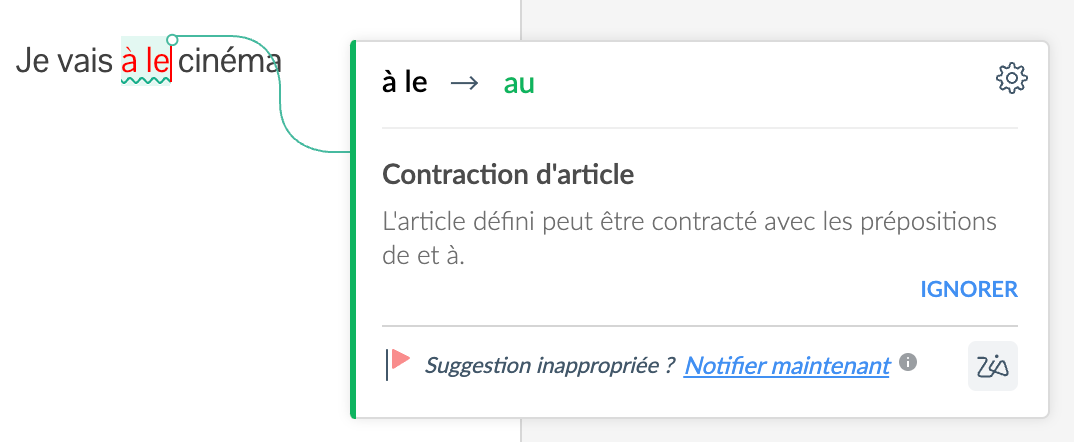
Repère les contractions et apocopes manquantes ou incorrectes


Identifie les mots archaïques

Aide à maintenir la pertinence de votre contenu et de votre style en signalant les mots qui ne sont plus largement utilisés.
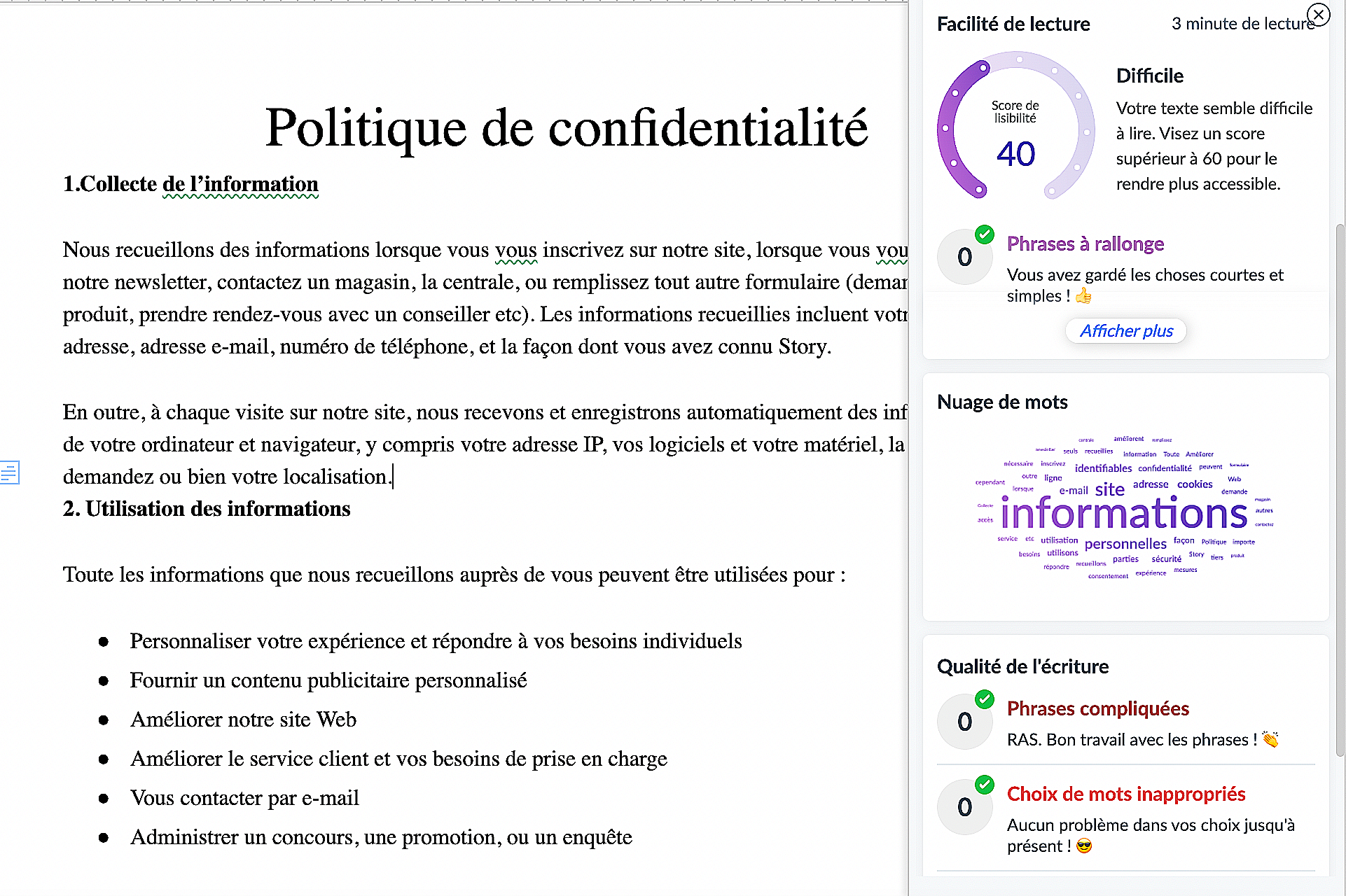
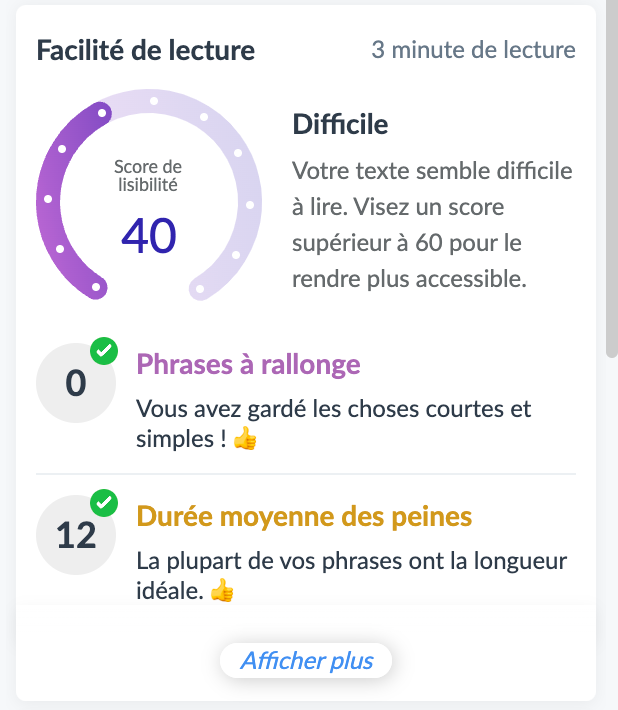
4. Améliore la lisibilité de votre texte

Zia vous aide à déterminer la facilité avec laquelle votre contenu peut être lu grâce à un score de lisibilité basé sur plusieurs paramètres. Phrases interminables, phrases longues ou phrases incomplètes - Zia vous aide à les identifier et à les corriger facilement.

Nuage de mots

Zia offre un aperçu visuel de l'utilisation des mots dans votre document sous la forme d'un nuage.
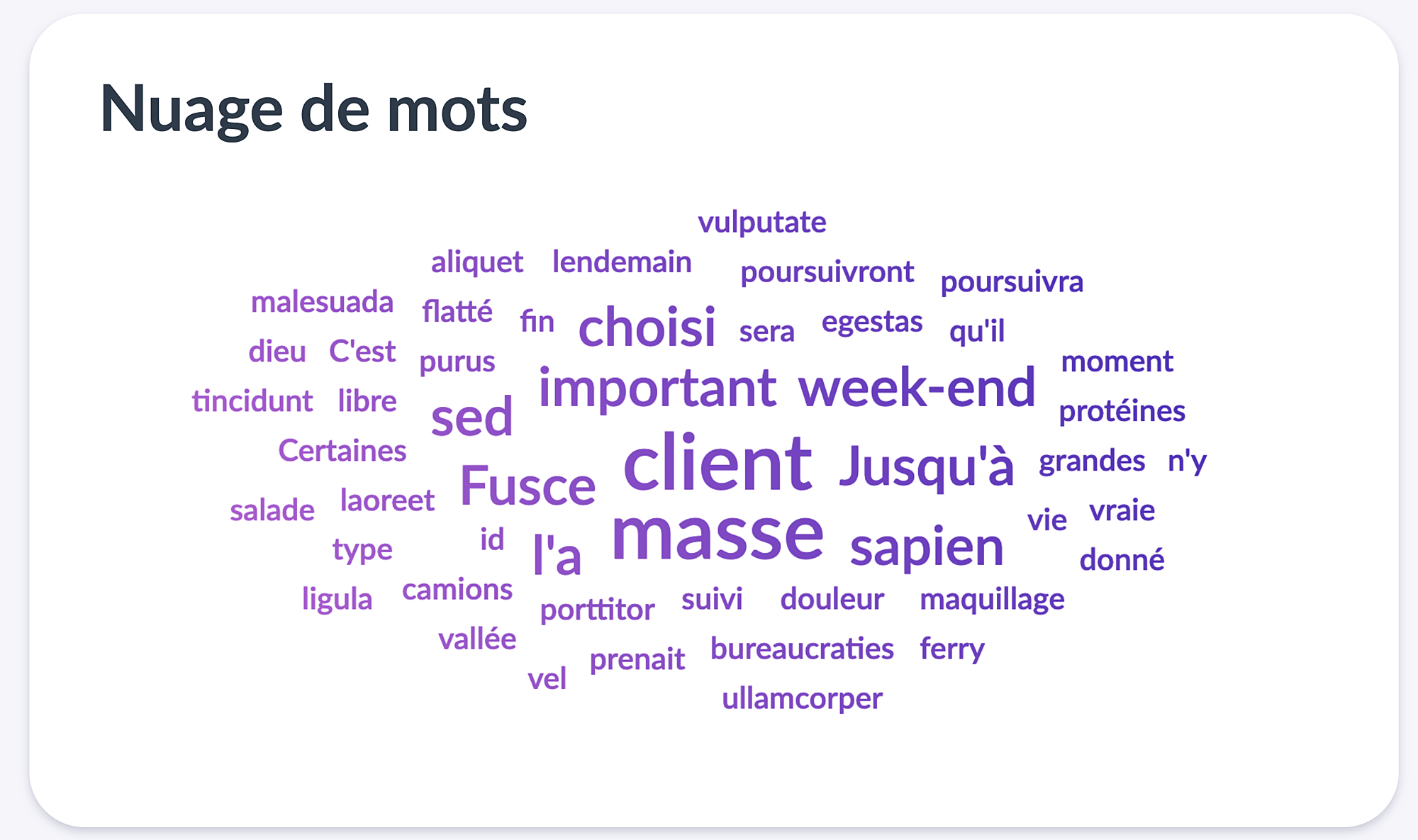

La taille de chaque mot dans le nuage est déterminée par la fréquence de son occurrence dans le document. Cette fonction est particulièrement utile lorsque vous travaillez sur des articles axés sur le référencement.
De surcroît; nous avons lancé Zia comme correcteur grammatical en ligne pour les langues anglaise, espagnole et française. Nous avons également lancé Zia sous la forme d'une extension de navigateur, BluePencil, pour une vérification de l'anglais. 
 
C'est tout pour le moment ! Nous sommes impatients de connaître vos réactions et vos suggestions pour améliorer Zia. Envoyez vos commentaires à support@zohowriter.com.

Bonne écriture !

L'équipe Zoho France
    • Sticky Posts

    • Les Zoholics sont de retour !

      Bonjour à tous,  Nous avons (encore une fois) une bonne nouvelle à vous partager : nous allons enfin pouvoir nous rencontrer ! Et pas dans n'importe quel contexte, mais lors de notre conférence annuelle : les Zoholics ! Mais que sont les Zoholics me direz-vous
    • Novembre : un résumé de ce qui s'est passé le mois dernier sur Community

      Bonjour à tous,  L'année 2021 arrive presque à sa fin, mais nous continuons à avoir de nombreuses actualités à vous partager. En voici un résumé ! Nous avons eu notre première session "Ask The Experts" sur notre nouvelle version Zoho One 2021 et vous
    • Août : Un résumé de ce qui s'est passé le mois dernier sur Community

      Bonjour à tous, Et bonne rentrée ! Comme chaque mois voici un résumé de ce qui s'est passé sur Community et dans l'actualité de Zoho en général. La grande nouvelle de mois d'Août est l'arrivée de la fonction Canvas : le premier studio de conception pour
    • Juillet : Un résumé de ce qui s'est passé le mois dernier sur Community

      Bonjour à tous, Le premier mois de l'été se termine, et si certain profitent d'un repos bien mérité, sur Community on continue à en apprendre toujours plus sur nos produits Zoho. Notre série sur Zoho CRM se réinvente avec la découverte de notre fonction
    • Community Digest - Résumé de mai 2021

      Bonjour à tous, Que s'est il passé en Mai sur notre page Community France ? En plus de nos articles Trucs et Astuces, vous avez été nombreux a réagir, nous poser des questions ou encore publier vos propres conseils ! Vos les différents sujets abordés
    • Recent Topics

    • Unable to remove the “Automatically Assigned” territory from existing records

      Hello Zoho Community Team, We are currently using Territory Management in Zoho CRM and have encountered an issue with automatically assigned territories on Account records. Once any account is created the territory is assigned automatically, the Automatically
    • Track online, in-office, and client location meetings separately with the new meeting venue option

      Hello everyone! We’re excited to announce meeting enhancements in Zoho CRM that bring more clarity and structure to how meetings are categorized. You can now specify the meeting venue to clearly indicate whether a meeting is being held online, at the
    • Google Fonts Integration in Pagesense Popup Editor

      Hello Zoho Pagesense Team, We hope you're doing well. We’d like to submit a feature request to enhance Zoho Pagesense’s popup editor with Google Fonts support. Current Limitation: Currently, Pagesense offers a limited set of default fonts. Google Fonts
    • Improved Contact Sync flow in Google Integration with Zoho CRM

      Hello Everyone, Your contact sync in Google integration just got revamped! We have redesigned the sync process to give users more control over what data flows into Google and ensure that this data flows effortlessly between Zoho CRM and Google. With this
    • Pro Lite Upgrade - Quick Access Tray

      Hello, I was going to upgrade to Pro Lite but the Quick Access Tray feature isn't available for Windows. Of the four features not available for Windows, the QAT is what I'm most interested in. Are there plans to add this feature for Windows anytime soon?
    • Custom Fonts in Zoho CRM Template Builder

      Hi, I am currently creating a new template for our quotes using the Zoho CRM template builder. However, I noticed that there is no option to add custom fonts to the template builder. It would greatly enhance the flexibility and branding capabilities if
    • Improved Functionality PO Bill SO Invoice

      Hello, I need to enter over 100 items, it's frustrating to scroll a few item rows and wait for more to load, then scroll again. It would be nice to have buttons that scroll to the top or bottom with one click. Furthermore, these items I'm adding are VAT
    • Wishes for 2026

      Hello, and a happy new year 2026! Let's hope it's better for everyone. I'd like to share some thoughts on Zoho One and what could be useful in the short, medium, and long term. Some things are already there, but not applied to Zoho One. Others seem like
    • How to Integrate Zoho Books with Xero (No Native Connection Available)

      Hi everyone, I’m currently facing an issue with integrating Zoho Books invoices with Xero, as I’ve noticed Zoho does not provide a native integration with Xero at this time. I would like to ask: What are the common or recommended solutions for syncing
    • How to install Widget in inventory module

      Hi, I am trying to install a app into Sales Order Module related list, however there is no button allow me to do that. May I ask how to install widget to inventory module related list?
    • Add specific field value to URL

      Hi Everyone. I have the following code which is set to run from a subform when the user selects a value from a lookup field "Plant_Key" the URL opens a report but i want the report to be filtered on the matching field/value. so in the report there is
    • error while listing mails

      I can't access email in any of my folders: Oops, an error occurred - retry produces the second error response: error while listing mails (cannot parse null string). I've signed in and out of Zoho, restarted my iMac.
    • Unlocking New Levels: Zoho Payroll's Journey in 2025

      Every year brings its own set of challenges and opportunities to rethink how payroll works across regulations and teams. In 2025, Zoho Payroll continued to evolve with one clear focus: giving businesses more flexibility, clarity, and control as they grow.
    • Introducing Connected Records to bring business context to every aspect of your work in Zoho CRM for Everyone

      Hello Everyone, We are excited to unveil phase one of a powerful enhancement to CRM for Everyone - Connected Records, available only in CRM's Nextgen UI. With CRM for Everyone, businesses can onboard all customer-facing teams onto the CRM platform to
    • Send Supervisor Rule Emails Within Ticket Context in Zoho Desk

      Dear Zoho Desk Team, I hope this message finds you well. Currently, emails sent via Supervisor Rules in Zoho Desk are sent outside of the ticket context. As a result, if a client replies to such emails, their response creates a new ticket instead of appending
    • form data load issue when saving as duplicate record is made

      Hello. I have a form with a lookup when a value is selected the data from the corresponding record is filled into all of the fields in the form. But the form is loaded in such a state that if any value is changed it will take all of the values pre loaded
    • CRM project association via deluge

      I have created a workflow in my Zoho CRM for closing a deal. Part of this workflow leverages a deluge script to create a project for our delivery team. Creating the project works great however, after or during the project creation, I would like to associate
    • Zoho Browser??

      hai guys, this sounds awkward but can v get a ZOHO BROWSER same as zoho writer, etc. where i can browse websites @ home and continue browsing the same websites @ my office, as v have the option in Firefox, once i save and close the browser and again when i open it i will be getting the same sites. If u people r not clear with my explanation, plz let me know. Thanks, Sandeep  
    • Where can we specify custom CSS in Zoho Forms custom theme ?

      I'm using a form with a dark theme. The OTP popup window is unreadable, because for some reason, the OTP popup background fixes color to white, but still takes the font color specified in the custom theme. This ends up as white on white for me, rendering
    • MCP no longer works with Claude

      Anyone else notice Zoho MCP no longer works with Claude? I'm unable to turn this on in the claude chat. When I try to toggle it on, it just does nothing at all. I've tried in incognito, new browsers, etc. - nothing seems to work.
    • Enable History Tracking for Picklist Values Not Available

      When I create a custom picklist field in Deals, the "Enable History Tracking for Picklist Values" option is not available in the Edit Properties area of the picklist. When I create a picklist in any other Module, that option is available. Is there a specific reason why this isn't available for fields in the Deals Module?
    • The reason I switched away from Zoho Notebook

      My main reason for switching to Zoho was driven by three core principles: moving away from US-based products, keeping my data within India as much as possible, and supporting Indian companies. With that intent, I’ve been actively de-Googling my digital
    • Add RTL and Hebrew Support for Candidate Portal (and Other Zoho Recruit Portals)

      Dear Zoho Recruit Team, I hope you're doing well. We would like to request the ability to set the Candidate Portal to be Right-to-Left (RTL) and in Hebrew, similar to the existing functionality for the Career Site. Currently, when we set the Career Site
    • Ability to Edit YouTube Video Title, Description & Thumbnail After Publishing

      Hi Zoho Social Team, How are you? We would like to request an enhancement to Zoho Social that enables users to edit YouTube video details after the video has already been published. Your team confirmed that while Zoho Social currently allows editing the
    • Free Webinar : Unlock AI driven business insights with Zoho Inventory + Zoho Analytics

      Are you tired of switching between apps and exporting data to build customized reports? Say hello to smarter & streamlined insights! Join us for this exclusive webinar where we explore the power of the Zoho Inventory–Zoho Analytics integration. Learn
    • Critical Issue: Tickets Opened for Zoho Support via the Zoho Help Portal Were Not Processed

      Hi everyone, We want to bring to your attention a serious issue we’ve experienced with the Zoho support Help Portal. For more than a week, tickets submitted directly via the Help Portal were not being handled at all. At the same time no alert was posted
    • Hide/Show Subform Fields On User Input

      Hello, Are there any future updates in Hide/Show Subform Fields "On User Input"?
    • Cloning Item With Images Or The Option With Images

      Hello, when I clone an item, I expect the images to carry over to the cloned item, however this is not the case in Inventory. Please make it possible for the images to get cloned or at least can we get a pop up asking if we want to clone the images as
    • Archiving Contacts

      How do I archive a list of contacts, or individual contacts?
    • WorkDrive and CRM not in sync

      1/ There is a CRM file upload field with WorkDrive file set as the source: 2/ Then the file is renamed in WorkDrive (outside CRM): 3/ The File in CRM is not synced after the change in WorkDrive; the file name (reference) in CRM record is not updated (here
    • Custom validation in CRM schema

      Validation rules in CRM layouts work nicely, good docs by @Kiran Karthik P https://help.zoho.com/portal/en/kb/crm/customize-crm-account/validation-rules/articles/create-validation-rules I'd prefer validating data input 'closer to the schema'
    • Adding Default Module Image into mail merge field

      As with most people finding their way to these forums i have a specific requirement that doesn't seem to be supported by Zoho I have created 2 custom modules to suit my purpose 1 is an inventory type module that lists aluminium extrusions, and all relevant
    • Sync Data from MA to CRM

      Currently, it's a one-way sync of data from the CRM to MA. I believe we should have the ability to select fields to sync from MA to the CRM. The lead score is a perfect example of this. In an ideal world we would be able to impact the lead score of a
    • Is it possible to roll up all Contact emails to the Account view?

      Is there a way to track all emails associated with an Account in one single view? Currently, email history is visible when opening an individual Contact record. However, since multiple Contacts are often associated with a single Account, it would be beneficial
    • Update CRM record action

      Currently, MA only offers a "Push Data" action to push data to a CRM module. This action is built to cover the need to both create a new record and update an existing record. Because it has been implemented this way all required fields on the CRM module
    • Notes badge as a quick action in the list view

      Hello all, We are introducing the Notes badge in the list view of all modules as a quick action you can perform for each record, in addition to the existing Activity badge. With this enhancement, users will have quick visibility into the notes associated
    • What's new in Zoho One 2025

      Greetings! We hope you have all had a chance by now to get hands-on with the new features and updates released as part of ZO25. Yes, we understand that you may have questions and feedback. To ensure you gain a comprehensive understanding of these updates,
    • Good news! Calendar in Zoho CRM gets a face lift

      Dear Customers, We are delighted to unveil the revamped calendar UI in Zoho CRM. With a complete visual overhaul aligned with CRM for Everyone, the calendar now offers a more intuitive and flexible scheduling experience. What’s new? Distinguish activities
    • Add deluge function to shorten URLs

      Zoho Social contains a nice feature to shorten URLs using zurl.co. It would be really helpful to have similar functionality in a Deluge call please, either as an inbuilt function or a standard integration. My Creator app sends an email with a personalised
    • Edit default "We are here to help you" text in chat SalesIQ widget

      Does anyone know how this text can be edited? I can't find it anywhere in settings. Thanks!
    • Next Page