Zoho Campaigns: Nu nog toegankelijker
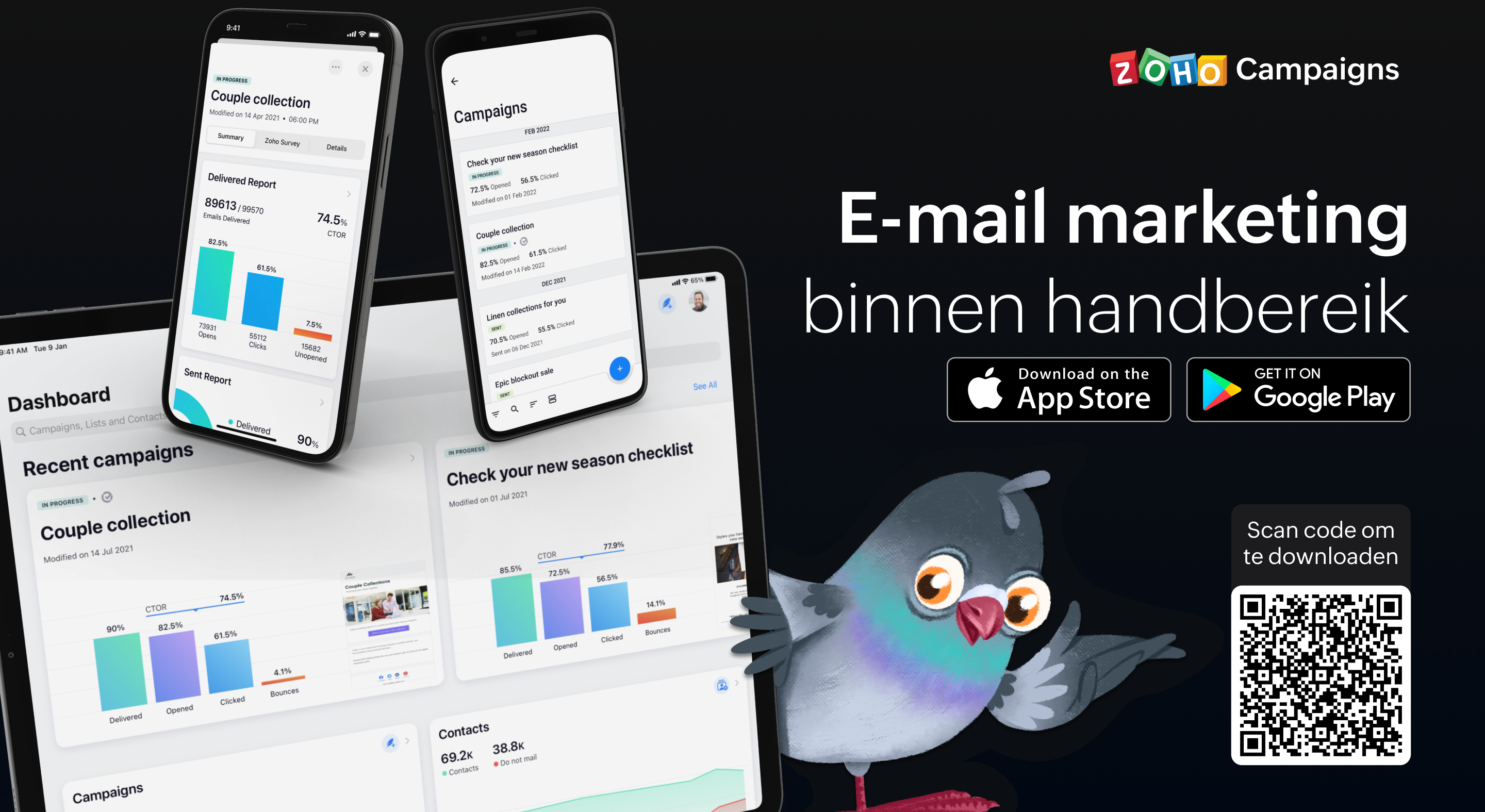
Als je de e-mailmarketingactiviteiten van je team beheert, weet je hoe vaak er dingen kunnen gebeuren terwijl je niet op kantoor bent. Dit betekent dat het essentieel is om volledig operationeel te zijn vanaf je mobiele apparaat, of je nu een lijst met contactpersonen importeert, gewoon een campagne verzendt of de prestaties van een campagne volgt. Het begrijpen van deze behoefte heeft ertoe geleid dat we bij Campaigns een heleboel geweldige verbeteringen hebben aangebracht aan onze eigen mobiele app. In deze post gaan wij in op een aantal van de nieuwe features.
Gebruik Sjablonen:
In deze laatste versie van onze mobiele app, beiden wij verschillende sjablonen aan voor verschillende doeleinden. Zo ontwerp je de juiste e-mail campagne voor de juiste doelgroep. Enige wat je nodig heb is een plan en de content en wij regelen de rest.
Ontvang meldingen wanneer je acties moet uitvoeren
Als je druk bezig bent terwijl je e-mailcampagne wordt beoordeeld, getest, enzovoort, hoef je niet in de app te komen om de vereiste actie uit te voeren of iets te beslissen. Zodra je meldingen voor je e-mailcampagnes inschakelt, krijg je direct updates toegestuurd zodat je kunt beslissen over de volgende stap en kunt handelen zonder veel tijd te verspillen en van tabblad te hoeven wisselen.
Bescherm jouw privacy door controle te hebben over wie toegang krijgt
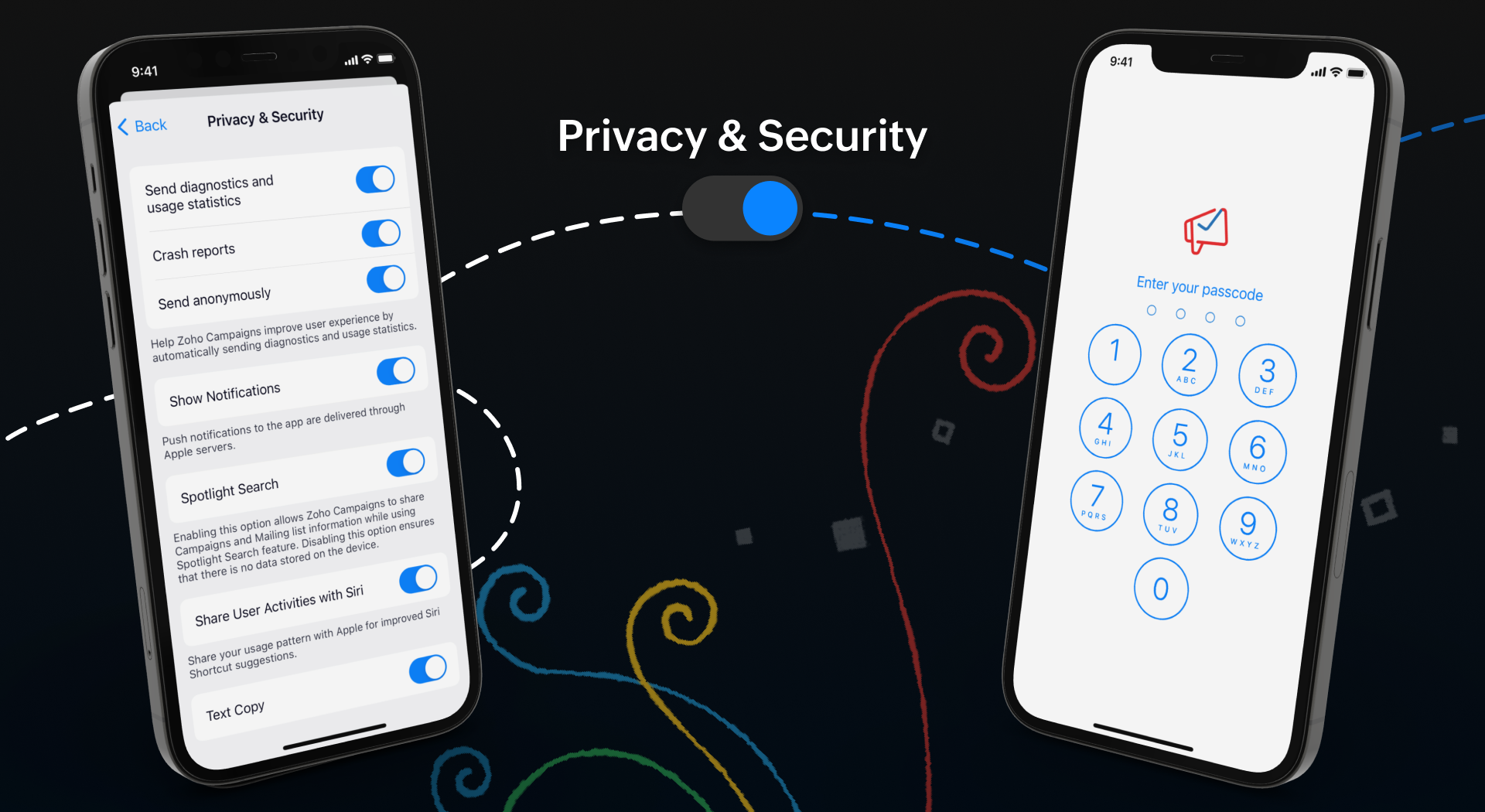
Iedereen moet een app kunnen vertrouwen met zijn persoonlijke en gevoelige informatie, toch? Wij hebben het tot topprioriteit gemaakt om jou controle te geven over jouw gegevens. Je kunt een wachtwoord instellen, zodat jouw gegevens alleen toegankelijk zijn voor jou en de mensen die jij bepaalt. Ga bovendien naar jouw App-instellingen en neem de volledige controle over jouw gegevens door in en uit te schakelen welke gegevens jij met anderen wilt delen.
Meten is weten
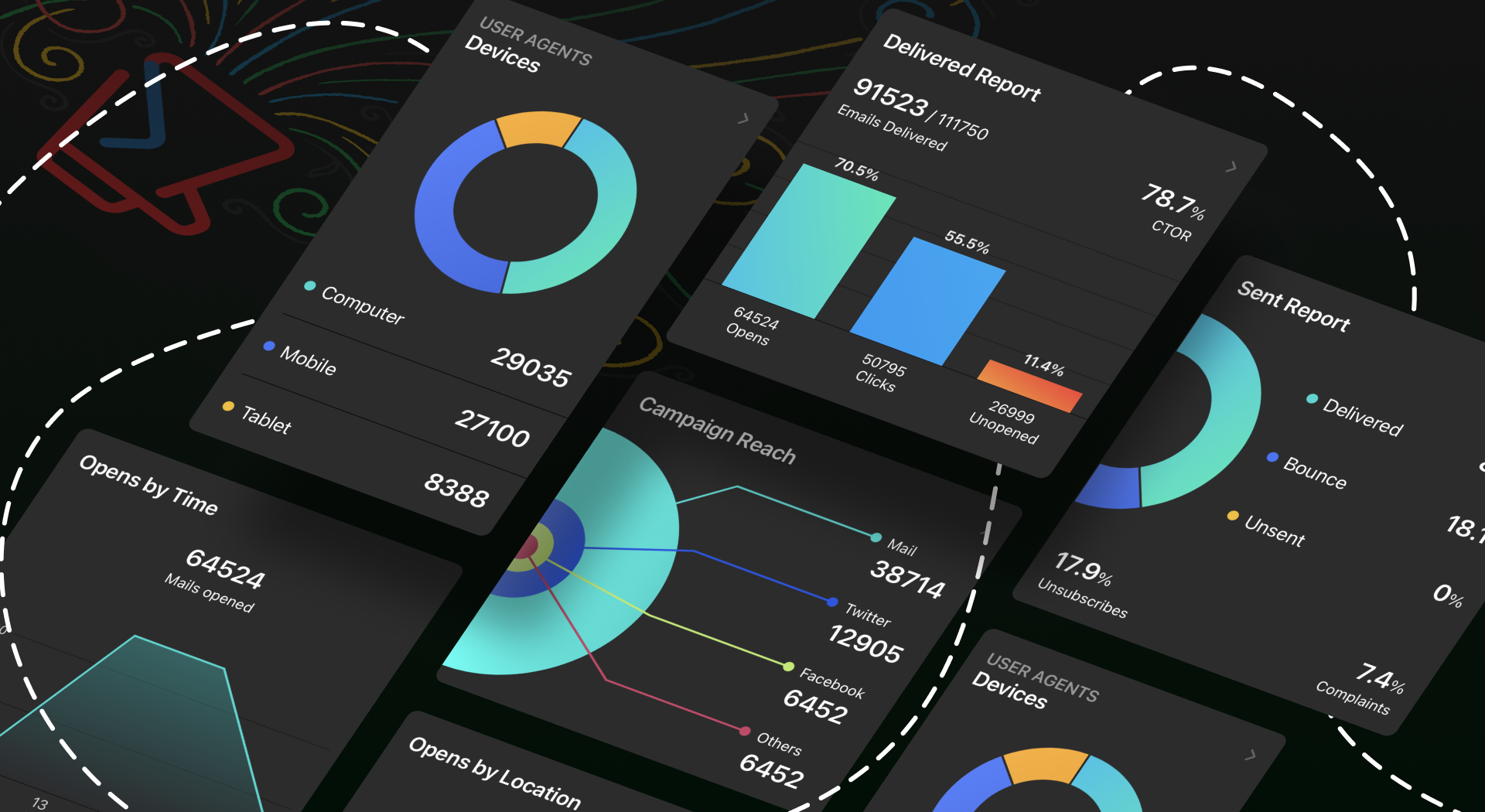
Wij weten allemaal hoe belangrijk het is om inzicht te krijgen in de prestaties van jouw campagne. Om jullie hierbij te helpen hebben wij een aantal nieuwe features toegevoegd om de gebruikerservaring van de app te verbeteren.
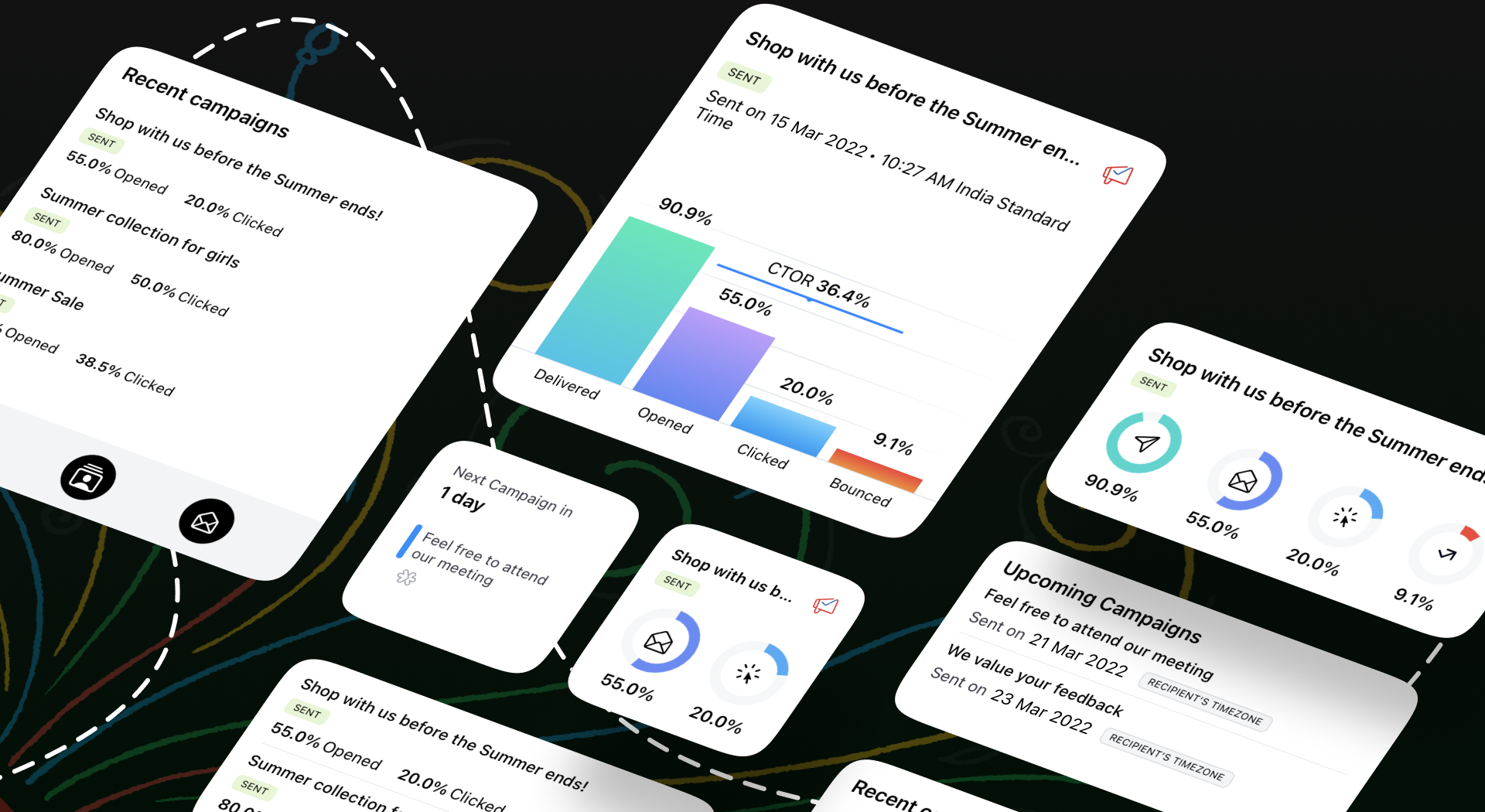
Onze widgets werken in wezen als een prikbord op uw startscherm, waar u alle informatie kunt plaatsen die u moet weten over huidige en komende campagnes. Als je onderweg bent, hoef je de app niet te openen om deze informatie te krijgen - alles is in één oogopslag beschikbaar.
We begrijpen hoe belangrijk het is om e-mailmarketing toegankelijk te maken voor iedereen. We hebben functies toegevoegd zoals voice-over, dynamische lettergrootte en kleurenfilters om te zorgen voor een gebruiksvriendelijke ervaring voor al onze gebruikers.
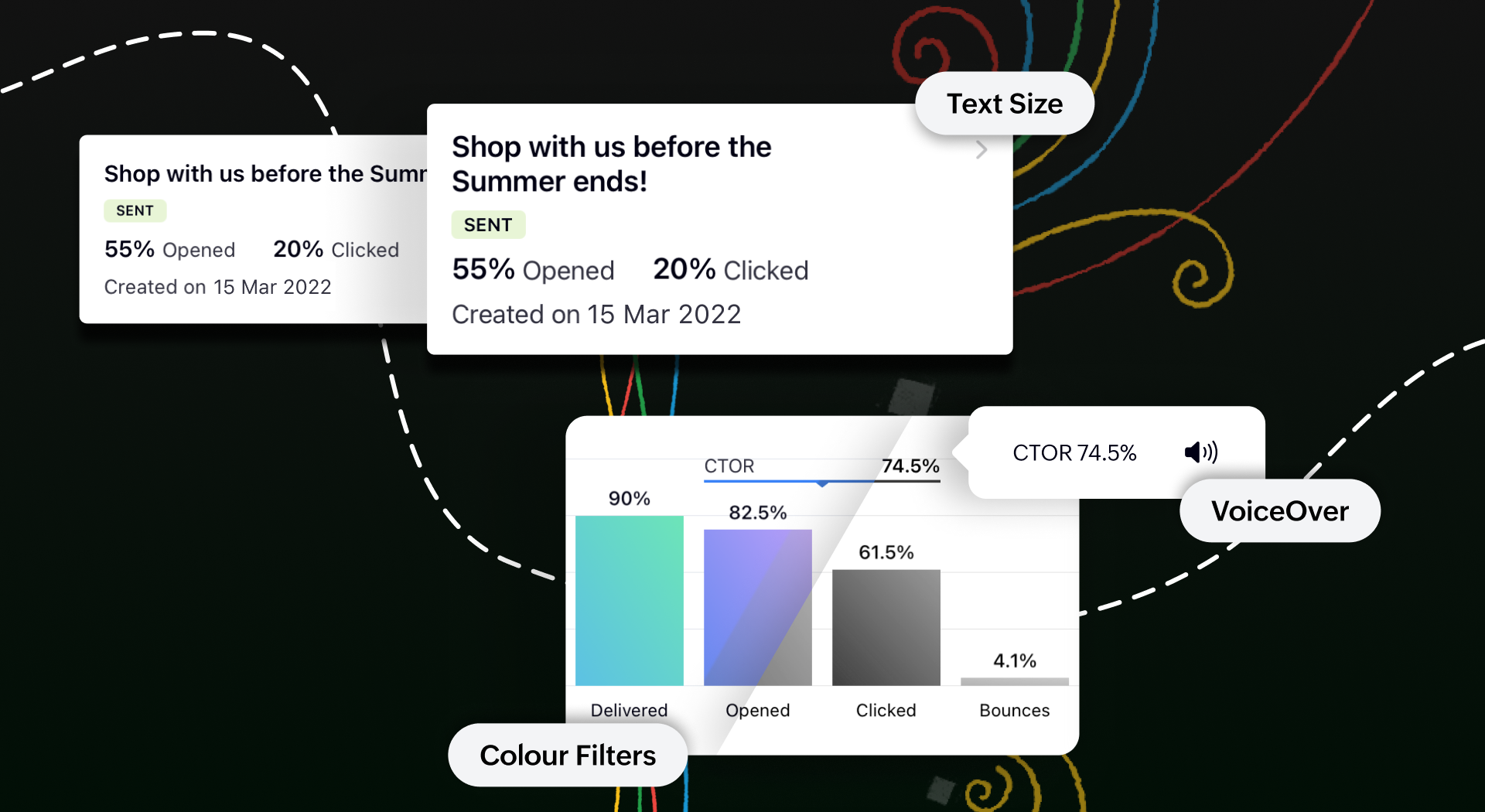
Toegankelijk op meerdere platformen
We tillen onze cross-platform aantrekkingskracht naar een hoger niveau door van Campaigns ook een plezier te maken om te gebruiken op iPads en tablets. Je krijgt een echt gevoel van waar we het over hebben wanneer je twee campagnerapporten naast elkaar open hebt staan om te vergelijken op het gesplitste scherm van je iPad. Je kunt zelfs taken gelijktijdig uitvoeren tussen Campagnes en andere apps zonder de bruikbaarheid van een van beide in gevaar te brengen.
Bovendien kan je met de slide over-functie de Campaigns app in de coulissen laten wachten terwijl je in een andere app werkt, en kan je items slepen en neerzetten om ze heen en weer te verplaatsen. Om het nog makkelijker te maken, hebben we tekstinvoer mogelijk gemaakt met de Apple Pencil. Krabbel een paar regels en zie hoe goed deze functie wordt ondersteund.
Download de Zoho Campaigns-app op je apparaat en ontdek de mogelijkheden!
Topic Participants
Theo Su
Sticky Posts
Doe mee aan de Zoho Creator Meetup op 9 mei in Utrecht
Beste Community leden, Wij nodigen jullie graag uit voor de Community Meetup van Zoho Creator! Op 9 mei komen we bij elkaar in Utrecht, samen met onze gebruikers en de Zoho Experts van Prosolic. Onze experts zullen een live demo presenteren en jouw vragenWebinar - Zoho Creator: Slim digitaliseren in de logistiek
Beste Community leden, Wij nodigen jullie graag uit voor onze Webinar over Zoho Creator! Efficiëntie, optimalisatie, snelheid en timing zijn altijd cruciaal geweest in logistiek en transport. Juist daarom kan de logistiek en transportsector veel baat
Recent Topics
How do I create an update to the Cost Price from landed costs?
Hi fellow Zoho Inventory battlers, I am new to Zoho inventory and was completely baffled to find that the cost price of products does not update when a new purchase order is received. The cost price is just made up numbers I start with when the productZoho OAuth Connector Deprecation and Its Impact on Zoho Desk
Hello everyone, Zoho believes in continuously refining its integrations to uphold the highest standards of security, reliability, and compliance. As part of this ongoing improvement, the Zoho OAuth default connector will be deprecated for all Zoho servicesVoC in Zoho CRM is now data savvy: Explore response drilldown, summary components and participation in CRM criteria
VoC has all the goods when it comes to customer intelligence—which is why we're constantly enhancing it. We recently added the following: A customer drilldown component that shows you the list of prospects and customers behind a chart's attribute ExpandedHow do I bulk archive my projects in ZOHO projects
Hi, I want to archive 50 Projects in one go. Can you please help me out , How can I do this? Thanks kapilPassing the CRM
Hi, I am hoping someone can help. I have a zoho form that has a CRM lookup field. I was hoping to send this to my publicly to clients via a text message and the form then attaches the signed form back to the custom module. This work absolutely fine whenCan I add Conditional merge tags on my Templates?
Hi I was wondering if I can use Conditional Mail Merge tags inside my Email templates/Quotes etc within the CRM? In spanish and in our business we use gender and academic degree salutations , ie: Dr., Dra., Sr., Srta., so the beginning of an email / letterZoho Browser??
hai guys, this sounds awkward but can v get a ZOHO BROWSER same as zoho writer, etc. where i can browse websites @ home and continue browsing the same websites @ my office, as v have the option in Firefox, once i save and close the browser and again when i open it i will be getting the same sites. If u people r not clear with my explanation, plz let me know. Thanks, SandeepLet’s Talk Recruit: LinkedIn Cheatsheet
Welcome to the first edition of Let’s Talk Recruit for 2026. We are kicking off the year by revisiting one of the most asked about topics in Zoho Recruit. How our LinkedIn integrations actually work and how recruiters can get the most value from them.Zoho Forms API
Is there any way to get all form entry list using API? Looking forward to hear from youAbility to Set Client Name During Portal Invitation
Hi Zoho Team, We would like to suggest an important enhancement to the Zoho Creator Client Portal functionality. Zoho Creator recently introduced the option to set a client’s display name in the Client Portal settings, which is very helpful for creatingMove email between inboxes?
Is it possible to move emails from one team inbox to another? We would like to be able to have a single "catch-all" inbox for incoming requests, and then move the email to the appropriate department inbox. I was hoping we would be able to accomplish thisPDF Attachment Option for Service Reports
Hello Team, I would like to check with you all if there is an option to attach PDF documents to the service reports. When I try to attach a file, the system only allows the following formats: JPEG, JPG, and PNG. Could you please confirm whether PDF attachments【Zoho CRM】データ一覧画面でのメモのバッジ機能リリースのお知らせ
ユーザーの皆さま、こんにちは。コミュニティチームの藤澤です。2026年度もゾーホーユーザーコミュニティをどうぞよろしくお願いいたします! 今回は「Zoho CRM アップデート情報」の中から、新機能のデータ一覧画面でのメモのバッジ機能をご紹介します。 目次 概要 メモのバッジ機能について メモの作成について メモに関する様々な処理について 最近追加したメモについて メモのバッジの非表示について クライアントスクリプトの対応 概要 メモのバッジ機能について 既存の活動バッジに加えて、すべてのタブのデータ一覧表示画面に、各データごとに利用できる「メモのバッジ」(キャプチャ内の赤枠部分)が新たに導入されました。is it possible to add more than one Whatsapp Phone Number to be integrated to Zoho CRM?
so I have successfully added one Whatsapp number like this from this User Interface it seems I can't add a new Whatsapp Number. I need to add a new Whatsapp Number so I can control the lead assignment if a chat sent to Whatsapp Phone Number 1 then assignCan’t find fsm in zoho one
Every other app is available to me in Zoho one except fsmPosibility to add Emoticons on the Email Subject of Templates
Hi I´ve tried to add Emoticons on the Subject line of Email templates, the emoticon image does show up before saving the template or if I add the Emoticon while sending an Individual email and placing it manually on the subject line. Emoticons also showTask Deletion Restriction & Strict Stage Control
Hello Zoho Community, We have the following two issues currently pending and under testing, for which we require a workable and reliable solution: 1. Task Deletion Restriction We are testing ways to ensure that staff users are not able to delete tasksUnable to mass update a picklist field
Hello, I have the records within our Accounts module divided between two account types: Parent Accounts & Member Accounts. I am attempting to mass update accounts from one picklist value to the other (within other specific criteria in our custom fields)Process checklist in CRM
Hi We've created a new sales process that I'm mapping into the CRM - issue I have is that some of the tasks / milestones I would like to capture require very simple tick box responses but there are quite a few under a variety of sub categories so I don'tCRM project association via deluge
I have created a workflow in my Zoho CRM for closing a deal. Part of this workflow leverages a deluge script to create a project for our delivery team. Creating the project works great however, after or during the project creation, I would like to associateHolidays - Cannot Enter Two Holidays on Same Day
I have a fairly common setup, where part-time employees receive 1/2 day's pay on a holiday and full-time employees receive a full day's pay. Historically, I've been able to accommodate this by entering two separate holidays, one that covers full-timeWhere is the settings option in zoho writer?
hi, my zoho writer on windows has menu fonts too large. where do i find the settings to change this option? my screen resolution is correct and other apps/softwares in windows have no issues. regardsFile emails in Shared email folder
Hi, I am unable to allow users to collaborate in Shared email folders: User 1 shares a folder let's say "SharedTopic" with full permissions Users 2 and 3 can see this folder but are unable to add emails to this folder or search in this folder. For example,This user is not allowed to add in Zoho. Please contact support-as@zohocorp.com for further details
Hi Team, when I,m trying to create a email account (imagixmidia.com.br) it's showing this error >> This user is not allowed to add in Zoho. Please contact support-as@zohocorp.com for further details plz help me thanksHow to manage task lists in Zoho Desk?
Hello, I use Zoho Desk for IT customer support. I have a list of standard operating procedures (SOPs), including SOPs for onboarding new users, offboarding users, losing a device, etc. These are lists of tasks to be performed depending on the situation.User
If user is already part of manage engine endpoint central , what hapens when i try to add them to another Zoho org / directory? Are these users added as external users?Activating Zobot instead of chat
Hi folks, I know this will be obvious, but I have not been able to locate the details on this via google or youtube. We've had SalesIQ life chat set up for a while now and it is working perfectly. I have just finished development of a Zobot (using codeless)Adding a new section to the related details sidebar when creating a new ticket.
Hello, I was wondering if you can add a new section to the related details sidebar when creating a new ticket. I was wanting to have it to where it also shows the account information related to the contact chosen as well. This is the section I am referringDisplaying only unread tickets in ticket view
Hello, I was wondering if someone might be able to help me with this one. We use filters to display our ticket list, typically using a saved filter which displays the tickets which are overdue or due today. What I'd really like is another filter thatOne Contact with Multiple Accounts with Portal enabled
I have a contact that manages different accounts, so he needs to see the invoices of all the companies he manage in Portal but I found it not possible.. any idea? I tried to set different customers with the same email contact with the portal enabled andIs Zoho Shifts included in the Zoho One plan?
In case the answer is no: there's any plan to make it available via One? Thank youZoho Tracking Image location
So we've been having an issue with tracking email opens. Specifically in Gmail. Our emails are not that long either, maybe 4 sections of image/250 characters of text/button per section. But all my test accounts I used via Gmail we're showing opens. But then come to find out the tracking image is at the very bottom of the email. So If the message is clipped (It always just clips our social icons on the bottom) and the user doesn't click the show more button it never tracks the open. Looking at otherCreating an invoice to be paid in two installments?
Hi there, I own a small Photographic Services business and have not been able to find a way to fit my billing system into Zoho, or any other Accounting software. The way my payments work is: 1. Customer pays 50% of total price of service to secure theirZoho Tables is now live in Australia & New Zealand!
Hey everyone! We’ve got some great news to share — Zoho Tables is now officially available in the Australian Data Center serving users across Australia and New Zealand regions! Yes, it took us a bit longer to get here, but this version of Zoho TablesDelivery and handling of documents e-stamped using Zoho Sign
Hello everyone! Zoho Sign makes it easy to pay non judicial stamp duty online and automatically attach the digitally generated e-stamp challan to electronic documents. We also manage the delivery of physical e-stamped papers. We periodically receive theseIntroducing Dedicated Modules for Plans, Addons, and Coupons in Zoho Billing
We’ve enhanced the way you manage Plans, Addons, and Coupons in Zoho Billing. Previously, all three grouped together under Subscription Items. Now, each one has its own dedicated module, giving you a cleaner and more intuitive experience. This updateSortie de Zoho TABLE ??
Bonjour, Depuis bientôt 2 ans l'application zoho table est sortie en dehors de l'UE ? Depuis un an elle est annoncée en Europe Mais en vrai, c'est pour quand exactement ??Issue with WhatsApp Template Approval and Marketing Message Limit in Zoho Bigin
We are facing issues while creating and using WhatsApp message templates through Zoho Bigin, and we request your clarification and support regarding the same. 1. Utility Template Approval Issue Until December, we were able to create WhatsApp templatesDrop Down Value
Hi, May I know why Zoho Flow treat this drop down as number and not as string. If so, how can I fetch the right value for filtering. This field is from Creator, in Creator upon checking by default it is a string since it's not a lookup field.Zoho CRM's mobile apps: A 2025 Recap
2025 marked a year of steady progress for Zoho CRM's mobile apps. We rolled out several updates and features to improve usability and make everyday CRM work a lot easier to manage. Here’s a look back at some of the key releases from 2025. Android releasesNext Page