Zoho Campaigns: Nu nog toegankelijker
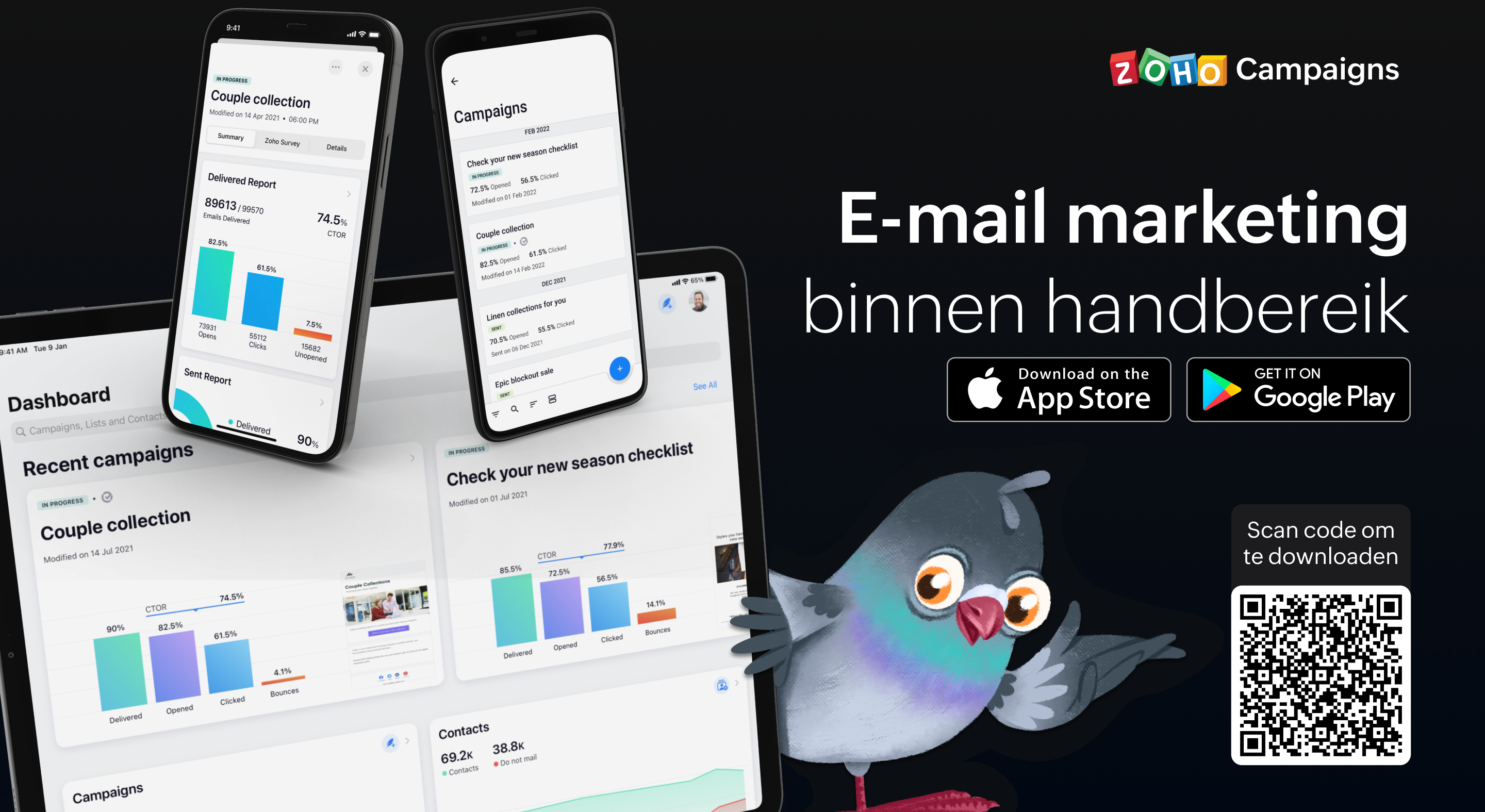
Als je de e-mailmarketingactiviteiten van je team beheert, weet je hoe vaak er dingen kunnen gebeuren terwijl je niet op kantoor bent. Dit betekent dat het essentieel is om volledig operationeel te zijn vanaf je mobiele apparaat, of je nu een lijst met contactpersonen importeert, gewoon een campagne verzendt of de prestaties van een campagne volgt. Het begrijpen van deze behoefte heeft ertoe geleid dat we bij Campaigns een heleboel geweldige verbeteringen hebben aangebracht aan onze eigen mobiele app. In deze post gaan wij in op een aantal van de nieuwe features.
Gebruik Sjablonen:
In deze laatste versie van onze mobiele app, beiden wij verschillende sjablonen aan voor verschillende doeleinden. Zo ontwerp je de juiste e-mail campagne voor de juiste doelgroep. Enige wat je nodig heb is een plan en de content en wij regelen de rest.
Ontvang meldingen wanneer je acties moet uitvoeren
Als je druk bezig bent terwijl je e-mailcampagne wordt beoordeeld, getest, enzovoort, hoef je niet in de app te komen om de vereiste actie uit te voeren of iets te beslissen. Zodra je meldingen voor je e-mailcampagnes inschakelt, krijg je direct updates toegestuurd zodat je kunt beslissen over de volgende stap en kunt handelen zonder veel tijd te verspillen en van tabblad te hoeven wisselen.
Bescherm jouw privacy door controle te hebben over wie toegang krijgt
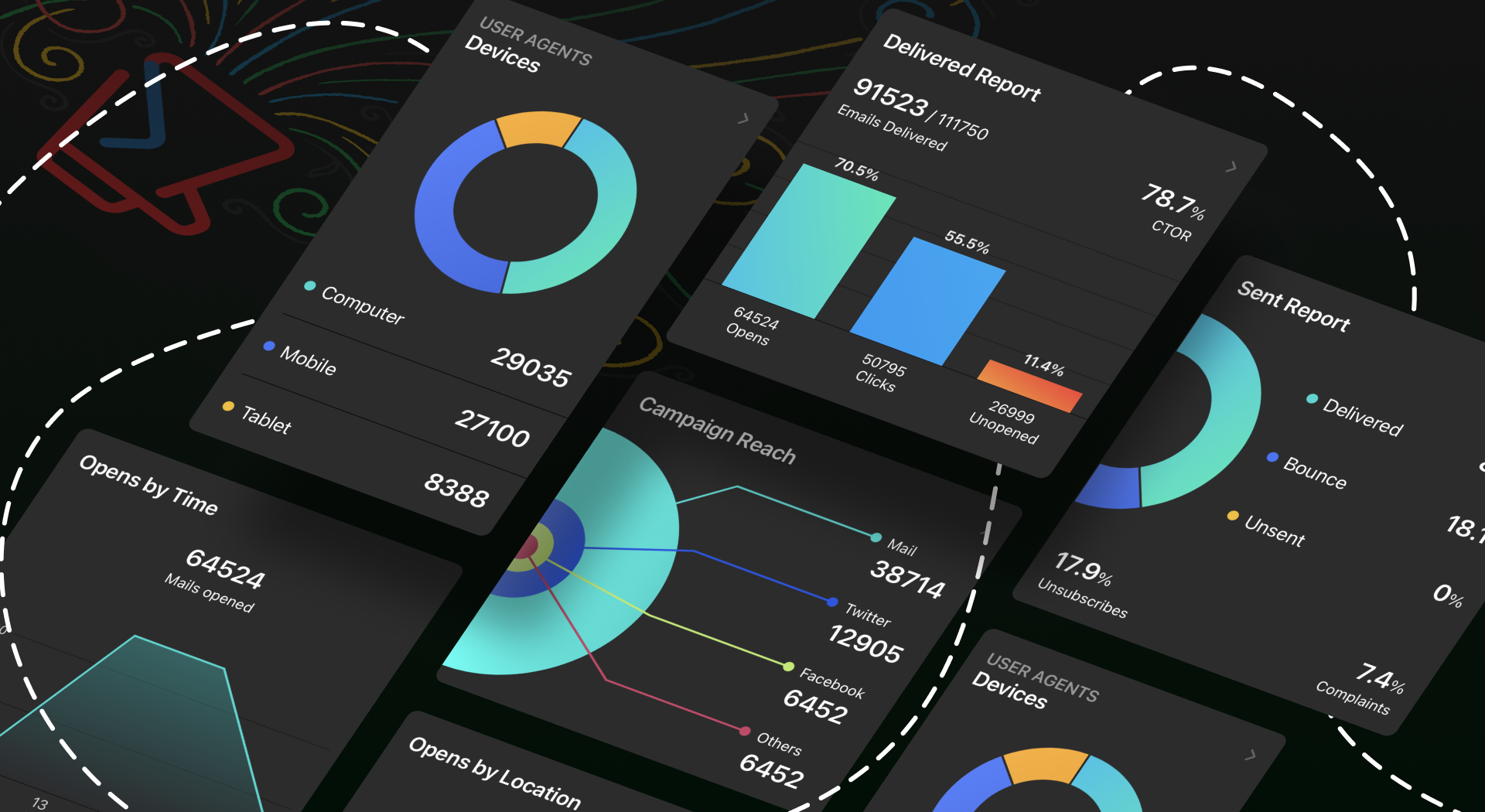
Iedereen moet een app kunnen vertrouwen met zijn persoonlijke en gevoelige informatie, toch? Wij hebben het tot topprioriteit gemaakt om jou controle te geven over jouw gegevens. Je kunt een wachtwoord instellen, zodat jouw gegevens alleen toegankelijk zijn voor jou en de mensen die jij bepaalt. Ga bovendien naar jouw App-instellingen en neem de volledige controle over jouw gegevens door in en uit te schakelen welke gegevens jij met anderen wilt delen.
Meten is weten
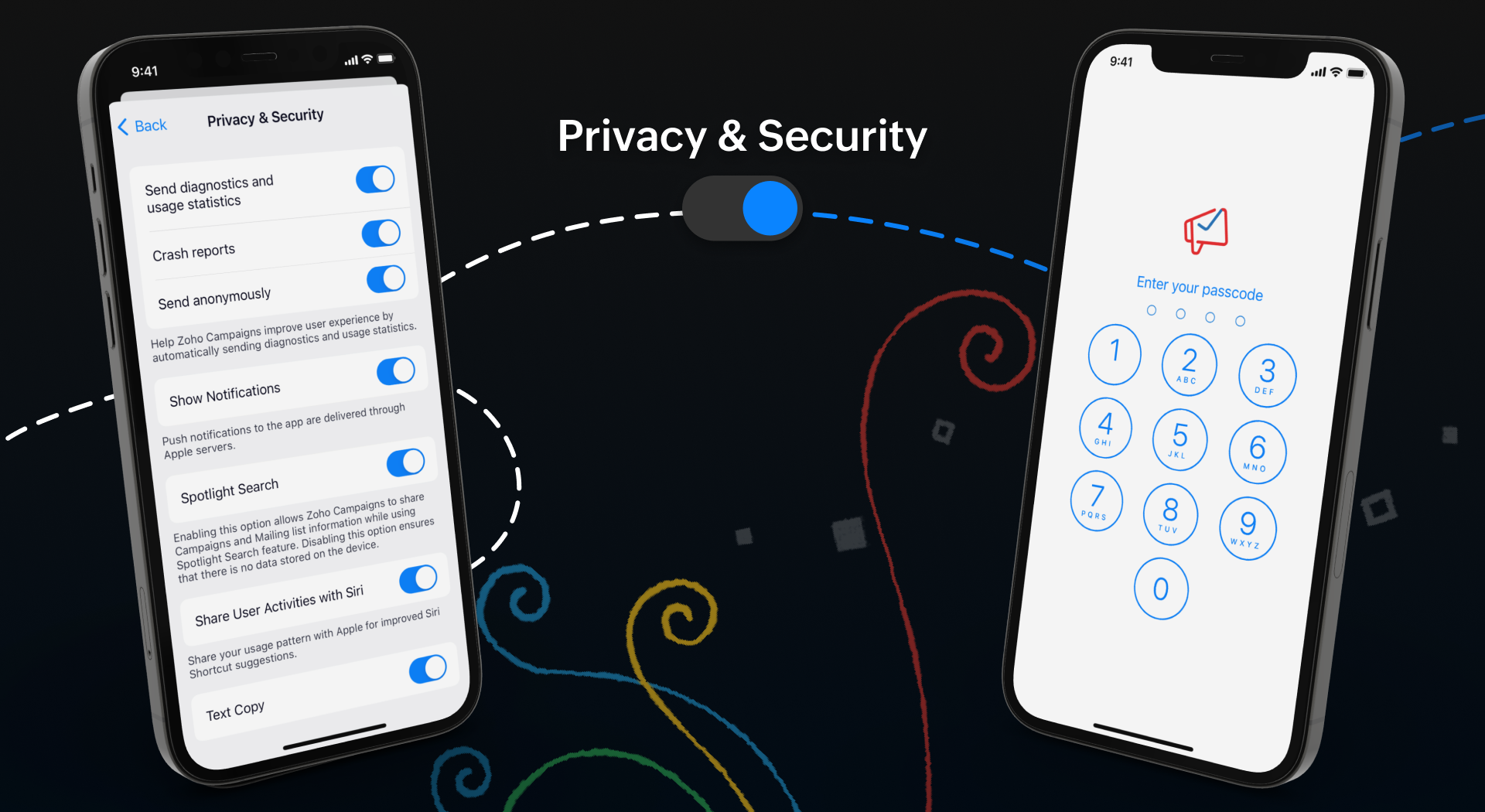
Wij weten allemaal hoe belangrijk het is om inzicht te krijgen in de prestaties van jouw campagne. Om jullie hierbij te helpen hebben wij een aantal nieuwe features toegevoegd om de gebruikerservaring van de app te verbeteren.
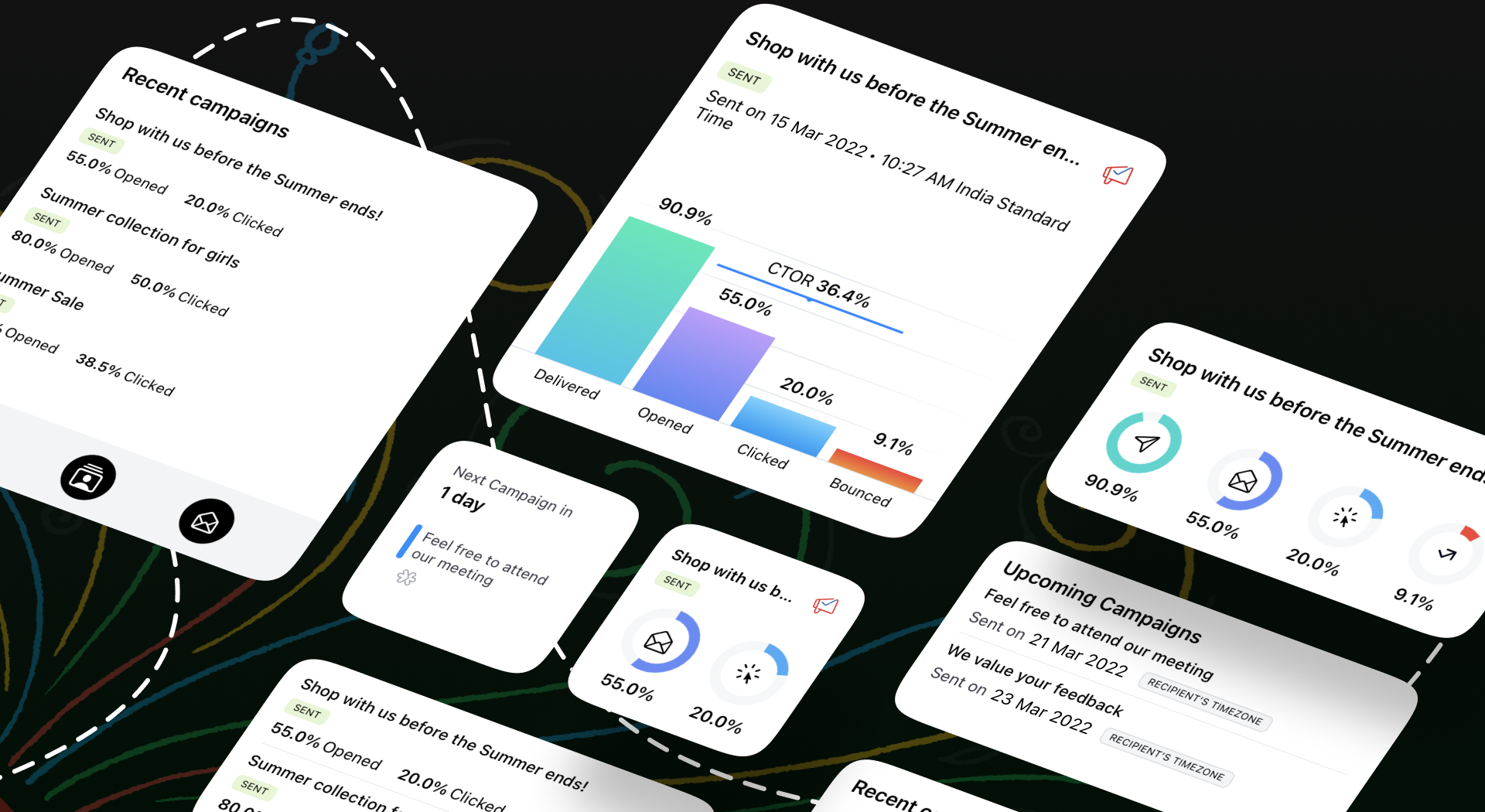
Onze widgets werken in wezen als een prikbord op uw startscherm, waar u alle informatie kunt plaatsen die u moet weten over huidige en komende campagnes. Als je onderweg bent, hoef je de app niet te openen om deze informatie te krijgen - alles is in één oogopslag beschikbaar.
We begrijpen hoe belangrijk het is om e-mailmarketing toegankelijk te maken voor iedereen. We hebben functies toegevoegd zoals voice-over, dynamische lettergrootte en kleurenfilters om te zorgen voor een gebruiksvriendelijke ervaring voor al onze gebruikers.
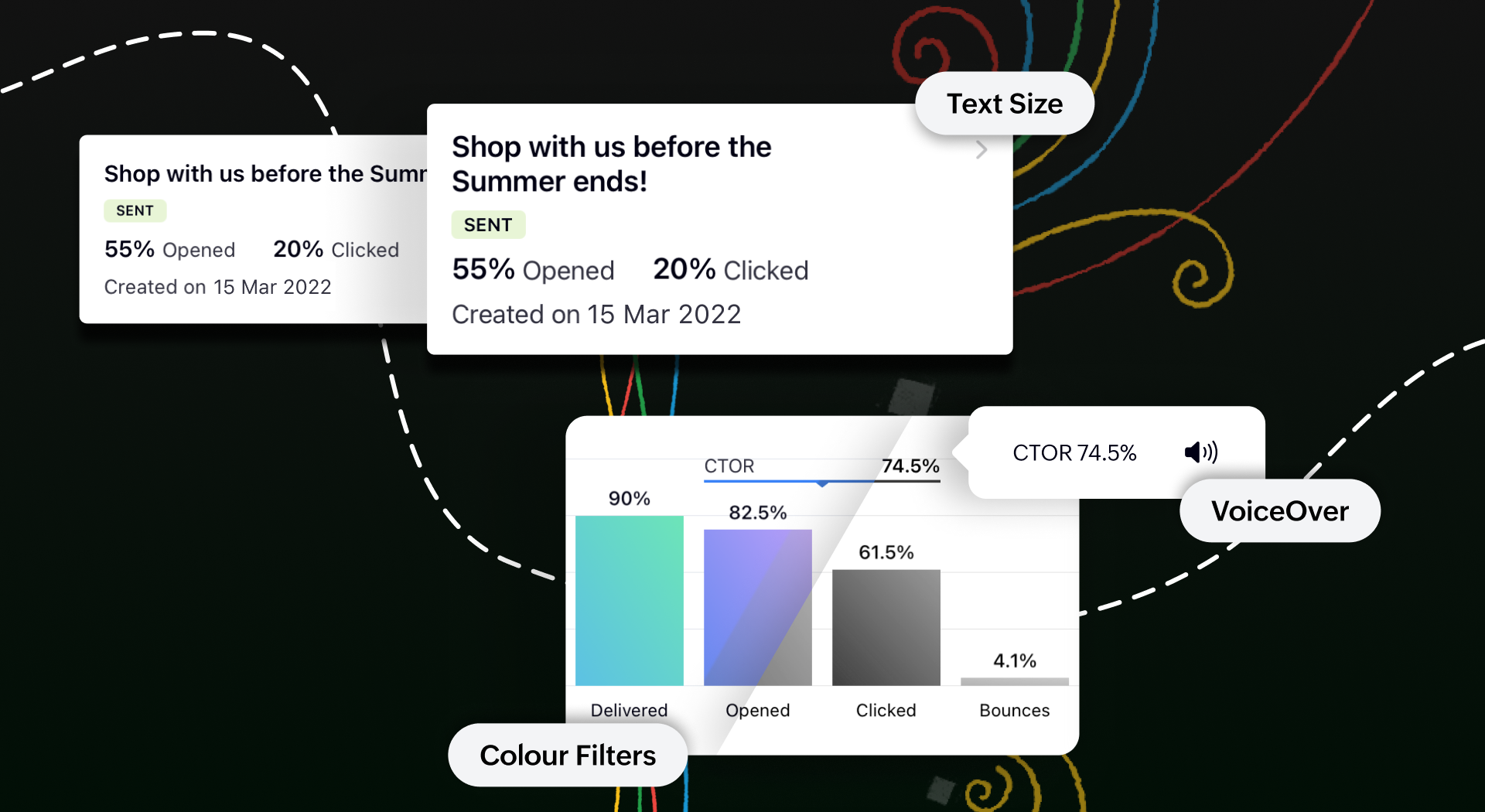
Toegankelijk op meerdere platformen
We tillen onze cross-platform aantrekkingskracht naar een hoger niveau door van Campaigns ook een plezier te maken om te gebruiken op iPads en tablets. Je krijgt een echt gevoel van waar we het over hebben wanneer je twee campagnerapporten naast elkaar open hebt staan om te vergelijken op het gesplitste scherm van je iPad. Je kunt zelfs taken gelijktijdig uitvoeren tussen Campagnes en andere apps zonder de bruikbaarheid van een van beide in gevaar te brengen.
Bovendien kan je met de slide over-functie de Campaigns app in de coulissen laten wachten terwijl je in een andere app werkt, en kan je items slepen en neerzetten om ze heen en weer te verplaatsen. Om het nog makkelijker te maken, hebben we tekstinvoer mogelijk gemaakt met de Apple Pencil. Krabbel een paar regels en zie hoe goed deze functie wordt ondersteund.
Download de Zoho Campaigns-app op je apparaat en ontdek de mogelijkheden!
Topic Participants
Theo Su
Sticky Posts
Doe mee aan de Zoho Creator Meetup op 9 mei in Utrecht
Beste Community leden, Wij nodigen jullie graag uit voor de Community Meetup van Zoho Creator! Op 9 mei komen we bij elkaar in Utrecht, samen met onze gebruikers en de Zoho Experts van Prosolic. Onze experts zullen een live demo presenteren en jouw vragenWebinar - Zoho Creator: Slim digitaliseren in de logistiek
Beste Community leden, Wij nodigen jullie graag uit voor onze Webinar over Zoho Creator! Efficiëntie, optimalisatie, snelheid en timing zijn altijd cruciaal geweest in logistiek en transport. Juist daarom kan de logistiek en transportsector veel baat
Recent Topics
Create an Eye-Catching Announcement Widget for Your Help Center
Hello Everyone! In this week’s edition, let’s explore how to keep your customers updated with exciting news in the Help Center. See how ZylkerMobile wowed their customers by bringing updates right to their portal. ZylkerMobile, the renowned brand forCustomer Management: #6 Common Mistakes in Customer Handling
Managing customers doesn't usually fall apart overnight. More often, slight gaps in the process slowly become bigger problems. Incidents like missed follow-ups, billing confusion, and unhappy customers will lead to revenue loss. Many businesses don'tZoho Desk iOS app update: UI enhancement of picklist and multi picklist fields
Hello everyone! We have enhanced the UI of the picklist and multiselect picklist fields on the Zoho Desk iOS app to provide a more refined, efficient, and user-friendly experience. We have now supported an option to Search within the picklist and multiselectZoho Desk iOS app update: Revamped scribbles with Apple pencil kit
Hello everyone! We’re excited to introduce a revamped Scribble experience, rebuilt from the ground up using Apple PencilKit for smooth strokes, proper scaling, and seamless image uploads. Please update the app to the latest version directly from the AppZoho Desk Android app update: Norwegian language support
Hello everyone! In the most recent Android version of the Zoho Desk app update, we have brought in support to access the app in Norwegian language. We have introduced the Norwegian language on the IM module of the Zoho Desk app as well. Please updatePayment Vouchers
Is there any Payment Vouchers in Zoho? How can we create payment for non-trade vendors, i.e. professional fees, rent, and payment to commissioner income tax?When I click on PDF/PRINT it makes the invoice half size
When I click PDF / Print for my invoice in Zoho Books, the generated PDF appears at half size — everything is scaled down, including the logo, text, and layout. The content does not fill the page as it should. Could someone advise what causes Zoho BooksSearch by contain letter in a column
Hello, everyone I need a filter function that searches by letter in a cell, and it should be a macro. To clarify further, if I have a column with several names and I chose a search cell and what I want is search by a single letter, for example, "a" thenEnrich your contact and company details automatically using the Data Enrichment topping
Greetings, I hope you're all doing well. We're happy to announce the latest topping we've added to Bigin: The Data Enrichment topping, powered by WebAmigo. This topping helps you automatically enhance your contact and company records in Bigin. By leveragingCan add a colum to the left of the item in Zoho Books?
I would need to add a column to the left of the item column in Books. When i create custom fields, i can only display them to the right of the item.Verifying Zoho Mail Functionality After Switching DNS from Cloudflare to Hosting Provider
I initially configured my domain's (https://roblaxmod.com/) email with Zoho Mail while using Cloudflare to manage my DNS records (MX, SPF, etc.). All services were working correctly. Recently, I have removed my site from Cloudflare and switched my domain'sAI Bot and Advanced Automation for WhatsApp
Most small businesses "live" on WhatsApp, and while Bigin’s current integration is helpful, users need more automation to keep up with volume. We are requesting features based on our customer Feedbacks AI Bot: For auto-replying to FAQs. Keyword Triggers:2025 Ask the Experts sessions wrap-up : Key highlights from the experts
Here is a rewind journey of our Ask the Experts (ATE) Sessions, where we brought you expert insights and practical best practices together in one place. This recap highlights the key takeaways, learnings, and best practices from all these sessions soHow to disable the edit option in subform
How to disable the edit option in subformMove record from one custom module to another custom module
Is it possible to create a button or custom field that will transfer a record from one custom module to another? I already have the 'Leads' module used for the Sr. Sales department, once the deal is closed they convert it to the 'Accounts' module. I would like to create a 'Convert' button for a custom module ('Locations') for the department that finds locations for each account. Once the location is secured, I want to move the record to another custom module called 'Secured Locations'. It's basicallyNotes Not Saving
Hello, My notes are continuously not saving. I make sure to save them, I know the process to save them. It is not operator error. I go back into a Leads profile a while later and do not see the previous notes that I have made. I then have to go back and do unnecessary research that would have been in the notes in the first place. Not a good experience and it is frustrating. Slows me down and makes me do unnecessary work. Please resolve. As a quick heads up, deleting cookies is not a fixPrefill form with CRM/Campaigns
I created a form in zForms and created prefill fields. I added this to the CRM and selected the fields so when sending from the CRM, the form works great. However, I want to use the same form in Campaigns and I want it to pull the data from CRM (whichTriggering a campaign automation from a Form
I used Forms to create a lead form that is accessed by a button on my website. The field information flows into the CRM. However, I am trying to figure out how to use Campaign automations to start a workflow (series of campaign emails) that is triggeredEmployee Appraisal Applicability - Why is Date of Joining Hard-Coded?
In the new (to me, at least) Performance Appraisal Cycle wizard, it's possible to set criteria to determine for whom the appraisal process should apply. This makes sense on its face. However, one MUST use the Date of Joining criterion as a filter. WhyFormula fields
Zoho People now supports formula fields. This post illustrates it. Formula fields are fields whose value is calculated instead of being entered by the user. Using this, number, decimal and date manipulations can be done. The value of this field could be numeric or date depending on the output of the formula. In date manipulations, the result will be given in milliseconds, which you can format as per you need. The operators we support are +, - , *, /. Formula fields get recalculated automaticallyZobot operator information
I am working on a zobot that calls a plug to send data to our API. I want the response data from that API to be shown only to the operator and not the customer. I have tried writing this data out to the visitorCity field but nothing gets updated on theCopy paste from word document deletes random spaces
Hello Dear Zoho Team, When copying from a word document into Notebook, often I face a problem of the program deleting random spaces between words, the document become terribly faulty, eventhough it is perfect in its original source document (and withoutIs it possible to use module field filters via URL parameters?
It would be really convenient if I could quickly link to a filter. For reference, this is the filter functionality I'm referring to: https://help.zoho.com/portal/en/kb/crm/customize-crm-account/advanced-filters/articles/advanced-filters For example: MyTransitioning FESCO Bill Project to Zoho Sheets and Integration Options
Hello Zoho Support, I'm considering transitioning my FESCO bill project from Google Sheets to Zoho Sheets and wanted to know if there are integration options to seamlessly migrate our existing work. You can view our platform here, any guidance would beCredit card
Coming from another software, is it possible here to typically have credit card payment off, but independently per customer, click a box (possibly on the invoice when I go to to send) allowing that 1 allowed customer credit card payment, NOT ALL of myLightbox Pop-up form
I would like to embed my form using the lightbox pop up. I don't want it to load automatically. I want it to load when some clicks the button. I can see this option, however when I use the "show pop-up launch button" on the website, the button automaticallyLightbox Pop-up form
I would like to embed my form using the lightbox pop up. I don't want it to load automatically. I want it to load when some clicks the button. I can see this option, however when I use the "show pop-up launch button" on the website, the button automaticallyConnecting Portals from different Zoho apps
Hi, I note that Zoho has functionality for customer portals for several of the Zoho apps, like CRM, Projects, Desk etc. Is there any way to connect these portals? It would be great if we could give our customers access to a portal in which they couldCustomer Management: #5 Never Let the Customer Slip
When Rahul started Knight's Watch Consulting, his focus was simple: deliver good work and keep clients happy. He offered one-time consulting projects, monthly advisory retainers and usage-based support for growing clients. Business was steady, and customersDeluge date time issue
The deluge function info zoho.currentdate.toString("MMM/YYYY") returns Dec 2026 instead of 2025Zoho Projects Android and iOS app update: Mobile device permission based on user profiles
Hello everyone! We have brought in support for mobile device permissions based on the user profiles which are configured in organization level. Administrators can now configure the permissions on the web app(projects.zoho.com) by following the steps mentionedtreatment for rehires
Hello, we are aware of the fact that Zoho People at the moment does not has a provision for rejoining exited employees. But is there any quick fix or hack to this? It will be appreciated a lot.Zoho Projects Android and iOS app update: Timesheet module is now renamed as 'Time Logs', delete option has been renamed to 'Trash'.
Hello everyone! We have now renamed the Timesheet module as Time Logs and the delete option as 'Trash' on the Zoho Projects Android and iOS app. Time Logs Android: Time Logs iOS: Trash option Android: Trash option iOS: Please update the app to the latestZoho Mail app update: Manage profile picture, Chinese (Traditional) language support
Hello everyone! In the latest version (v3.1.9) of the Zoho Mail app update, we have brought in support to manage profile picture. You can now set/ modify the profile picture within the app. To add a new profile picture, please follow the below steps:Reminders for Article Approval
Is there a way to send reminders for approvers to review articles and approve/deny them? I'm not seeing that option anywhere.Add Full-Screen Viewing for Quartz Recordings in the Client Interface
Hi Zoho Team, We would like to request an enhancement to the Zoho Quartz client interface when viewing submitted recordings. Current Limitation: When viewing a Quartz recording from the client (user) interface, there is currently no option to switch the2025 Recap: A Year to Remember | Zoho Inventory
Important Update : Pipedrive deprecated fields no longer supported in Zoho Analytics
Dear Pipedrive users, We would like to inform you about a recent update related to your Pipedrive integration with Zoho Analytics. The Pipedrive team has deprecated certain fields from their application. You can find more details in the official PipedriveProduct Updates in Zoho Workplace applications | November 2025
Hello Workplace Community, Let’s take a look at the new features and enhancements that went live across all Workplace applications this November. Zoho Mail Format comments easily using Slash Commands With Slash commands, you can easily format text, insertRight-Click Pipeline to Open in New Tab
Please add the ability to right-click on a pipeline to open it in a new tabNext Page