Bonjour à tous,
Comme vous le savez, Zoho cherche en permanence à vous proposer des logiciels complets et au plus proche de vos attentes. C'est pourquoi toute l'équipe Zoho Desk est fière de vous présenter la nouvelle version de votre logiciel de service client, pleine d'améliorations et de nouveautés pour vous permettre de proposer le meilleur suivi client possible ! Découvrez ci dessous la liste de nos nouveautés :
Messagerie instantanée
La plateforme de messagerie instantanée de Zoho Desk permet aux clients de joindre votre entreprise via WhatsApp, Telegram, LINE et WeChat.
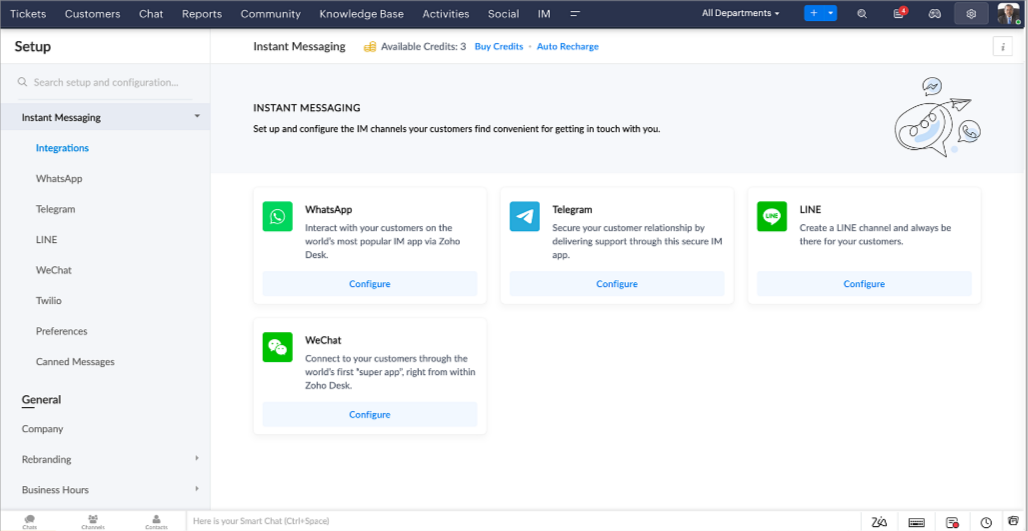
Zoho Desk vous avertit des chats entrants en temps réel afin que vous puissiez vous connecter avec les clients à partir de l'interface. Dans ce même temps, vous pouvez :
- Suivre le contact du client, les informations du ticket, l'historique des conversations inter-canaux et les détails de la pièce jointe dans la fenêtre de chat du client pour un contexte immédiat.
- Accéder et joindre des articles de la base de connaissances directement depuis la section de saisie, utiliser des réponses prédéfinies et ajouter des émojis.
- Participez à plusieurs chats simultanément sur plusieurs canaux sans changer d'onglet.
- Attribuez des conversations à vos coéquipiers.
- Convertissez les conversations en tickets pour un suivi simplifié
Et pour les fans d'automatisation, pas de panique ! Les flux de travail, les Blueprints, les règles d'affectation et les accords sur le niveau de service, sont aussi applicables pour les tickets créés à partir de la messagerie instantanée. Il est également possible de définir des réponses automatiques lorsque vous êtes absent.
Vous pouvez faire en sorte que les clients puissent vous contacter facilement en installant des QR codes dans vos magasins ou en intégrant notre bouton "Contactez-nous", sur votre site web. Ils peuvent même vous joindre par le biais d'une recherche directe d'entreprise sur une plateforme de messagerie instantanée comme Telegram.
Conversations guidées et mixtes
Comme vous le savez, la plupart des questions n'ont pas de réponses simples. Elles nécessitent souvent un suivi, et beaucoup de contexte, avant de trouver une solution. C'est là que les conversations guidées interviennent : une plateforme de libre-service proactive, en low code, qui simplifie la résolution des questions complexes de vos clients.
Choisissez parmi une série de questions ou de réponses prédéfinies pour créer un flux et guider les clients, et à tout moment, vous pouvez les diriger vers une interaction humaine. Cette mixité entre les bots et agents du service client permet une grande flexibilité et augmente le nombre de tickets résolus.
Voici comment nous avons utilisé les conversations guidées pour Zoholics (notre conférence annuelle d'utilisateurs) :
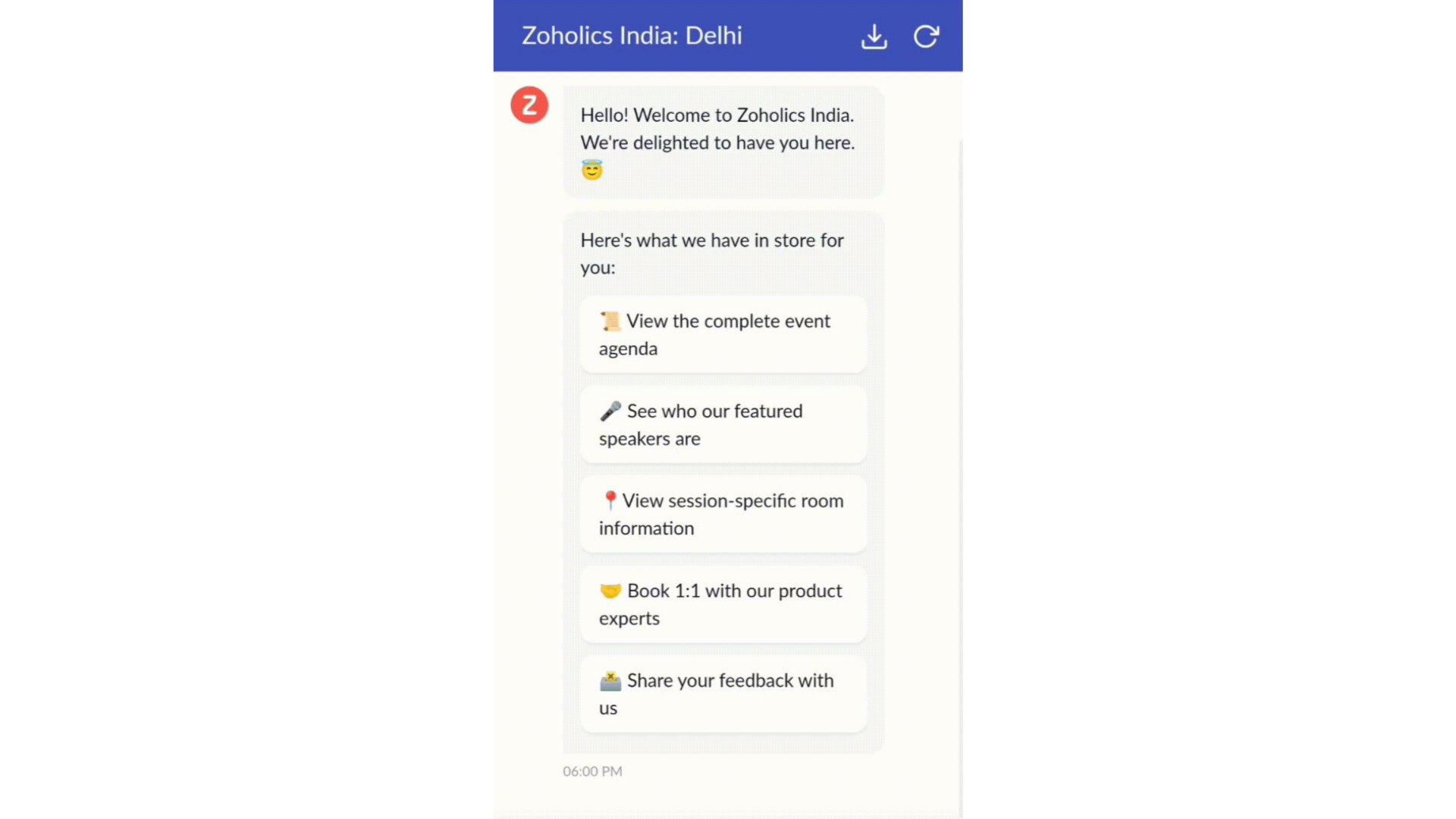
- Constructeur par glisser-déposer
Construisez votre flux de conversations guidées à l'aide de blocs de réponse, tels que du texte, des images, une devise, une date et une heure ... Pour construire ce flux, il suffit de glisser-déposer des blocs, d'ajouter des variables ou des espaces dynamiques, et de connecter ces blocs pour créer un chemin d'étapes.
- Des Webhooks pour une intégration transparente
En configurant les blocs de Webhooks, vous pouvez construire votre flux de conversation pour interagir avec les processus de Zoho Desk, mais aussi d'autres services Zoho ou des applications tierces. Par exemple, si l'utilisateur est déjà votre contact, le bloc Webhook récupérera ses informations directement dans votre CRM, plutôt que de lui demander de les fournir à chaque fois.
Vous pouvez enfin prévisualiser et mettre en œuvre votre flux final en l'associant à votre centre d'aide ASAP sur votre site web, vos pages de renvoi et vos applications mobiles.
Une expérience améliorée
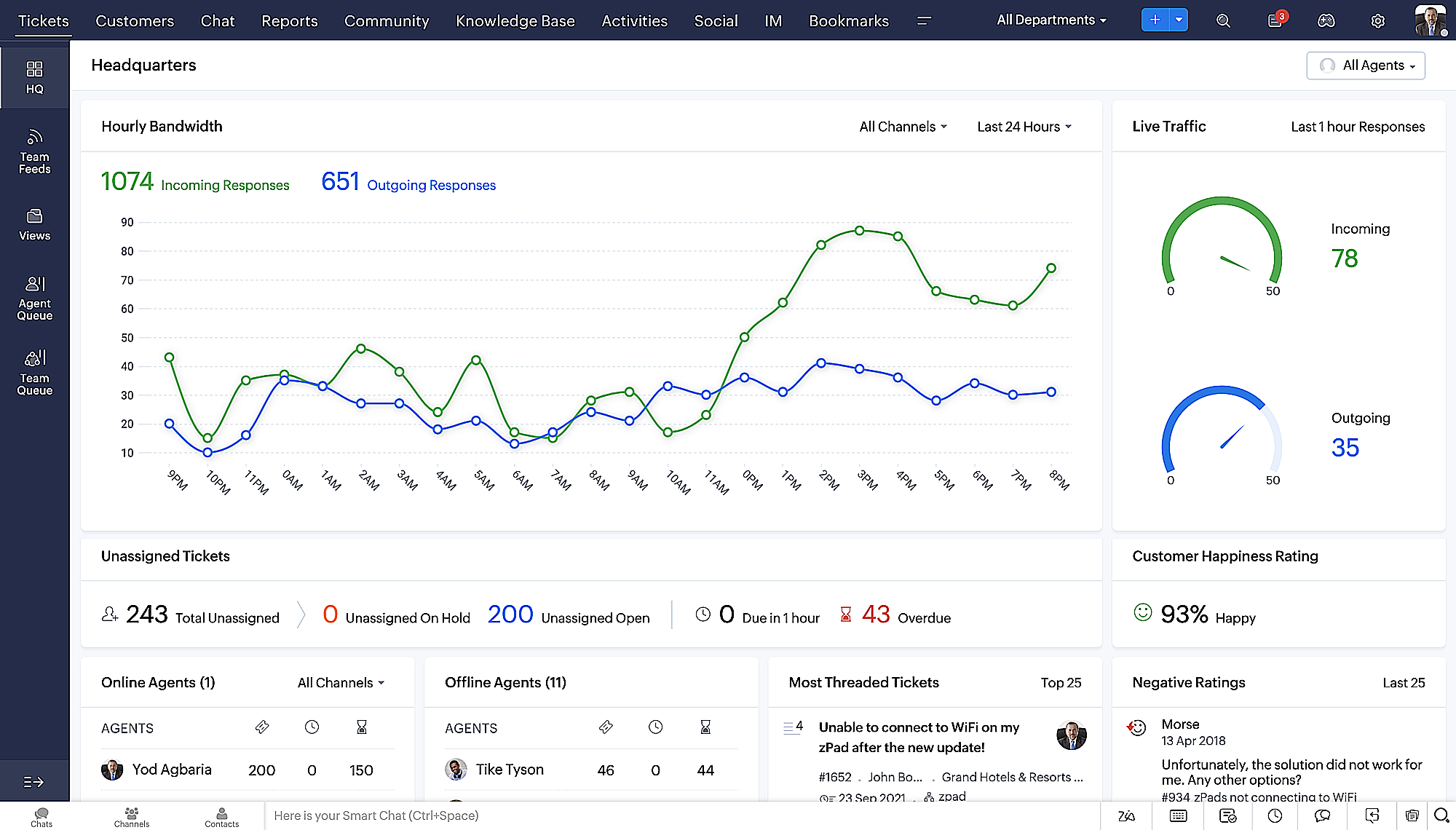
On ne saurait trop insister sur l'importance pour les équipes de support client d'avoir un accès rapide aux informations clients. Nous avons donc optimisé notre interface utilisateur et facilité la navigation entre les différents écrans pour faciliter cette recherche. Nous avons également revu certaines mises en page pour vous donner une image globale de vos clients et de vos tickets sur une interface unique.
- Une vue d'ensemble, avec une disposition des données plus poussée et une apparence générale remaniée
- Vue détaillée des tickets avec des fils de discussion par code couleur pour une navigation plus facile entre les conversations et les commentaires
- Vue détaillée des contacts avec boutons d'ajout rapide, section des tickets en attente et aperçu des tickets
- Vue de la file d'attente des tickets avec des options de menu déroulant, pour donner des mises à jour sans ouvrir la vue détaillée des tickets
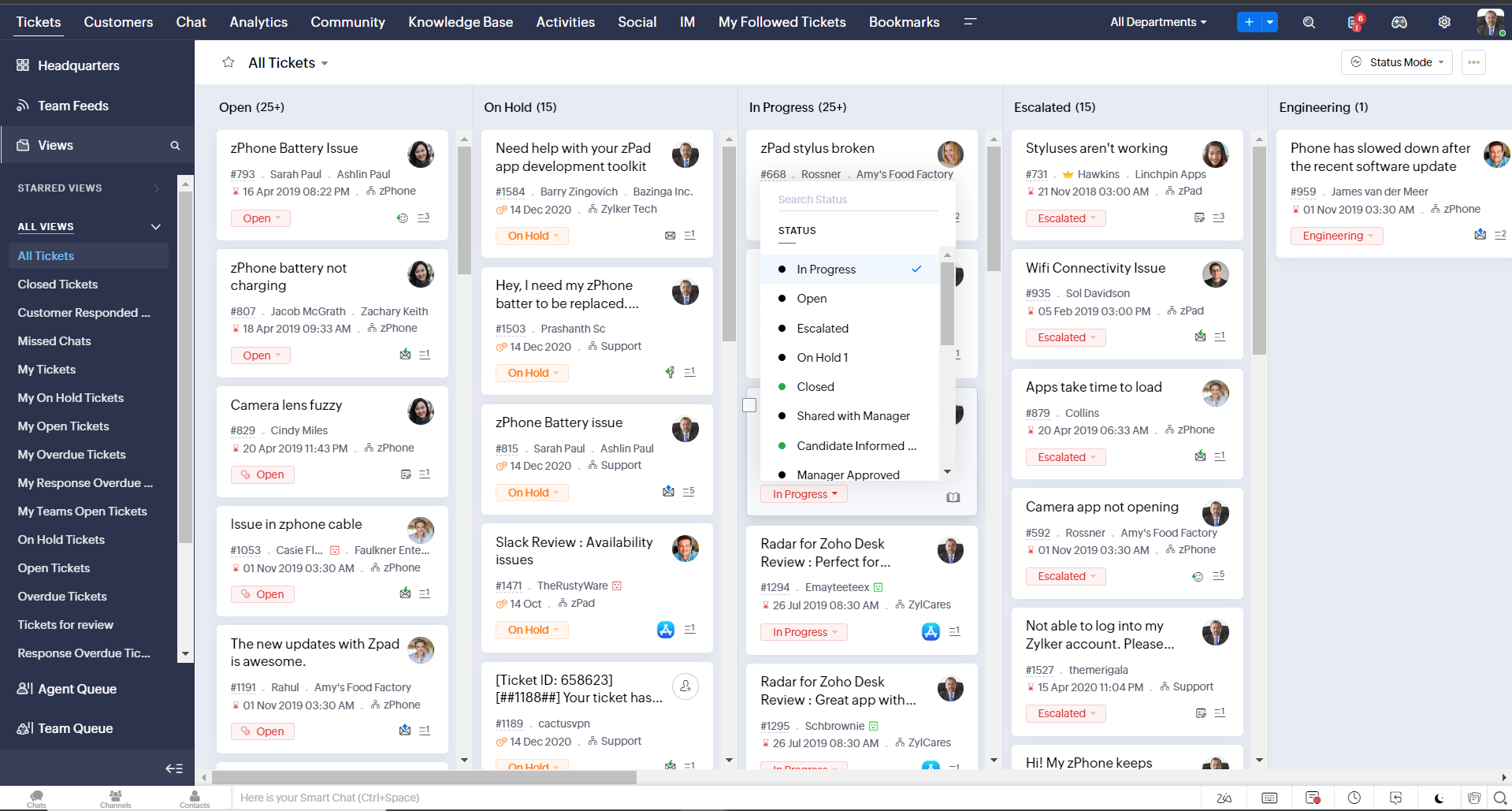
- Une nouvelle option "marquer comme lu/non lu" dans la vue de la liste des tickets, et une liste déroulante consolidée des modes de travail dans le module des tickets
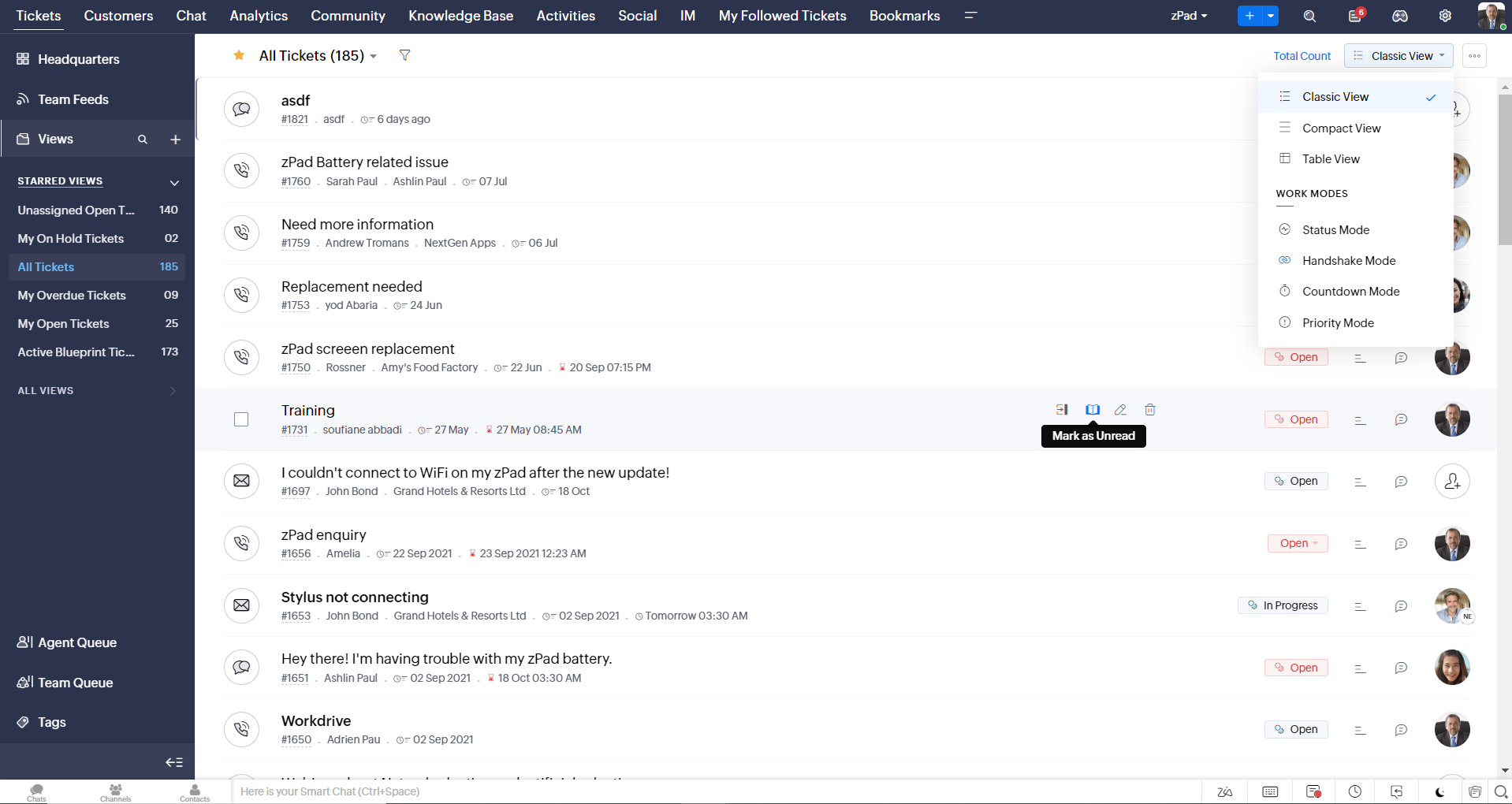
- Défilement infini pour un repérage plus rapide des tickets et ne pas se perdre entre des dizaines de pages
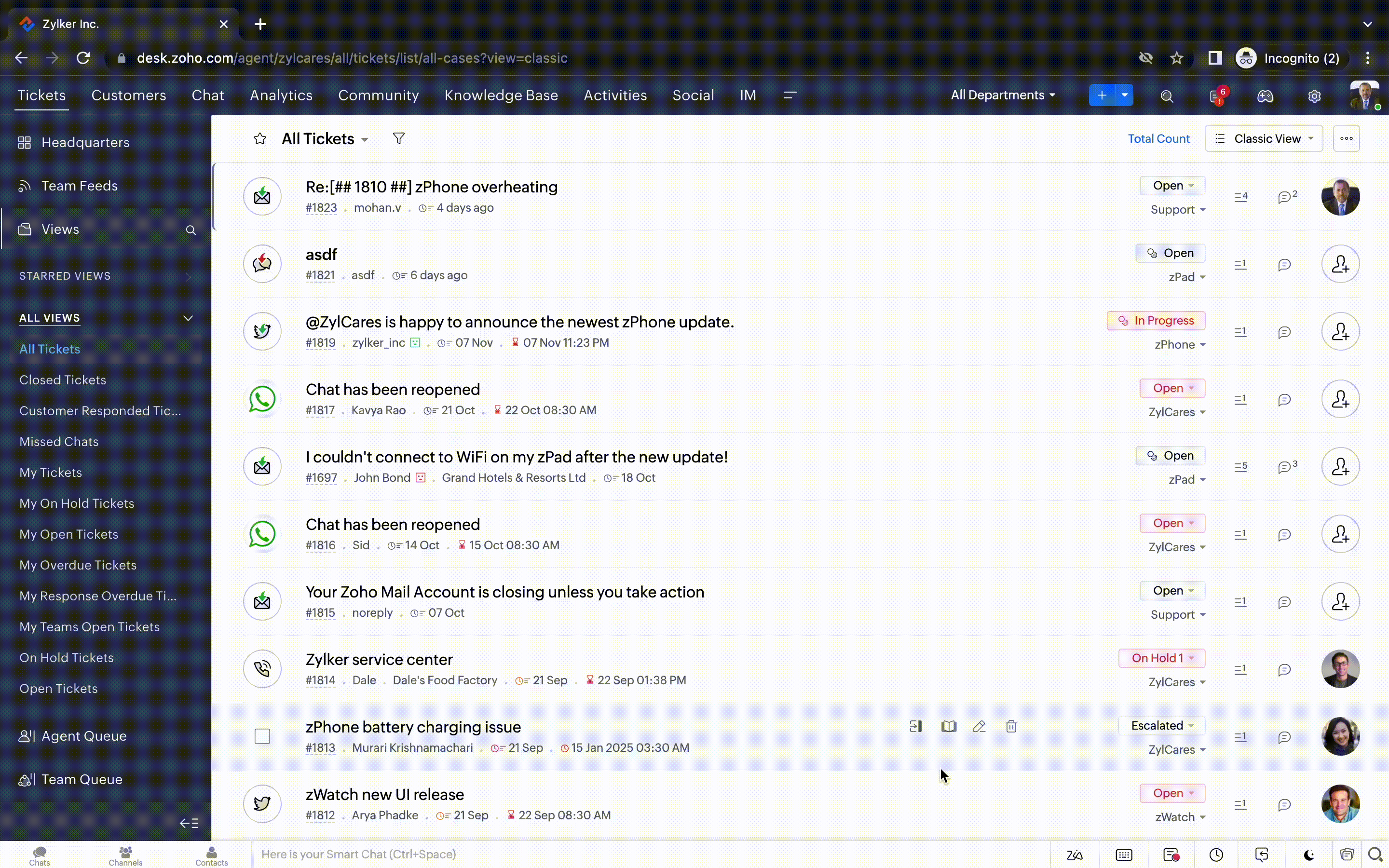
Nouvelles options de personnalisation pour les utilisateurs :
- Mode sombre pour une expérience de visualisation et de lecture confortable
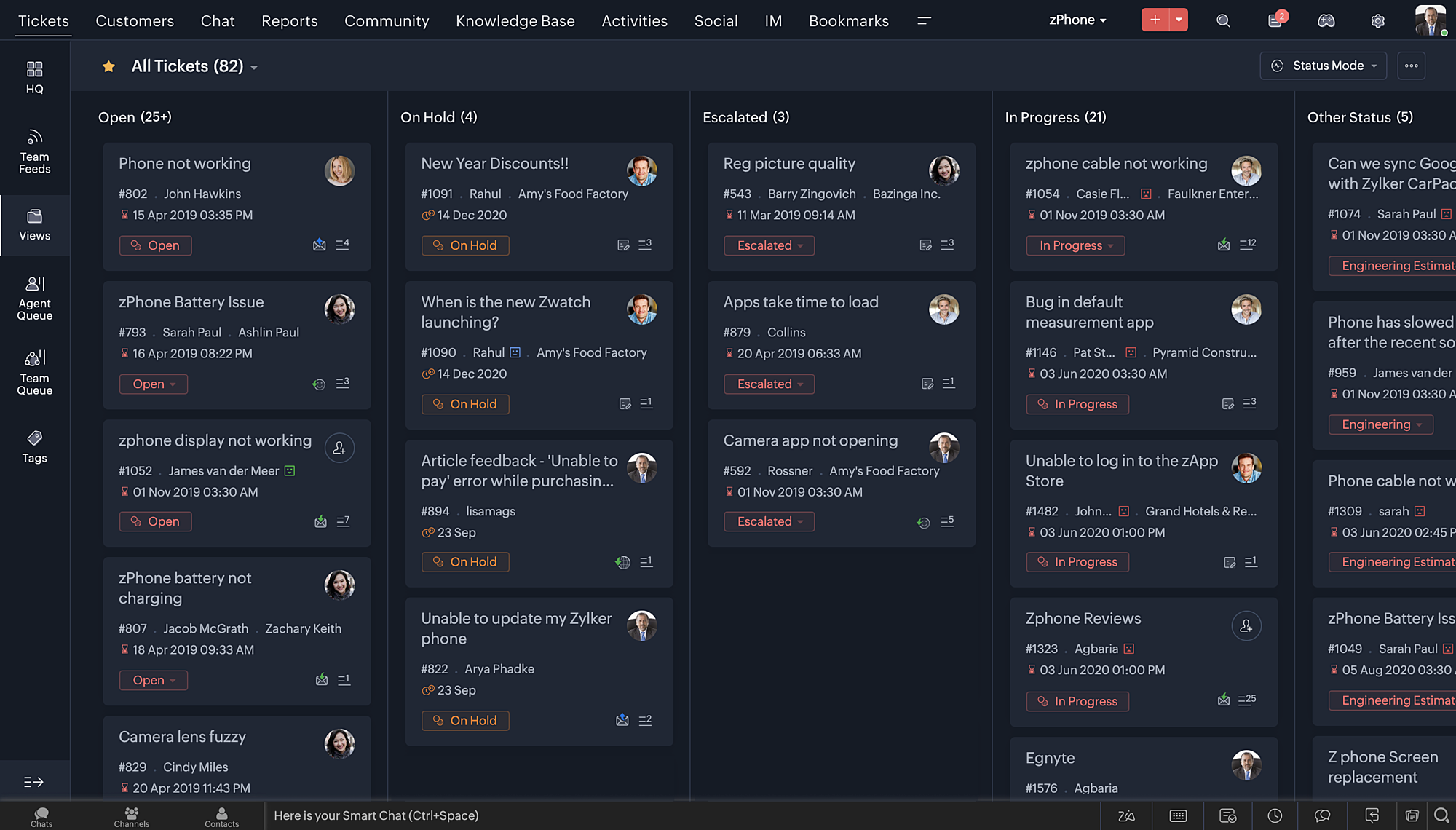
- De nouveaux thèmes pour visualiser votre bureau dans votre couleur préférée
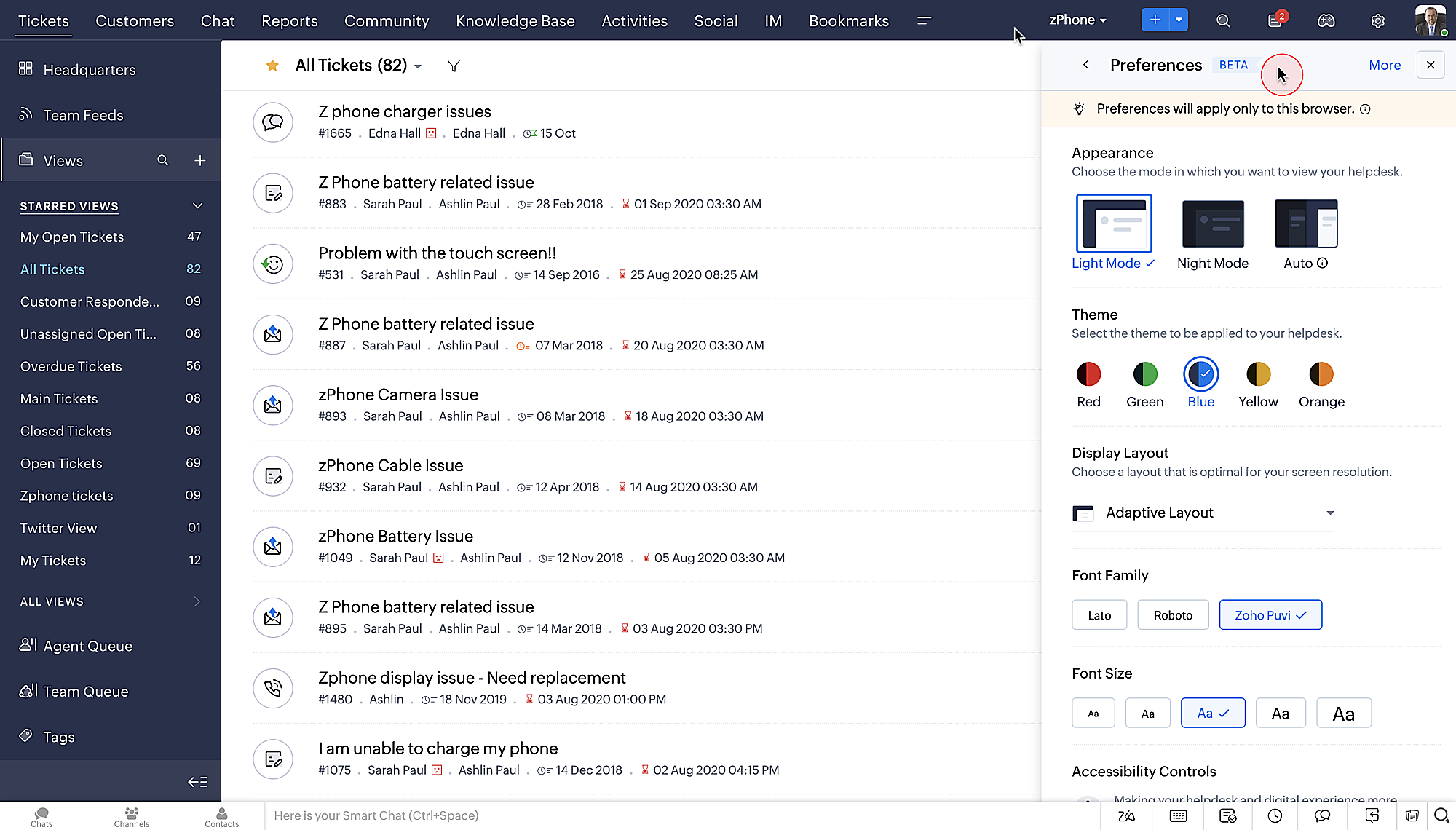
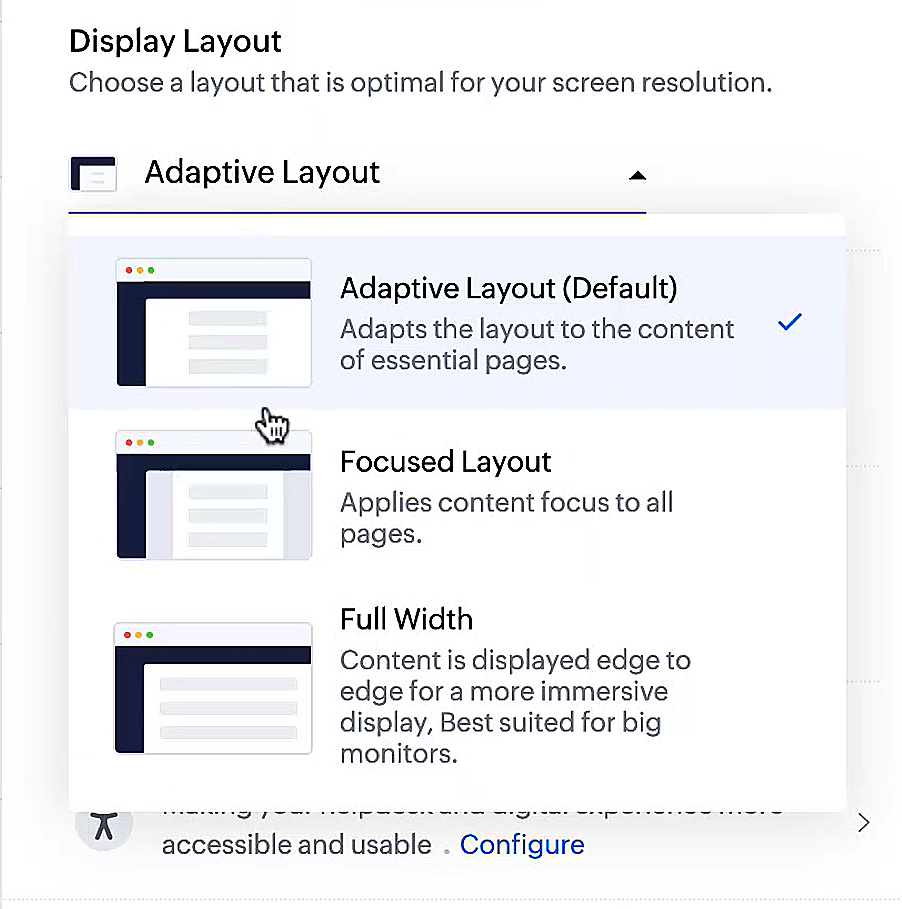
- Des mises en page d'affichage qui vous permettent de choisir la façon dont votre contenu vous est présenté.
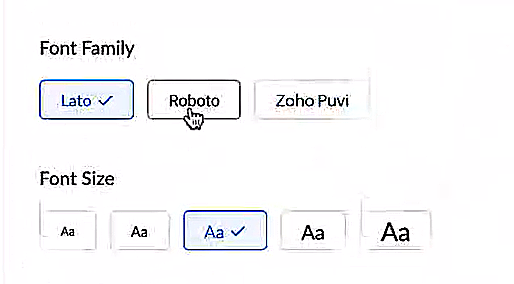
- De nouveaux types et tailles de police pour que votre texte corresponde exactement à vos préférences.
Une plus grande accessibilité
Nous avons ajouté plusieurs options pour répondre à vos besoins en matière de vision, de motricité et d'apprentissage pour proposer un outil adapté à tous. Mettre en évidence les informations essentielles comme l'ID et/ou le propriétaire du ticket et les détails de contact dans une couleur différente.
- Souligner les liens pour augmenter la visibilité de ceux qui sont cliquables.
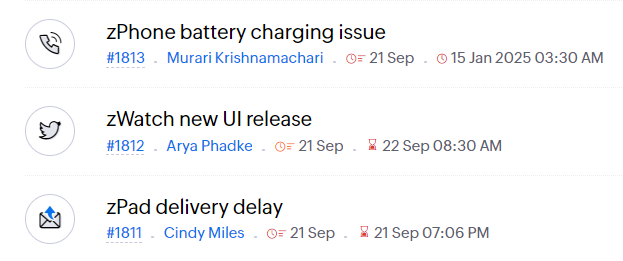
- Souligner la zone d'intérêt et le lien pour les mettre en avant
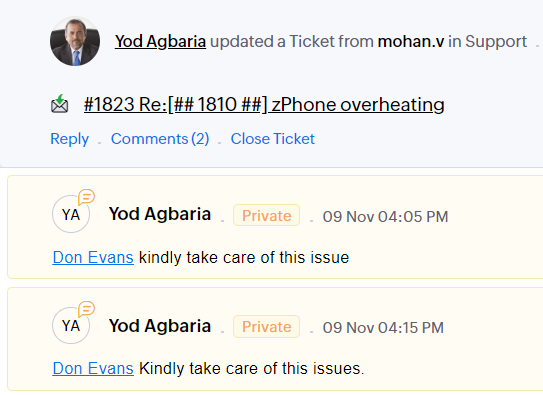
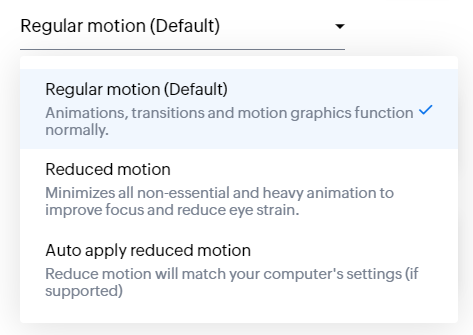
- Les "contrôles d'animation" optimisent les animations et les transitions dans l'ensemble de votre service d'assistance
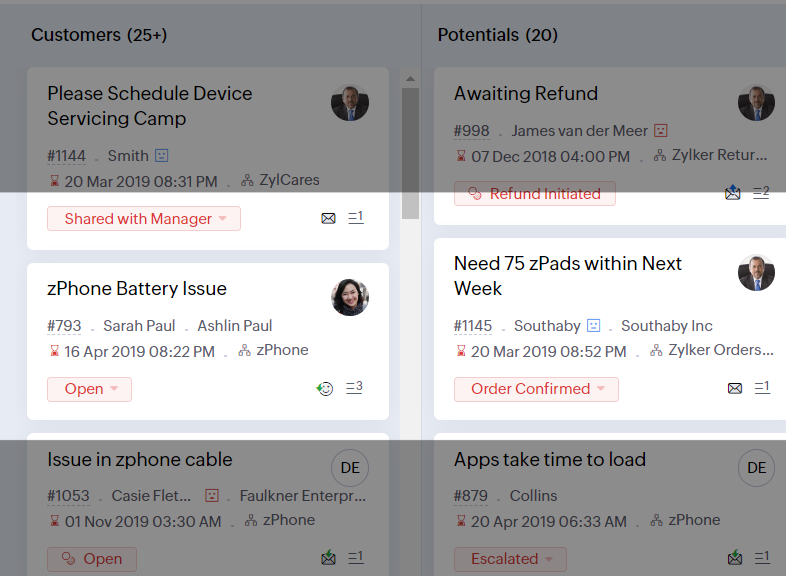
- Reading Mask élimine les distractions en masquant le texte que vous n'êtes pas en train de lire
- Il est également possible de zoomer sur un contenu et d'ajuster la taille de la police pour que la page soit facile à lire
Avec toutes les nouvelles fonctionnalités de l'édition Zoho Desk 2023, les entreprises ont maintenant plus de pouvoir pour rendre à la fois leurs agents et clients plus heureux.
Nous aimerions savoir ce que vous pensez de ces nouvelles fonctionnalités ! Partagez vos réactions dans nos commentaires ou sur les réseaux sociaux. Nouveau sur Zoho Desk ? Vous pouvez vous inscrire à l'essai gratuit
ici.
Recent Topics
The Social Wall: September 2026
Hello everyone! This month, we’re bringing Snapchat to Zoho Social. You can now connect your Snapchat account and manage your content alongside your other social channels. Whether you want to reach a wider audience through Spotlights or share quick updates
How to Convert Apple Mac Mail to PST for Outlook for Free?
Apple Mail is a widely used email program among Mac users, but what do you do if you want to transfer your emails to Microsoft Outlook? In such a situation—for example, when you are moving from a Mac to a Windows computer or when you need to use Outlook
Turning off the recorded welcome in Zoho Webinar
Is there a way to turn off the recorded voice that comes up at the beginning of every webinar session? It devalues the experience for attendees from feedback, interrupting their connection with our brand and delaying webinar start unnecessarily.
Option to Disable Knowledge Base Section in Feedback Widget Popup Hello Zoho Desk Team
Hello Zoho Desk Team, How are you? We are actively using Zoho Desk and would like to make more use of the Feedback Widget. One of the ways we implement it is through the popup option. At the moment, the popup always displays the Knowledge Base section,
Losing description after merging tickets
Hello, We merge tickets when they are about the same topic from the same client. It happens sometimes. We recently noticed that after the merger only the description from the master ticket is left in a thread. And the slave-ticket description is erased.
Outgoing Mail Blocked – Suspicious Login Activity (Need Clarification and Solution)
Hello, I’m currently facing an issue where my Zoho Mail account has been blocked due to “suspicious login activity,” and outgoing emails are restricted. Here are the details shown: Block type: Outgoing mail blocked Reason: Suspicious login activity A
Account Blocked due to Suspicious Activity.
Hello, Trying to get access to my account, I have found this message above in the subject of this message. I am unable to log back to my account (see err. mess. below.) and thus cannot get rif of this following the Zoho procedure : I followed the step
Zoho Recruit mailserver get blocked by Microsoft!
Hi, We have experienced this issue twice now, where Zoho Recruit outbound IP addresses are being blocked by Microsoft. We are confident that Microsoft is the blocking party, as all outbound emails to candidates with @hotmail.com, @live.com, and @outlook.com
Months of WooCommerce–Zoho Inventory sync failures and repeated support requests – has anyone experienced this?
Months of WooCommerce–Zoho Inventory sync failures and repeated support requests – has anyone experienced this? I run a small retail business using WooCommerce and Zoho One. For months, I have been trying to resolve recurring synchronisation failures
Name autocomplete
Hi, During searching emails the web tool does not always propose the auto-completion of the saved emails. As a result I either have to go to contacts and look up the exact email, or the exact full name including the middle name and any dots, which is
How to Manage Two GST Numbers / Two Companies in a Single Zoho Inventory Organization?
Hi Team, We currently have two separate legal entities: A Proprietorship Firm with its own GSTIN A Private Limited Company with a different GSTIN However, operationally, both companies deal with the same products, and we would like to manage the physical
View Cannot Use UPC as Criteria
When creating a new custom view, the UPC field is not available as a criterion for the view. This seems strange, because both ISBN and EAN are available in the dropdown. Because of this, I feel like the situation is possibly an oversight rather than by
How To Implement an Auto-Check-out Feature for Attendance?
If an employee forgets to check out, the system should automatically check out the employee at 6:30 PM
What are the best practices for managing tax records and financial information for a small business?
I’m interested in learning how other small business owners and accounting professionals organize their financial records and prepare for tax filing. With bookkeeping, expense tracking, income records, and tax documents all needing to stay accurate, having
How to Open Google Takeout and Thunderbird MBOX Files?
MBOX files are used by email clients and services, such as Google Takeout and Mozilla Thunderbird, to store email messages. It can, however, be difficult to open such files if you don't have an email programme that is compatible. Google Takeout enables
Automating CRM backup storage?
Hi there, We've recently set up automatic backups for our Zoho CRM account. We were hoping that the backup functionality would not require any manual work on our end, but it seems that we are always required to download the backups ourselves, store them,
not able to convert pdf to jpg and other forms and vice versa.
i want to change my pdf to jpg, word, etc and some times jpg to pdf. i don't know how to do in this.
How Can I Collect Payments for Credit Sales Directly from Zoho POS Billing App?
We are currently testing Zoho POS for a retail business and have encountered an issue with collecting payments on outstanding invoices from customers who purchase on credit. When we process a Credit Sale, Zoho POS correctly creates an Unpaid Invoice.
Indeed has retired Organic (Free) job posting support for Staffing Agency edition users
Dear Zoho Recruit Users, Due to a policy change by Indeed, Organic Job Posting support for staffing agencies is no longer be available in all regions, except Japan. Keep in mind that Corporate HR edition accounts will not be impacted by this change in
Changing an existing item to different accounts & inventory-tracked
Hi everyone, I have an item in Zoho Books that was originally set up as a non-inventory item. Over time, I associated it with different sales and purchase accounts, and I now have many invoices, bills, and reports that use this item. My business process
How to Convert Emails to PDF Format in Batch
It is helpful to convert emails into PDF format when you want to save important messages, when you need to share business correspondence, or when you wish to keep email records for future reference. PDF files can be readily opened, printed, and shared
Create a single record from multiple images with ICR
Hello all, Zia's Intelligent Character Recognition can now create a single record from multiple images based on the configured ICR rule. Users can upload up to three images at once, such as an ID, a passport, and a business card, and Zia will extract
Lookups and Custom Modules
I created a Custom Module that I'm calling "Item Purchasing Group". This module will store information for groups of Items that must be purchased together (including minimum overall quantities and/or values, etc.). This will have a one-to-many relationship
Zoho Books | Product updates | October 2026
Hello users, October brings a range of new features and enhancements to Zoho Books, designed to simplify compliance, streamline accounting workflows, and improve inventory management. From the launch of the Nigeria Edition and France’s e-invoicing capabilities
Create custom rollup summary fields in Zoho CRM
Hello everyone, In Zoho CRM, rollup summary fields have been essential tools for summarizing data across related records and enabling users to gain quick insights without having to jump across modules. Previously, only predefined summary functions were
Button or Links order
Is there a way to re-order the buttons or links that are created? Moderation Update: With our recent enhancement to custom button creation from the layout editor, administrators can now reorder custom buttons directly from the layout editor, and this
Bulk updating tags
My organisation handles a number of restricted funds. We previously did this by having a chart of accounts where each restricted fund has its own income and expense accounts. However, our accountant changed this, moving all transactions into accounts
Download or Backup Bulk Emails from IMAP Server
Taking email messages from an IMAP server and saving them is a wise method for ensuring that important emails are kept safe and easy to access. No matter whether you have a business email address or a personal mailbox, keeping a local copy of your emails
Zoho Writer Label Template Merge/Print Via API/Webhook/Flow
Short version of goal: To be able to kick off a Zoho Writer Label Template Document via API or Webhook or even using Zoho Flow. As of right now I have been unable to figure out a way to do that. Long version of goal: We would like to press a button (run
Generate a Zoho Sign link
From time to time I get a response "I never received your you e-document for electronic signature" is there a way to generate a Zoho Sign link to share.
Kaizen #263: Using Zoho CRM Skill to Build Widgets
Hello everyone! Welcome back to another exciting Kaizen post. In the previous Kaizen posts, we introduced the zoho-crm skill.md and explored how it can help with Zoho CRM APIs, Client Scripts, complex COQL queries, and Skill to build Queries. In this
Extracting/automating sign link
Is there a way to copy the sign link to a specific recipient? And also, is it possible to automate the sending of the link to myself or external automation tools? In more details: It can sometimes happen that the recipient email is spelled wrong/unavailable
Zoho notebook No login
Hello Team, I recently downloaded and installed the latest version of zoho notebook for windows. But I am not able to login without providing any sso or email address. Did you removed the no login feature for this app? This is just a windows app. can
Search is completely broken for PC
I go to note, try to search for "mtga" and it shows 702 results (it's a big note), highlights all letters "m" and I can't find anything. Same for "gathering" - it thinkgs I think only for "g". Looking for "zoho" shows as if I searched only for "z". Using
Generate a link for Zoho Sign we can copy and use in a separate email
Please consider adding functionality that would all a user to copy a reminder link so that we can include it in a personalized email instead of sending a Zoho reminder. Or, allow us to customize the reminder email. Use Case: We have clients we need to
Behind a great customer experience is a team
Hi everyone, October is here, and the first week marks the Customer service week. Each year, we thank our customer service professionals. Service professionals are all around us, even in our own workplaces: They handle essential administrative work like
What's New - August and September 2026 | Zoho Backstage
Hello everyone, August and September bring a fresh wave of intelligence to Zoho Backstage. AI takes the spotlight with tools that help you create content, support attendees, and manage how AI fits into your events. Alongside AI, we’ve refined email communication,
Images Not Displaying Properly in Zoho Desk
Hi, We are experiencing an issue with image rendering in Zoho Desk, affecting both incoming and outgoing emails. Images embedded in email conversations are not displaying properly. Instead, we see broken image icons or empty placeholders where the images
Announcing the new SKILL.md for Zoho CRM and the updated OAS repository!
We are introducing a new zoho-crm skill to make working with Zoho CRM Developer tools (like APIs, functions, widgets, client scripts, queries etc) easier and faster, with the help of AI in your preferred AI harness like Claude Code, Codex, Cursor, VSCode
Zoho Projects - Has something changed regarding to linking Projects and Deals via the API?
I am trying to link Zoho Projects to Deals in CRM using the API, but each time, the Deal Contact is added as a Client user and receives an email invite asking them to join the organisation. These are internal projects and the customer should not have
Next Page