What if your webinar platform could connect directly with your business tools, automate routine tasks, trigger actions across your workflows, and support every stage of your webinar lifecycle?
That’s the question we’ve been answering so far this year. And today, with the Summer Broadcast 2026, we’re showing you what we’ve built.
Co-organizers are essential for any webinar. They ensure that every webinar runs smoothly by helping with attendee engagement, answering questions, managing chats, conducting polls, and offering support wherever needed. This summer, we wanted our features to act as a co-organizer at every stage of the webinar.
Every update in this release is designed to support you as a trusted co-organizer, present before your webinar starts, sharp during the session, and thorough long after it ends.
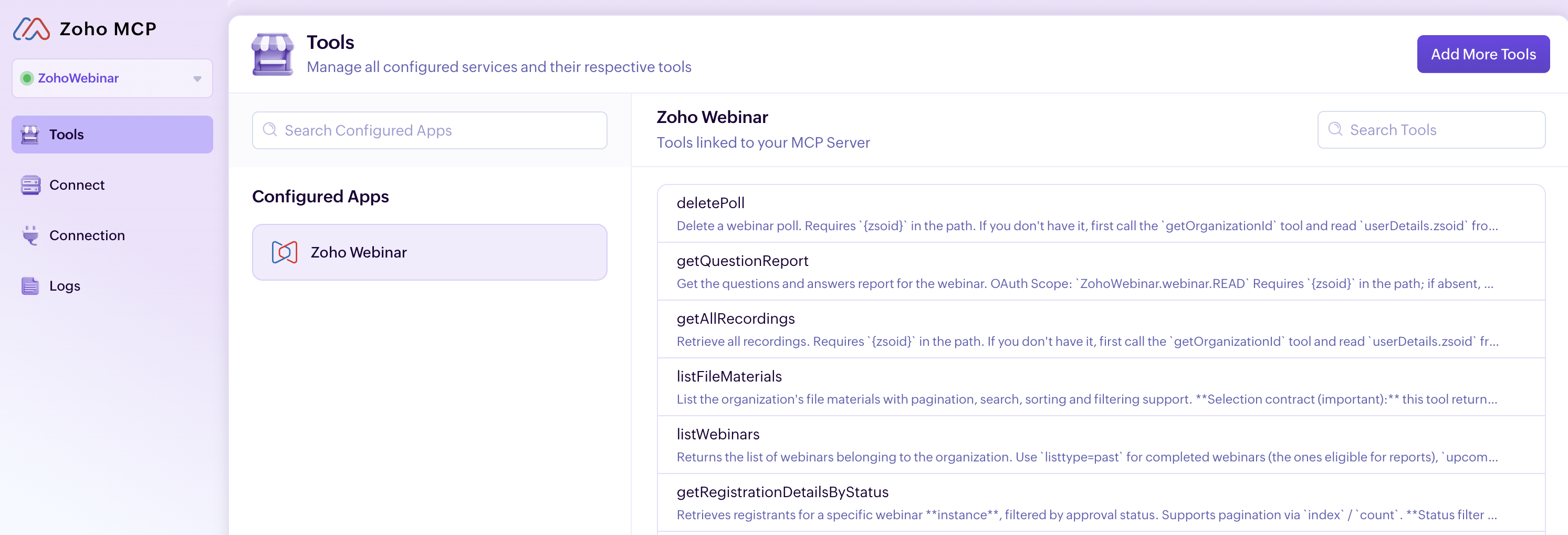
MCP
This is the feature at the heart of everything we’ve been building. Zoho Webinar MCP lets your AI assistant connect directly to Zoho Webinar and manage your entire webinar operation through simple, natural language.
Think of it as a webinar assistant that works alongside you before, during, and after every webinar. Whether you’re scheduling sessions, bulk-registering attendees, or coordinating multi-session events, your AI assistant handles it. Type something like: “Schedule a product demo, next Thursday at 10:00 am, schedule a campaign to promote it my leads, and add the registrants to my CRM” and it will happen instantly.
Workflows
Stop doing the same webinar tasks over and over
Every webinar comes with repetitive work: confirmations, reminders, follow-ups, recording distribution, and attendee updates. What if these tasks could run automatically while you focus on creating great content? That’s exactly what Workflows enables you to do. Zoho Webinar Workflows automates these routine tasks so your team can focus on delivering great sessions instead of managing manual processes. Set a trigger, choose who it applies to, and define the action. Workflows takes care of the rest.
Automate the entire webinar lifecycle
Setting up a workflow is simple. Give your workflow a name, choose the event that should trigger it, decide whether it applies to everyone or only a specific group, and define the action to take. Automate the entire webinar lifecycle, from registrations and attendance to recordings, transcripts, summaries, and engagement activities such as poll responses. Whether you need real-time notifications or scheduled follow-ups days after the event, workflows help you stay organized and responsive.
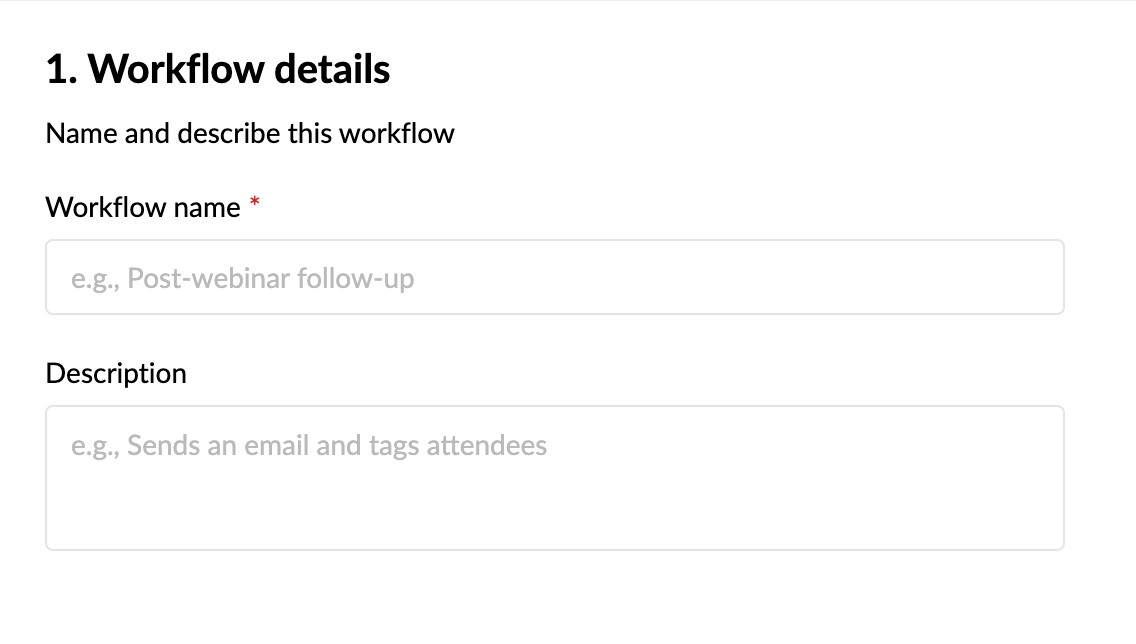
Trigger
Triggers are organized into five modules: Webinar, Registration, Attendee, Recording, and Engagement. Select the module that matches the event you want to automate, then choose the specific trigger action within it.
Conditions
Conditions are used to determine when the workflow should run. You can choose to run the workflow without adding any condition, or narrow it down to a specific subset.
Actions
Actions define what happens when the trigger fires and the condition is satisfied. Two types of actions are supported in Workflows: Instant and Scheduled actions. Choose the action type that fits your automation.
With these three tasks, you can automate the entire webinar lifecycle, from registrations and attendance to recordings, transcripts, summaries, and engagement activities such as poll responses. Whether you need real-time notifications or scheduled follow-ups days after the event, workflows help you stay organized and responsive.
Here’s a few workflow examples for you to try:
1. Recording is added > Add file to Dropbox.
2. Recording transcript > Post in on Medium.
3. Registrant details with attendance and poll response > Zoho Analytics.
AI writing assistant
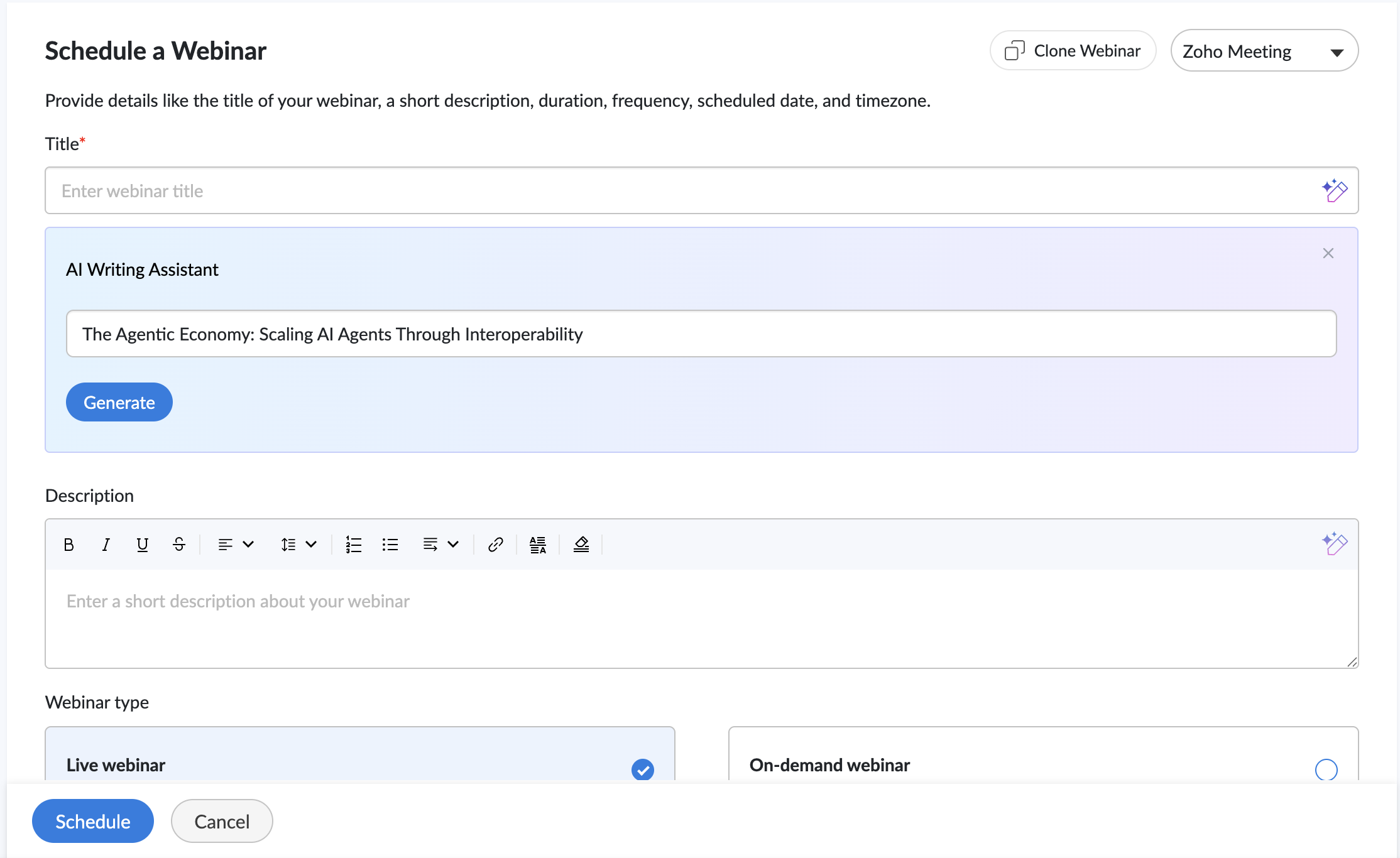
Our AI companion helps you create compelling webinar titles and descriptions in seconds. Instead of starting with a blank page, simply provide a keyword or a brief overview of your webinar, and the assistant generates ready-to-use content that you can review, refine, and publish.
- Choose from five tones: Professional, Conversational, Friendly, Optimistic, or Curious.
- Adjust the length to make content shorter or more detailed.
- Regenerate suggestions with a single click until you find the version that fits your webinar
Quick Email Templates
We’ve also introduced Quick Email Templates in Zoho Webinar, making it easier to customize emails without editing every message from scratch.
- Tailor subject lines to fit your webinar.
- Add personalized opening and closing notes.
- Create polished attendee communications in minutes.
From registration confirmations to webinar reminders and follow-ups, quick email templates help keep attendees informed while reducing the effort required to manage event communications.
AI recording
Your webinar’s value shouldn’t end when the live session does. Meet your AI co-organizer that stays back after every webinar to organize, summarize, and highlight what matters most for your audience. Our AI recording feature:
- Picks out the key moments worth revisiting as Highlights.
- Keeps recordings organized with Smart Chapters for easy navigation.
- Takes notes for your audience with summaries and transcripts.
Whether you’re running training sessions, product demos, or educational webinars, these AI features help attendees revisit key insights, navigate content more easily, and get more value from every recording.
Branding
With our registration page branding feature, you can design registration pages that align with your brand, feature your speakers, and build credibility with attendees from the moment they land on your registration page.
Wrapping up
Behind every successful webinar is a team working together to create a great experience for attendees. With this release, we hope to join your team.
We’ve introduced a collection of features designed to support organizers throughout the webinar journey—from planning and promotion to engagement, follow-ups, and post-event analysis.
Everything we’ve shipped this summer, including Workflows, Quick Email Templates, AI Recording, Branding, and Zoho Webinar MCP, is built around a simple idea: Webinar organizers shouldn’t have to do everything on their own. These features are designed to work alongside you, helping with preparation, engagement, and follow-up so you can focus on delivering a great webinar experience.
Recent Topics
Zoho Forms integration Google Sheets
Hi, quick one. I wonder if you can help. I have a Zoho Form integrated to a Google Sheet. The fields are showing across the top, but no records are there. I have checked in Zoho Forms to see if there have been any failed integrations, but there are none.
What's New in Zoho POS - August 2026
Hello everyone, Welcome to Zoho POS’s monthly update, where we share our latest feature updates, enhancements, events, and more. Let’s take a look at how August went. Boost your customer loyalty with loyalty points In a retail business, keeping a customer
Zoho ERP | Product updates | June 2026
Hello users, We launched Zoho ERP on January 23, and since then, our goal has been to help businesses streamline and manage their operations with greater efficiency, flexibility, and control. Since the launch, we've continued to enhance the platform every
3 numbers after comma in discount field
Hi, i need to make discount like: ex. 34,345% it's possible? Thank you.
ZOHO Campaigns in ZOHO Analytics - Campaigns vs Contacts Table
There seems to be information in the Zoho Campaigns table such as Unique Opens and Unique Clicks that can't be found in the Campaigns vs Contacts table where only Opens and Clicks are shown on a per contact level. Is there a way to bring Unique Opens
Canva Integration
Hello! As many marketing departments are streamlining their teams, many have begun utilizing Canva for all design mockups and approvals prior to its integration into Marketing automation software. While Zoho Social has this integration already accomplished,
Time Zone is incorrect
Time zone is not working properly...I've checked it twice. I'm eastern U.S. time it's currently 12:22 pm EST. CRM shows 3:22 pm EST.
Default Country list suggestions on CRM is different then on Book; how do/did others address this?
So I already have a support ticket in for this and waiting for a response but figured I'd ask the community also to see if others experienced the same problems and/or how they went about addressing it because sometimes I feel like I'm going crazy with
Zoho CRM Layout Rules: Nine New Actions, Profile-Based Execution, and Interactive Preview
Hello everyone, Availability: This feature is now available for all users. We’re excited to announce powerful new enhancements to Layout Rules in Zoho CRM - a feature built to guide our teams through form-filling by showing the right information to the
Vehicle Tracking
we have GPS devices that installed on our vehicles, and we would like to know if it's possible to get vehicle live location data from the GPS device To Zoho Creator App. Thank You
Check out the new Checkbox in Zoho Sheet
Checkbox, the simple GUI widget that lets you choose between two mutually exclusive options i.e Yes or No, is now in Zoho Sheet. Having made it across the web, Checkbox is familiar but is still elusive to most spreadsheet software. Special developer ribbons, macros and all other complexities to add a checkbox to a spreadsheet? Not in Zoho Sheet. How to add Checkbox to Zoho Sheet? Adding a Checkbox in Zoho Sheet is simple. Select a cell/range and choose "Checkbox" in "Input Controls" under the Format
I want to delete payment detail of my cards from the system.
Custom Calendar View for a Custom Module in Zoho CRM
Hello everyone, I’m looking to create a calendar view (monthly grid, similar to Google Calendar) for a custom module in Zoho CRM, based on a date field within that module. The goal is to have a highly customized visual layout — colors depending on the
Enhancements related to emails
Dear All, We hope you're well! We talked about the new email configuration in our previous announcement. In line with that, we're here with a few enhancements related to emails in Zoho CRM to improve how users view their emails and attachments from within
Project Change Orders and Additions
We are in the process of migrating from QuickBooks Online to Zoho Books. We have Zoho One and like the ability to sync all of our data across everything. And I like that projects work in a way that's less dumb than QuickBooks. I'm trying to figure out
How Can I Recover My Website After the August Spam Update?
Hi everyone, My website was hit quite badly during the August spam update 2026, and I'm trying to understand what I should do to recover it. My traffic and search visibility have dropped, but I'm not sure what exactly caused the problem. I have already
Assembly Reporting in Composite Item View - Add 'Per-Unit Cost' Column
When a user in the UI goes to a Composite Item, looks under Transactions, and selects Assemblies, the screen below is shown. This is all good information, but one piece of very important data is missing... the per-unit cost. I realize that for those on
Zoho Deluge Outage
Hello Enterprise Support Community, We wanted to make you aware that we are currently experiencing an outage affecting Zoho Deluge. Our developers are actively investigating the issue and working to restore service as quickly as possible. We apologize
Impact/Best Practices when "US Zoho Services Availability - Incident, Zoho Deluge is down"
I've been seeing this more recently and I've been wondering exactly what that means/affects and how to best address it when it does. I can check for function failures, but are all function calls when this happens logged a failure, or are errors silently
Day 2: Wait, where did everything go?
You log in the next morning, and the setup you finished yesterday is nowhere to be found. You are having a hard time finding your data. Here is where to look. In this post I logged in, and my data is gone. Where is it? I set things up, but I am looking
Estimates or quotes in Inventory
Our pottery wholesale business is heavily inventory based. We are planning to switch from Quickbooks to Zoho Inventory which will be a great improvement on the "sales" side for in-house sales and salesreps. The only thing we are missing in Zoho Inventory
CLIENT PORTAL (If clients can place orders directly on the portal)
Zoho client portal is excellent. Everything is there except one thing. Client should be able to place orders directly on the portal. This would enhance the portal and end users will be extremely happy. This suggestion infact came from one of our client.
Deal win rate
Hi, I would like to know something very simple, yet very important. Wath is the winning rate of the deals I've created. For exemple, what percentage of the deal i've close the last month where wins. Would seems easy to find... but can see a report for that... Help please.
Create Flexible Layouts with Layout Rules
In a project, when a work moves from planning to execution, the information teams need can change at every stage. A project can need one set of details, a phase can need another, and a custom process may require an entirely different set of information.
Zoho Team Inbox - roadmap
Hi, would be good to understand the Teaminbox roadmap, in particular: 1. API / Zoho Deluge connections. We have a process where the each email needs to be either tagged or assigned daily. It would be great if we could automate a 5pm alert for any exemptions
Conditional branching in Zoho Desk with Automation Studio
Hello everyone, We are introducing conditional branching that will allow businesses to manage complex, multi-condition workflows for customer service processes using Automation Studio. The primary goal is to create multi-branched logic in a single rule.
Custom Function to increment a value by one
Hi, I'm trying to find a solution to set up a counter on CRM records that tracks how many times certain actions have taken place. As a specific example: We have a field on Deals called "Times Close Updated". This starts at 0 on record creation. I'd like
Guide customers to the right booking page with routing forms
Greetings from the Zoho Bookings team! We're excited to introduce Routing Forms in Zoho Bookings. Routing forms let you collect information from customers before they schedule an appointment and automatically direct them to the most appropriate booking
One flow for fulfillment exceptions across CRM, Inventory, and Desk | Kiosk Studio Session #11
Hello folks, Some orders get flagged in the fulfillment stage. One is short by six units, with nothing from the warehouse explaining why. Another shipped in full three days ago and still reads as pending, because the carrier never posted a scan. A third
Zoho CRM Community Digest - August 2026 | Part 2
Hello everyone! August's second half brought a strong set of updates to Zoho CRM. The Functions experience gets a complete redesign, Incentives brings commission management natively inside the platform, and Dashboards pick up four focused improvements.
Spam Control in Zoho Mail: Manage and Filter Incoming Emails for Your Organization
Unwanted emails are a common challenge for organizations of all sizes. Without a structured spam control system, spam emails can flood user inboxes, expose sensitive data, and disrupt communication. Zoho Mail's Spam Control feature gives administrators
[Webinar] Automating document review and approval workflows
Live webinar on September 10, 2026 | Time: 2 PM IST | 2 PM EDT Hi, Still juggling multiple tools, chasing approvers manually, and losing visibility into where your documents stand? Join our live webinar to learn how Zoho Writer's built-in workflow engine
Version Control and Git Integration for Zoho Creator Applications
As Zoho Creator applications grow in complexity, managing code changes, tracking history, and collaborating across developers becomes increasingly difficult. Currently there is no native way to: Track what changed, when, and by whom across Deluge functions,
Zoho Inventory - Imporoved Order Fulfillment Reporting
Hi Inventory Team, i've tried to contact you through support@eu.zohoinventory.com but haven't received a response. I am contacting you on behalf of a client. Our client is a car parts wholesale business and we set them up on Zoho Inventory earlier this
Zoho Webinar - Sharing System Audio (NOT AVAILABLE)
Hi, We are having a serious problem with Zoho Webinar. In the webinars we run, we very often share the audio from a video we are streaming directly from YouTube or other applications. Until recently we were using Zoom, but as we use other Zoho applications
Phone field Zoho CRM E.164 format
Hi, We have a webhook triggered flow in Zoho Flow which creates a lead in Zoho CRM. However, the phone format is not always in E.164 format. How can I solve this problem? Do I need a custom function within Zoho Flow or in Zoho CRM? So the following formats
Workshops Zoho – 5 & 6 novembre 2026 | Paris
Les Workshops Zoho reviennent en France avec une édition pensée pour tous les niveaux ! Les 5 et 6 novembre, nous vous donnons rendez-vous au Mercure Hôtel Paris Porte de Versailles Expo pour deux jours de formation pratique, de démonstrations en direct
Stock Based Sort-by option in Category Pages
In a category page product with In-Stock should come in the top of the categories product list rather than out-of-stock products. No having this option is extremely disappointing, I made the initial request about 7 months ago but still not even an update
Zoho Books - France
L’équipe de Zoho France reçoit régulièrement des questions sur la conformité de ses applications de finances (Zoho Books/ Zoho Invoice) pour le marché français. Voici quelques points pour clarifier la question : Zoho Books est un logiciel de comptabilité
Editting PDF in Zoho online editor doesnt work
I just tried editting a simple 3 page PDF but it opens up blank. I dont see any errors or feedback if something went wrong
Next Page