メモの保存場所、見直しませんか?― Zoho Notebookで始める情報管理

メモの保存場所、見直しませんか?― Zoho Notebookで始める情報管理

ユーザーの皆様、こんにちは。ゾーホージャパンの朝香です。


AIを利用した業務が広がる中、AIによる情報漏洩対策を進めている組織も多いのではないでしょうか。

一方で、日常的に使っているメモの管理については、対策できていますか?

業務中のメモには、重要な情報が含まれていることがあります。

そのため、AIへの入力だけでなく、メモの保存先についても是非確認をおすすめしたいと思います。


そこで今回は、使いやすさだけでなく、セキュリティにも配慮して設計されたZohoのノートアプリ「Zoho Notebook」をご紹介します! 



Zoho Notebookとは?

Zoho Notebookは、メモ、アイデア、画像、音声、ファイルなどを、1つのスペースにまとめて保存・整理できるノートアプリです。

基本的な機能は、無料でお使いいただけます。

テキストだけでなく、参考資料を添付したり、今後のToDoをチェックリストにまとめたり、業務に合わせてさまざまなデータを見やすくまとめることができます!
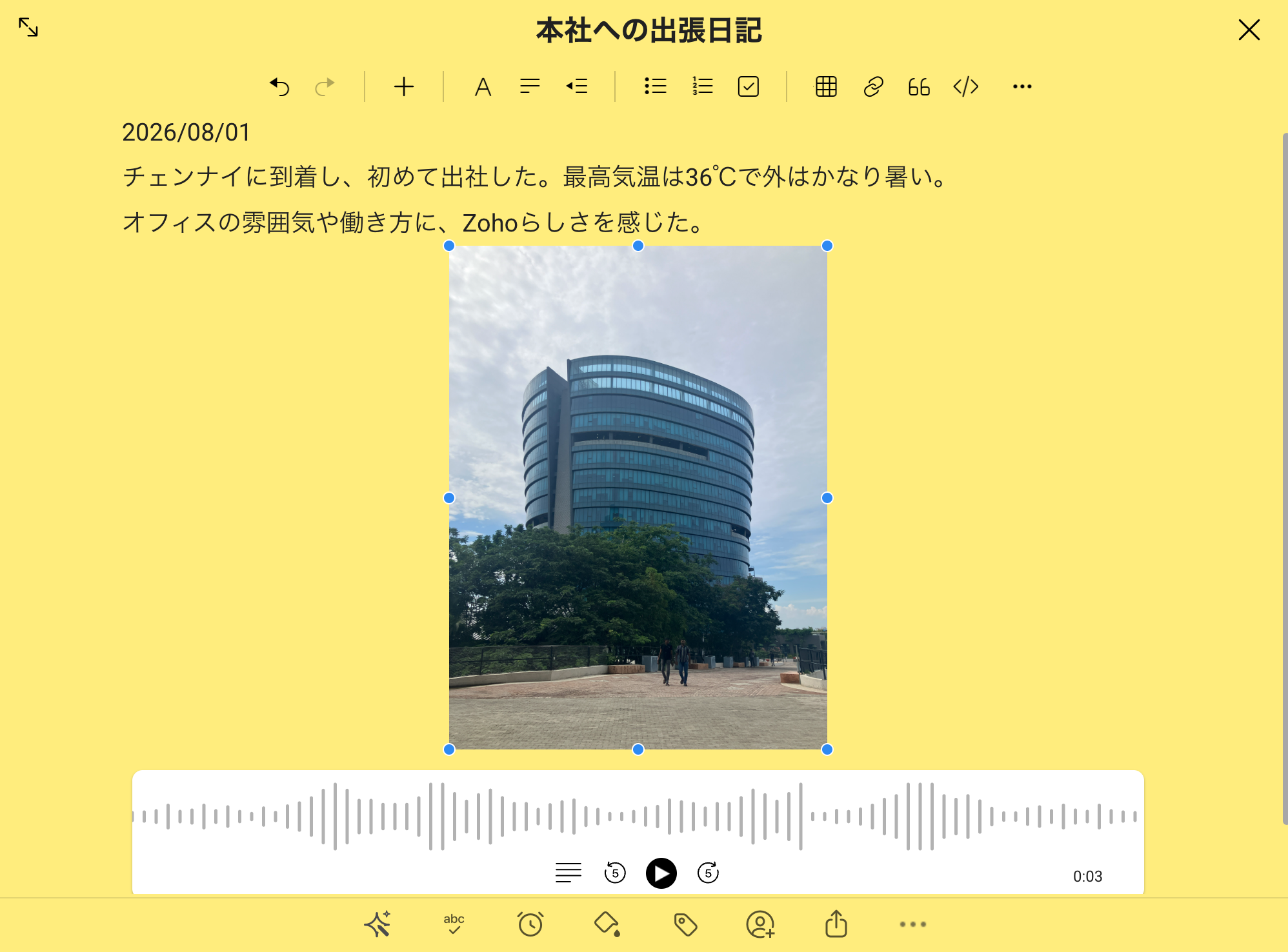


プライバシーとセキュリティーを重視した設計  

業務中のメモには、顧客名や商談内容、社内会議の内容など、重要な情報が含まれることがあります。

だからこそ、メモアプリを選ぶときは、書きやすさや整理のしやすさだけでなく、保存したデータがどのように扱われ、利用者側でどこまで設定できるのかも確認したいところです。


Zoho Notebookは、「ユーザーのデータはユーザー自身のものである」という考え方に基づき、広告を表示せず、ユーザーデータを第三者に共有しない方針を示しています。

また、次のような機能や設定が用意されています。

  • データは、通信中(転送時)および保存時に自動的に暗号化されます

  • 必要に応じてアプリ、ノート、カードをパスコード、Touch ID、またはFace IDでロックできます(Touch IDやFace IDは モバイルアプリで利用できます

  • Spotlight、クリップボード、Siri、音声認識などとデータを共有するかどうかを設定できます(iOS版のモバイルアプリ)

Warningもちろん、Zoho Notebookを利用すればどのような情報でも保存してよいわけではありません。顧客情報や機密情報を扱う際は、自社の情報管理ルールに従いましょう


Zoho Oneユーザーの皆さまへ!

Zoho Oneには、Zoho Notebookの最上位プラン「Notebook for Businessプラン」相当が含まれています。

チーム用ワークスペースの作成ホワイトボードAI機能など、組織での利用に役立つ機能を追加料金なしで利用できます。

すでにZoho Oneの契約に含まれているのにまだ使っていない場合は、もったいないかもしれません...。

Idea

下記のページを是非ご覧ください。

 【Zoho Notebook】Zoho Oneユーザー向けのベストプラクティス


Zoho Notebookが便利な理由

・複数のデバイスでデータの同期が可能

Zoho Notebookは、ブラウザ版の他にも、デスクトップアプリ、スマートフォン、タブレット、Apple Watchなど、さまざまな環境で利用できます。

同じZohoアカウントでサインインすれば、端末をまたいでメモを確認・更新できます。

PCから作成した会議メモを移動中にスマートフォンで確認したり、外出先で思いついたことをすぐに記録したりできます!


・他のZoho製品と一緒に使いやすい  

Zoho Notebookは、他のZoho製品の画面上から利用することもできます。

例えば以下のような場面で、わざわざ画面を切り替えることなく、メモを取ることができます。

  • Zoho Cliqでの通話中やZoho Meetingでのミーティング中に、画面を切り替えずにメモを作成

  • Zoho Mailで受信メールを確認中に、メールの内容をそのままメモに保存

  • Zoho Booksで請求書を作成中に、入金確認に関するToDoをメモ

  • Zoho SalesIQでチャット対応中に、対応内容に関するメモを作成


ちょっとした手間を省くことができて便利です!


Zoho Notebookの利用を始めるには?

Zoho Oneユーザー様

こちらで手順をご確認ください。


・︎上記以外のユーザー様

こちらからZoho Notebookへサインアップできます。


まずは1件、カードを作ってみましょう  

最初から複雑な使い方をする必要はありません!

まずはZoho Notebookを開き、次のようなメモを1件作成してみてください。

  • 今日のミーティングメモ

  • 今週のToDoリスト

  • 後で読みたいWebページ

  • 思いついた業務改善のアイデア


最後にひとこと

ここまで読んでくださり、ありがとうございます。

私自身もZoho Notebookを毎日利用しています。

Zoho Notebookといえばカラフルなカードも特徴の1つですが、私は色の情報が多い画面が少し苦手なので、カードの背景はいつも「白」に設定しています。

自分の好みに合わせて表示を調整できるところも、個人的にうれしいポイントです。
Notes(設定方法はこちら


実際に使ってみて便利だと感じた機能や、おすすめの使い方がありましたら、ぜひコメントで教えてください!


      Zoho Campaigns Resources


        • Desk Community Learning Series


        • Digest


        • Functions


        • Meetups


        • Kbase


        • Resources


        • Glossary


        • Desk Marketplace


        • MVP Corner


        • Word of the Day


        • Ask the Experts


          • Sticky Posts

          • 【ZOHO】コミュニティユーザー自己紹介のトピック

            日頃よりZoho Japan Communityをご愛顧いただき、ありがとうございます。 おかげさまで昨年より、フォロワー数も増えてまいりました! 人数も50名を超えてまいりましたので、改めて運営しているZohoメンバーの自己紹介の場、また皆さまがご自身を紹介できる場を目的とした、トピックを作らせていただきます。 これからご参加いただく方も、立ち上げ当初からお付き合いいただいている方も、よろしければ当スレッドのReply欄からご自由にコメントいただければ嬉しいです。(オンラインフォーラムは現状オープンなフォーラムとなっているので、記入できる範囲で構いません) スライドテンプレートもご用意いたしましたので、もし良ければご自由にご利用ください。下記のリンクからダウンロードいただけます。 https://zurl.co/lC7N  テキストのみのコメントでももちろんOKです。 — 自己紹介例 【お名前(ニックネーム)】 【利用中のZohoサービス】 【ユーザー歴】 【ご利用人数】 【興味のあるZohoサービス】 【Zohoを利用し始めた、興味を持ったきっかけ】 【活用している主なサービスや機能】
          • 【ZOHO】オンラインフォーラムのご利用について

            こちらでのディスカッション、またそれ以外でも普段より、様々な投稿/コメントで支えていただき、ありがとうございます。 オンラインフォーラムの運営に関しては、まだまだ完璧ではなく、 それゆえに皆さまにご不便をおかけしている部分もあり恐縮ですが、いただいたご意見も参考にしつつ、少しずつ試行を重ねています。その上でにはなりますが、改めてオンラインフォーラムの方針と別投稿にて機能要望に関する対応に関し、共有いたします。 Zoho Japan Community オンラインフォーラムについて ・Zoho製品を利用するユーザー様同士の交流、ノウハウ共有を目的としたオンライン掲示板です。  製品に関するご質問、ご意見につきましては、オンラインフォーラム上で、Zoho側からの回答を保証するものではありません。 ・コミュニティ運営に関わる投稿など、一部ゾーホージャパンからもコメント/投稿を行わせていただくことがあります。 ・製品に関する投稿の、Zoho側からの確実な回答をご希望の場合は、以下の方法をご検討いただけると幸いです。 <製品に関する質問に対し、確実にZoho側からの回答が欲しい場合> ・ご購入前:sales@zoho.jp
          • Zoho Japan Community オンラインフォーラムの利用案内

            この度は、Zoho Japan Communityのオンラインフォーラムにご参加いただき、ありがとうございます。 ご利用にあたり、以下案内をご一読願います。フォーラムの使い方に関してはこちらをご確認ください。 1. オンラインフォーラムの利用について  オンラインフォーラムに投稿、リアクションを行うには、ユーザー登録が必要となります。 登録情報に関しては、パスワードを適宜変更するなどして自己責任での管理をお願いします。 ユーザーは、自由にオンラインフォーラムのユーザー登録から退会できます。なお、オンラインフォーラムから退会しても、当該ユーザによる投稿は引き続き掲載することがあります。

          Zoho CRM Plus Resources

            Zoho Books Resources


              Zoho Subscriptions Resources

                Zoho Projects Resources


                  Zoho Sprints Resources


                    Zoho Orchestly Resources


                      Zoho Creator Resources


                        Zoho WorkDrive Resources


                          Zoho CRM Resources

                          • CRM Community Learning Series

                            CRM Community Learning Series


                          • Tips

                            Tips

                          • Functions

                            Functions

                          • Meetups

                            Meetups

                          • Kbase

                            Kbase

                          • Resources

                            Resources

                          • Digest

                            Digest

                          • CRM Marketplace

                            CRM Marketplace

                          • MVP Corner

                            MVP Corner


                            Zoho Writer Writer

                            Get Started. Write Away!

                            Writer is a powerful online word processor, designed for collaborative work.

                              Zoho CRM コンテンツ


                                ご検討中の方

                                  • Recent Topics

                                  • [IDEA] Bring Layout - Conditional Rules and Client Scripts to Zoho Books

                                    The problem We run Zoho Books with two e-invoicing integrations: myData (Greek tax authority, AADE) and PEPPOL (EU e-invoicing). Between the two, our Invoice form carries a large number of custom fields — document type codes, VAT exemption categories,
                                  • Last four Digit field in Zoho Payment Received

                                    One of our client's payment received doc has Notes, Last four digit and Transaction ID fields set, I couldn't find api parameter for these fields in the documentation... when I checked the site, it's not custom fields as well. where do i find it, any
                                  • Automatically remove commas

                                    Team, Please be consistent in Zoho Books. In Payments, you have commas here: But when we copy and paste the amount in the Payments Made field, it does not accept it because the default setting is no commas. Please have Zoho Books remove commas autom
                                  • Show my cost or profit while creating estimate

                                    Hi, While creating estimate it becomes very important to know exact profit or purchased price of the products at one side just for our reference so we can decide whether we can offer better disc or not .
                                  • Admin Logging in as another User

                                    How can a Super Admin login as another user. For example, I have a sales rep that is having issues with their Accounts and I want to view their Zoho Account with out having to do a GTM and sharing screens. Latest Update (27th April 2026): With the early
                                  • Zoho CRM Layout Rules: Nine New Actions, Profile-Based Execution, and Interactive Preview

                                    Hello everyone, Availability: This feature is now available for all users. We’re excited to announce powerful new enhancements to Layout Rules in Zoho CRM - a feature built to guide our teams through form-filling by showing the right information to the
                                  • Previewing attachments in email composer (Zoho CRM)

                                    When I am sending an email from a contact's record, when I am in the compose email screen, if I add an attachment to the email, I cannot then click on the attachment to view it to see if it is in fact the correct attachment before sending. In Outlook I can do this. Can you please look into incorporating this into future updates?   Thank you, Bianca.
                                  • Lookups and Custom Modules

                                    I created a Custom Module that I'm calling "Item Purchasing Group". This module will store information for groups of Items that must be purchased together (including minimum overall quantities and/or values, etc.). This will have a one-to-many relationship
                                  • How to add custom lookup-type field to meeting module form in Zoho CRM

                                    We need to have a lookup field to a custom module's record in Zoho CRM. But it appears that look-up fields are not enabled in Meetings/Events module in Zoho CRM. How do I design/implement a custom look-up type field that will lookup records from custom
                                  • can't access zoho account

                                    I can't log in to my zoho account, can you help me
                                  • Auto sync Photo storage

                                    Hello I am new to Zoho Workdrive and was wondering if the is a way of automatically syncing photos on my Android phone to my workdrive as want to move away from Google? Thanks
                                  • Has anyone integrated Zoho with Go High Level (GHL)? Looking for guidance

                                    Hi everyone, I’m exploring the possibility of integrating Zoho applications with Go High Level (GHL) and wanted to check if anyone in the community has experience with this. Specifically, I’m interested in understanding: Whether a direct integration is
                                  • Updating Unit Code for New Item Creation, Quote and Invoicing is so inconvenient

                                    The Zoho Team has implemented many updates, but these updates should be optional. Before rolling out any new feature, they should already have a solution in place that allows users to remove or disable it if they choose not to use it. Just yesterday,
                                  • Item/service subtotal

                                    Just discovered & really pleased that we can drag to re-order the line items in Sales orders & Invoices, a very nice feature which doesn't seem to be documented? It would be nice to be able to insert a subtotal as a line item to complete this great feature
                                  • The reason I switched away from Zoho Notebook

                                    My main reason for switching to Zoho was driven by three core principles: moving away from US-based products, keeping my data within India as much as possible, and supporting Indian companies. With that intent, I’ve been actively de-Googling my digital
                                  • I want to prefill CRM Account information using the GSTIN of the Customer

                                    Currently i need to add account details manually in zoho crm and when it syncs in zoho books manual working needs to be done. Whereas in zoho books i can prefill the customer details using the GSTIN which is great feature. Can the same be enabled for
                                  • #5 Is This Actually The Right Tool For Me?

                                    Day 5: Before Meera brought six months of business history into Zoho Invoice, she stopped and asked herself a very sensible question: Is this actually the right tool for me? It is much easier to ask that now than after moving all your data. The Usual
                                  • Timesheet entry and comment on the actual timesheet

                                    Dear madam/sir, It would be really helpful if we could add an option to comment on a specific timesheet entry, after the employee logs a time-log. Would that be possible in the future? Or can you suggest another way to do this?
                                  • OpenAI Is Moving to the Responses API: Here's What It Means for SalesIQ

                                    OpenAI has deprecated its Assistants API and is moving to the Responses API. If you're using OpenAI Assistants with SalesIQ, you may be wondering if you need to make any changes to your existing setup. You don't. SalesIQ has already taken care of the
                                  • Need Native Support for docx files in Zoho Writer

                                    Absolutely love Zoho Writer, but often need to share files by email with people who are in the Office ecosystem. Downloading a file as docx, then sending it by email, getting the comments back, converting it to Zoho format, editing it, then converting
                                  • CRM integration issues

                                    hi Just start testing Campaigns. Read up on up on these issues but can not find an answer. I am super admin. 1) its only showing 1002 contacts, I have a 2500 plan which is confirmed in dashboard. I says it sync'd 1400. I've looked at missing contacts,
                                  • What's New in Zoho Expense: Integrated Business Travel and AI-Powered Expense Management

                                    This release brings a wide range of updates across Zoho Expense, including new AI-powered capabilities, enhancements to corporate cards, expense management, audits, and more. Keep reading to know how the new updates can transform your travel and expense
                                  • ChatGPT Plugin / MCP Server auth error

                                    Hi all I'm trying to connect the ChatGPT plugin for Zoho CRM but after username stage of the auth process, I get this error from the URL https://mcp.zoho.eu/mcp-client/ {"error_description":"Invalid request url, Request is not as per defined in oauth
                                  • Project Management Platforms for AI Agents: What Matters Most?

                                    Zoho Projects is already going beyond basic AI assistance with MCP, AI Bridge, and integrations that let AI models access project data and perform actions. That raises an interesting question: what should a project management platform for AI agents actually
                                  • Cliq iOS can't see shared screen

                                    Hello, I had this morning a video call with a colleague. She is using Cliq Desktop MacOS and wanted to share her screen with me. I'm on iPad. I noticed, while she shared her screen, I could only see her video, but not the shared screen... Does Cliq iOS is able to display shared screen, or is it somewhere else to be found ? Regards
                                  • Sync workdrive feature inside ZohoCRM

                                    Hi, I'm exploring the new workdrive/ZohoCRM connector released by Zoho to replace the free extension workdriveforCRM which is decomissioned https://marketplace.zoho.com/app/crm/zoho-workdrive-for-zoho-crm I'm rather upset with this long awaited feature,
                                  • Adding Custom Status Options in Work Order Action Menu

                                    Hello FSM Team, We would like to inquire if it is possible to add more custom options in the Work Order action/status dropdown (e.g., Cancel, Terminate, Non-Billable, Void, etc.). Currently, the available options are limited, and we are unable to customize
                                  • Timesheet Task Icons

                                    In the image below which shows the task field drop down when creating a timesheet against a project and task. What do the icons mean the the right side column against each task? I can't find any documentation or guide that explains what the no entry sign,
                                  • Open Records in a New Browser Tab

                                    Hi FSM Team, Just a suggestion: It would be helpful to have a right-click → Open in New Tab option in FSM, similar to CRM. This should ideally work for any clickable record or module, allowing users to open multiple records in separate tabs without losing
                                  • Facturation électronique 2026 - obligation dès le 1er septembre 2026

                                    Bonjour, Je me permets de réagir à divers posts publiés ici et là concernant le projet de E-Invoicing, dans le cadre de la facturation électronique prévue très prochainement. Dans le cadre du passage à la facturation électronique pour les entreprises,
                                  • Marketing Tip #18: Make your online store mobile-friendly to improve traffic

                                    Most online shoppers browse on their phones first. If your store is hard to read, slow to load, or tricky to navigate on mobile, they’ll bounce fast. A mobile-friendly store doesn’t just look nice; it improves engagement, reduces drop-offs, and helps
                                  • Cannot add note to record on mobile

                                    In the latest version of the mobile app - if a record already has notes associated with it - you can add a note via the mobile app - if a record does not have previous notes there is no way to add a new one - it allows me only to send email
                                  • Dashboards for Customers

                                    Is it possible to build dashboards for each customers in the community for their tickets?
                                  • Custom color coding for your entities

                                    Our brains are fine tuned to recognize colors before any text or shapes, making color coding a powerful tool to organize data and find items quickly. Color coding of our day-to-day work help with quickly processing the information, reducing cognitive
                                  • The Social Wall: August 2026

                                    Hello everyone. Welcome to the August 2026 edition of The Social Wall. This month, we're bringing you updates that make it easier to reach your audience, manage more channels, and streamline your publishing workflow. Here’s what’s new. WhatsApp bulk messaging
                                  • Check out in Meetings

                                    Why there is no check out in Meetings of Zoho CRM, very difficult to track
                                  • How do I get to "Admin Panel"

                                    I just started a Cliq account. I am the sole administrator. As I read the documentation, I keep seeing reference to an "Admin Panel". I see no way to access this from my Cliq account. How do I access this panel?
                                  • 【初開催! オンライン】Zoho Campaigns メール配信の基礎・活用勉強会を開催します! 10/15 参加無料

                                    ユーザーの皆さま、こんにちは。 Zoho コミュニティグループの中野です。 Zoho ユーザーコミュニティ初となる、メールマーケティングをテーマにしたオンライン勉強会を開催します! ▶︎イベント詳細・参加登録はこちら 今回取り上げるサービスは「Zoho Campaigns」です。 「Zoho CRMとZoho Campaignsのどちらからメールを配信すればよいか分からない」 「一斉配信はできるようになったけれど、現在のリスト管理や設定が正しいか不安」 「メールを送るだけで終わり、配信後の改善につなげられていない」
                                  • Marketing Tip #46: Run flash sales the right way

                                    A flash sale can do a lot for your store. It can clear slow-moving inventory, spike revenue on a slow day, or reward your most loyal customers. But if done carelessly, flash sales can backfire. Customers start expecting discounts, stop buying at full
                                  • Introducing Smart Fields in Zoho Forms

                                    Hello form builders! We are excited to introduce Smart Fields in Zoho Forms - a faster way to add calculations to your forms without writing formulas. Instead of creating multiple fields and configuring complex calculations yourself, you can now drag
                                  • Next Page