CRM Address Field - States with Countries in brackets
Hi,
Could you please remove the country in brackets from the Global State List, or at least allow us to edit these entries? It looks like the brackets were added during the initial data population, perhaps by someone building the list in a spreadsheet who used them to check for duplicate states and then forgot to remove them.
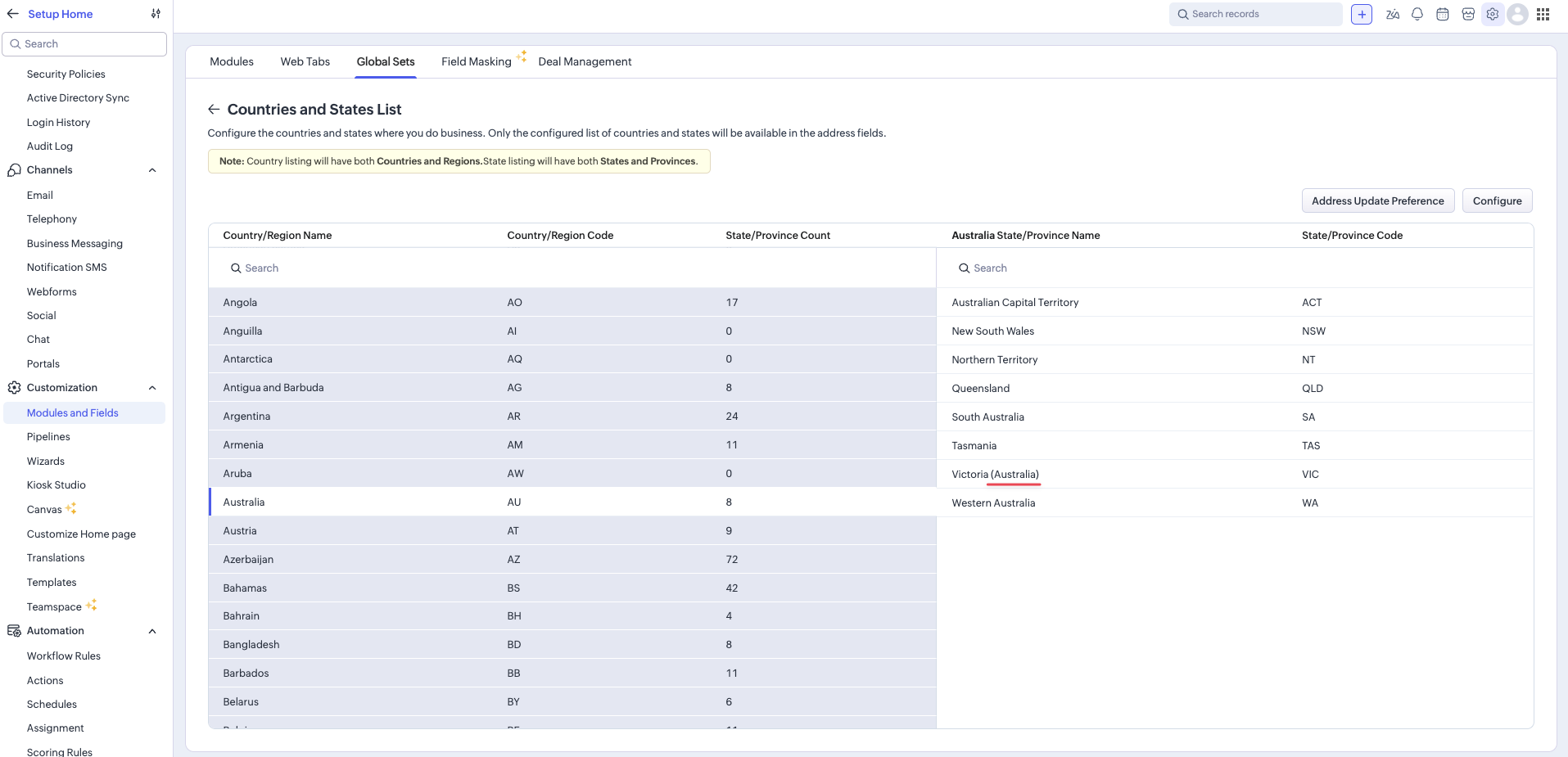
For example, under Australia, the State List shows "Victoria (Australia)". We just want "Victoria".
The country name isn't needed after the state, because the country is already known. The address field requires a country to be selected before the state list populates.
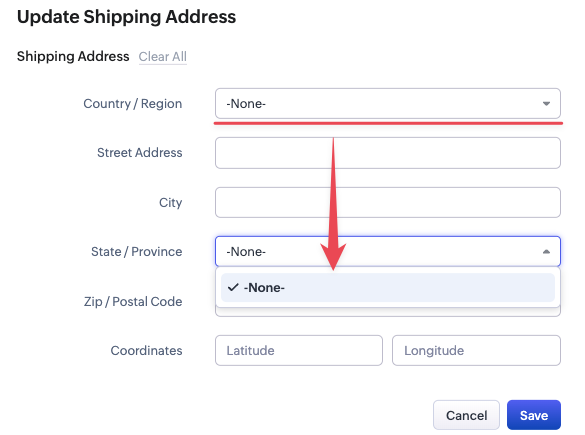
This affects the CRM experience and everything linked to the field:
1. It looks messy and redundant in the CRM, since the country field is already there.
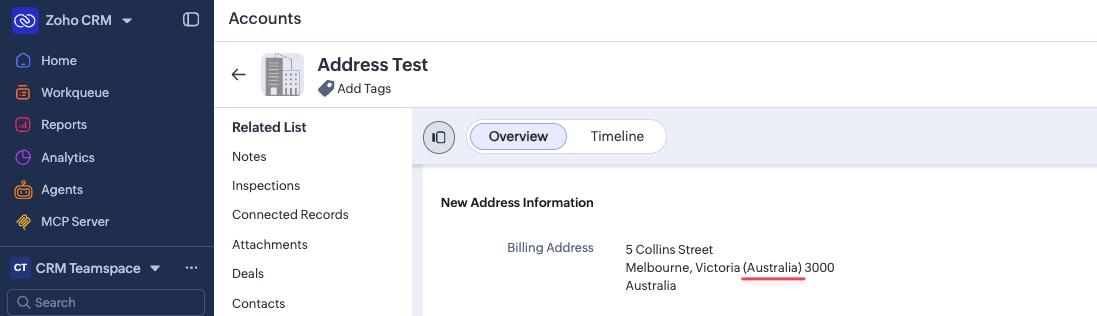
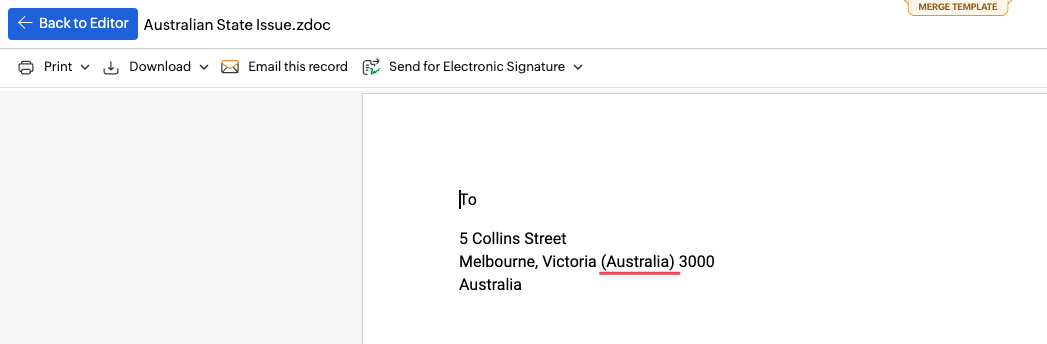
2. It makes the field awkward to use in templates.
3. Integrations into the CRM, such as Zoho Forms, don't include the bracketed country.
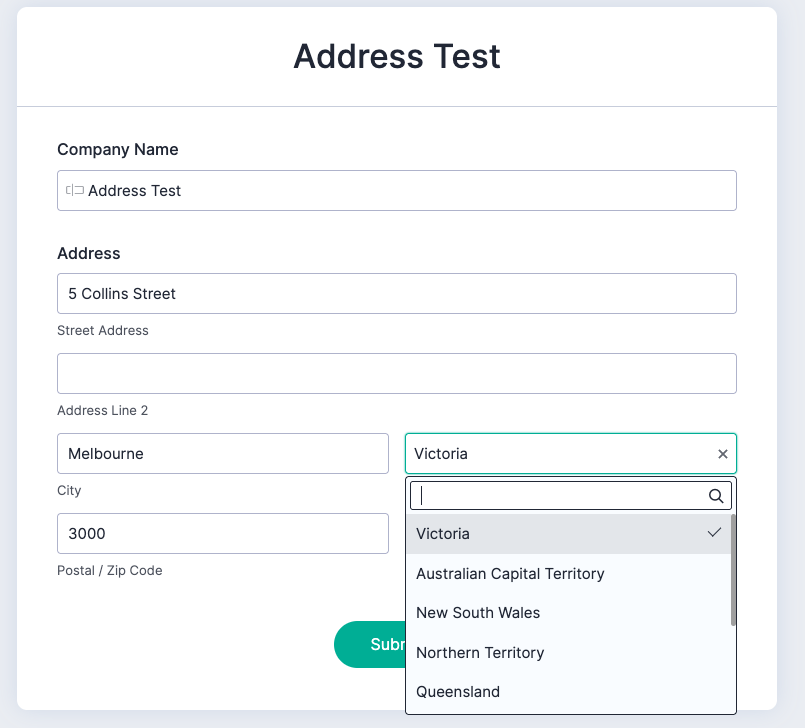
So they don't work natively when strict state/country enforcement is turned on.

4. If you do turn off the strict state country connection you get 2 seperate picklist data points for a specific State that then flows through to reports.
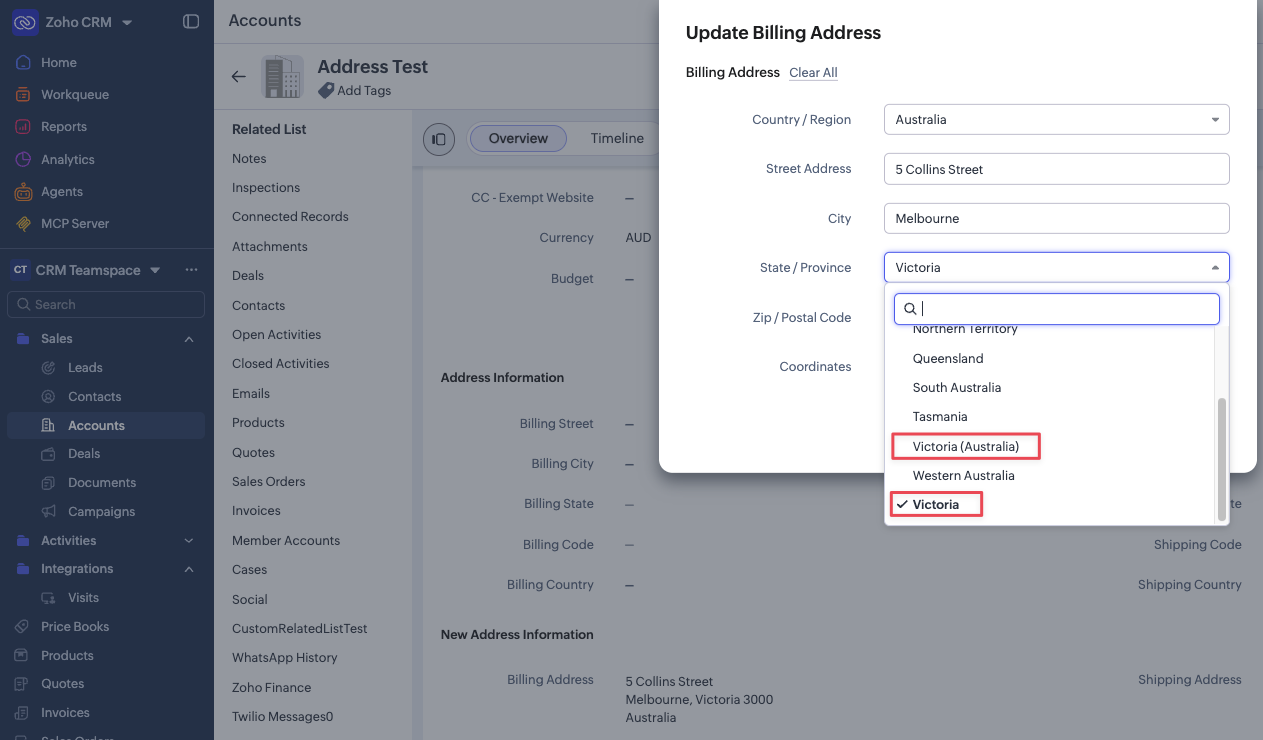
This really needs to be addressed (pun intended).
Regards,