De nieuwe Zoho One is hier! Deel 1
De nieuwe Zoho One is hier! Deel 1

Beste Community-leden,

Zoho One, hét besturingssysteem voor bedrijven introduceert vandaag haar nieuwste update met maar liefst 5 nieuwe apps, 3 nieuwe services en 7 grote platform verbeteringen. 

Wij hebben gekeken naar hoe wij jullie verder kunnen helpen. In deze update leggen wij daarom de nadruk op het oplossen van onsamenhangende data-uitdagingen en het dichten van communicatiekloven tussen silo's, zodat uw organisatie productiever kan worden, zich sneller kan aanpassen aan veranderende bedrijfsomstandigheden en klaar is om verder te groeien.

Omdat het om meerdere onderdelen gaat hebben wij de post in twee delen opgesplitst. In deze deel hebben wij het over gaan wij het hebben over het oplossen van de onsamenhangende data-uitdagingen. Deel 2 staat in de teken van het dichten van communicatiekloven tussen silo's. 

Een uniforme navigatie & aanpasbare dashboard

Het eerste wat u opvalt is een geheel nieuwe overzicht. Werknemers hebben nu de mogelijkheid om hun apps, services en dashboard in één overzicht te zien met gecentraliseerde kalenders, dashboards, navigatie en nog veel meer!
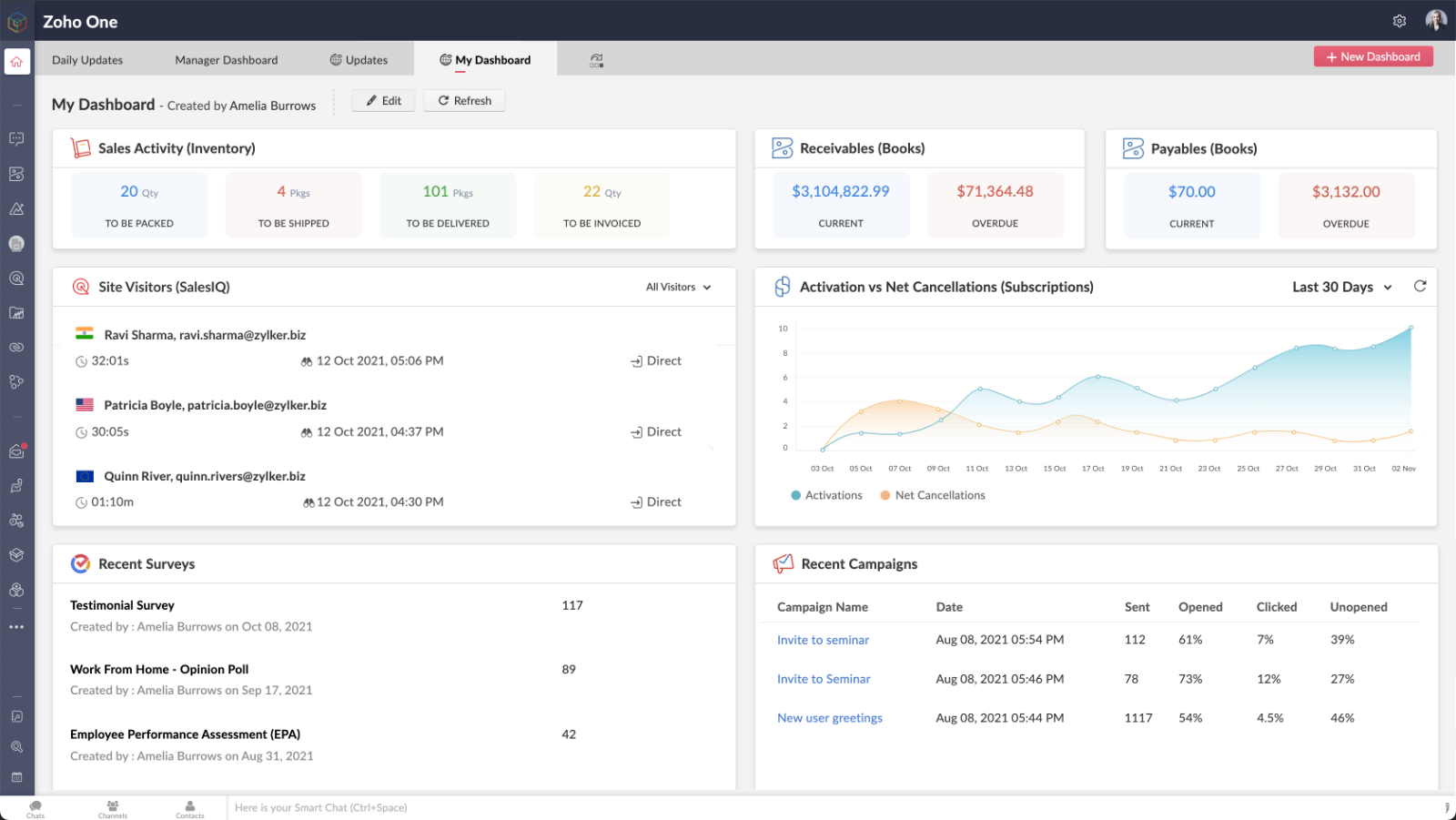
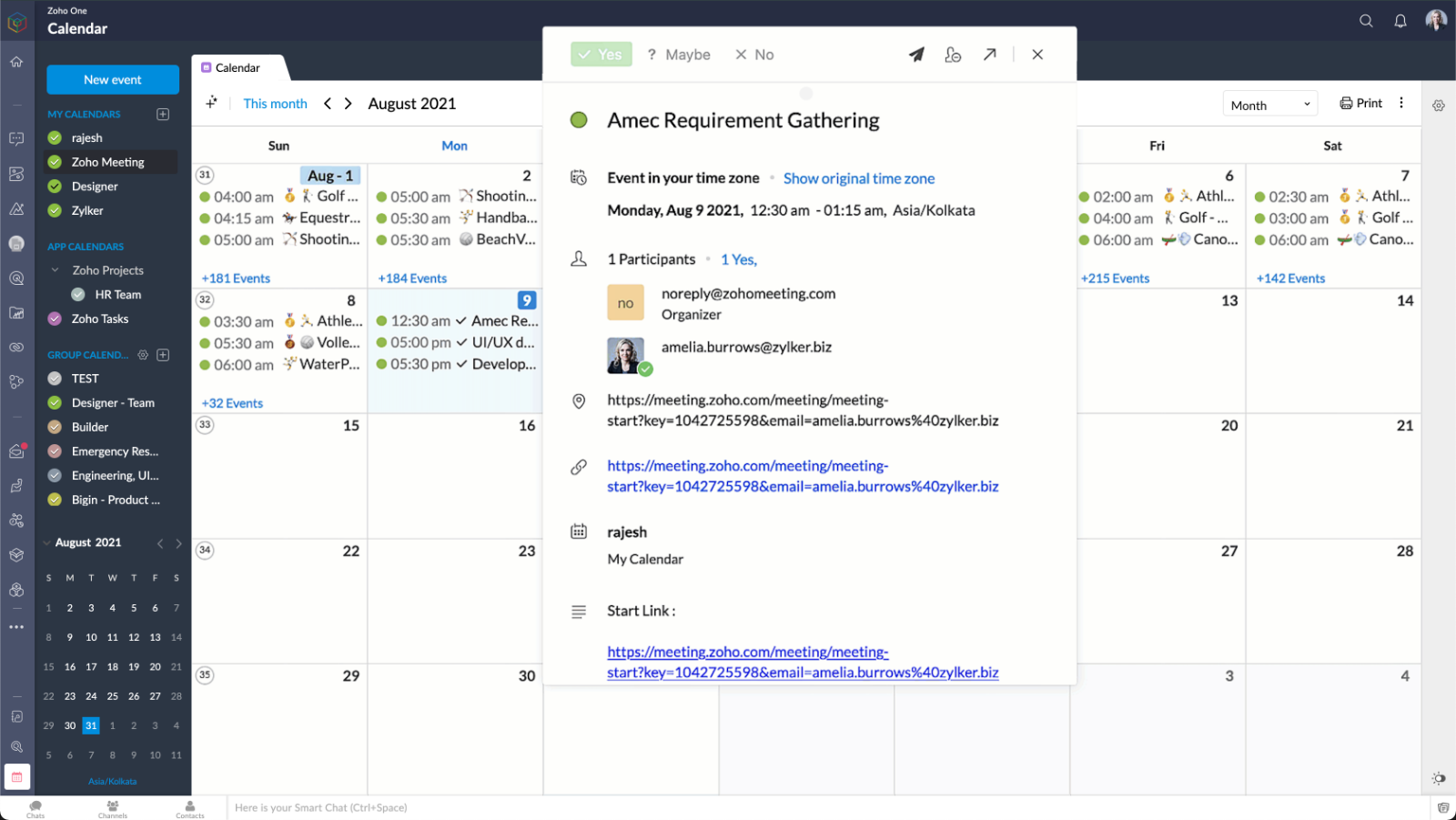


Met meer dan 50 vooraf gebouwde widgets en effectieve aanpasmogelijkheden hebben gebruikers in één oogopslag inzicht in de hele organisatie.
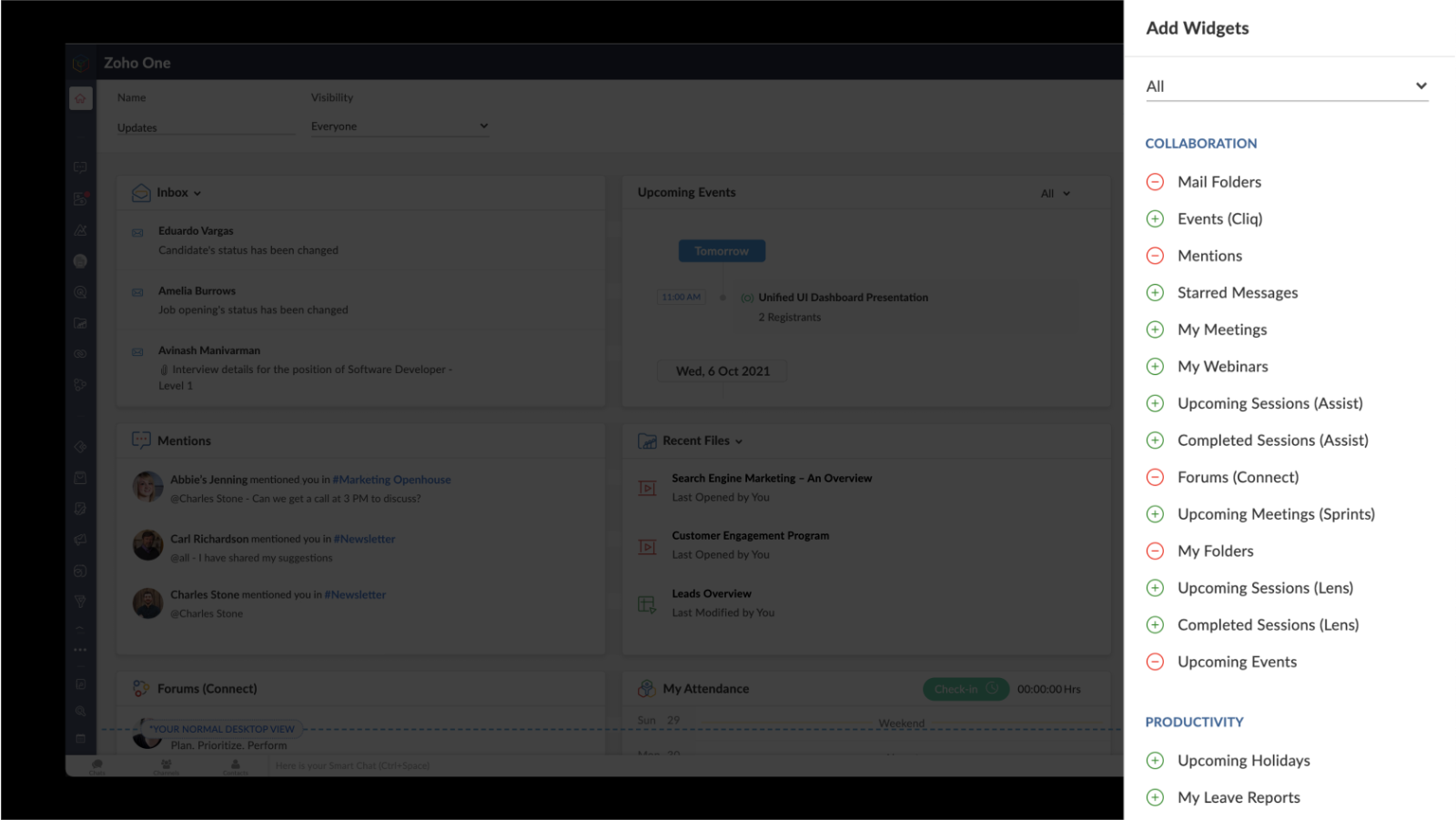


U kunt met één klik op de knop door uw favoriete apps navigeren, vastzetten en losmaken in meerdere tabbladen.
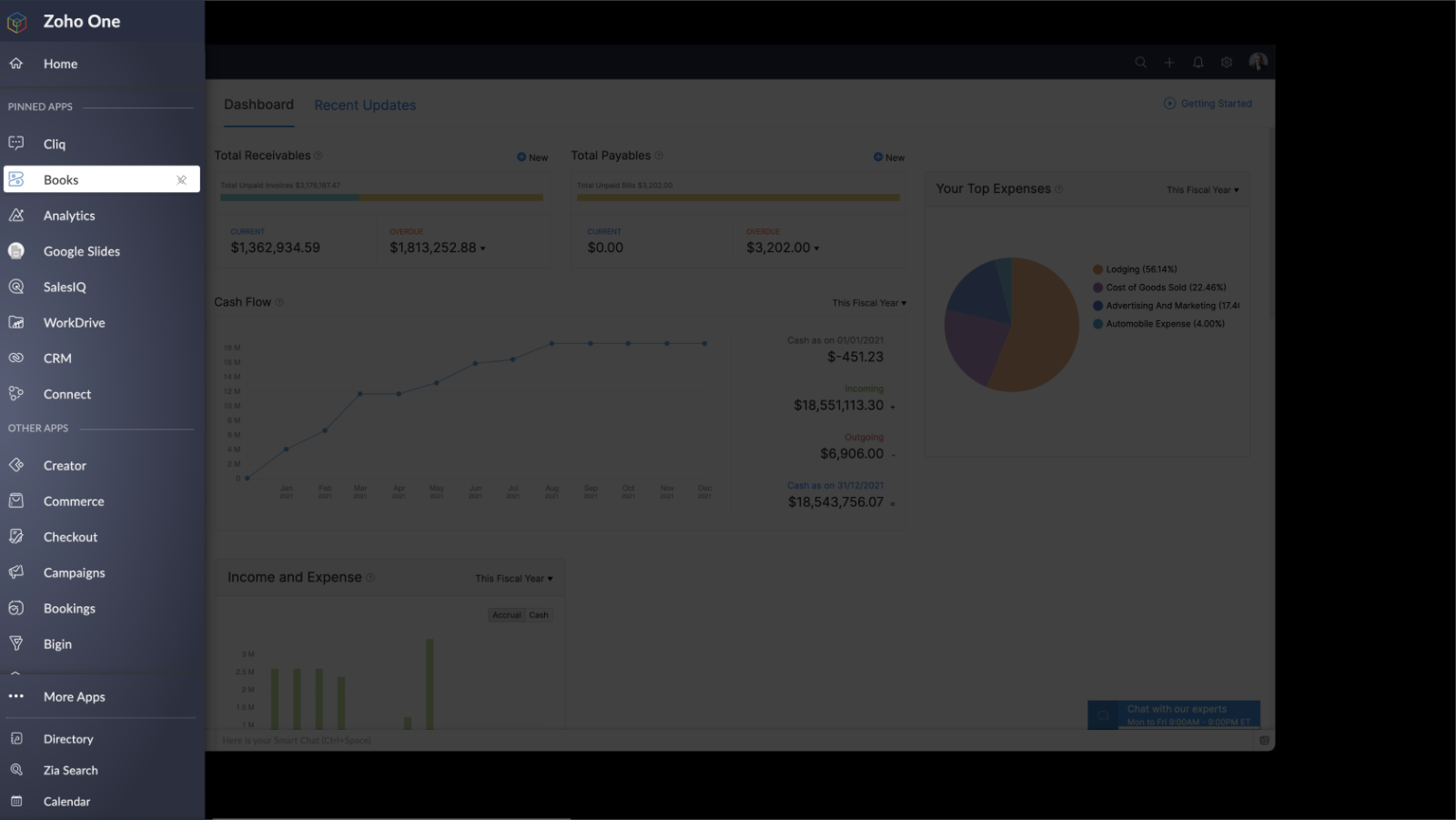


VERBETERDE ZIA SEARCH - Uniforme, realtime inzichten voor kritieke zakelijke beslissingen

Zia, Zoho's AI-assistent en Zoho's BI- en Analytics Platform stellen gebruikers in staat om te voorspellen en inzichten te verschaffen in de hele organisatie, waardoor er gefundeerde beslissingen kunnen worden genomen. Nieuwe innovaties zijn onder meer:
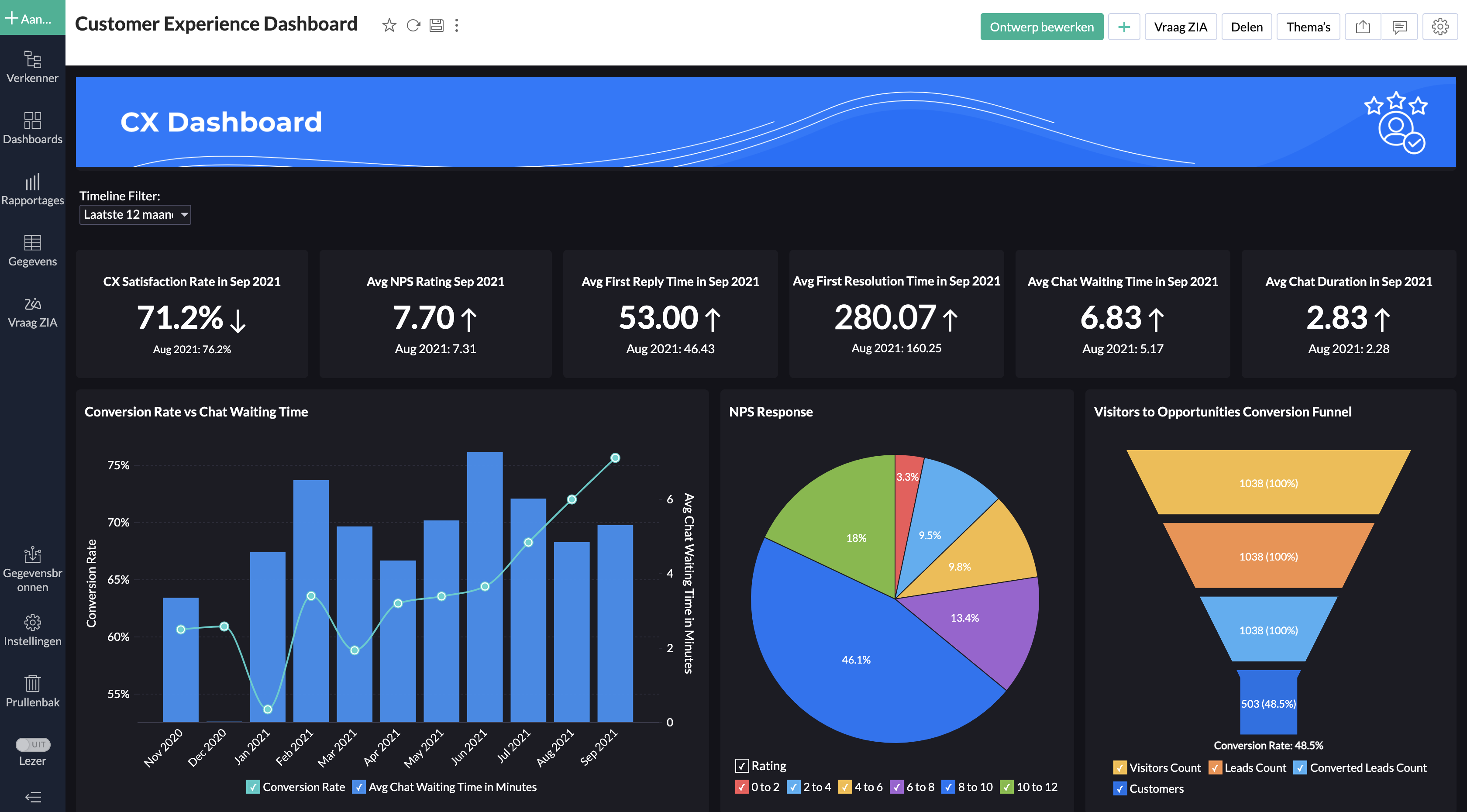


Embedded en Conversationele BI: Zoho One beschikt nu over embedded en conversationele analytics waarmee beslissers dieper in hun eigen data kunnen duiken en informatie over verschillende afdelingen kunnen verzamelen. Dit alles via het gebruik van taalcommando’s met behulp van Zia Insights. Met meer dan 1500 kant-en-klare analyserapporten en dashboards kunnen belangrijke zakelijke beslissingen nauwkeuriger en sneller genomen worden.
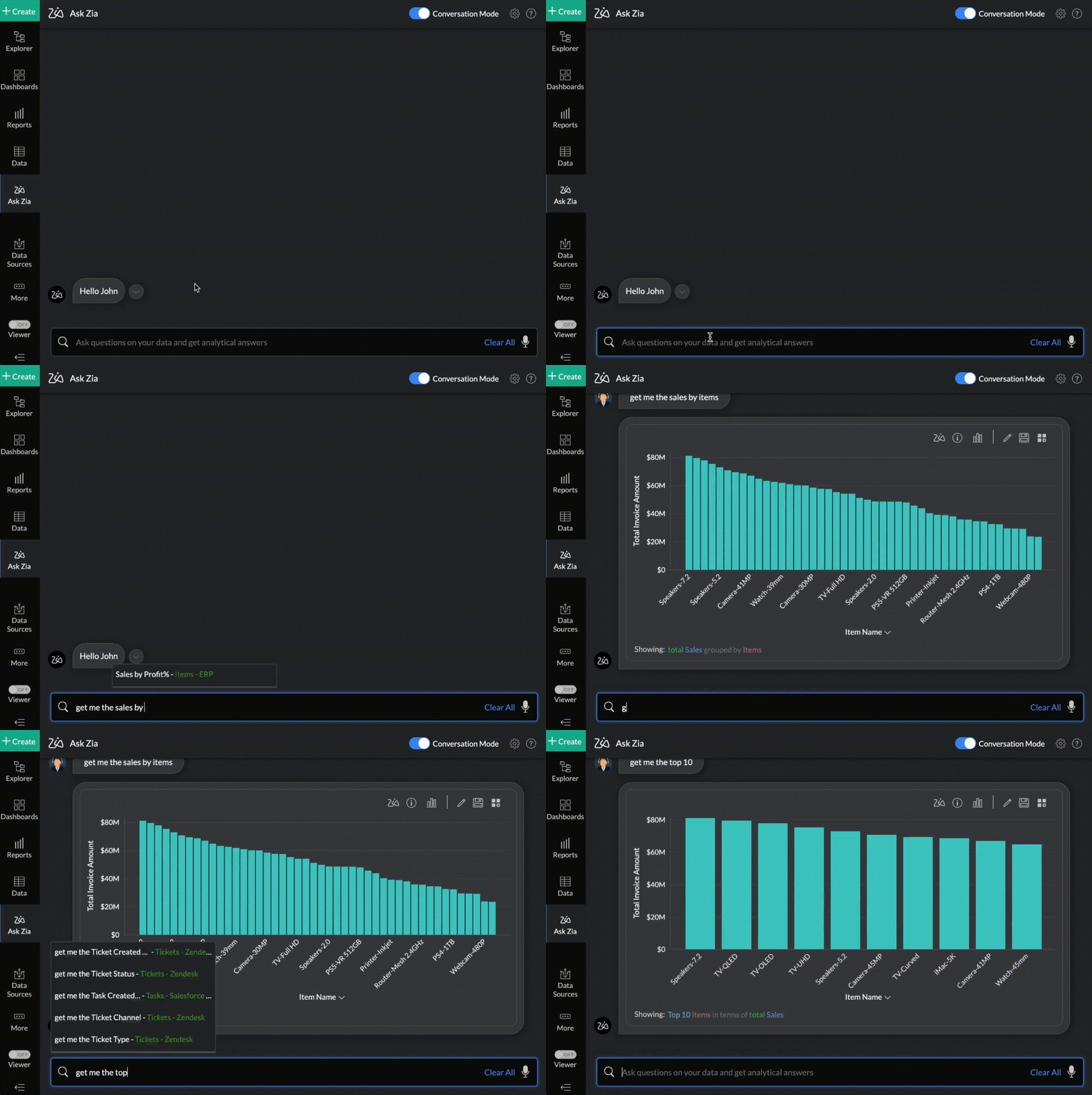


DataPrep: Deze self-service datavoorbereidings- en managementtool is nu verkrijgbaar in Zoho One. Dankzij DataPrep, dat wordt aangestuurd door machine learning, kunnen zakelijke gebruikers gegevens integreren, vormgeven, opschonen, transformeren, verrijken en catalogiseren. Daarnaast kan DataPrep ook geïntegreerd worden met Analytics of met een app van een derde partij om tot nieuwe inzichten te komen. 
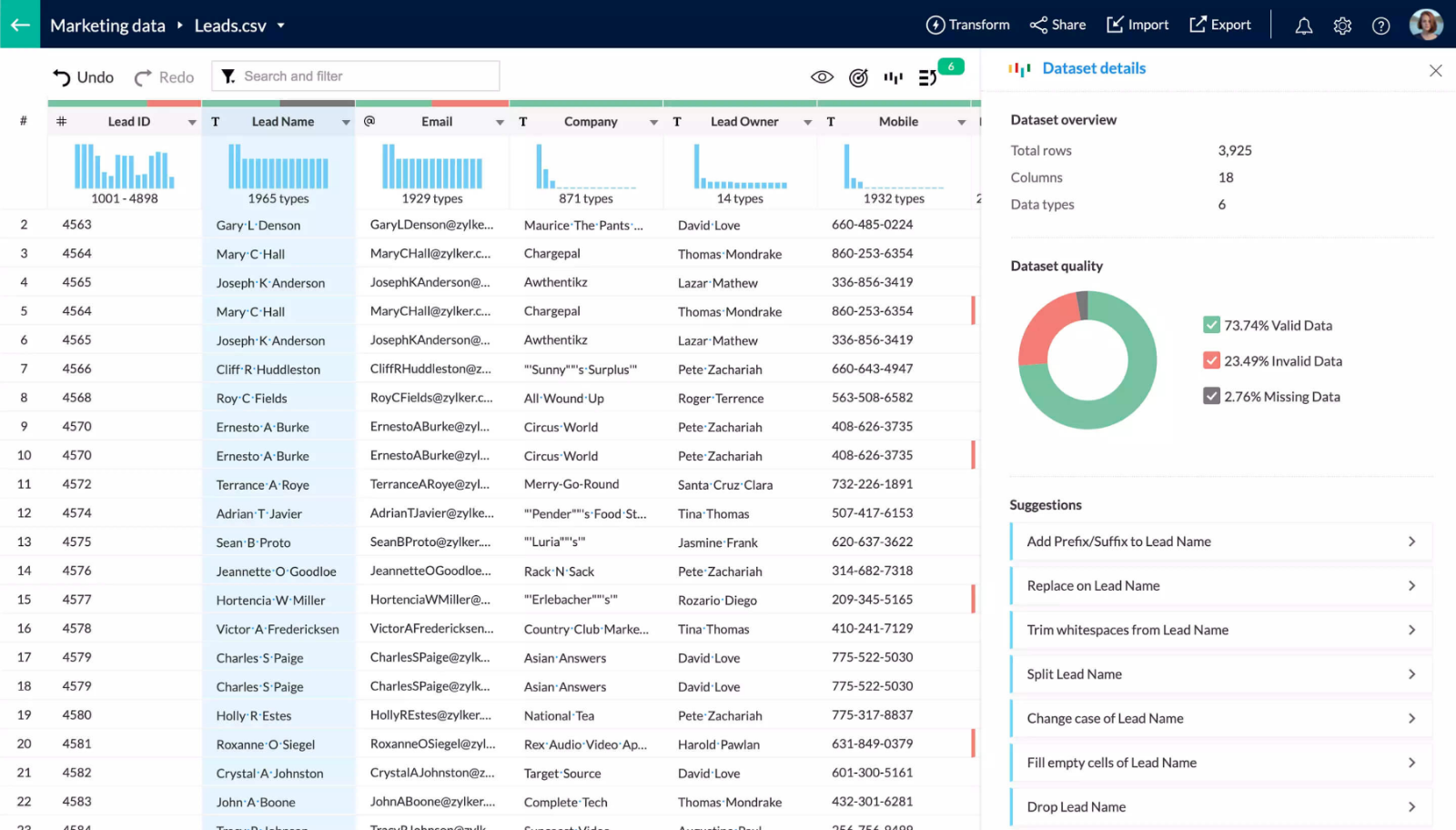


Enterprise Search: Zoho’s handige, organisatiebrede zoekmachine, die ondersteund wordt door Zia, kan nu natuurlijke taalverzoeken begrijpen. Zoeken op basis van natuurlijke taal leidt tot een nauwkeurigere datadetectie binnen teams en functie.
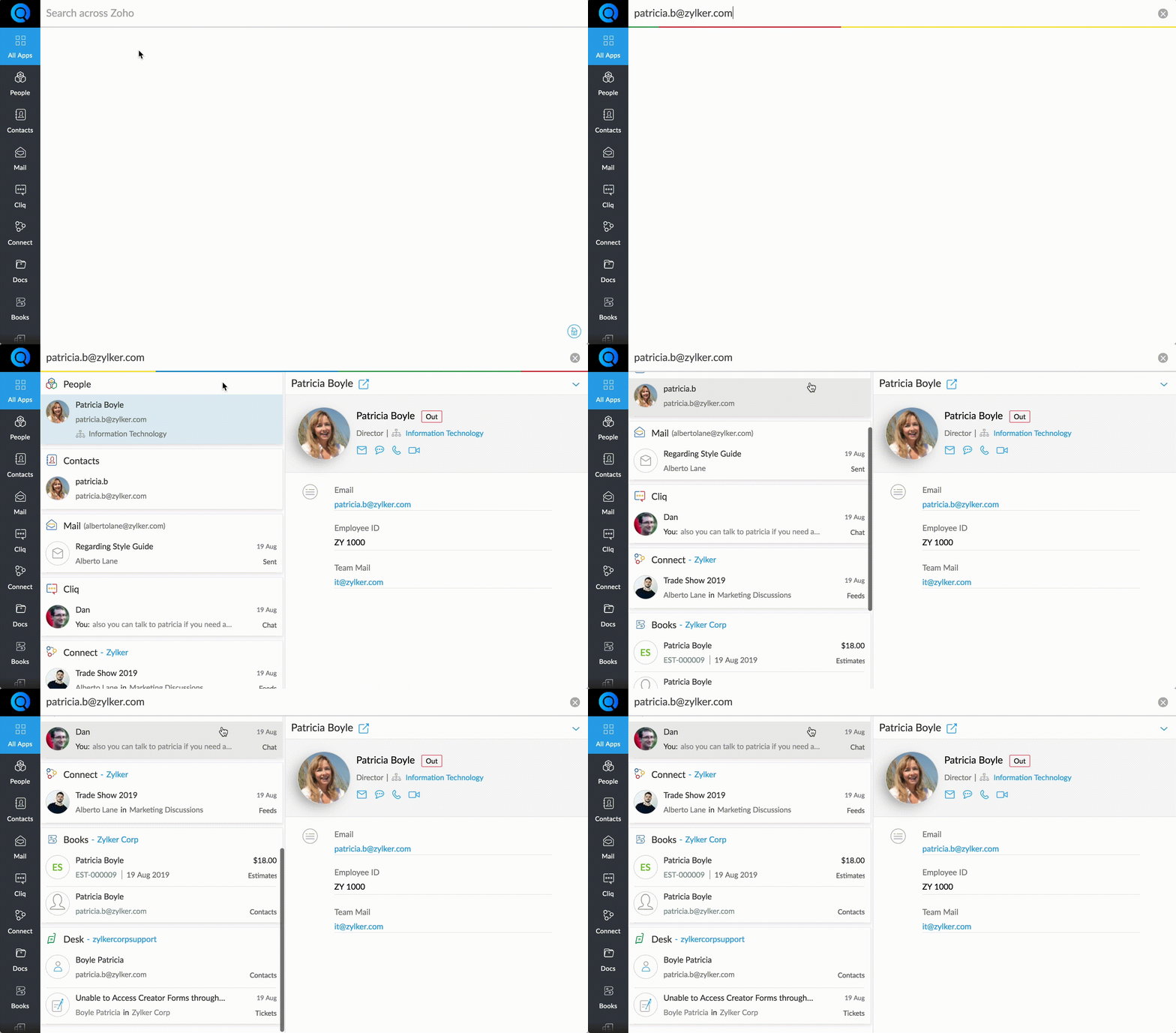


Work Graph: Zoho's nieuwe back-end dienst, een primeur in de industrie voor bedrijfssoftware. Work Graph brengt interacties tussen mensen, bronnen, systemen en processen in kaart door signalen en hun sterktes te bestuderen over de volle breedte, om zo een bedrijfsbrede werkgrafiek te maken die gespecificeerd is voor ieder individu binnen de organisatie.

In het tweede deel gaan wij dieper in op welke oplossingen wij aanbieden voor het dichten van communicatiekloven tussen silo's.

Heeft u behoefte aan meer uitleg over deze updates? Op 21-10 geven wij een webinar over deze update. Meld u nu aan.

Wij zijn benieuwd naar uw mening. Stel uw reacties en vragen hieronder.

Met vriendelijke groet,

Zoho Nederland


      Zoho Campaigns Resources


        • Desk Community Learning Series


        • Digest


        • Functions


        • Meetups


        • Kbase


        • Resources


        • Glossary


        • Desk Marketplace


        • MVP Corner


        • Word of the Day


        • Ask the Experts


          • Sticky Posts

          • De nieuwe Zoho One is hier! Deel 1

            Beste Community-leden, Zoho One, hét besturingssysteem voor bedrijven introduceert vandaag haar nieuwste update met maar liefst 5 nieuwe apps, 3 nieuwe services en 7 grote platform verbeteringen.  Wij hebben gekeken naar hoe wij jullie verder kunnen helpen.
          • Tips &Tricks: Jouw online boekingssysteem in 5 stappen!

            1 Creëer een afsprakenkalender die past bij jouw branding Met Zoho Bookings behoud je de kleuren van jouw merk in alle applicaties. Je kan kiezen uit vier voorgedefinieerde thema's (Modern Web, Nieuwe Opmaak, Klassiek en Nieuw) met daarnaast opties om
          • Start met Zoho One

            Welkom op de community-pagina van Zoho One, hét besturingssysteem voor bedrijven. Op deze pagina geven wij een korte introductie over Zoho One. Daarnaast geven wij een aantal tips om te starten met deze besturingssysteem. Tegenwoordig zijn Cloud-oplossingen

          Zoho CRM Plus Resources

            Zoho Books Resources


              Zoho Subscriptions Resources

                Zoho Projects Resources


                  Zoho Sprints Resources


                    Zoho Orchestly Resources


                      Zoho Creator Resources


                        Zoho WorkDrive Resources


                          Zoho CRM Resources

                          • CRM Community Learning Series

                            CRM Community Learning Series


                          • Tips

                            Tips

                          • Functions

                            Functions

                          • Meetups

                            Meetups

                          • Kbase

                            Kbase

                          • Resources

                            Resources

                          • Digest

                            Digest

                          • CRM Marketplace

                            CRM Marketplace

                          • MVP Corner

                            MVP Corner


                            Zoho Writer Writer

                            Get Started. Write Away!

                            Writer is a powerful online word processor, designed for collaborative work.

                              Zoho CRM コンテンツ


                                ご検討中の方

                                  • Recent Topics

                                  • WhatsApp IM in Zoho Desk always routes to Admin instead of assigned agent

                                    Hello Zoho Experts, I connected WhatsApp IM to my Zoho Desk account. I only assigned my Customer Service (CS) agent to the WhatsApp channel, and I did NOT include Admin in this channel. However, every new WhatsApp conversation automatically gets assigned
                                  • User

                                    If user is already part of manage engine endpoint central , what hapens when i try to add them to another Zoho org / directory? Are these users added as external users?
                                  • Add an background image to an email template in CRM

                                    Hi all, We wants to put an background image behind all our email templates. Is there a way to import this thru html. If i put the option background image in <body style="background-image:...</body> and i look to the preview it shows our background, but
                                  • Create static subforms in Zoho CRM: streamline data entry with pre-defined values

                                    Last modified on (9 July, 2025): This feature was available in early access and is currently being rolled out to customers in phases. Currently available for users in the the AU, CA, and SA DCs. It will be enabled for the remaining DCs in the next couple
                                  • Outlook - Zoho CRM Calendar Integration

                                    I'm facing an issue integrating Outlook with Zoho CRM. Has anyone successfully connected their Outlook to Zoho, and are all your meetings and emails being captured correctly in the CRM? Any insights or troubleshooting tips would be appreciated
                                  • 【Zoho CRM】ポータル機能のアップデート

                                    ユーザーの皆さま、こんにちは。コミュニティチームの藤澤です。 今回は「Zoho CRM アップデート情報」の中から、ポータル機能のアップデートをご紹介します。 ポータル管理の新機能「自動招待」により、Zoho CRMからポータルへの招待を自動化できるようになりました。これまで必要だった、ユーザーごとの手動設定は不要になります。設定した条件に基づいて、対象ユーザーに自動で招待が送信されます。 ポータルの新機能 条件に基づく自動招待:指定した条件を満たすユーザーに、自動で招待を送信 招待設定:招待メールの言語を選択し、言語ごとに条件を設定可能
                                  • Optimising CRM-Projects workflows to manage requests, using Forms as an intermediary

                                    Is it possible to create a workflow between three apps with traceability between them all? We send information from Zoho CRM Deals over to Zoho Projects for project management and execution. We have used a lookup of sorts to create tasks in the past,
                                  • Contact data removes Account data when creating a quote

                                    Hi, Our customer has address fields in their quote layout which should be the address of the Account. They prefill the information, adding the account name - the address data is populated as per what is in the account - great. However when they then add
                                  • I need to know the IP address of ZOHO CRM.

                                    The link below is the IP address for Analytics, do you have CRM's? IP address for Analytics I would like to know the IP address of ZOHO CRM to allow communication as the API server I am developing is also run from CRM. Moderation Update: The post below
                                  • Email was sent out without our permission

                                    Hi there, One customer just reached out to us about this email that we were not aware was being sent to our customers. Can you please check on your end?
                                  • Let us view and export the full price books data from CRM

                                    I quote out of CRM, some of my clients have specialised pricing for specific products - therefore we use Price Books to manage these special prices. I can only see the breakdown of the products listed in the price book and the specialised pricing for
                                  • Remove Powered by Zoho at the footer

                                    Hi, I've read two past tickets regarding this but it seems that the instructions given are outdated. I assume the layout keeps on changing, which makes it frustrating for me to search high and low. Please let me know how exactly do I do this now? Th
                                  • Client Script | Update - Client Script Support For Custom Buttons

                                    Hello everyone! We are excited to announce one of the most requested features - Client Script support for Custom Buttons. This enhancement lets you run custom logic on button actions, giving you greater flexibility and control over your user interactions.
                                  • Export all of our manuals from Zoho Learn in one go

                                    Hi, I know there's a way to export manuals in Zoho Learn, but I want to export everything in one go so it won't take so long. I can't see a way to do this, can I get some assistance or is this a feature in the pipeline? Thanks, Hannah
                                  • Automation#31: Automate Splitting Names for New Contact Records

                                    Hello Everyone, This week, we present to you a custom function, which allows you to split the first and last names from the user's email ID based on the separator used in the ID. Having grown into a large firm, Zylker Techfix aims to optimize its processes,
                                  • Automatically remove commas

                                    Team, Please be consistent in Zoho Books. In Payments, you have commas here: But when we copy and paste the amount in the Payments Made field, it does not accept it because the default setting is no commas. Please have Zoho Books remove commas autom
                                  • Can not add m365 outlook account to zohomail.

                                    I am attempting to use zoho mail as an imap client to add my outlook.com m365 account. In the m365 exchange admin center i have made sure the imap is enabled. In zoho mail i go to settings, mail accounts, add account, add imap account, i select "outlook",
                                  • local file csv import problem

                                    The issue occurs when I upload a CSV file via Databridge. In the preview, everything looks correct — the values are in the proper columns. However, after clicking Import, the first column becomes empty, and the values from that column appear in a new
                                  • Error AS101 when adding new email alias

                                    Hi, I am trying to add apple@(mydomain).com The error AS101 is shown while I try to add the alias.
                                  • Transfer ownership of files and folders in My Folders

                                    People work together as a team to achieve organizational goals and objectives. In an organization, there may be situations when someone leaves unexpectedly or is no longer available. This can put their team in a difficult position, especially if there
                                  • Project Change Orders and Additions

                                    We are in the process of migrating from QuickBooks Online to Zoho Books. We have Zoho One and like the ability to sync all of our data across everything. And I like that projects work in a way that's less dumb than QuickBooks. I'm trying to figure out
                                  • ZOHO Desk - Description of slave ticket disappeared after Merge

                                    Dear Support, On Zoho Desk the description of a ticket disappeared after merging two ticket. The one which was the slave one completely disappeared. The problem that in this description there was an image which i had only on Desk in that ticket. Could
                                  • How do I insert a cross-reference link to a different section within one Knowledge Base article using Zoho Desk?

                                    I would like to insert a link within a Knowledge Base article to a different section of that same article. The section I want to link to is formatted with the Heading 3 style and is displayed within my TOC. However, I do not see any way to add a link
                                  • Problem Adding Facebook Account

                                    Hi, I'm new here, I'm having trouble setting up my Facebook account as a social channel. I think the issue is down to how my Facebook is set up, which is pretty confusing. I have a personal Facebook account (let’s called it A) which is my main Facebook
                                  • Zoho Desk Teams App is not loading

                                    Hi Zoho Desk support. Need an assistance on the Zoho Desk Teams app. Once I click View Ticket, it isn't showing anything. Kindly refer to attached: ZohoDesk Teams App_View Ticket Error.jpg For our Dashboard, we are still experiencing the same issue. Kindly
                                  • About Meetings (Events module)

                                    I was working on an automation to cancel appointments in zoho flow , and in our case, we're using the Meetings module (which is called Events in API terms). But while working with it, I'm wondering what information I can display in the image where the
                                  • Add Ticket button in Home view

                                    When I go to the My Tickets or the Knowledge Base view in our Help Centre, the Add Ticket button is available, but not in the Home view. I would really like for it to be displayed in the Home view as well. Is this possible? Thanks.
                                  • Zoho CRM for Everyone's NextGen UI Gets an Upgrade

                                    Hello Everyone We've made improvements to Zoho CRM for Everyone's Nextgen UI. These changes are the result of valuable feedback from you where we’ve focused on improving usability, providing wider screen space, and making navigation smoother so everything
                                  • Cliq iOS can't see shared screen

                                    Hello, I had this morning a video call with a colleague. She is using Cliq Desktop MacOS and wanted to share her screen with me. I'm on iPad. I noticed, while she shared her screen, I could only see her video, but not the shared screen... Does Cliq iOS is able to display shared screen, or is it somewhere else to be found ? Regards
                                  • Zoho People - Retrieve the Leave Details - get("LeaveCount")

                                    Hi, Zoho People I need to collect all of an employee's leave requests for the calendar year and check how many half-days they have taken. If I run the script on the query he just modified, I can retrieve the information related to that query and use the
                                  • Mapping a new Ticket in Zoho Desk to an Account or Deal in Zoho CRM manually

                                    Is there any way for me to map an existing ticket in Zoho desk to an account or Deal within Zoho CRM? Sometimes people use different email to put in a ticket than the one that we have in the CRM, but it's still the same person. We would like to be able
                                  • Which WhatsApp API works seamlessly with Zoho CRM?

                                    I’m exploring WhatsApp API solutions that integrate seamlessly with Zoho CRM for customer communication, lead nurturing, and automation. I would love to hear insights from those who have successfully implemented WhatsApp within Zoho CRM. My Requirements:
                                  • Allow people to sign a zoho form by using esign or scanned signature

                                    Allow people to sign a zoho form by using esign or scanned signature
                                  • Button to Reapply Filters on Sheet(s)

                                    I wrote a macro that I attached to a button to reapply the filters on all my sheets and it says it works, but it doesn't actually do anything. What is wrong with it? Is there another way? Or even make it work for one sheet? Sub UniversalFilterRefresh()
                                  • Integrate Multiple ZohoBooks organization with zoho projects

                                    We have successfully connected our Zoho Books with Zoho Projects for synronizing timesheet data. Our Business specialty is, that the staff of the Main company (A) is working on several projects, but the Clients are sometimes contracted and paying to a
                                  • Zoho OAuth Connector Deprecation and Its Impact on Zoho Desk

                                    Hello everyone, Zoho believes in continuously refining its integrations to uphold the highest standards of security, reliability, and compliance. As part of this ongoing improvement, the Zoho OAuth default connector will be deprecated for all Zoho services
                                  • How to drag row(s) or column(s)?

                                    Hi. Selecting a row or column and then dragging it to a new position does not seem to work. Am i missing something or this is just not possible in Zoho Sheet? Cheers, Jay
                                  • Flexible Partial-Use Coupons (Stored Value Credits)

                                    Subject: Feature Request: Ability for users to apply partial coupon balances per transaction Problem Statement Currently, our coupons are "one-and-done." If a user has a $50 coupon but only spends $30, they either lose the remaining $20 or are forced
                                  • Unable to Assign Multiple Categories to a Single Product in Zoho Commerce

                                    Hello Zoho Commerce Support Team, I am facing an issue while assigning categories to products in Zoho Commerce. I want to assign multiple categories to a single product, but in the Item edit page, the Category field allows selecting only one category
                                  • How do I add todays date to merge field

                                    I don't see any selection of todays date when creating a letter. Surely the date option of printing is standard? John
                                  • Next Page