Experience Zoho Show on Mac now!
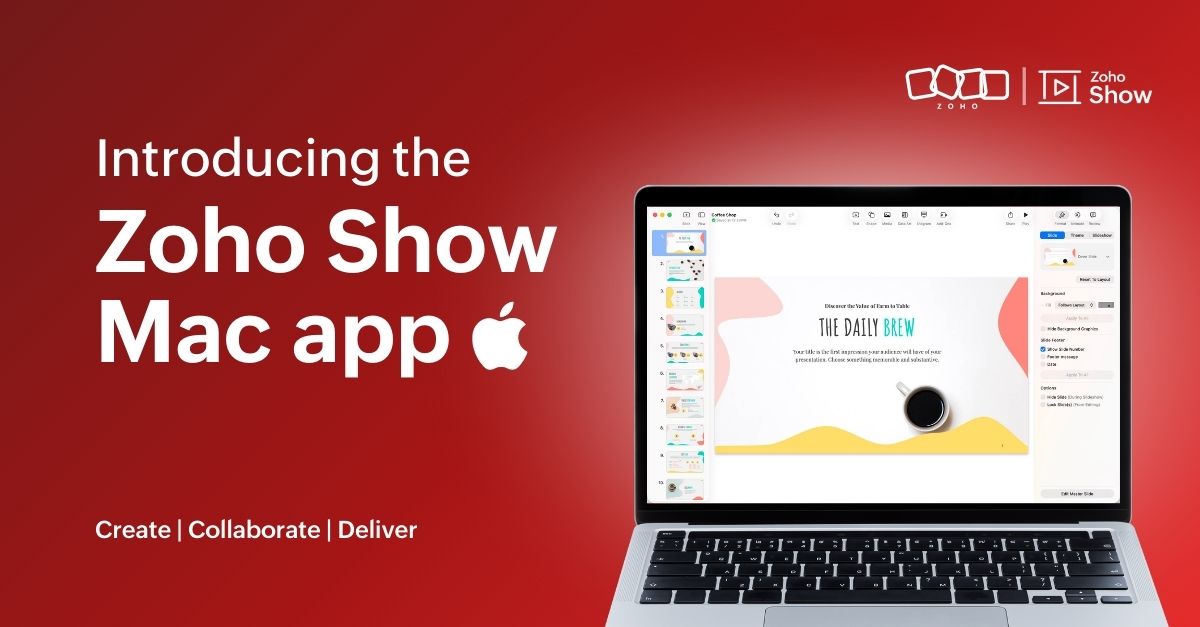
Experience Zoho Show on Mac now!


Work today isn’t tied to a single place, time, or routine. It happens in cafes between meetings, on flights, or late at night when ideas strike. And when ins, your tools need to be ready, wherever you are.
That’s why we built the Zoho Show app for Mac. It gives you the freedom to create and edit presentations offline, open local files, and work in an interface that feels familiar on your desktop.
Here's what you can look forward to:

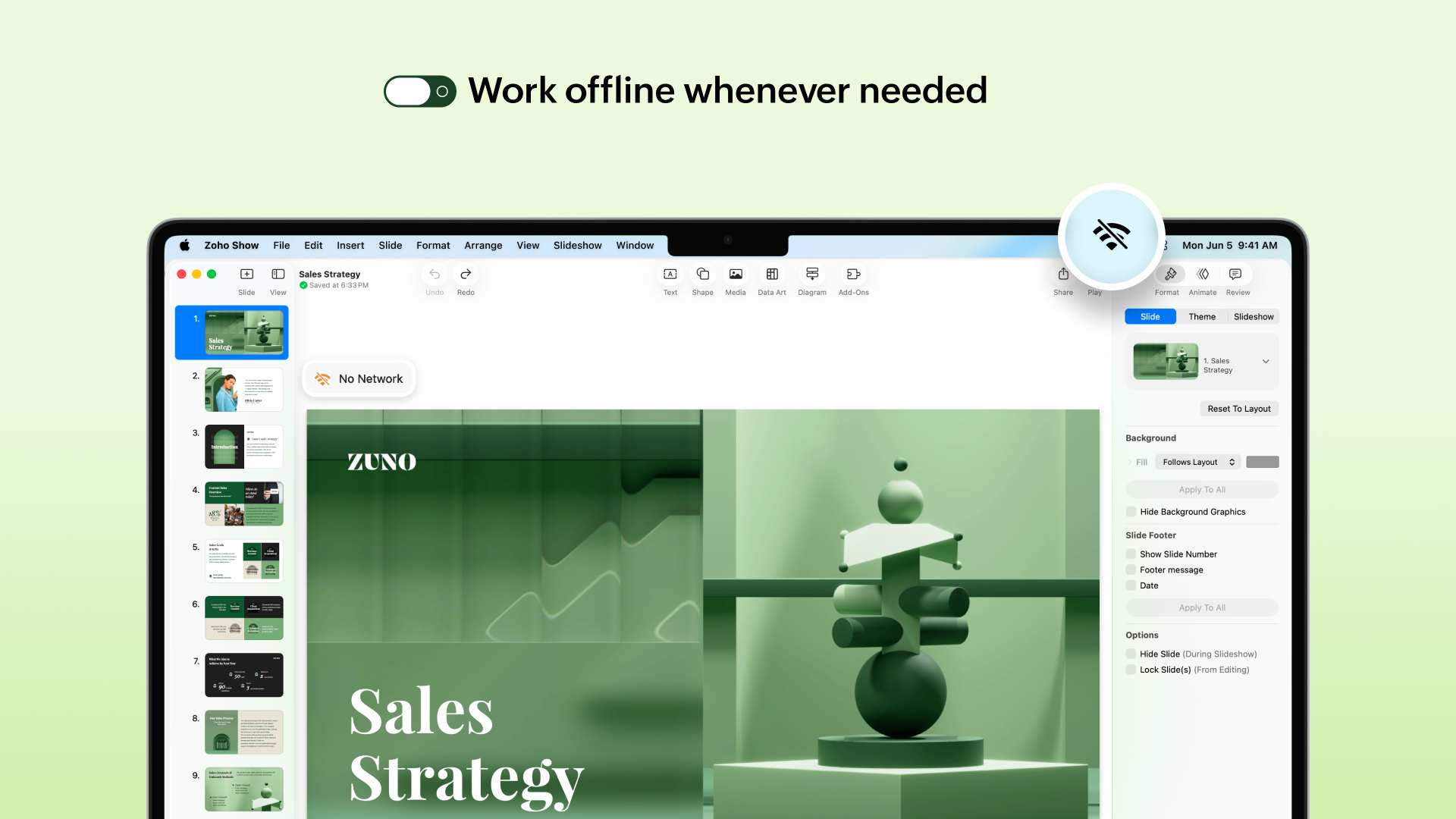
Access presentations offline
No more worrying about unstable internet! The Mac app lets you create new presentations or work on the existing ones even when you are offline. Any edits you make will automatically sync the next time you’re online.


Work on local files
Got a presentation saved on your desktop? You can open it in the Zoho Show Mac app, edit it, collaborate with your team, and present, all in one place. These files sync to your cloud account too (if you are signed in), so you can switch between devices easily.

Continue without signing up
You can now work on presentations without having to sign up. However, if you want to save it to your account or access existing presentations you have created in Zoho Show, you will have to log in or sign up.

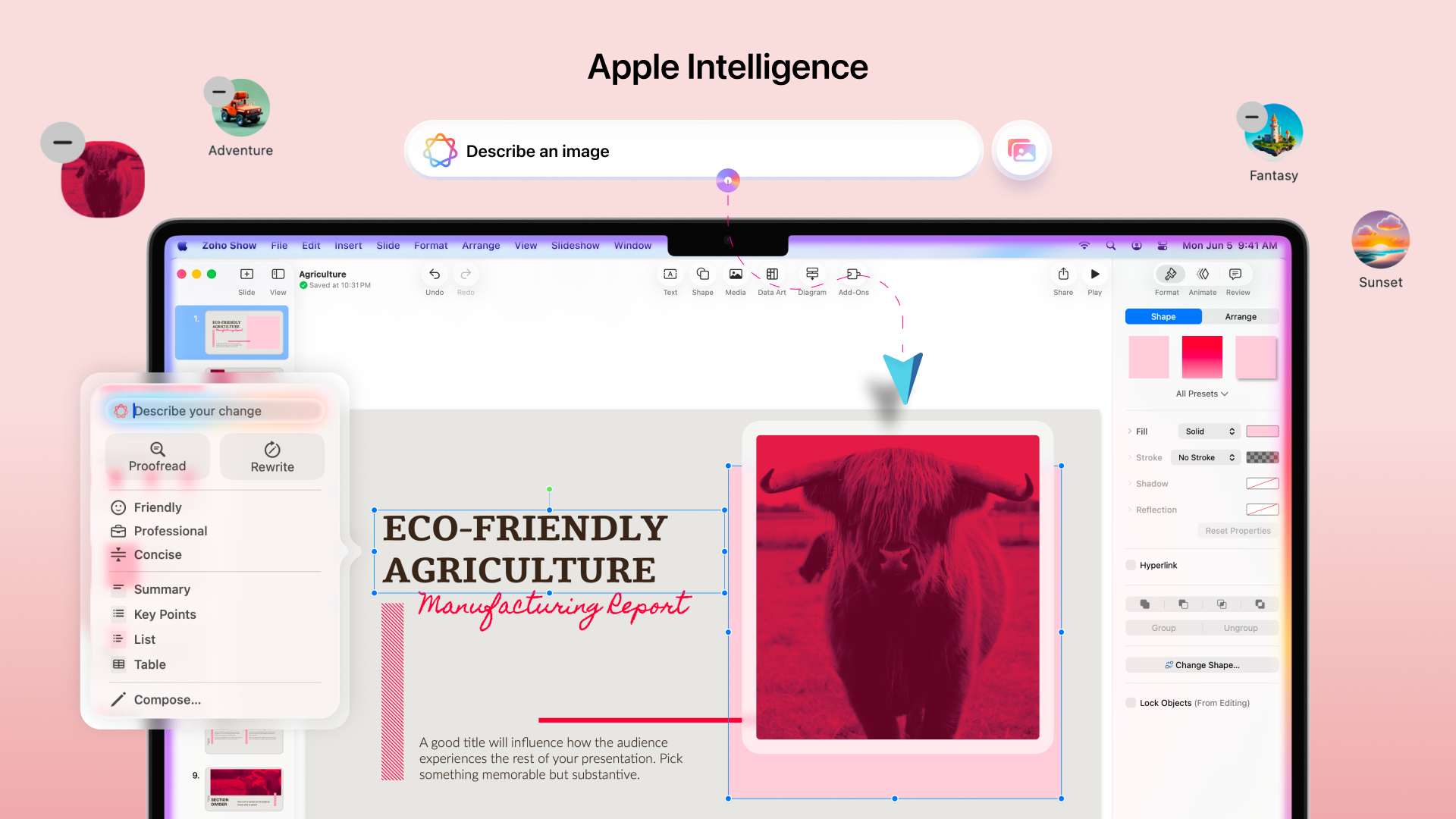
Work with the added power of Apple Intelligence
Apple Intelligence in the Mac app brings smart writing and visual creation tools right into your workspace. It helps you refine text, adjust tone, and generate images that match your ideas.


The Mac app comes packed with all the features you already love in Zoho Show, from built-in templates, animations, and transitions to collaboration tools. Even more features like Library and Zia AI are on the way.

If you're not just a Mac user but someone who’s all in on Apple, you're covered. Zoho Show also works well on iPhone, iPad, Apple TV, and even supports SharePlay.

We're also working on Handoff support, so you can switch between your Apple devices without missing a beat.

We are excited for you to try it out! Let us know about your experience in the comments section below. If you have any suggestions or queries write to us at support@zohoshow.com.


      Zoho Campaigns Resources


        • Desk Community Learning Series


        • Digest


        • Functions


        • Meetups


        • Kbase


        • Resources


        • Glossary


        • Desk Marketplace


        • MVP Corner


        • Word of the Day


        • Ask the Experts


          • Sticky Posts

          • Introducing Zoho Show extension in Your Chrome Browser

            Hi everyone, Over the years, Chrome's feature-rich support extensions have grown to offer additional ways to easily access your favorite tools from anywhere. Today, Zoho Show is excited to announce our integration with Google Chrome as an extension app to help build and access presentations directly from your browser.   Zoho Show for Google Chrome is a free extension that allows you to dive straight into drafting your presentation material. Simply install the Show extension from the Chrome Web Store
          • Take your presentations anywhere with the Zoho Show app for iOS

            We're excited to announce the launch of the Show app for iOS. Our new presentation app gives you the power to view and present slideshows on your iPhone and iPad devices wherever and whenever you want.   The Show iOS app has a host of features that will make your presentations engaging and dynamic: Access all your presentations with a single tap Sign in to your Zoho Show account to view your slides and deliver presentations on-the-go. The app stores all the presentations you've created in the My
          • Introducing All New Zoho Show - Create and Design Stunning Presentations.

            Hello,   Whether you're a first-time presenter or an expert looking to make a lasting impression, Zoho Show is the tool for you. Whatever your expertise, the All New Zoho Show's contextual user interface lets you create all kinds of slides, from plain text on a simple background to complex presentations with animations, tweets, charts, media files, and lots more.   The UI doesn't leave you to figure everything out yourself, but presents something you can easily use. It's clear, obvious, and intuitive.
          • Three smart ways to share your presentation with Zoho Show.

            "What is the best way to share a presentation?", a lingering question that is asked after every live session or a meeting. Sharing presentations can be time consuming. It can be done, either by attaching the file to an email or by saving it in a pen drive. But what happens when your file size is large or your team is spread across the globe? Zoho Show lets you share your presentations both internally and externally without worrying about the file size. You can share your slides as a link and decide
          • Convey Your Ideas and Convince Your Audience with Zoho Show

            Visual presentations are highly impactful and it is a no-brainer that your audience gets attracted to them. The use of images and videos help you reach your objectives by emphasizing your ideas more effectively.  According to the psychologist Jerome Bruner of New York University, "people only remember 10% of what they hear and 20% of what they read, but about 80% of what they see and do." For example, if the above data on its own, was presented visually, there is an 80% chance that the information

          Zoho CRM Plus Resources

            Zoho Books Resources


              Zoho Subscriptions Resources

                Zoho Projects Resources


                  Zoho Sprints Resources


                    Zoho Orchestly Resources


                      Zoho Creator Resources


                        Zoho WorkDrive Resources


                          Zoho CRM Resources

                          • CRM Community Learning Series

                            CRM Community Learning Series


                          • Tips

                            Tips

                          • Functions

                            Functions

                          • Meetups

                            Meetups

                          • Kbase

                            Kbase

                          • Resources

                            Resources

                          • Digest

                            Digest

                          • CRM Marketplace

                            CRM Marketplace

                          • MVP Corner

                            MVP Corner


                            Zoho Writer Writer

                            Get Started. Write Away!

                            Writer is a powerful online word processor, designed for collaborative work.

                              Zoho CRM コンテンツ


                                ご検討中の方

                                  • Recent Topics

                                  • Cliq iOS can't see shared screen

                                    Hello, I had this morning a video call with a colleague. She is using Cliq Desktop MacOS and wanted to share her screen with me. I'm on iPad. I noticed, while she shared her screen, I could only see her video, but not the shared screen... Does Cliq iOS is able to display shared screen, or is it somewhere else to be found ? Regards
                                  • Pro rata holiday allowance for variable part time employees

                                    We have some part time staff who work variable hours and their holiday allowance is based on pro rata system. In Zoho people is there any way to calculate their holiday allowance based on actual hours worked? I.e. worker is entitled to a pro-rata amount of 5.6 weeks holiday, which is equivalent to 12.07% of hours worked over a year. So part time staff's holiday is accrued at a rate of 12.07% per hour worked. Thanks
                                  • Introducing SlyteUI : From Idea to a Working Interface in Minutes

                                    Hello everyone! Are you spending hours building basic UIs? Does even the smallest customization feel like a major task? CRM customization should feel intuitive and straightforward, not time consuming or exhausting. SlyteUI makes this possible by simplifying
                                  • Trying to validate user's age through DoB

                                    We have a form where a user enters their birthdate. We'd like a rule that counts whether the user is over or under 25 years of age. This amounts to 9125 days elapsed between today and an easy way to do this would be to use conditional rule Is Before [x]
                                  • Invoice date is incorrect

                                    I'm trying to pull a report of Sales Orders and filter by Invoice Date. (ex: all of 2025) Unfortunately, the filter still returns lots of SO's from other years including 2026 which would be impossible to have an invoice in 2025 from a 2026 order. It's
                                  • Query on Tracking Visitor Activity with Zoho Forms & SalesIQ

                                    I have a query regarding Zoho Forms, Zoho SalesIQ, and Zoho CRM. I have embedded a Zoho Forms form on my website, and I’m trying to understand if it’s possible to capture a user’s website activity (such as pages visited, visit count, etc.) when they submit
                                  • Understanding tasks

                                    So we have a module linked to contacts called Equipment and that in turn has a related module called service calls. Often on a service call we want add a task but we are not able. I think it needs a link to the contact. WE therefore tried to add tasks
                                  • How to transfer files from Creator file upload fields to CRM file upload fields

                                    This article describes how to transfer files from Zoho Creator file upload fields to Zoho CRM file upload fields. I'm posting it here because the current documentation does not fully and accurately describe how to do this with certain file types (PDF,
                                  • Add Comprehensive Accessibility Features to Zoho Writer

                                    Hello Zoho Writer Team, We hope you are doing well. We would like to submit a feature request to enhance Zoho Writer with a full set of accessibility tools, similar to the accessibility options already available in the Zoho Desk agent interface. 🚧 Current
                                  • ¿Puedo migrar mi sitio desde WordPress a Zoho? ¿Zoho admite herramientas con código personalizado?

                                    ¡Hola comunidad! Estoy evaluando la posibilidad de migrar mi sitio web https://calculadoradenotas.cl/ desde WordPress a una solución Zoho, y tengo algunas dudas técnicas que espero puedan aclararme. Mi sitio no es solo informativo: es una herramienta
                                  • Make Task ID and Issue ID columns filterable like all other columns

                                    Hello Zoho Projects Team, We hope you are doing well. We would like to submit a feature request regarding the Task ID and Issue ID columns in Zoho Projects list views. Current Limitation: As of now, in both the Tasks and Issues modules, almost every visible
                                  • Improve Back Navigation (X Button) Inside Nested Milestones, Task Lists, Tasks, and Issues

                                    Hi Zoho Projects Team, We would like to request an improvement to the X / close button navigation behavior inside milestones. Currently, the milestone area behaves as a nested hierarchy (tree structure): Project → Milestone → Task List → Task So when
                                  • Add a way to connect Log360 Cloud logs with Zoho analytics

                                    Hi, Several month ago Log360 Cloud was added to zoho one - and this is great. But as far as I see there is no prebuilt way to connect Zoho analytics to the logs we have in Log360 Cloud. Please add a prebuilt connection like we have for so many other zoho
                                  • Extend GitHub Commit Integration to Tasks in Zoho Projects

                                    Hello Zoho Projects Team, We hope you are doing well. We would like to submit a feature request regarding the current GitHub integration in Zoho Projects, specifically the ability to link commit information. Current Limitation: As of now, Zoho Projects
                                  • Enable Screen Recording in Zoho WorkDrive Mobile Apps (Android & iOS)

                                    Hi Zoho WorkDrive Team, How are you? We are enthusiastic Zoho One users and rely heavily on Zoho WorkDrive for internal collaboration and content sharing. The screen-recording feature in the WorkDrive web app (similar to Loom) is extremely useful- however,
                                  • Zoho Project - Total Forecasted Hours

                                    Does anyone know an easy way to get a total of all the forecasted hours across the portfolio? I'm aware trying to create a custom report that can generate this figure for each task and the total up but the completion percentage doesn't seem to come back
                                  • Bank Fees - Allow User to Choose Expense Account

                                    Bank fees from Customer Payments can only be debited against the system Bank Fees account due to hard-coding. The user should be able to select which expense account those fees are debited against. The use case is pretty straightforward. A business like
                                  • Attendance Kiosk Mode for all Employees

                                    Is it possible to assign a tablet (ios/android) so that all employees can check in or out using a simple QR code? If not would it be possible to integrate attendance with a web app that also has a tablet app that works in kiosk mode? If yes can anyone recommend such an app?
                                  • How can we get payment status updates for payment links in Zoho Books using webhooks?

                                    When we create and share a payment link in Zoho Books, is there a way to know when the payment is updated? Can we use webhooks to get real-time updates for payment link status instead of checking manually?
                                  • Update to CRM Custom Buttons: Collect Users' Location

                                    Hello everyone! Buttons in Zoho CRM allow you to extend the default CRM capabilities for your bespoke business needs. It provides the flexibility to connect to any third-party application to perform necessary actions. Wouldn't it be better, if those buttons
                                  • Introducing note actions and dynamic visibility in Kiosk Studio

                                    Hello all, We are introducing enhancements to Kiosk Studio that will improve the product scope and meet your custom needs more precisely. What's new? Add notes as Actions: You can add notes to CRM records as kiosk Actions, as well as insert merge fields
                                  • CRM x WorkDrive: We're rolling out the WorkDrive-powered file storage experience for existing users

                                    Release plan: Gradual rollout to customers without file storage add-ons, in this order: 1. Standalone CRM 2. CRM Plus and Zoho One DCs: All | Editions: All Available now for: - Standalone CRM accounts in Free and Standard editions without file storage
                                  • Challenges with data consistency when integrating Zoho with other systems

                                    In setups where Zoho (CRM/Inventory) is connected with external systems like eCommerce platforms, maintaining consistent and reliable data across systems can be challenging. Some common issues that tend to come up: Product data mismatches (variants, pricing
                                  • Logging Calls not working

                                    For some reason, logging calls is not working anymore. Description of problem: On a Lead's record, in the "Open Activities" block, clicked on "Add New" Clicked on "Call", clicked on "Log a call" Nothing happens. If I click on "Schedule a call" nothings
                                  • Announcing Zoho Sheet desktop app for macOS and Windows (Beta)

                                    Hello Sheet users, We know you’ve been waiting for this one. It has always been the top priority on our roadmap to provide a single native desktop app for macOS and Windows that works both online and offline. Today, we are excited to announce that the
                                  • Zoho Mail Android app update: UI revamp

                                    Hello everyone! We are excited to share that the first phase of the Zoho Mail Android UI revamp is now live. In this update, we have redesigned navigation bar at the bottom to quickly access the Email, Calendar, Contacts, and Settings modules. Also, the
                                  • Records Per Page

                                    Can we get max number of records per page increased from 100 to 250 and 500 please? Or alternatively allow us to use the Zoho Sheet View for all records and not just the max 100 showing on the page? thanks.
                                  • This campain is on hold

                                    Trying to start a Zoho Campaign for our company but the error message when we try to send it out it this: This campaign is on hold Our compliance team needs additional information about your sender domain address. They'll reach out to you shortly via
                                  • Blueprint transitions on locked records

                                    We use the ability to automatically lock records (quotes, sales orders, etc.) based on criteria, such as stage. For instance, if a quote has been sent to a client, the quote is then locked for further edits. Our ideal quote stage process is: Draft>Sent>Won.
                                  • Whatsapp Limitation Questions

                                    Good day, I would like to find out about the functionality or possibility of all the below points within the Zoho/WhatsApp integration. Will WhatsApp buttons ever be possible in the future? Will WhatsApp Re-directs to different users be possible based
                                  • Sales Ordes removes TAX at random for some or all prodcuts, even after creating it

                                    Hi at Zoho CRM, in the Sales Orders section, when Creating, Cloning or editing any Sales Orders the TAX of one or all products gets "unchecked" at random. All of our products ALWAYS must have the same TAX selected automatically. At least it used to be
                                  • Turning off self view in Zoho Meeting

                                    Hi Is it possible to turn off/hide self view in meetings?  Cant see any options for it. Thanks
                                  • CRM to Desk Contact Sync Issues?

                                    Hello, I noticed none of the contact changes in CRM are being transferred over to Desk. Anyone else experiencing this? I checked the sync history in desk and it confirms it - it doesn't show "X Contacts Synced" like it normally does.
                                  • Please add Deluge code editing for Forms

                                    Assuming Forms is built on the same codebase as Creator, etc., it would be wonderful to be able to edit form code, cut and paste form elements across different forms, share code with other users, and so on.
                                  • Is there any workaround or method to restrict user login to a particular device

                                    Hi, I want to restrict my CRM user from accessing the Zoho CRM/Zoho One application to the company provided devices only. As far as I have explored there is no direct way to do this. Is there any workarounds that will allow me to do this. I want to ensure
                                  • Email from CRM being Blocked or Marked as Spam by Google (and maybe more)

                                    In the past 24 hours we’ve noticed that emails sent via Zoho CRM are being blocked or flagged as phishing, particularly by Google. The issue seems to occur specifically when emails contain links. URLs like www.domain.com or www.example.com are automatically
                                  • All new Address Field in Zoho CRM: maintain structured and accurate address inputs

                                    Availability Update: 29 September 2025: It's currently available for all new sign-ups and for existing Zoho CRM orgs which are in the Professional edition exclusively for IN DC users. 2 March 2026: Available to users in all DCs except US and EU DC. 24
                                  • Zoho Tables - Form default entry

                                    How so I set a form field to be populated with an entry from another table? I created a view on my source table limiting the results to just the one thing I want to see. When adding a Client via my Add Client form, I want the Client Type field to already
                                  • Payment Card or Identity form-fill from Vault?

                                    Hello! I'm working on replacing Bitwarden with Vault and one issue I've run into is that I can't find any option to fill address and payment forms from Payment Card or Identity info that has been saved in Vault. Is there a way to do this? Is it a planned
                                  • Introducing Bin Locations In Zoho Inventory

                                    Hello users, We are excited to let you know that your wait for the Bin Locations feature has now come to an end! Yes, you heard us right! We are here to introduce the much-awaited Bin Locations now in Zoho Inventory. But before we dive into the feature
                                  • Next Page