Featurecast Story 11 - Embeddable chat link

Featurecast Story 11 - Embeddable chat link

IM'ing (Instant Messaging) Feature Story Series 

Featurecast Story 11 - Embeddable chat link

What are the benefits of using a chat link?
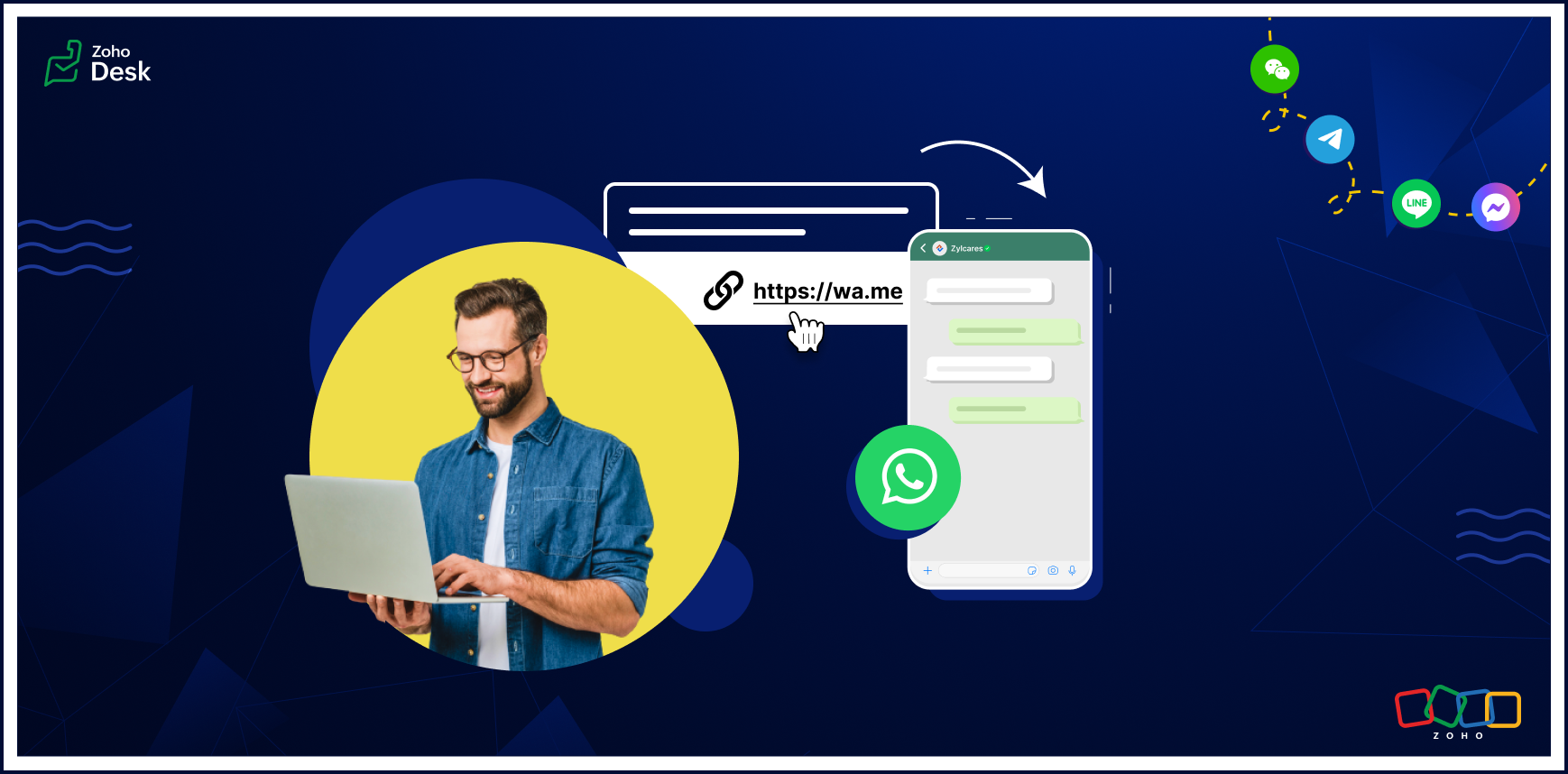


The chat link feature lets customers click on an auto-generated chat link (also called the reference link) and use their preferred messaging channel to start chatting instantly with a support agent.

A chat link generator simplifies communication by eliminating the need for a user to enter their phone number or manually type a message requesting a help session. This saves time and ensures a seamless experience for your users.

This feature allows you to set up a chat for use later or to choose a specific time when you want the chat to be available. You'll see a button to copy the chat link, which you can easily embed on your website.

Don't leave customers waiting

Our embeddable chat link feature allows you to be there for your customers around the clock. Let's look at a few ways this helps ensure timely support.

Enriched customer support: With this feature, customer support agents can access tickets and gain insights directly within the chat interface. This helps your team reduce response times, resolve issues quickly, and improve customer satisfaction.
 
Efficient task management: Agents can view, create, assign, comment, and update the status of customer support conversations directly from the IM module.
 
Enhanced communication: Real-time messaging enables smooth communication between your support team and customers.

Benefits of embedding a chat link on your website

Build trust

Trust is one of the most important attributes your business needs to establish with customers. It can be the deciding factor when a prospect decides whether to start using your product or service. Unfortunately, building trust is often easier said than done. Making it easy to start a chat and get support helps project a reliable image that enhances your reputation and builds trust.

Eliminate guesswork

When users can't find the information they need, they may try to fill in the gap with assumptions and guesses. But this often leads to inaccurate conclusions and frustration. You can avoid this outcome and provide a better experience by giving your customers a straightforward way to get help quickly.

Get feedback

Asking for feedback is an essential part of improving your product or service, but it's necessary to make the request manageable for your users. Here are two things to keep in mind.
  • Be specific: When asking for feedback, be clear about what you want feedback on. This will show that you value their time and opinions.
  • Make it easy: Provide clear instructions, keep it brief, and ensure the process is as easy as possible.

Engage your audience

Show appreciation by thanking the customer for their business and time. This will show that you respect their opinion and are grateful for their support. Also, consider offering an incentive, such as a discount or free trial of premium features, for clients who provide feedback. This emphasizes that you value their input and encourages loyalty.

Gauge satisfaction

Don't overdo it. You don't want to annoy your customers. Ask for feedback sparingly and focus on critical points in the customer journey, such as immediately after a purchase.

Conduct Q&A sessions

Q&A sessions can be valuable opportunities for your business. It’s a way to give customers a chance to ask questions and raise concerns. These sessions are also efficient, allowing customers to connect with support representatives at scale.
 
I hope you found this article helpful, and try the embeddable chat link to connect customers in the physical world to your online channels.

There's more to come, so please watch this space for more IM feature stories.
 
Until next time,


Kavya Rao
The Zoho Desk team


      Zoho Campaigns Resources


        • Desk Community Learning Series


        • Digest


        • Functions


        • Meetups


        • Kbase


        • Resources


        • Glossary


        • Desk Marketplace


        • MVP Corner


        • Word of the Day


        • Ask the Experts


          • Sticky Posts

          • Register for Zoho Desk Beta Community

            With the start of the year, we have decided to take a small step in making the life of our customers a little easier. We now have easy access to all our upcoming features and a faster way to request for beta access. We open betas for some of our features
          • Share your Zoho Desk story with us!

            Tell us how you use Zoho Desk for your business and inspire others with your story. Be it a simple workflow rule that helps you navigate complex processes or a macro that saves your team a lot of time; share it here and help the community learn and grow with shared knowledge. 
          • Tip #1: Learn to pick the right channels

            Mail, live chat, telephony, social media, web forms—there are so many support channels out there. Trying to pick the right channels to offer your customers can get pretty confusing. Emails are most useful when the customer wants to put things on record. However, escalated or complicated issues should not be resolved over email because it's slow and impersonal.  When you need immediate responses, live chat is more suitable. It's also quick and convenient, so it's the go-to channel for small issues. 
          • Welcome to Zoho Desk Community - Say hello here!

            Hello everyone! Though we have been here for a while, it’s time to formally establish the Zoho Desk Community; we’re really happy to have you all here! This can be the place where you take a moment to introduce yourself to the rest of the community. We’d love to hear all about you, what you do, what company or industry you work for, how you use Zoho Desk and anything else that you will like to share! Here’s a little about me. I am Chinmayee. I have been associated with Zoho since 2014. I joined here
          • Webinar 1: Blueprint for Customer Service

            With the launch of a host of new features in Zoho Desk, we thought it’ll be great to have a few webinars to help our customers make the most of them. We’re starting off with our most talked about feature, Blueprint in Zoho Desk. You can register for the Blueprint webinar here: The webinar will be delivered by our in-house product experts. This is a good opportunity to ask questions to our experts and understand how Blueprint can help you automate your service processes. We look forward to seeing

          Zoho CRM Plus Resources

            Zoho Books Resources


              Zoho Subscriptions Resources

                Zoho Projects Resources


                  Zoho Sprints Resources


                    Zoho Orchestly Resources


                      Zoho Creator Resources


                        Zoho WorkDrive Resources


                          Zoho CRM Resources

                          • CRM Community Learning Series

                            CRM Community Learning Series


                          • Tips

                            Tips

                          • Functions

                            Functions

                          • Meetups

                            Meetups

                          • Kbase

                            Kbase

                          • Resources

                            Resources

                          • Digest

                            Digest

                          • CRM Marketplace

                            CRM Marketplace

                          • MVP Corner

                            MVP Corner


                            Zoho Writer Writer

                            Get Started. Write Away!

                            Writer is a powerful online word processor, designed for collaborative work.

                              Zoho CRM コンテンツ


                                ご検討中の方

                                  • Recent Topics

                                  • Ticket layout based on field or contact

                                    Hi! I want to support the following use-case: we are delivering custom IT solutions to different accounts we have, thus our ticket layouts, fields and languages (priority, status field values should be Hungarian) will be different. How should I setup
                                  • No funcionan correctamente el calculo de las horas laborales para informe de tickets

                                    Hola, estoy intentando sacar estadísticas de tiempo de primera respuesta y resolución en horario laboral de mis tickets, pero el calculo de horas en horario laboral no funciona correctamente cree los horarios con los feriados : Ajusté los acuerdos de
                                  • Desk DMARC forwarding failure for some senders

                                    I am not receiving important emails into Desk, because of DMARC errors. Here's what's happening: 1. email is sent from customer e.g. john@doe.com, to my email address, e.g info@acme.com 2. email is delivered successfully to info@acme.com (a shared inbox
                                  • Sharing URLs and direct access

                                    Hello, I am storing my team's email signature images on Workdrive. I am creating a public image download share and adding “?directDownload=true” so that the image can be accessed without the Workdrive interface. A few questions: 1) Can we generate friendly
                                  • Ability to Set a Unified Tab Order/View for All Users in Zoho Projects

                                    Hello Zoho Projects Team, We hope you are doing well. We would like to submit a feature request regarding tab/menu organization in Zoho Projects. Current Behavior: The tab (module) order in Zoho Projects is user-specific. Each user (internal or external)
                                  • Zoho Mail Android app update: Set out of office response exclusively for organization members and external users, response interval

                                    Hello everyone! We have now introduced an option to configure out of office messages exclusively for organization members and external users within the Zoho Mail app. Additionally, now you can also customize response intervals for the Out of office messages.
                                  • How to apply customized Zoho Crm Home Page to all users?

                                    I have tried to study manuals and play with Zoho CRM but haven't found a way how to apply customized Zoho CRM Home Page as a (default) home page for other CRM users.. How that can be done, if possible? - kipi Moderation Update: Currently, each user has
                                  • Global Search placement in the new UI

                                    Having a hard time with the global search placement in the UI redesign. Surely I can't be the only one. Previously global search placement was perfect. A bar at the top/center of the page. Exactly where you would expect it to be. Since the new UI has
                                  • Cliq iOS can't see shared screen

                                    Hello, I had this morning a video call with a colleague. She is using Cliq Desktop MacOS and wanted to share her screen with me. I'm on iPad. I noticed, while she shared her screen, I could only see her video, but not the shared screen... Does Cliq iOS is able to display shared screen, or is it somewhere else to be found ? Regards
                                  • Feature Request: Detailed View - Related Block Links!

                                    Desperately need a view record link option on records displaying in the related blocks on a Detail View. For the love of god, please add this feature. Thank you!
                                  • Seamless Round-Trip Navigation for Related Blocks (Detail View)

                                    As highlighted previously in this post (and here, here, here, and here), we still lack a fundamental capability for seamless navigation in Related Blocks. The popup that appears when adding a related record doesn't exist for viewing/editing existing records,
                                  • Sub-Form Padding in CSV Export

                                    Hi, When you use the Sub-Form, and for example you have a Date Field on the Main Page, then Option 1 and Option 2 fields on the Subform, when you export this to CSV the Date column will only have the Date in 1 row, the first row, it would be nice to pad
                                  • Mass Update of Lookup Fields not possible

                                    Hello List I've created a custom field for Leads and Contacts 'Current Campaign'. This is very Handy as I can filter leads and then related them to a campaign. Everything ready, but then I realized that mass update doesn't work for lookup fields... a
                                  • Dependent / Dynamic DropDown in ZohoSheets

                                    Has anyone figured out a way to create a Dropdown, the values of which is dependent on Values entered in the other cell ?
                                  • How do I change the order of fields in the new Task screen?

                                    I have gone into the Task module layout, and moving the fields around does not seem to move them in the Create Task screen. Screenshot below. I have a field (Description) that we want to use frequently, but it is inconveniently placed within the More
                                  • Zoho → ShipStation Integration – Sales Order–Driven Fulfilment Workflow

                                    Hello All, I’m reaching out to explore the best way to integrate a shipping tool into our inventory which will speed our process up. We are looking to integrate ShipStation into our existing order-to-fulfilment workflow, as we’re keen to standardise on
                                  • IA ou je peux trouver comment utiliser IA

                                    Je voudrais utiliser IA dans l'interface zoho pour m'aider quand j'ai des questions de rôle partage ou autre configuration d'automatisation, j'utiliser ChatGPT externe mais il ne connait pas toujours l'interface zoho et les réponses sont parfois longue
                                  • Zoho One account closure vs deactivation

                                    I wonder what are the best practices and guidelines around deactivating vs deleting Zoho accounts in organisations? Any practical considerations?
                                  • Data Processing Basis

                                    Hi, Is there a way to automate the data processing for a candidate every time an application arrives from job boards, without requiring manual intervention? That is, to automatically acquire consent for data processing. I've seen a workflow that allows
                                  • Disable Zoho Inventory Tracking / Delink Zoho Books & Inventory

                                    We have integrated zoho inventory with zoho books? Now after a long time, we want to disable inventory tracking and delink these 2 modules. Zoho says we cant do it. Anybody else going thru the same ? Any possibility at all? Why does zoho not allow to
                                  • UPLOAD A CREATED PDF AUTOMATICALLY

                                    Using the html header pdf+print button, I have managed to find a way to have a user create a pdf using entered form data. Using the schedule button, I can have a "file uploaded" pdf mailed to someone as an attachment. The missing piece is to be able to add the pdf, created in that html page to a file upload field automatically? Right now one has to save it to computer and then upload it in a FILE UPLOAD FIELD. Any help would appreciated !  
                                  • How create a draft via workflow?

                                    I wish to create a workflow rule for specific emails that creates a draft response - not an automatic email reply, but just a draft with a set response ready to be verified by an agent who can then manually select recipients. Alternatively, the workflow
                                  • Zoho vault instal on windows

                                    I am trying to use Zoho Vault Desktop for Windows, but I am unable to complete the sign-in process. Problem description After logging in to my Zoho account and clicking Accept on the authorization page, nothing happens. The application does not proceed
                                  • Zoho CRM for Everyone's NextGen UI Gets an Upgrade

                                    Hello Everyone We've made improvements to Zoho CRM for Everyone's Nextgen UI. These changes are the result of valuable feedback from you where we’ve focused on improving usability, providing wider screen space, and making navigation smoother so everything
                                  • ZOHO GLITCHES

                                    Ok, you guys have done a great job at building a platform that has the potential to surmount the competition but these glitches are becoming more than frustrating! This is beyond annoying, I'm trying draft lawsuits and type up privacy and refund policies
                                  • Please, make writer into a content creation tool

                                    I'm tired of relying on Google Docs. I'm actually considering moving to ClickUp, but if Writer were a good content creation tool instead of just a word processor, I would finally be able to move all my development within the Zoho ecosystem, rather than
                                  • Notification to customers when I use a Zoho function

                                    Hi all, I tried searching the community but couldn't find anything about it. I noticed that the customer receives the notification of reopening the old ticket but does not receive the notification of opening a new ticket when I use the function: "separate
                                  • Whatsapp Connection Status still "Pending" after migration

                                    Hello, I migrated my WhatsApp API to Zoho from another provider a day ago. So far the connection status is still “Pending”. There is a problem? How long does it usually take?
                                  • Date Filters in Zoho Desk Dashboard

                                    Hello Team, Currently, in the Zoho Desk dashboard, the date filter is available only for daily, weekly, and monthly views. Could we also add a yearly date filter to allow filtering by an entire year? Additionally, in the custom date filter, it is currently
                                  • Mobile app - offline

                                    If I made a couple of forms and my field guys had the mobile app and were somewhere without signal, could they open the app, complete and sumbit a form and have it upload when they are back in signal (we need different info at different jobs and I'm trying
                                  • Editing the Ticket Properties column

                                    This is going to sound like a dumb question, but I cannot figure out how to configure/edit the sections (and their fields) in this column: For example, we have a custom "Resolution" field, which parked itself in the "Ticket Information" section of this
                                  • Zoho Survey reminder settings are extremely confusing

                                    Hi, I just want to set 3 reminders, one week apart from the first email out. Your form is too confusing and I don't understand. Can you simplify and be more specific regarding the language used on the form ?
                                  • [Early-access] Introducing Zoho's CommandCenter - Cross-Zoho business process automation

                                      Resources to help Webinar recording | Documentation  Feature Restrictions Currently available on early-access only for US data center accounts Features Role CommandCenter as a Service uses signals across Zoho services to propel the movement of records
                                  • Rebranding Options for Zoho One

                                    We need the addition of rebranding and white-labeling settings directly within the Zoho One Admin Panel. This feature should allow organizations to customize the unified portal with their own logo, brand colors, and custom domain mapping (e.g., portal.company.com).
                                  • Can I share the drive with another Windows user?

                                    We use the WorkDrive Sync application on a server with several remote desktop users. Our question is: Can the drive created by WorkDrive Sync be shared from one of these remote users with the other users so they can access the files, or do we need to
                                  • Zobot drop down list

                                    Hi, I am trying to create a drop down list in Zobot by creating a plug. I think I am close but I just can't get it over the line and was hoping that someone could help me. I had a little bit of help getting the script started (hence the comments) // Deluge
                                  • How to compare a subform lookup field that allows multiple entries when edited

                                    I have a form with a subform with multiple fields. One of the fields is a lookup field that allows a multi select. On edit validation, I want a workflow to execute only when the entries in that subform field has changed. The old. function is not working
                                  • Translation of Tooltip Messages

                                    The descriptive help messages should be available to provide translations for.
                                  • Allow all Company Users to view all projects, but only owner/admins can change projects

                                    I was wondering if there was a permission setting I could adjust to allow all our company users to see all projects created. Then, only the project owners and admins with the change permission. Thanks
                                  • Business Day Logic Update: More Accurate Scheduling for Your Workflows

                                    Hello everyone, We’re improving how business-day calculations work in workflows, especially when triggers happen on weekends. This update ensures that offsets like +0, +1, and +2 business days behave exactly as intended, giving you clearer and more predictable
                                  • Next Page