Featurecast Story 12 - Auto response

Featurecast Story 12 - Auto response

IM'ing (Instant Messaging) Feature Story Series

Featurecast Story 12 - Auto response

Provide prompt, clear communication
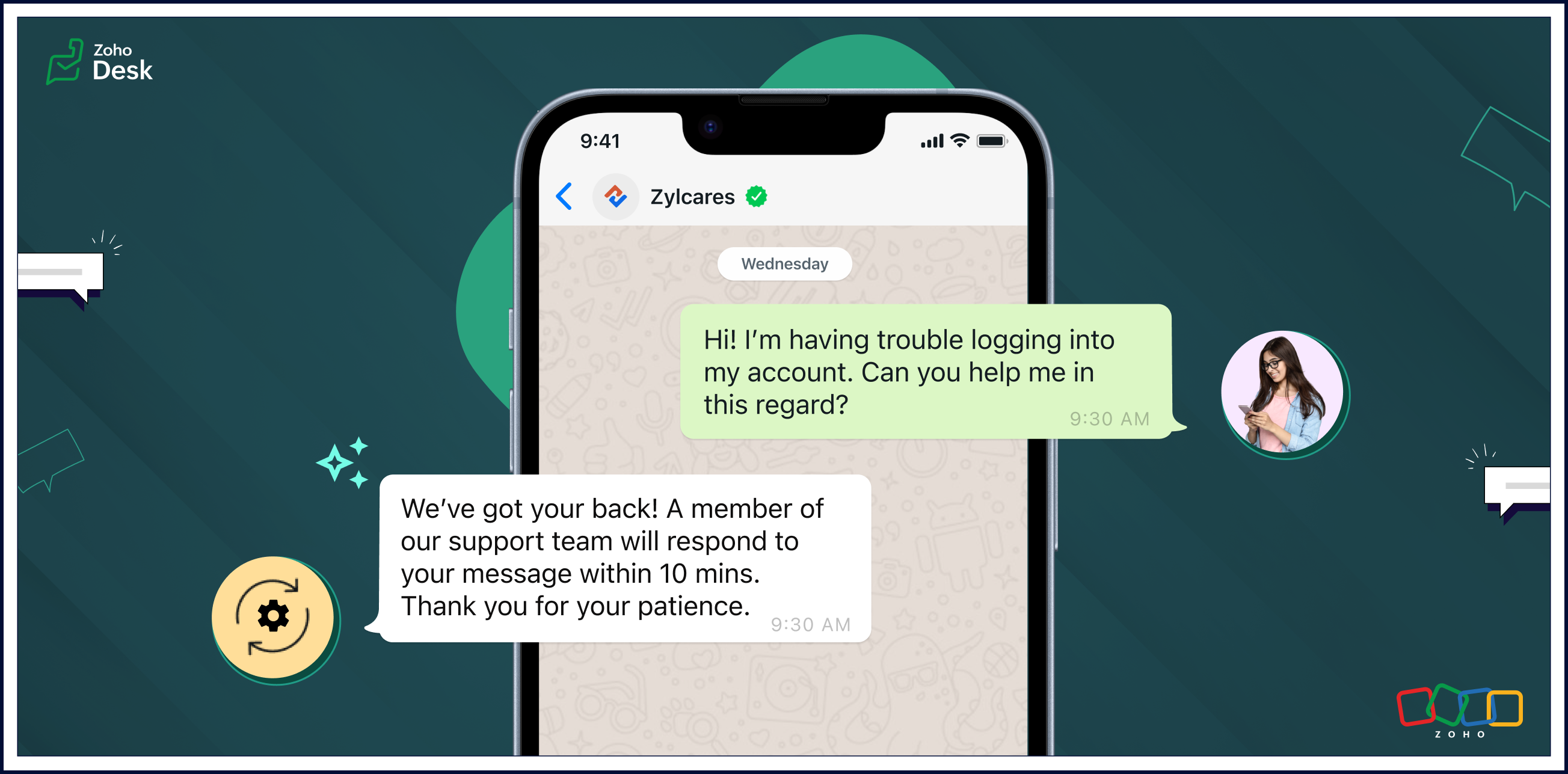


Auto response ensures that users receive an immediate confirmation of their message, setting a positive tone for their interactions with your organization.

Automatic replies enable businesses to streamline routine interactions, freeing up agents to focus on more complex issues and requests. The strategic use of auto-response messages enhances customer satisfaction, optimizes workflow efficiency, and contributes to cost savings.

Pros of auto-response messages

Prompt, clear communication

Automatic responses help maintain clear and uniform communication. These messages can include essential information, such as expected response times, alternative contact details, or links to relevant resources.

Fast response times

Auto-response messages excel in expediting response times. Customers appreciate swift acknowledgements of their questions or concerns and will be more willing to wait patiently if they know help is coming soon.

Reduced burdens on support reps

One of the primary advantages of auto-response messages is the time-saving benefit for agents. Routine inquiries or frequently asked questions can be addressed automatically, allowing agents to focus on more complex issues. This efficiency contributes to improved overall customer service.

Cons of auto-response messages

Limited capabilities compared to a human agent

Given a choice, customers often prefer to interact with human agents despite the convenience of automated replies. Even though auto replies are efficient, they lack the personal touch and empathy that human communication can provide. Also, auto responses may struggle to meet customer expectations in situations requiring emotional understanding.

Potential customer frustration

Auto replies can lead to customers becoming frustrated in some scenarios. They may need help with urgent or sensitive issues and be upset about not being able to reach an agent immediately. Standardized messages might not be able to address unique concerns adequately, leaving customers feeling unheard. Striking the right balance between automation and personalization is essential to mitigate frustration and provide a positive experience.

Uses of auto-response messages

    •    Sending out-of-office notifications
    •    Managing high volumes of incoming messages
    •    Providing information outside of business hours
    •    Handling customer interactions during events
    •    Saving time and making support teams more cost-efficient

Auto-reply messages are quickly becoming an essential tool for providing effective customer support. Here are a few examples of auto-reply messages that you can use in different situations.

    • Hi there! Thank you for contacting us. A support agent has already received your request and will reply soon.
    • Hi there! You've reached [company name], and one of our support reps will get back to you shortly.
    • Thank you for your message. We are currently unavailable, but a service agent will contact you as soon as possible.  
    • Welcome aboard! We can't wait to start working with you. Our team is always here for you if you have any questions or need support. Thank you for joining us!
    • Thank you for reaching out to us. We're aware of the issue, and we're working on it. We'll update you as soon as we have more information.
    • We're closed, but our support team will be available at [time] to get back to you and address your concerns. Thanks for your patience.
    • Hi there! Thank you for opting into our newsletter. You'll start receiving exclusive content and updates from us soon.
    • Sorry for the late delivery. We're on it and doing our best to get your order to you as quickly as possible. We appreciate your patience.

Closing thoughts

Automated replies save time, ensure prompt acknowledgement of customer requests, and help manage expectations when agents are unavailable or busy due to high communication volumes.

They enhance the transparency of business communication by providing immediate responses, even outside regular business hours. This helps foster a positive support experience and nurture long-term relationships with customers.

Clarity in communication improves customer satisfaction by setting appropriate expectations and reducing uncertainty in the support process. It's a win-win for customers and businesses.

I hope you found this article helpful and start using auto responses to help deliver great service to your customers. There's more to come, so please watch this space for more IM feature stories.
 
Until next time,


Kavya Rao

The Zoho Desk Team


      Zoho Campaigns Resources


        • Desk Community Learning Series


        • Digest


        • Functions


        • Meetups


        • Kbase


        • Resources


        • Glossary


        • Desk Marketplace


        • MVP Corner


        • Word of the Day


        • Ask the Experts


          • Sticky Posts

          • Register for Zoho Desk Beta Community

            With the start of the year, we have decided to take a small step in making the life of our customers a little easier. We now have easy access to all our upcoming features and a faster way to request for beta access. We open betas for some of our features
          • Share your Zoho Desk story with us!

            Tell us how you use Zoho Desk for your business and inspire others with your story. Be it a simple workflow rule that helps you navigate complex processes or a macro that saves your team a lot of time; share it here and help the community learn and grow with shared knowledge. 
          • Tip #1: Learn to pick the right channels

            Mail, live chat, telephony, social media, web forms—there are so many support channels out there. Trying to pick the right channels to offer your customers can get pretty confusing. Emails are most useful when the customer wants to put things on record. However, escalated or complicated issues should not be resolved over email because it's slow and impersonal.  When you need immediate responses, live chat is more suitable. It's also quick and convenient, so it's the go-to channel for small issues. 
          • Welcome to Zoho Desk Community - Say hello here!

            Hello everyone! Though we have been here for a while, it’s time to formally establish the Zoho Desk Community; we’re really happy to have you all here! This can be the place where you take a moment to introduce yourself to the rest of the community. We’d love to hear all about you, what you do, what company or industry you work for, how you use Zoho Desk and anything else that you will like to share! Here’s a little about me. I am Chinmayee. I have been associated with Zoho since 2014. I joined here
          • Webinar 1: Blueprint for Customer Service

            With the launch of a host of new features in Zoho Desk, we thought it’ll be great to have a few webinars to help our customers make the most of them. We’re starting off with our most talked about feature, Blueprint in Zoho Desk. You can register for the Blueprint webinar here: The webinar will be delivered by our in-house product experts. This is a good opportunity to ask questions to our experts and understand how Blueprint can help you automate your service processes. We look forward to seeing

          Zoho CRM Plus Resources

            Zoho Books Resources


              Zoho Subscriptions Resources

                Zoho Projects Resources


                  Zoho Sprints Resources


                    Zoho Orchestly Resources


                      Zoho Creator Resources


                        Zoho WorkDrive Resources


                          Zoho CRM Resources

                          • CRM Community Learning Series

                            CRM Community Learning Series


                          • Tips

                            Tips

                          • Functions

                            Functions

                          • Meetups

                            Meetups

                          • Kbase

                            Kbase

                          • Resources

                            Resources

                          • Digest

                            Digest

                          • CRM Marketplace

                            CRM Marketplace

                          • MVP Corner

                            MVP Corner


                            Zoho Writer Writer

                            Get Started. Write Away!

                            Writer is a powerful online word processor, designed for collaborative work.

                              Zoho CRM コンテンツ


                                ご検討中の方

                                  • Recent Topics

                                  • How to retreive the "To be received" value of an Item displayed in Zoho inventory.

                                    Hi everyone, We have our own Deluge code to generate a PO according to taget quantity and box quantity, pretty usefull and powerful! However, we want to reduce our quantity to order according to "To be received" variable. Seems like this might not even
                                  • Introducing Explainer Videos for Zoho Desk: Solve everyday challenges with simple configurations

                                    Dear everyone, We have created a set of short explainer videos that show how common support scenarios can be handled using simple configurations within the product. The solutions often lie in the plain sight, but go unnoticed. Through these videos we
                                  • Notifications Feeds unread count?

                                    How do I reset the unread count on feeds notifications?  I've opened every notification in the list.  And the count never goes to zero.
                                  • Simple reliable solution to convert MSG files for AOL Mail?

                                    A simple and reliable way to convert MSG files for AOL Mail is by using a professional tool MacGater Mac MSG Converter. This software allows users to quickly convert MSG files into formats compatible with AOL, such as MBOX or direct email migration. It
                                  • Zoho One Support is non existent...

                                    I've tried through Email, Chat, this community and finally through Phone. There is no way to receive an answer. Email = over a week and no answer Chat = not available Community = no answer at all Telephone = after clicking myself through the callcenter
                                  • Disable Zoho Contacts

                                    We don't want to use this app... How can we disable it?
                                  • Custom module - change from autonumber to name

                                    I fear I know the answer to this already, but thought I'd ask the question. I created a custom module and instead of having a name as being the primary field, I changed it to an auto-number. I didn't realise that all searches would only show this reference.
                                  • Edit a previous reconciliation

                                    I realized that during my March bank reconciliation, I chose the wrong check to reconcile (they were for the same amount on the same date, I just chose the wrong check to reconcile). So now, the incorrect check is showing as un-reconciled. Is there any way I can edit a previous reconciliation (this is 7 months ago) so I can adjust the check that was reconciled? The amounts are exactly the same and it won't change my ending balance.
                                  • How to add "All Open AND Overdue" back to the Home Page Task Component?

                                    Hi everyone, I’m looking for a way to restore the Tasks component dropdown list on the Zoho CRM Home Page. Since the recent update to the Task area in my Home Page Classic View, the dropdown options (e.g., My Next 7 Days + Overdue) are too restrictive
                                  • Dynamic Questions in Zoho Forms

                                    Is it possible to add dynamic questions (like displaying a user’s name) in Zoho Forms? I know this is possible in surveys, but can we implement similar functionality in Zoho Forms?
                                  • Introducing Zoho MCP for Bigin

                                    Hello Biginners! We're excited to introduce Zoho MCP for Bigin, a completely new way of interacting with Bigin data using AI. With Zoho MCP, you can securely connect your Bigin account with popular AI tools like Claude, Cursor, Windsurf, and VS Code,
                                  • Three Zoho Billing Limitations Blocking Standard Subscription Operations

                                    After working through Zoho Billing support for over a year on these three issues without resolution, we wanted to flag them to the broader community. We are curious whether other businesses are running into the same walls. 1. Cannot Prepone (Move Earlier)
                                  • SAP Business One(B1) integration is now live in Zoho Flow

                                    We’re excited to share that SAP Business One (B1) is now available in Zoho Flow! This means you can now build workflows that connect SAP B1 with other apps and automate routine processes without relying on custom code. Note: SAP Business One integration
                                  • Built-in Date Functions in Zoho Analytics Query Tables

                                    I have a doubt about whether Zoho Analytics Query Tables provide built-in functions for start date, end date, and the current month
                                  • [Action Required] : Update Shopify Access Scope to fetch complete order history

                                    Hello Shopify Users! Shopify has updated the access scope for apps under developer portal. With this change, the read_orders scope now provides access only to the last 60 days of order history. To access older historical orders, Shopify requires a separate
                                  • Enhancements for Currencies in Zoho CRM: Automatic exchange rate updates, options to update record exchange rates, and more

                                    The multi-currency feature helps you track currencies region-wise. This can apply to Sales, CTC, or any other currency-related data. You can record amounts in a customer’s local currency, while the CRM automatically converts them to your home currency
                                  • Advance Payment Record Removed When Deleting Applied Credit from Bill

                                    Hello, So while working with vendor advance payments, I noticed that removing the applied credit from a bill also removes the corresponding entry from the Payments Made section. What I did : Recorded an advance payment to a vendor through Payments Made.
                                  • How to Connect Zoho Books with e-Way Bill Portal (Step-by-Step Guide)

                                    Integrating Zoho Books with the e-Way Bill portal helps automate your logistics and compliance process. Follow the steps below to set it up easily: 🚀 How to Connect Zoho Books with e-Way Bill Portal (Step-by-Step Guide) Integrating Zoho Books with the
                                  • Salesforceに添付ファイルを格納したい

                                    お世話になっております。 Salesforceに添付ファイルを格納したく、カスタムオブジェクトに連携し、 「ファイルのアップロード」項目を設けました。 実際、エラーもなく送信出来たのですが、実際生成されたカスタムオブジェクトのレコードを見ると、どこにも添付ファイルがありません。仕様として、この添付ファイルはSalesforceのどこに格納されるのでしょうか? 今回作りたいフォームは、複数の書類を添付するため、Zohoformのファイルアップロード項目「本人確認書類」「源泉徴収票」などの項目を、Salesforce側にも設けた「本人確認書類」「源泉徴収票」という各項目にURLリンクとして紐づけたいと思っておりました。
                                  • Is there a way to update all the start and end dates of tasks of a project after a calendar change?

                                    Hi! Here's my situation. I've built a complete project planning. All its tasks have start dates and due dates. After completing the planning, I've realized that the project calendar was not the right one. So I changed the project calendar. I now have
                                  • Lookup fields can't be used for anything important

                                    Hi It seems the lookup fields are mostly.... informative, you can at most link stuff between modules... You can't use lookup fields in blueprints, you can't use them in layout rules or anything... It that correct?
                                  • Sales Allowed Beyond Available Stock and Payment Recorded Without Restriction

                                    Hi, While testing in Zoho Inventory, I noticed that a sales order can be created with a quantity exceeding the available stock in the selected warehouse. In my case: Available stock: 5 units Ordered quantity: 6 units Despite this: I was able to convert
                                  • Internal Fillable Contract with Zoho Writer (Before Sending to Client)

                                    Hi everyone, I’m trying to automate the following process in Zoho CRM and would appreciate some guidance. Process: When a Deal moves to a specific stage, CRM triggers an automation. CRM sends a contract template to an internal team member so they can
                                  • Questions Regarding Helpdesk & SalesIQ Customization and Email Setup

                                    Hello, I hope you’re doing well. I have a few questions regarding Helpdesk and SalesIQ: Can the emails sent to customers via helpdesk tickets be fully customized — including signature, subject line, and other elements? Also, is it possible to send these
                                  • Zoho Writer Frequently not loading

                                    I've reported this as a problem already but I can't log into my email right now or get onto the main site so you're going to hear about it again here: at least once a week, Zoho Writer will just refuse to load entirely. The main page will load and load
                                  • Read Thread Details

                                    Does anyone know how to "read" the complete thread details in a ticket? I figured out how to pull a summary of the threads using a webhook, but it doesn't have all the details I want. I tried to create a loop in flow, which should have worked, but instead
                                  • How to Structure Data in Zoho Creator Applications

                                    Data structure is undoubtedly one of the most critical pillars in application development within Zoho Creator. Well-structured projects scale easily, enable more robust automations, and drastically reduce rework. Poorly modeled applications, on the other
                                  • Application Architecture in Zoho Creator: Why You Should Think About It from the Start

                                    Many companies begin using Zoho Creator by building simple forms to automate internal processes. This is natural — the platform is extremely accessible and allows applications to be built very quickly. The challenge begins to appear when the application
                                  • Re: Application Architecture in Zoho Creator — A Platform-Specific Deep Dive

                                    A recent community post on application architecture made some excellent points about planning architecture early in Zoho Creator projects. The core message is right — Creator applications have a habit of growing organically into maintenance nightmares,
                                  • Client Script: Any plans to add support for multi-select field with onChange

                                    Client Script is fantastic and the documentation lists multiselect form fields as unsupported. Just wondering if there are any plans to make this a supported field. https://www.zoho.com/crm/developer/docs/client-script/client-script-events.html 2. Field
                                  • Set another Layout as Standard

                                    We created a few layouts and we want to set another one to standard:
                                  • Update application by uploading an updated DS file

                                    Is it possible? I have been working with AI on my desktop improving my application, and I have to keep copy pasting stuff... Would it be possible to import the DS file on top of an existing application to update the app accordingly?
                                  • Captcha can't be enabled conditionally

                                    Hi Problem: captcha on a form can't be enabled conditionally. Why is this a problem: Because I use the same form on our website (public) in the portal and mobile app. In the portal it works but in the mobile app it doesn't. So there should be a way to
                                  • Improved RingCentral Integration

                                    We’d like to request an enhancement to the current RingCentral integration with Zoho. RingCentral now automatically generates call transcripts and AI-based call summaries (AI Notes) for each call, which are extremely helpful for support and sales teams.
                                  • Setting GC session variable programatically in a website

                                    Hi! Is there a way now to programatically set session variables from a website for a Guided Conversations? The current available methods are dependent on react-native.
                                  • WorkDrive issues with Windows Explorer Not Responding

                                    We are using WorkDrive to collaborate on editing video content. We have a lot of files and quite a few are a few gigs. Recently anytime I try and work with the files Explorer freezes for a couple minutes whether it's dragging the files into Premiere or
                                  • US State abbreviations in Address fields

                                    In regards to all Address fields within Zoho, Is there a way to change the State field to be the 2 letter abbreviation vs the full spelled out US State name? Example: "Washington" should be WA. I am able to type in the abbreviated state, but it's not
                                  • New UI for Writer - Disappointed

                                    I've been enjoying Zoho Writer as a new user for about 6 months, and I really like it. One of my favorite things about it is the menu bar, which you can hide or leave out while still seeing most of your page because it is off to the left. I think this
                                  • Is it possible to retrieve function (Deluge) code from Zoho CRM externally?

                                    Hi Everyone, Is it possible to fetch or retrieve the Deluge function code from Zoho CRM using an external method (API or any other approach)? I would like to know if there is any way to access or extract the function script outside of Zoho CRM, or if
                                  • Zoho CRM Integration Form + Custom Fields

                                    Hi! I've created an Integration Form from Zoho CRM's Vendors Module, but I can choose a few standard fields and no custom fields I've created in Zoho CRM. There is a plan to add this feature soon? Thanks in advance.
                                  • Next Page