Introducing Custom Columns in Forecasts in Zoho CRM
Forecasts in Zoho CRM help sales representatives, managers, and business stakeholders evaluate performance and plan future sales activities. While standard metrics such as Target, Achieved Amount, and Pipeline Amount provide a baseline view, sales teams often need business-specific insights such as pipeline coverage, probable revenue, or stretch goals to make better forecasting decisions.
Availability
 Supported Editions: Enterprise and above
Custom Columns per Forecast Group
Forecast managers can create up to two custom columns for each forecast group. The supported column types are:
Formula Column
Import Column
Out of the two columns, only one can be a Formula Column, while either one or both columns can be Import Columns.
This flexibility allows teams to combine automatically calculated insights with externally maintained or manually defined business metrics.
Formula Column
Use Case for Sales Representatives
Scenario: A sales representative wants to understand whether their current pipeline is strong enough to achieve their target.
Instead of manually calculating values, a Formula Column can be created to calculate a Pipeline Coverage Ratio.
Example formula: Pipeline Amount ÷ Target
This instantly shows whether the pipeline sufficiently supports the assigned quota, helping sales reps prioritize deal closures and improve planning.
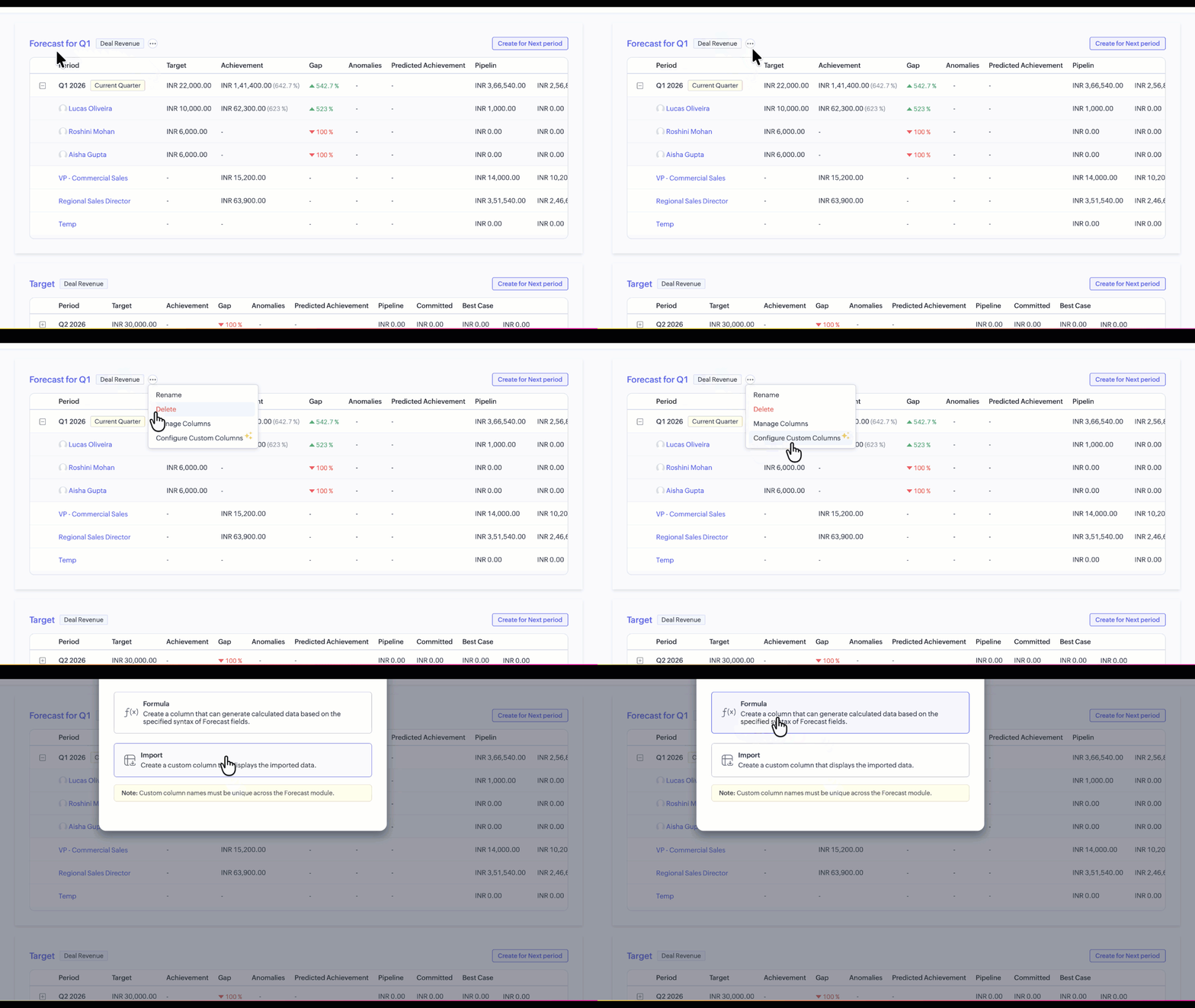
How to configure:
Click More Options next to the Forecast group name.
Select Configure Custom Column.
Choose Formula Column.
Define the formula syntax and save.
Once configured, values are automatically calculated based on the defined logic and updated across the forecast.
Import Column
UseCase for Managers and Stakeholders
Scenario:
A sales manager wants to motivate the team by introducing a Stretch Goal that goes beyond the standard forecast target.
Since this value may be defined outside CRM or adjusted periodically, an Import Column can be used to add these numbers into the forecast.
Managers can prepare stretch goal values externally and import them into CRM for each forecast period, allowing stakeholders to compare actual performance against both standard targets and aspirational goals.
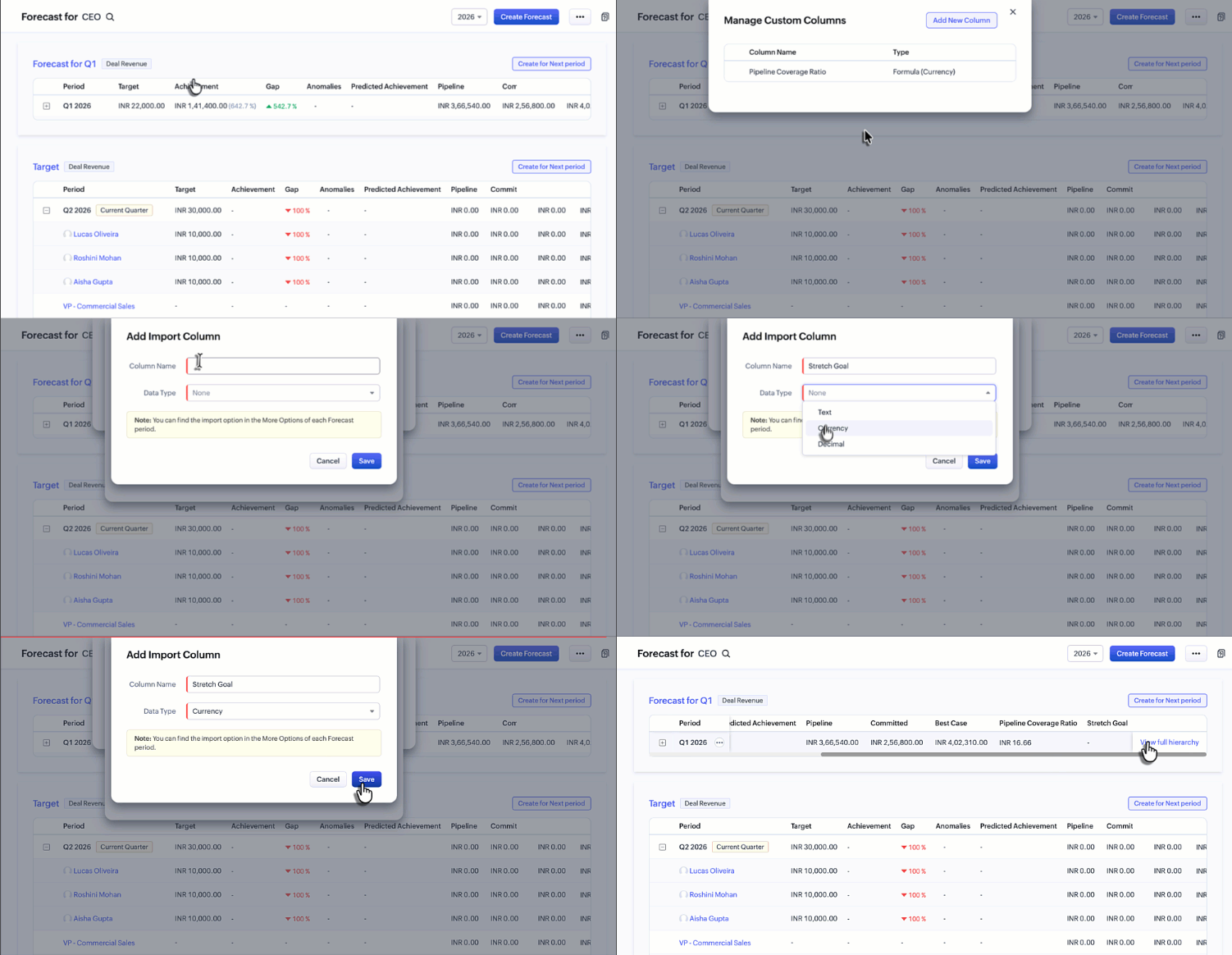
How to configure:
Create an Import Column from the Custom Column configuration.
Open More Options for a specific Forecast period.
Select Import Custom Column Data.
Export the sample file, enter the required values, and import it back into CRM.
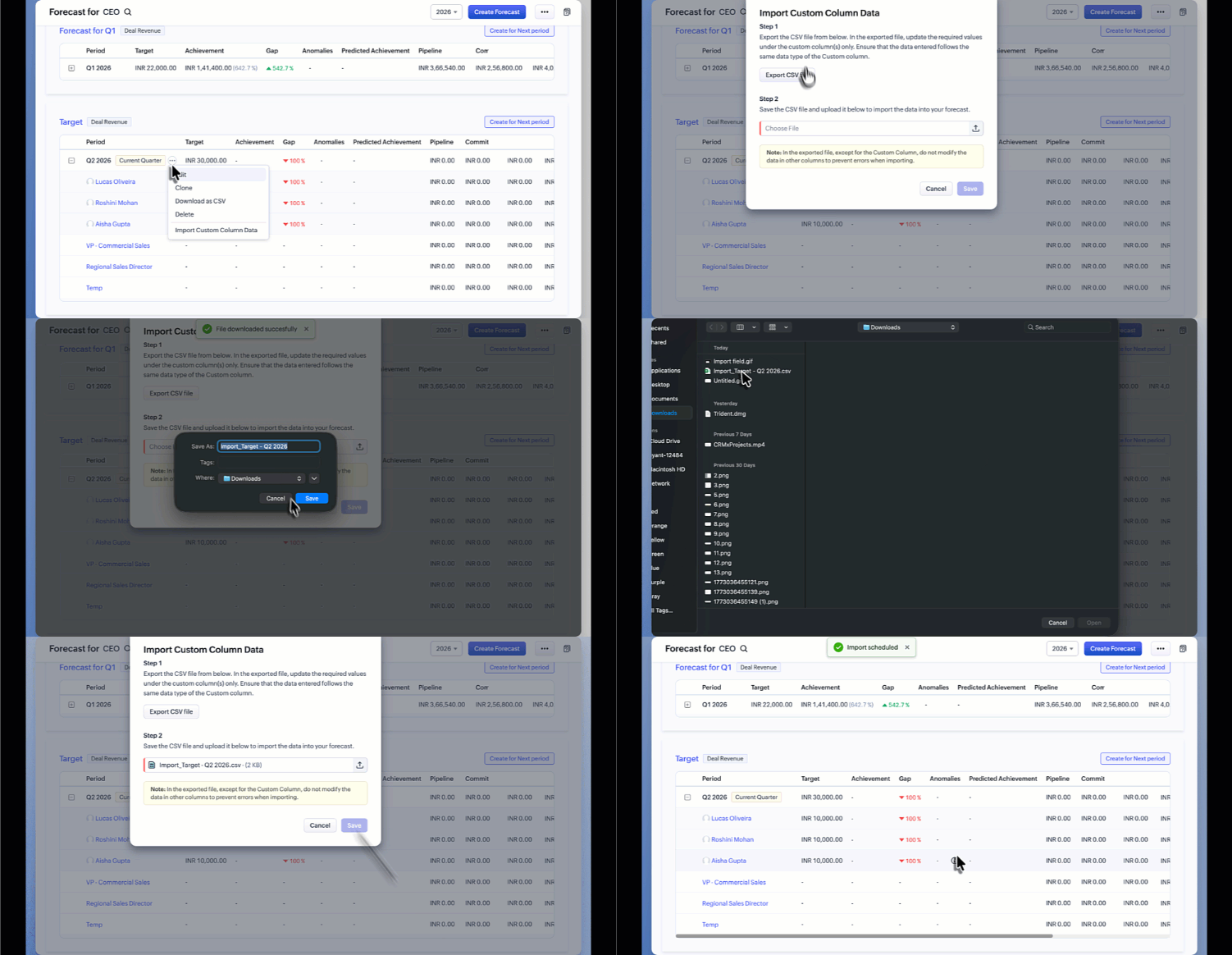
The imported data will then be reflected within the forecast.
Visibility Across Forecast Views
All configured custom columns are displayed in both:
Forecast List View
Breadcrumb View
This ensures users can review standard and custom performance metrics seamlessly while navigating across forecast levels.
Management at Forecast Level
Previously, the Manage Columns option was available at the module level.
Column management is now available at the individual forecast level.
Users also now have the option to download the forecast as a CSV file.
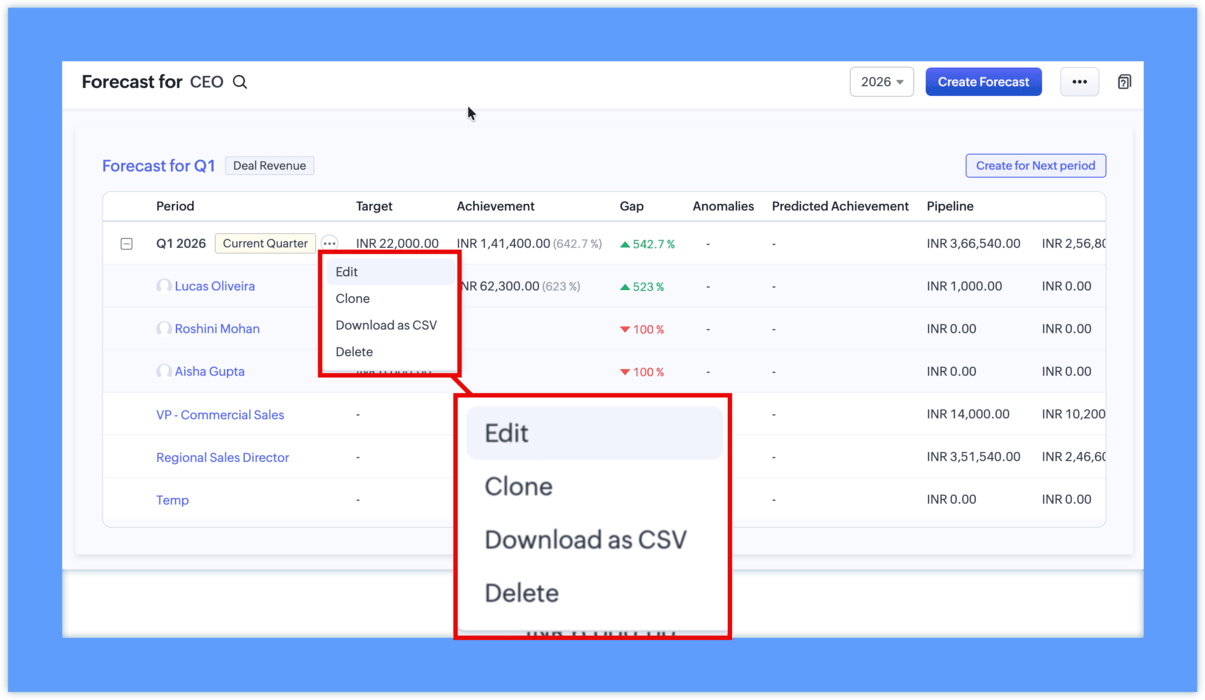
Forecast managers can:
Configure columns specific to a forecast
Arrange columns based on reporting priority
Tailor views without impacting other CRM areas.
With Custom Columns in Forecasts, sales teams and stakeholders can now track metrics that closely reflect their sales strategy and operational goals, going beyond standard forecast values while keeping analysis directly within Zoho CRM.