Provide a standard structure to your content using article templates
Hello everyone,
When multiple writers work on different documents, maintaining a standard structure can be challenging as each of the writer follows a different writing style. However, when the structure, tone, and format of every document is different, it can make the content difficult for readers to comprehend.
Article templates bring uniformity to content structure, save time, and provide a great platform for smoother onboarding of new writers.
What is an article template?
An article template is a predefined content structure that can be reused across categories during article creation. It helps ensure that all documents within a category follow a uniform layout and style.
Templates can include elements such as headings, subheadings, images, tables, bullets, numbering, accordions, and tabs.
For example, a product assembly guide will have a list of included parts, required tools, product details, measurements, and step-by-step instructions to assemble a product. This structure can be created as a template so that other writers can reuse the same structure when creating similar manuals.
Having templates in place:
- Promotes content consistency across articles
- Reduces the time spent creating articles from scratch
- Makes it easier to maintain and update articles
How to create templates and use them in articles
Templates can be created for a specific category from the Template section in the Knowledge Base module.

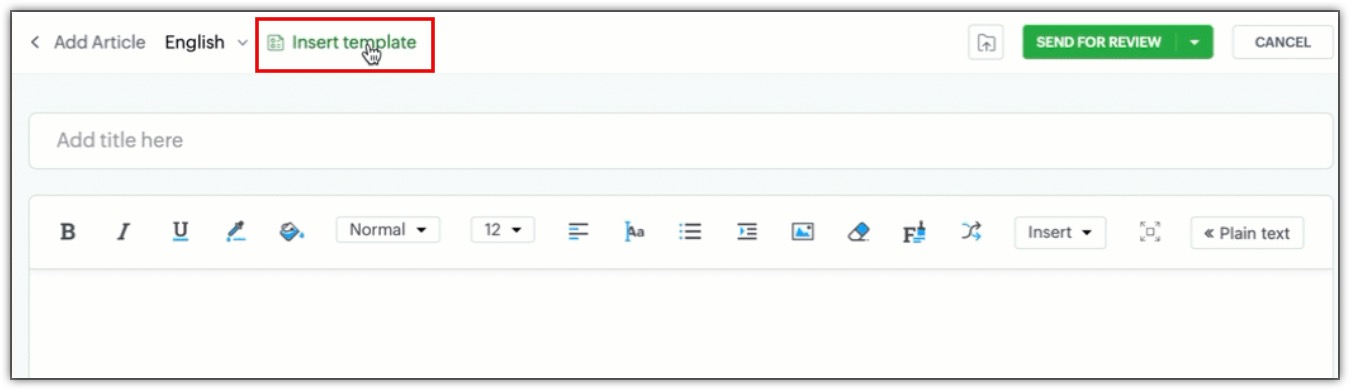
Once a template has been created, users can select the Insert Template option during article creation to use the saved template for structure.
Start exploring article templates now to make the documentation process faster, easier, and consistent.
This feature is now available for all users across data centers.
Kindly refer to the help doc for more information: Setting Content Standardization with Article Templates
PM: @Rajaram Iyyankalai
Regards,
B. Akshaya | Zoho Desk - User Education