Stay Informed with Task Notifications from Zoho People in Zoho Cliq
Staying on top of tasks and deadlines is important for effective project management and collaboration. By setting up a workflow automation in Zoho People, you can receive instant notifications to keep you informed in real-time within Zoho Cliq whenever a new task is created or assigned to you or your team members.
Follow the step-by-step instructions below to get important task updates from Zoho People
in Zoho Cliq,
Instructions:
1. Navigate to Zoho People Settings
- Go to https://people.zoho.com
- Navigate to Settings → Automation → Workflow → Add Workflow
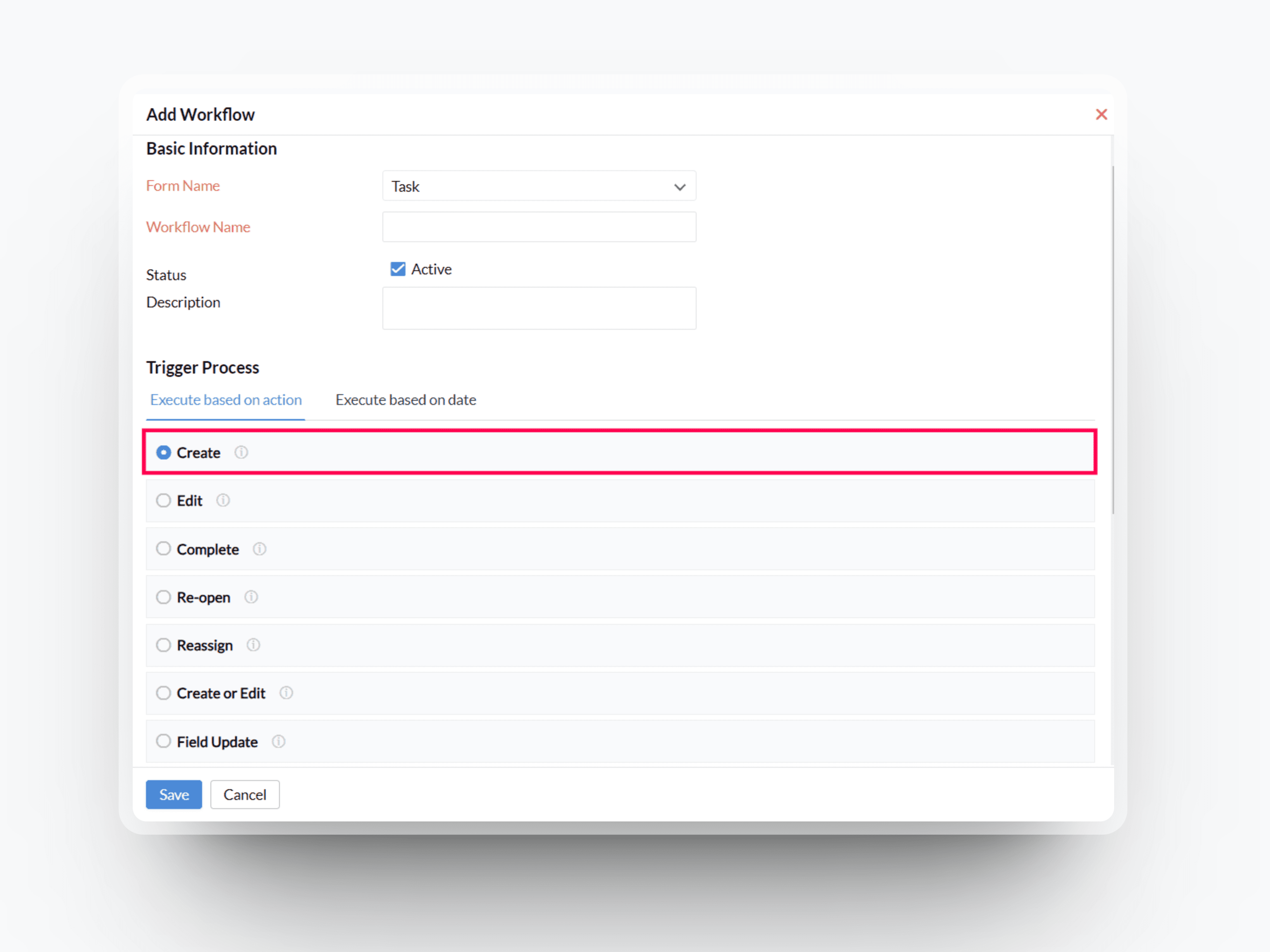
2. Set Up Workflow
- Choose the form name as Task and enter the workflow name and description.
- For the trigger process, under Execute based on action, choose the action as Create
- Select the action to be performed as Custom functions (+) icon and create a function.
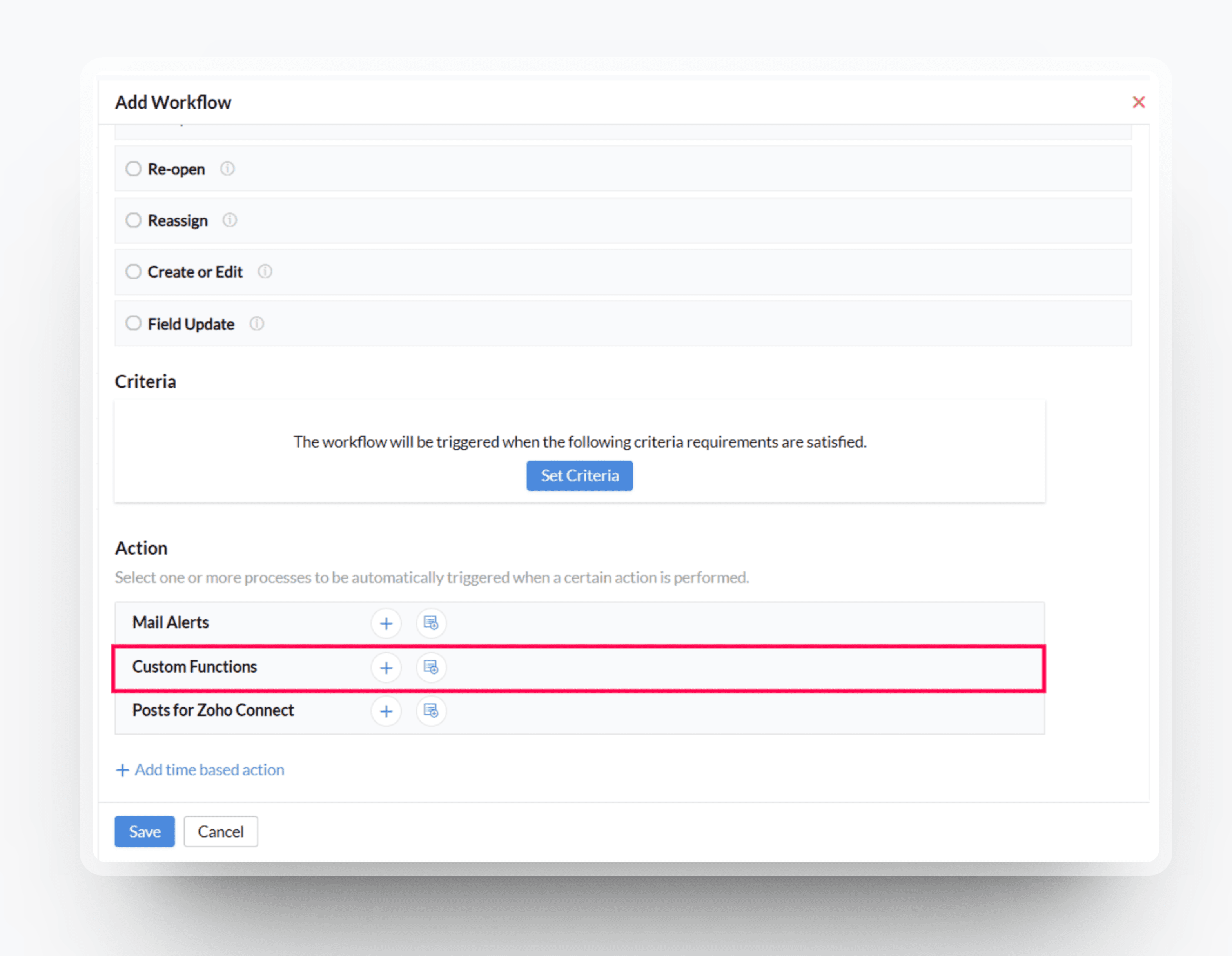
3. Create Custom Function
- Enter the custom function name and description.
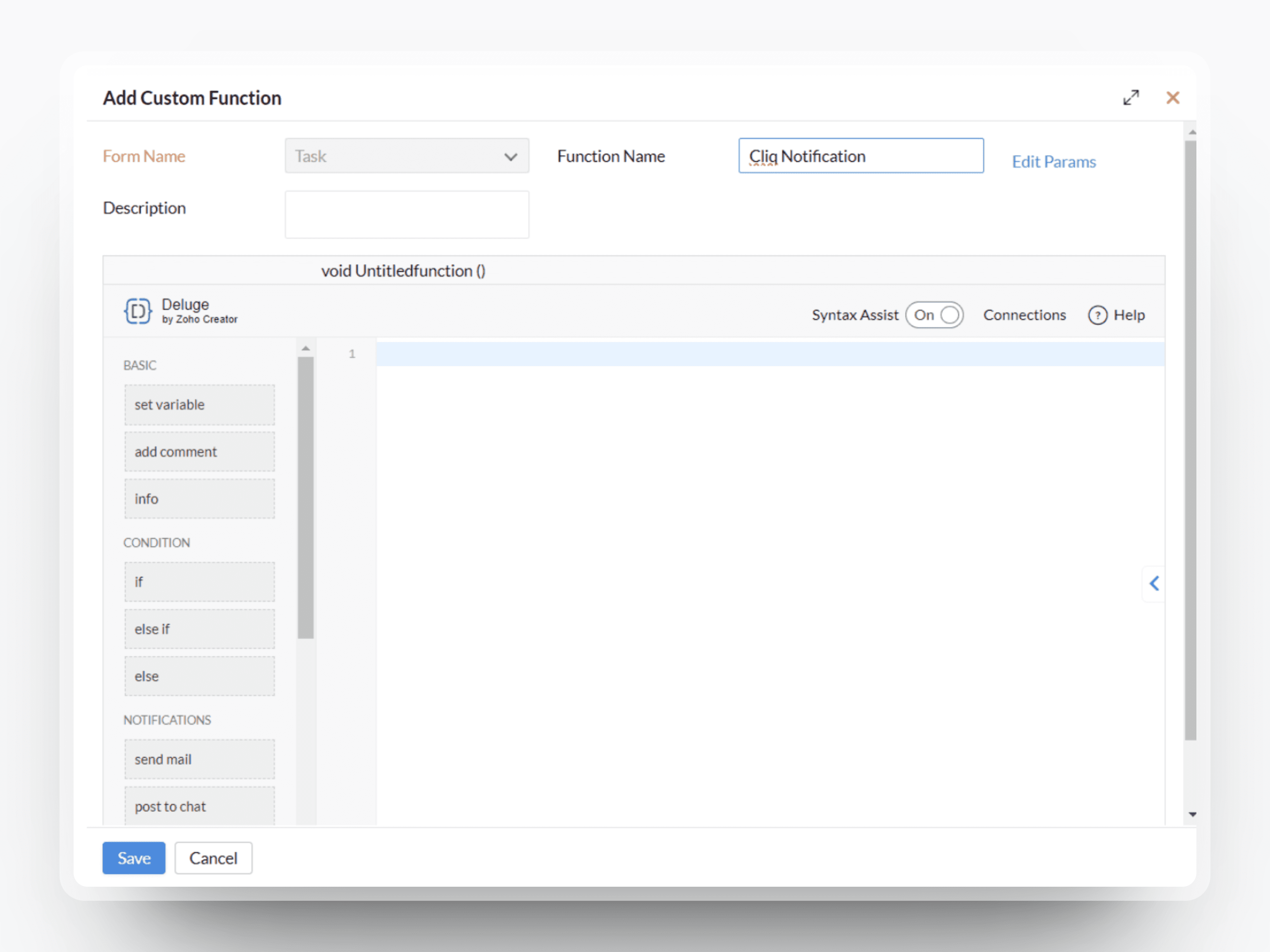
Add the required params and save it.
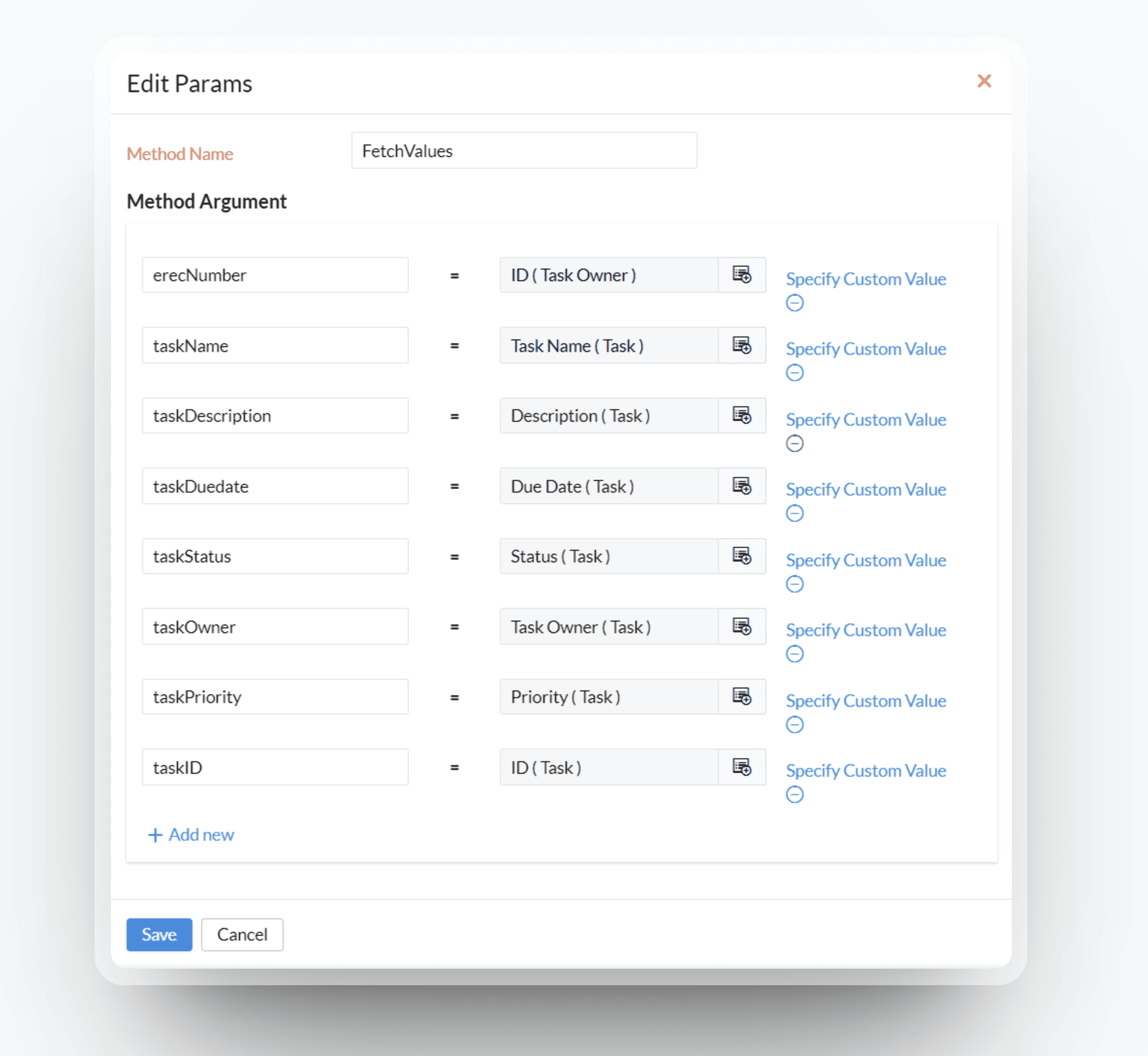
4. Function Code
- Paste the below code in the custom function and create a connection for service Zoho Cliq with scope ZohoCliq.Webhooks.CREATE
 Note: Replace the bot unique name in line no. 1 and replace the connection link name in line no. 11 and 14. ⓘ How to create a bot?
- botUniqueName = "BOT UNIQUE NAME";
- erecNumber = erecNumber;
- emp = zoho.people.getRecordByID("employee",erecNumber);
- reportingmanageremail = emp.get("Reporting_To.MailID");
- info reportingmanageremail;
- // Post message to user
- if(taskName.length() > 100)
- {
- taskName = taskName.subString(0,95) + "...";
- }
- if(taskDescription.length() > 100)
- {
- taskDescription = taskDescription.subString(0,95) + "...";
- }
- slidesData = List();
- slidesData.add({"type":"label","data":{{"Task":taskName},{"Description":taskDescription},{"Due date":taskDuedate},{"Status":taskStatus},{"Priority":taskPriority}},"buttons":{{"label":"View task","hint":"","type":"+","action":{"type":"open.url","data":{"web":"https://people.zoho.com/zp#task/tracktask/viewtask-taskid:" + taskID}}}}});
- card = {"title":taskName,"icon":"https://play-lh.googleusercontent.com/Cvq1q_Lgo_YlnT_wBkHM-TcxrX3SQUG05jLdxpS4vdfTJTJFYirhyjpnMCEwuYKF_Xg","theme":"modern-inline"};
- userMessageContent = {"text":"### New task asssigned to you","card":card,"slides":slidesData};
- info zoho.cliq.postToBot(botUniqueName,userMessageContent,"CONNECTION LINK NAME");
- // Post message to reporting manager
- msgContentForManager = {"text":"### New task asssigned to " + taskOwner,"card":card,"slides":slidesData,"userids":reportingmanageremail};
- info zoho.cliq.postToBot(botUniqueName,msgContentForManager,"CONNECTION LINK NAME");
Final Script Screenshot
After following the above instructions, your final script should look something like this
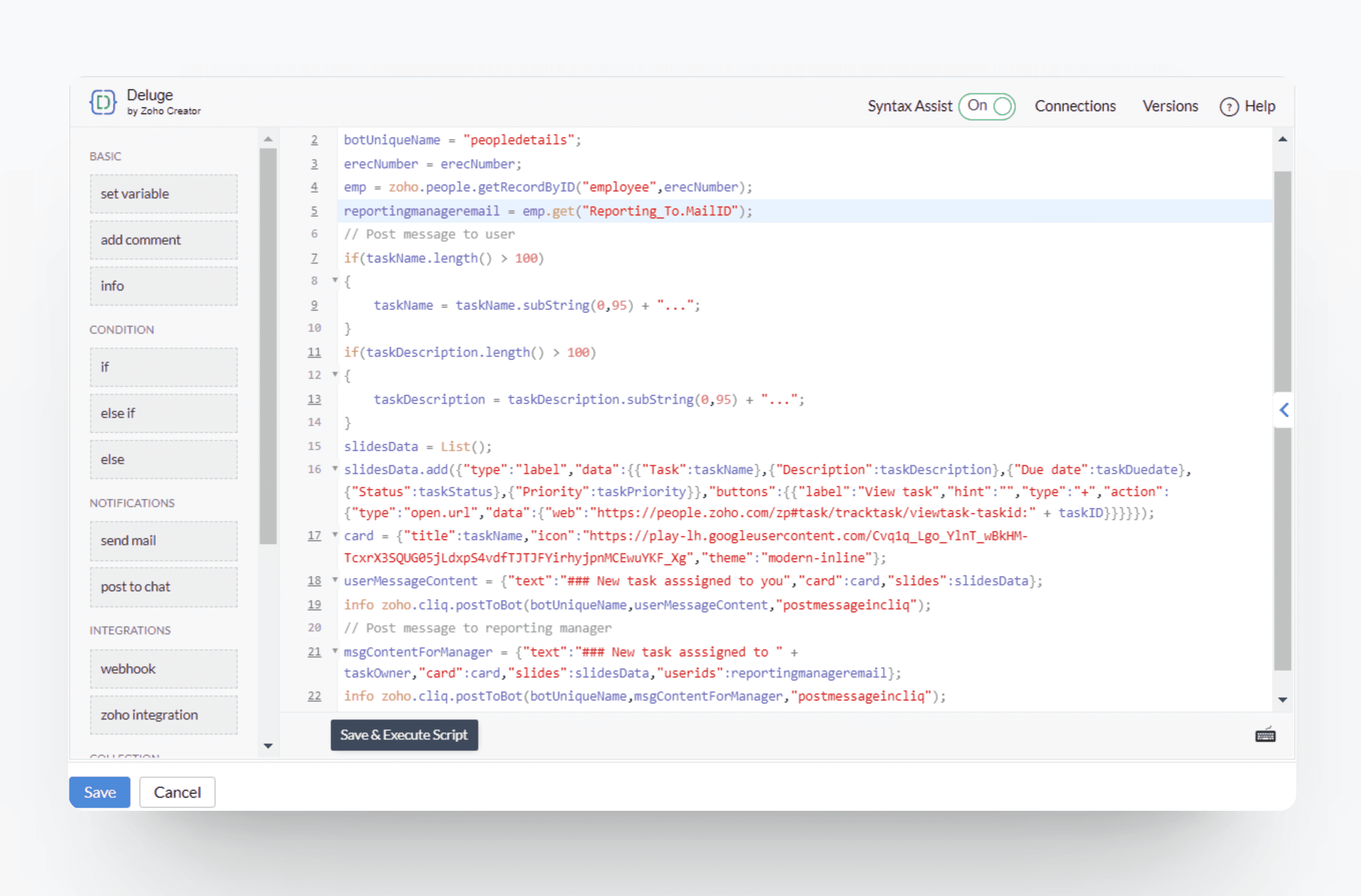
Click on Save and you're done! With this workflow in place, stay informed with real-time notifications, minimize context switching, and unlock a unified workspace that drives efficiency across your organization to experience the benefits of a seamless, aligned workflow.
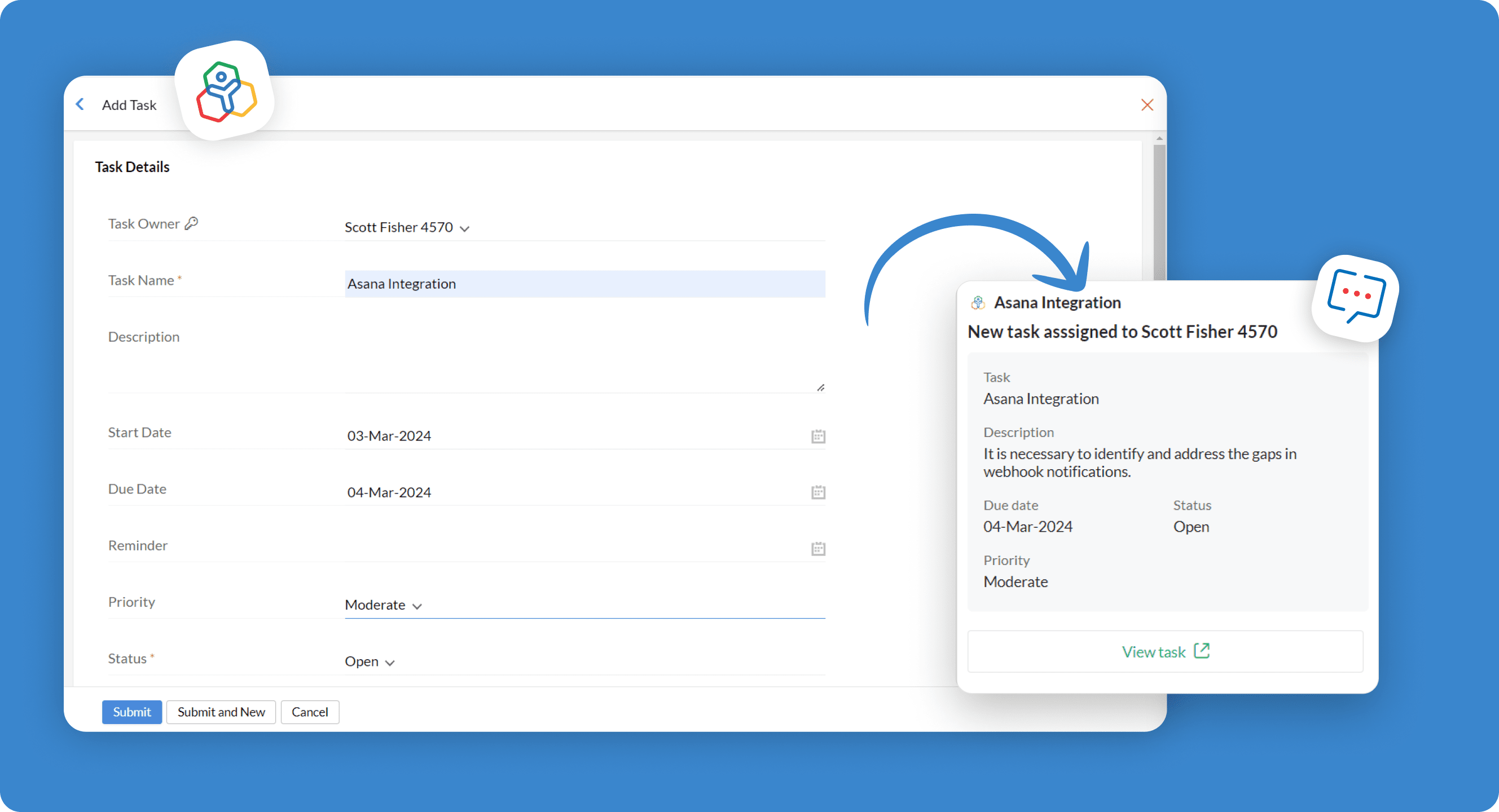
If you have any queries or doubts, leave a comment or reach out to support@zohocliq.com for assistance
With love,
Zoho Cliq 💙