Tip of the Week #67– Avoid confusion – Mark duplicate threads.

When customers send the same message to multiple email addresses, such as support@ and sales@, your team may end up seeing the same message in different inboxes. This creates confusion, risks double replies, and clutters your workspace.
Use the Mark as Duplicate feature in your TeamInbox to easily handle repeated threads. When two or more threads contain the same message, you can mark one as the primary thread and tag the others as duplicates. This helps your team stay on the same page, prevents multiple replies to the same customer, and keeps your inbox clutter-free. Once you mark a thread as a duplicate, it’s instantly hidden from your view so you can focus on the main conversation and respond faster.
To mark a thread as duplicate:
- Login to Zoho TeamInbox.
- Click open the duplicate thread.
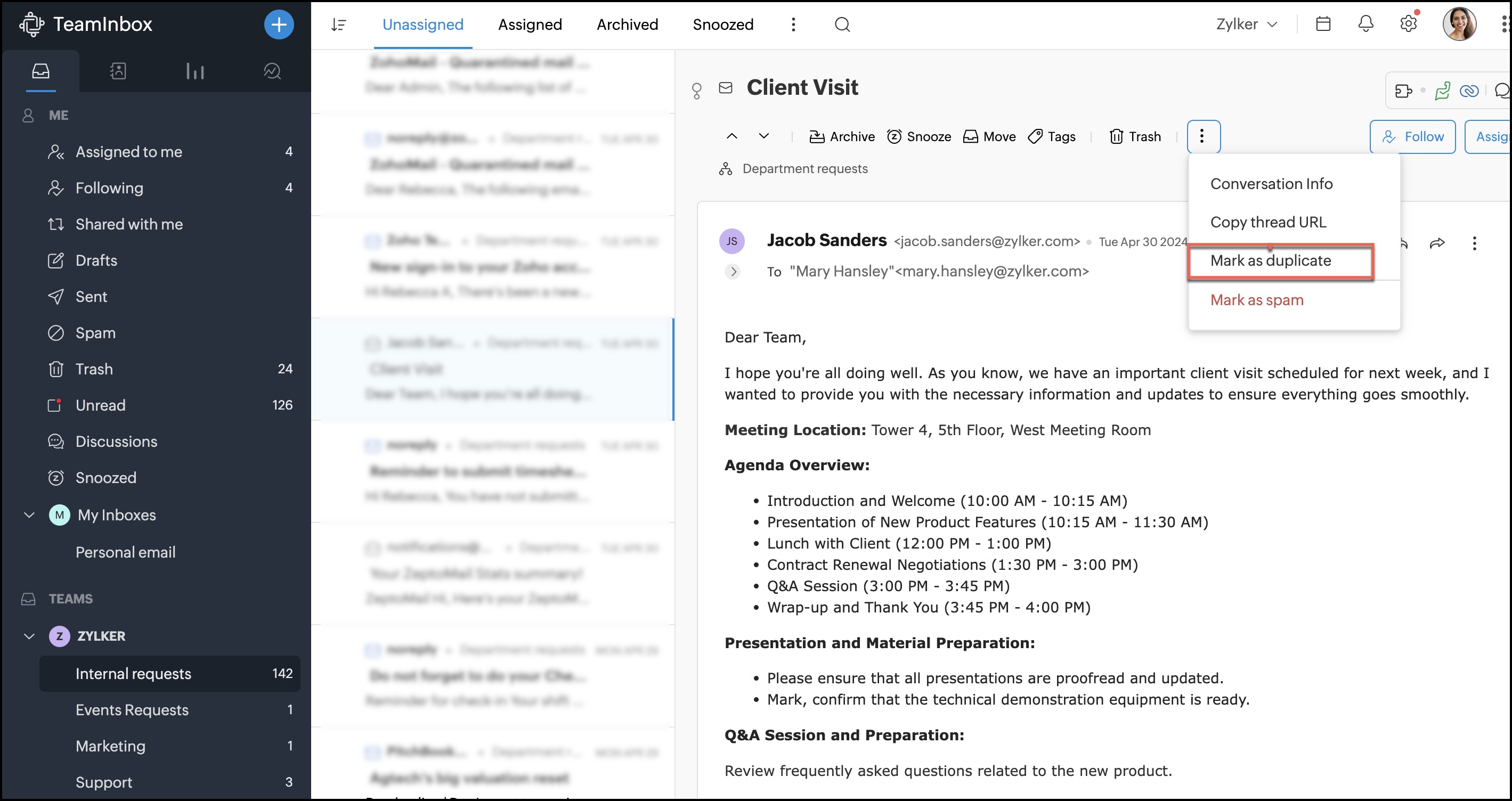
- Click the More icon and select "Mark as duplicate".
- Next select the primary thread in the pop up box.
- Once selected, the duplicate thread will be hidden from your view.
We’d love to hear your ideas! Have a tip you’d like us to cover next? Share it in the comments, we’re listening. Haven’t tried Zoho TeamInbox yet? Sign up today and start your free trial.
