Zoho Mail iOS app update (v3.10): New conference platforms, event management, and other enhancements
Hello everyone!
We're excited to announce the features and enhancements in the Calendar module for Zoho Mail iOS app. New conference platforms and options for managing and scheduling events are now available.
Let's dive into the details.
Create events with Google Meet and Webex

Propose a new time for events

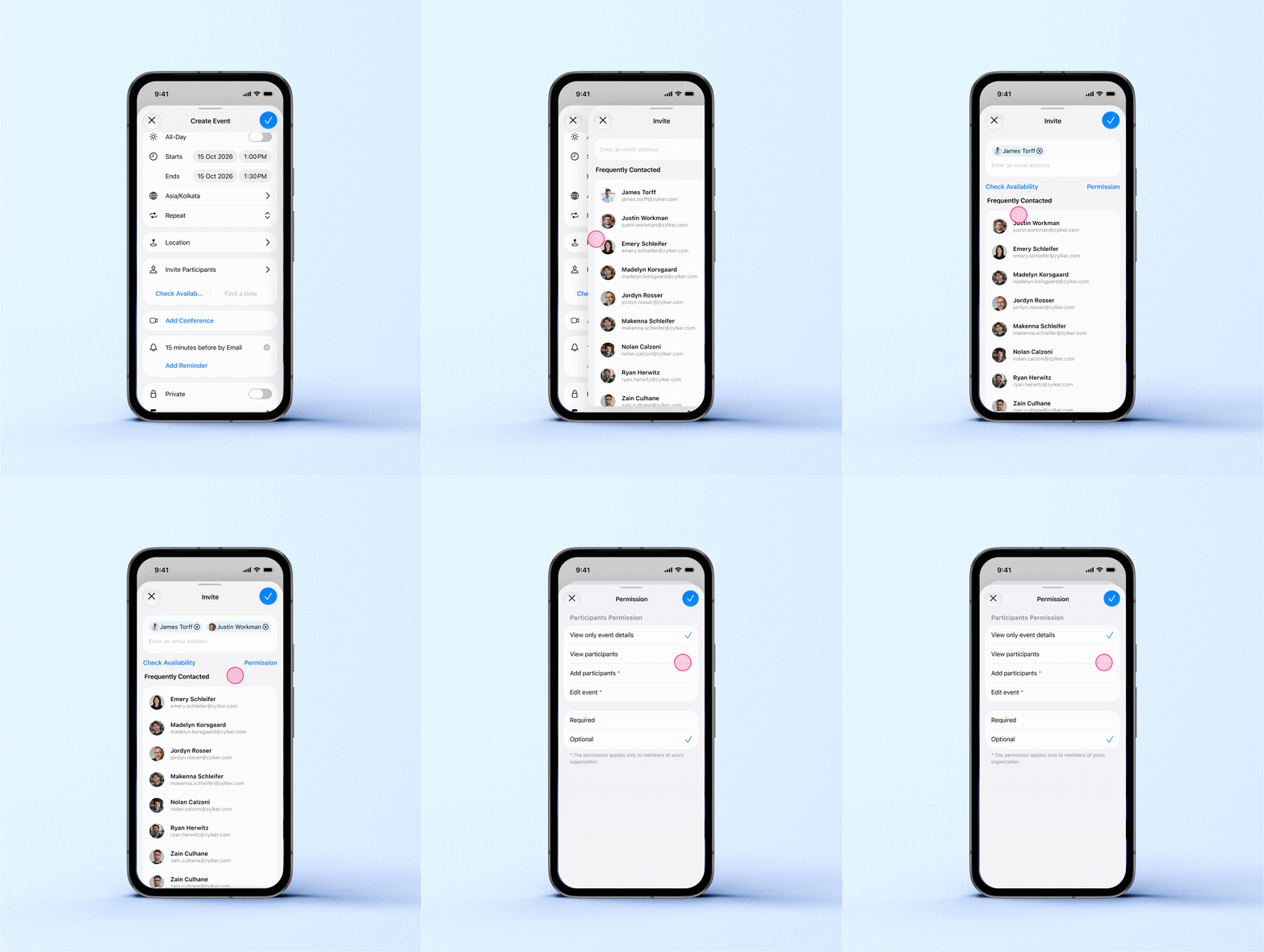
Check participant availability before scheduling an event

Other enhancements:
Join video conferences directly from calendar event details.
Duplicate existing events or forward event invitations to others.
Add participants from the event details.
Enhancement in Contacts View
Contact details such as designation, department, employee ID, and reporting manager are now available in Zoho Mail iOS (v3.10.1) and Zoho Mail Android (v.3.7.2) apps.
Please update the app to the latest version directly from the App Store or Play Store. You can also update the app using the link given below:
Zoho Mail - App Store | Zoho Mail - PlayStore
If you have any questions or need assistance, please write to us at mail@zohomobile.com or submit feedback within the app.
Steps to submit feedback:
Open the Zoho Mail mobile app.
Navigate to Settings.
Select Help & Feedback.
Tap Contact Support or Send Feedback
Enter the feedback, enable the logs, and submit.
Thank you,