通貨タイプの設定

通貨タイプの設定

お知らせ:当社は、お客様により充実したサポート情報を迅速に提供するため、本ページのコンテンツは機械翻訳を用いて日本語に翻訳しています。正確かつ最新のサポート情報をご覧いただくには、本内容の英語版を参照してください。

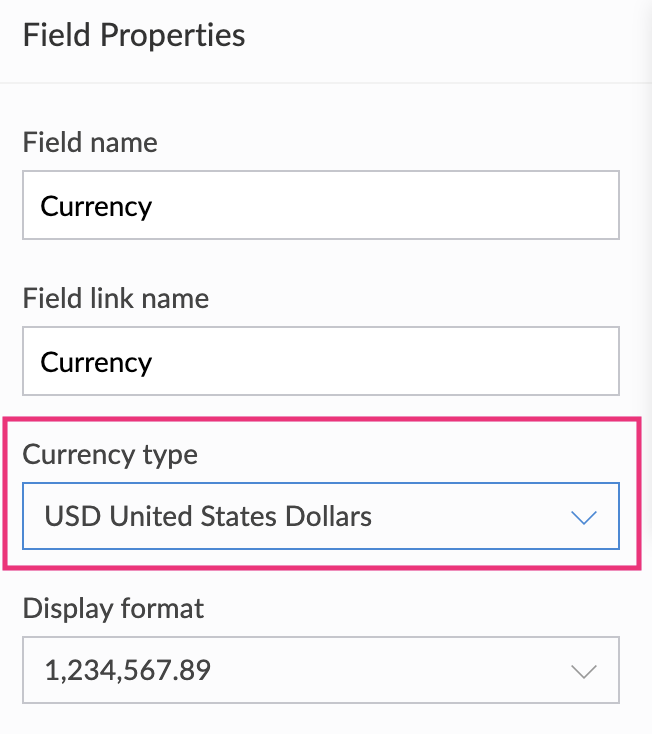
通貨項目の通貨種類を設定する

通貨項目の詳細については、こちらのページを参照してください。
  1. フォームビルダーを開きます。
  2. 通貨項目を選択します。
  3. 右側の項目プロパティに移動します。
  4. 通貨種類の横にあるドロップダウンから、目的の通貨を選択します。通貨名、または対応する3文字のアルファベットコードを入力して、目的の通貨を検索できます。


目的の通貨が通貨種類 ドロップダウンに表示されていない場合は、support@zohocreator.com までメールでお問い合わせください。
  1. 通貨項目について理解する
  2. 表示形式を設定する


              Zoho Campaigns Resources

                Zoho WorkDrive Resources


                  • Desk Community Learning Series


                  • Digest


                  • Functions


                  • Meetups


                  • Kbase


                  • Resources


                  • Glossary


                  • Desk Marketplace


                  • MVP Corner


                  • Word of the Day


                  • Ask the Experts


                                  Resources

                                  Videos

                                  Watch comprehensive videos on features and other important topics that will help you master Zoho CRM.


                                  eBooks

                                  Download free eBooks and access a range of topics to get deeper insight on successfully using Zoho CRM.


                                  Webinars

                                  Sign up for our webinars and learn the Zoho CRM basics, from customization to sales force automation and more.


                                  CRM Tips

                                  Make the most of Zoho CRM with these useful tips.