How to integrate Zoho Campaigns with cloud storage services
Zoho Campaigns integrates with cloud storage services such as DropBox, OneDrive, Box, Zoho WorkDrive and Evernote. You can directly import your data from them.
Integrate with Dropbox
1. Click Settings icon on the top-right corner of the screen.
2. Choose Apps under Integration.

3. Mouse over Dropbox and click Connect.
4. To comply with GDPR, we inform the activities that will be performed after integration,
- We will import contacts and other files stored in DropBox.
5. Click Go Ahead.
You can authenticate Dropbox account by entering your login credentials when you're importing data from it.
Integrate with OneDrive
1. Click Settings icon on the top-right corner of the screen.
2. Choose Apps under Integration.
3. Mouse over OneDrive and click Connect.
4. To comply with GDPR, we inform the activites that will be performed after integration,
- We will import contacts and other files stored in OneDrive.
5. Click Go Ahead.
You can authenticate OneDrive account by entering your login credentials when you're importing data from it.
Integrate with Box
1. Click Settings icon on the top-right corner of the screen.
2. Choose Apps under Integration.
3. Mouse over Box and click Connect.
4. To comply with GDPR, we inform the activities that will be performed after integration,
- We will import contacts and other files stored in Box.
5. Click Go Ahead.
You can authenticate Box account by entering your login credentials when you're importing data from it.
Integrate with Zoho WorkDrive
1. Click Settings icon on the top-right corner of the screen.
2. Choose Apps under Integration.
3. Mouse over Zoho WorkDrive and click Connect.
4. To comply with GDPR, we inform the activities that will be performed after integration,
- We will import contacts and other files stored in Box.
5. Click Go Ahead. Your Zoho Campaigns account will be integrated with Zoho WorkDrive account.
Integrate with Evernote
1. Click Settings icon on the top-right corner of the screen.
2. Choose Apps under Integration.
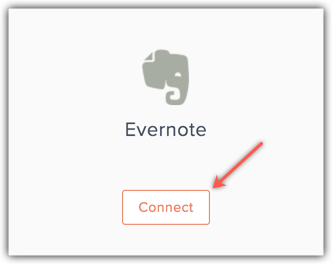
3. Mouse over Evernote and click Connect.
4. To comply with GDPR, we inform the activities that will be performed after integration,
- We will import contacts and other files stored in Evernote.
5. Click Go Ahead.
You can authenticate Evernote account by entering your login credentials when you're importing data from it.