Design & Print Data Directly using Canvas Print View

Design & Print Data Directly using Canvas Print View

Hello Everyone,

We are excited to announce a new addition to your Canvas in Zoho CRM - Print View. Canvas print view helps you transform your custom CRM layouts into print-ready documents, so you can bring your digital data to the physical world with ease.

Whether you’re printing labels for shipping, creating personalized forms, or need to document one particular record's information, this feature gives you the control and flexibility to design, customize, and print right from your CRM.

What can you do with Print View?

With Canvas Print View, you can print out a single record's data or a few selected records' data or even the total number of records per page onto physical sheets directly from your CRM account to your hands. Simply :
  1. Design a custom layout using Canvas by pulling details automatically from your CRM modules
  2. Generate a clean, printable sheet of mailing labels
  3. Print information out on standard paper sizes like A4 or Letter from your selected module,
  4. Automatically display cutting lines to guide separation for
  5. Save time and reduce manual errors without leaving your CRM

Scenario 1: Print Shipping labels from your CRM Account

Imagine you’re running a shipping or courier service, and you manage all your customer data within Zoho CRM. Your team needs to generate address labels for daily deliveries. You can use the print view to :
  1. Create a custom mailing label layout using Canvas and get customer contact details automatically from your contact module.
  2. Generate a clean, printable sheet of mailing labels
  3. Choose to display cutting lines to guide label separation
  4. Finally, print them out on standard paper sizes like A4, Letter from your selected module
And, Voila! Your team now has all the address labels they need for daily deliveries.

Look at the GIF below to understand how Canvas Print View works for print mailing labels.


Scenario 2 : Print Service Report Forms in an Auto-shop Repair Firm

Say, you run an automobile service centre, and you use Zoho CRM to track customer vehicles, service requests, complaints, and repair details. After completing a repair job, the technician updates the service record in CRM with details such as the vehicle model, service type, parts replaced, labour cost, and total cost.

Using the Print View feature in Canvas, the service centre generates a Service Report that includes:
  1. Customer name, email, and phone number
  2. Service number and Service date
  3. Vehicle Name, Complaint, and Feedback
Now, you can hand this printed report to the customer as proof of service where both the technician and the customer can be signed for acknowledgment and stored in the customer’s file as part of their service history. This is any day better than giving customers a rough invoice or verbal update, and encourages repeat visits for future services.

The GIF below will help you understand how Canvas Print View works for such scenarios.


Other examples where you can use this feature

Similarly, you can use the Print View feature of Canvas to create printable sheets for other scenarios, such as :

  1. Create academic course sheets, promotion letters and more automatically from the courses module,
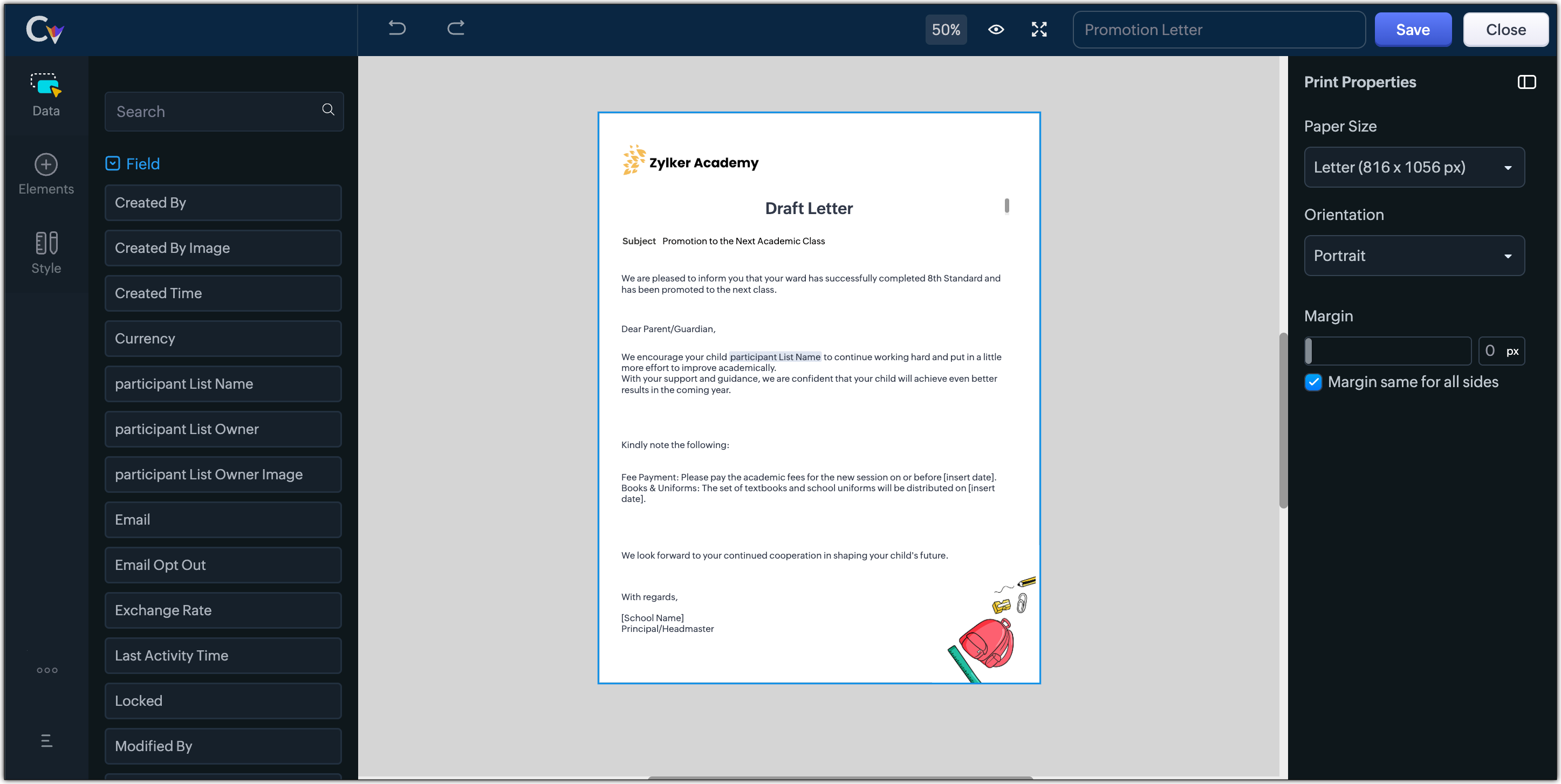


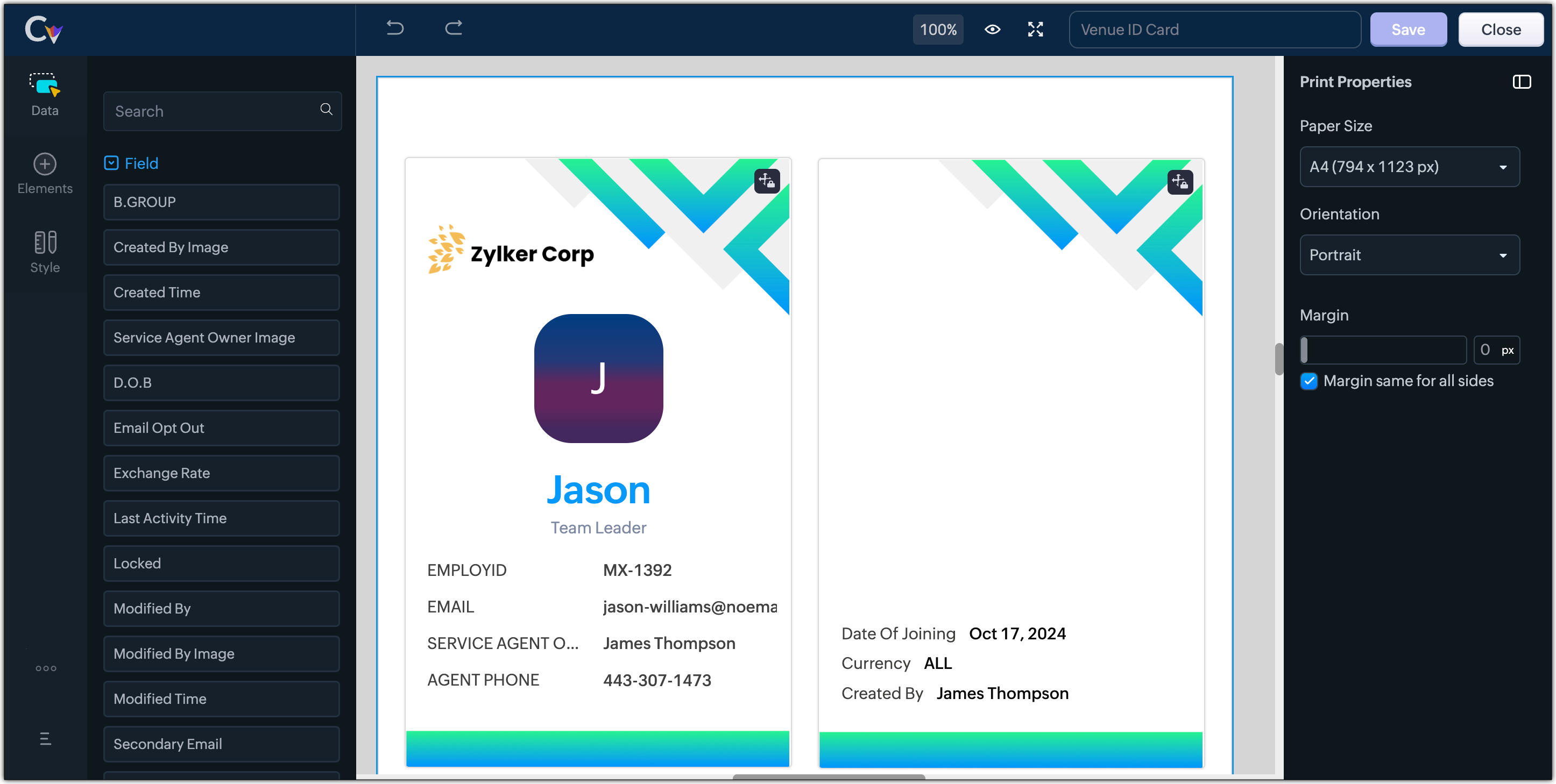
  2. Resume, id card, or other identification forms for marketing activities or related events,


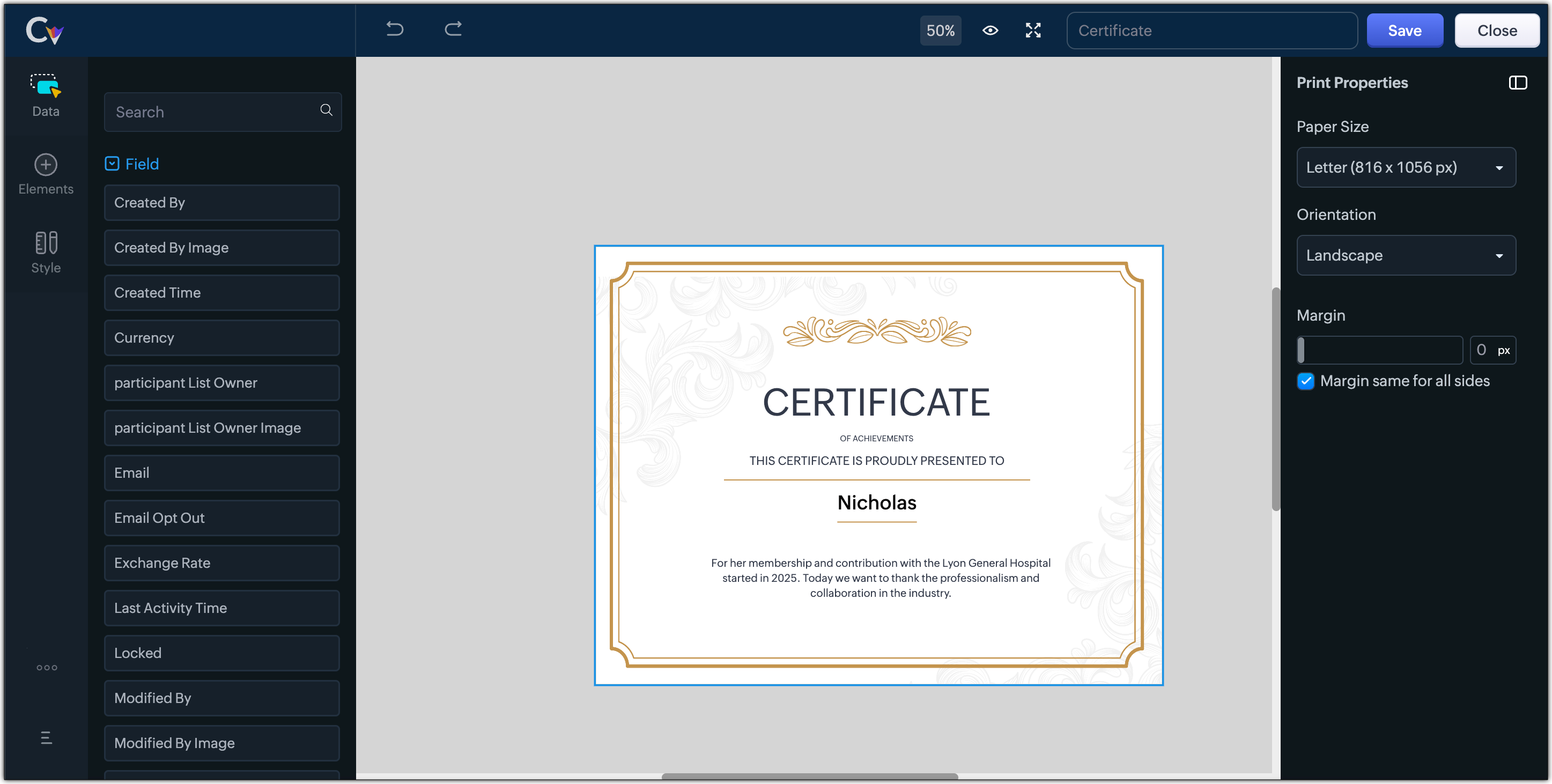
  3. Certificates, contracts, agreements, or guarantees that need to be manually attested by customers

Customization Options to print Mailing labels

Canvas Print View offers a wide range of customization options to help you design exactly how you want to print out your mailing labels. The options available are :
  1. Paper Sizes: Choose from Mailing Label formats based on your printing needs
  2. Orientation: Switch between Portrait or Landscape mode to suit your layout design
  3. Margins: Define precise margins for your printout or apply the same margin on all sides with a single click
  4. Print record in :
    1. Choose to print the mailing labels per page or in a list or in a Grid.
    2. To print mailing labels per page, users can choose the same margin for all sides and align center options.
    3. To print mailing labels in a list, users can choose the same margin for all sides, align center and cutting lines options.
    4. To print mailing labels in a grid, users can choose the same margin for all sides, align center, auto width, and cutting lines options.


Notes
Note :
  1. Align Center : Aligns your content to the center of the page or adjust freely
  2. Auto Width : Enable this setting to fit content dynamically within the layout
  3. Cutting Lines : Add visible cutting guides to clearly separate labels or sections on the page

Customization Options to print A4 or Letter format information

The customization options available for printing information in A4 or Letter paper sizes are :
  1. Margins: Define precise margins for your printout or apply the same margin on all sides with a single click.
  2. Print record in : Choose to print the information per page or in a list.
    1. To print information per page, users can only choose to apply the same margin for all sides.
    2. To print mailing labels in a list, users can choose to apply the same margin for all sides and enable cutting lines to guide separation.


Info
Availability : This feature is available to all users except for IN DC users. It will be opened up for the Indian data centre users shortly.

No more exporting, formatting, or jumping between tools to generate print-ready documents. Canvas Print View can be your print-buddy that can let you tailor documents to suit your business requirements.

Head over to your Canvas builder, select the Print View option, and start creating beautifully customized templates that work on paper just as well as on screen.

Feel free to comment below if you need any assistance from us!

Thanks & Regards
Serena Woolridge

    Nederlandse Hulpbronnen


      • Recent Topics

      • Darshan Hiranandani : How many participants can join a Zoho Meeting at once?

        Hi everyone, I'm Darshan Hiranandani, trying to find out the maximum number of participants that can join a Zoho Meeting at once. Has anyone here used Zoho Meeting for larger groups and can share their experience or knowledge about the participant limit?
      • Where is the scheduled report in New UI?

        Hi Team, Seems there is not such a field in New UI, hence I have to switch to old UI to handle request..
      • Approval Workflow for Purchase Orders Abrir

        The requirement is , that all purchase orders greater than or equal to 5000 go through an approval process from certain people, but within books I only see that the approvers can be by levels or any approver but we cannot enter a rule like these. Can
      • WeTravel + Zoho CRM Integration - Has Anyone Built a Connector or Extension?

        Hi all, I'm exploring options for integrating Zoho CRM with WeTravel (booking & payment platform for tour operators). Zapier seems to be the common method but seems limited. I'm wondering if anyone in the community has developed a more comprehensive solution,
      • Option in pipeline deal to select which hotel or branch or store if client has more than one local store

        Hi, I would like to know if there is an option in the deal pipeline to select which hotel, branch, or store a deal is related to—if the company has more than one location. For example, I have a client that owns several hotels under the same company, and
      • Undo article like/dislike

        It seems to be not possible to undo your like/dislike for an article. Would be great if you can. Kind regards, Helen
      • Nested notebooks

        Dear Sir/Madam, I would like to know if it is possible to nest notebooks. It would be very helpful when there are too many, as it would improve organization. Thank you for your response. Best regards.
      • Tax in Quote

        Each row item in a quote has a tax value. At the total numbers at the bottom, there is also a Tax entry. If you select tax in both of the (line item, and the total), the tax doubles. My assumption is that the Tax total should be totalling the tax from
      • Issue with "Send Email" from Quotes not loading Email Template data

        Hi everyone, I'm currently experiencing an issue when using the "Send Email" option from a Quote record in Zoho CRM. What’s happening: When I go to the Quotes module and select a record, then click Send Email, the attached file (Quote) correctly pulls
      • Dynamically Fetching Lookup Field Display Value

        I have an audit trail form, Audit_Changes, that tracks old vs new values across different forms. For lookup fields, the old/new value is the ID, but I also need the display value. What's a best practice for dynamically fetching the display value of the
      • Stop Scrolling, Start Asking: Meet Zia for Your Files

        Hey everyone 👋 The era of 'scrolling and searching' is officially over. Whether it's a dense legal contract or a long meeting recording, searching for specific details is a massive time-sink. We think you should be able to interact with your files, not
      • Introducing a smarter, faster, and more flexible charting experience

        Hello Zoho Sheet users, We're delighted to share the latest news about a major update to charts in Zoho Sheet! The new version supports dynamic data ranges, granular styling options, faster loading, and other interesting enhancements that allow you to
      • How to create a new Batch and update Stock via Inventory?

        Hi everyone, We are building an automation where a user enters batch details (Batch Number, Mfg Date, Expiry, and Quantity) into a Custom Module. I need this to trigger an API call to Zoho Inventory to: Create the new batch for the item. Increase the
      • How do I open MSG files in Microsoft Word?

        If you want to open MSG files in Microsoft Word is not natively supported, as MSG is an email file format created by Microsoft Outlook. However, there are professional approaches to access MSG content in Word. First, open the MSG file in Outlook and copy
      • Unable to charge GST on shipping/packing & Forwarding charges in INDIA

        Currently, tax rates only apply to items. It does not apply tax to any shipping or packing & forwarding charges that may be on the order as well. However, these charges are taxable under GST in India. Please add the ability to apply tax to these charges.
      • How to add packing & forwarding charge in purchase order & quotation???

        Hello Zoho Team I have just started using Zoho for my company and I wanted to make purchase order. My supplier charges fix 2% as packing & forwarding on Total amount of material and then they charge me tax. For example, Material 1 = 100 Rs Material 2
      • How to create a boxplot chart in Zoho Analytics?

        Hi, I'm looking forward to making a boxplot in Zoho Analytics, either with all my data or with a time segmentation. No documentation or YouTube video explaining that was found. I guess this is a feature gap. How feasible would it be to add this to Analytics?
      • What are the create bill API line item requiered fields

        While the following documentation says that the line items array is requiered it doesn't say what if any files are requiered in the array. Does anyone know? API documentation: https://www.zoho.com/inventory/api/v1/bills/#create-a-bill I'm trying to add
      • WorkDrive issues with Windows Explorer Not Responding

        We are using WorkDrive to collaborate on editing video content. We have a lot of files and quite a few are a few gigs. Recently anytime I try and work with the files Explorer freezes for a couple minutes whether it's dragging the files into Premiere or
      • Connecting Zoho Inventory to ShipStation

        we are looking for someone to help connect via API shipStation with Zoho inventory. Any ideas? Thanks. Uri
      • Where is the settings option in zoho writer?

        hi, my zoho writer on windows has menu fonts too large. where do i find the settings to change this option? my screen resolution is correct and other apps/softwares in windows have no issues. regards
      • Using IMAP configuration for shared email inboxes

        Our customer service team utilizes shared email boxes to allow multiple people to view and handle incoming customer requests. For example, the customer sends an email to info@xxxx.com and multiple people can view it and handle the request. How can I configure
      • When Does WorkDrive integrate with Books?

        When Does WorkDrive integrate with Books?
      • POP mailbox limits

        If I am accessing a remote POP mail server using Zoho Mail is there a mailbox quota for the account or is it all related to my mail account storage limits?
      • Warranty Service and Repair in Zoho FSM

        Hi There, We are a retail store that sells products and also performs installations and repairs. Our field technicians handle this work. Some repairs are covered by manufacturers, who reimburse us for both parts and labour. In these cases, we perform
      • Zoho Sheet for Desktop

        Does Zoho plans to develop a Desktop version of Sheet that installs on the computer like was done with Writer?
      • WhatsApp phone number migration

        Hi @Gowri V and @Pheranda Nongpiur, Thanks for implementing the promised enhancements to the integration between Zoho CRM and WhatsApp. The previous discussion has been locked, so I'm opening this new one. I am copying below a specific
      • WebDAV support

        I need WebDAV support so that I can upload/download (and modify) documents from my local file system. Is anything planned in his direction?
      • Suggestions for Improved Table Management and Dashboard Filter Controls in Zoho Analytics

        Dear Zoho Analytics Community, I hope you are doing well. I would like to share a few suggestions based on issues I am currently experiencing while working with visualizations and dashboards. Firstly, when I create a new visualization using the Sales-Order
      • SPF: HELO does not publish an SPF Record

        I am using Zoho mail. Completed all of the required prerequisites from the dashboard to avoid any issues with mail delivery. But when checking on mail-tester.com getting the following error. Can anyone help me solve this?
      • How do I create an update to the Cost Price from landed costs?

        Hi fellow Zoho Inventory battlers, I am new to Zoho inventory and was completely baffled to find that the cost price of products does not update when a new purchase order is received. The cost price is just made up numbers I start with when the product
      • Price Managment

        I have been in discussions with Zoho for some time and not getting what I need. Maybe someone can help explain the logic behind this for me as I fail to understand. When creating an item, you input a sales rate and purchase rate. These rates are just
      • Actual vs Minimum

        Hi all, I am sure I am not the only one having this need. We are implementing billing on a 30-minute increment, with a minimum of 30 minutes per ticket. My question is, is there a way to create a formula or function to track both the minimum bill vs the
      • Generate leads from instagram

        hello i have question. If connect instagram using zoho social, it is possible to get lead from instagram? example if someone send me direct message or comment on my post and then they generate to lead
      • Kaizen #234 - Automating Deal Handoff with Zia Assistant API, Workflow, Deluge, and Widget in Zoho CRM

        Hello all! Welcome back to a fresh Kaizen week. In this post, we will explore how to automate the deal handoff process in Zoho CRM using Zia Assistant API + Workflow + Deluge + Widgets. Here’s how the final output looks when a deal is reassigned 1. Deal
      • How do you print a refund check to customer?

        Maybe this is a dumb question, but how does anyone print a refund check to a customer? We cant find anywhere to either just print a check and pick a customer, or where to do so from a credit note.
      • Ability to assign Invoice Ownership through Deluge in FSM

        Hi, As part of our process, when a service appointment is completed, we automated the creation of the invoice based on a specific business logic using Deluge. When we do that, the "Owner" of the invoice in Zoho FSM is defaulted to the SuperAdmin. This
      • All new Address Field in Zoho CRM: maintain structured and accurate address inputs

        Availability Update: 29 September 2025: It's currently available for all new sign-ups and for existing Zoho CRM orgs which are in the Professional edition exclusively for IN DC users. 2 March 2026: Available to users in all DCs except US and EU DC. Latest
      • Enhancement to ICR’s field prompting: Preferred data extraction using advanced field prompting

        Dear Customers, We hope you’re well A quick background Intelligent Character Recognition (ICR) comes as part of Zia’s optical recognition capability called Zia Vision. When we introduced it last April, the data extraction was training-based and was applicable
      • See a list of all records enrolled in a cadence?

        I am looking for a way to see a list of all leads or contact currently enrolled in a cadence. I do not see any way to do this through the cadence UI.
      • Next Page