Shared values: From classroom lessons to teaching moments in customer service

Shared values: From classroom lessons to teaching moments in customer service

While the world observes Teachers’ Day on October 5, in India, we celebrate a month earlier, on September 5, to mark the birth anniversary of Dr. Sarvepalli Radhakrishnan, a great teacher, renowned scholar, educationist, and advocate for empowerment.
We've all had different kinds of teachers in our school years. Their influence continues to shape us as professionals. Some inspired creativity, others instilled discipline, while many patiently walked us through challenging lessons. If we reflect, each teacher has made an impact on our lives, just as every customer interaction leaves a mark on both sides.

The common ground for teachers and customer service

Patience and endurance

Teaching and customer service require patience. Customers may come to us frustrated or overwhelmed by circumstances. Sometimes, the stress of the moment affects them more than the “issue”. Like teachers guiding students through confusion, customer service professionals' empathy and patience offer clarity and reassurance alongside solutions.

Simple communication

Teachers excel at breaking down complex concepts into simple, digestible lessons. Customer support agents require this skill to help customers find solutions with simple and easy navigation steps. A simplified process helps customers get hooked on our business. 

Empathy and encouragement

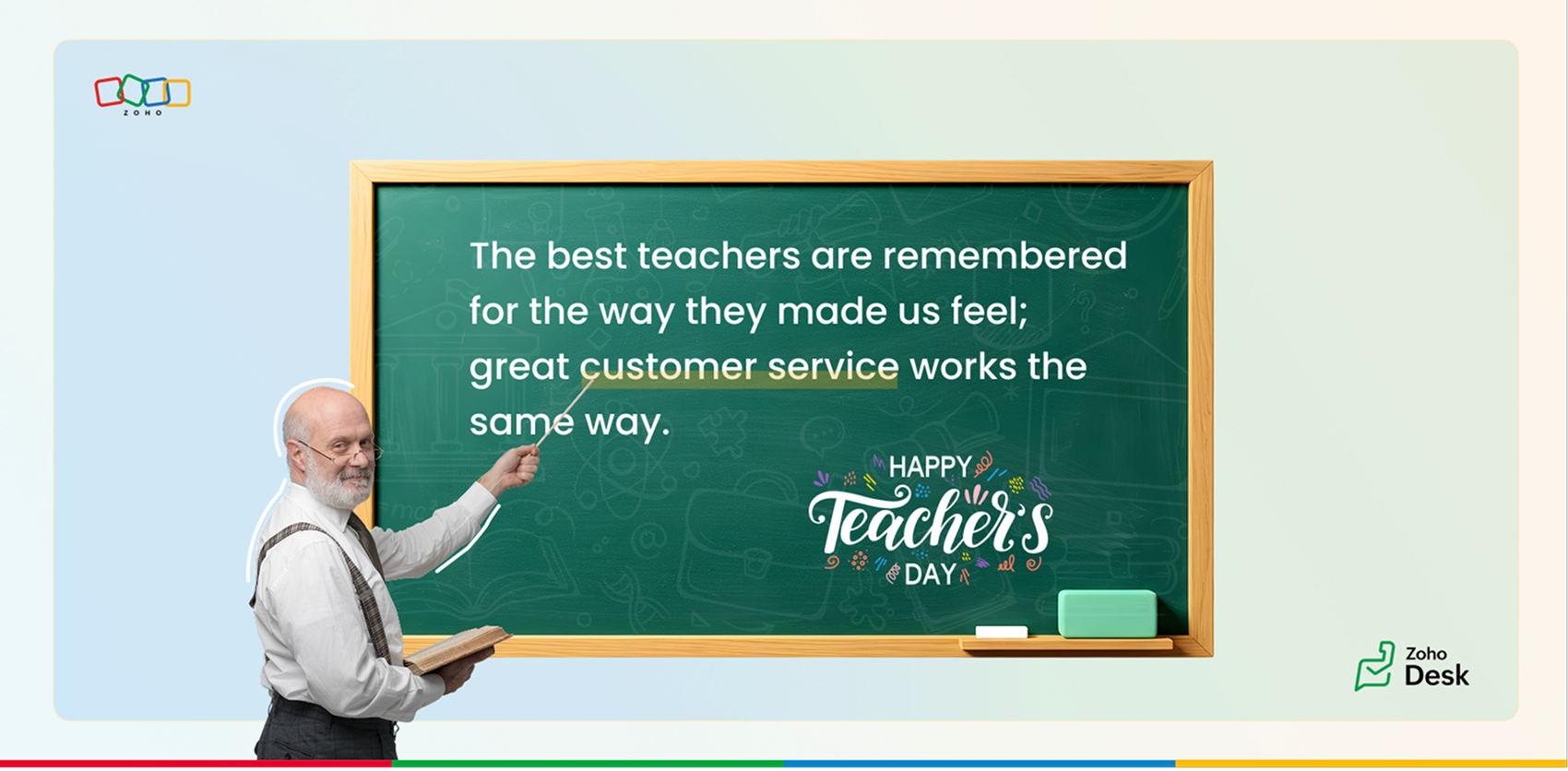
The best teachers are remembered for the way they made us feel: valued, encouraged, and raised our confidence to achieve more. Great customer service works the same way. A thoughtful email, a clear solution, or a proactive follow-up can turn frustration into trust and confidence.

Adaptability and continuous learning

Every student is different, and good teachers adapt their methods accordingly. In customer service, no two tickets nor two customers are alike. Support teams offer guided support through calls, live chats, webinars, and one-on-one sessions that mirror interactive lessons.

Beyond the issue

Teachers don’t just answer questions; they prepare us for future challenges. Likewise, customer service empowers agents to not only solve current tickets but also guide customers through proactive tips, tutorials, and community discussions that help them succeed long-term.

Feedback and growth

Teachers evaluate, correct, and encourage us to grow. Customer service thrives on feedback through CSAT surveys, community discussions, and follow-ups. Each interaction is a chance to improve, both for the organization and the customer relationship.

How does Zoho Desk embody teaching principles?

Knowledge base: Articles, FAQs, and screenshots serve as textbooks for customers.
Help center: A virtual classroom for customers to self-learn, track tickets, and stay informed.
Community: A space for peers and agents to exchange insights, like collaborative learning.
Continuous empowerment: Zoho Desk provides proactive support, product updates, product walkthroughs, and trainings to keep customers engaged and confident.

Time for reflection

Just like how our teachers have left lasting imprints on our lives, the service we provide to customers leaves an impression on them. Each successful issue resolution can help a person grow and thrive at work.

We’d love to hear your experiences:
  1. Which teacher has influenced you the most, and how have their lessons carried over into your professional life?
  2. Share teaching experiences you've had with customers: imparting knowledge, building trust, or guiding them through challenges.
  3. Can you recall a moment where your patience and empathy changed the course of a customer interaction?
At Zoho Desk, we believe in celebrating not just service, but the spirit of teaching that underpins it. Thank you for continuing to share your experiences with us; it helps us connect, learn, and grow together.

Happy Teachers’ Day to all the teachers who shaped us, and to every customer service professional who continues to teach, guide, and empower their customers.

Best wishes, 
Lydia | Zoho Desk

    • Sticky Posts

    • Register for Zoho Desk Beta Community

      With the start of the year, we have decided to take a small step in making the life of our customers a little easier. We now have easy access to all our upcoming features and a faster way to request for beta access. We open betas for some of our features
    • Share your Zoho Desk story with us!

      Tell us how you use Zoho Desk for your business and inspire others with your story. Be it a simple workflow rule that helps you navigate complex processes or a macro that saves your team a lot of time; share it here and help the community learn and grow with shared knowledge. 
    • Tip #1: Learn to pick the right channels

      Mail, live chat, telephony, social media, web forms—there are so many support channels out there. Trying to pick the right channels to offer your customers can get pretty confusing. Emails are most useful when the customer wants to put things on record. However, escalated or complicated issues should not be resolved over email because it's slow and impersonal.  When you need immediate responses, live chat is more suitable. It's also quick and convenient, so it's the go-to channel for small issues. 
    • Welcome to Zoho Desk Community - Say hello here!

      Hello everyone! Though we have been here for a while, it’s time to formally establish the Zoho Desk Community; we’re really happy to have you all here! This can be the place where you take a moment to introduce yourself to the rest of the community. We’d love to hear all about you, what you do, what company or industry you work for, how you use Zoho Desk and anything else that you will like to share! Here’s a little about me. I am Chinmayee. I have been associated with Zoho since 2014. I joined here
    • Webinar 1: Blueprint for Customer Service

      With the launch of a host of new features in Zoho Desk, we thought it’ll be great to have a few webinars to help our customers make the most of them. We’re starting off with our most talked about feature, Blueprint in Zoho Desk. You can register for the Blueprint webinar here: The webinar will be delivered by our in-house product experts. This is a good opportunity to ask questions to our experts and understand how Blueprint can help you automate your service processes. We look forward to seeing

    Nederlandse Hulpbronnen


      • Recent Topics

      • Quick way to add a field in Chat Window

        I want to add Company Field in chat window to lessen the irrelevant users in sending chat and set them in mind that we are dealing with companies. I request that it will be as easy as possible like just ticking it then typing the label then connecting
      • Please Remove the Confirmation Popup

        Currently, every time a recruiter changes the status of a candidate in Zoho Recruit, a popup confirmation appears that requires clicking “OK, Got it” before proceeding. This creates unnecessary friction in the workflow, especially for users handling high
      • Team Module Issues?

        We are testing Team Licenses for use by our Customer Service staff. I created a Teamspace called CSR and only assigned two users to this space: Administrator (me) and “Team License Test.” Team License Test is assigned to the Team User profile, with a
      • Announcing new features in Trident for Windows (v.1.41.5.0)

        Hello Community! Trident for Windows just received an exciting update with new ways to collaborate and stay organized without leaving your workspace. Let’s take a look at what’s new! Integrate Zoho Meeting with Trident. You can now schedule, start, and
      • Zoho ERP | Product updates | June 2026

        Hello users, We launched Zoho ERP on January 23, and since then, our goal has been to help businesses streamline and manage their operations with greater efficiency, flexibility, and control. Since the launch, we've continued to enhance the platform every
      • Zia Agent activation in Zoho Desk forces new Organization creation instead of deploying to existing one

        While attempting to complete the deployment and activation sequence of a new Zia Agent within our existing Zoho Desk environment, the activation process failed on the user interface, throwing a generic error (see print). However, despite the activation
      • Allow native Webhooks to authenticate via Connections

        Allow native Webhooks to authenticate via Connections (Basic Auth) instead of plaintext custom headers Summary Please allow native Webhooks (Workflow Rules > Instant Actions > Webhooks) to authenticate against the destination endpoint using the existing
      • How do page versions work these days?

        I thought that Zoho Wiki had the capability to display previous versions of a page, and optionally reinstate them. But I can't find a current doc on this subject -- is there one? From what I remember, that capability was accessed via the Version number
      • Warehouse -> Locations Transition Causing Errors

        After saying "okay" to the transition from 'warehouses' to 'locations', I've now got shipped Sales Orders that I cannot invoice. How does one proceed?
      • Problem with the blueprint flow.

        Scenario: 3 departments in a single environment: A-B-C agents from department 1 D-E-F agents from department 2 G-H agents from department 3 Since we've been using Zohodesk (2023), agents can assign tickets to the correct department using the blueprint
      • Introducing the new Zoho Announcements Hub

        Hello, Enterprise Support Community! We are excited to announce a new way to keep up to date with recent product releases and announcements for the Zoho apps you use on a regular basis. Introducing our new centralized location to bring together all Zoho
      • Ability to run report over 180 days

        Is there a reason Zoho limits the ability to run reports for records older than 180 days? In my view, the only reason I can think of is that it forces us to pay for Advanced Analytics (which I do).
      • Cloning a View

        When I clone a View, it doesn't make a copy; it only creates a new copy with the same default fields as if I were creating a new view. What is the purpose of cloning if it doesn't bring in the same fields? Thanks Rudy
      • New tickets with empty image contents

        Dear Support. From the end of last week onwards customers send messages for new tickets through microsoft graph (by email to support at procert.ch using the procert portal). We have an issue with the emails because well packed images are no longer visible.
      • Images not showing up in Desk tickets

        Customers are trying to send us screenshots to diagnose their issues. But Desk seems to be stopping the images/breaking the link when the ticket comes in. (We can see them in an email box getting cc'd on all tickets...so it's not our mail system). Help!
      • Introducing Databridge for Zoho Creator

        Hello, Enterprise Support Community! We'd like to highlight a recent utility that was released for Zoho Creator, that will allow you to connect external, private datasources with your Creator apps, Databridge. Databridge is an application that will need
      • Zoho HTML editor is removing MSO (Outlook) specific code.

        The ability to add in custom HTML is great. We are using MJML to generate our wonderfully cross platform and responsive email code that works on Act-On, Salesforce, Hubspot, Active Campaign, and lead liaison. The way it supports MSO (Outlook) is it included
      • Retail Payment Receipt

        Hi, So "payment receipts" have a "Retail" template for thermal printers, but the template is configured at A4 paper size!!! How is this retail guys? On the other hand, Invoices have 3 Retail templates which have 3 and 4 inch paper size, perfectly fitting
      • Custom Portal URL causing SAMEORIGIN error with embedded Page snippet

        In my app, I have a page that embeds another page. The URL that I have for the embedded page starts with https://creatorapp.zoho.com but the custom domain I have set up is https://kors.kerndell.com. Because the user logged into the app at https://kors.kerndell.com,
      • Pasting images is a mess

        I’m trying to paste images into my tickets, in the comments field. But when I paste images, they end up in the wrong order or behind the text.
      • Sort by Project Name?

        How the heck do you sort by project name in the task list views??? Seems like this should be a no-brainer?
      • Zoho Contracts Just Got Better! CRM 2.0, Regional Settings & 6 New Reports

        Zoho Contracts is evolving to bring you a more efficient and customizable contract management experience. In this update, we are introducing powerful enhancements to our Zoho CRM integration, regional settings, and reports. Let us explore what’s new:
      • Zoho Finance Limitations 2.0 #5: Can't select "Account Id" if creating Custom Links in Related Panel (but it's available for Custom Buttons)

        When creating a custom link within the Zoho Finance module there is no option to select the "Account Id". If creating a Custom Button, it's available. Any plans to make this available within a reasonable timeframe? ======== Perspective: using Zoho finance
      • Zoho Cliq not working on airplanes

        Hi, My team and I have been having this constant issue of cliq not working when connected to an airplane's wifi. Is there a reason for this? We have tried on different Airlines and it doesn't work on any of them. We need assistance here since we are constantly
      • Can Zoho CRM Emails be used in Zoho Analytics in any capacity?

        We're wanting to display details about Lead Activity in regular reports through Zoho Analytics but we're having difficulty integrating Emails at all. We'd like to be able to note when an email is received and when it is sent somewhere other than just
      • CRM Portal Lookup Linkage and Related Fields

        hi, if someone can give me the right path, would be greatly appreciated. we want to do a customer portal for our partners who we issue work orders for our customers, the linkage via lookup fields Partner -> Work Order -> Customer in our portal, the primary
      • [Free Webinar] New portal page customization in Zoho Creator - Creator Tech Connect

        Hello everyone, We’re excited to invite you to another edition of the Creator Tech Connect webinar. About Creator Tech Connect The Creator Tech Connect series is a free monthly webinar featuring in-depth technical sessions designed for developers, administrators,
      • #11 Stop Absorbing Cost That Client Should Pay

        One of the easiest ways of losing profit in a business isn't losing a customer. It's forgetting to include the expenses that are incurred for half of your customers. A taxi ride to a client location A software subscription purchased for a project. Domain
      • Related products & AI product recommendations through commerce API.

        Hello Zoho team I’m looking to add related products and AI product recommendations to my Zoho Commerce webshop with custom storefront. Is this supported through the API? And if not, is this on your roadmap? Thanks in advance David
      • Can you sell Subscriptions using Zoho Commerce?

        In addition to physical products and the apparently coming soon 'Digital Products', it is possible to sell Subscriptions using Zoho Commerce?
      • Zoho Commerce B2B

        Hello, I have signed up for a Zoho Commerce B2B product demo but it's not clear to me how the B2B experience would look for my customers, in a couple of ways. 1) Some of my customers are on terms and some pay upfront with credit card. How do I hide/show
      • A method for renaming tab titles in Creator to display more relevant information

        Hi Zoho Devs, Updates: Rules Export File attached; you can now import this into Tab Modifier instead of manually entering the rules yourself) 2022-06-08: Updated rules so that crm.zoho.com tabs are not affected; uploaded new .json import file 2022-06-09:
      • Bulk upload images and specifications to products

        Hi, Many users have asked this over the years and I am also asking the same. Is there any way in which we can bulk upload product (variant) images and product specifications. The current way to upload/select image for every variant is too cumbersome.
      • Problem with CRM Connection not Refreshing Token

        I've setup a connection with Zoom in the CRM. I'm using this connection to automate some registrations, so my team doesn't have to manually create them in both the CRM and Zoom. Connection works great in my function until the token expires. It does not refresh and I have to manually revoke the connection and connect it again. I've chatted with Zoho about this and after emailing me that it couldn't be done I asked for specifics on why and they responded. "The connection is CRM is not a feature to
      • Conditional Drop Downs

        Am I the only one that has a problem when setting up the same project for multiple customers - resulting in a HUGE number of projects (e.g. Project A - customer 1, Project A - customer 2, Project A - customer 3 etc.). OR, am I doing it wrong? What results
      • Getting Project Template List using the REST API

        I am trying to confirm that I can use the REST API to create a project using a project template. The API documentation indicates this is possible by providing the Template ID, but it is not clear at all how to get a list of available Project Templates
      • Can't delete shared mailbox emails from mobile app

        I have the mobile app on iOS and cannot seem to find a way to delete an email from a shared mailbox. Is there something I'm missing here? Michael
      • From Zoho CRM to Paper : Design & Print Data Directly using Canvas Print View

        Hello Everyone, We are excited to announce a new addition to your Canvas in Zoho CRM - Print View. Canvas print view helps you transform your custom CRM layouts into print-ready documents, so you can bring your digital data to the physical world with
      • OAuth integration issues

        I'm experiencing persistent OAuth errors when trying to connect Make with Zoho API. I've tried multiple approaches but keep encountering the following issues: First error: 'Invalid Redirect Uri - Redirect URI passed does not match with the one configured'
      • Zoho Books Placeholder: Inventory Counts

        I was hoping to figure out how to find the placeholders for inventory counts by item. We use Location based inventory tracking, so I dont know if that affects things. I want my PDF and Printed PICK LISTS to show the Quantity Available to Pick. I have
      • Next Page