¡Muchas gracias por participar a los Meetups de Usuarios de Zoho! Y Novedades del ecosistema Zoho

¡Muchas gracias por participar a los Meetups de Usuarios de Zoho! Y Novedades del ecosistema Zoho

¡Hola Comunidad de Zoho en Español! 👋

Después de un breve lapso de tiempo, volvemos con una nueva edición de nuestro Community Digest, donde te contamos las novedades de los productos de Zoho en los últimos meses. Estas mejoras se centran en nuestros productos como CRM, Projects, Forms y Commerce, y refuerzan tres pilares clave del ecosistema Zoho: la IA, la automatización y la experiencia de usuario.

Meetup de Usuarios de Zoho

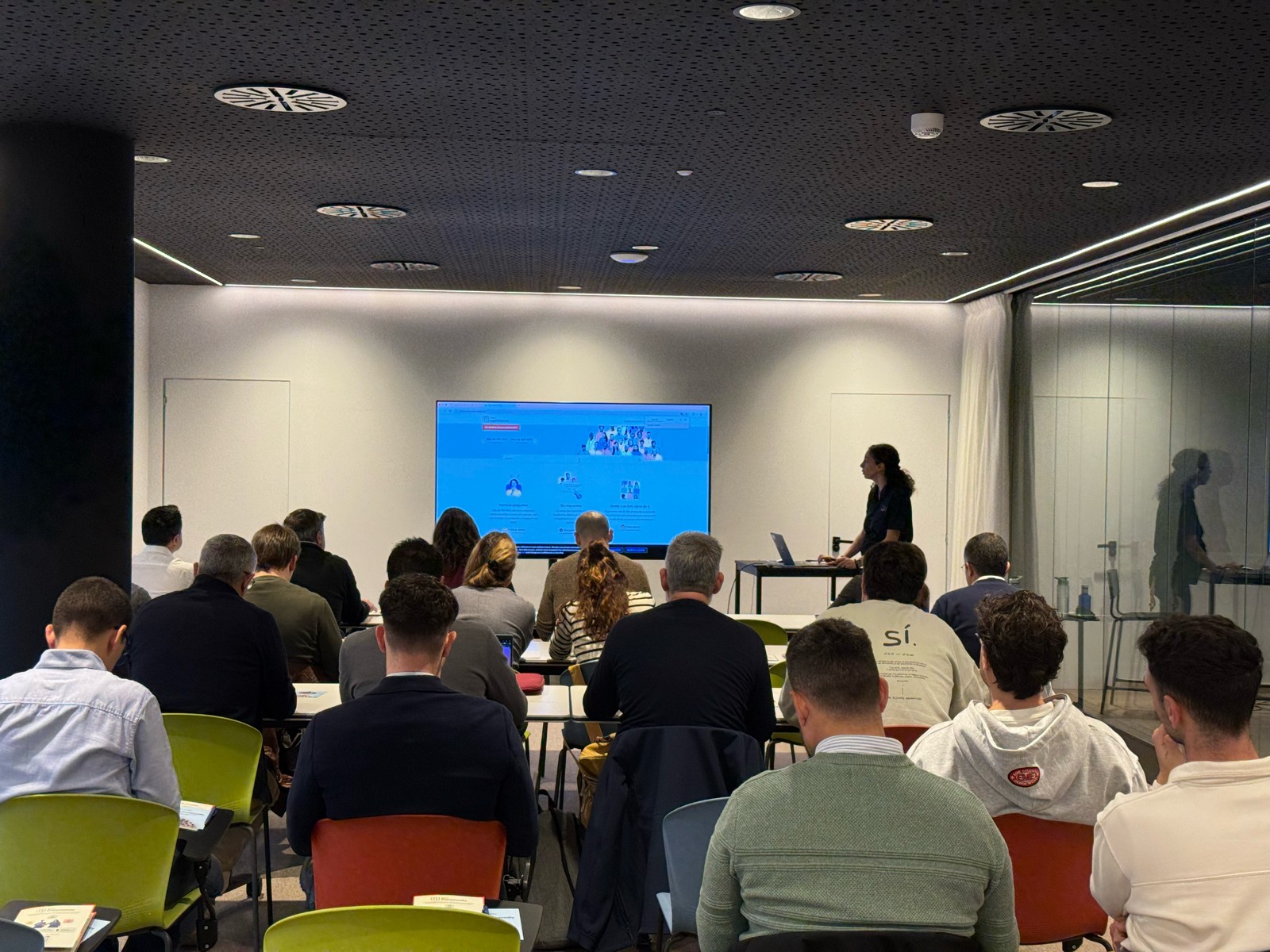
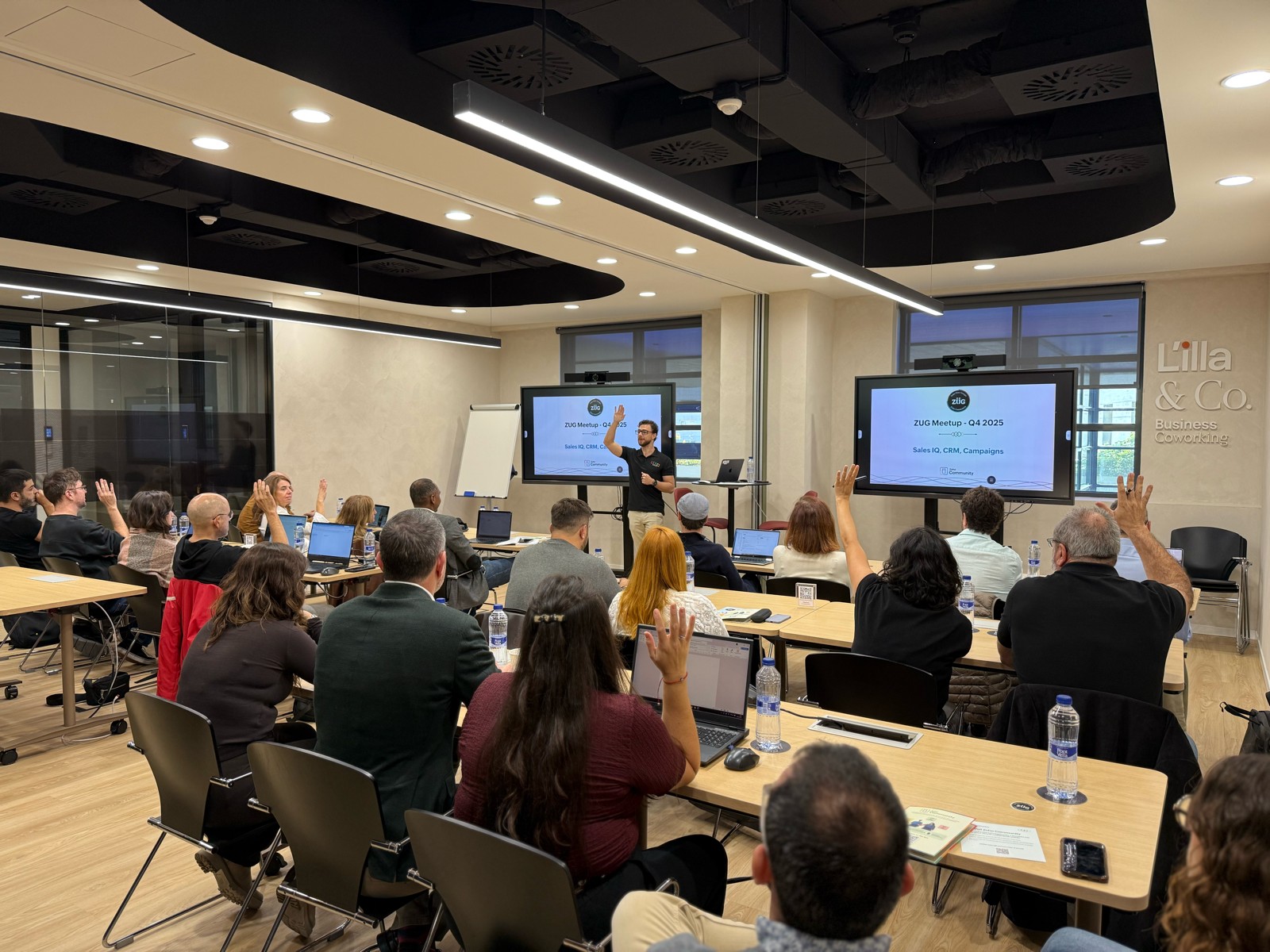
Primero, queremos agradecer a la comunidad de usuarios de Barcelona y Valencia por una sesión muy productiva: durante nuestro Meetups de usuarios de Español Zoho Community, hablamos de funcionalidades clave de SalesIQ y CRM, descubrimos nuevas formas de optimizar procesos y además aprovechamos para hacer networking. ¡Todo un lujo de jornada en la mejor compañía!

Y ahora sí, vamos con las novedades de nuestras herramientas. Prepárate, porque en estos últimos 6 meses han pasado muchas cosas:

1) Zoho CRM: Más inteligencia, más control y más flexibilidad  

Nuestro producto estrella ha presentado algunas mejoras muy relevantes para una mejor gestión de los datos de clientes y de tu ecosistema Zoho:
  1. CommandCenter 2.0. Para que puedas automatizar mejor tus recorridos, CommandCenter ha presentado las siguientes actualizaciones: 1) Una nueva interfaz más visual e intuitiva. 2) El uso de “signals”, que te permiten activar transiciones basadas en eventos provenientes de diversas fuentes. 3) Los “stages” ya no dependen de un único módulo, sino que permiten transversalidad entre varios.
  2. Zia LLM: Nuestra IA también se ha actualizado y ahora ZIA te ofrece sugerencias más seguras y rápidas y funciones de IA generativa integradas para no depender de de inteligencia artificial proveedores externos.
  3. Control de visibilidad: Ahora puedes dar permisos basados en los perfiles de los usuarios para gestionar quién puede ver la línea de tiempo y el historial de interacciones.
  4. Canvas mejorado: Hemos añadido un nuevo componente en formato cuadrícula para organizar datos de manera más flexible. Y Soporte para layouts responsivos mediante “breakpoints”.
  5. CRM for Everyone: Llevamos ya tiempo anunciando CRM for everyone, y desde el Q2 ya está aquí. Descubre una nueva forma de habilitar a tus equipos de marketing, atención al cliente o finanzas para que puedan colaborar dentro del CRM de forma más ágil.
  6. Integración con Microsoft Graph API: Ahora aseguramos una mejor conectividad con Outlook/Microsoft 365 mediante la conexión con Graph API.

2) Zoho Projects: Mejor control y mayor claridad en la gestión del trabajo  

En los últimos meses, Zoho Projects ha introducido mejoras directamente relacionadas con productividad, permisos y organización.

  1. Access Control en Time Logs: Gracias a la jerarquía de usuarios ahora puedes definir quién puede ver, añadir, editar o eliminar registros de tiempo dentro de su equipo y realizar acciones masivas para borrar time logs propios.
  2. Campos URL ampliados: Los campos URL en layouts de tareas ahora admiten hasta 1.000 caracteres, permitiendo enlaces más completos.
  3. Reutilización de listas de tareas: Puedes utilizar listas de tareas ya existentes dentro de tus plantillas, agilizando la creación de nuevos proyectos.
  4. Integración mejorada con Zoho Flow: Ahora puedes usar Zoho Flow para automatizar acciones desde reglas de workflow o blueprints dentro de Projects. 


3) Zoho Forms: Mejor accesibilidad en tus formularios, ahora más modernos y conectados  

Zoho Forms también ha presentado una gran cantidad de novedades durante estos últimos meses:

  1. Diseño en cuadrícula (grid layout): Ya puedes organizar tus formularios en 1, 2 o 3 columnas, mejorando su estética y su legibilidad.
  2. Verificación OTP integrada: Los formularios pueden solicitar OTP (para email/teléfono) sin salir de la pantalla.
  3. Múltiples cuentas de WhatsApp Business (para Zoho One) : Hemos ampliado la compatibilidad en cuanto a las cuentas de Whatsapp para aquellos equipos que manejan más de un canal de WhatsApp Business.
  4. Accesibilidad WCAG 2.2 AA : Zoho Forms ahora cumple con el estándar de accesibilidad WCAG 2.2 nivel AA, haciendo los formularios más inclusivos.
  5. Configuraciones mejoradas de Data Push: Ahora es posible enviar datos de campos específicos mediante configuraciones más precisas en “Post Submission Tracking”. 


4) Zoho Commerce 2.0: Más rápido, más global, más personalizable  

Hemos presentado oficialmente Commerce 2.0, una actualización de alto impacto que mejora rendimiento, diseño y capacidades globales:

  1. 15+ temas profesionales: Ahora puedes elegir entre más de 15 temas totalmente personalizables para construir tiendas modernas sin necesidad de utilizar código.
  2. Rendimiento optimizado: Ahora puedes hacer uso de CDN (Content Delivery Network) y además hemos implementado un código más ligero, reduciendo los tiempos de carga.
  3. Nuevas integraciones de envío  
  4. Checkout multimoneda: Te facilitamos vender fácilmente en distintos mercados internacionales con el checkout multimoneda.
  5. Nuevos informes y auditoría: Informes más detallados (p. ej., ventas por cupón) y activity Logs / Audit Trail para un seguimiento completo de acciones en la tienda.
Es increíble todo lo que avanza la tecnología en 6 meses, y nuestras mejoras siguen enfocadas a hacer mejor uso de la automatización, la colaboración entre equipos y la creación de experiencias más inteligentes y ágiles, sin perder el foco en el uso de la IA.

¿Qué te parecen estas actualizaciones? ¿Hay alguna que vayas a implementar? ¡Cuéntanoslo en comentarios!

¡Nos vemos en el próximo Digest!

    • Recent Topics

    • Analytics : Highlighting a single bar in a bar chart

      I have a bar chart showing values across a year by week. I have a user filter to change the selected week, however the year graph will remain as showing the full year.  Is there anyway to conditionally format or construct the year graph to highlight the selected week ? 
    • Agents permission per department

      Hi Team, can I setup permission for each agent what they can do in each department, for example I want account department agents to only have view access to support department tickets and not allowed to assign or reply to clients. I am sure this would
    • Zoho CRM with Built-In MCP Support

      Zoho CRM now provides built-in support for Model Context Protocol (MCP), enabling AI tools to connect and perform CRM actions using natural language. Zoho CRM MCP servers act as a bridge between AI agents and Zoho CRM, exposing CRM capabilities as callable
    • Choose Component for User Filter

      This filter in the Choose Component for User Filter would be better if had an Order or Group by function. Also, the Specify the default filter values: is very confusing and limiting.
    • Inviting client to setup brand and more

      Hello, There are two most critical functions which must be added in Zoho Social for Agency. Invite user/client to setup brand and link social media. As a agency we tell our clients, we don't want your social media credentials to manage your account. Then
    • Disable - order online at zoho store

      I'm running cafe with Zoho POS. Doing good, however this enablement (Disable online order only on zakyastore.in) would enhance the business. Support asked to close -> "We can close the store from more options in the Mobile store > Overview > Store details
    • Mass email from Report output

      Hi, I'd like to send a mass email based on a report output. The report is pulling multiple information from linked modules. Each line of the report ends up with a contact name, email and multiple field values pulled from the linked modules (some are custom
    • Schedule from AI with Zoho Bookings MCP Server

      Greetings from the Zoho Bookings team! We’re excited to introduce the Zoho Bookings MCP (Model Context Protocol) Server integration, a powerful new way to bring AI-driven automation into your scheduling workflows. With MCP, you can connect Zoho Bookings
    • Issue with attaching files to a task through the API

      Hello! I've implemented a function that creates a task for every new bill that is created but I haven't been able to attach to the task the files which are attached to the bill. I have encountered multiple errors but the most common one is error 33003:
    • Create your own Zoho CRM homepage using Canvas - Home View!

      Hello everyone We are excited to share a new enhancement to Canvas in Zoho CRM that gives users more control over how their homepage looks and works. Introducing Canvas Home View! What is Canvas Home View? You can now create and design a custom homepage
    • How to make separate ledgers for GST (different types). Based in India

      Hello Everyone, I am trying to configure GST for a small business and I am not able to create separate ledgers for the different types of GST. In the reports all of it is mentioned under one heading which is not allowed. How do I make sure that the different
    • Zoho mail admin panel not opening

    • Setting default From address when replying to request

      At the moment, if I want to reply to a request, the From field has three options, company@zohosupport.com, support@company.zohosupport.com, and support@company.com.  The first two are really internal address that should never be seen by the customer and
    • Introducing SlyteUI : From Idea to a Working Interface in Minutes

      Hello everyone! Are you spending hours building basic UIs? Does even the smallest customization feel like a major task? CRM customization should feel intuitive and straightforward, not time consuming or exhausting. SlyteUI makes this possible by simplifying
    • Zia Agents in Zoho CRM: a better way to set up digital employees

      Hello everyone, If you've been using Zia Agents in Zoho CRM, so far using Connections was the only deployment method you're familiar with. You create an agent in Zia Agents (define its objective, write instructions, use tools, add knowledge base) and
    • Canadian Banks ?

      Can you advise which Canadian Banks can be used to fully sync credit cards and bank accounts? Thanks
    • Combined Tasks and Issues View (Jira-Style Unified Workload)

      Hello Zoho Projects Team, We hope you are doing well. We would like to submit a feature request regarding task and issue visibility in Zoho Projects. Current Behavior: At the moment, Zoho Projects separates Tasks and Issues into different modules, each
    • Scale up your support with Zia actions

      Hi there, Have you explored how Zia can help automate repetitive tasks? In customer support, every detail matters when delivering the right solutions to customers, and Zia is here to support you. This edition highlights how Zia can simplify and streamline
    • Disable Zoho Contacts

      We don't want to use this app... How can we disable it?
    • Allow Zia Agents using Zoho One Account

      When I went to try Zia Agents, it forced the creation of a new, separate account. This seems counter-intuitive to me. I don't want to manage a separate account. Plus, aren't Zoho One users the ones most likely to adopt Zia Agents most quickly? It seems
    • My Zoho mail stopped receiving or sending emails about 3 hours ago

      Its a pop 3 account. The emails get into the actual mailbox on the server and I can send emails directly from the server, but they are no longer in Zoho, in neither of my Zoho accounts. All green ticks under Mail Accounts under Settings
    • POP mailbox limits

      If I am accessing a remote POP mail server using Zoho Mail is there a mailbox quota for the account or is it all related to my mail account storage limits?
    • SPF: HELO does not publish an SPF Record

      I am using Zoho mail. Completed all of the required prerequisites from the dashboard to avoid any issues with mail delivery. But when checking on mail-tester.com getting the following error. Can anyone help me solve this?
    • Check out in Meetings

      Why there is no check out in Meetings of Zoho CRM, very difficult to track
    • Ability to Attach Images When Reporting Issues to Zoho Projects from Zoho Desk

      Hi Zoho Desk Team, Hope you’re doing well. We’re using the Zoho Desk–Zoho Projects integration to report bugs directly from support tickets into the Zoho Projects issue tracker. This integration is extremely useful and helps us maintain smooth coordination
    • Zoho Show Keeps Crashing and Goes Down with the Data

      Today, I am experiencing something unusual: Zoho Show keeps crashing and goes down with the data. When you try to reopen the same deck, you get that lovely "Presentation not found" error. This has happened today rather frequently with multiple decks.
    • Outgoing Mail Blocked – Suspicious Login Activity (Need Clarification and Solution)

      Hello, I’m currently facing an issue where my Zoho Mail account has been blocked due to “suspicious login activity,” and outgoing emails are restricted. Here are the details shown: Block type: Outgoing mail blocked Reason: Suspicious login activity A
    • Escalate the tickets to the escalation team through email

      Hi Zoho Team, I would like to ask if it is possible to escalate the tickets when the status changed to "Escalated" by sending an email to them. I have attached the snapshot from my Zoho desk where I want it to email to a certain group(escalation team).
    • Mailbox storage showing incorrect usage

      My mailbox shows 4.99 GB used out of 5 GB. However, actual mailbox usage is only around 394 MB. Trash and Spam are already empty. IMAP/POP is not enabled. WorkDrive is not in use. This appears to be a storage calculation issue. Please help to recalculate
    • Google Fonts Integration in Pagesense Popup Editor

      Hello Zoho Pagesense Team, We hope you're doing well. We’d like to submit a feature request to enhance Zoho Pagesense’s popup editor with Google Fonts support. Current Limitation: Currently, Pagesense offers a limited set of default fonts. Google Fonts
    • Have to ask: WHY is Zoho Purposefully blocking Apple Reminders?

      I just have to ask: Why is zoho purposefully blocking Apple reminders (CalDav). This is just strange... I just can't see a reason why this is done both within the Zoho calendar and mail calendar? These are both paid services. Why? This little simple feature is forcing me to leave Zoho. Our workflow depends on Reminders and after talking with an Apple engineer, they noticed theat Zoho is purposefully blocking this caldav port call. I just don't understand why. Thanks!
    • I am not able to check in and checkout in zoho people even location access allowed

      This issue i am facing in mackbook air m1, I allowed location in chrome browser and i also tried in safari but getting similar issue. Please have a look ASAP.
    • Printing receipts with 80mm thermal printer and Zoho Creator

      I have a sales form in my Zoho Creator app and I would like to print receipts for customers. Question 1: From what I've read on this forum there's no way to submit and have the receipt print automatically, you'd have to go through the printer dialog,
    • Integrate with WooCommerce using Wordpress Plugin

      We’re thrilled to announce a powerful update to the Zoho Marketing Automation WordPress plugin with WooCommerce integration! This enhancement enables new possibilities for businesses running online stores using WooCommerce, empowering them to merge seamless
    • Removing To or CC Addresses from Desk Ticket

      I was hoping i could find a way to remove unnecessary email addresses from tickets submitted via email. For example, a customer may email the support address AND others who are in the helpdesk notification group, in either the TO or CC address. This results
    • When I schedule calendar appointments in zoho and invite external emails, they do not receive invites

      Hello, We have recently transitioned to zoho and are having a problem with the calendar feature. When we schedule new calendar appointments in zoho the invite emails aren't being sent to the external users that we list in participants. However, this works
    • Sync desktop folders instantly with WorkDrive TrueSync (Beta)

      Keeping your important files backed up and accessible has never been easier! With WorkDrive desktop app (TrueSync), you can now automatically sync specific desktop folders to WorkDrive Web, ensuring seamless, real-time updates across devices. Important:
    • Unable to send

      Hello, I am unble to send any single email during the whole time due to the Zoho IP 136.143.188.16 being bloked by SpamCop.net Please help can somebody help me?
    • Errorcode 554

      Hello, I am unble to send any single email during the whole time due to the Zoho IP 136.143.188.16 being blocked by SpamCop. Please can somebody help me?
    • Spamcop

      Have been trying to email several of our clients and many of our emails keep getting bounced back with an error that states: ERROR CODE :550 - "JunkMail rejected - sender4-op-o16.zoho.com [136.143.188.16]:17694 is in an RBL: Blocked - see spamcop.net/bl.shtml?136.143.188.16"
    • Next Page