Accounting on the Go Series-41: Zoho Books mobile app revamp
Welcome back, users!
A few of you may have noticed some exciting changes to our UI. This revamp has been long-awaited, and we’re thrilled to announce the updated Zoho Books mobile app for both iOS and Android.
Android enhancements
The Android UI revamp project is being phased out, and we’re happy to share some of the initial changes:
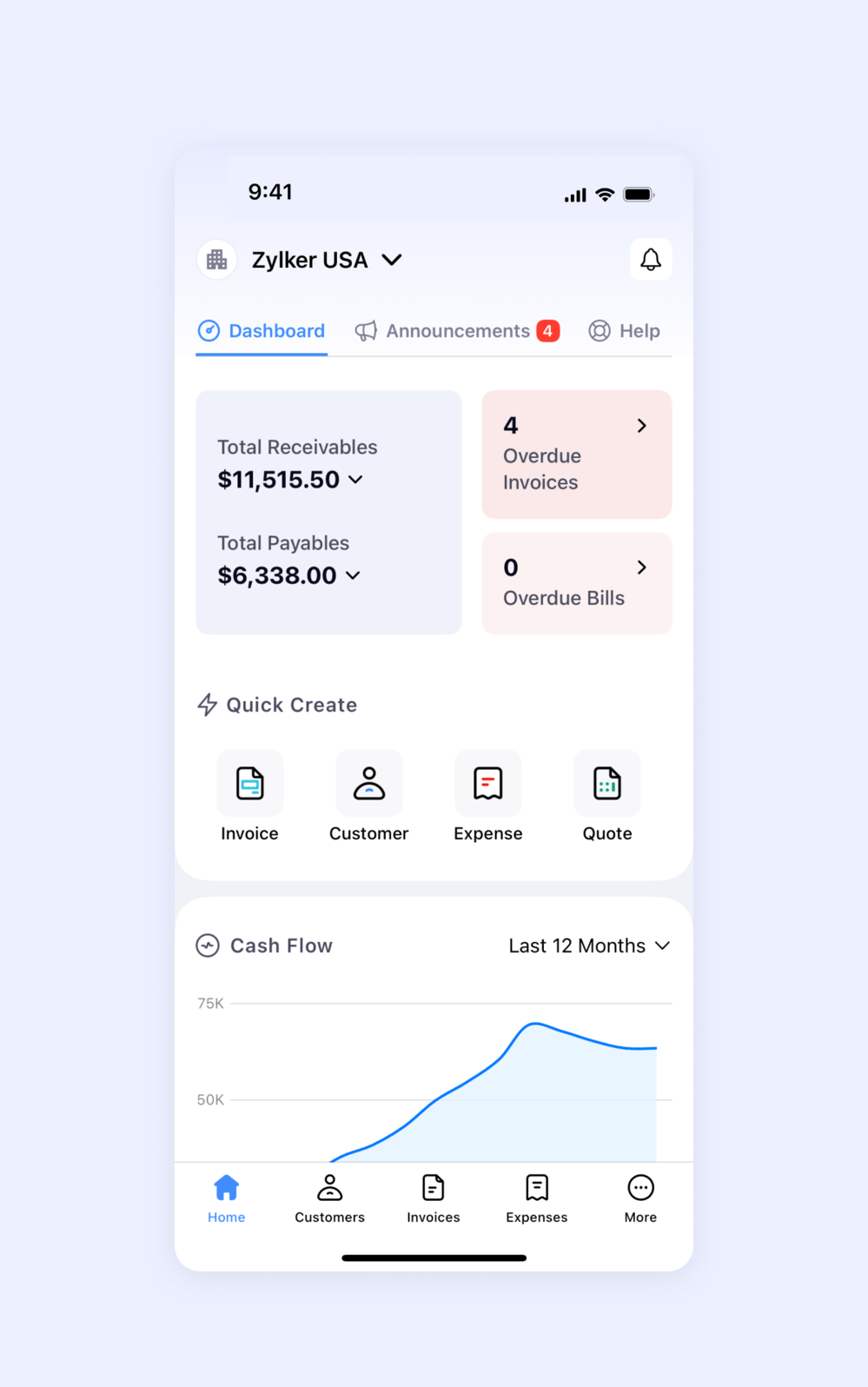
More Detailed and Insightful Dashboard
The new dashboard consolidates all essential information in one place. You can view cash flow trends, total accounts receivable (AR), accounts payable (AP), and overdue Invoices and Bills on a single screen. Additionally, there is a Quick Create section that enables users to quickly create transactions in just a few seconds. Users can also customize the Quick Create section to include the types of transactions they use most often. You can read more about it in this series.

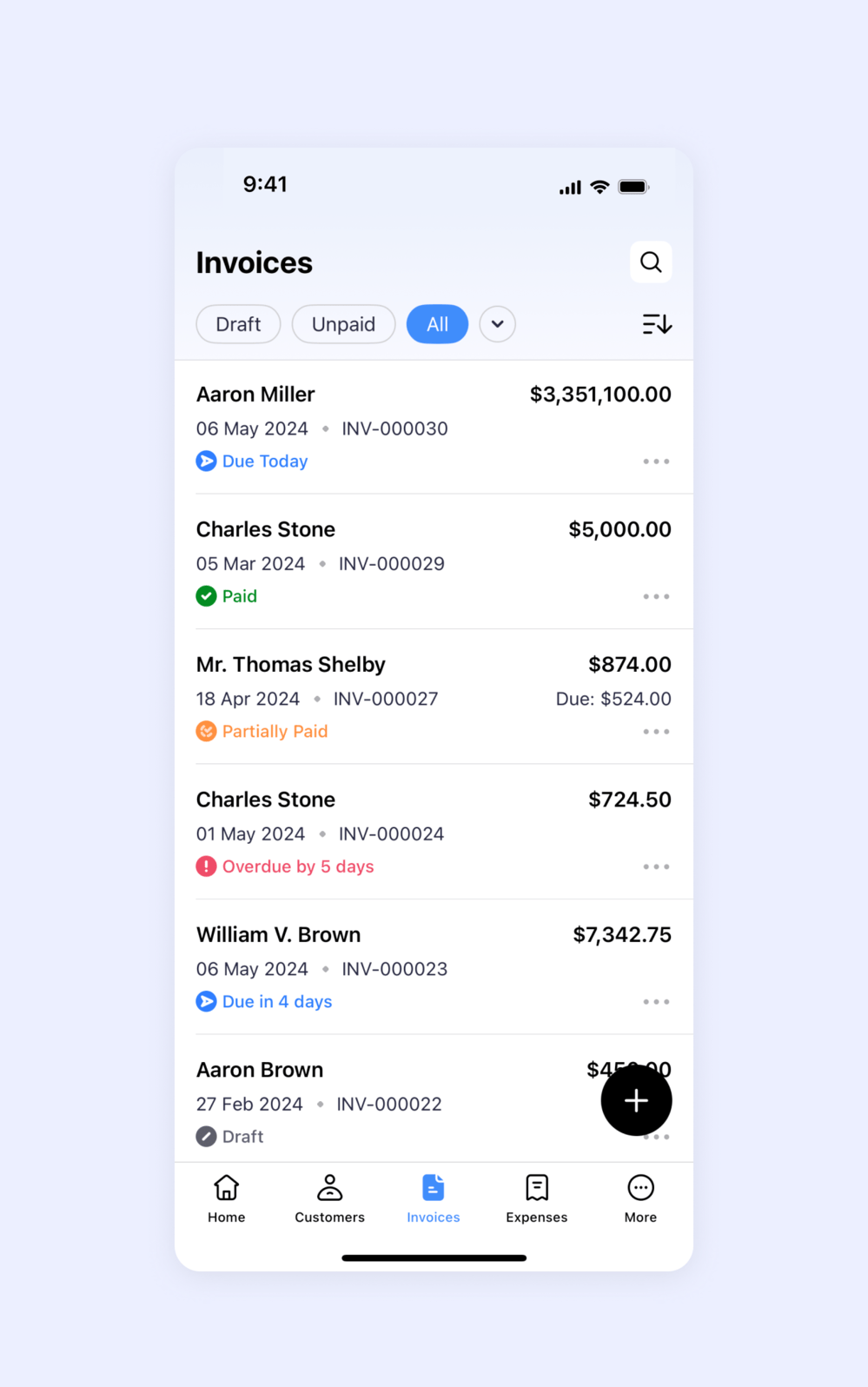
Enhanced Module Listing Screen
The listing screen now displays key transaction details and offers options to sort and filter them. The user's last viewed filter is automatically saved, allowing them to pick up right where they left off.

Help Section
Users who need assistance can easily access our support by switching to the new help section. Additionally, we provide links to help documents and guides for those looking to learn more about our platform.
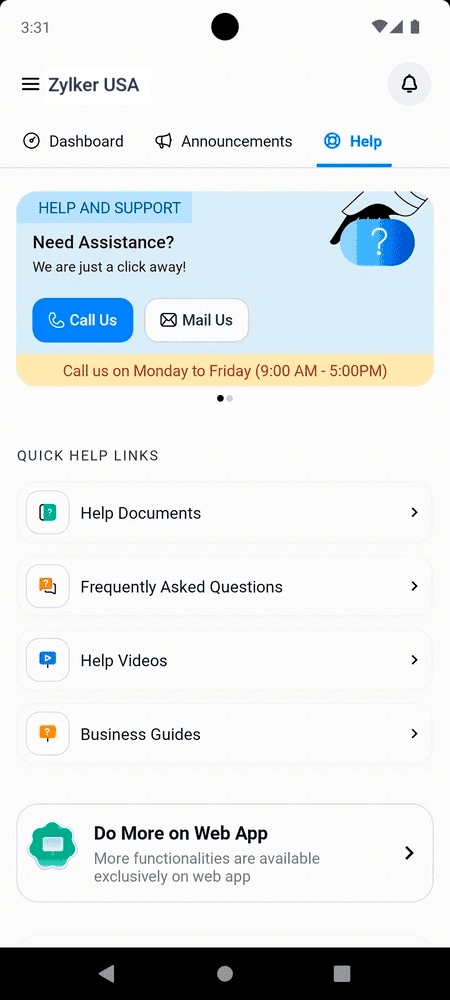
Our next focus will be on making the app even more intuitive and simplifying the process of creating transactions. We'll keep you informed as these enhancements become available.
iOS enhancements
Here are some key changes we believe will enhance your user experience:
Informative Dashboard
Just like on Android, the iOS app is designed to be straightforward yet rich in essential information. We aim to make key details easily accessible. The "Quick Create" option allows users to take actions with just a few taps, while the announcements tab offers a great way to share important updates non-intrusively.
Listing Screen
The listing screen now provides a concise summary of each transaction, allowing users to see key information without opening individual items. Additionally, users can sort and filter transactions to view specific ones easily.
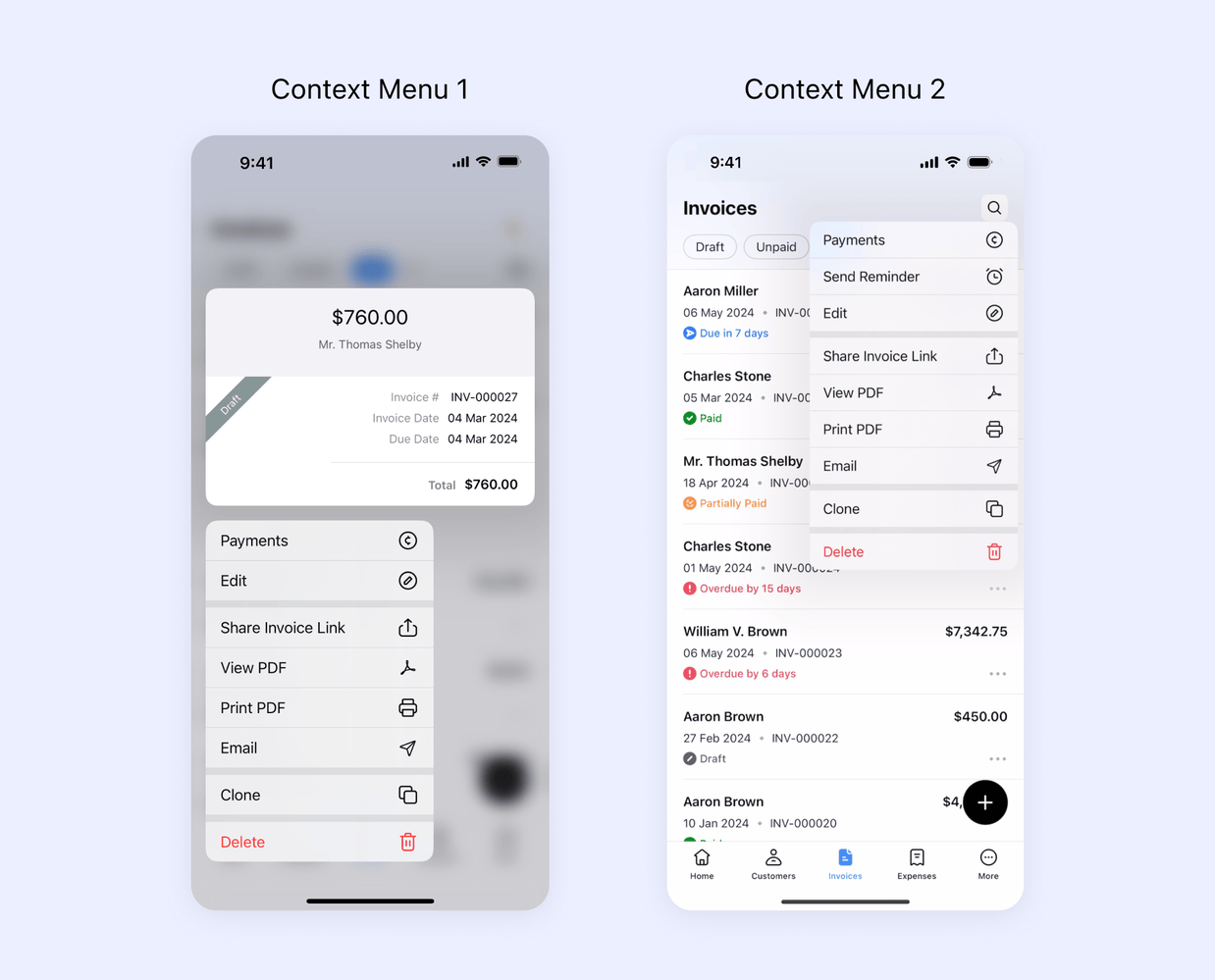
Contextual Actions
With the all new context menu, users will be able to perform varied actions quickly with a single tap. We have explained this feature in this series.
Voice Over
Users can now enable voice assistance to hear the options they select in the app. This feature helps visually challenged users perform accounting tasks seamlessly.
Checkout the voice over here.
Dynamic Font
Checkout the voice over here.
Dynamic Font
Users can now toggle between font sizes in order to improve readability of the information available on the app screen.

With this latest update, our goal has been to ensure a seamless start for new users and to help them fully engage with our product. Moving forward, we are committed to introducing further enhancements that will enhance your experience and simplify your interactions. We'll keep you updated on these developments as they unfold.
If you haven’t yet, download our mobile app from this link or simply scan the QR code below and let us know about your experience.

Stay tune for further updates.
Regards,
Tanisha Choudhury
Zoho Books