Build an approval management system with Custom Modules
Dear users,
Custom modules
As part of Projects Infinity, Zoho Projects allows you to extend project management capabilities using custom modules. You can now build additional capabilities that aren't available by default, like:
Inventory tracking
Fleet management
Approval handling
Resource management
And any custom business logic
Custom modules can be created for the entire organization or for a specific project. You can also choose from a gallery of pre-built modules. Each custom module supports its own set of fields and automation workflows, too.
CodeX:
Alongside blueprints, workflows, and business rules, Zoho Projects allows you to use Javascript SDKs on the project or task records before or after creating, editing, or deleting them.
With CodeX, you can:
1. Make HTTP requests to other apps.
2. Update tasks or project records based on conditions.
3. Retrieve record details and update other project records in your portal.
(Note: CodeX scripting is available in the free plan and all paid plans. Execution is limited by CodeX credits.)

Use case
Let's consider a multi-location consulting firm that's looking to make budget reviews more transparent for clients. For instance, tasks with a budget over INR 50,000 must be approved by a project manager before any work begins. Tasks should not be assigned to team members or allowed to change status until they are approved.
We can achieve this using a combination of custom modules, workflows, custom functions, and CodeX.
I. A custom module to handle the approvals
First, create a custom module named Approvals to capture task approval requests. It can contain fields for the task name and the approval status, along with other fields like Created By, Approved By, Created Time, and Approved Time. Assign the manager or portal admin as the approver.
An approval record is created in the Approvals module every time a task is created with a cost estimate of INR 50,000 or more. You can add a picklist field to approve or reject the task.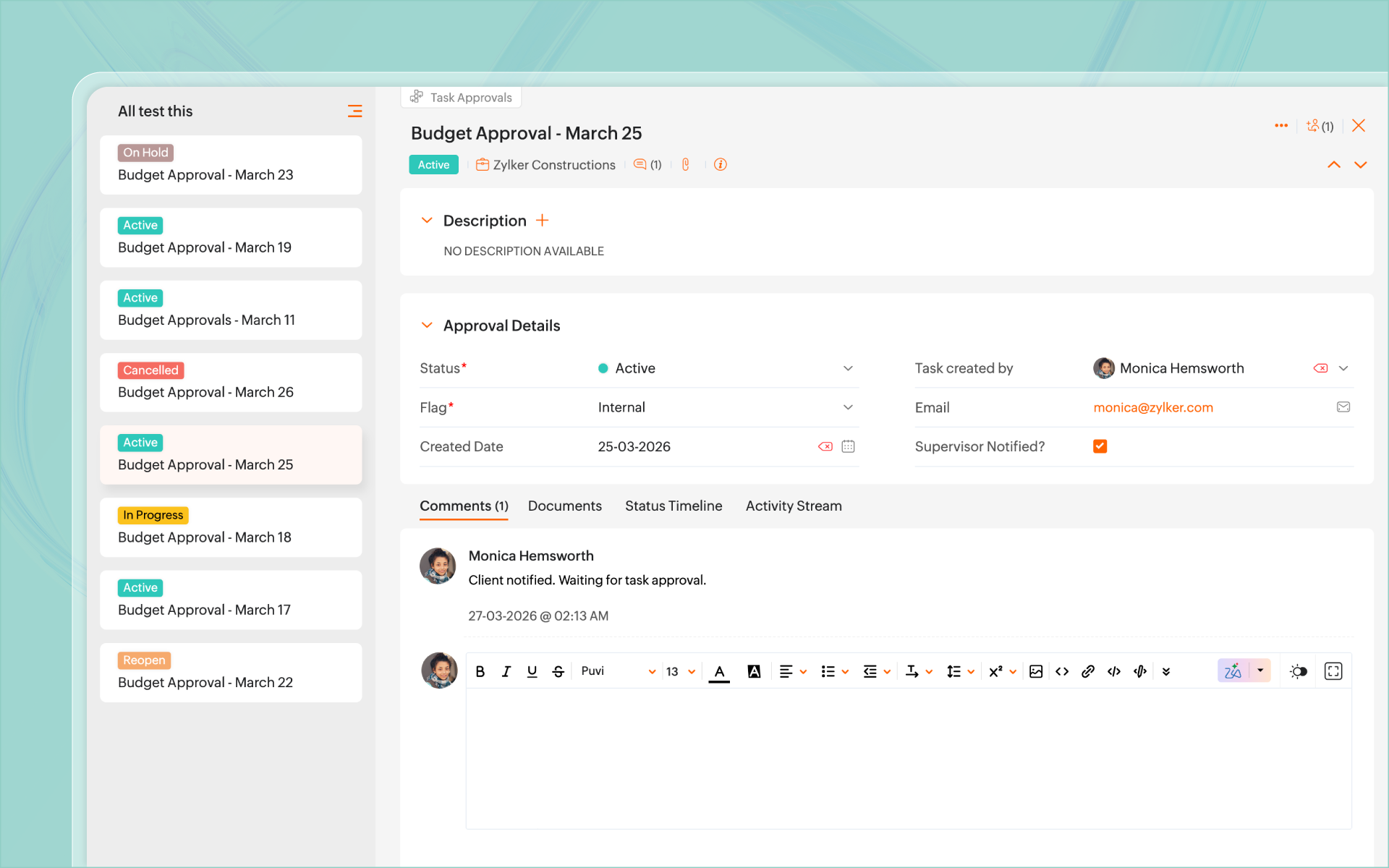
II. A workflow to push task details
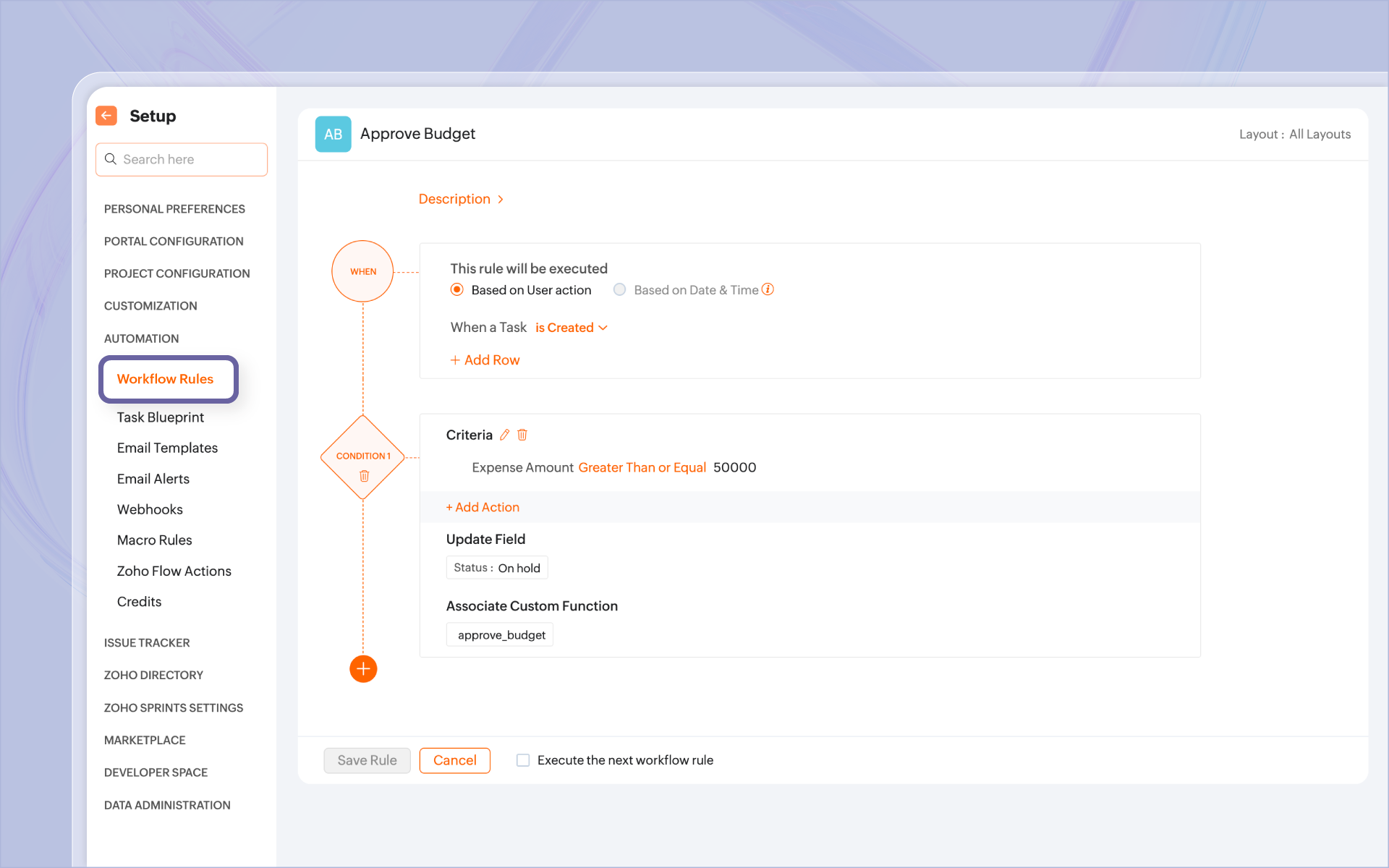
Define a workflow that triggers whenever a task is created with a budget greater than INR 50000, and place the task On Hold. You'll also need a custom function to push the task details to the Approvals module.
III. A custom function to create the record
The custom function should capture the task details and create a record in the Approvals module. The default status will be Pending or In Progress.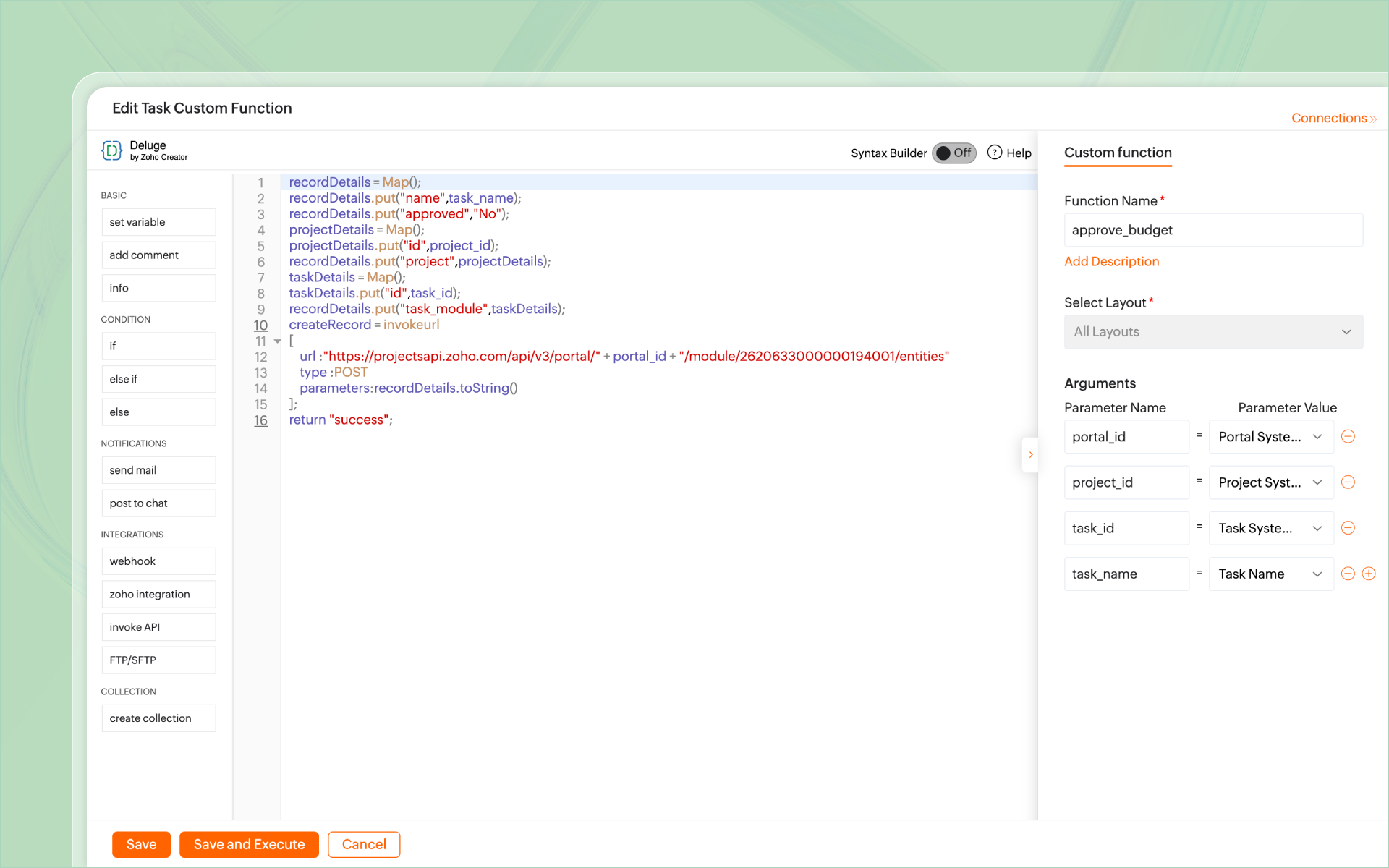
IV. A CodeX script to prevent task edits
Create a CodeX script to restrict edits to the task while it is On Hold.

Now, when a user tries to update a task that is On Hold, CodeX restricts updates to it. (You can choose which user profiles can or cannot make the updates)
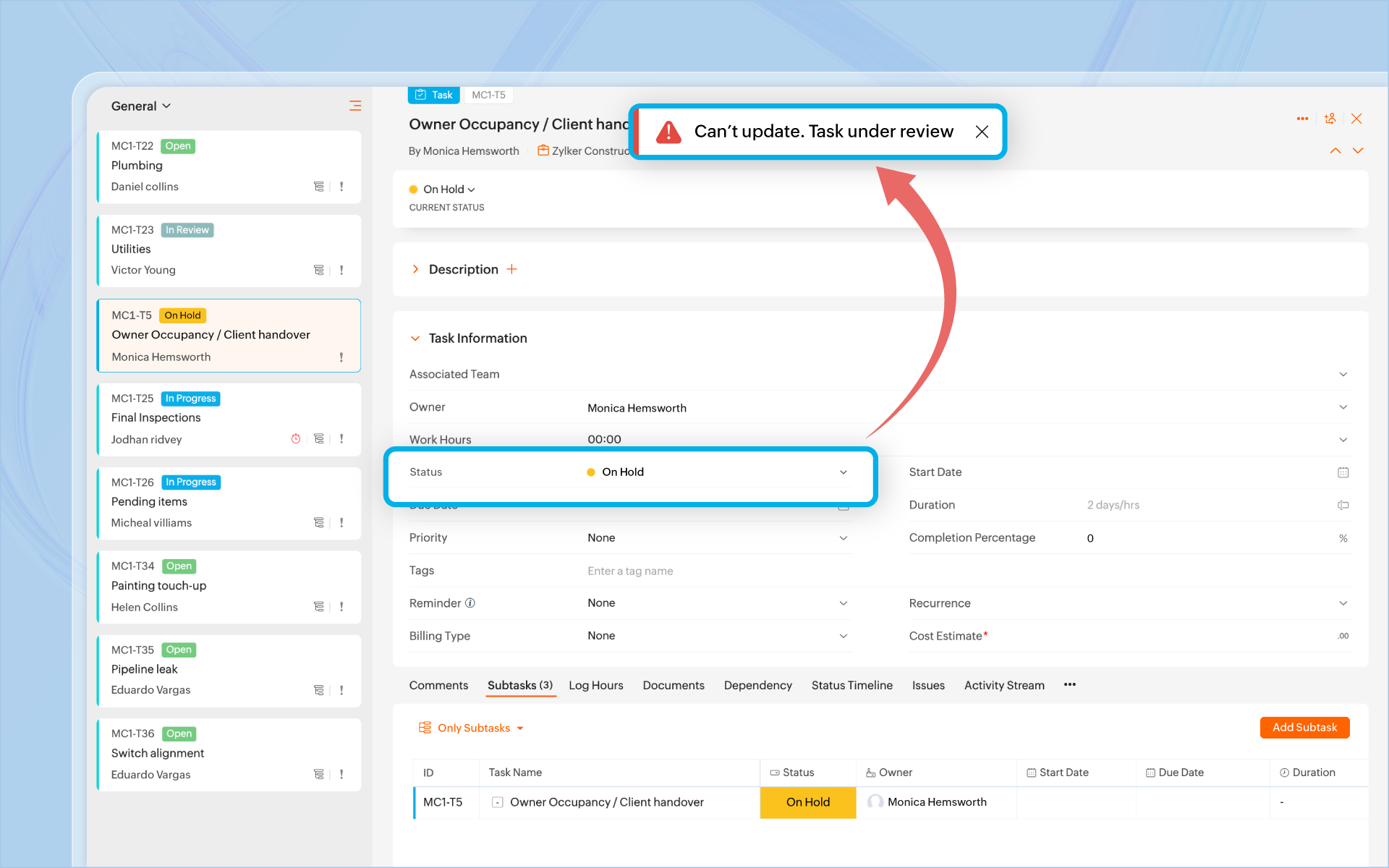
Finally, to lift the restriction on task edits, a workflow rule can be set up in the Approvals module to change the status of the task to Open or Approved. This will signal CodeX to allow editing the task.
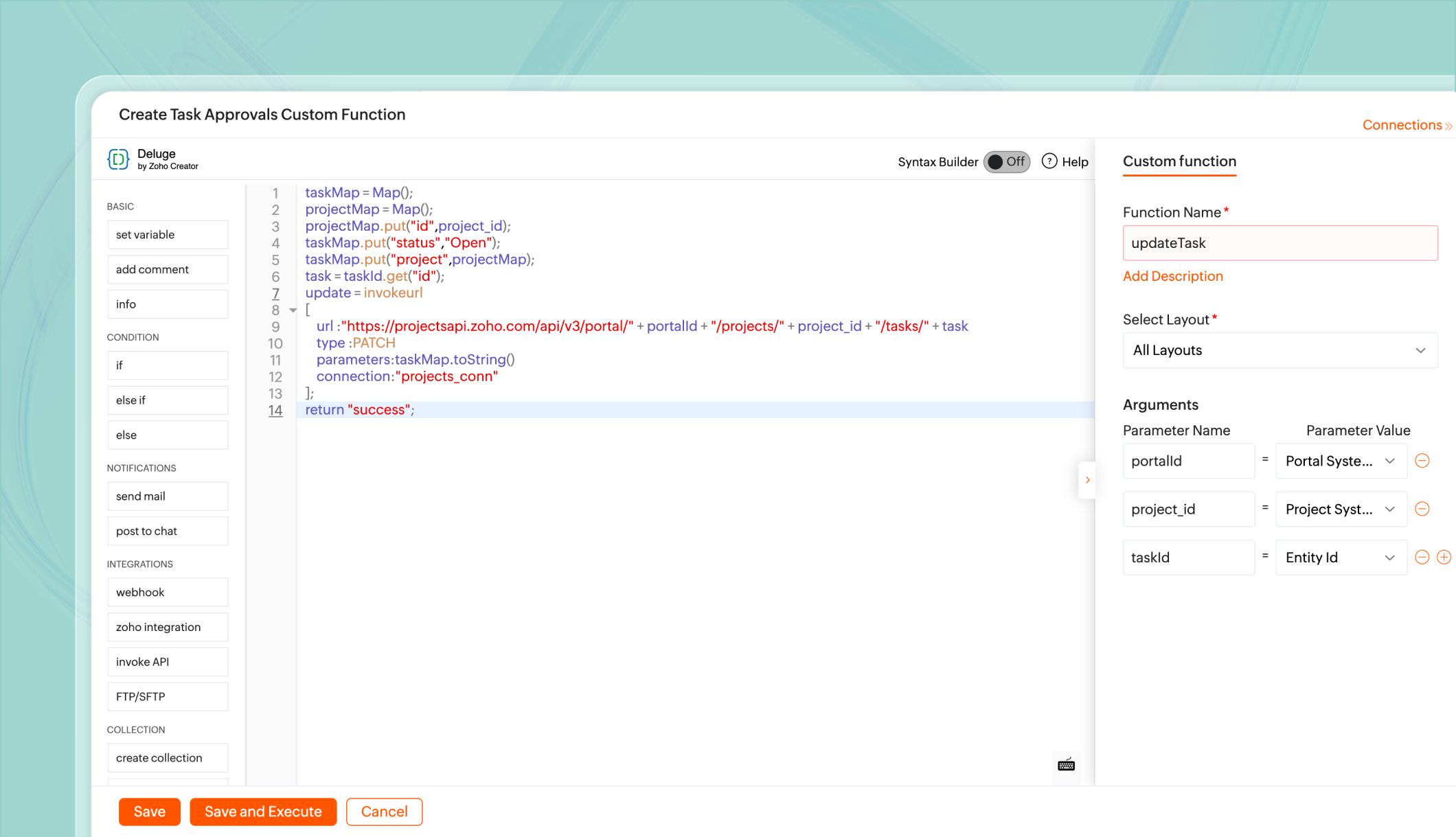
We now have a custom approval management system for a simple criterion. You can build even more complex systems for your clients.
 Pro tip: The same process can be built using a blueprint to track all transitions to help visualize and manage various stages, all in one place.
 Not just tasks, you can build approvals for any module or flow that requires intervention and validation using custom modules, like:
a. Change request management
b. User/task assignment
c. Client consensus
d. Custom activity logs
Have an approval management case you'd like to discuss? Share it with us and we'll help you out. Let us know if you'd like our partners to help you build custom logic for your business.
Want us to write about an aspect of Zoho Projects in detail? Let us know and we can add it to our list.
Best
The Zoho Projects Team