2025 has been a year of progress, productivity, and purposeful growth for Zoho Invoice. From expanding into new regions to refining everyday workflows, each update was designed to help businesses stay compliant, get paid faster, and work with confidence. Join us as we look back at the milestones that shaped our journey this year.
Launching the Singapore Edition
This year, we launched the Singapore Edition of Zoho Invoice, tailored to meet local tax and compliance needs. Businesses can now:
- Create IRAS-compliant GST invoices.
- Apply withholding tax and TDS.
- Generate detailed tax reports.
- Accept payments via PayNow through Stripe, enabling customers to pay in SGD by scanning a QR code using supported banking apps.
With this launch, Zoho Invoice enables faster, compliant, and more convenient invoicing for Singapore businesses.


As we wrap up the year, we’re excited to share the enhancements that made your invoicing faster and more efficient.
Scan Items in Invoices
Quickly scan items directly into line items, and if an item is scanned multiple times, its quantity updates automatically.
Share Invoices through WhatsApp
You can now send invoice details to your customers directly from the Invoices module using your personal WhatsApp account. This keeps communication personal, direct, and hassle-free.
Apply Available Credits From Credit Notes
Managing credits is now simpler. Zoho Invoice lets you apply available credits to invoices right from credit notes. Use the Apply to Invoices button in the credit note details page to apply partial or full credits to the selected invoices.
This year, we gave you more control over your PDF templates to make your documents look exactly the way you want.
Page Number Customization
We’ve enhanced page number options in your PDFs. You can now choose from three formats: Numeric, Page X / Y, or Page X of Y. Need a custom format? Select Custom and use placeholders like ${CurrentPageNumber} and ${TotalPages}. You can also adjust the page number position to Right, Left, or Center for the perfect layout.
Mark PDF Templates As Active or Inactive
Instead of deleting PDF templates you don’t often use, you can now mark them as Inactive. Inactive templates won’t be associated with any modules, but you can reactivate them whenever needed.
Customize PDF File Names
You can now customize file names using supported placeholders or your own prefixes and suffixes. You can also choose from predefined naming templates, making file management easier.
We rolled out tax-related enhancements to help you stay compliant across regions and simplify tax setup.
Income TCS Settings under Direct Taxes [India Edition]
Zoho Invoice now lets you create, edit, and view TCS rates under Direct Taxes in Settings. You can also see the number of associated transactions by clicking the View Associated Entities dropdown next to each Income TCS rate.
GST 2.0 Rate Rationalization [India Edition]
To help smooth the transition to GST 2.0, we added in-app support for updating GST rates based on HSN/SAC codes. A dashboard banner shows a preview of the changes before migration, and you can download updated data in XLSX format for reference.
Bulk Validate HSN/SAC Codes [India Edition]
To simplify GST compliance, you can now correct invalid HSN/SAC codes for the current return period or a selected date range via HSN Summary of GSTR-1. The new HSN/SAC Update History section in the GST Filing dashboard helps you track validations and updated transactions.
Create Local Taxes [Mexico Edition]
You can now create taxes governed by State and Municipal authorities, separate from the Federal SAT. These local taxes can be applied as transfer (Taxes) or retention (TDS), depending on your transaction needs.
This year, we enhanced Settings to help you manage security, customer access, and communication more effectively.
Multi-Factor Authentication (MFA) in the Customer Portal
We enhanced the security of your customers’ accounts by introducing MFA in the Customer Portal. Admins of organizations can now make MFA mandatory, requiring customers to use a Time-Based One-Time Password (TOTP) in addition to their login credentials. This adds an extra layer of protection while keeping login simple and secure.
Sales Receipt Support in the Customer Portal
Your customers can now view and manage Sales Receipts directly in the Customer Portal. They can also forward, download, view attachments, print, and bulk download PDFs.
Send Payment Receipt PDFs Along With Payment Thank-You Emails
After completing an online payment, your customers will now receive payment receipt PDFs in the thank-you email, giving instant confirmation and reducing manual follow-ups.

We made improvements in reports to help you analyze data more effectively with clearer summaries, better exports, and enhanced view options.
Enhanced Export Preferences
Exporting reports just got better! You can now name exported files, display column headers on each page, and organize data across pages based on the Group By field for better readability.
Organization Logo in Reports
Add your organization’s logo to PDF exports and prints. Place it in the header or use the watermark option, adjusting its position, size, and intensity to give your reports a professional touch.
New Summary View in Reports
We added a summary view for Receivables reports. When grouping is applied, you can now see the total value of each group without showing individual transactions, making it easier to get a quick overview.

We introduced various other improvements across Zoho Invoice to make your day-to-day workflows smoother and more intuitive.
Leave Organization
You can now leave an organization from the Manage Organizations page. Admins who have enabled any integrations in the organization will need to disable them before leaving.
Pin Columns in List Pages
Keep important data in sight! You can now pin up to 2 columns on list pages which have more than 8 columns for smooth horizontal scrolling.
New Language Support: Filipino and Bahasa Melayu
Zoho Invoice now supports Filipino and Bahasa Melayu. Update your language preferences under Settings > Organization Profile, with changes reflecting in the Customer Portal as well.
Custom Views for Sales Receipts
You can now create custom views for the Sales Receipts module by selecting which columns to display, making it easier to track and manage your data.

- Out-of-scope and Non-GST Supply tax options are now supported in the India edition.
- Tax Override is now available on the edit pages of invoices, recurring invoices, and credit notes.
- Items, delivery challans, and credit notes have been updated with a cleaner design and improved functionality.
- Our app is fully optimized for iOS 26, with a refreshed interface featuring liquid glass effects, rounded corners, floating tab bars, and more.
- Generate invoices using voice commands.
- Easily add items by scanning barcodes.
- Collect payments with Tap to Pay by integrating Stripe in Singapore.
- Detect invoice details automatically from screenshots.
- Share invoices as cards instead of plain links when sending via WhatsApp.
- Collect payments with Tap to Pay by integrating Stripe in Singapore.

1. Communication is essential in today's business world and Zoho Invoice has been a valuable asset in helping my sole proprietorship on that front. Once set up, it's really quick to create estimates, send invoices, and share statement summaries with my customers for review, improving efficiency.
— Derrik
General Contractor, Derrik Reno's
2. Zoho Invoice has been a valuable addition to our business operations. It simplifies our invoicing process, enables efficient project-wise payment tracking, and provides clear financial visibility. Overall, it has proven to be a reliable and efficient solution for our invoicing needs.
— Vinodh Jeevanantham
Founder, Incroft Solutions
3. I like how intuitive and scalable Zoho Invoice is for entry level small businesses and their customer service has been very responsive whenever I needed help. It's not AI driven, but real people answering my questions quickly!
— David Anderson
Owner, Cobco Cabinets LLC
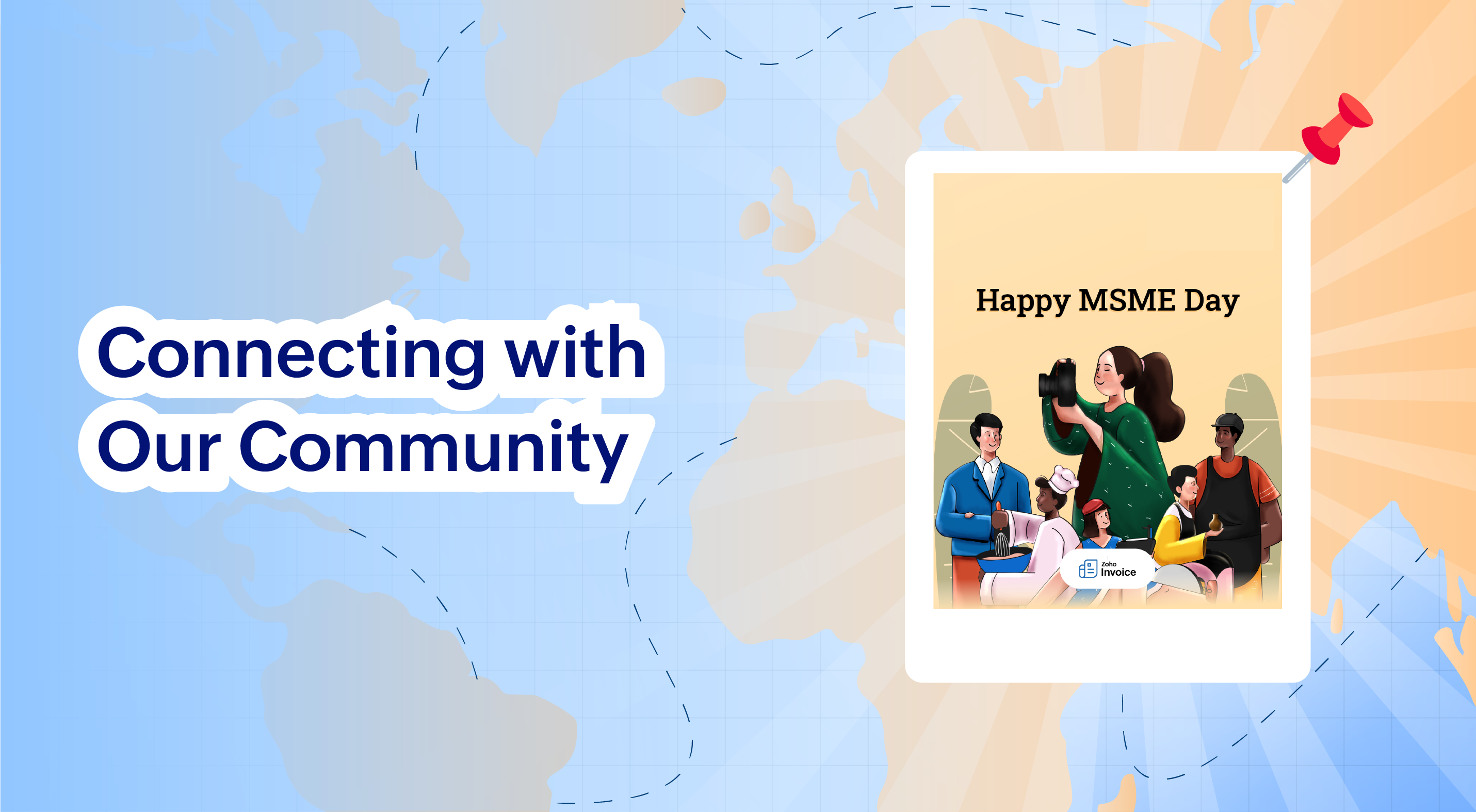
Celebrating MSMEs: Our #WallOfInspiration Campaign
To celebrate MSME Day, we rolled out the
#WallOfInspiration campaign with Zoho Invoice, creating a space for businesses to share their lessons, affirmations, and defining moments from their journey. The campaign brought together voices from across the MSME community, sparking inspiration, shared learning, and meaningful conversations. A big thank you to everyone who participated and made this initiative truly impactful!
2025 was a year of expansion, refinement, and resilience, and this voyage is far from over. As we step into the new year, we remain committed to building tools that help small businesses stay compliant, get paid faster, and grow with confidence.
Thank you for being part of the Zoho Invoice voyage. We look forward to continuing this journey with you in the year ahead. Happy New Year!
Recent Topics
Invoke a Widget buttons not opening in Bigin web – open_in missing from response
Hi, I’m seeing an issue with Invoke a Widget custom buttons in Bigin web. In the Bigin Developer Sandbox, the button works correctly and the custom button response includes: "open_in": "new_tab" However, once the topping is installed in a normal Bigin
[Zoho Desk] Follow-up: Show Full Recipient Email Address Display Improvement ?
Hi Zoho Desk Team, I would like to follow up regarding the recipient display behavior when replying to tickets in Zoho Desk. Currently, when we reply to a ticket, the To, CC, and BCC fields are combined into a single “Recipients” field. In addition, when
How to record refund of expenses in zoho books
Hi, i bought a air ticket and recorded the expense in money out. The ticket was cancelled and the fare (after deducting cancellation charges) was credited back to my bank account directly. How can i record the the above transaction?
Multiple subscription plan line items in Zoho Billing quotes
I run an IT company and sell a lot of licences. A client might have multiple subscription plans including software licences in different categories. A client might have Microsoft licences, antivirus licences, web hosting and maintenance package services.
Invoicing multiple expense items as a single line item
My client would like me to invoice them for multiple expense items on a single line item on an invoice. Can this be done? I know I can import billable expenses to an invoice, but I don't know how to show them as a single line item or have them
Rename default fields in Zoho CRM
Hi, I'm setting up Zoho CRM for an Australian company. They are perplexed by the names of the address fields, e.g. "Billing Province" (we would call it Billing State) and "Billing City" (we would call it Billing Surbub). I would like to request that these
Do "shortcuts" or symlinks exist in Workdrive?
I need some kind of link or shortcut to put into folders that point back to original files or folders, is there any way in Workdrive to do this?
Contact Lookup Mapping to Custom Module CRM via DataPrep
Hi DataPrep Team, I'm facing an issue with Contact module lookup mapping to a custom module during the DataPrep-to-CRM migration. As per the documentation, the mapping format for lookup fields should be: <Lookup_Field_API_Name>.<Lookup_Module_API_Name>
Zoho ERP | Product updates | August 2026
Hello users, What’s new in Zoho ERP this month? From Account Registers to new reports, we’ve packed this release with updates worth checking out. Take a look at what’s new and see what’s in store for your business. Introducing Account Registers Account
Kaizen #99 - Render Widgets Using Client Script
Hello everyone! Welcome back to another interesting post. In this post, let us see how you can render Widgets using Client Script. Widgets are embeddable UI components that you can create and add to your Zoho CRM. You can use widgets to perform functions
Customer portal: recommended way to scope lookup fields to the logged-in client?
Hi all, I'm building a customer portal on Creator for our clients (we're a esting lab, so each client has their own sites, contacts and jobs). Planning stage, so I'd rather get the approach right before I build it. The portal forms need several lookup
Support for Custom Fonts in Zoho Recruit Career Site and Candidate Portal
Dear Zoho Recruit Team, I hope you're doing well. We would like to request the ability to use custom fonts in the Zoho Recruit Career Site and Candidate Portal. Currently only the default fonts (Roboto, Lato, and Montserrat) are available. While these
Introducing the Zoho Contracts API Collection on Postman
We are happy to announce that the Zoho Contracts API collection is now available on Postman. You can explore, test, and debug Zoho Contracts APIs without writing application code. What's in the collection Ready-to-use requests for Contracts, Counterparties,
Zeptomail in the blacklists
Hello, I noticed some hard bounces while sending emails, and upon checking the details, I see that we have been added to the blacklists of certain spam lists: Bounce category: Policy failure Reason: ip-issues Message: 5.7.1 Service unavailable; client
Add Payment Information (like Bank details)
I am using the Free plan of Zoho Books. I need to add the bank details/ UPI details on the invoice. How can I do that. I have added the details in the Bank Section.
How does Recur setting affect execution time of time based workflow rules.
When setting a workflow rule based on Date/Time field, the Recur setting does not seem to make sense. If I want the rule to execute at a specific amount of days relative to a date field, what exactly would the recurrence be? That point in time would only
Canvas Ungroup is No Longer an Option - Can we Bring it Back?
You used to be able to ungroup a Group in ZOHO Canvas, but now you have to delete the group and completely start over (re-add the fields, re-place them, regroup them, readjust the group as you want it/reformat) instead of ungroup, move or delete only
Reserve Your Spot for the Zoho Recruit India Virtual Meetup
The Zoho Recruit Meetup India is happening virtually on October 15, 2026, and registrations are now open! This meetup is a chance for Zoho Recruit users across India to come together, catch up on what’s new, learn better ways to use Recruit, and have
Account recovery using trusted Zoho applications
We know forgetting your password can be frustrating. So to make account recovery even simpler and more seamless, we're introducing recovery through Zoho mobile apps; in addition to the existing OTP options using email address or mobile number. Please
Introducing Omnichannel Subscription
Your customers may choose to subscribe through different marketplaces such as Google Play or App Store. As your business expands, managing these subscriptions can become increasingly complex. To make it easier, we are introducing the Omnichannel Subscription
WhatsApp Business Message Pricing Update: Effective October 1, 2026
Hi everyone, Starting October 1, 2026, Meta is updating how WhatsApp Business messages are charged. This guide explains the new per-message pricing model, how message categories work, and what changes for service messages specifically. How Meta charges
[Webinar] Automated label merging
Live webinar on October 8, 2026 | Time: 2 PM IST | 2 PM EDT Hi, Businesses that rely on labels for shipping, inventory, or events often struggle with rigid layouts, disconnected data sources, printing the right quantity, and adapting labels for different
zFlow_DateTime
This kind weird since our Flow is RUNNING FOR ALMOST A YEAR and suddenly, our auto plotting of events on Creator Calendar isn't working. Our team can't afford doing manual thing since we handle lot of service tickets. We suspect that there is something
What's New in Zoho Inventory | July & August 2026
Hello users, The July and August 2026 releases bring a range of new features and improvements across the product. From the Nigeria Edition and Super Admin enhancements to Sri Lanka IRD-compliant invoicing, Loyalty Program Management, and improvements
Roles and Privileges in Zoho Mail: Define and control administrative access in your organization
Imagine a growing organization where the IT team needs to manage users, the support team needs to handle spam settings, and the group admins need to oversee email groups, all without giving everyone full access to the Admin Console. This can be achieved
Keep sensitive PDFs protected with Zoho PDF Editor
PDFs often contain confidential information in the form of financial reports, business proposals, contracts, or forms. Zoho PDF Editor helps you keep that information under control with password protection. With two layers of protection, you can decide
Enrich your contact and company details automatically using the Data Enrichment topping
Greetings, I hope you're all doing well. We're happy to announce the latest topping we've added to Bigin: The Data Enrichment topping, powered by WebAmigo. This topping helps you automatically enhance your contact and company records in Bigin. By leveraging
CV Parsing
Hi guys, I parsed my cvs through Rchilli. What can I use now that they have ended their association with you?
Change default "Sort by"
Is there a way to change the default "sort by" when searching across modules?" in Zoho CRM? Currently the default sort method is "Modified time" but i would like to utilize the second option of "relevance" as the sort by default and not have to change
Document Approval Workflow for Non-Users
Our organisation has not added client users yet to Zoho but we are currently exploring how we can use the document Review and Approval Workflow to send out project updates to clients. While testing, we found that we can only pick users as approvers. Is
Zoho Learn - Enable Keep Aspect Ratio by Default
Hi Learn team, Is there a way to enable "Keep aspect ratio" in Image Options by default? It's really frustrating to have to change this for every image. Realistically, who wouldn't appraciate this?
Tip #91 – Let customers join sessions directly from your website with the Customer Widget – 'Insider Insights'
Hello Zoho Assist Community! When a customer needs remote support, the last thing you want is for them to fumble through an email invitation or navigate to an unfamiliar webpage just to join a session. Every extra step is a moment of friction, and for
Profile picture unable to be seen by other colleague.
Hi, As per title, I'm having problem where my profile pic doesn't show from other colleague account. However, when I uploaded the pic from zoho web, it is showed in my phone apps. Still, other colleagues cant see my profile pic. Please help. Thanks,
Mute notifications to followers knowledge base/help center
Good morning Zoho, We are in the midst of a rebranding. This requires updating all of our knowledge base articles with new screenshots etc. In other words: They are all updated. This means all our customers that follow these articles are spammed with
Global Constants / Variables
It would be great if there were a Global Constant feature. The idea here is for managing constants that are used in multiple Flows and Subflows, but might change over time. The idea is that the change could be made in one place and cascade to all future
Item/service subtotal
Just discovered & really pleased that we can drag to re-order the line items in Sales orders & Invoices, a very nice feature which doesn't seem to be documented? It would be nice to be able to insert a subtotal as a line item to complete this great feature
Unable to change alias in the from field on the ZOHO mac app
I have 1 main mail address, and 3 alias's. on the web mailbox when I create a new email, I can select the alias's from the dropdown in the from field. On the app no dropdown is available.
Ask the Experts 33: Ticketing in Zoho Desk
Every customer interaction begins through one of these channels: email or a phone call, a web form, an instant message, a social media, or a visit to your self-service portal. Bringing these interactions together and managing them in the right context
Workflow Automation Not Triggering
My Zoho CRM workflow sometimes doesn’t trigger when a record is updated, even though the workflow criteria appear to be met. What should I check to find out why the workflow is being skipped?
Migrating from Zoho Checkout to Zoho Billing
I have an active Zoho Checkout account where I'm charging customers for subscriptions. Now I'm looking to upgrade and only use Zoho BIlling, in which my account in on read only mode at the moment. I can see is also tracking the customers and its payments.
Next Page