Collaborate efficiently with Zoho Writer's track changes feature
Hi Zoho Writer Community,
Zoho Writer's track changes feature is a simple, built-in solution that helps you and your team work together efficiently. Instead of juggling multiple versions of a document or building up a long email chain of comments, each collaborator can put their suggestions directly into the document. This makes it a great tool for developing and reviewing all types of written content.
Here is how track changes helps you be productive:
- Everyone involved in a document can see exactly what changes have been made, when, and by whom. This ensures everyone is on the same page and avoids confusion.
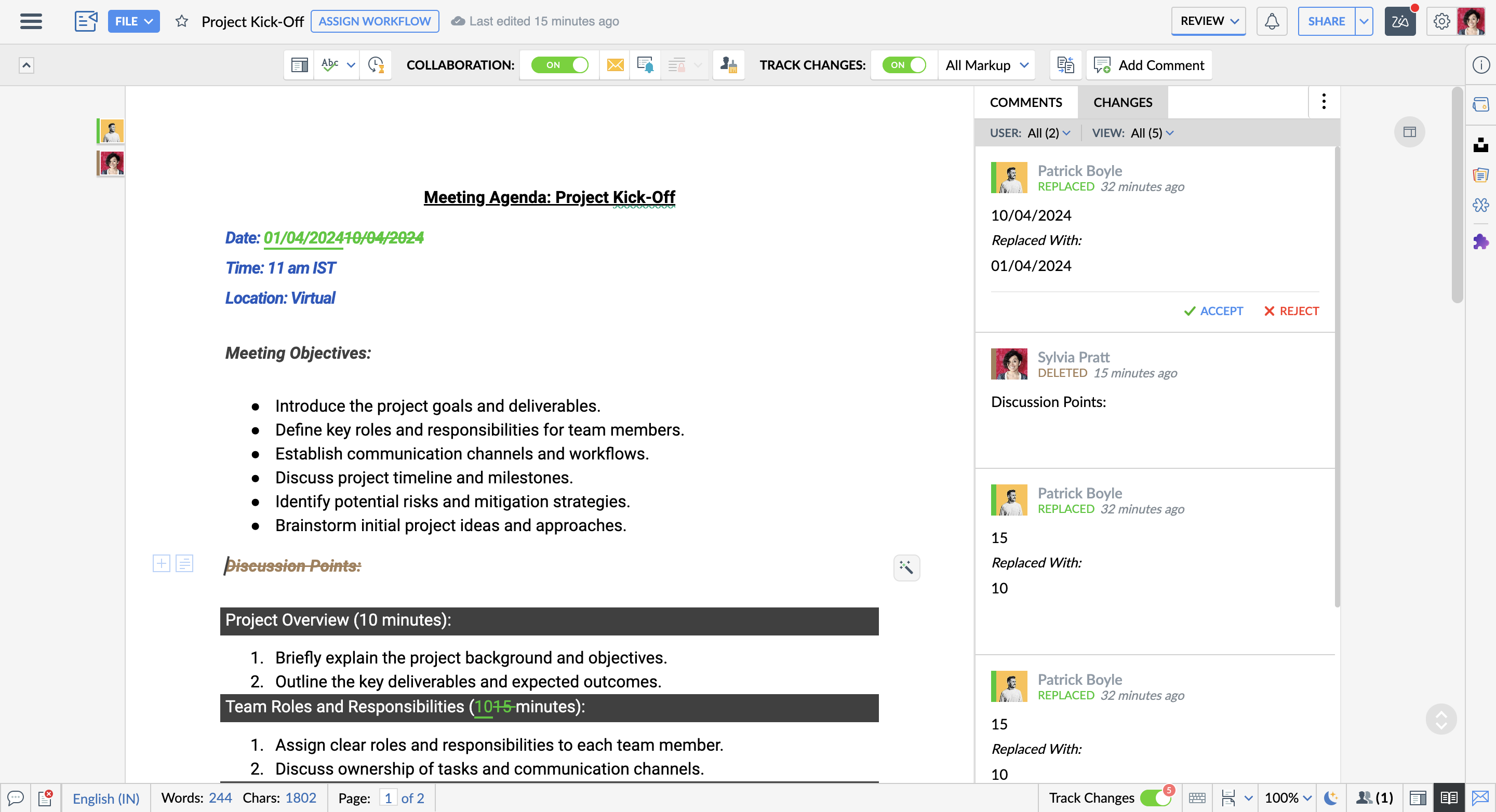
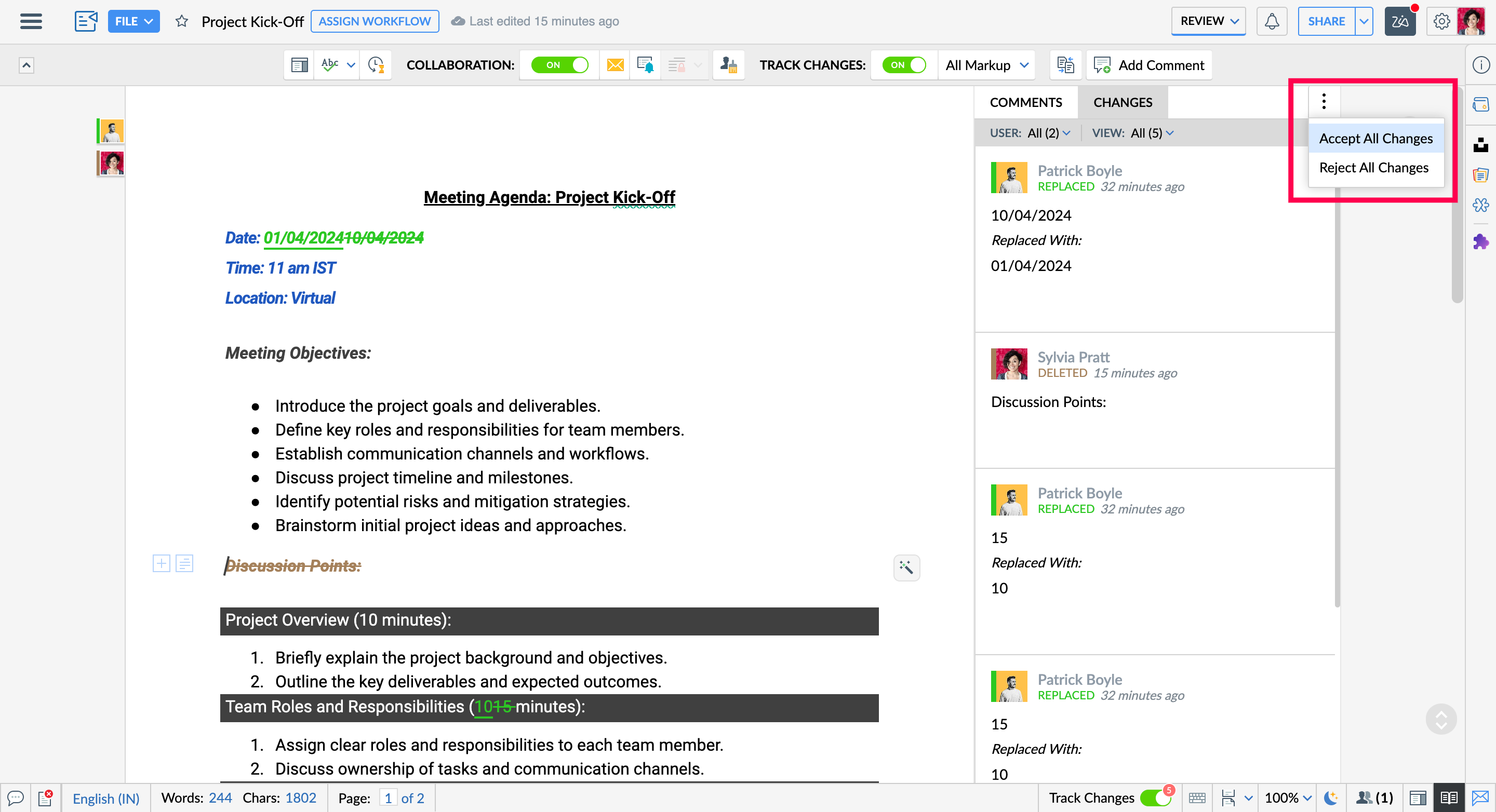
- You can accept or reject changes individually or all at once, making the review process faster and more efficient.
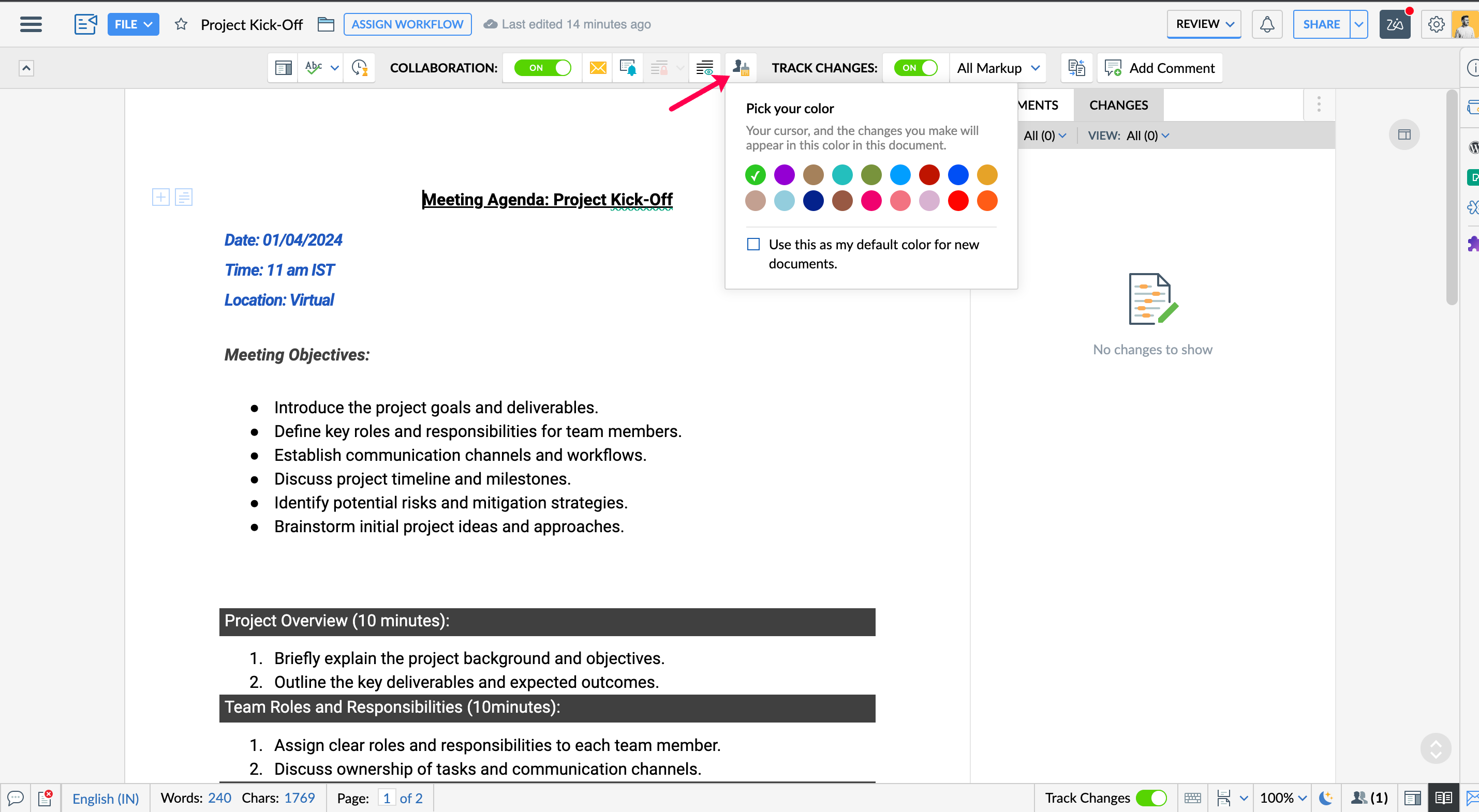
- Choose a custom editing color to differentiate your edits from others, making it easier to track.
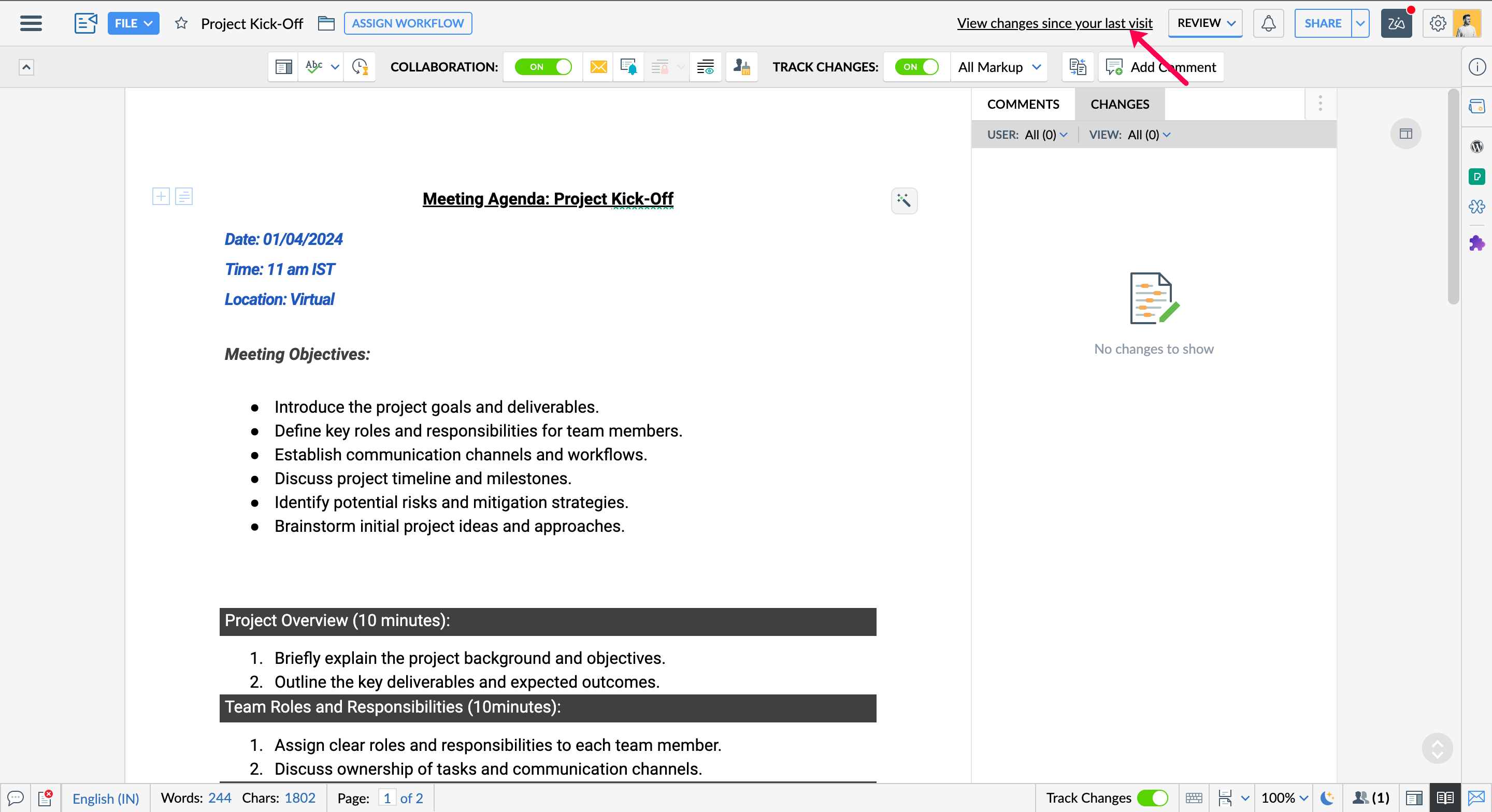
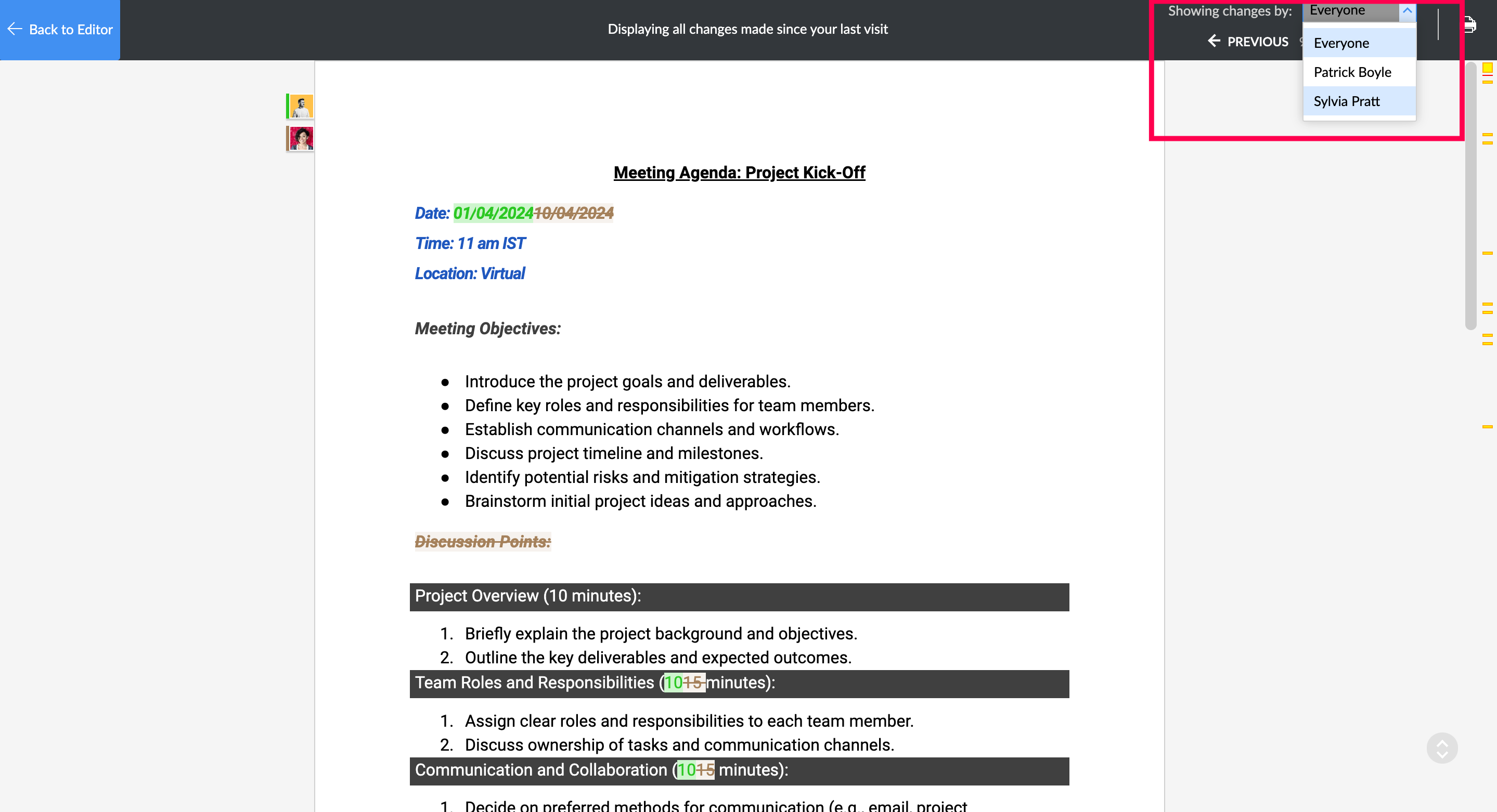
- Collaborators with Edit and Share access can instantly see all edits made since their last visit by clicking "View changes since last visit."
- You can filter the view to see changes made by:
- All collaborators: Get a comprehensive view of all edits made by everyone.
- Specific collaborator: Focus on edits from a particular team member for a targeted review.
With the Track Changes feature in Zoho Writer, you can collaborate efficiently and manage the revision process for your documents! Please write to us at support@zohowriter.com if you have any questions or suggestions!
Stay tuned for more!
Until then,
Happy Writing!