Customize your calendar based on personal preferences
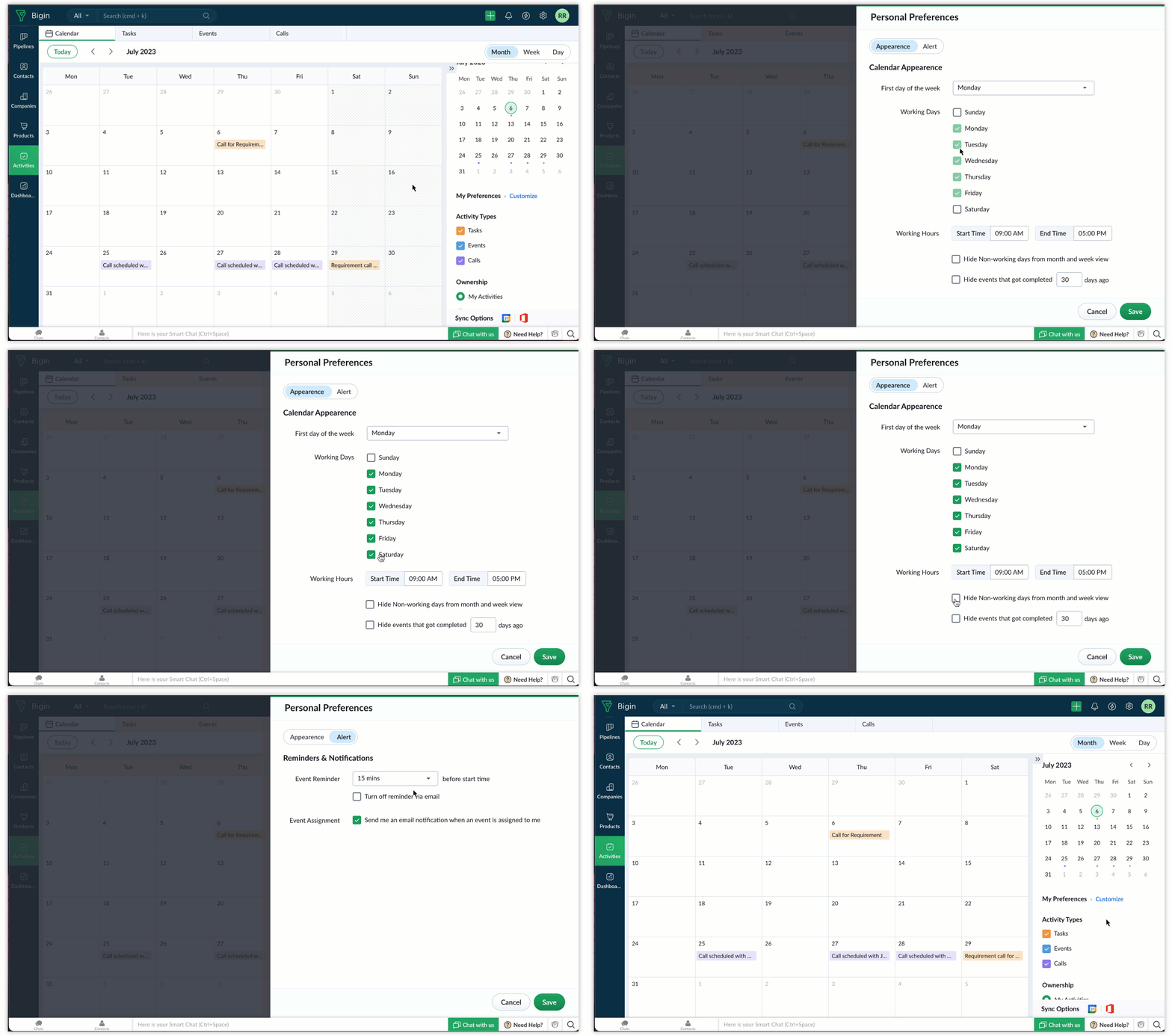
Customize Calendar Appearance
Week start day: Choose the day on which you'd like the calendar week to start—Monday, Sunday, or any other day—based on your regional or workflow preferences.
Working days and hours: Define your working days and working hours, with an option to hide non-working days from the calendar if needed.

Set alert preferences
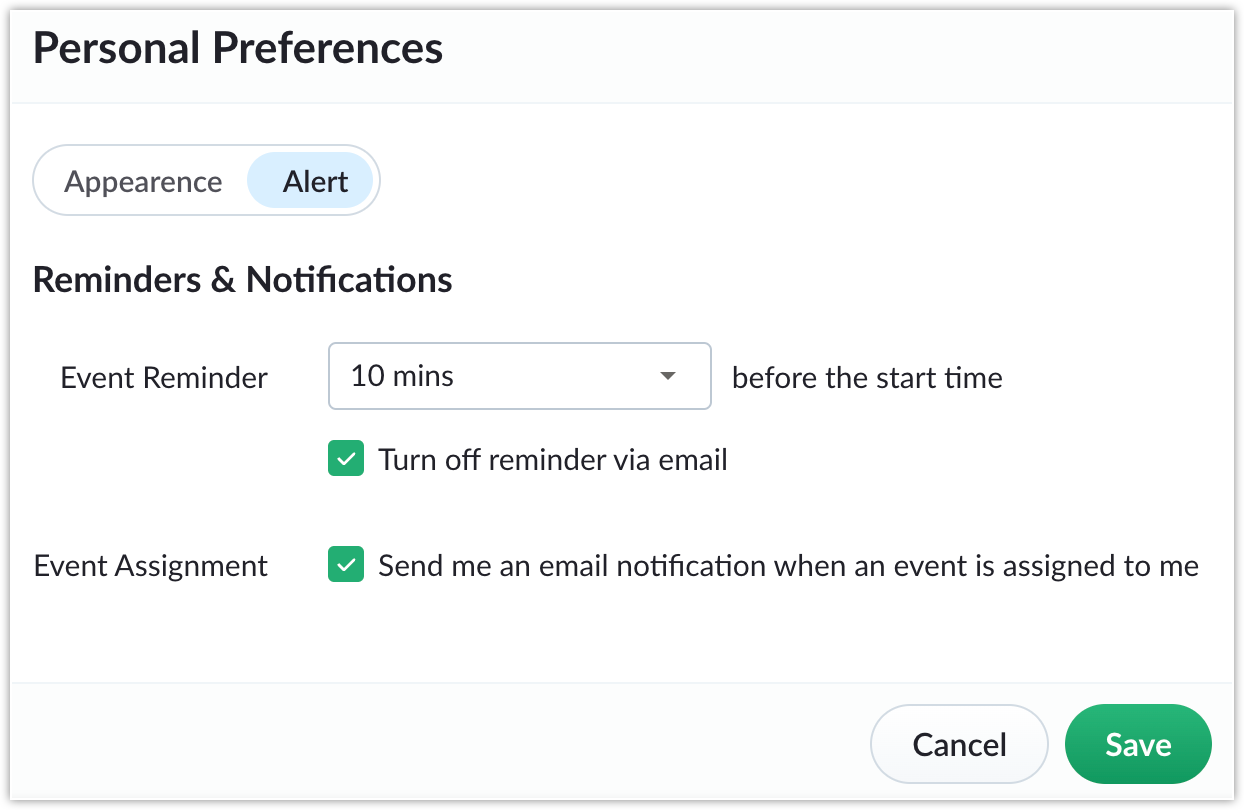
Event reminder: Configure default reminders for events, including how long in advance to receive reminders—minutes or days—so you can stay prepared.
Event assignment notifications: Enable email notifications for new event or task assignments so you can stay informed of any added responsibilities.
Availability
These new preferences are available in the trial and paid editions.
That's all for these enhancements. We sincerely hope you find these improvements useful. Please give them a try and leave your feedback in the comments section below. Watch this space for future announcements.
Thanks and have a good day!