Hello Everyone,
We are excited to announce a new addition to your Canvas in Zoho CRM - Print View. Canvas print view helps you transform your custom CRM layouts into print-ready documents, so you can bring your digital data to the physical world with ease.
Whether you’re printing labels for shipping, creating personalized forms, or need to document one particular record's information, this feature gives you the control and flexibility to design, customize, and print right from your CRM.
What can you do with Print View?
With Canvas Print View, you can print out a single record's data or a few selected records' data or even the total number of records per page onto physical sheets directly from your CRM account to your hands. Simply :
- Design a custom layout using Canvas by pulling details automatically from your CRM modules
- Generate a clean, printable sheet of mailing labels
- Print information out on standard paper sizes like A4 or Letter from your selected module,
- Automatically display cutting lines to guide separation for
- Save time and reduce manual errors without leaving your CRM
Scenario 1: Print Shipping labels from your CRM Account
Imagine you’re running a shipping or courier service, and you manage all your customer data within Zoho CRM. Your team needs to generate address labels for daily deliveries. You can use the print view to :
- Create a custom mailing label layout using Canvas and get customer contact details automatically from your contact module.
- Generate a clean, printable sheet of mailing labels
- Choose to display cutting lines to guide label separation
- Finally, print them out on standard paper sizes like A4, Letter from your selected module
And, Voila! Your team now has all the address labels they need for daily deliveries.
Look at the GIF below to understand how Canvas Print View works for print mailing labels.
Scenario 2 : Print Service Report Forms in an Auto-shop Repair Firm
Say, you run an automobile service centre, and you use Zoho CRM to track customer vehicles, service requests, complaints, and repair details. After completing a repair job, the technician updates the service record in CRM with details such as the vehicle model, service type, parts replaced, labour cost, and total cost.
Using the Print View feature in Canvas, the service centre generates a Service Report that includes:
- Customer name, email, and phone number
- Service number and Service date
- Vehicle Name, Complaint, and Feedback
Now, you can hand this printed report to the customer as proof of service where both the technician and the customer can be signed for acknowledgment and stored in the customer’s file as part of their service history. This is any day better than giving customers a rough invoice or verbal update, and encourages repeat visits for future services.
The GIF below will help you understand how Canvas Print View works for such scenarios.
Other examples where you can use this feature
Similarly, you can use the Print View feature of Canvas to create printable sheets for other scenarios, such as :
- Create academic course sheets, promotion letters and more automatically from the courses module,
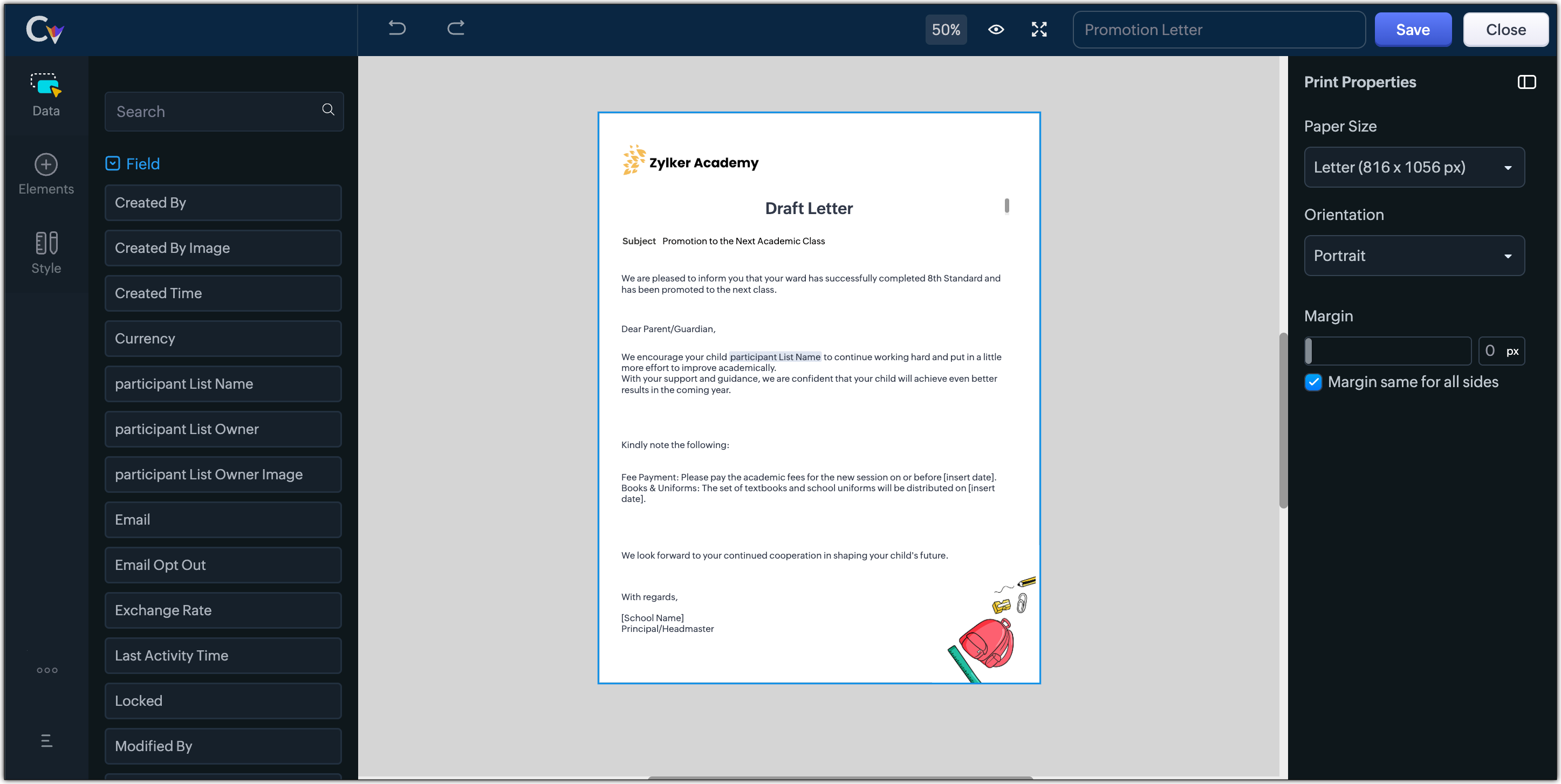
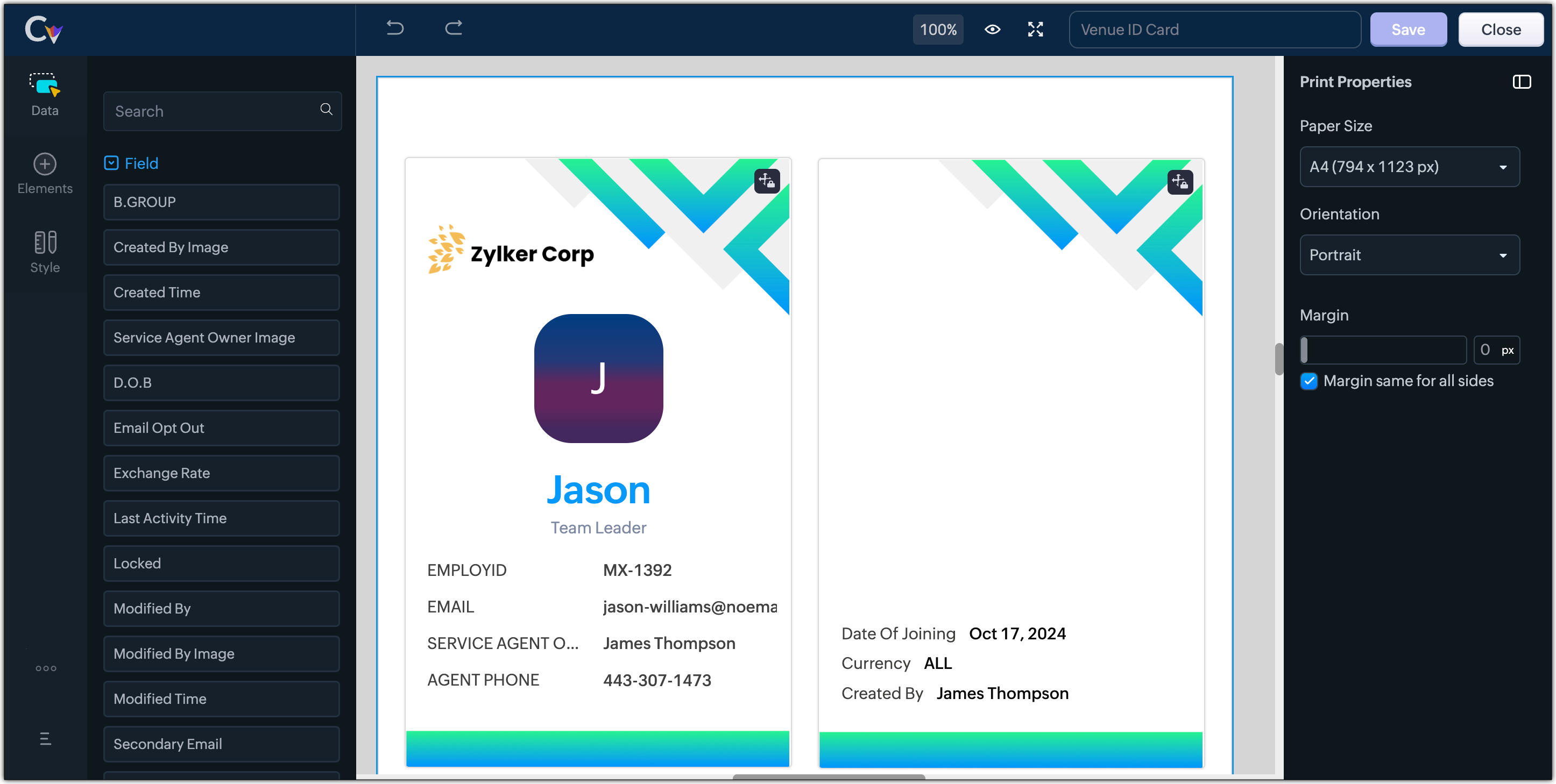
- Resume, id card, or other identification forms for marketing activities or related events,
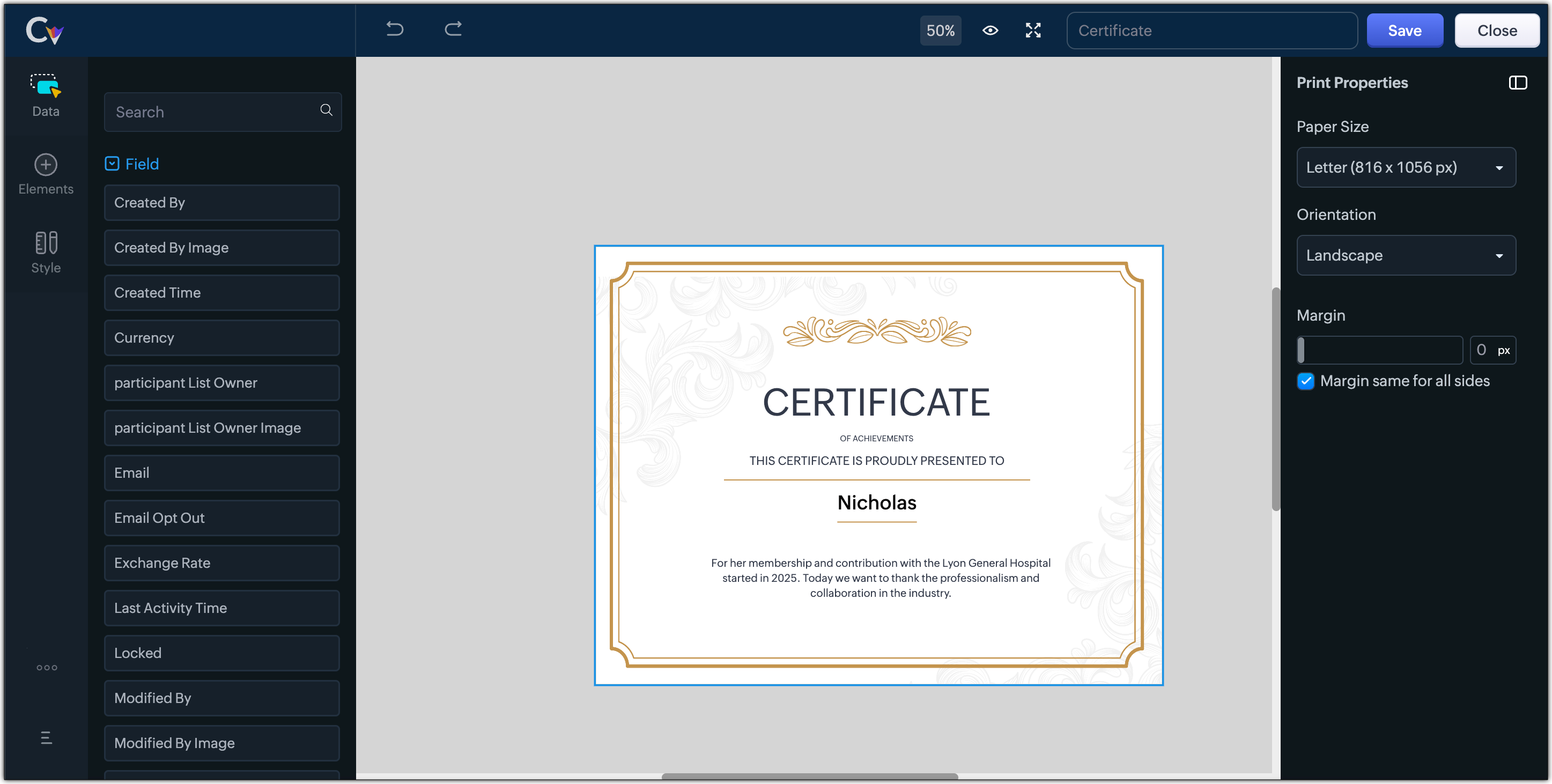
- Certificates, contracts, agreements, or guarantees that need to be manually attested by customers
Customization Options to print Mailing labels
Canvas Print View offers a wide range of customization options to help you design exactly how you want to print out your mailing labels. The options available are :
- Paper Sizes: Choose from Mailing Label formats based on your printing needs
- Orientation: Switch between Portrait or Landscape mode to suit your layout design
- Margins: Define precise margins for your printout or apply the same margin on all sides with a single click
- Print record in :
- Choose to print the mailing labels per page or in a list or in a Grid.
- To print mailing labels per page, users can choose the same margin for all sides and align center options.
- To print mailing labels in a list, users can choose the same margin for all sides, align center and cutting lines options.
- To print mailing labels in a grid, users can choose the same margin for all sides, align center, auto width, and cutting lines options.
Note :
- Align Center : Aligns your content to the center of the page or adjust freely
- Auto Width : Enable this setting to fit content dynamically within the layout
- Cutting Lines : Add visible cutting guides to clearly separate labels or sections on the page
Customization Options to print A4 or Letter format information
The customization options available for printing information in A4 or Letter paper sizes are :
- Margins: Define precise margins for your printout or apply the same margin on all sides with a single click.
- Print record in : Choose to print the information per page or in a list.
- To print information per page, users can only choose to apply the same margin for all sides.
- To print mailing labels in a list, users can choose to apply the same margin for all sides and enable cutting lines to guide separation.
Availability : This feature is available to all users except for IN DC users. It will be opened up for the Indian data centre users shortly.
No more exporting, formatting, or jumping between tools to generate print-ready documents. Canvas Print View can be your print-buddy that can let you tailor documents to suit your business requirements.
Head over to your Canvas builder, select the Print View option, and start creating beautifully customized templates that work on paper just as well as on screen.
Feel free to comment below if you need any assistance from us!
Thanks & Regards
Serena Woolridge
Recent Topics
is it possible to add more than one Whatsapp Phone Number to be integrated to Zoho CRM?
so I have successfully added one Whatsapp number like this from this User Interface it seems I can't add a new Whatsapp Number. I need to add a new Whatsapp Number so I can control the lead assignment if a chat sent to Whatsapp Phone Number 1 then assign
Add the ability to Hide Pages in Page Rules
Hi, We have Field Rules to show and hide fields and we have page Rules, but we can't hide a page in Page Rules so it isn't completed before the previous page (And then have the Deny Rules to prevent submitting without both pages completed), we can only
Calendar Year View?
Is there a way I can view the calendar in year view? Maybe create a page with a view like this?
Automation Series: Auto-update Project End Date When a Task is Rescheduled
When a project is planned, tasks are scheduled within the projects timeline. Any delay in the predecessor tasks can delay dependent tasks, which can in turn impact the project timeline. Unless the project is manually rescheduled, the end date might not
What is a realistic turnaround time for account review for ZeptoMail?
On signing up it said 2-3 business days. I am on business-day 6 and have had zero contact of any kind. No follow-up questions, no approval or decline. Attempts to "leave a message" or use the "Contact Us" form have just vanished without a trace. It still
Zoho Social | Instagram Integration in Zoho Desk
Good day Zoho team! I have a question. If we link the Instagram business account to our Facebook page, and we integrate the Facebook to Social in Zoho Desk, the "Messages" from Facebook will be converted into Ticket right? Does it also convert the Instagram
Rich-text fields in Zoho CRM
Moderation Update: During the initial release of Rich Text fields, it was supported only in the Enterprise and Ultimate editions. We have gradually extended Rich Text fields to all the paid editions of Zoho CRM. Hello everyone, We're thrilled to announce
Tip #52: Practical uses of Zia Search in Zoho Sprints
If your agile team uses multiple Zoho apps, your team members might often find themselves switching between those apps looking for related information. When the data you're looking for is spread across different workspaces within Zoho environment, rely
New field in Zoho Forms: Validate structured data with the Regex field
Have you ever received form submissions where the information looked almost correct but wasn't quite in the format you expected? Maybe an employee ID was missing a character. A PAN number was entered in lowercase. A license number had an extra space.
Import Excel from email into CRM
I receive a daily Excel file by email and I would like to have it automatically imported into a custom Zoho CRM module. Do you think there's anything that can be done? My first idea was searching for a native option in CRM, such as "send an email to a
Zoho Connect is now even smarter and more personalized
Hello everyone, We’re excited to introduce new features and enhancements to help you personalize the employee experience, connect workplace knowledge with AI, and create more engaging dashboards. Deliver relevant dashboards with Audience With Audience,
Stop Zoho Projects From Automatically Adding Client Users
I have a custom function that creates a Zoho Project for every Quote attached to a Deal when it moves to Closed Won. Everything works fine, except for the fact that connecting a Zoho Project to the CRM automatically takes the Contact associated with the
Global "Search" in FSM
I'm missing the global Search function like in CRM. This should save us a lot of time. We don't now upfront if the customer is a Contact or a Company. So now we have to guess in what module to start a search/filter. Also looking up an address, phone number,
Canvas not working
I have a canvas running. I selected it as the default for all options, but mainly want it for Portals. It isn't working. I selected Assign Canvas in both the Dtailed View and in the module itself. Nothing has happened. Any help?
LinkedIn RSC is now live in Zoho Recruit
LinkedIn Recruiter System Connect (RSC) is here. Your Zoho Recruit data (candidates, jobs, notes, stage updates, resume attachments, and more) now syncs with LinkedIn in real time. Note: LinkedIn RSC is included with your LinkedIn Recruiter Corporate
Add the Zoom Option to the Camera
Hi, I use the ZOHO Forms Camera so I can manage metadata, compression, etc. but this doesnt have the zoom parameter activated, so when we have photos in a tight space and want to use 0.5 for example, we can't, can this be enabled please. Thanks Dan
The Social Wall: July 2026
Hello everyone! We're halfway through the year, and we bring to you three new updates designed to help you experiment with your content, discover your top-performing posts, and automate your engagement workflow. Instagram Trial Reels Instagram trial reels
What's New in Zoho Invoice | April – June 2026
Hello everyone! We're back with the latest updates and enhancements we've rolled out in Zoho Invoice from April to June 2026. Here's what's new this quarter: Connect Zoho Invoice to AI Using Zoho MCP Customize Accessibility Preferences Attach Annexure
Help with SEO
Hi There, I have recently published a site and added some Keywords in the SEO settings. Searching Google I currently don't find my site though. When do these settings take effect? In the SEO settings there is also a section "Sitemap" I can change settings for "frequency" and "Priority" What do these settings do? Kind regards
POS and payments
Have i missed the point can i not use zoho POS as a payment terminal back into stripe like we can in Books?
Zoho Books Placeholder: Inventory Counts
I was hoping to figure out how to find the placeholders for inventory counts by item. We use Location based inventory tracking, so I dont know if that affects things. I want my PDF and Printed PICK LISTS to show the Quantity Available to Pick. I have
Undocumented Books API error message - 1000 - The requested action could not be completed. Please try again. | Unexpected error
This code sometimes throws this error 1000 - The requested action could not be completed. Please try again. | Unexpected error What does it mean? result = zoho.books.updateRecord("salesorders",organization.get("organization_id"),salesorder_id,sales_
Please critique my CRM design
I run a disability healthcare business with 2 business units. We run on Zoho One and are re-designing our CRM. We have developed the design concept ourselves, and I am hoping to get some critical feedback: 1) Noting that this is an early design of the
Error in Batch Details Stock Reportt
I am a new user of zoho inventory. When extracting batch details stock report as of dec 2025, the report takes into account transactions that happen this year. Thus causing discrepancies when comparing with Stock Report. Is this a global error? Can zoho
Invoice template, how to change the text under "Notes" and "Terms and Conditions"
In "Invoice templates", there are two text/info sections at the bottom:"Notes" and "Terms and Conditions". It is possible to change the names of these two headings, but how is it possible to change/alter the text under it. As a standard it says "Thank you for your business" under Notes - I need to change it into something different- How? Thank you.
Zoho Commerce B2B
Hello, I have signed up for a Zoho Commerce B2B product demo but it's not clear to me how the B2B experience would look for my customers, in a couple of ways. 1) Some of my customers are on terms and some pay upfront with credit card. How do I hide/show
Need complete Zoho Commerce theme ZIP example and safe staging workflow
I want to build a complete custom Zoho Commerce storefront through Edit Code, including: • Global header and footer • Responsive homepage • Category, search and filter pages • Product cards and product-detail pages • Cart and checkout wrapper • Mobile
Conflict with Google Sheets
While I was working on a google sheet in Firefox, I suddenly started getting an error dialog in Google sheets: "Loading issue. Troubleshoot this issue by clearing application resources". It then says to clear cookes etc. etc. which didn't help. Disabling
Add Large Lists to Choice-Based Field Rules
Hi, The new Large List is good, but you can't then use the Choice-Based Field Rules with it to limit the Group Choices or Choices? Thanks Dan
Auto-fill from logged-in user's profile for Name Fields in Subforms
Hi, The Name field is great, but I see you can't tick the Initial Value option of "Auto-fill from logged-in user's profile" when it is on a Subform, why not? Thanks Dan
[Free webinar] Creator Tech Connect – Creator product updates (Part 1), August 2026
Hello everyone, We are excited to invite you to another edition of the Creator Tech Connect webinar. About Creator Tech Connect The Creator Tech Connect series is a free monthly webinar comprised of pure technical sessions, where we dive deep into the
Is there a way to show contact emails in the Account?
I know I can see the emails I have sent and received on a Contact detail view, but I want to be able to see all the emails that have been sent and received between all an Accounts Contacts on the Account Detail view. That way when I see the Account detail
Mail Id’s backup
Dear Zoho Team, Kindly share the backup of my all mail id’s associated with Zoho account. Thanks, Saurabh Sharma +91 8851066915
Recurring Events Not Appearing in "My Events" and therefore not syncing with Google Apps
We use the Google Sync functionality for our events, and it appears to have been working fine except: I've created a set of recurring events that I noticed were missing from my Google Apps calendar. Upon further research, it appears this is occurring
360 SMS App - Zoho CRM SMS, MMS & WhatsApp Messaging Extension
Sharing our extension for anyone looking for texting inside Zoho CRM: 360 SMS App supports SMS, MMS, WhatsApp, and two-way texting, connected directly to your Leads, Contacts, Deals, and custom modules. Built-in TCPA/GDPR opt-in management handles compliance
Stock Based Sort-by option in Category Pages
In a category page product with In-Stock should come in the top of the categories product list rather than out-of-stock products. No having this option is extremely disappointing, I made the initial request about 7 months ago but still not even an update
Stock based sort-by option
I have more than 300 products in a category with out of stock items count of 150. The out of stock items are coming on top of the category product page list, is there a way to show the in-stock items on top of the list & move the out -of stock items in
Out of Stock items showing in Commerce
I have over 6000 items and most are not in stock, but all items are showing up in Commerce whether they are inventory or not. What option or feature can you use to hide items in Commerce at zero or negative quantities? I currently am using Commerce for
how to Solve Conflict Invoices in Zoho POS
Hello Team, I am facing a repeated issue in Zoho POS while saving a sale that contains service-based items. My products are intentionally created as Service (Non-Inventory) items because I do not want to track stock for them. However, every time I try
Creating Email template that attaches file uploaded in specific field.
If there's a way to do this using Zoho CRM's built-in features, then this has eluded me! I'm looking to create a workflow that automatically sends an email upon execution, and that email includes an attachment uploaded in a specific field. Email templates
Next Page