Introducing Zoho Campaigns' own gateway for SMS campaigns
We are excited to announce the launch of our SMS Gateway to send SMS through Zoho Campaigns. We have also made a few other changes in our current SMS Campaign model to improve your over all user experience.
These updates are planned with an aim to expand our product's potential by catering to the needs of businesses interested in both email and SMS marketing.
Zoho Campaigns' Own SMS Gateway
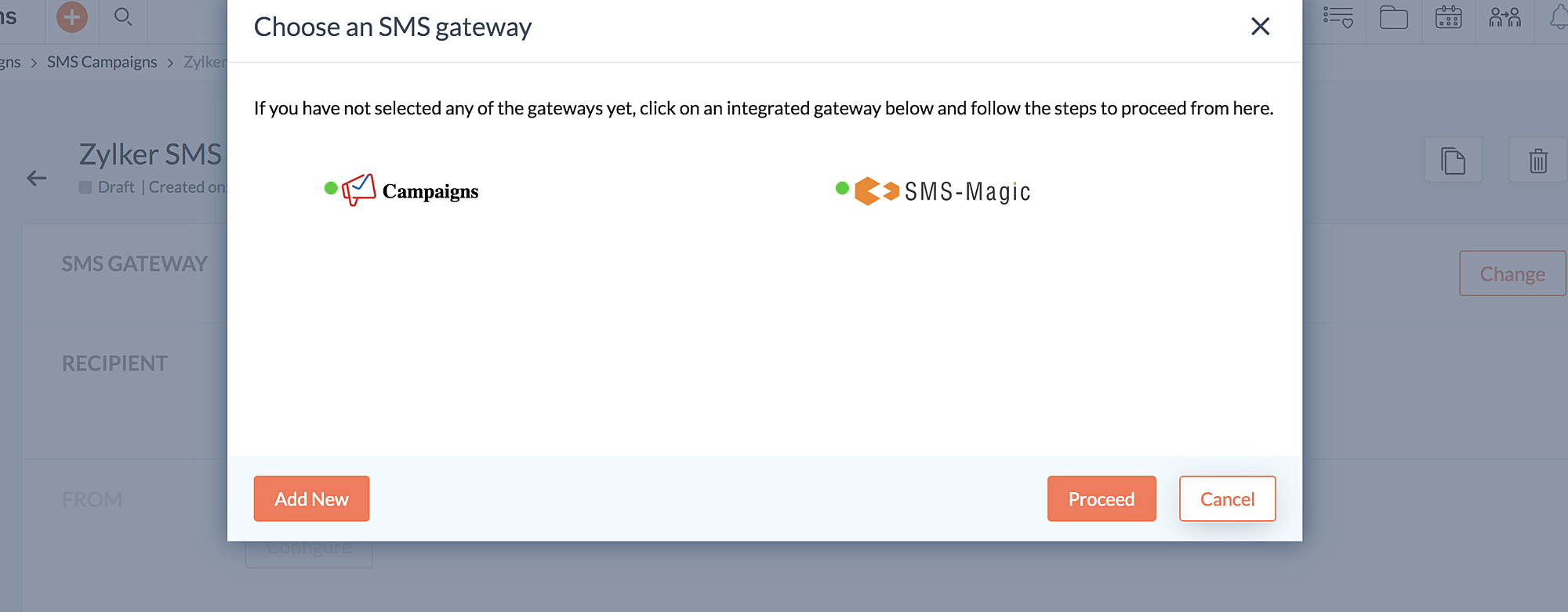
Right now we are integrated with thirteen third party applications, to support the SMS sending process for the users. However, these third party integrations create an extra signup step for you to send SMS campaigns and manage multiple bills.
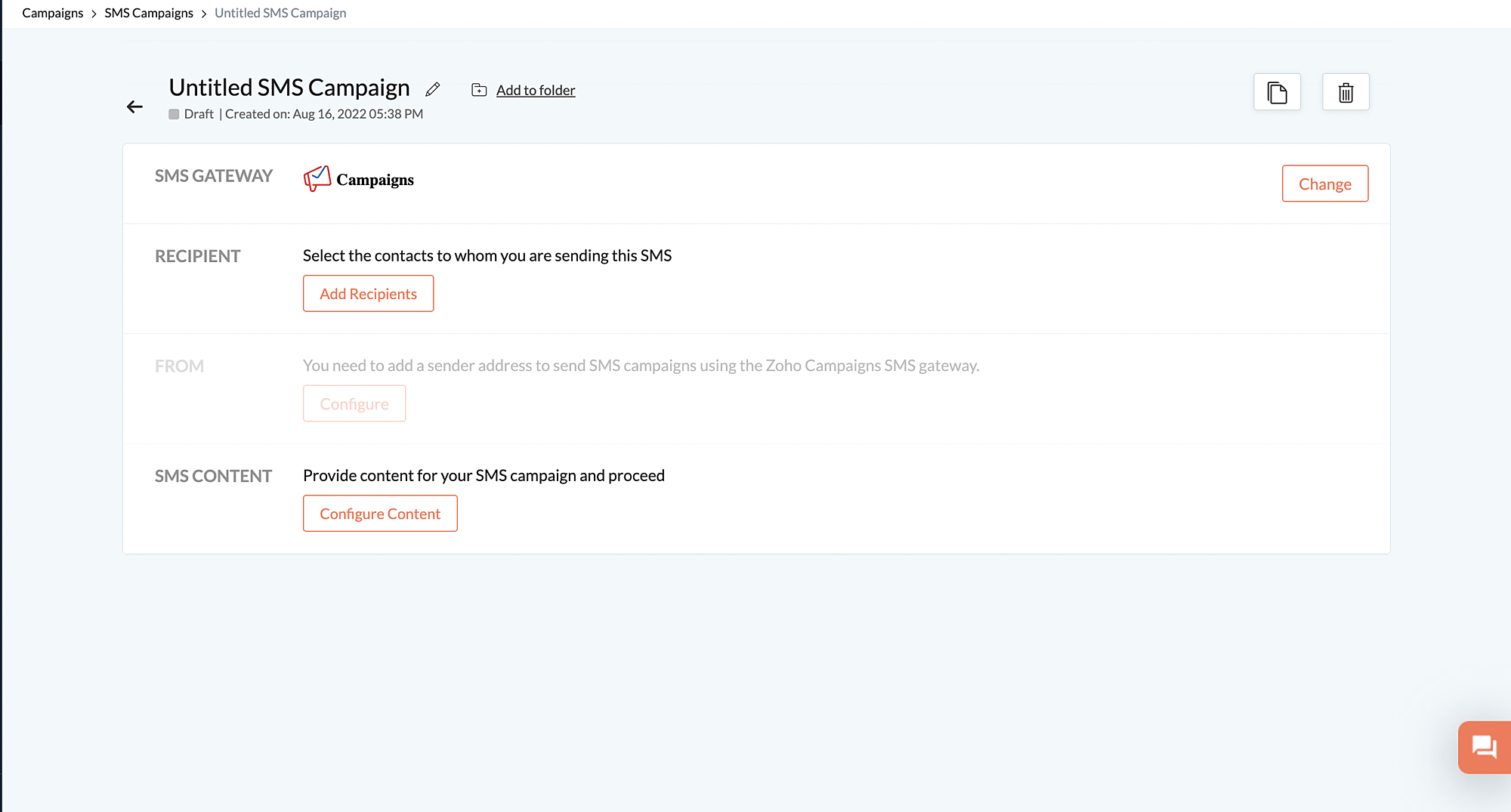
To overcome this hindrance and to improve the user experience, we are partnering with a vendor & offering our own SMS gateway.
With this, you can send SMS campaigns to mobile numbers in the US and Canada without any hassle.
In future updates we are also planning to include India and multiple countries from the EU region.
Improving the user experience of SMS Campaign feature
1) Efficient way to manage Mobile number within Zoho Campaigns
a) SMS field standardization
The "Mobile number" will be the default field to store the contact number. We will also eliminate the phone number and country selection steps from the SMS creation process.
Moreover, the standardization of the contact number field will:
a) Simplify the SMS creation process
b) Make the identification of phone number duplication process easier
a) Simplify the SMS creation process
b) Make the identification of phone number duplication process easier
c) Effectively maintain SMS channel unsubscribe & DND registry for phone numbers
d) Reduce the data processing time
e) Ensure organized storage and easy tracing of contact numbers
b) Contact number will be mapped to "Mobile Number"
In our current model, during the contact addition process the " email address" has always been the default field to add contact's email address. Henceforth, " Mobile number" will also be shown as a default field to add their contact number.
In our current model, during the contact addition process the " email address" has always been the default field to add contact's email address. Henceforth, " Mobile number" will also be shown as a default field to add their contact number.
c) Recommended to import mobile number with area code
You can add contacts without an area code, but you won't be able to send SMS campaigns to those contacts. We advise that you update your contacts' phone number along with the area code in the Mobile Number field to send SMS campaigns without any hiccups.
Accepted format for Mobile Number field : +1 967899090
Numbers like 9289098909 will be added, but won't be included for campaign sending, as the area code is missing.
2) Unsubscribe from all SMS marketing communication
Zoho Campaigns ensures that email recipients have the entire control over acceptance and denial of email campaigns through unsubscription option.
This similar best practices will be implemented in the SMS Campaign, with the introduction of the " Unsubscribe" option. With this, contacts can easily opt out from receiving SMS communications.
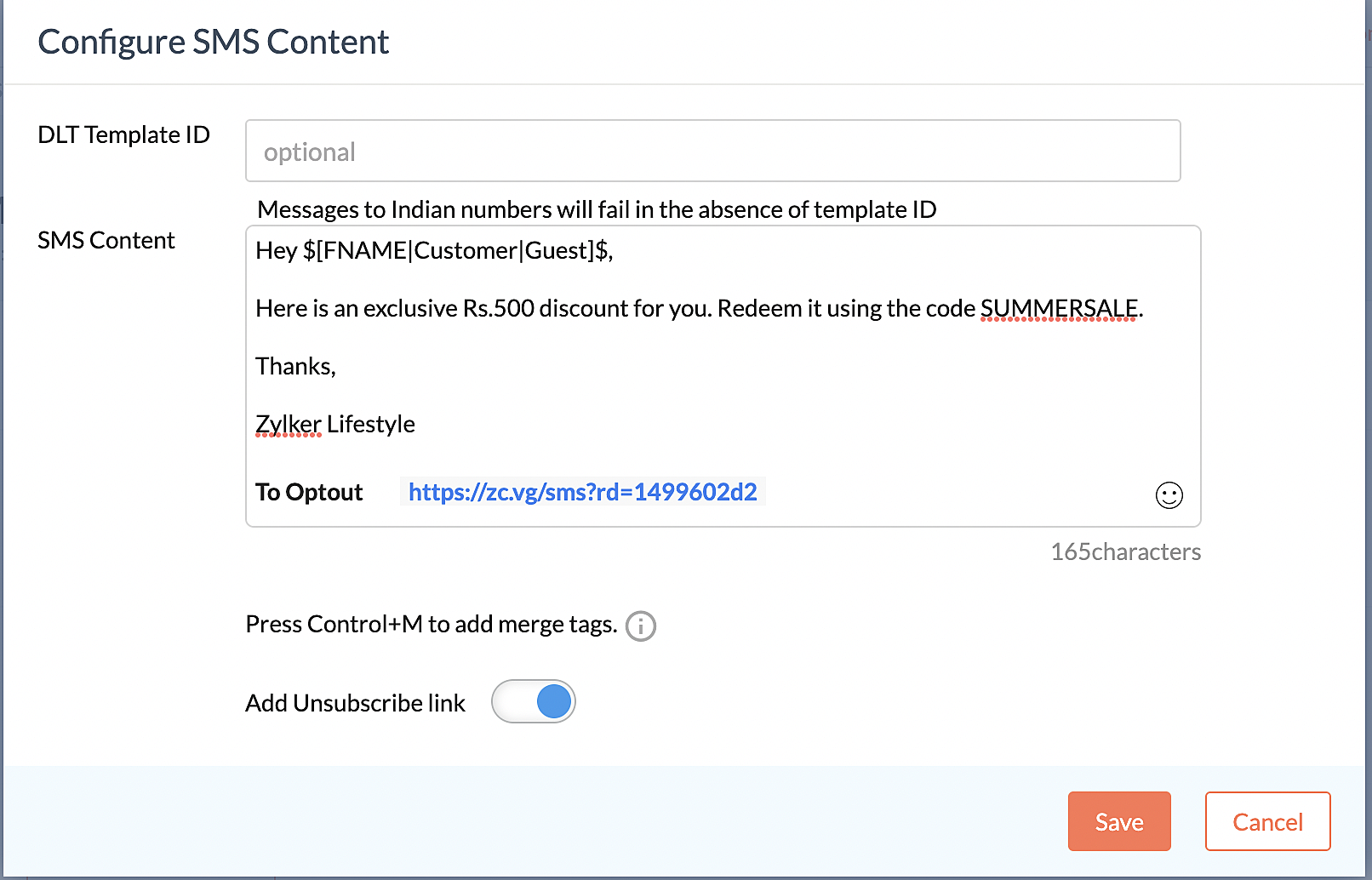
3) Option to add sender address during SMS creation process
Sender address is the first thing a receiver looks out for, in order to ensure that the communication is received from an authentic source.
So, we will support Long code & Alphanumeric sender address format in this update. And soon we will also support short codes.
So, SMS Campaign users can now select the Sender address format supported in their respective country.
We will help our users with the registration process to obtain the respective sender address format from within the product.
4) Prepaid, add-on-credit-based pricing
We will be following a pre-paid credit based pricing model for SMS. The user has to separately purchase the required add-on credits to send SMS Campaign.The credits will be automatically added on a recurring basis after every billing cycle.The purchase of credits from 1K to 1M can be made online.
Credits per SMS
US/ Canada- 4 credits
a) Can the un-used credits be carried forward to the next billing cycle?
In case, if the user has any un-used credits in a particular billing cycle, then the un-used credit will be carried forwarded to the next billing cycle.
b) How to procure long codes?
Long codes will be a separate recurring add-on. To begin with, US/Canada long codes will be 1$/month.
Know more about SMS Campaign pricing
Note: The SMS updates will be made live only to the new users. Existing users can migrate to the new update only after 45 days from the launch date.
Topic Participants
Vinaya M
matthew kernodle
Gary
Leland Jeppesen
Vijay D Vijay
Sticky Posts
Tip of the week 03 - Sending emails in batches
Today's marketers not only want their email marketing to be efficient, but also smart. For an email campaign, you may think you have all the essential elements for lead conversion—a big mailing list, an attractive template design, and the most-engaging message content, but after hitting the ‘send’ button, you may not get the expected conversions. Wondering why? Here’s one of the major reasons. Many marketers miss out on sending the email campaign the right way. Did you know that you should not beTip of the week 04 - Know about your recipients' 'prime open time.'
In today's market, the importance of customer behavior is astounding, with a vast amount of research and resources going into finding how customers make decisions. The process of persuading your customers to open your email and click on your call-to-action becomes easy when you understand the psychology behind their behavioral traits. Time to turn into a psychologist! Let's get to the basics—you want your emails to resonate well with your recipients. So, what's the primary thing involved here? It'sZoho Campaigns Expert Diaries on SoundCloud, Spotify, Apple Podcasts, and YouTube
Hi email champs, As email marketers, we find great lessons in each other's works—be it the subject lines that worked good, the design that was received well, or the CTA that had the maximum clicks. Email marketing encompasses a wide variety of topics spanning everything from creation and design to development and deliverability. Here's when we from the Zoho Campaigns team found the need to build an email marketing community comprising of seasoned marketers and email geeks who can help each otherEmail Deliverability Tip #3: Seal the deal with the preheader
In the last post, we learned about the subject line. Today we'll be learning about the preheader. A preheader is the short text that follows the subject line in an email. The preheader is designed to hint at what your email message is all about. A good preheader should act as a second subject line and convince your contacts to open the email. Now, let's learn the best way to craft a preheader. Your subject line and preheader should work together and accurately convey the gist of your email. KeepTip of the week 15 - Add subscription-preferences option. Drive more engagement.
If crafting content for emails, getting creatives done, and running email campaigns is your love, then unsubscribes are the heartbreakers. You can save your emails from being unsubscribed/trashed by adding a proper subscription-preferences option in your emails (works best at the time of signup). Giving subscribers the option to choose what they want to receive from you and decide how often (frequency of the emails) your emails should hit their inboxes will increase the reach of your campaigns manifolds.
Recent Topics
Latest update caused issue in using marathi typingzoho
With latest update now marathi typing does Not work in zohonotebook. I preferred zoho over other because it was supporting marathi font without any distortion.. But after new update,keyborad simply does not workWriter update results in BitDefender blocking it as malware
After updating Writer to latest update, Bitdefender blocked the app and writer no longer runs.Zoho Books - New Interface keep details with PDF View
Hello, The Zoho Books Interface has changed for estimates etc... One thing is causing issues though. Before the change, in PDF view you could see the detail information including custom fields entered for the estimate. Now, you have to switch betweenZoho One Unified Portal - Applications
Hello, It is great to see the work on the New Unified Customer Portal. Thanks for that. The number of applications is limited though. It is now only around the Zoho Books ecosystem (Books, Expense...) and Zoho Social. = Are other applications plannedRefresh frequency
Dear Zoho Team, I really, truly appreciate that Zoho Books gets frequent updates. As a matter of fact this is how a good SaaS company should stay on top. However, I feel that I have to hit refresh almost every day. This was exciting at the beginning butRefund
My plan expired today, and I updated my payment details with a new credit card. At the same time, I wanted to downgrade, but the system wouldn’t allow the downgrade until the payment details were updated. As a result, I was charged for the same plan beforeAdd "Fetch Composite Item" Action for Inventory
I want to make a Flow that uses information returned in the GET call for Composite Items, and it's not currently available in Zoho Flow. Please consider adding this functionality.Calling Function via REST API with API Key gives 401 using Zoho Developer
Hi, I created a couple of functions using the one month trial of Enterprise edition, which I was able to call using the API Key method from Postman and from an external site. Now that my trial has expired, I have created the same functions in the DeveloperError due to - 'Internal Exception' when uploading Sign-generated PDF file to workdrive via Deluge in Zoho CRM
Hi I wasnt getting this error a few days ago and my code had not changed, so I'm wondering if there's a Zoho bug somewhere? I am downloading a PDF file from a Zoho Sign url using invokeurl and then uploading it to a Workdrive folder using zoho.workdrive.uploadFile.Embed CRM record images in email templates
I have email templates that I want to embed dynamic images in their body - not as an attachment. For the context, the image is a QR code individual to each contact. So there are couple of challenges for which I think there is no solution in CRM: 1/ IAssign multiple departments to multiple helpcenters
Hi there! I have a reseller company for a software and I'm using Zoho Desk as my helpcenter and ticket management system. The software is great and I would like to make a suggestion! With multi-branding activated, your departments that visible in helpZoho Desk Training
Hello, We've had Zoho desk for a while now, but we run into issues occasionally, and I was wondering if there was a customer who currently uses it and really enjoys the functionality, that would be wiling to chat with us?Exciting Updates to the Kiosk Studio Feature in Zoho CRM!
Hello Everyone, We are here again with a series of new enhancements to Kiosk Studio, designed to elevate your experience and bring even greater efficiency to your business processes. These updates build upon our ongoing commitment to making Kiosk a powerfulEdit default "We are here to help you" text in chat SalesIQ widget
Does anyone know how this text can be edited? I can't find it anywhere in settings. Thanks!PO Based Advance payment to Vendor
We recommend to introduce a provision at PO to make advance payment to vendors and auto apply that advance paid later at the time of Vendor Bill submission for that PO. This will help us track PO-wise Total Payments.Converting Customer Invoice to Purchase Bill
Hi, In my service-based business, I sometimes create the customer invoice first, and later I receive the purchase bill from the vendor for the same job. Is there any option in Zoho Books to: Convert a customer invoice into a purchase bill, or Link/associateGetting Project Template List using the REST API
I am trying to confirm that I can use the REST API to create a project using a project template. The API documentation indicates this is possible by providing the Template ID, but it is not clear at all how to get a list of available Project TemplatesHow to get Quickbooks Desktop Info into Zoho?
Our team has used Quickbooks desktop for years and is looking at switching to Zoho books in 2026. I want to bring all old sales history over since we use Zoho CRM. I can export Item sales history and generic sales orders from Quickbooks desktop. How doZeptoMail API Request
We tried to send mail using ZeptoMail using Django. Following is my payload {'from': {'address': 'abc@abc.com'}, 'to': [{'email_address': {'address': 'xyz@xyz.in', 'name': 'Bhavik'}}], 'subject': 'Report Name', 'htmlbody': '<p>Test</p>'} Following isZoho Inventory - Allow Update of Marketplace Generated Sales Orders via API
Hi Inventory Team, I was recently asked by a client to create an automation which updated a Zoho Inventory Sales Order if a Shopify Order was updated. I have created the script but I found that the request is blocked as the Sales Order was generated byAdmin asked me for Backend Details when I wanted to verify my ZeptoMail Account
Please provide the backend details where you will be adding the SMTP/API information of ZeptoMail Who knows what this means?Mass import of documents into Zoho Writer
I'm using Google's word processor at the moment but feel that Zoho does a better job (on the online apps market). Iwant to move my documents (about 50-70) to Zoho but it seems to me that I have to import them seperately. Is it already possible to upload several documents at a time or is this a forthcoming feature? Cheers Rolli :?:Add home page or dashboard in CRM customer portal
is it possible to add home page or dashboard in CRM customer portal?User Tips: How to change the the label display name of a system defined field
Most users know how to change field label names via Settings > Modules & Fields but if you want to change the name of a system defined field you can’t as there is no “edit properties” option. However with a simple hack you can edit any system definedSearch not working!
I have items in my notebook tagged but when I search for a tag nothing comes up! Any fix for this?Zoho CRM Community Digest - October 2025 | Part 1
Hello Everyone! Here's a quick recap of first two weeks of October! Product Updates: Zoho CRM Android App Update: Surveys, Blueprints, and Smarter Mobile Features! Zoho CRM’s Android app just got a useful upgrade. You can now share records, upload yourAutomate onboarding emails with CRM Workflow and Accounts module
We’re a B2B SaaS company selling to public-sector organisations. Each organisation is stored as an Account in Zoho CRM, and each organisation typically has multiple associated Contacts. Our backend syncs product-usage data (setup status, user activity,Using a CRM Client Script Button to create a Books Invoice
Hello, I need help handling error messages returned to my client script from a function. The scenario I have setup a client script button which is available from each Deal. This CS executes a crm function, which in turn creates an invoice based on theImportant update: Enhanced security measures for account operations in Zoho Cliq
Greetings from the Zoho Cliq team! We’d like to share an important security update that has an influence on some admin actions such as password reset, MFA reset, and MFA backup code generation. What’s changing? With our latest security enhancements, theseSales Receipts Duplicating when I run reports why and how do we rectify this and any other report if this happens
find attached extract of my reportNo Functional Autosave or Manual Save Button
Application : Zoho Notebook So I wanted to try Zoho Notebook(On Ubuntu) as an application, I installed the application and went solving my LeetCode problems visually(Drawing mode), at one point the app just stopped saving anything... Every time I triedEnterprise subscription support
My organization sells subscription services to enterprise customers, which is a different model from the consumer subscription model that Zoho Billing has been designed to support and I beleve this capability should be added. An enterprise subscriptionIssue with Creator's IF logic
Hi, I found the following code produces unexpected results: if(-1.0 < 0.0000000) { info "True"; } else { info "False"; } if(-1.0 < 0.000000) { info "True"; } else { info "False"; } The output returned is: False True However, theNeed option to send Package PDF in shipment email (Shipment PDF is missing Lot info)
Is there any way to automatically attach the Package PDF instead of (or alongside) the Shipment PDF in the notification emails? We really need this feature because the default Shipment PDF creates a blind spot for our customers. It does not display Batch/Lotzoho creator view is not present in the workspace and blank reports
Hi Support, Users who have "write" permissions keep getting this error for all of our embedded reports all of a sudden. See screen shot below: Meanwhile, my developer permissions account sees a blank screen in view and edit mode as shown in the screenshotsCustomize portal email template
Can i fetch only first name of the user in portal email template instead of the below code Hi ${User.FULL_NAME}Can't we let users decide which options they'd like to add at embed widget?
It seems embed widget DOES NOT offer a feature, where users can choose options upon subscribing plans. What Zoho has instead, is that admins have to manually create plan with options. How come no one in Zoho dev team never raised issue about usabilityReupload and rename from one field to another field (file upload)
Hi Everyone, Sorry, i have question to use invoke url for rename and reupload attachments file to another field. Tested on development mode. Zoho C6. Refer to https://www.zoho.com/creator/help/api/v2/upload-file.html look my error notification. Does anyonePrinting Multi-Page Reports (PDF Export)
Hi, I am moving a report from Google's Looker Studio to Zoho Analytics and trying to reproduce the Looker page by page dashboard editing experience. With Google, what you see is what you get when you print to PDF. But I can't seem to create the same experienceResume Harvester: New Enhancements for Faster Sourcing
We’re excited to share a set of enhancements to Resume Harvester that make sourcing faster and more flexible. These updates help you cut down on repetitive steps, manage auto searches more efficiently, and review candidate profiles with ease. Why we builtNext Page