Tips and Tricks #59: Share your presentations directly from the listing screen in your Show app for iOS
Hello everyone!
We have enhanced the Zoho Show app for iOS to help you seamlessly create, collaborate, and deliver your slide shows. While the iOS app already made it easy to design decks on the go, it now simplifies the process of sharing your presentations.
You no longer have to open a presentation to share it with your team. The Zoho Show app for iOS empowers you to share any presentation internally or externally directly from the listing screen. You can also assign role-based access to your collaborators and set an expiration date for shared links.
How to share a presentation:
- Long press your presentation.
- Tap Share.
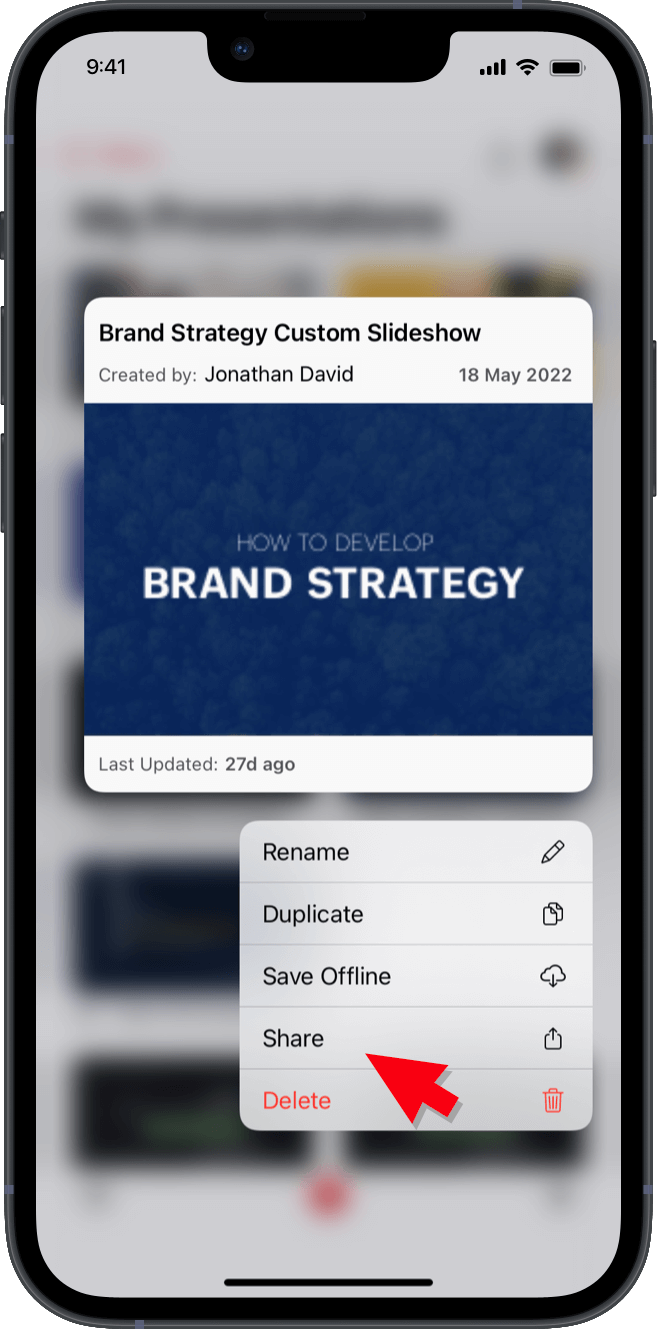
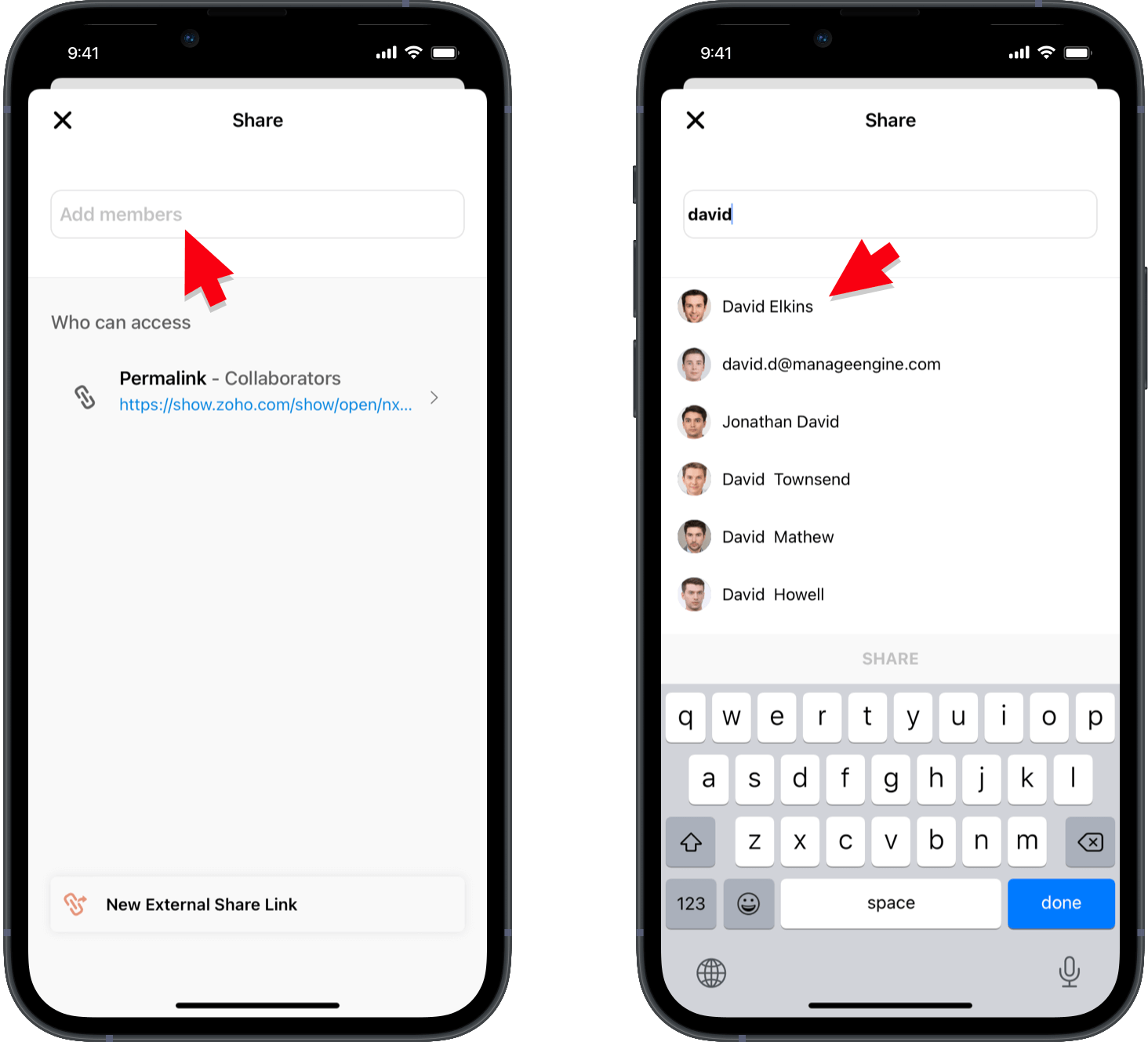
The Add Collaborators screen will appear.
Easily share your presentations in any of the following ways:
Through email:
- Enter the email addresses of the members you wish to share with.
- Tap a name to select that person as a collaborator.
- Assign the level of access you would like to provide for the collaborator.
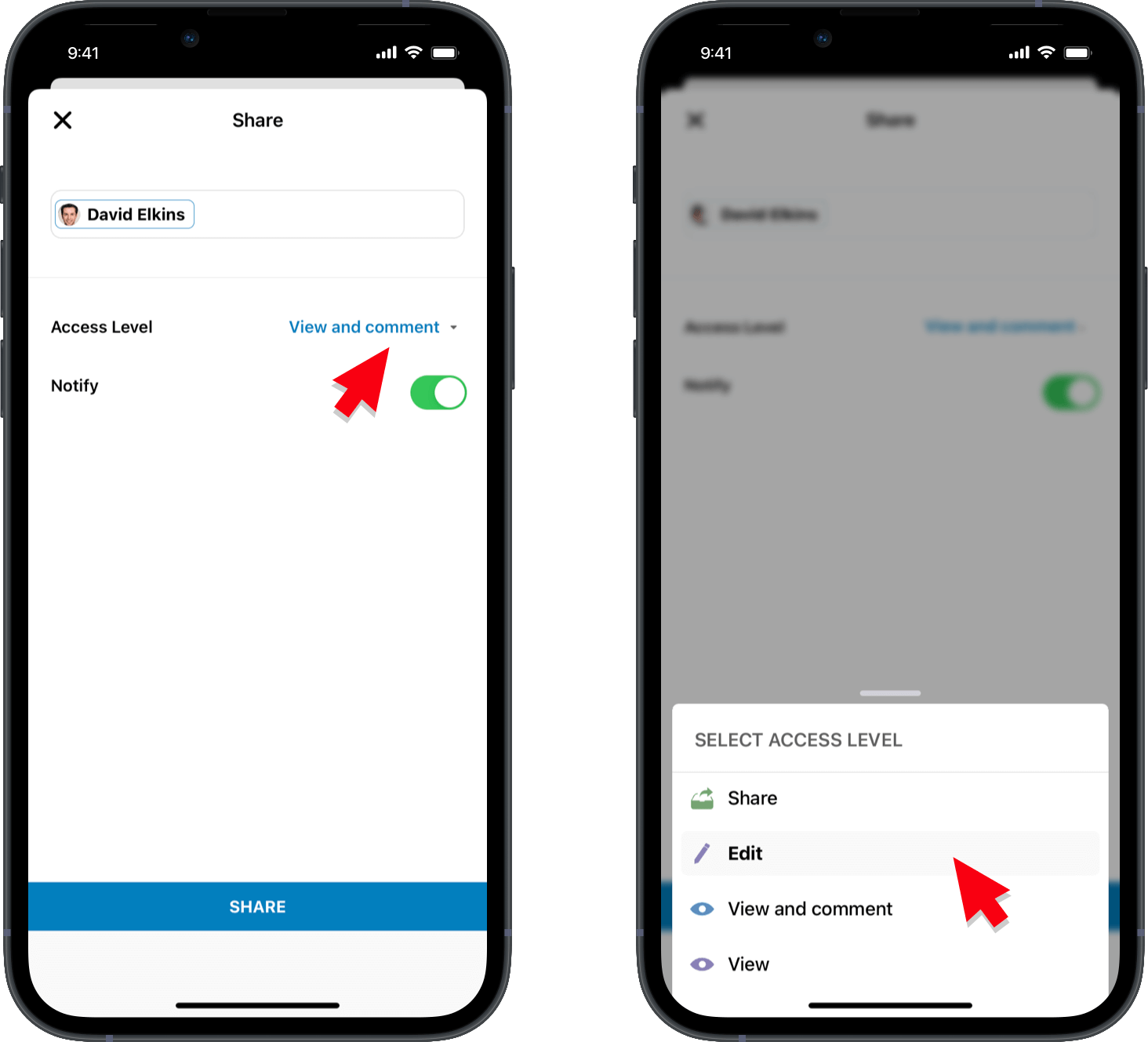
- Turn on the Notify switch if you'd like to notify the collaborators that you've shared the presentation with them.
- Tap SHARE at the bottom of the screen.
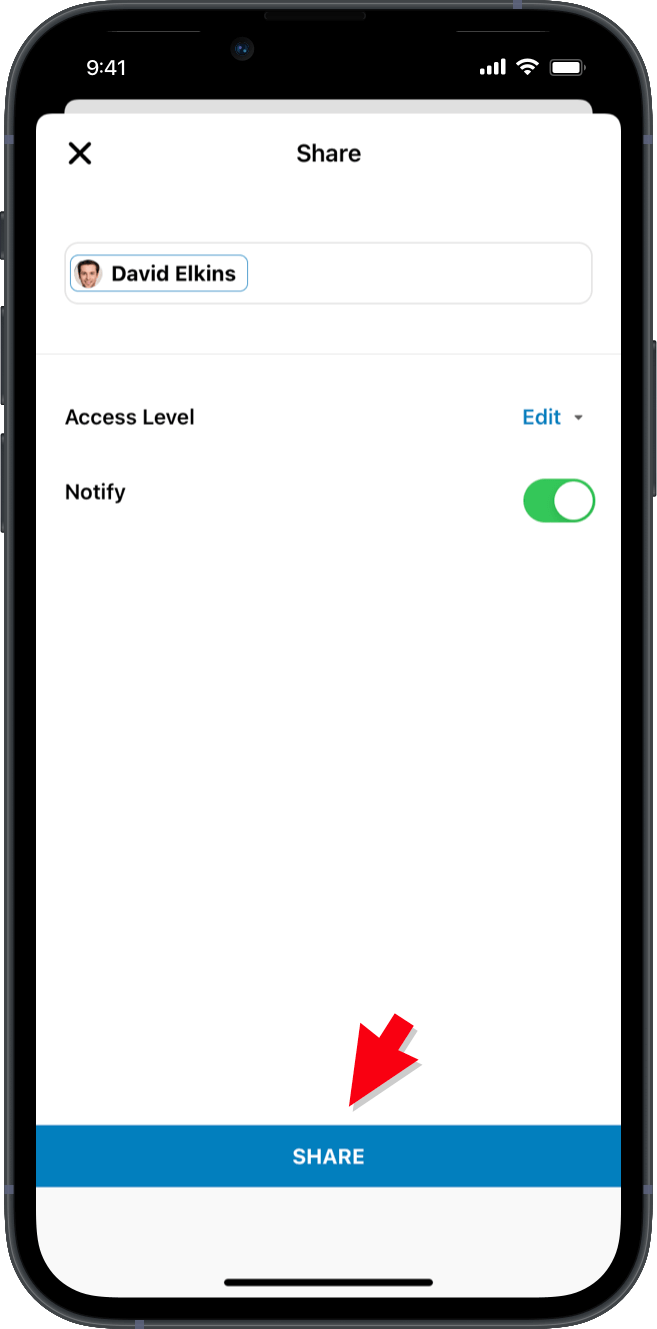
Your collaborators will now be able to access your presentation.
Through permalink:
- Tap Permalink -> Collaborators.
- Choose to share the link with:
Collaborators
Anyone within your organizationAnyone with internet access.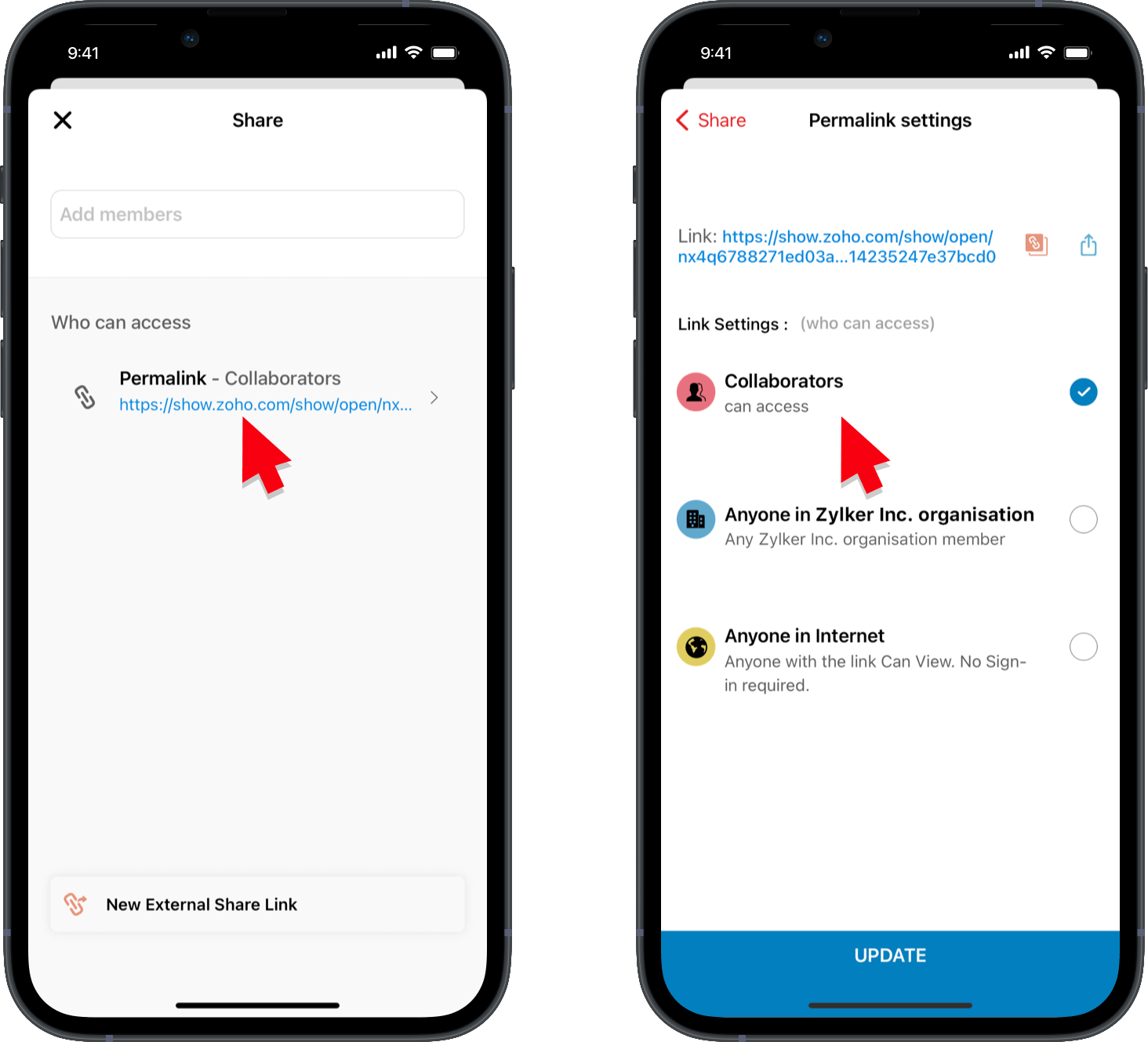
- Assign access by clicking Set Link Visibility, set an expiration date with Set Expiry, and tap UPDATEat the bottom of the screen.
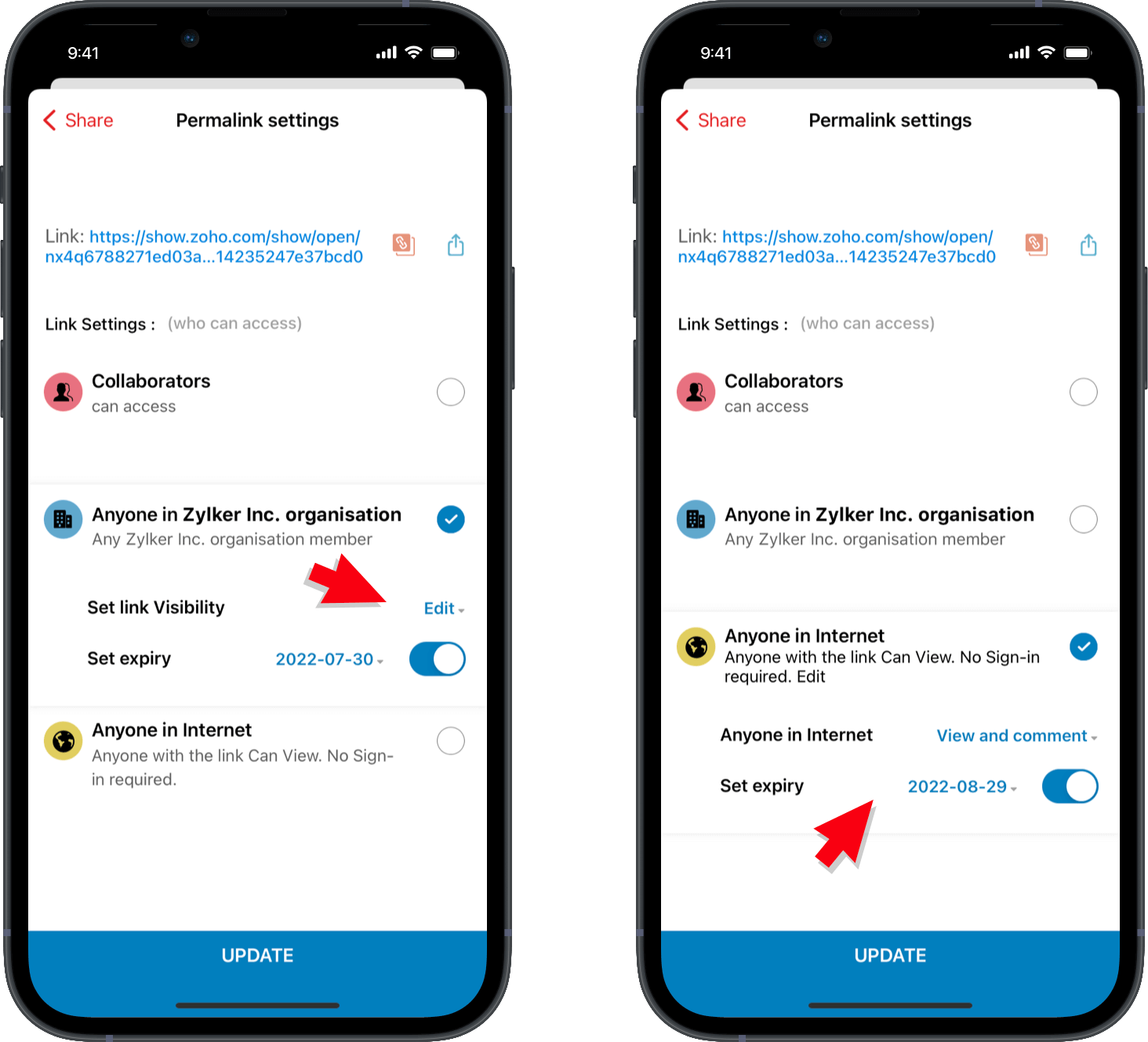
- Tap
 to copy the link or
  to share the presentation.
Through an external link:
- Tap New External Share Link.
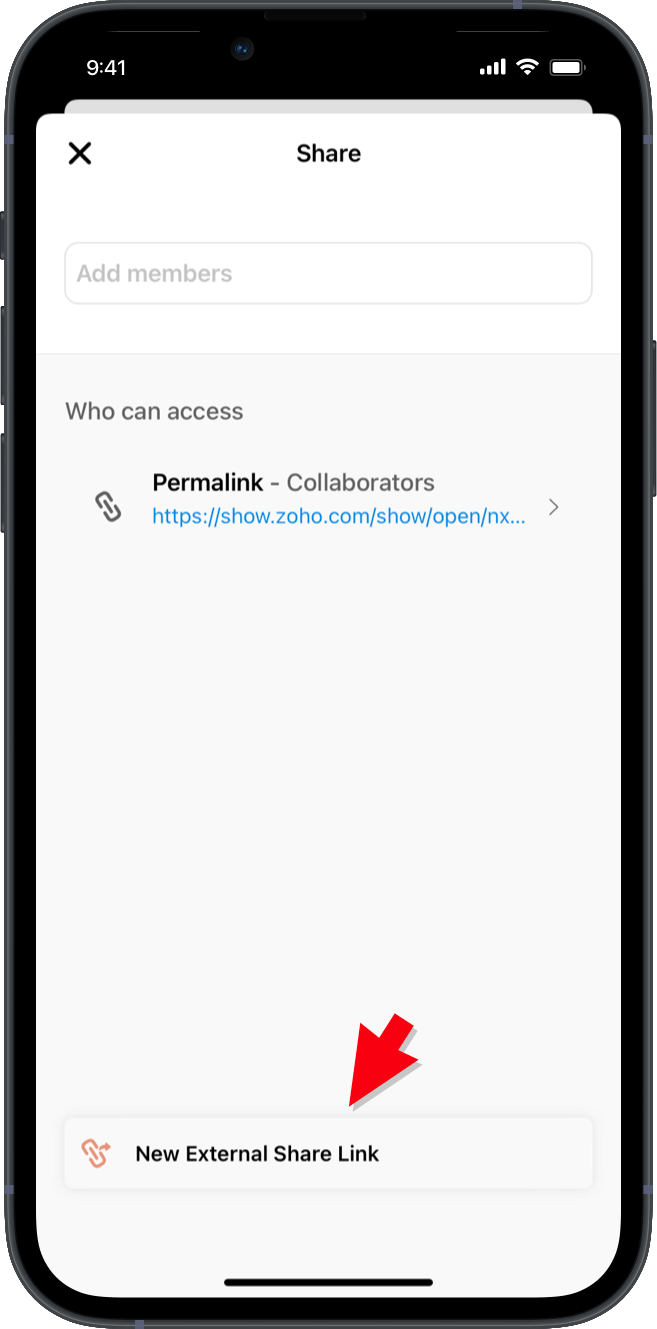
- Use the drop-down next to Anyone with the Share Link to assign role based-access.
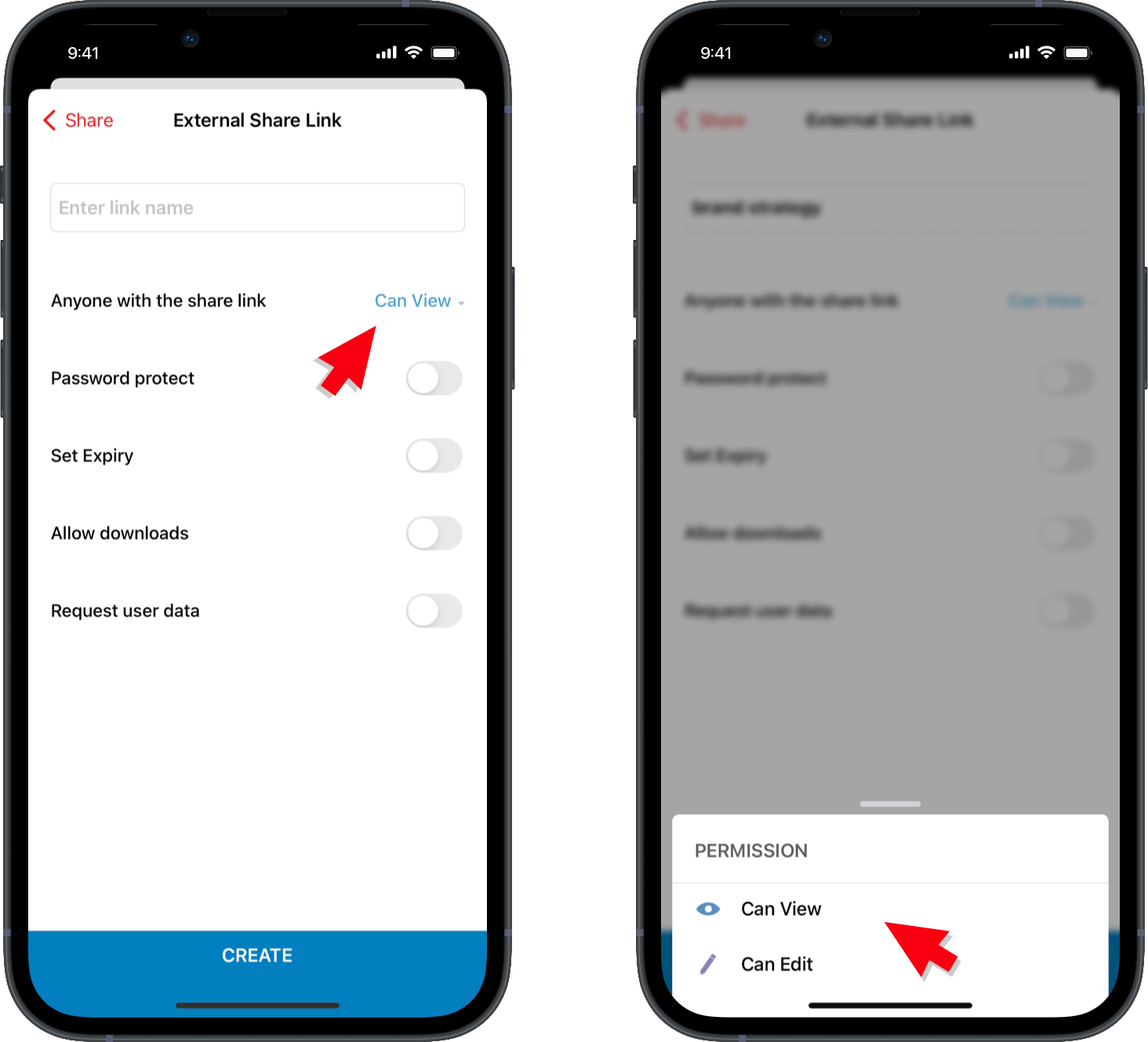
- Tap the Password Protect switch to set a password for your presentation.
- Tap the Set Expiry switch to determine how long your link will be active.
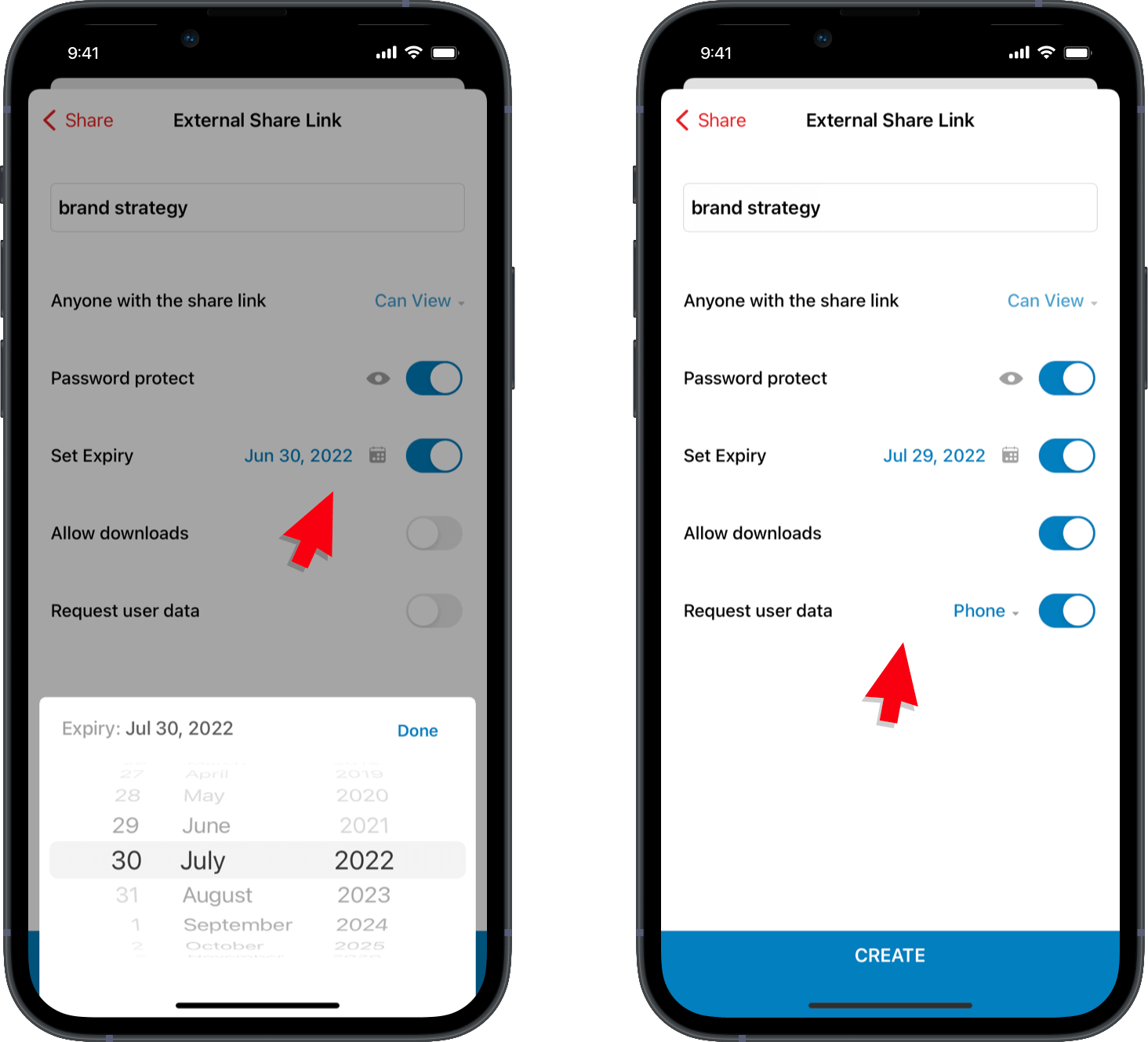
- Tap the Request User Data switch to collect user information, such as phone number, name, and email address.
Note: You can also open a presentation and use  to share your presentation.
to share your presentation.We hope you find this tip useful! Stay tuned for more tips and tricks, feature updates, and more!