Voice to text notes on the Zoho CRM iOS app
Are
you guys up for a challenge? Okay, so what I would like you to do is,
try to add a note to a record on the CRM mobile app just by using one
hand to enter the texts. This is doable and quite easy.
However, what if I tell you to add a note to a record without using your hands to type? Now this sounds like a challenge, right?
Let
me tell you how you can add a note to the record without using your
hands to type the texts (maybe a couple of taps). On the Zoho CRM mobile
app, we do have a feature called 'Voice to Text Note'. With the help of
this option you can convert and save the voice note to text note within
the Notes section of the record.
You can do so by following the steps mentioned below:
Go to the Zoho CRM mobile app.
Go to a record.
Tap the 'Mic' icon available within the Notes section.
Record the voice.
Once done, tap 'Convert as Text Note' option.
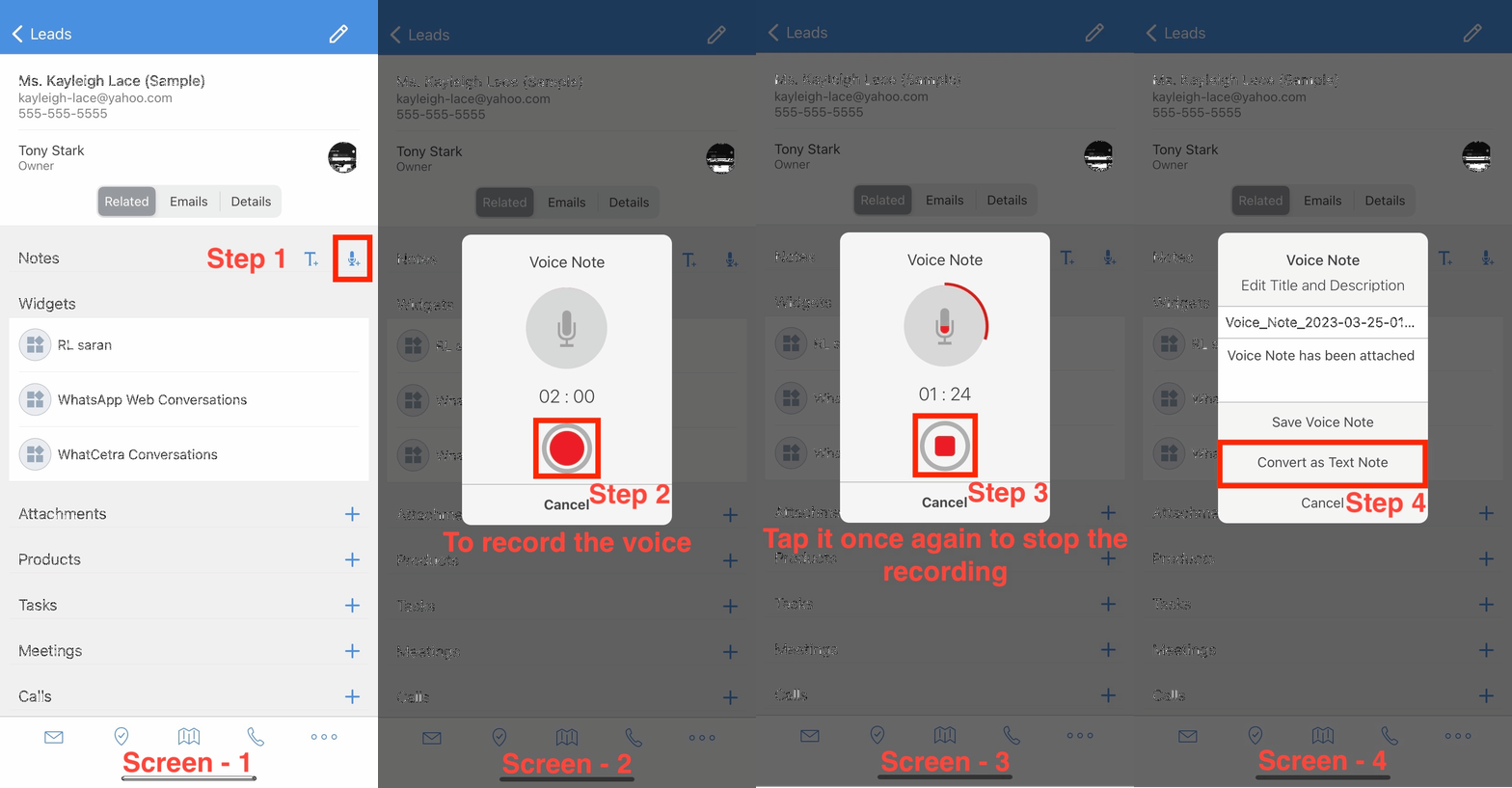 Voice to Text note