Bonjour à tous,
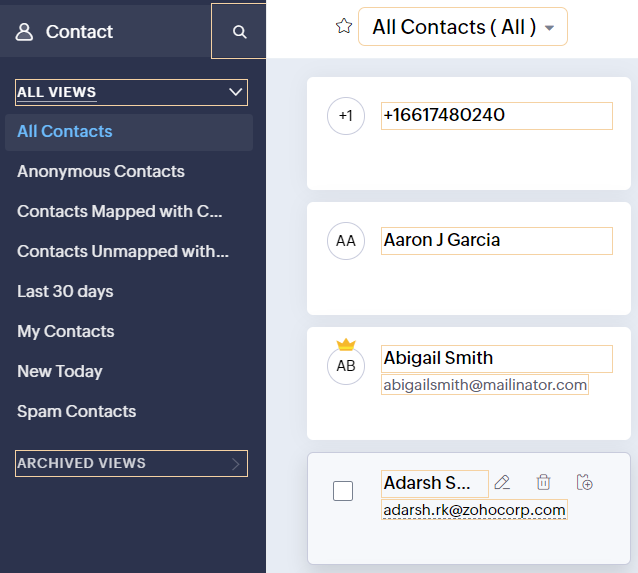
Comme vous le savez, Zoho cherche en permanence à vous proposer des logiciels complets et au plus proche de vos attentes. C'est pourquoi toute l'équipe Zoho Desk est fière de vous présenter la nouvelle version de votre logiciel de service client, pleine d'améliorations et de nouveautés pour vous permettre de proposer le meilleur suivi client possible ! Découvrez ci dessous la liste de nos nouveautés :
Messagerie instantanée
La plateforme de messagerie instantanée de Zoho Desk permet aux clients de joindre votre entreprise via WhatsApp, Telegram, LINE et WeChat.
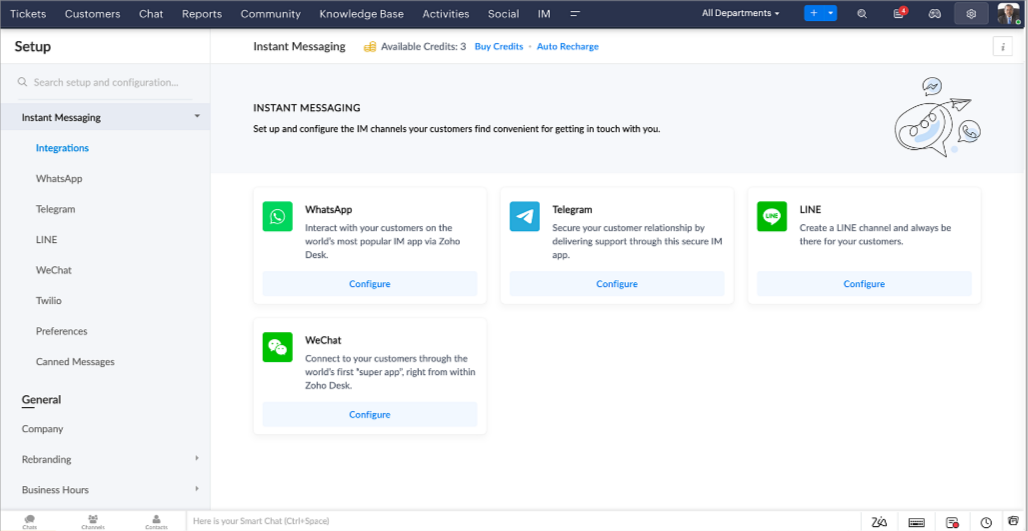
Zoho Desk vous avertit des chats entrants en temps réel afin que vous puissiez vous connecter avec les clients à partir de l'interface. Dans ce même temps, vous pouvez :
- Suivre le contact du client, les informations du ticket, l'historique des conversations inter-canaux et les détails de la pièce jointe dans la fenêtre de chat du client pour un contexte immédiat.
- Accéder et joindre des articles de la base de connaissances directement depuis la section de saisie, utiliser des réponses prédéfinies et ajouter des émojis.
- Participez à plusieurs chats simultanément sur plusieurs canaux sans changer d'onglet.
- Attribuez des conversations à vos coéquipiers.
- Convertissez les conversations en tickets pour un suivi simplifié
Et pour les fans d'automatisation, pas de panique ! Les flux de travail, les Blueprints, les règles d'affectation et les accords sur le niveau de service, sont aussi applicables pour les tickets créés à partir de la messagerie instantanée. Il est également possible de définir des réponses automatiques lorsque vous êtes absent.
Vous pouvez faire en sorte que les clients puissent vous contacter facilement en installant des QR codes dans vos magasins ou en intégrant notre bouton "Contactez-nous", sur votre site web. Ils peuvent même vous joindre par le biais d'une recherche directe d'entreprise sur une plateforme de messagerie instantanée comme Telegram.
Conversations guidées et mixtes
Comme vous le savez, la plupart des questions n'ont pas de réponses simples. Elles nécessitent souvent un suivi, et beaucoup de contexte, avant de trouver une solution. C'est là que les conversations guidées interviennent : une plateforme de libre-service proactive, en low code, qui simplifie la résolution des questions complexes de vos clients.
Choisissez parmi une série de questions ou de réponses prédéfinies pour créer un flux et guider les clients, et à tout moment, vous pouvez les diriger vers une interaction humaine. Cette mixité entre les bots et agents du service client permet une grande flexibilité et augmente le nombre de tickets résolus.
Voici comment nous avons utilisé les conversations guidées pour Zoholics (notre conférence annuelle d'utilisateurs) :
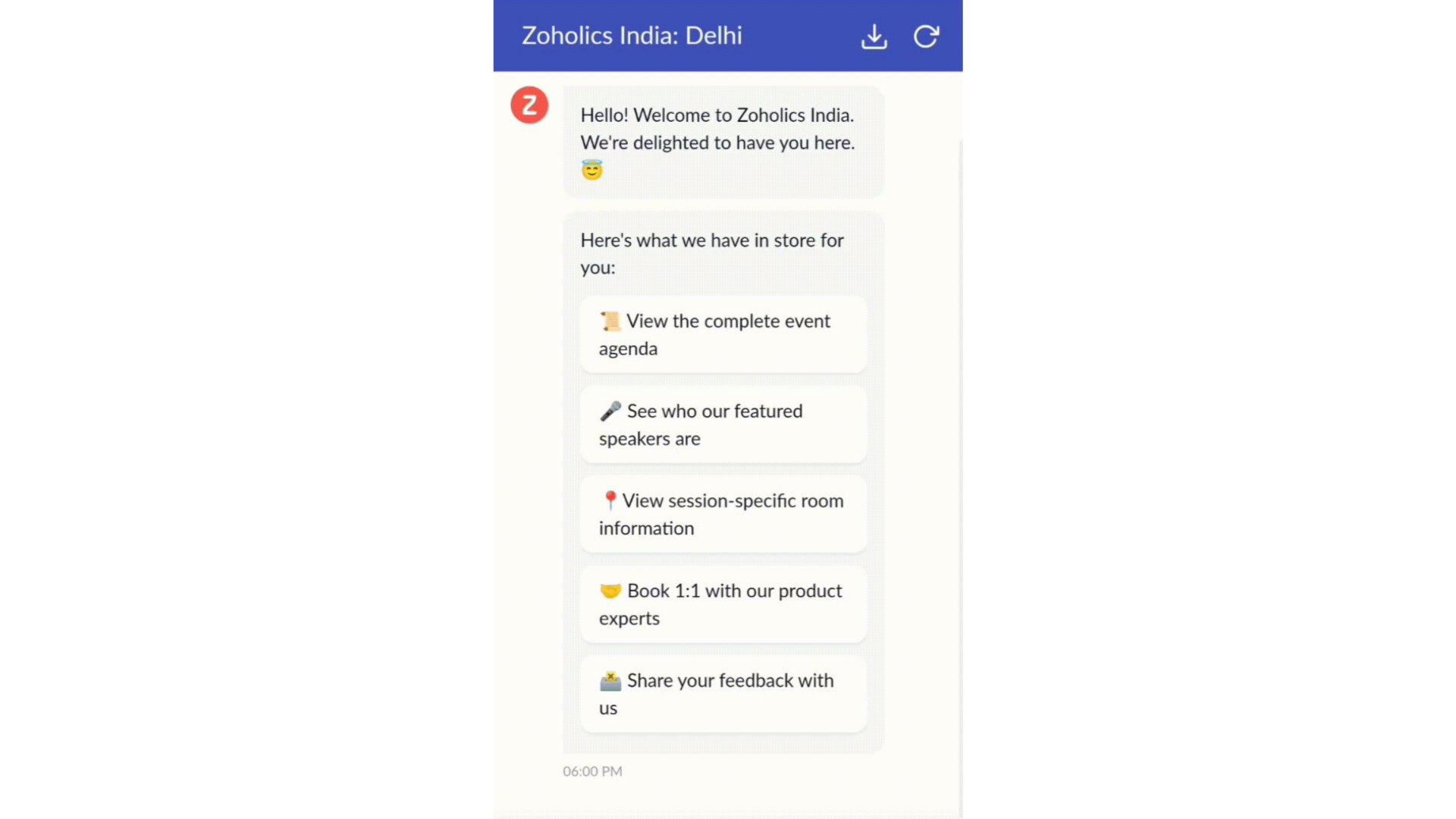
- Constructeur par glisser-déposer
Construisez votre flux de conversations guidées à l'aide de blocs de réponse, tels que du texte, des images, une devise, une date et une heure ... Pour construire ce flux, il suffit de glisser-déposer des blocs, d'ajouter des variables ou des espaces dynamiques, et de connecter ces blocs pour créer un chemin d'étapes.
- Des Webhooks pour une intégration transparente
En configurant les blocs de Webhooks, vous pouvez construire votre flux de conversation pour interagir avec les processus de Zoho Desk, mais aussi d'autres services Zoho ou des applications tierces. Par exemple, si l'utilisateur est déjà votre contact, le bloc Webhook récupérera ses informations directement dans votre CRM, plutôt que de lui demander de les fournir à chaque fois.
Vous pouvez enfin prévisualiser et mettre en œuvre votre flux final en l'associant à votre centre d'aide ASAP sur votre site web, vos pages de renvoi et vos applications mobiles.
Une expérience améliorée
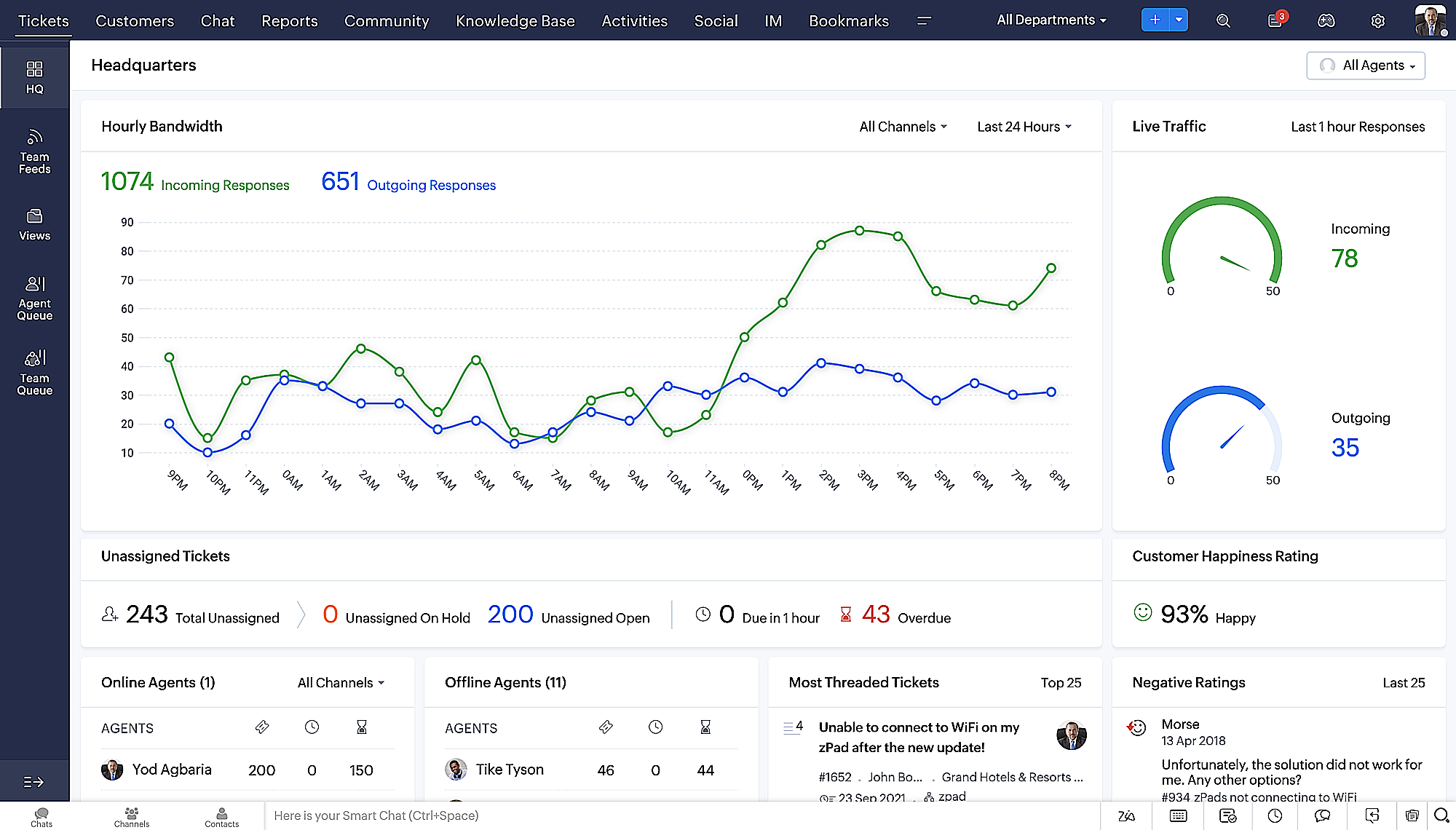
On ne saurait trop insister sur l'importance pour les équipes de support client d'avoir un accès rapide aux informations clients. Nous avons donc optimisé notre interface utilisateur et facilité la navigation entre les différents écrans pour faciliter cette recherche. Nous avons également revu certaines mises en page pour vous donner une image globale de vos clients et de vos tickets sur une interface unique.
- Une vue d'ensemble, avec une disposition des données plus poussée et une apparence générale remaniée
- Vue détaillée des tickets avec des fils de discussion par code couleur pour une navigation plus facile entre les conversations et les commentaires
- Vue détaillée des contacts avec boutons d'ajout rapide, section des tickets en attente et aperçu des tickets
- Vue de la file d'attente des tickets avec des options de menu déroulant, pour donner des mises à jour sans ouvrir la vue détaillée des tickets
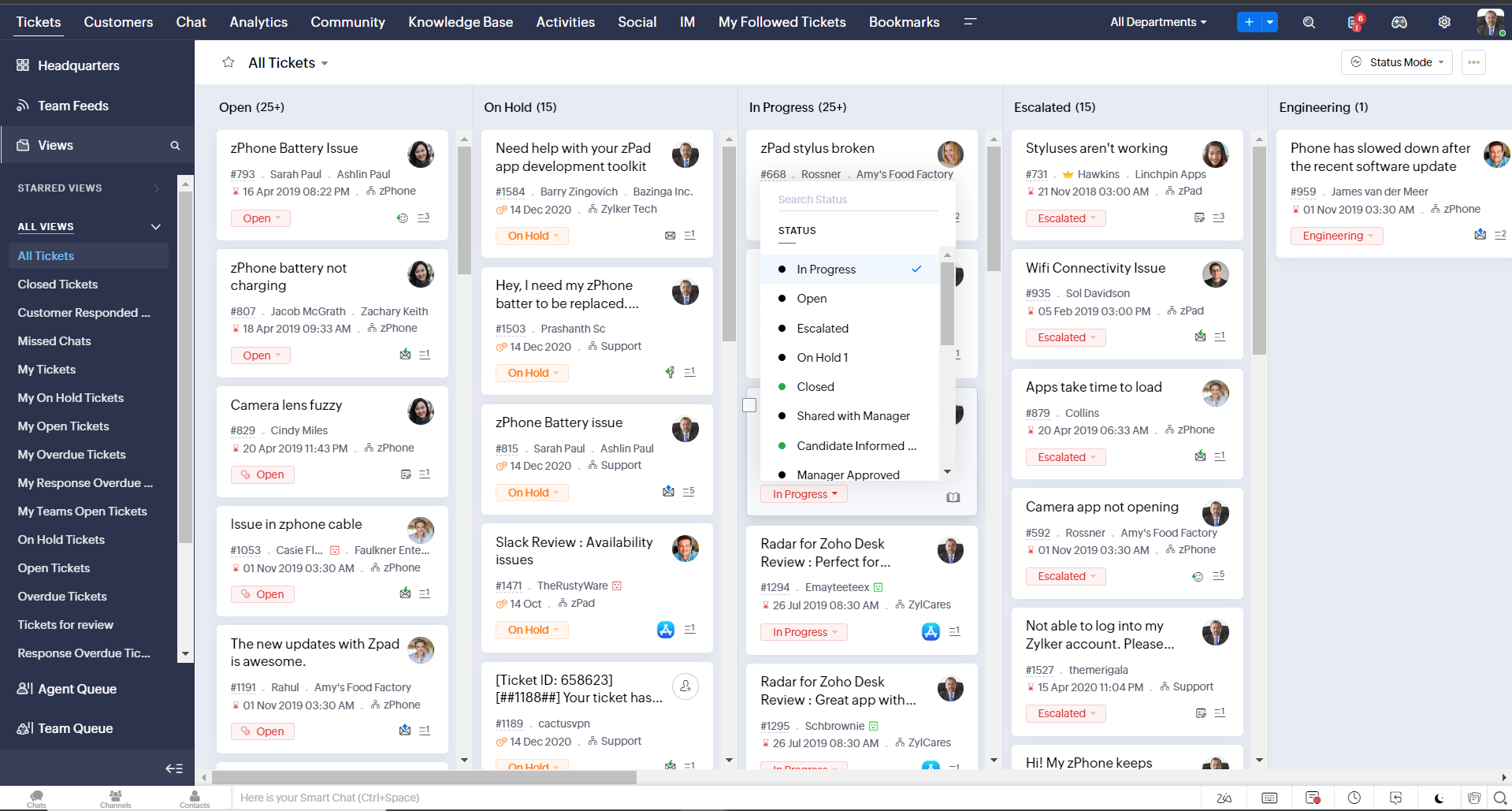
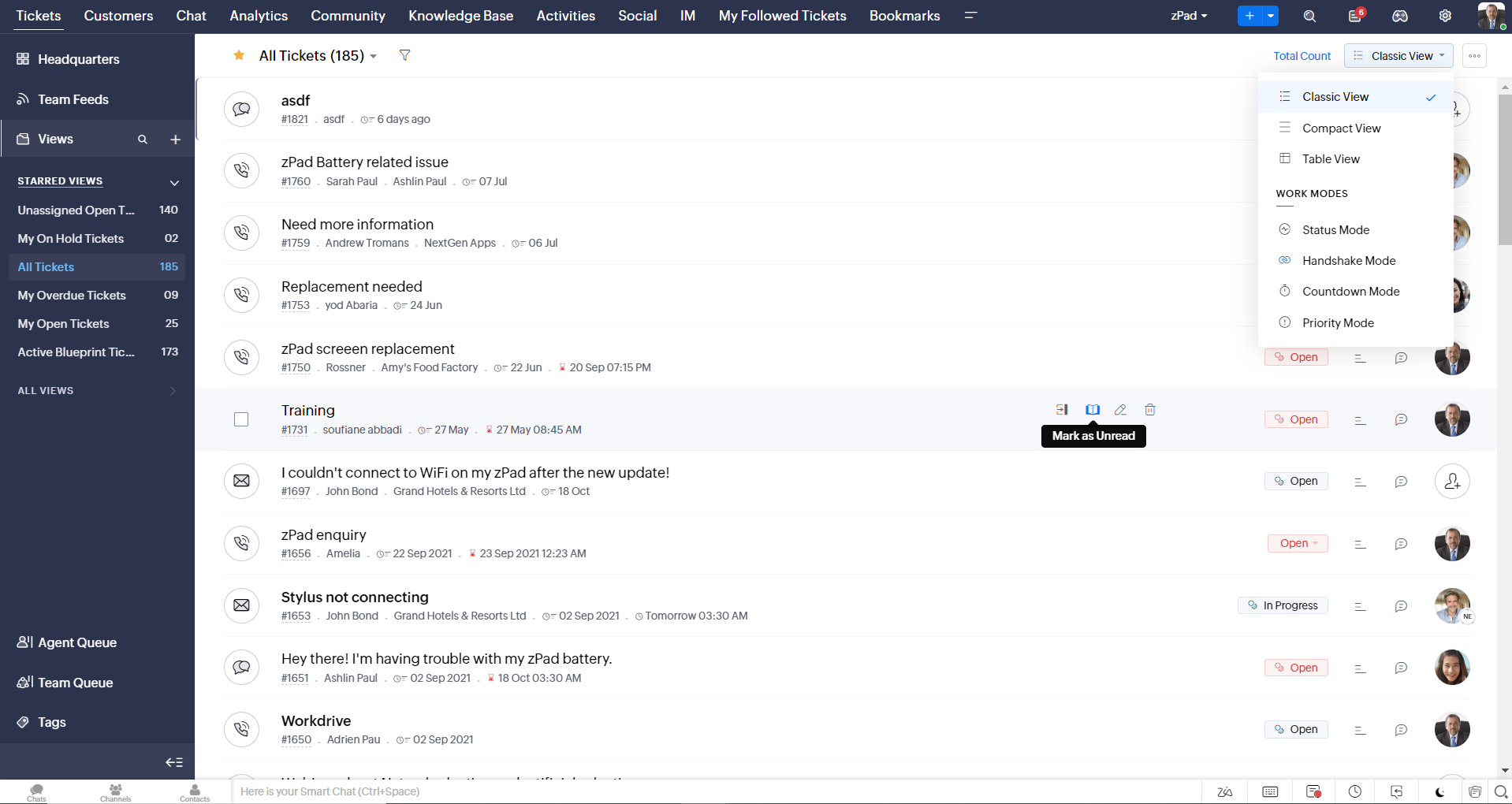
- Une nouvelle option "marquer comme lu/non lu" dans la vue de la liste des tickets, et une liste déroulante consolidée des modes de travail dans le module des tickets
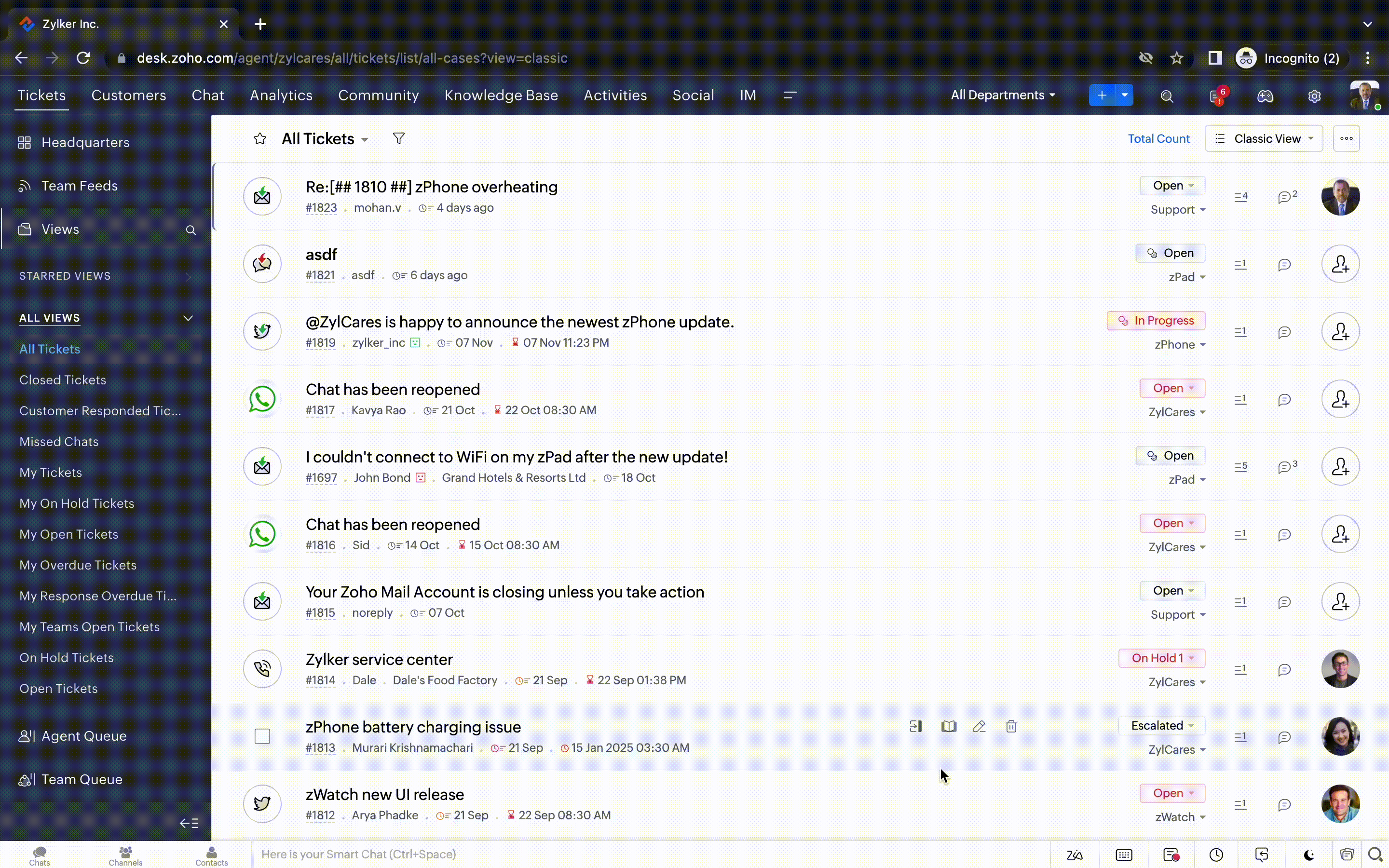
- Défilement infini pour un repérage plus rapide des tickets et ne pas se perdre entre des dizaines de pages
Nouvelles options de personnalisation pour les utilisateurs :
- Mode sombre pour une expérience de visualisation et de lecture confortable
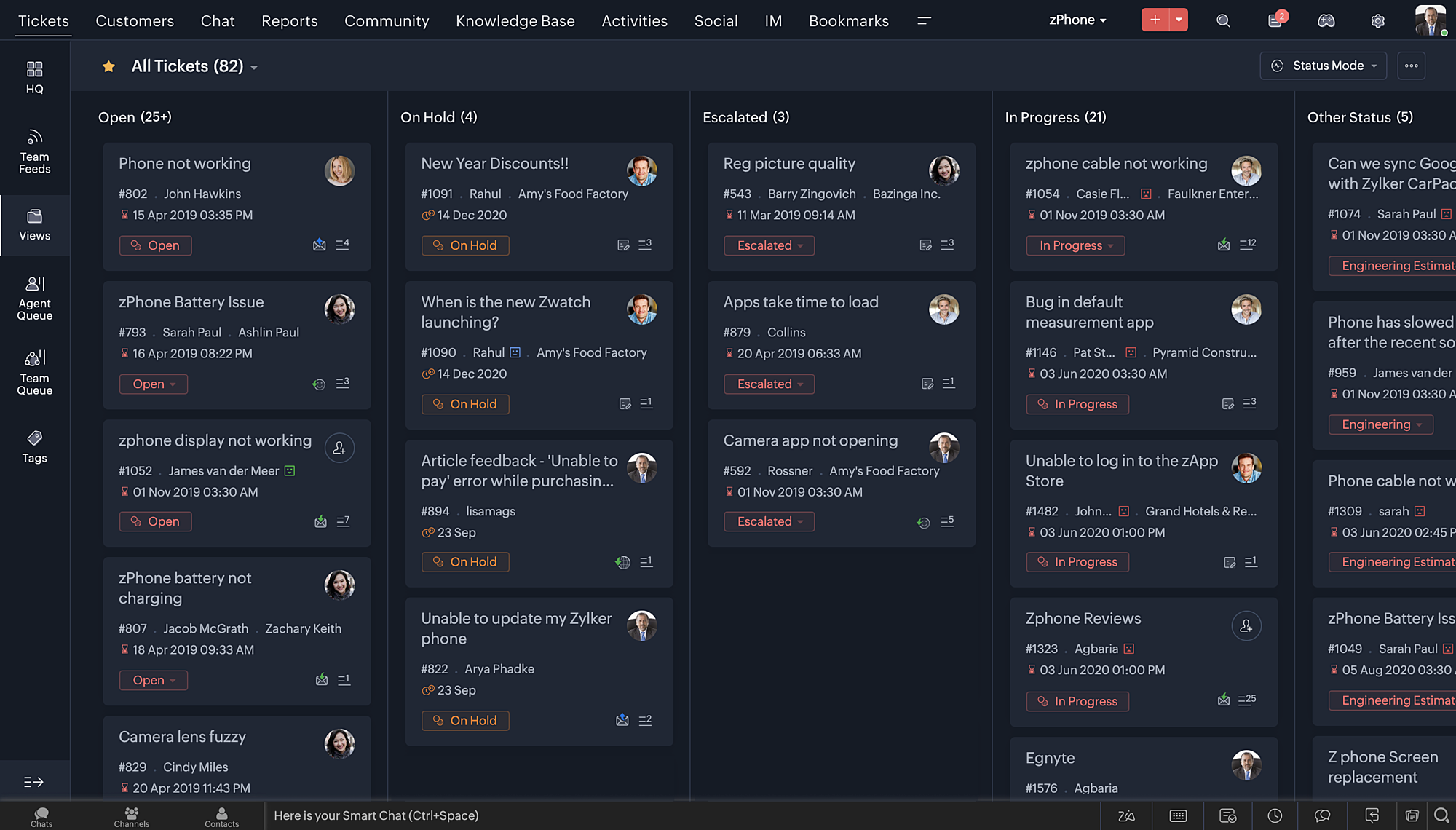
- De nouveaux thèmes pour visualiser votre bureau dans votre couleur préférée
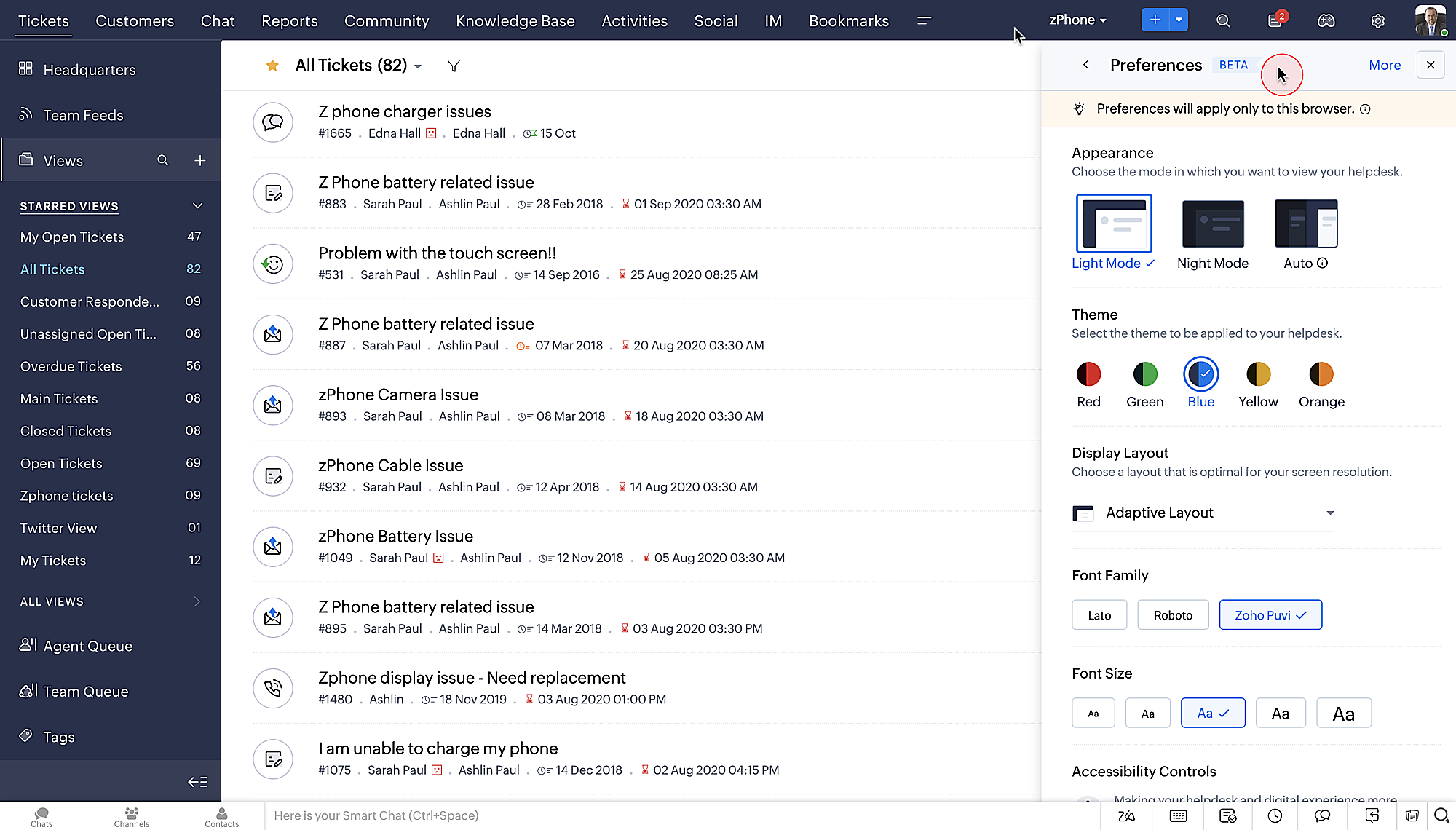
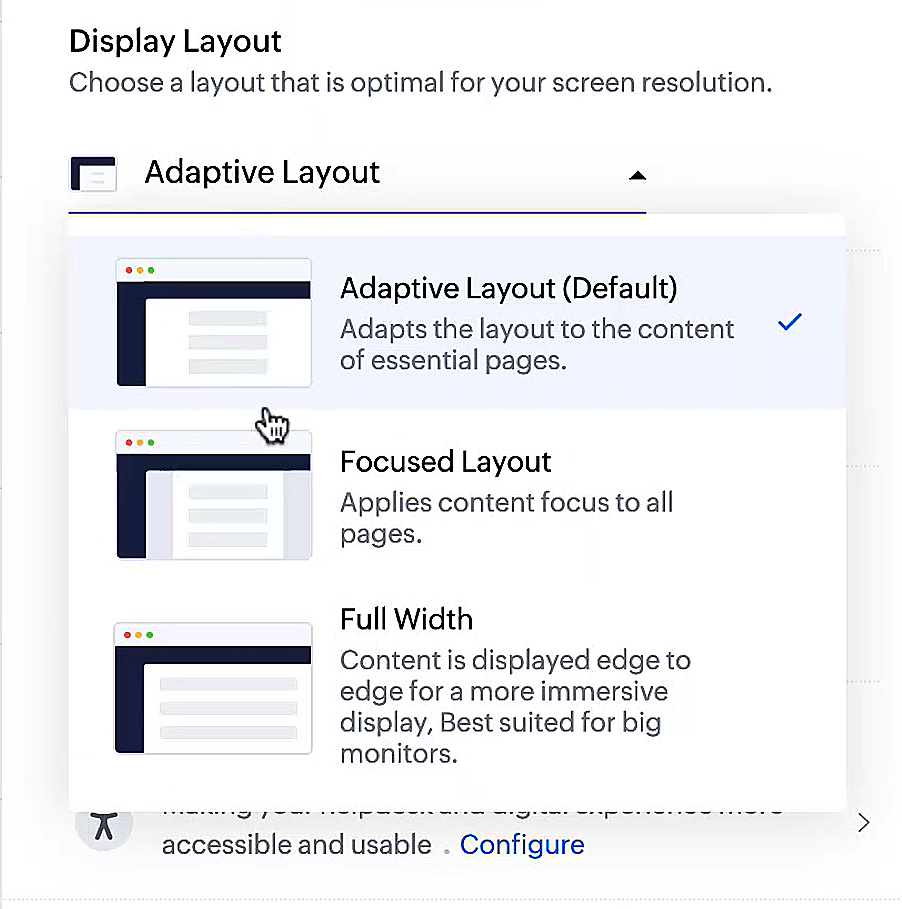
- Des mises en page d'affichage qui vous permettent de choisir la façon dont votre contenu vous est présenté.
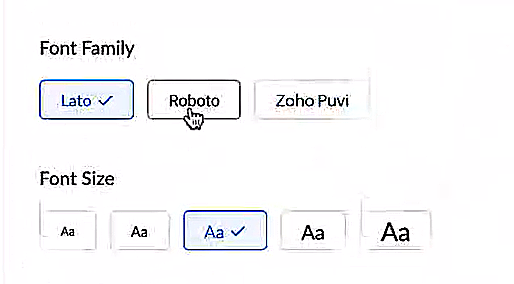
- De nouveaux types et tailles de police pour que votre texte corresponde exactement à vos préférences.
Une plus grande accessibilité
Nous avons ajouté plusieurs options pour répondre à vos besoins en matière de vision, de motricité et d'apprentissage pour proposer un outil adapté à tous. Mettre en évidence les informations essentielles comme l'ID et/ou le propriétaire du ticket et les détails de contact dans une couleur différente.
- Souligner les liens pour augmenter la visibilité de ceux qui sont cliquables.
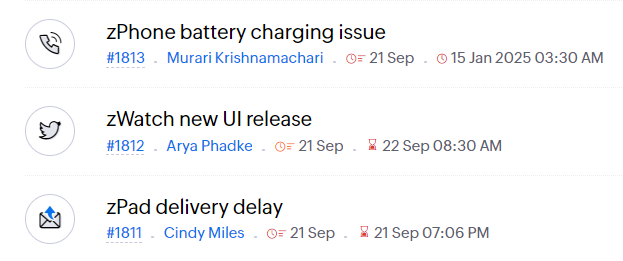
- Souligner la zone d'intérêt et le lien pour les mettre en avant
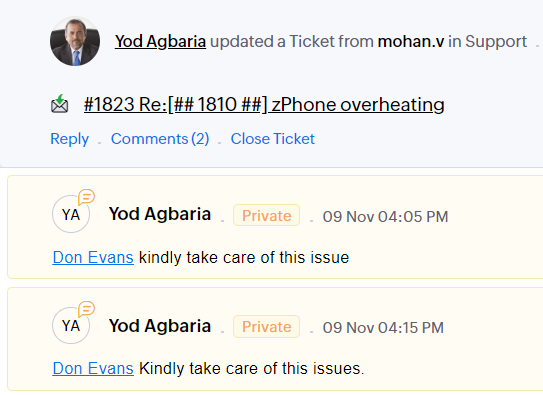
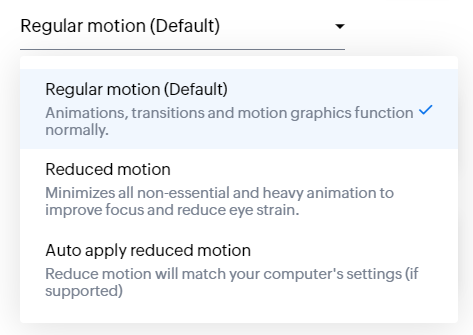
- Les "contrôles d'animation" optimisent les animations et les transitions dans l'ensemble de votre service d'assistance
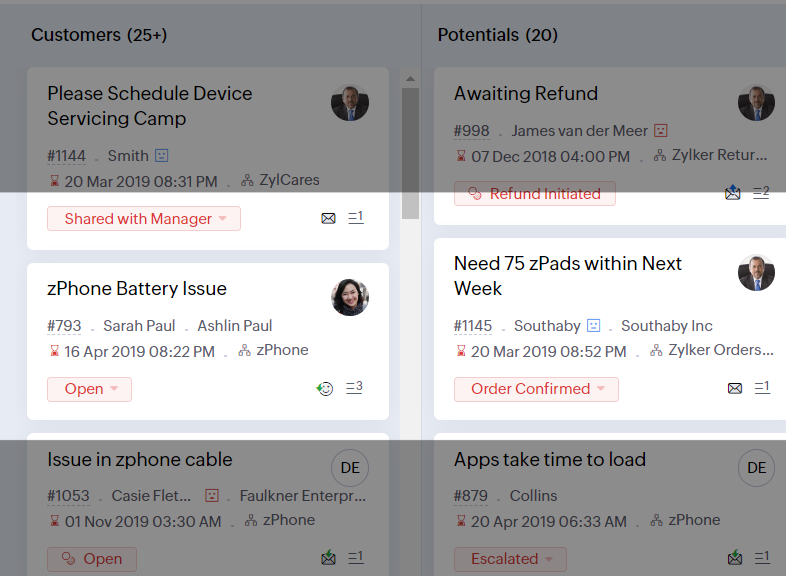
- Reading Mask élimine les distractions en masquant le texte que vous n'êtes pas en train de lire
- Il est également possible de zoomer sur un contenu et d'ajuster la taille de la police pour que la page soit facile à lire
Avec toutes les nouvelles fonctionnalités de l'édition Zoho Desk 2023, les entreprises ont maintenant plus de pouvoir pour rendre à la fois leurs agents et clients plus heureux.
Nous aimerions savoir ce que vous pensez de ces nouvelles fonctionnalités ! Partagez vos réactions dans nos commentaires ou sur les réseaux sociaux. Nouveau sur Zoho Desk ? Vous pouvez vous inscrire à l'essai gratuit
ici.
Recent Topics
Introducing Bulk Attachment Download from List View
We're excited to introduce an update to attachment management in Zoho Recruit that lets you download attachments associated with selected records directly from the List View page of any module. How do I download attachments in bulk? You can now select
Advanced Group Settings: Customize and manage your email groups in Zoho Mail
Email groups in your organization often require more than basic configurations to function effectively. With Zoho Mail's Advanced Group Settings, administrators can configure and manage policies, notifications, and more with greater precision. This gives
"code":3001 ["Failed to update data."]
I would like to seek your expertise - I might be wrong on my approach also.. I highly appreciate your advice. 1 problem remains is when a new row was added on the existing one [from another form that trigger upon Successful form submission ], it gets
CRM gets location smart with the all new Map View: visualize records, locate records within any radius, and more
Hello all, We've introduced a new way to work with location data in Zoho CRM: the Map View. Instead of scrolling through endless lists, your records now appear as pins on a map. Built on top of the all-new address field and powered by Mappls (MapMyIndia),
Workdrive on Android - Gallery Photo Backups
Hello, Is there any way of backing up the photos on my android phone directly to a specific folder on Workdrive? Assuming i have the workdrive app installed on the phone in question. Emma
Auto sync Photo storage
Hello I am new to Zoho Workdrive and was wondering if the is a way of automatically syncing photos on my Android phone to my workdrive as want to move away from Google? Thanks
List of Mail Merge Templates via Deluge
Hello, Is it possible to get a list of the mail merge templates I've created in CRM within a custom function? I want to retrieve them and put them in a dropdown list but all I get is a scopes error! Can anyone see where I'm going wrong? Is this even possible?
Feature Request Improve parent-child relationship visibility
Hi team, The Parent-Child ticket feature is great, but I've struggled to see the relationship between tickets when using ticket list views. It would be a great quality of life enhancement for users if child tickets were nested under parent tickets in
Displaying only unread tickets in ticket view
Hello, I was wondering if someone might be able to help me with this one. We use filters to display our ticket list, typically using a saved filter which displays the tickets which are overdue or due today. What I'd really like is another filter that
Is there provision to charge the attendees to join the webinar?
We want to host some webinar of public interest and want to charge them to participate in this. Does this feature in-build in the application? Offcourse, we will be having Razor pay account activated for these purpose.
Pricelists
So we have them in books but I cannot find them in commerce?
Desktop app doesn't support notecards created on Android
Hi, Does anybody have same problem? Some of last notecards created on Android app (v. 6.6) doesn't show in desktop app (v. 3.5.5). I see these note cards but whith they appear with exclamation mark in yellow triangle (see screenshot) and when I try to
Don't send customer email when creating a ticket
Hi Is there an easy way to stop the system sending an email to the customer when we manually create ticket.
Connecting a contact with the deal + Emails not showing up under Deals
Hello. I have two problems. Im not sure if the problem is due to level of my subscription - Im on Proffessional plan. 1. I have a JotForm connected with ZohoCRM which automatically creates a contact and a new deal based on form submission. That is done
Accessing GDPR Data Source metadata for workflows and Zoho Analytics
Hi everyone, We have GDPR compliance enabled in Zoho CRM, which has added the Data Source section within the Data Privacy tab for Leads and Contacts. This section shows useful information such as: Original creation source, for example Zoho Forms Form
Tiktok
When will Tiktok be added to the Zoho Social Platform?
Zoho Mail iOS app update: Spam Controls & Sender Verification
Hello everyone! We are excited to introduce spam control enhancements in the Zoho Mail iOS app update. Let's dive into what's new. Spam Alerts in Mail Preview : Mail preview now shows warning alerts for emails identified as potentially harmful, helping
Mise à jour de Zoho Books – France
Chers clients, Merci pour votre patience et votre soutien continu. Avec les évolutions réglementaires à venir en France nous introduisons de nouvelles fonctionnalités dans Zoho Books pour les clients français. Ces mises à jour ont été conçues pour répondre
Admin Logging in as another User
How can a Super Admin login as another user. For example, I have a sales rep that is having issues with their Accounts and I want to view their Zoho Account with out having to do a GTM and sharing screens. Latest Update (27th April 2026): With the early
Zoho Books API: Bulk update thousands of records using Node.js with OAuth refresh, retries and resume support
Hello everyone, During Zoho Books implementations, one common challenge is updating a large number of existing records. The current options are usually: Update records manually from the UI using Mass Update (with limited batch size). Update records one
SalesIQ's Summer '26 Release: For The Moments That Matter
Every customer journey is made up of moments. The moment someone discovers your business. The moment they need help. The moment you decide to reach out. The moment a simple chat turns into something more. And the moments that continue long after the conversation
CNIL - Suivi de Pixel
Bonjour à tous, À la suite de la nouvelle recommandation de la CNIL sur les pixels de suivi dans les e-mails, savez-vous si Zoho Campaigns permet : de conditionner le suivi des ouvertures au consentement de chaque contact ; de proposer un lien permettant
Customer/Vendor Portal session duration - can it be extended?
Hi all, We'd like to know how long the login session lasts for the Customer/Vendor Portal in Zoho Books, and whether there's any way to extend it (either through settings or via support/API). Right now this is causing a pretty poor experience for our
Accessible & Customizable User Governance in Zoho Projects!
As teams expand and collaborate with multiple external collaborators across projects, keeping control of user access to project data becomes a challenge. Mismanaged access can cause accidental or unauthorized edits, data leaks and lack of accountability.
Bulk deleting Zoho CRM records using Deluge, COQL and CRM API
Hello everyone, During CRM implementations, data cleanup is a common task, especially after testing, migrations, imports, or integration development. The Zoho CRM UI allows deleting records in batches of 100, which is not practical when dealing with thousands
CNIL - Suivi de Pixel
Bonjour à tous, À la suite de la nouvelle recommandation de la CNIL sur les pixels de suivi dans les e-mails, savez-vous si Zoho Campaigns permet : de conditionner le suivi des ouvertures au consentement de chaque contact ; de proposer un lien permettant
Zoho CRM Layout Rules: Nine New Actions, Profile-Based Execution, and Interactive Preview
Hello everyone, Availability: This feature is now available for customers in the JP and SA DCs. It is planned to be released for other customers in soon. We’re excited to announce powerful new enhancements to Layout Rules in Zoho CRM - a feature built
How to View Part Inventory and Warehouse Location When Creating a Work Order in Zoho FSM
Hi everyone, We’re currently setting up Zoho FSM and would like to improve how our team selects parts when creating a Work Order. Right now, when we add a part or item to a Work Order, we can select it from our Zoho Inventory list but we don’t see any
Zoho Sprints - Q2 Updates for 2026
Improve your agile project management experience with the newly released capabilities in Zoho Sprints. This quarter we've shipped a few new features and enhancements that are built around smarter planning and execution tools, tighter integrations, and
Problem with currency field in Zoho CRM
Hi Guys Zoho Books has a feature in currency fields that automatically converts decimal numbers with commas ( , ) to period format ( . ) when pasting them. For example: R$ 2,50 --> R$ 2.50 Is this behavior available in Zoho CRM? I couldn't find any configuration
Building extensions #5: Creating custom user interfaces using widgets
In our last post, we looked at connections and how they help build a seamless integration with an example. In this post, we'll explore creating widgets in Zoho Sprints and their benefits with a real-time example. Widgets What and where? Widgets are custom
Images not saved in notes
Created noteboards and create a note, copy pasted the image, close the note and open again, image is not coming this same problem occurs in note on notebook I have attached the replication steps as video url to analyse it, and also attached the videos
How to Change Notecard Color After It Is Created
I would like to change the color of a Notecard that already exists in my notebook. I can't for the life of me figure out how to do it. I don't see an option or color picker anywhere.
Cannot export Zoho Notebook data nor search via MCP (GDPR)
Hi, I'm using Zoho Notebook for a few years now. Not as my main notetaking app, but for specific usecases I did find it handy. Now I want to export all my data. Preferably all notes in html format with metadata like note title, included images and parent
Add a MATRIX field to the forms creation
Same as Zoho forms, we need a Matrix field in Zoho Creator forms, is very usefull
incoming mails not received
Integrate QuickBooks with Bigin and streamline your sales and accounting!
If your business relies on Bigin for customer management and QuickBooks for accounting and invoicing, this new integration is here to make your operations more efficient. By connecting these two platforms, you can now manage your CRM and financial processes
Automatically calculate and include tax on quotes
I've recently been VAT registered and now need to include VAT on my quotes. I have been able to set the tax label and amount but still need to click the tax link and select the tax I wish to include before it appears on the quote. Does anyone know of
Relative Dates
Is there a way to apply a Relative Date filter in DataPrep (ie. Today or Yesterday)? I need to filter a dataset to only include rows with a created date of yesterday, but I’m not finding a way to do it?
Change email addresses - Advise how
Good day, I need assistance to change all our users email addresses Please advise
Next Page