Announcing new features in Trident for Windows (v.1.37.5.0)
Hello Community!
Trident for Windows just received a major update, with a range of capabilities that strengthen email security and enhance communication. This update focuses on making your mailbox safer and your overall email experience more reliable.
Let’s dive into what’s new!
Access shared mailboxes.
You can now view and access shared mailboxes in Trident, which are created in the Zoho Mail web app. This enables collaborative email management, allowing multiple team members to access and respond to emails without flooding individual inboxes.

Deliver quarantined emails.
Organization admins can now review and act on quarantined emails directly within Trident. From the quarantined email notification, admins can choose to deliver the email to the intended recipient after reviewing it, reducing turnaround time.

Stay alert during email exchanges.
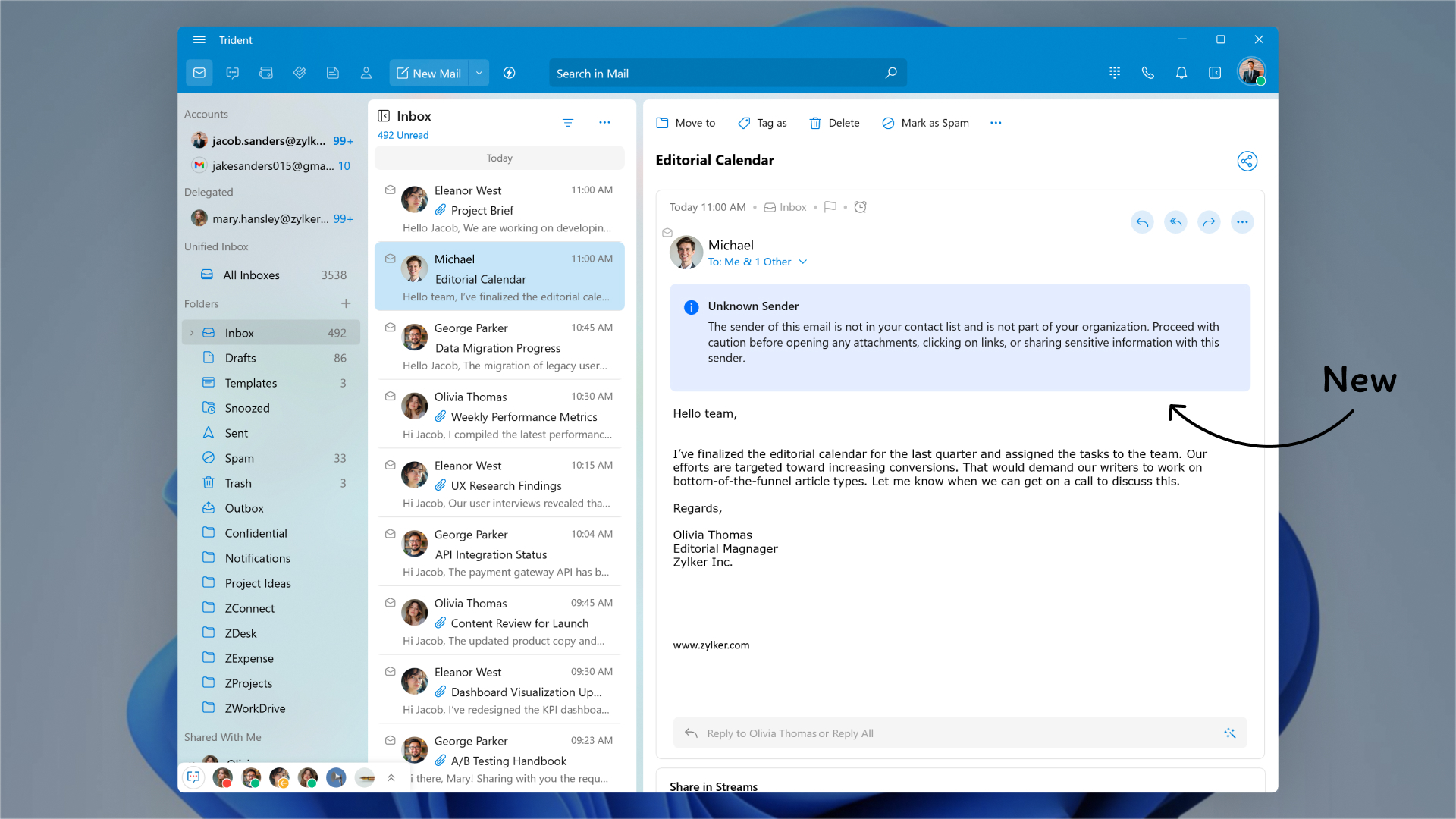
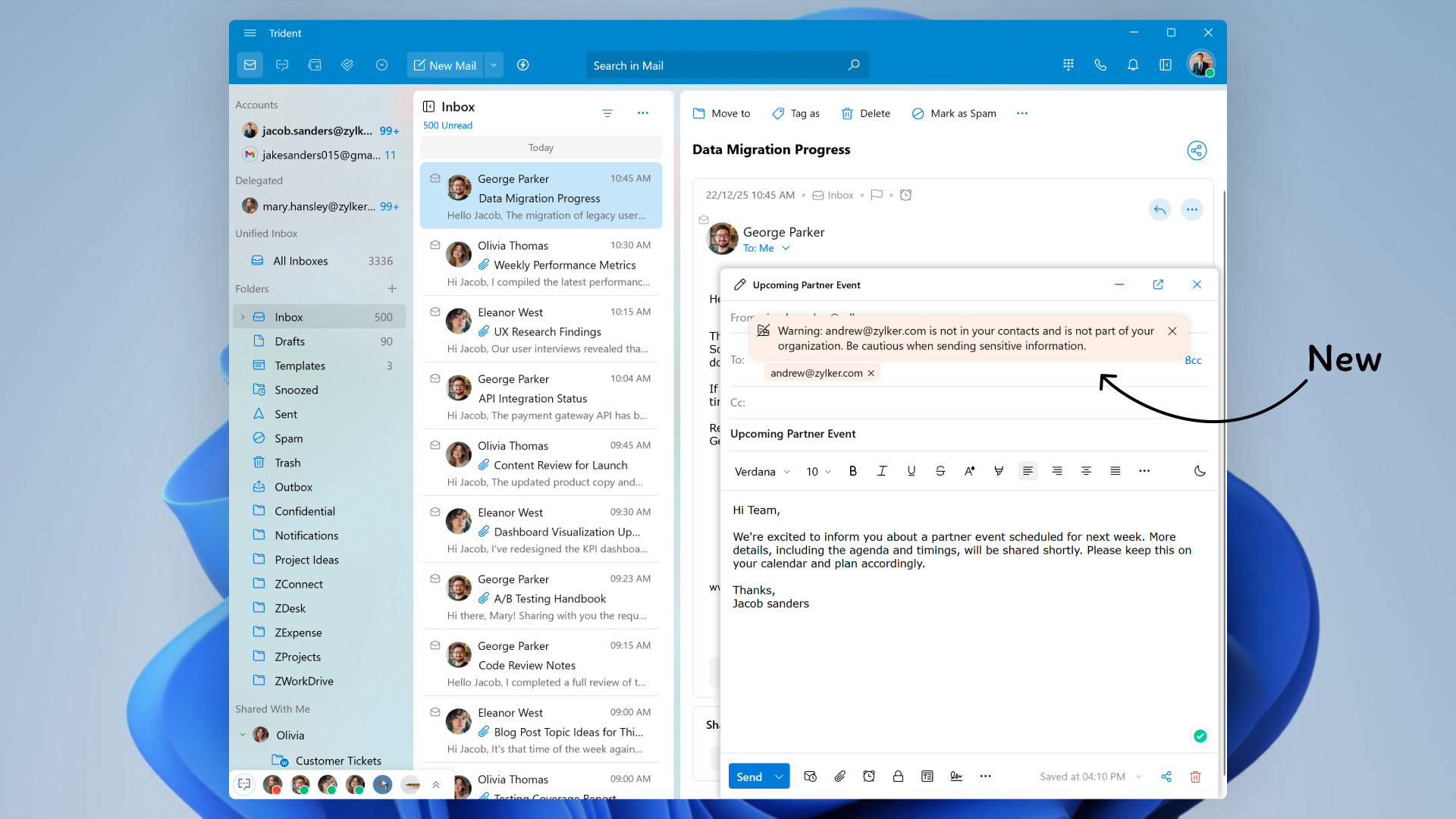
With this update, users can now benefit from security alerts for unfamiliar recipients.
- A warning message will now appear in the email detail view when an email is received from a sender for the first time.
- A warning message will be displayed when you send an email to someone outside your organization or not in your contact list.
To leverage these new features in Trident, update the app to the latest version by following the steps below:
- Click the Main Menu icon on the top-left corner of the app.
- Select Check for Updates from the menu list.

If you haven't already downloaded the app, you can download it here. Trident is available for free for all paid and trial users of Zoho Mail, Zoho Workplace, and Zoho One (using Zoho Mail).
Give these features a spin and let us know your experience, as well as any suggestions, by submitting feedback right within the app. You can also reach us at trident@zohosupport.com.
To submit your feedback directly through the app, follow the steps below:
- Click the Main Menu icon in the top-left corner of the app.
- Select Feedback.
- In the feedback window, enter the necessary details under Subject and Feedback Content.
- Once you're ready, click Submit.
We look forward to hearing from you!
Until next time,
Sneha