Workflows vs Macros in Zoho Desk: Key Differences, Use Cases & Best Practices

Workflows vs Macros in Zoho Desk: Key Differences, Use Cases & Best Practices

Workflows vs Macros in Zoho Desk: Choosing the right help desk automation
InfoThis post is part of the "Desk Automation Series," Chapter 1. Through this series, we will help you choose the right automation type in Zoho Desk by comparing commonly confused automations through real scenarios and business processes, so you can clearly see what to use, when, and why.
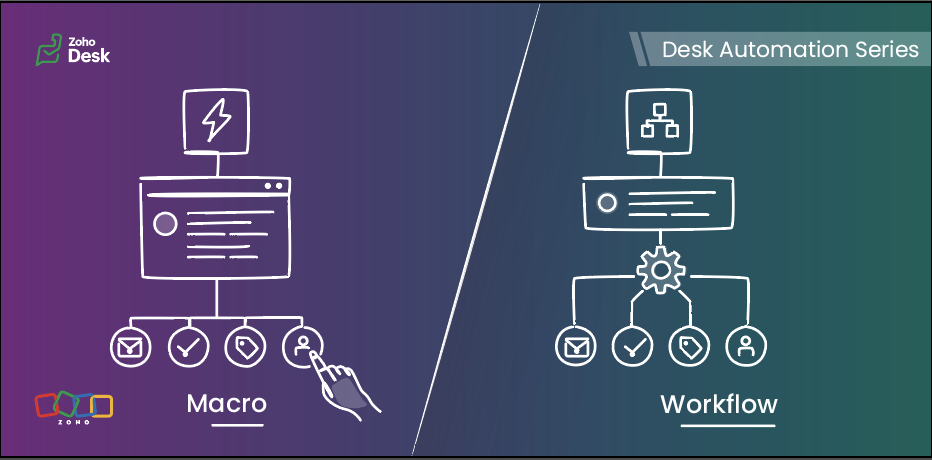

When you are running support at scale, not every task should be handled manually, and not every action should be fully automated either. Some steps need to happen instantly in the background, while others are better left to agents after they review the ticket.

That is exactly where workflows and macros in Zoho Desk make a difference.

In simple terms, workflows are meant for automatic actions based on ticket data, whereas macros help agents complete repeated actions faster after reviewing the ticket.

This guide will help you understand the difference between the two, so you can decide:

  • what your system should handle automatically 
  • what your agents should trigger while working on a ticket 
Quote


Workflows run automatically when defined criteria are met, while macros are applied by agents as they work on a ticket.

Workflows  

Workflows help businesses bring structure, accountability, and momentum to support operations. When defined conditions are met, Zoho Desk executes actions automatically in the background, enabling teams to handle volume with more control, fewer process gaps, and stronger execution quality.

How workflows work  :

A workflow consists of three parts:

When — the trigger
 (ticket created, ticket edited, field update, etc)

If — the criteria

(The criteria used to filter records that meet specific conditions)

Then — the actions
(update fields, assign tickets, send notifications, change status, call custom functions)

Once active, the workflow runs for tickets that meet its criteria.


When to use workflows
  

Use workflows when:

  • An action must run whenever specific conditions are met
  • The action should not depend on an agent remembering to do it
  • Needs to be ensured that the same action is taken for every similar scenario
  • Trigger actions the moment conditions are met, without waiting for manual input 
  • Reduce operational load and keep processes moving without adding effort 
  • Keep critical actions running reliably in the background 

Typical examples:

  • Assigning tickets based on category or department
  • Setting priority for specific customer types
  • Updating fields when a ticket is modified
  • Reassigning tickets to another team based on defined rules
  • Using Zia actions in the workflow to predict field values from ticket context or extract details such as order IDs, dates, or product names and map them to ticket fields. 

Macros  

Macros allow agents to perform multiple actions on a ticket in a single click. They are available inside the ticket and are applied manually. These operations can be performed on mass tickets as well.

Macros help your agents complete repeated actions quickly, with better speed and consistency, once they know what the ticket needs.


How macros work
  

A macro can:

  • Update fields
  • Send an alert
  • Add tasks
  • Execute custom functions
  • Move ticket to specific department

When to use macros  

Use macros when:

  • Agents need to perform the same manual actions across similar tickets
  • The ticket needs to be reviewed before any action is applied
  • The same set of actions needs to be applied to multiple tickets at once
  • The next set of actions depends on a deeper understanding of the ticket context 

Typical examples:

  • Applying a follow-up response after troubleshooting
  • Ticket transfer to a different department based on agent’s manual interpretation
  • Sending emails and updating ticket fields in a single manual action 
  • Creating follow-up tasks while updating ticket details after review 
  • Applying the same set of field updates across similar tickets  

Macros help agents complete routine updates without performing each step manually.

Key differences at a glance  

Feature

Workflows

Macros

Primary purpose

Automate actions based on predefined conditions to reduce manual effort and standardize processes.

Enable agents to execute a set of actions (emails, tasks, field updates) together after reviewing a ticket.

Triggered by

System-driven events such as ticket creation, updates, replies, or specific field changes.

Manually triggered by agents from within tickets or in bulk view.

Agent involvement

Not required

Required for every execution

How actions are executed

Runs automatically in the background when conditions are met

Runs as per manually selected action

Best suited for

Routing tickets, updating fields, sending alerts, and handling rule-based or event-driven actions

Applying repeated actions such as sending acknowledgement emails, creating tasks, and updating fields during ticket handling

Decision basis

Based on ticket data, conditions, and system events

Based on agent review and ticket context

Choosing the right automation tool  

Use a workflow when:  

  • The action must always run for certain tickets 
  • The criteria matches the ticket context 
  • The action is triggered by ticket events such as creation, updates, or replies 

Use a macro when:  

  • Agents perform the same set of actions frequently 
  • The action is applied after reviewing the ticket 
  • The update depends on agent confirmation before execution

A practical scenario  

Let’s look at how both tools work together in a realistic business scenario using a fictional organization, Zylker Travel.

Zylker Travel handles support for hotel bookings, holiday packages, cancellations, airport transfers, and special stay requests.


New ticket created for a booking with check-in within 24 hours  

Use: Workflow

When the ticket is created and the check-in date falls within the next 24 hours, the workflow:

  • Sets the priority to High
  • Assigns the ticket to the urgent reservations team
  • Sends an internal notification

This happens automatically based on ticket data.


Customer asks to cancel a reservation

Use: Macro

The agent:

  • Reviews the booking type
  • Confirms eligibility
  • Applies the cancellation macro

The macro:

  • Send an email alert to the customer 
  • Update the ticket status 
  • Update a refund-related field, such as refund percentage, if that is available as a ticket field 
  • Move the ticket to the Finance department for the next step
     

Special request completed (late check-out, airport transfer, or room upgrade)  

Use: Macro

After confirming the request is fulfilled, the agent applies a closure macro that:

  • Sends the confirmation message
  • Updates the status to Closed


Refund request crosses a defined value threshold

Use: Workflow
When a ticket is created or updated and the refund amount exceeds a defined threshold, the workflow can:

  • Set the priority to High 
  • Assign the ticket to a senior support or finance queue 
  • Notify the relevant internal team 

This is a workflow because the action is based on ticket data and should happen consistently without waiting for agent action.


Manual transfer after review  

Use: Macro

Sometimes, the right department cannot be determined from the initial ticket data alone. After reviewing the conversation, the agent can apply a macro that:

  • then moves the ticket to the right department 
  • creates a follow-up task 


Booking upgrade request
  

A customer asks to upgrade a confirmed booking.

Use: Workflow and Macro

Workflow:

When the ticket is created with upgrade or booking modification, the workflow can:

  • Assign it to the booking changes team 
  • Set priority based on travel date 
  • Add or update tags for categorization (for example, “Upgrade request”) 
  • Send an internal notification to the team 
  • Update initial ticket fields such as request type or category 

Macro:
After the agent checks availability and pricing, they can apply a macro to:

  • Send the upgrade response 
  • Update the ticket status to Waiting for customer confirmation
  • Update review-based ticket fields such as upgrade status
  • Move the ticket to the next department if required

Why both:
The workflow handles routing and priority automatically. The macro helps the agent complete the response after review.


Workflows vs Macros in common business scenarios  

Scenario

Best-suited automation

Why

Order status replies in e-commerce

Macro

The agent selects the reply after reviewing the ticket

Internal approval escalation for refunds

Workflow

Based on defined criteria

Closing resolved tickets with a standard note

Macro

Triggered when the agent confirms resolution

Follow-up message after troubleshooting

Macro

Sent after agent confirmation


Guidelines for quick selection
  

  • A rule must always run when defined conditions are met Workflow
  • Routing based on ticket data or ticket events Workflow
  • The action is triggered by ticket events such as creation, update, or reply Workflow
  • Repeated manual ticket actions Macro
  • An action needs to be applied after the agent reviews the ticket Macro
  • The next step depends on agent judgment or confirmation Macro

Best practices  

For workflows  

  • Keep conditions specific and business-driven
  • Avoid multiple workflows updating the same field unless required
  • Document the purpose of each workflow
  • Test in a limited scope before enabling for all tickets
  • Review workflows after process changes

For macros  

  • Create team-specific macros
  • Keep response templates easy to edit
  • Use clear naming so agents can find them quickly
  • Remove unused macros periodically
  • Do not use macros for actions that must run automatically


The verdict  

In Zoho Desk, workflows bring control. Macros bring speed.

Put them together, and you get the best of both worlds: structured automation for your business, effortless execution for your teams, and a smoother experience for every customer.

    • Sticky Posts

    • Register for Zoho Desk Beta Community

      With the start of the year, we have decided to take a small step in making the life of our customers a little easier. We now have easy access to all our upcoming features and a faster way to request for beta access. We open betas for some of our features
    • Share your Zoho Desk story with us!

      Tell us how you use Zoho Desk for your business and inspire others with your story. Be it a simple workflow rule that helps you navigate complex processes or a macro that saves your team a lot of time; share it here and help the community learn and grow with shared knowledge. 
    • Tip #1: Learn to pick the right channels

      Mail, live chat, telephony, social media, web forms—there are so many support channels out there. Trying to pick the right channels to offer your customers can get pretty confusing. Emails are most useful when the customer wants to put things on record. However, escalated or complicated issues should not be resolved over email because it's slow and impersonal.  When you need immediate responses, live chat is more suitable. It's also quick and convenient, so it's the go-to channel for small issues. 
    • Welcome to Zoho Desk Community - Say hello here!

      Hello everyone! Though we have been here for a while, it’s time to formally establish the Zoho Desk Community; we’re really happy to have you all here! This can be the place where you take a moment to introduce yourself to the rest of the community. We’d love to hear all about you, what you do, what company or industry you work for, how you use Zoho Desk and anything else that you will like to share! Here’s a little about me. I am Chinmayee. I have been associated with Zoho since 2014. I joined here
    • Webinar 1: Blueprint for Customer Service

      With the launch of a host of new features in Zoho Desk, we thought it’ll be great to have a few webinars to help our customers make the most of them. We’re starting off with our most talked about feature, Blueprint in Zoho Desk. You can register for the Blueprint webinar here: The webinar will be delivered by our in-house product experts. This is a good opportunity to ask questions to our experts and understand how Blueprint can help you automate your service processes. We look forward to seeing
    • Recent Topics

    • Zero Customer Support

      I have been a paying customer on Zoho Mail Premium, which clearly advertises a 40MB attachment limit. However, for a long time now, I have been experiencing ongoing issues sending PDF attachments over 10MB. Instead of sending properly as attachments,
    • Unable to send message;Reason:554 5.1.8

      Dear Zoho Support Team, I have attempted to send multiple documents in several different ZIP files containing PDF and Word documents. Initially, I received the following notification: “When Office 365 tried to send your message, the receiving email server
    • SOLVED - Unsubscribe Feedback Page inexplicably presenting in French, German, etc. not default language of English

      As the titles says, had the "Unsubscribe Feedback Page" for two different clients presenting the feedback options to unsubscribers in French, German, etc., not in English like it should. And no, it wasn't due to user preferences, embedded web translators,
    • Identify and clean hard bounce lists in Automation 2.0

      Hello. 1. I want to know how I can identify hard bounces in the lists I created to clean them before sending an email, given that the bounce rate has increased and it is necessary to clean the lists. 2. How can I exclude hard bounces and invalid emails
    • Catalyst DB is insufficient for many use cases

      Hi all: I've been diving deep on full stack application development inside Zoho Catalyst. I've been using catalyst for serverless compute and API gateway for a few years, but I haven't used the DB beyond simple storing of app data. As I was working through
    • Edit a previous reconciliation

      I realized that during my March bank reconciliation, I chose the wrong check to reconcile (they were for the same amount on the same date, I just chose the wrong check to reconcile). So now, the incorrect check is showing as un-reconciled. Is there any way I can edit a previous reconciliation (this is 7 months ago) so I can adjust the check that was reconciled? The amounts are exactly the same and it won't change my ending balance.
    • How to change column headings in pivot table?

      Hi, Is there a way to rename the column headers of a pivot table? Now some the columns are named with value labels: 'SUM of .....'. We would like to rename those headers. As of now we couldn't find any direct solution to adjust the headers, besides copying and reformat. We want to avoid these extra steps. Best, Tiemen
    • Native QuickBooks integration for Zoho CRM: Connecting sales and finance

      Greetings, I hope all of you are doing well. We're excited to announce Zoho CRM's integration with QuickBooks Web, which is designed to synchronize your CRM data with your QuickBooks accounting records and bridge the gap between sales and finance. This
    • Rename system-defined labels in Zoho CRM

      Renaming system-defined labels is now available across all DCs. Hello everyone, Zoho CRM includes predefined system fields across modules to support essential CRM operations. Until now, the labels of these fields were fixed and could not be edited from
    • Report/All Entries Filter Contains to support multiple values

      Hi, I use different fields to filter All Entries before Export, one is the Added Email ID (May soon replace with the new Logged in User Name Field!!), and I want to filter for more than one person, so select "Contains", but I try with a comma seperating
    • Marketing Tip #32: Improve SEO and customer confidence with an FAQ section

      Before making a purchase, customers often have simple questions about delivery times, returns, product usage, or sizing. If they can’t quickly find answers, they may leave your store without buying. Adding a clear FAQ (Frequently Asked Questions) section
    • Zobot with Plugs

      Hello, I am having a problem with Zobot using Plugs. Here is my current flow: When I run the flow, I should immediately see the messages from the initial cards (Send Message cards), then after running the plug, and finally, see the messages after the
    • Zoho Creator é para você? Saiba quando escolher (e quando não escolher) essa plataforma

      Todo mês alguém me pergunta: "Leandro, vale a pena usar o Zoho Creator para o meu projeto?" A resposta honesta é: depende. E neste artigo vou te dar os critérios reais que uso para tomar essa decisão — sem marketing, sem generalização. O que é Zoho Creator,
    • Control Fields on Mobile App

      On the mobile app, how do we control which fields appear on the screen for records that have a related list? In the example below I want the Inspection Stage and Inspection Type fields to appear, not the record owner (Dev Admin). I changed the Inspections
    • Show Zoho Marketing Automation Messages in SalesIQ Chat

      When the same number is used in Zoho Marketing Automation and SalesIQ, campaign messages should be visible inside the SalesIQ chat. Currently, when customers reply to marketing campaign messages, SalesIQ chat owners get confused because they cannot see
    • Switch between multiple LLMs instantly for tailored Zia experiences

      Availability Editions: Professional , Enterprise, Ultimate , CRMPlus , ZohoOne Release Plan: Available for all DCs Hello everyone. Earlier, the Multi-LLM feature supported only one LLM at a time for Zia Record Assistant bot restricting flexibility from
    • Lost the ability to sort by ticket owner

      Hi all, in the last week or so, we have lost the ability to sort tickets by Ticket Owner. Unlike the other columns which we can hover over and click on to sort, Ticket Owner is no longer clickable. Is it just us, or are other customers seeing this too?
    • SalesIQ Chat Owner to CRM Lead Owner Mapping

      There is no proper mapping between the SalesIQ chat owner and the CRM lead owner. When a chat is assigned to an agent, the lead created in CRM is often assigned to a different user, forcing admins to manually change ownership every time. This creates
    • Automatic Email Alerts for Errors in Zoho Creator Logs

      Hello, We would like to request a feature enhancement in Zoho Creator regarding error notifications. Currently, Zoho Creator allows users to view logs and errors for each application by navigating to Zoho Creator > Operations > Logs. However, there is
    • [Webinar] Agentic AI and its influence on analytics and autonomous decision-making

      Analytics is evolving from passive reporting to proactive, intelligent systems. Agentic AI is at the center of this shift, bringing context-aware reasoning, continuous learning, and the ability to act on data in real time. Join this webinar with Michael
    • Zoho One: books and inventory working together

      Hi, I was very pleased when I saw that in Zoho Inventory can now pull the orders from Woocommerce. They are now fed in Inventory as Sales order and with choosing convert invoice as Instant Invoice I am getting the exact data as they appear in Woocommerce.
    • Zoho Forms - Form Availability Redirect Option

      Hi Forms Team, It would be great if there was a redirect URL option on the Form Availability settings. For example, I would like to create a support form which is only available outside business hours and if the current data and time is not Mon-Fri 9-5
    • VAT and Taxes option not available

      Dear ZOHO Team , The VAT and Taxes options in my ZOHO books account not available,I tried to find how to enable or check the way to use this option but unfortunately couldn't find it anywhere ,I'm in UAE ,kindly let me know what to do to solve this issue
    • Syncing zoho books into zoho crm

      I was wondering how I can use zoho books in crm as I have been using them separately and would like to sync the two. Is this possible and if so, how? Thanks
    • Client requests I submit invoices using bill.com

      The title states it all. I have a reoccurring invoice setup for this client who has been manually paying by credit card. We are both experiencing merchant costs/fees. The use of bill.com's direct deposit is not far removed from Zoho's, only the client
    • Zoho Inventory Feature Roadmap Visible To All

      Hello, please consider making your feature roadmap visible to us users so that we know what to expect in future. This may appease current users who are seeking clarification on feature implementation dates, so that they can make an informed decision whether
    • Can't Remove Payment Gateway

      I am getting the error "Settings cannot be cleared as some of the transactions are still in progress." when trying to remove the PayGate payment gateway which I was unable to get working. I am now using paystack and I want to remove Paygate.
    • Improve Zoho Vault search

      Hello, we started using Zoho Vault and we really appreciate the app. At the moment, when searching passwords, the search query only targets the password name. I think having the query search among Name, User name, URL, Notes and Tag would be a better
    • New in WorkDrive: Personalize your file system with Labels

      Data is the driving force behind every decision made by businesses today. We at WorkDrive know every employee needs reliable access to their information and be able to locate the data they need at the right time.  Introducing Labels: organize your files in a way that's personal to you.  While WorkDrive's Data Templates feature focuses on adding structure to your organization's data, Labels help your team members classify files based on their preference. The Labels created will appear only to the
    • Custom Buttons & Links Now Supported in Portals

      We’ve just made portals in Zoho Recruit more powerful and customizable than ever! You can now bring the power of Custom Buttons and Links to your Candidate, Client, Vendor, and Custom Portals, enabling portal users to take direct action without recruiter
    • No Ability to Rename Record Template PDFs in SendMail Task

      As highlighted previously in this post, we still have to deal with the limitation of not being able to rename a record template when sent as a PDF using the SendMail Task. This creates unnecessary complexity for what should be a simple operation, and
    • Integrate your Outlook/ Office 365 inbox with Zoho CRM via Graph API

      Hello folks, In addition to the existing IMAP and POP options, you can now integrate your Outlook/Office 365 inbox with Zoho CRM via Graph API. Why did we add this option? Microsoft Graph API offers a single endpoint to access data from across Microsoft’s
    • Work Type Section in Field Service Settings

      Hello Team, We are trying to understand how skills are managed in the system. During our review, we found an article mentioning a section called Work Type, which is used to manage skill assignment. According to the documentation, this section should be
    • Mirror Component in Zoho CRM: Access real-time related data without leaving your record

      Hi everyone, This feature is now available for the JP, CA, SA, UAE, and AU DCs. We're excited to bring to you Zoho CRM's mirror component, which presents relevant data on a record's details page and keeps everything users need in one place without having
    • Clone a Module??

      I am giong to repurpose the Vendors module but would like to have a separate but very similar module for another group of contacts called Buyers. I have already repurposed Contacts to Sellers. Is it possible to clone (make a duplicate) module of Vendors
    • Is there lead tracking in Bigin? There should be.

      Is there a way to track leads before they are ready to be added to Pipelines? I'm afraid we're going to lose opportunities. Example: We're sending out small batches of 25 emails to those we collected at tradeshows. They are all qualified leads. Out of
    • How to get static reports via Desk API

      Hello, we are hoping to use the Desk API to automatically export the default static reports in Zoho Desk, or reconstruct them via other API calls. What's the best way to do this? For example, if I want to recreate the Response Time static report via the
    • Product updates in Zoho Workplace applications | April 2026

      Hello Workplace Community, Let’s take a look at the new features and enhancements that went live across all Workplace applications for the month of April. Zoho Mail Enhance group member exports with additional data fields Customize your group member exports
    • Billing Status Update

      Hello Latha, I’m working on a new automation (deluge) to fulfill one of our requirements. In this automation, there is a step to update the Work Order billing status from “Not Yet Invoiced” to “Non-Billable.” I tried to find the API information relevant
    • Zoho Projects Coming to CRM Teamspaces

      Availability: The US DC Standard Edition is now available. It will be rolled out to customer accounts in all DCs in phased manner. Hello all, You are probably already familiar with Teamspaces, the dedicated workspaces where teams organize the CRM modules
    • Next Page