Customize the Color of the Task Bar in a Gantt Chart
The Gantt chart in Zoho Projects provides a visual representation of the project schedule. However, when there are multiple tasks in a project, it can be difficult to find the one that requires specific action. To ease this, users can now modify the color of the task bar to their preference.
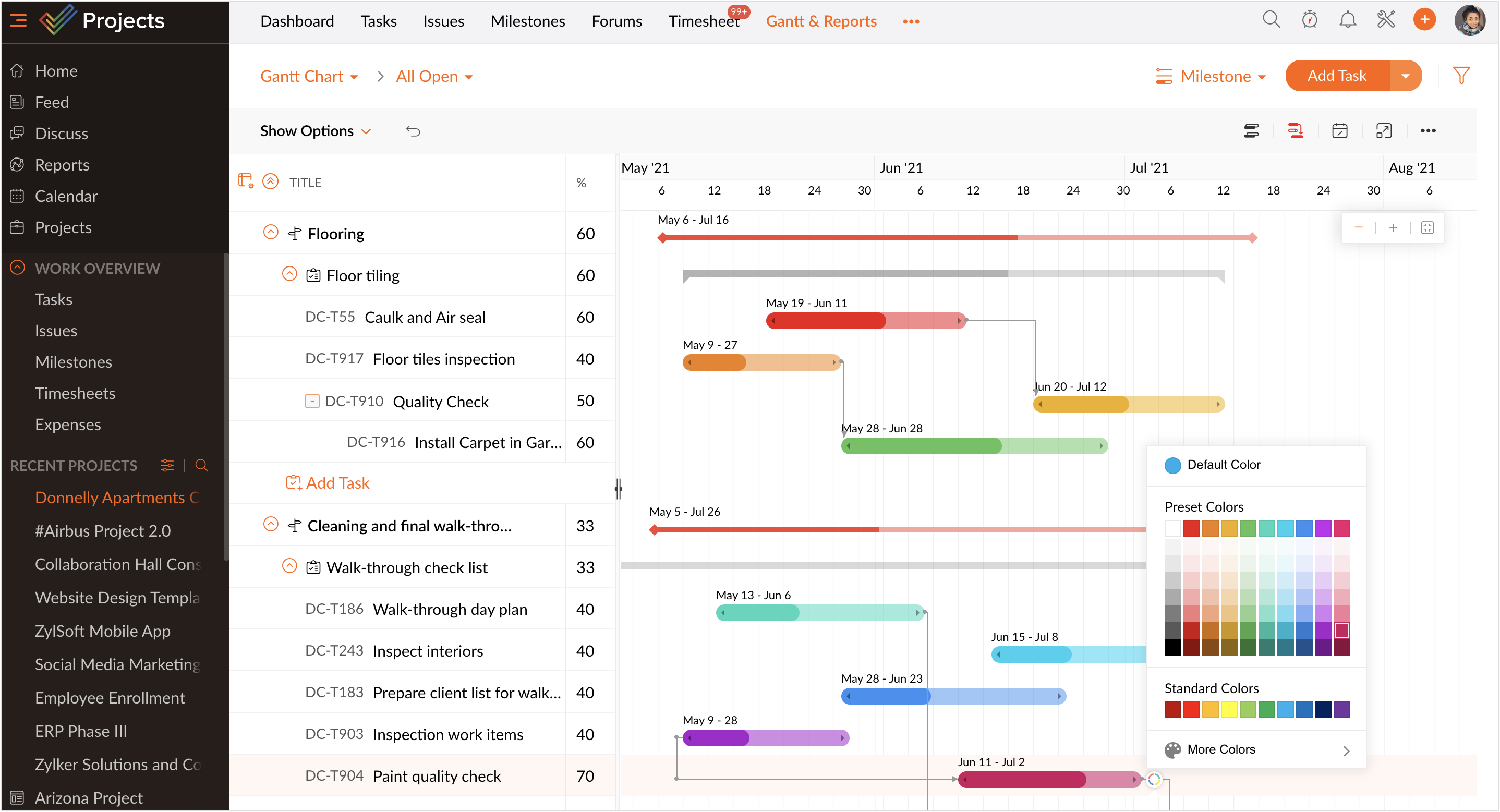
This will allow users to:
- quickly identify tasks of a certain kind
- prioritize daily activities
- highlight tasks that need frequent follow-ups
The color change is user specific, therefore it will not affect how other users view the tasks. For eg, if an employee changes a task bar to orange, their manager will still see the bar in its default color. The manager can also set a unique color for the same task as per their preference. The employee will still view the task bar in orange.
Learn more on how to customize the color of the task bar. Reach out to support@zohoprojects.com for any assistance or drop a comment below.