Deliver timely updates across your organization
Keeping your organization informed goes beyond sending emails or sharing links. It requires ensuring that the right information reaches users at the right time, without being missed.
What are Announcements?
The Announcements feature in the Zoho Mail Admin Console allows administrators to create and broadcast organization-wide messages directly to users. These announcements are displayed prominently within the interface, ensuring visibility without relying solely on email communication.
Key use cases
- Organization-wide updates: Communicate policy changes, new feature rollouts, or internal news to all users in a single action.
- Maintenance notifications: Inform users about planned downtime or scheduled maintenance windows well in advance.
- Event communication: Share details about company events, meetings, webinars, or deadlines to ensure broad visibility and participation.
- Policy reminders: Reinforce security practices, compliance requirements, or acceptable-use policies at regular intervals.
Why it matters for admins
- Centralized communication: Deliver messages to the entire organization or specific group of users, without relying on multiple channels or manual follow-ups.
- High visibility: Announcements appear directly within the user interface, increasing the likelihood that critical updates are seen.
- Time-saving management: Create, edit, and manage all announcements from a single console, reducing repetitive communication efforts.
- Controlled delivery: Schedule announcements and define their expiry period to align with the relevance of the message.
Steps to access Announcements in Zoho Mail Admin Console
Follow the below steps to create an Announcement.
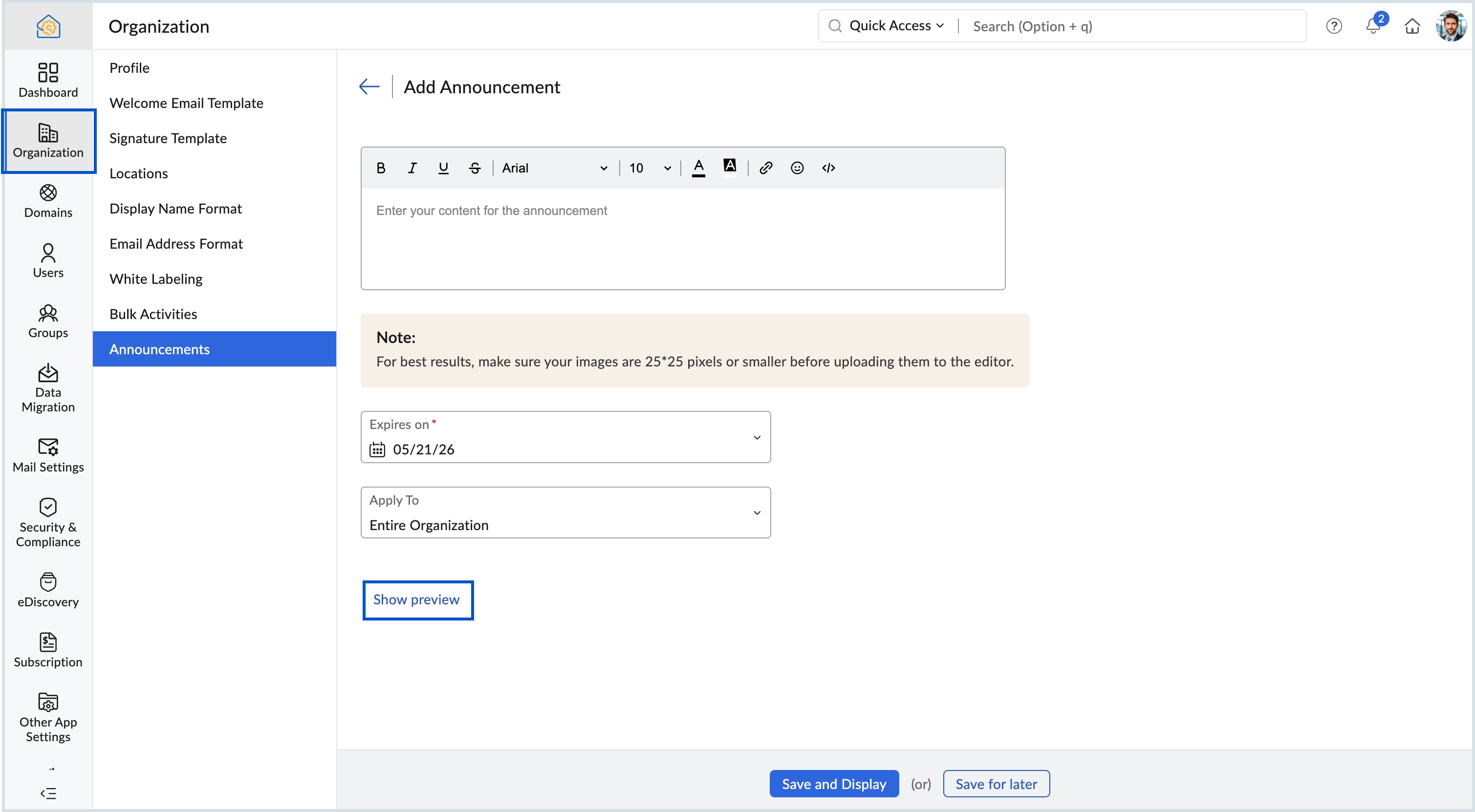
Log in to Zoho Mail Admin Console and select Organization on the left menu.
Navigate to Announcements and click Add.
Enter the message in the Content area and apply the desired formatting for the message.
Set an Expiry date for the announcement.
Choose either Entire Organization or Selected Groups in the Apply To drop-down.
Click Show preview to view how the announcement will appear for users.